



CrawlPod AI Visibility
See which AI crawlers visit your site and which pages they've never fetched, control their access, and publish llms.txt. No external requests.

Solid choice
CrawlPod AI Visibility is a solid plugin choice in 2026, with a few things worth checking first. Is rated 5/5 and was last updated 4 weeks ago, and scores 66/100 on our health check.
- Actively developed — last update 4 weeks ago
- Momentum — downloads up 16.3% vs the previous 30 days
- Small user base (<10 active installs)
- Very few reviews so far
How does it stack up?
Side-by-side on installs, updates, ratings & support



Daily downloads
Download spikes usually follow a new release — each site that auto-updates counts as a download.
Rankings
Where CrawlPod AI Visibility stands todayWordPress.org search rankings
Live position in the plugin search, top 100| Keyword | Position |
|---|---|
| AI Crawlers | >100 |
| analytics | >100 |
| llms.txt | >100 |
| robots.txt | >100 |
| structured data | >100 |
Rating breakdown
★★★★★★★★★★ 5 from 2 reviews
About CrawlPod AI Visibility
From the official readme · v1.0.1Description
CrawlPod AI Visibility shows you what AI crawlers — ChatGPT, Claude, Perplexity, and others — actually do on your WordPress site, and gives you the basic controls and files they look for. Everything runs locally, on your own server.
AI crawler analytics
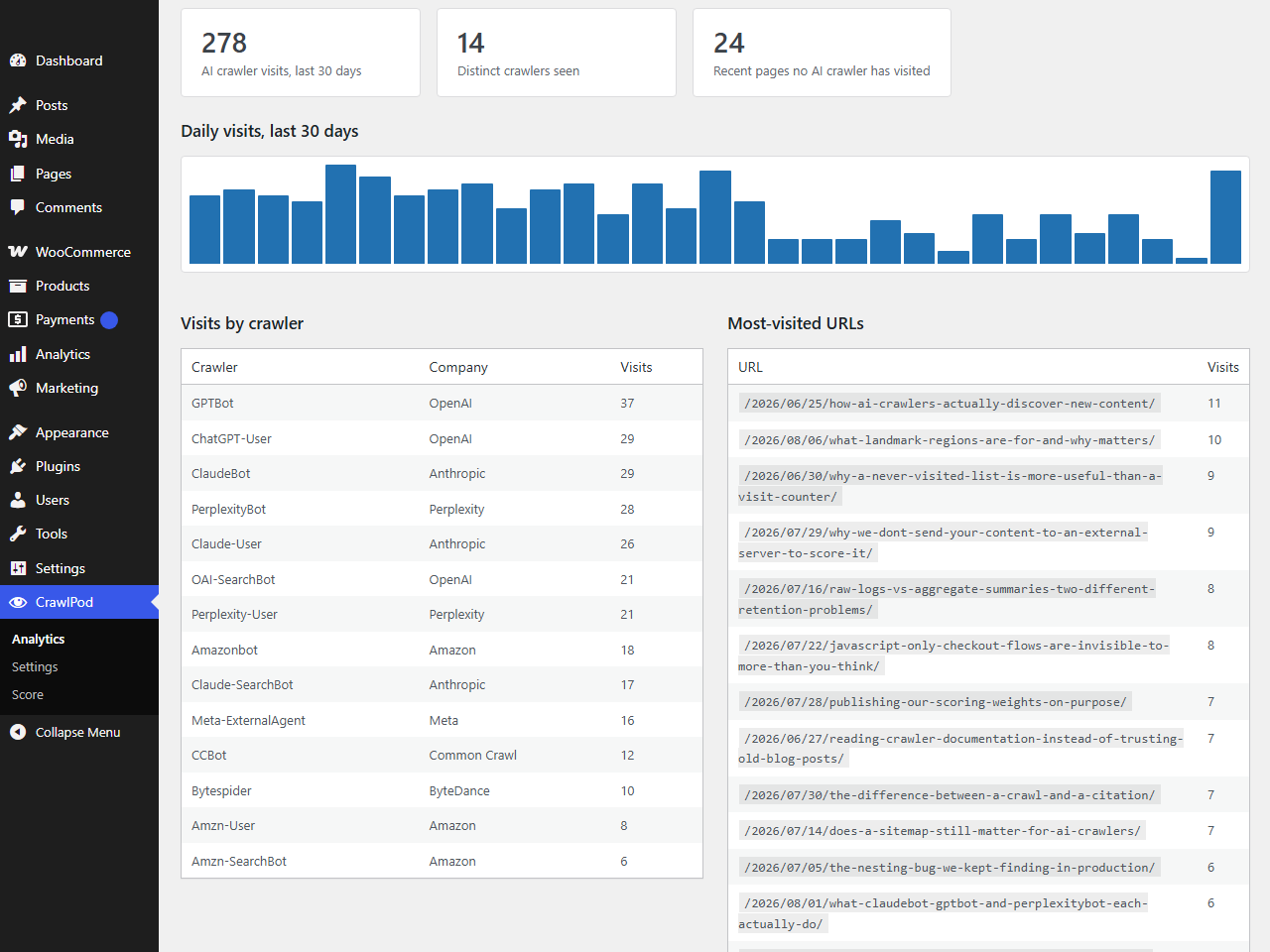
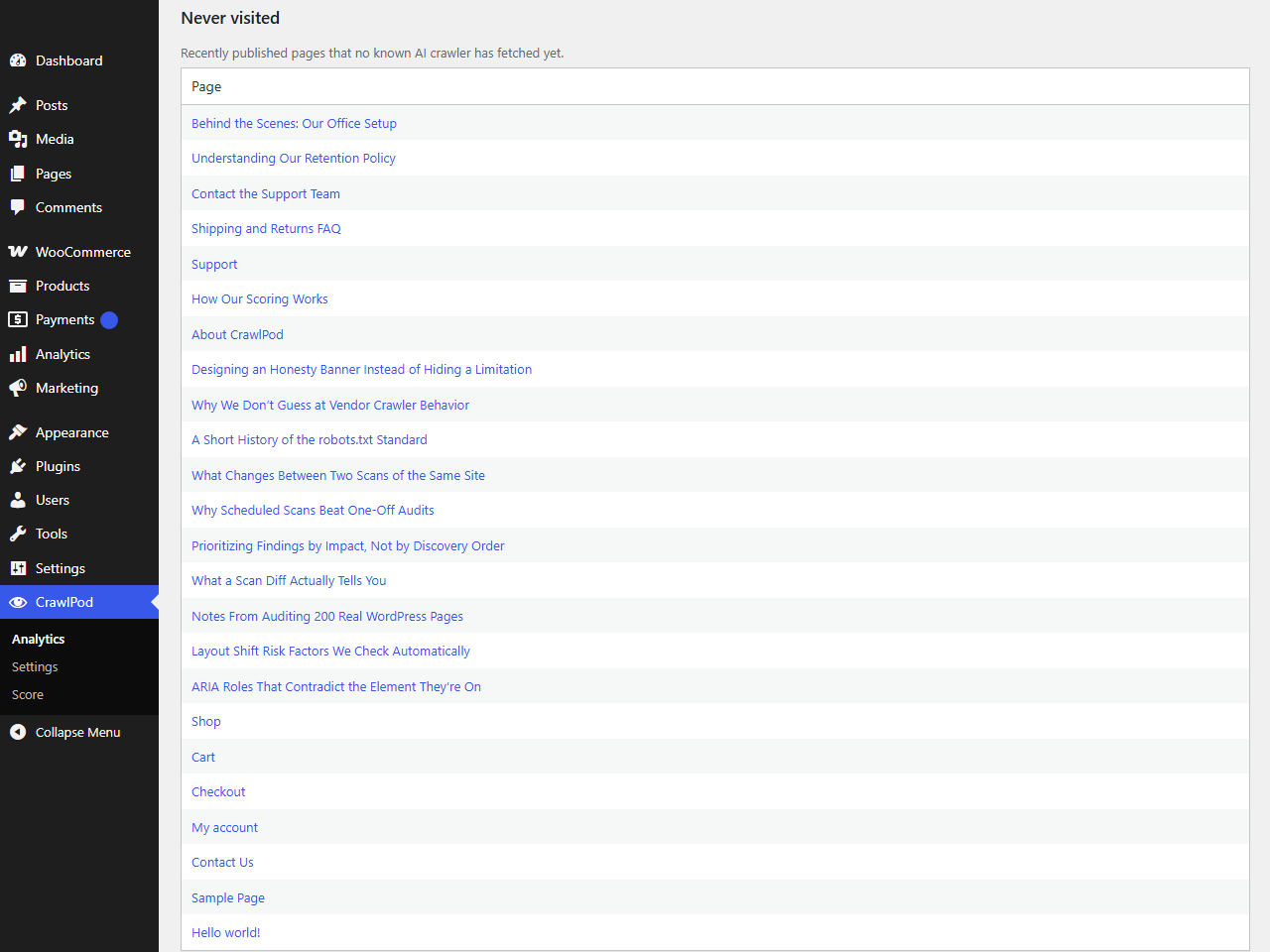
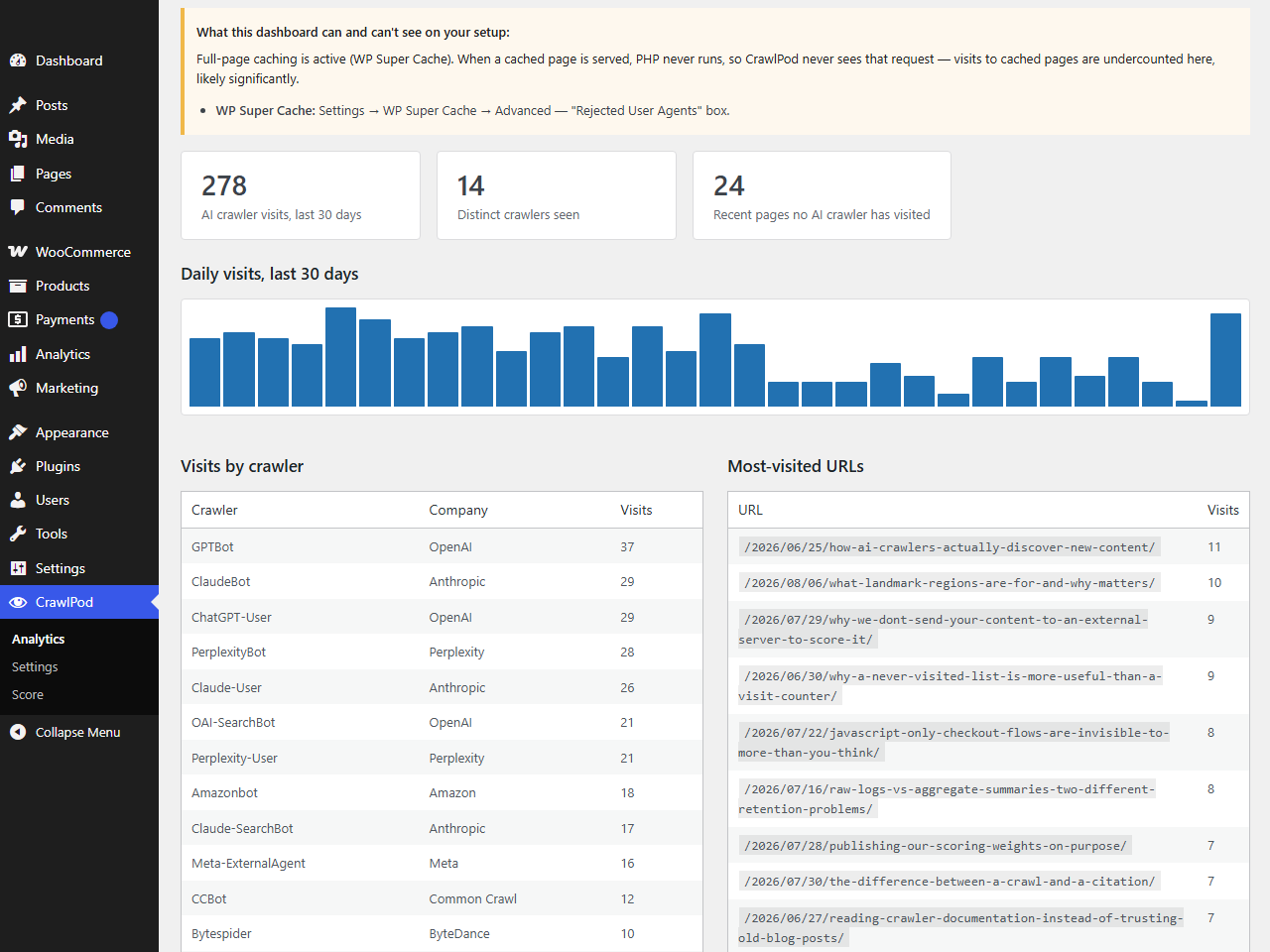
See which AI crawlers have visited, how often, and which pages, with a trend over time. The dashboard also includes a “never visited” list: pages no AI crawler has fetched yet, so you know what to check first.
Caching awareness
A page served from a full-page cache never runs PHP, so a crawler visit to that page can’t be logged. CrawlPod detects whether WP Rocket, LiteSpeed Cache, W3 Total Cache, or WP Super Cache is active and shows the specific setting that excludes AI crawler user agents from the cache, so those visits get logged.
AI crawler access control
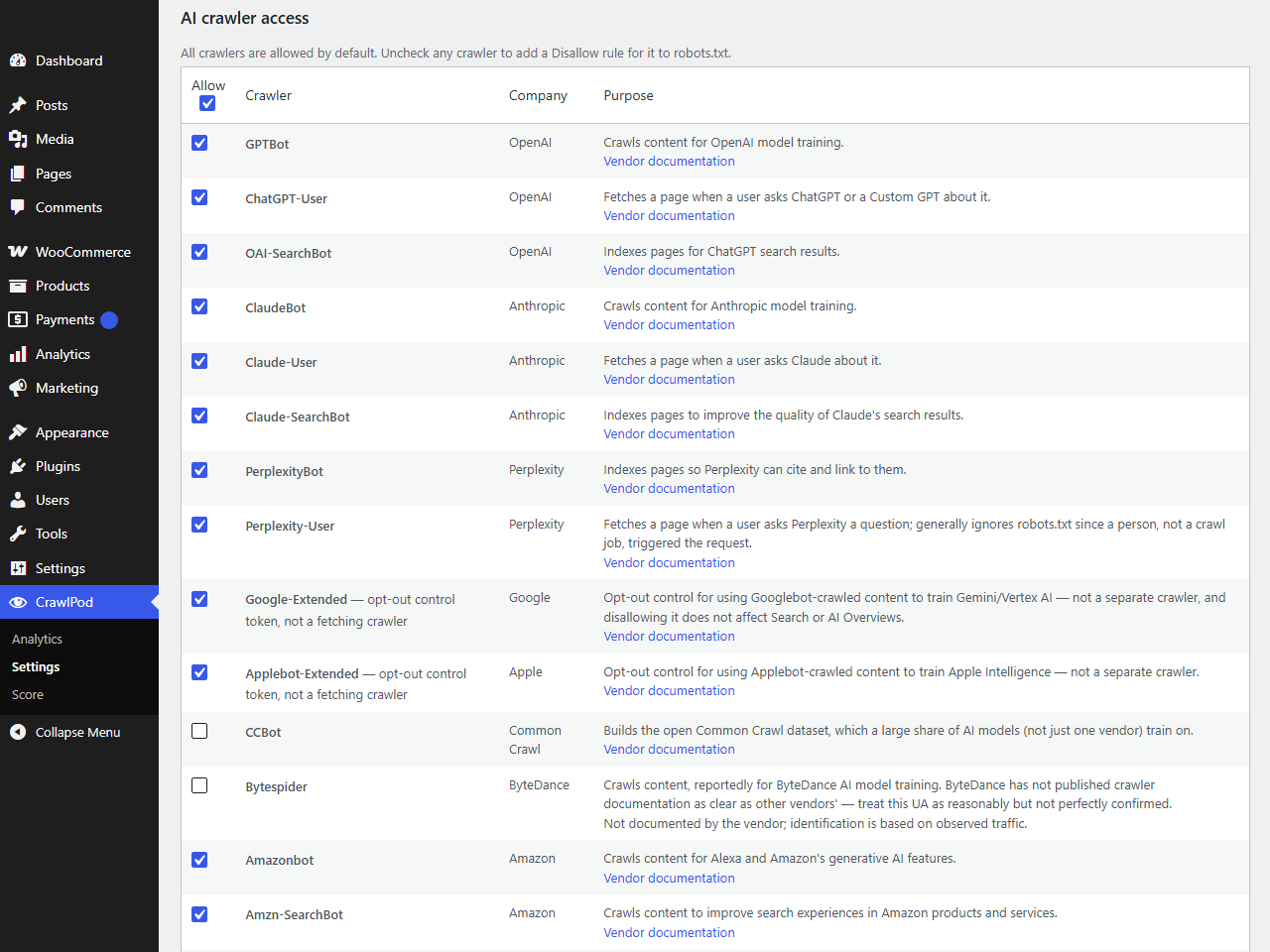
Allow or block GPTBot, ChatGPT-User, OAI-SearchBot, ClaudeBot, Claude-User, Claude-SearchBot, PerplexityBot, Perplexity-User, Google-Extended, Applebot-Extended, CCBot, Bytespider, Amazonbot, Amzn-SearchBot, Amzn-User, and Meta-ExternalAgent individually. If a physical robots.txt file already exists on your server, CrawlPod detects it and shows the exact lines to add to it manually, since WordPress can’t apply its own settings on top of a physical file.
AI visibility score
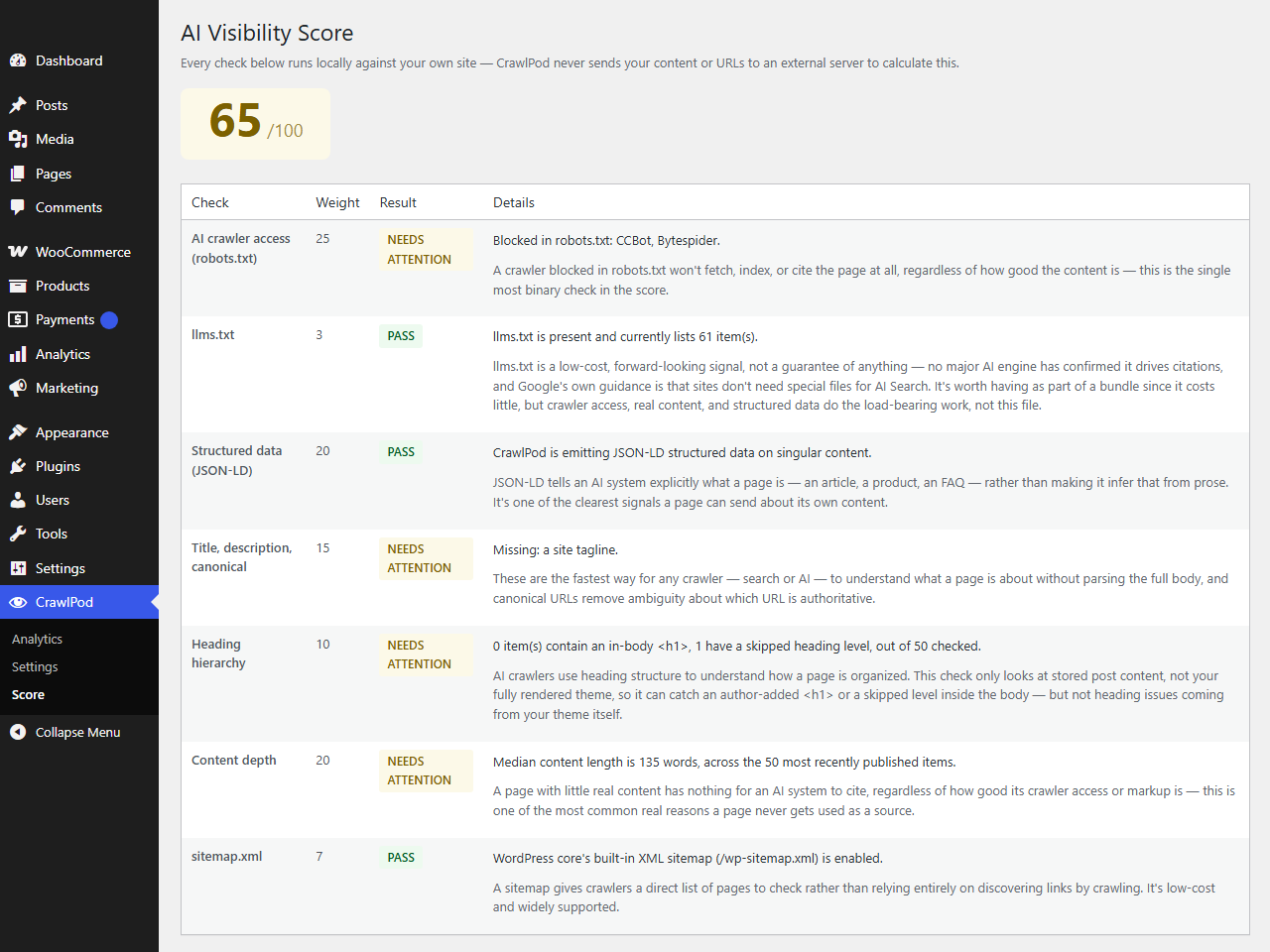
A 0–100 score computed locally from checks covering crawler access, structured data, meta tags, heading hierarchy, content depth, sitemap presence, and llms.txt. The weighting behind the score is published on the Score screen.
llms.txt and llms-full.txt
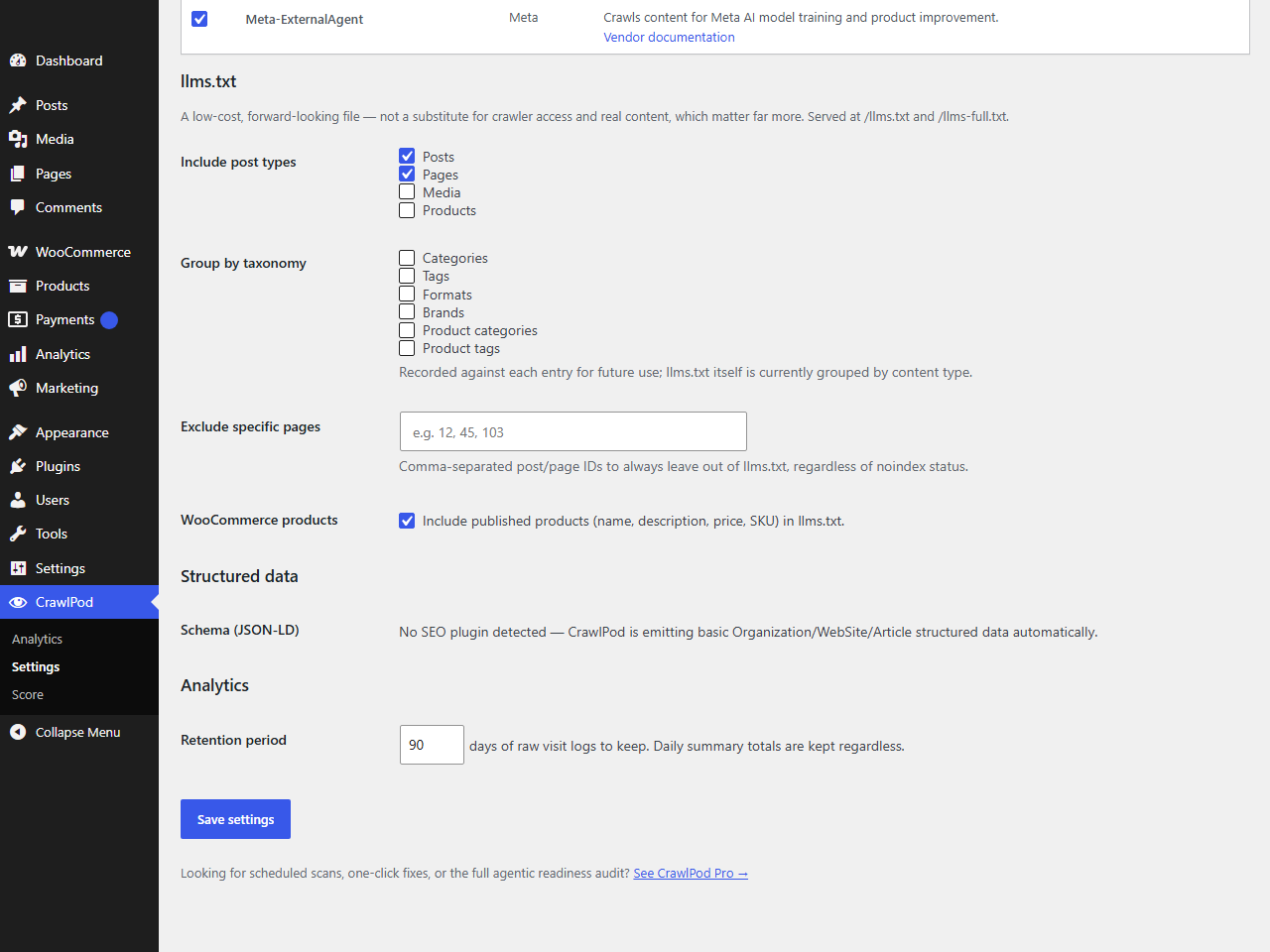
Generated from your actual content and kept up to date automatically as you publish. Choose which post types and individual pages are included; anything your SEO plugin marks noindex is left out.
Works alongside your SEO plugin
Yoast SEO, Rank Math, All in One SEO, SEOPress, and Slim SEO are detected automatically. When one is active, CrawlPod defers to it for structured data instead of generating its own.
Learn more at https://crawlpod.com/wordpress.
External services
This plugin does not connect to any external service and makes no HTTP requests of any kind. Crawler detection, analytics, scoring, and llms.txt generation all run entirely against your own WordPress database and server filesystem.
The crawler settings screen shows a documentation link next to each AI crawler (for example, to openai.com or anthropic.com) pointing to that vendor’s own published crawler documentation, for your reference. These are plain links for you to open in your browser if you choose to — the plugin itself never requests them or any other remote URL.
Installation
- Upload the plugin to
/wp-content/plugins/, or install it through the Plugins screen in your WordPress admin. - Activate the plugin.
- Visit CrawlPod → Settings. On first activation, CrawlPod scans your site (SEO plugin, caching plugin, WooCommerce, an existing robots.txt file) and shows what it found.
- Review crawler access, choose which content to include in llms.txt, and set how long to keep analytics data.
- Visit CrawlPod → Analytics after AI crawlers have had a chance to visit, and CrawlPod → Score for your AI visibility score.
Frequently asked questions
Does this plugin make any external requests?
No. See “External services” below.
Will the analytics be accurate if I use a caching plugin?
Only for requests that reach PHP — a fully cached page is served before WordPress runs, so that visit isn’t logged. CrawlPod detects WP Rocket, LiteSpeed Cache, W3 Total Cache, and WP Super Cache, and shows the specific setting in each one that excludes AI crawler user agents from the cache so their requests reach PHP and get logged.
Why is llms.txt weighted low in the score?
Google’s own guidance is that sites don’t need special files for AI-powered Search, and no major AI vendor has confirmed that llms.txt drives citations. It’s included because it costs little to generate, weighted accordingly.
Will this create duplicate structured data if I already use an SEO plugin?
No. CrawlPod detects Yoast SEO, Rank Math, All in One SEO, SEOPress, and Slim SEO, and defers to whichever is active rather than generating its own.
What happens if I have a physical robots.txt file on my server?
WordPress only generates its own robots.txt when no physical file exists at the site root. If one does, CrawlPod shows an admin notice with the exact lines to add to that file manually.
Does this work on multisite?
Yes — each site keeps its own settings, tables, and generated llms.txt.
Is a paid version required?
No. Every feature described above — AI crawler analytics, the never-visited list, cache-detection guidance, crawler access control, the AI visibility score, and llms.txt generation — is fully functional in the free plugin, with no feature-limited or time-limited restrictions.
Changelog
Initial release.
1.0.0
- Initial release: AI crawler analytics with caching awareness, AI crawler access control, llms.txt/llms-full.txt generation, AI visibility score, SEO plugin conflict handling.
Screenshots
For developers
Is this your plugin? Show off the numbers.
Add a live badge to your site, docs or GitHub README. It updates on its own — no account needed.
Best CrawlPod AI Visibility alternatives
All AI Crawlers plugins →




FAQ
CrawlPod AI Visibility: quick answers
Straight answers, pulled from live WordPress.org data.
Live data from WordPress.org · checked Oct 1, 2026
Is CrawlPod AI Visibility free?
Yes. CrawlPod AI Visibility is free to download and use from the official WordPress.org plugin directory.
Is CrawlPod AI Visibility safe to use in 2026?
CrawlPod AI Visibility is a solid plugin choice in 2026, with a few things worth checking first. Is rated 5/5 and was last updated 4 weeks ago, and scores 66/100 on our health check.
How many websites use CrawlPod AI Visibility?
CrawlPod AI Visibility is active on <10 WordPress websites and has been downloaded 679 times since it launched in August 2026. It was downloaded 520 times in the last 30 days.
Does CrawlPod AI Visibility work with WordPress 7.1?
CrawlPod AI Visibility is officially tested up to WordPress 7.0.6, while the latest release is 7.1.2. It may still work, but try it on a staging site first.
What PHP version does CrawlPod AI Visibility need?
CrawlPod AI Visibility requires PHP 7.4 or higher. Most hosts run PHP 8.x today, so it works on any modern WordPress hosting.
When was CrawlPod AI Visibility last updated?
The latest version, 1.0.1, was released on September 1, 2026 (4 weeks ago).
Who makes CrawlPod AI Visibility?
CrawlPod AI Visibility is developed and maintained by muhammadfaizanjanjua109.
What are the best alternatives to CrawlPod AI Visibility?
The most popular alternatives to CrawlPod AI Visibility are Better Robots.txt (5K+ installs), Prime SEO (100+ installs) and SEO & AI Readiness Check (30+ installs).
Powered by PageForge
Want thousands of pages that rank like these? Build them in an afternoon.
This directory runs on the same engine as PageForge. Turn any spreadsheet, CSV or API into thousands of fast, SEO-ready WordPress pages — with schema, internal links and AI-written copy baked in.
- CSV, Google Sheets & API data sources
- AI content, schema & internal links per page
- Works with Elementor, Gutenberg, Yoast & Rank Math
- Free on WordPress.org — no credit card


