


CPT Meta Size Analyzer
Analyze and display total size of post meta and content data for selected post types. Helps identify large meta or content data for optimization.

Use with caution
CPT Meta Size Analyzer works, but test it on a staging site before relying on it in 2026. Was last updated 2 months ago, and scores 55/100 on our health check.
- Small user base (<10 active installs)
- Very few reviews so far
How does it stack up?
Side-by-side on installs, updates, ratings & support



Daily downloads
Download spikes usually follow a new release — each site that auto-updates counts as a download.
Rankings
Where CPT Meta Size Analyzer stands todayWordPress.org search rankings
Live position in the plugin search, top 100| Keyword | Position |
|---|---|
| custom post type | >100 |
| database optimization | >100 |
| meta size | >100 |
| post meta | >100 |
| wordpress performance | >100 |
About CPT Meta Size Analyzer
From the official readme · v1.0.2Description
CPT Meta Size Analyzer is a simple yet powerful plugin that provides insights into your WordPress post meta and content sizes. It helps you monitor and analyze meta and content data for various post types including custom post types (CPT).
Key Features:
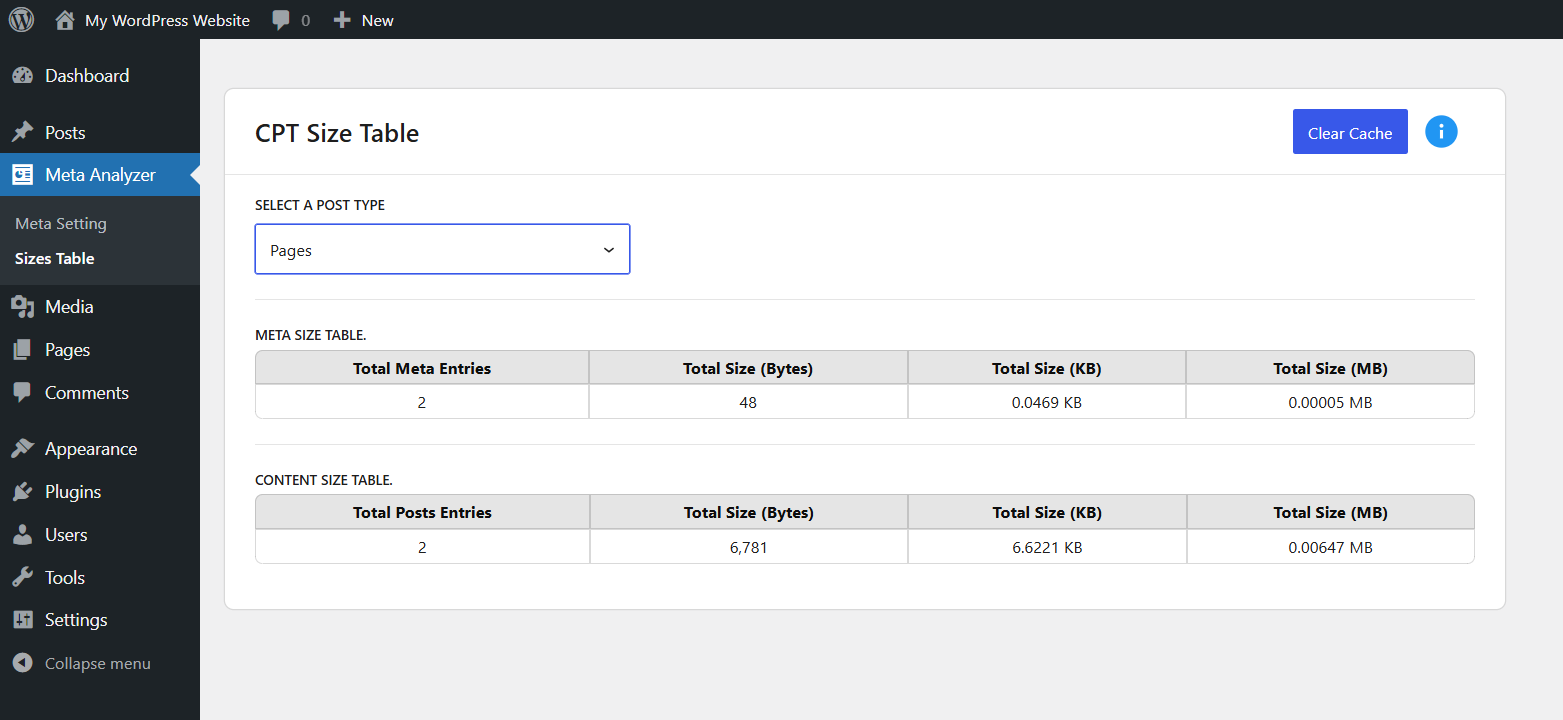
- Meta Size Table: Displays total meta entries and their size (Bytes, KB, MB) for each selected post type.
- Content Size Table: Displays total post entries and their content size.
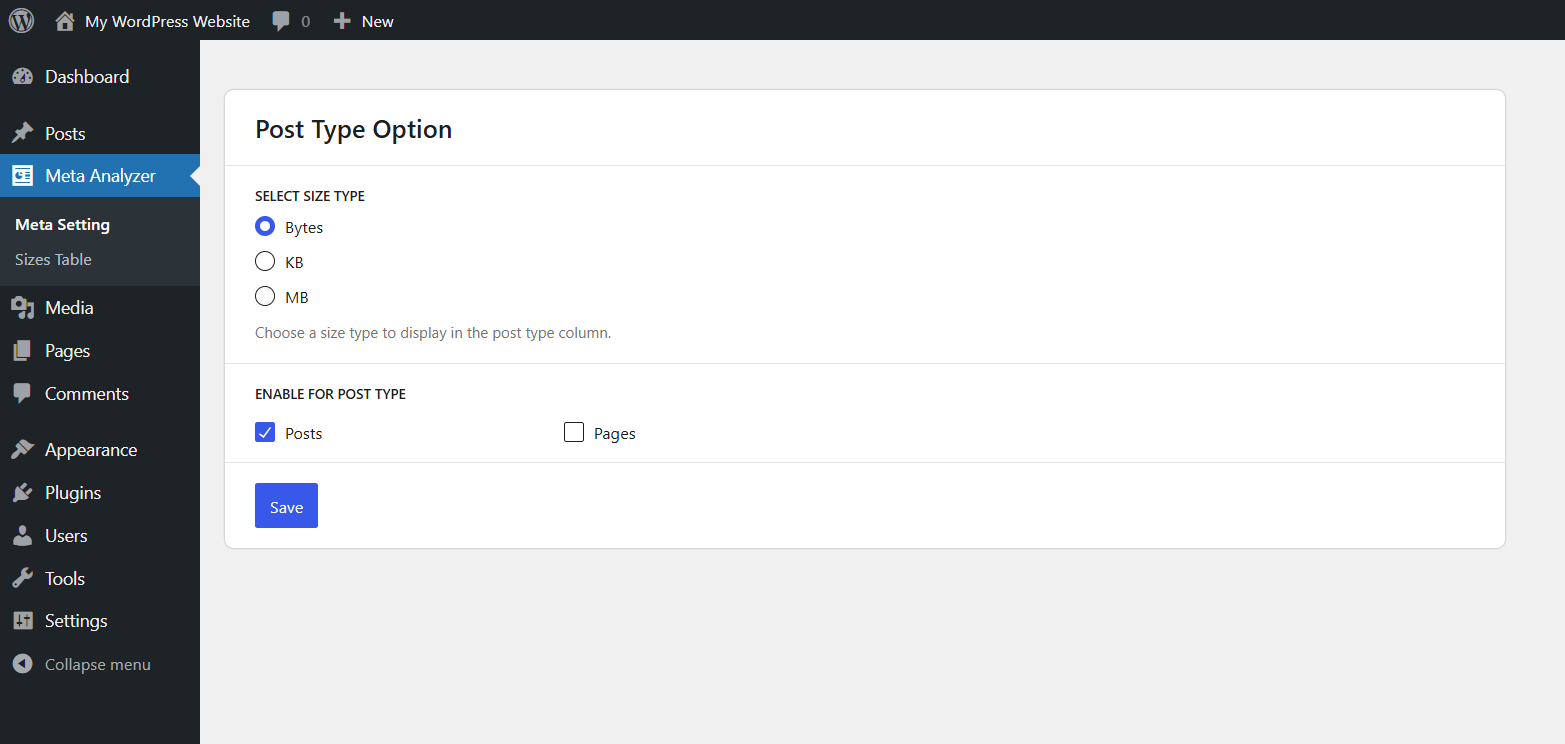
- Size Type Option: Choose between Bytes, KB, or MB as the default unit to display in post listings.
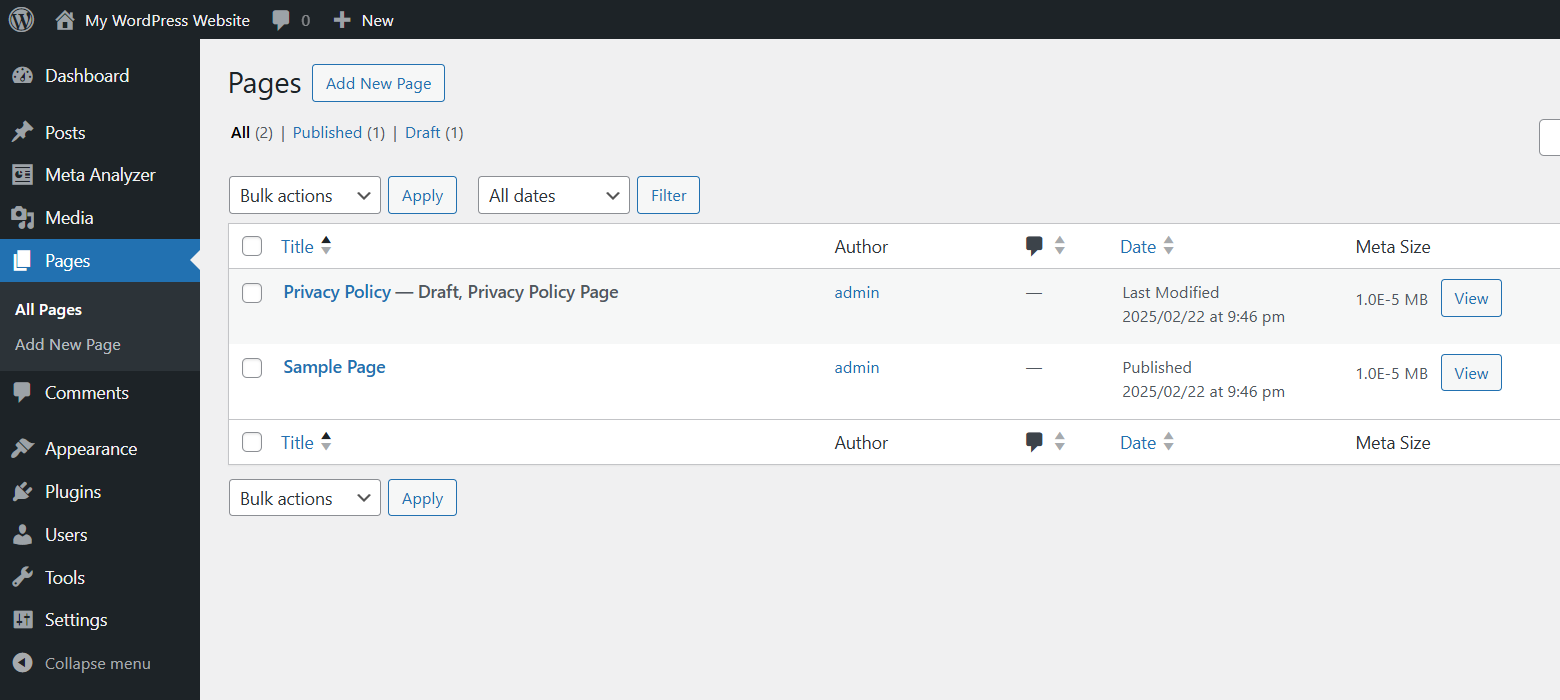
- Per Post Meta Size: Adds a “Meta Size” column in post listings to show individual post meta size.
- Post Type Selection: Enable/disable post types to include in analysis.
- Cache Control: Clear cached data for fresh recalculation.
- Filter for Post Statuses: Developers can customize which post statuses are included in size calculations using a filter.
Use Cases:
- Detect unusually large meta data.
- Analyze content storage usage.
Filters
cptmesia_content_size_post_statuses
This filter allows you to customize which post statuses are included in meta and content size calculations.
By default, the plugin includes ‘publish’ and ‘draft’.
Example: Add ‘private’ post status for calculation:
add_filter( 'cptmesia_content_size_post_statuses', function( $statuses ) {
    $statuses[] = 'private'; // Include private posts.
    return $statuses;
});
Installation
- Upload the plugin files to the
/wp-content/plugins/cpt-meta-size-analyzerdirectory, or install the plugin through the WordPress plugins screen directly. - Activate the plugin through the ‘Plugins’ screen in WordPress.
- Configure display options in Meta Analyzer > Meta Setting.
- Go to Meta Analyzer > Sizes Table to view meta and content sizes.
Frequently asked questions
1. How is the post meta and content size calculated?
The plugin calculates the total size of post meta and content data by fetching all entries for a post type and summing their byte sizes. It then converts the size into KB (Kilobytes) and MB (Megabytes) for better readability.
2. Why does my post size show as 0 KB?
If the total size is too small (less than 1 KB), rounding may result in a 0 KB display. The plugin provides precise calculations in bytes, KB, and MB, so even small values are accounted for.
3. What does the conversion formula look like?
The conversion formula used in the plugin is: – KB Calculation → Total Bytes ÷ 1024 – MB Calculation → Total Bytes ÷ (1024 × 1024)
4. Why does the size change after clearing the cache?
When you clear the cache, the plugin recalculates the post meta and content sizes, ensuring that any recent changes in the database are reflected.
5. Can I filter which post statuses are included in the calculations?
Yes! The plugin allows filtering post statuses using the cptmesia_content_size_post_statuses filter: add_filter( ‘cptmesia_content_size_post_statuses’, function( $statuses ) { $statuses[] = ‘private’; // Include private posts. return $statuses; });
6. How do I troubleshoot incorrect size calculations?
Make sure your database tables are properly optimized. Check if your hosting provider imposes any restrictions on querying large datasets. Try clearing the cache and reloading the sizes.
7. Does this plugin affect website performance?
No, the plugin fetches data efficiently and uses caching to reduce database queries. However, if you have a large number of posts, calculations may take slightly longer.
8. Can I clear cached data?
Yes, you can click on the “Clear Cache” button to refresh and recalculate all meta and content sizes.
9. What post types are supported?
By default, it supports Posts, Pages, and Products (WooCommerce), but you can enable other custom post types from the plugin settings.
10. Can I include private or custom post statuses in calculations?
Yes, by default, only ‘publish’ and ‘draft’ posts are included. You can modify this using the cptmesia_content_size_post_statuses filter. See Filters section below for an example.
Changelog
Initial release
1.0.0
- Initial release
- Meta size and content size analyzer
- Size type option (Bytes, KB, MB)
- Post type settings
- Per-post meta size column in post list
1.0.1
Addressed and resolved all reviewer feedback to ensure plugin compliance and improved functionality.
1.0.2
- Tested compatibility with WordPress 7.0.2.
- Fixed minor CSS compatibility issues.
- Improved compatibility with recent WordPress versions.
Screenshots
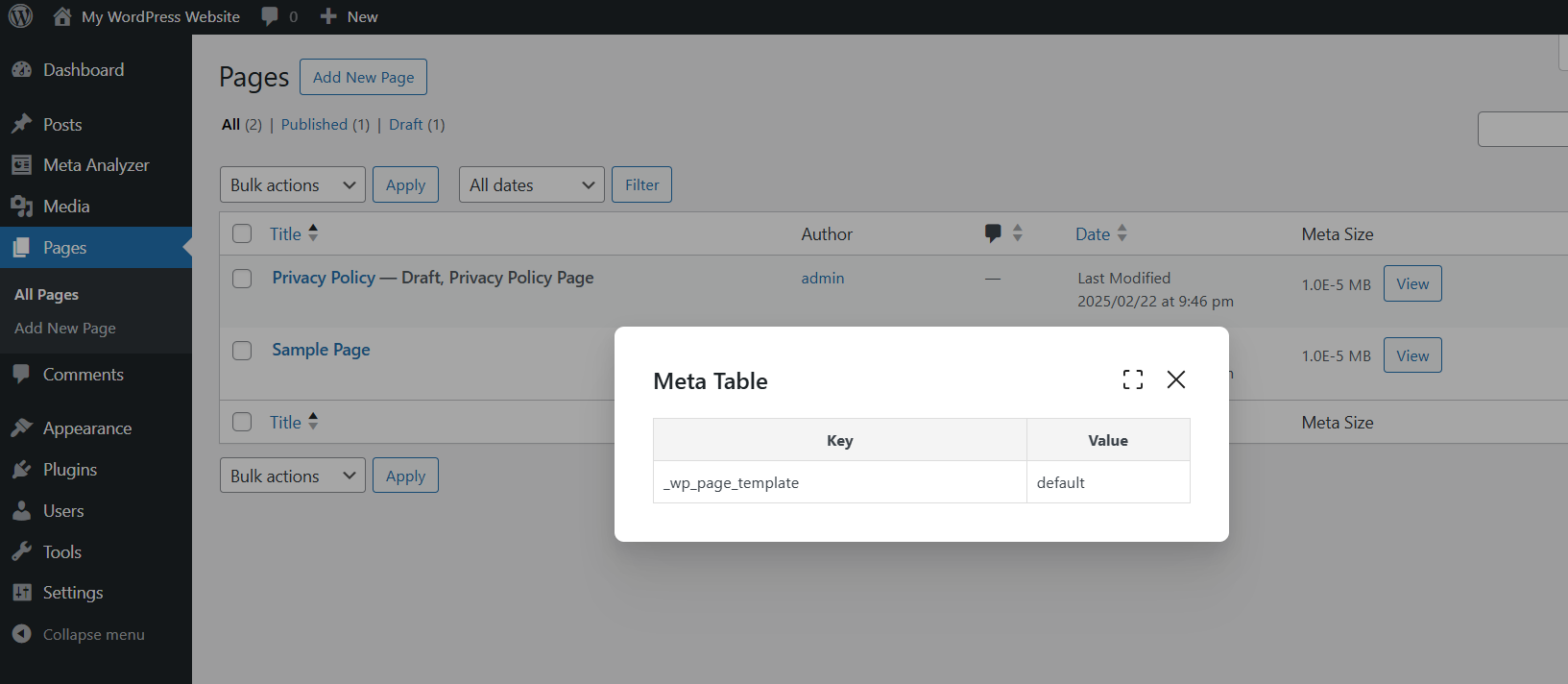
For developers
Is this your plugin? Show off the numbers.
Add a live badge to your site, docs or GitHub README. It updates on its own — no account needed.
Best CPT Meta Size Analyzer alternatives
All custom post type plugins →





FAQ
CPT Meta Size Analyzer: quick answers
Straight answers, pulled from live WordPress.org data.
Live data from WordPress.org · checked Oct 18, 2026
Is CPT Meta Size Analyzer free?
Yes. CPT Meta Size Analyzer is free to download and use from the official WordPress.org plugin directory.
Is CPT Meta Size Analyzer safe to use in 2026?
CPT Meta Size Analyzer works, but test it on a staging site before relying on it in 2026. Was last updated 2 months ago, and scores 55/100 on our health check.
How many websites use CPT Meta Size Analyzer?
CPT Meta Size Analyzer is active on <10 WordPress websites and has been downloaded 671 times since it launched in April 2025. It was downloaded 54 times in the last 30 days.
Does CPT Meta Size Analyzer work with WordPress 7.1?
CPT Meta Size Analyzer is officially tested up to WordPress 7.0.7, while the latest release is 7.1.3. It may still work, but try it on a staging site first.
What PHP version does CPT Meta Size Analyzer need?
CPT Meta Size Analyzer requires PHP 7.2 or higher. Most hosts run PHP 8.x today, so it works on any modern WordPress hosting.
When was CPT Meta Size Analyzer last updated?
The latest version, 1.0.2, was released on August 8, 2026 (2 months ago).
Who makes CPT Meta Size Analyzer?
CPT Meta Size Analyzer is developed and maintained by Hitesh Talpada.
What are the best alternatives to CPT Meta Size Analyzer?
The most popular alternatives to CPT Meta Size Analyzer are Custom Post Type Permalinks (200K+ installs), Custom Post Type Widgets (10K+ installs) and Custom Post Types and Custo… (10K+ installs).
Powered by PageForge
Want thousands of pages that rank like these? Build them in an afternoon.
This directory runs on the same engine as PageForge. Turn any spreadsheet, CSV or API into thousands of fast, SEO-ready WordPress pages — with schema, internal links and AI-written copy baked in.
- CSV, Google Sheets & API data sources
- AI content, schema & internal links per page
- Works with Elementor, Gutenberg, Yoast & Rank Math
- Free on WordPress.org — no credit card


