

Countdown Clock
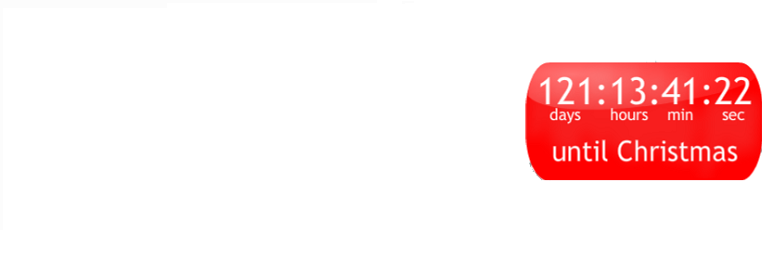
Display an animated countdown clock for an event of your choice. Select from a choice of countdown designs, colors and sizes.

Consider an alternative
Countdown Clock shows warning signs in 2026 — compare the alternatives below before installing. It runs on 200+ sites, is rated 1.6/5 and was last updated 4 years ago, and scores 24/100 on our health check.
- Small user base (200+ active installs)
- Mixed reviews — 1.6/5 from 12 ratings
- No update in 4 years
- Only tested up to WordPress 6.0 (latest is 7.1)
How does it stack up?
Side-by-side on installs, updates, ratings & support



Daily downloads
Download spikes usually follow a new release — each site that auto-updates counts as a download.
Rankings
Where Countdown Clock stands todayWordPress.org search rankings
Live position in the plugin search, top 100| Keyword | Position |
|---|---|
| birthday | >100 |
| count down | >100 |
| countdown | >100 |
| summer | >100 |
| wedding | >100 |
Version adoption
Share of active sites per release.
Rating breakdown
★★★★★★★★★★ 1.6 from 12 reviews
About Countdown Clock
From the official readme · v1.4Description
Display an animated countdown clock for an event of your choice. Select from a choice of countdown designs, colors and sizes.
- Choice of colors for texts and background,
- Choice of clock layouts, e.g. vertical or horizontal,
- Choice of animations and pictures, e.g. falling confetti background,
- Set the texts, date, time and timezone of your choice,
- Or use the list of preset events like Christmas, Summer, Olympics and World Cup countdown
- HTML5 responsive countdown, detects device and serves flash, html5, javascript progressively
- See the full range of events and designs at mycountdown.org
Installation
- Download the zip file and extract the contents,
- Upload the
countdown-clockfolder to your WP plugin folder/wp-content/plugins/directory - Go to Plugins > Plugins, and activate the plugin
- Go to Appearance > Widgets, and drag the widget to a sidebar,
- Open countdown clock’s settings menu and customize the clock,
- Select the “Type of Event”; either predefined events like “Holiday” – “Christmas”
- Or personalized events, e.g. “Celebration” – “Birthday”,
- Save the selection,
- Select your event from “List of Events”.
- Type in the pre-event text, and the event time text message,
- For a full CUSTOM EVENT: (a) select the “My Countdown” event type, then (b) from “List of Events” dropdown choose “My Countdown”
- Please Email us on widgets(at)mycountdown.org with any problems. We appreciate the help in improving the plugin.
- If you are happy with the widget, we would appreciate if you take the time to give us a positive rating. Thanks.
Changelog
1.4
- Released 10/06/2011
- Upgraded plugin internals with WordPress Widget Class for (i) improved admin panel, (ii) multiple countdowns on the sidebar, and (iii) compatibility with future WordPress releases
1.3
- Released 07/06/2011
- Added time of day option
1.2
- Released 08/03/2011
- Added timezone option
1.1
- Released 03/09/2010
- Added popular Fireworks design
1.0
- Released 08/02/2010
- First release includes most layouts
Screenshots


For developers
Is this your plugin? Show off the numbers.
Add a live badge to your site, docs or GitHub README. It updates on its own — no account needed.
Best Countdown Clock alternatives
All birthday plugins →





FAQ
Countdown Clock: quick answers
Straight answers, pulled from live WordPress.org data.
Source: WordPress.org
Is Countdown Clock free?
Yes. Countdown Clock is free to download and use from the official WordPress.org plugin directory.
Is Countdown Clock safe to use in 2026?
Countdown Clock shows warning signs in 2026 — compare the alternatives below before installing. It runs on 200+ sites, is rated 1.6/5 and was last updated 4 years ago, and scores 24/100 on our health check.
How many websites use Countdown Clock?
Countdown Clock is active on 200+ WordPress websites and has been downloaded 67,610 times since it launched in March 2010. It was downloaded 161 times in the last 30 days.
Does Countdown Clock work with WordPress 7.1?
Countdown Clock is officially tested up to WordPress 6.0.19, while the latest release is 7.1.5. It may still work, but try it on a staging site first.
When was Countdown Clock last updated?
The latest version, 1.4, was released on August 23, 2022 (4 years ago).
Who makes Countdown Clock?
Countdown Clock is developed and maintained by enclick.
What are the best alternatives to Countdown Clock?
The most popular alternatives to Countdown Clock are Birthday Emails (300+ installs), BP Birthday Greetings (200+ installs) and NM Gift Registry and Wishli… (200+ installs).
Powered by PageForge
One template and a spreadsheet. A real page for every search.
PageForge turns each row of a CSV into a WordPress page with its own title, URL, SEO fields and schema, built on the layout you already designed. Free on WordPress.org.
- CSV and XLSX, plus Google Sheets on Professional and Enterprise
- Its own title, URL, SEO fields and schema for every page
- Works with the block editor, Elementor, Divi and Avada
- Free on WordPress.org, no credit card