


Convert to Blocks
Convert to Blocks transforms classic editor content to blocks on-the-fly.

Safe pick
Yes — Convert to Blocks is a safe, well-maintained plugin to use in 2026. It runs on 2K+ sites, is rated 4.7/5 and was last updated 2 weeks ago, and scores 82/100 on our health check.
- Actively developed — last update 2 weeks ago
- Tested with the latest WordPress (7.1)
How does it stack up?
Side-by-side on installs, updates, ratings & support



Daily downloads
Download spikes usually follow a new release — each site that auto-updates counts as a download.
Rankings
Where Convert to Blocks stands todayWordPress.org search rankings
Live position in the plugin search, top 100| Keyword | Position |
|---|---|
| block | >100 |
| block migration | #6 |
| convert to blocks | #1 |
| gutenberg conversion | #21 |
| gutenberg migration | #11 |
Version adoption
Share of active sites per release.
Rating breakdown
★★★★★★★★★★ 4.7 from 10 reviews
About Convert to Blocks
From the official readme · v1.3.4Description
Convert to Blocks is a WordPress plugin that transforms classic editor content to blocks on-the-fly. After installing Gutenberg or upgrading to WordPress 5.0+, your content will be displayed in “Classic Editor Blocks”. While these blocks are completely functional and will display fine on the frontend of your website, they do not empower editors to fully make use of the block editing experience. In order to do so, your classic editor posts need to be converted to blocks. This plugin does that for you “on the fly”. When an editor goes to edit a classic post, the content will be parsed into blocks. When the editor saves the post, the new structure will be saved into the database. This strategy reduces risk as you are only altering database values for content that needs to be changed.
Note that Inner Blocks Transforms is only supported with the Gutenberg Plugin 10.9.0+.
Installation
Manual Installation
- Upload the entire
/convert-to-blocksdirectory to the/wp-content/plugins/directory. - Activate Convert to Blocks through the ‘Plugins’ menu in WordPress.
Frequently asked questions
How Do I Know It’s Working?
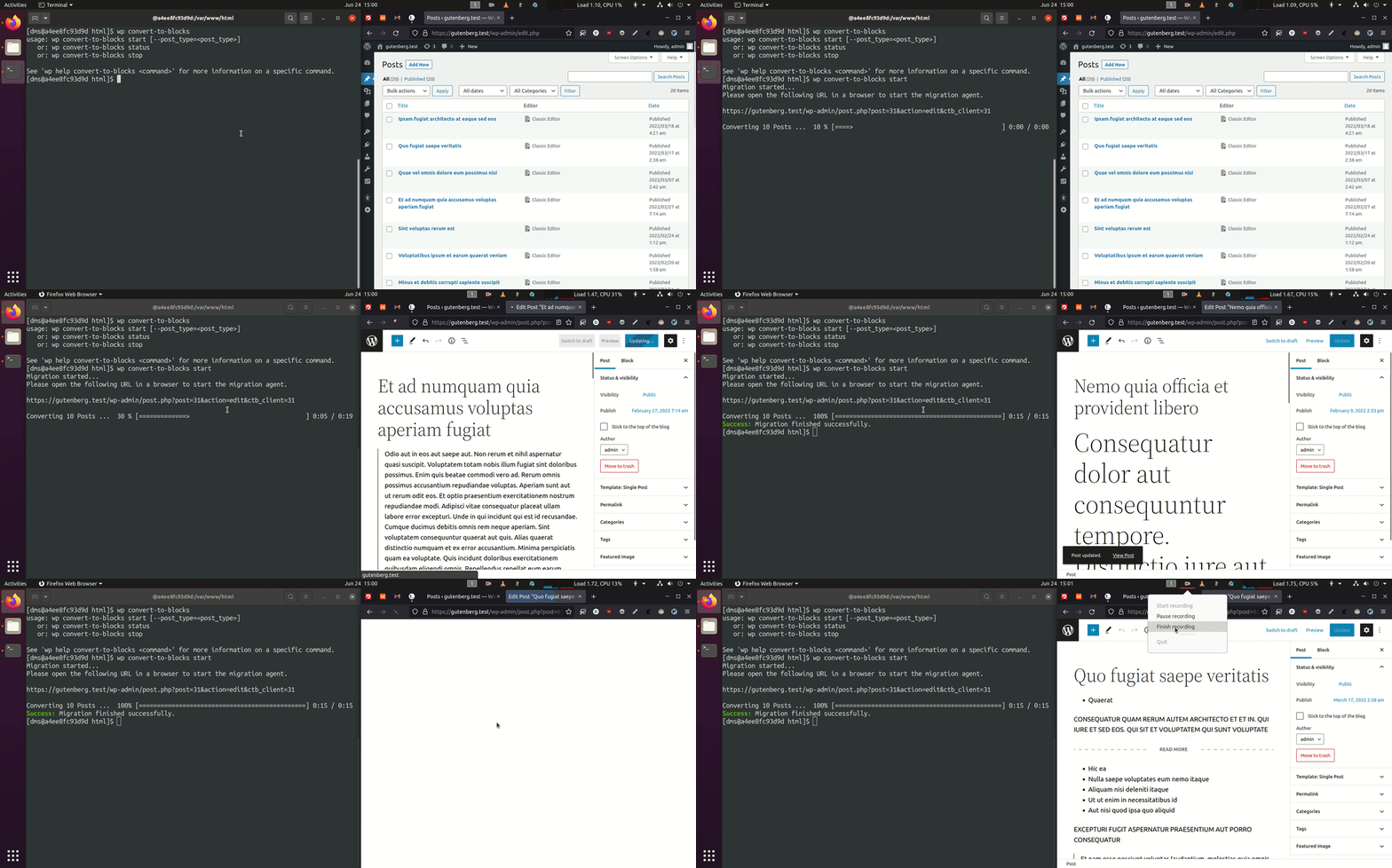
Find a classic editor in the post, try to navigate away from the page. You will get an error saying your changes will be discarded. This is because Convert to Blocks converted your content to blocks on the fly and those changes will be saved when you update the post.
Will Convert to Blocks Handle My Custom Blocks?
By default it will not.
Will Convert to Blocks Handle Nested Blocks?
Nested / Inner Block support does not work with Gutenberg bundled with WordPress Core =10.9.0.
Where do I report security bugs found in this plugin?
Please report security bugs found in the source code of the Convert to Blocks plugin through the Patchstack Vulnerability Disclosure Program. The Patchstack team will assist you with verification, CVE assignment, and notify the developers of this plugin.
Changelog
Note that this release bumps the WordPress minimum version from 6.5 to 6.6.
1.3.4 – 2025-07-15
- Fixed: Ensure no PHP error is thrown on the plugin list screen when running PHP 8.0 (props @dinhac, @dkotter, @faisal-alvi via #210).
1.3.3 – 2025-07-14
- Added: Link to settings page from the plugin list page (props @badasswp, @dkotter via #195).
- Changed: Bump WordPress “tested up to” version 6.8 (props @jeffpaul via #199, #200).
- Changed: Bump WordPress minimum supported version to 6.6 (props @jeffpaul via #199, #200).
- Fixed: Fix PHP warning due to undefined array key (props @sksaju, @dkotter via #202).
- Fixed: i18n functions being called too early, causing PHP Notices (props @stormrockwell, @dkotter, @dsawardekar via #203).
- Security: Bump
cookiefrom 0.4.2 to 0.7.1,expressfrom 4.21.0 to 4.21.2,@wordpress/e2e-test-utils-playwrightfrom 1.7.0 to 1.18.0,serialize-javascriptfrom 6.0.0 to 6.0.2 andmochafrom 10.4.0 to 11.1.0 (props @dependabot, @Sidsector9 via #194). - Security: Bump
axiosfrom 1.7.4 to 1.8.3 (props @dependabot, @iamdharmesh via #196). - Security: Bump
http-proxy-middlewarefrom 2.0.6 to 2.0.9 andtar-fsfrom 3.0.8 to 3.1.0 (props @dependabot, @dkotter via #206).
1.3.2 – 2025-02-03
- Changed: Bump WordPress “tested up to” version 6.7 (props @colinswinney, @jeffpaul via #188, #190).
- Security: Bump
axiosfrom 1.6.8 to 1.7.4 (props @dependabot, @dkotter via #180). - Security: Bump
webpackfrom 5.91.0 to 5.94.0 (props @dependabot, @faisal-alvi via #181). - Security: Bump
wsfrom 7.5.10 to 8.18.0 and@wordpress/scriptsfrom 27.8.0 to 30.4.0 (props @dependabot, @faisal-alvi via #182, #189). - Security: Bump
expressfrom 4.19.2 to 4.21.0 (props @dependabot, @iamdharmesh via #185).
1.3.1 – 2024-08-20
- Changed: Bump WordPress “tested up to” version 6.6 (props @sudip-md, @jeffpaul, @Sidsector9, @ankitguptaindia via #174).
- Changed: Bump WordPress minimum from 6.3 to 6.4 (props @sudip-md, @jeffpaul, @Sidsector9, @ankitguptaindia via #174).
- Fixed: Issue with saving a post before the convert to blocks transform was completed (props @mdesplenter, @Sidsector9, @dsawardekar via #173).
- Security: Bump
bracesfrom 3.0.2 to 3.0.3 (props @dependabot, @Sidsector9 via #168). - Security: Bump
wsfrom 7.5.9 to 7.5.10 (props @dependabot, @Sidsector9 via #169).
1.3.0 – 2024-05-14
- Added: Block Catalog integration, and pagination support (props @dsawardekar, @iamdharmesh via #164).
- Changed: Adjust
enable_block_editormethod only to alter posts that support the gutenbridge (props @stormrockwell, @Sidsector9, @jeffpaul, @dsawardekar via #136). - Changed: Bump WordPress “tested up to” version 6.5 (props @QAharshalkadu, @jeffpaul, @Sidsector9, @sudip-md, @dkotter via #146, #161).
- Changed: Replaced lee-dohm/no-response with actions/stale to help with closing no-response/stale issues (props @jeffpaul via #159).
- Changed: Bump Node version from 16 to 20 (props @aaronjorbin, @Sidsector9, @dkotter via #160).
- Changed: Bump
actions/upload-artifactfrom v3 to v4 (props @iamdharmesh via #162). - Security: Bump
follow-redirectsfrom 1.15.2 to 1.15.4 (props @dependabot, @dkotter via #153). - Security: Bump
browserify-signfrom 4.0.4 to 4.2.2 (props @dependabot, @dkotter via #145). - Security: Bump
@babel/traversefrom 7.11.5 to 7.23.7 (props @dependabot, @dkotter via #155). - Security: Remove old dependencies in favor of using
@wordpress/scriptsin our build workflow (props @Sidsector9, @dkotter via #167).
Screenshots
For developers
Is this your plugin? Show off the numbers.
Add a live badge to your site, docs or GitHub README. It updates on its own — no account needed.
Best Convert to Blocks alternatives
All block plugins →





FAQ
Convert to Blocks: quick answers
Straight answers, pulled from live WordPress.org data.
Live data from WordPress.org · checked Sep 28, 2026
Is Convert to Blocks free?
Yes. Convert to Blocks is free to download and use from the official WordPress.org plugin directory.
Is Convert to Blocks safe to use in 2026?
Yes — Convert to Blocks is a safe, well-maintained plugin to use in 2026. It runs on 2K+ sites, is rated 4.7/5 and was last updated 2 weeks ago, and scores 82/100 on our health check.
How many websites use Convert to Blocks?
Convert to Blocks is active on 2K+ WordPress websites and has been downloaded 148,145 times since it launched in February 2021. It was downloaded 3,074 times in the last 30 days.
Does Convert to Blocks work with WordPress 7.1?
Yes. The developer has tested Convert to Blocks up to WordPress 7.1.2, the latest release. It requires WordPress 6.6 or newer.
What PHP version does Convert to Blocks need?
Convert to Blocks requires PHP 8.0 or higher. Most hosts run PHP 8.x today, so it works on any modern WordPress hosting.
When was Convert to Blocks last updated?
The latest version, 1.3.4, was released on September 15, 2026 (2 weeks ago).
Who makes Convert to Blocks?
Convert to Blocks is developed and maintained by 10up.
What are the best alternatives to Convert to Blocks?
The most popular alternatives to Convert to Blocks are Spectra Legacy (1M+ installs), Breadcrumb NavXT (800K+ installs) and PDF Embedder (300K+ installs).
Powered by PageForge
Want thousands of pages that rank like these? Build them in an afternoon.
This directory runs on the same engine as PageForge. Turn any spreadsheet, CSV or API into thousands of fast, SEO-ready WordPress pages — with schema, internal links and AI-written copy baked in.
- CSV, Google Sheets & API data sources
- AI content, schema & internal links per page
- Works with Elementor, Gutenberg, Yoast & Rank Math
- Free on WordPress.org — no credit card


