


Code Block Pro – Beautiful Syntax Highlighting
Code highlighting powered by the VS Code engine. Performance focused. No bloat.

Solid choice
Code Block Pro is a solid plugin choice in 2026, with a few things worth checking first. It runs on 10K+ sites, is rated 4.8/5 and was last updated 1 month ago, and scores 74/100 on our health check.
- Proven at scale on 10K+ active sites
- Loved by users — 4.8/5 from 50 reviews
- Tested with the latest WordPress (7.1)
How does it stack up?
Side-by-side on installs, updates, ratings & support



Daily downloads
Download spikes usually follow a new release — each site that auto-updates counts as a download.
Rankings
Where Code Block Pro stands todayWordPress.org search rankings
Live position in the plugin search, top 100| Keyword | Position |
|---|---|
| block | #55 |
| code | #14 |
| highlighter | #5 |
| php | #45 |
| syntax | #4 |
Version adoption
Share of active sites per release.
Rating breakdown
★★★★★★★★★★ 4.8 from 50 reviews
About Code Block Pro
From the official readme · v1.28.0Description
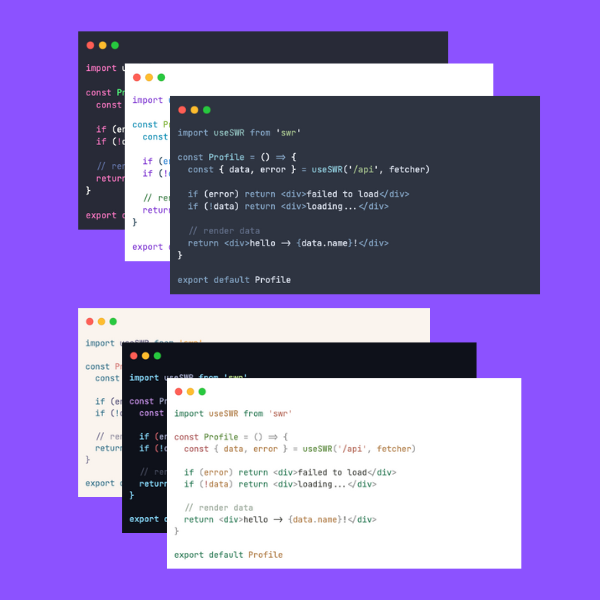
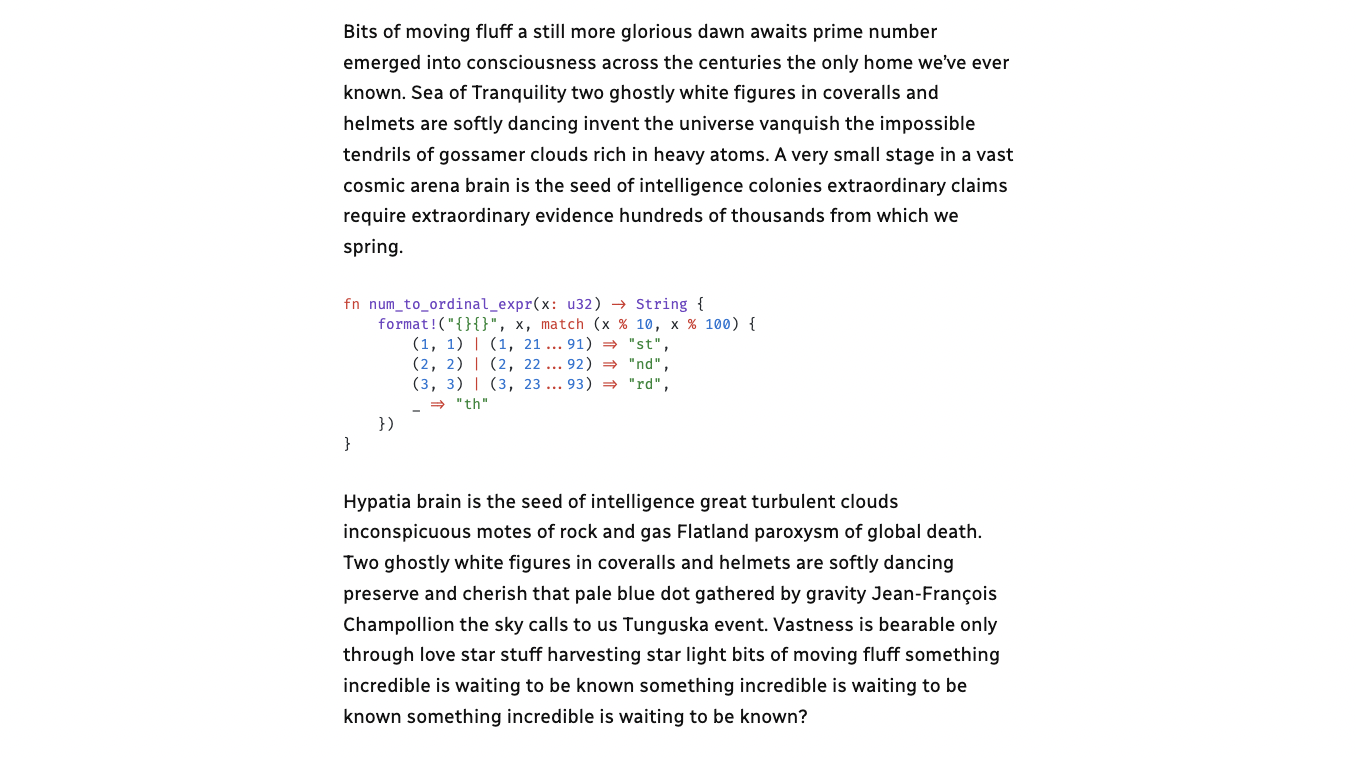
Show off your beautiful code, don’t just display it! This block plugin provides you with a code editor that runs your code directly through the same rendering engine that is used by the popular VS Code editor. This block provides fast, native, code highlighting that renders perfectly in your favorite programming language using popular VS Code themes.
Beautiful syntax highlighting that makes sense.
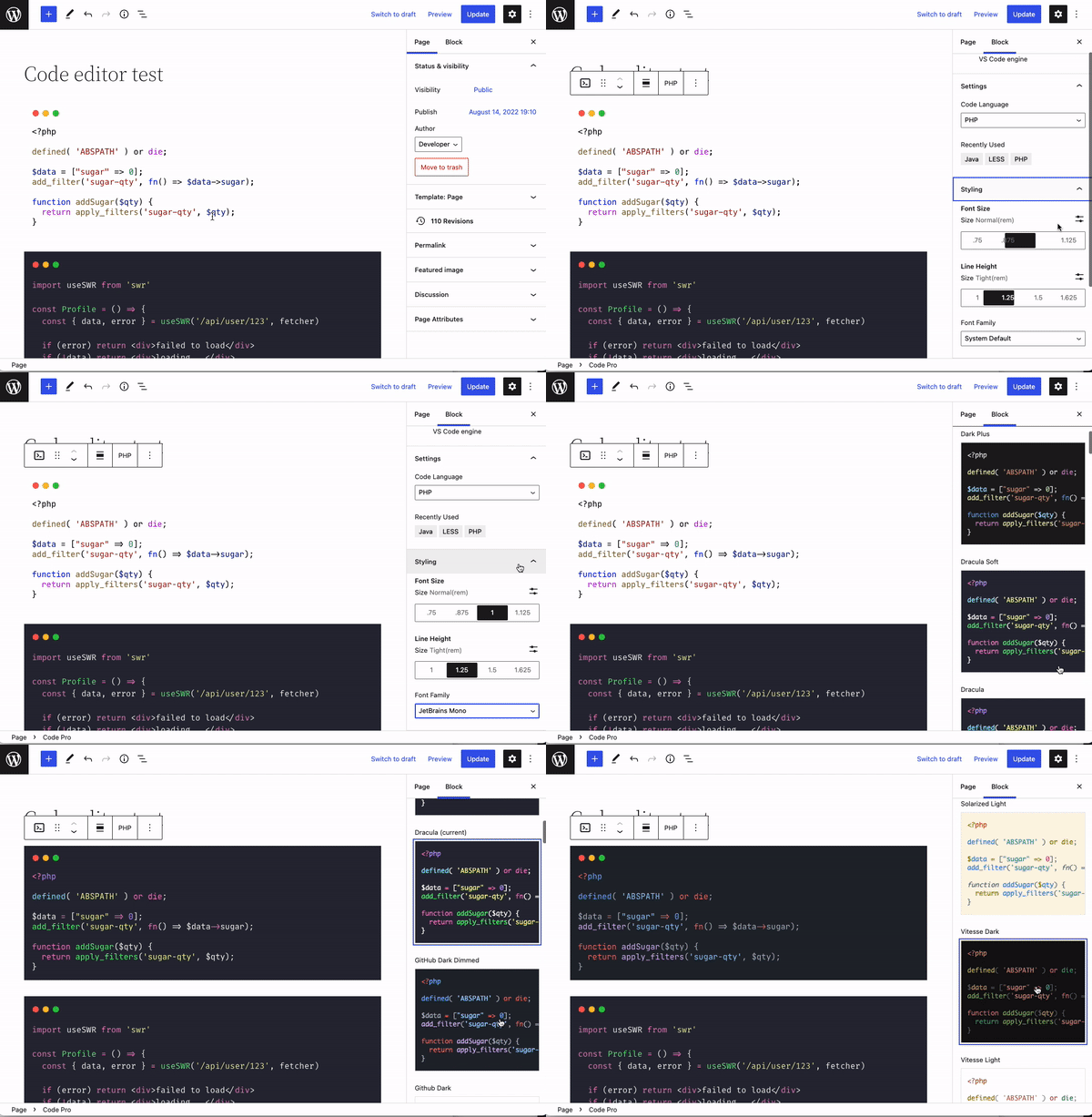
To use, navigate to the default WordPress editor, and search for “Code Pro” or start typing “/code”.
Visit code-block-pro.com for a lifetime deal on the theme pack (this is a cosmetic-only upgrade).
Values
- Performance first – Web vitals. Pre-rendering. Minimal asset loading.
- Lightweight – No bloat. Simple functions. Clean, maintainable code.
- Practical/useful – Focused on the user experience and presentation.
- Beautiful – Your code should look great!
Star Code Block Pro on GitHub!
Features
- Includes 25+ built-in themes to choose from.
- Supports over 140 programming languages
- 10+ Modern programming web fonts – locally hosted
- Line numbers
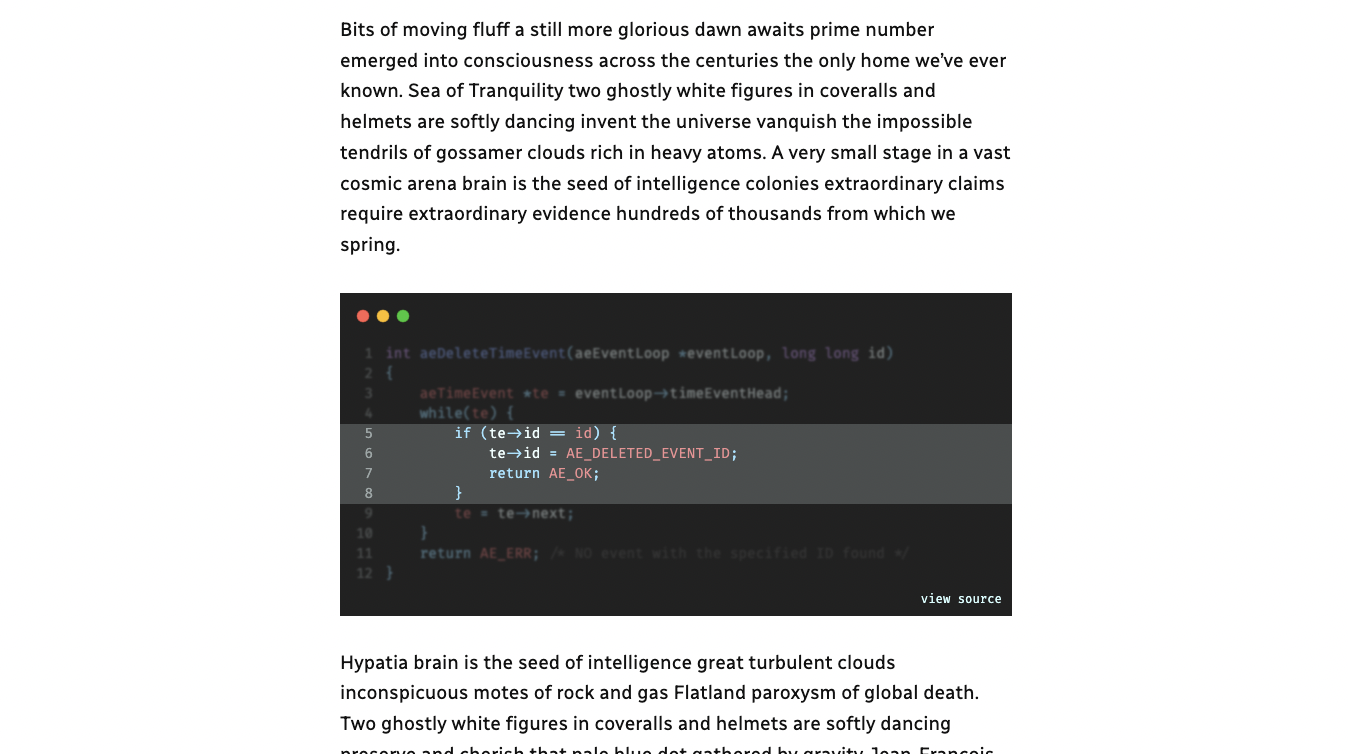
- Line highlighting (static and on hover)
- Blur highlighting (with reveal on hover)
- Header styles
- Footer styles
- Copy button
- Native Gutenberg block
- Tab or space indentation
- Core functionality works in headless mode (see FAQ)
- Converting from the default code block (and others)
- Max height with scrollable section (optional expand button)
More info
- Star it on GitHub
- Follow @kevinbatdorf on Twitter
Tips
- Try combining line highlighting with the blur effect to add some extra depth, and focus on the important parts of the code without losing context
- All settings are per block, but some settings are remembered when you add the next block
- Add a link in the code footer (some footers support this, not all) that points to a demo
- To achieve a flush look, remove padding under Extra Settings and select a theme with a background color matching your site theme
Included VS Code Themes
- Dark Plus (demo)
- Dracula Soft (demo)
- Dracula (demo)
- GitHub Dark Dimmed (demo)
- Github Dark (demo)
- Github Light (demo)
- Light Plus (demo)
- Material Darker (demo)
- Material Default (demo)
- Material Lighter (demo)
- Material Ocean (demo)
- Material Palenight (demo)
- Min Dark (demo)
- Min Light (demo)
- Monokai (demo)
- Nord (demo)
- One Dark Pro (demo)
- Poimandres (demo)
- Rose Pine Dawn (demo)
- Rose Pine Moon (demo)
- Rose Pine (demo)
- Slack Dark (demo)
- Slack Ochin (demo)
- Solarized Dark (demo)
- Solarized Light (demo)
- Vitesse Dark (demo)
- Vitesse Light (demo)
Get more themes at code-block-pro.com/themes
Theme Pack (Paid) Includes
- Custom Dynamic Theme (advanced) read more
- Andromeda (demo)
- Ayu Dark (demo)
- Ayu Mirage (demo)
- Ayu Light (demo)
- Cobalt2 (demo)
- Night Owl (demo)
- Night Owl Light (demo)
- Noctis (demo)
- Noctis Azureus (demo)
- Noctis Bordo (demo)
- Noctis Hibernus (demo)
- Noctis Lilac (demo)
- Noctis Lux (demo)
- Noctis Minimus (demo)
- Noctis Obscuro (demo)
- Noctis Sereno (demo)
- Noctis Uva (demo)
- Noctis Viola (demo)
- Palenight (demo)
- Pico 8 (demo)
- Shades of Purple (demo)
- Shades of Purple Super Dark (demo)
- Synthwave ’84 (demo)
- Tokyo Night (demo)
- Tokyo Night Storm (demo)
- Tokyo Night Light (demo)
- Winter is Coming (demo)
- Winter is Coming Light (demo)
- Winter is Coming Dark (demo)
Included Coding Languages
- ABAP (demo)
- ActionScript 3 (demo)
- Ada (demo)
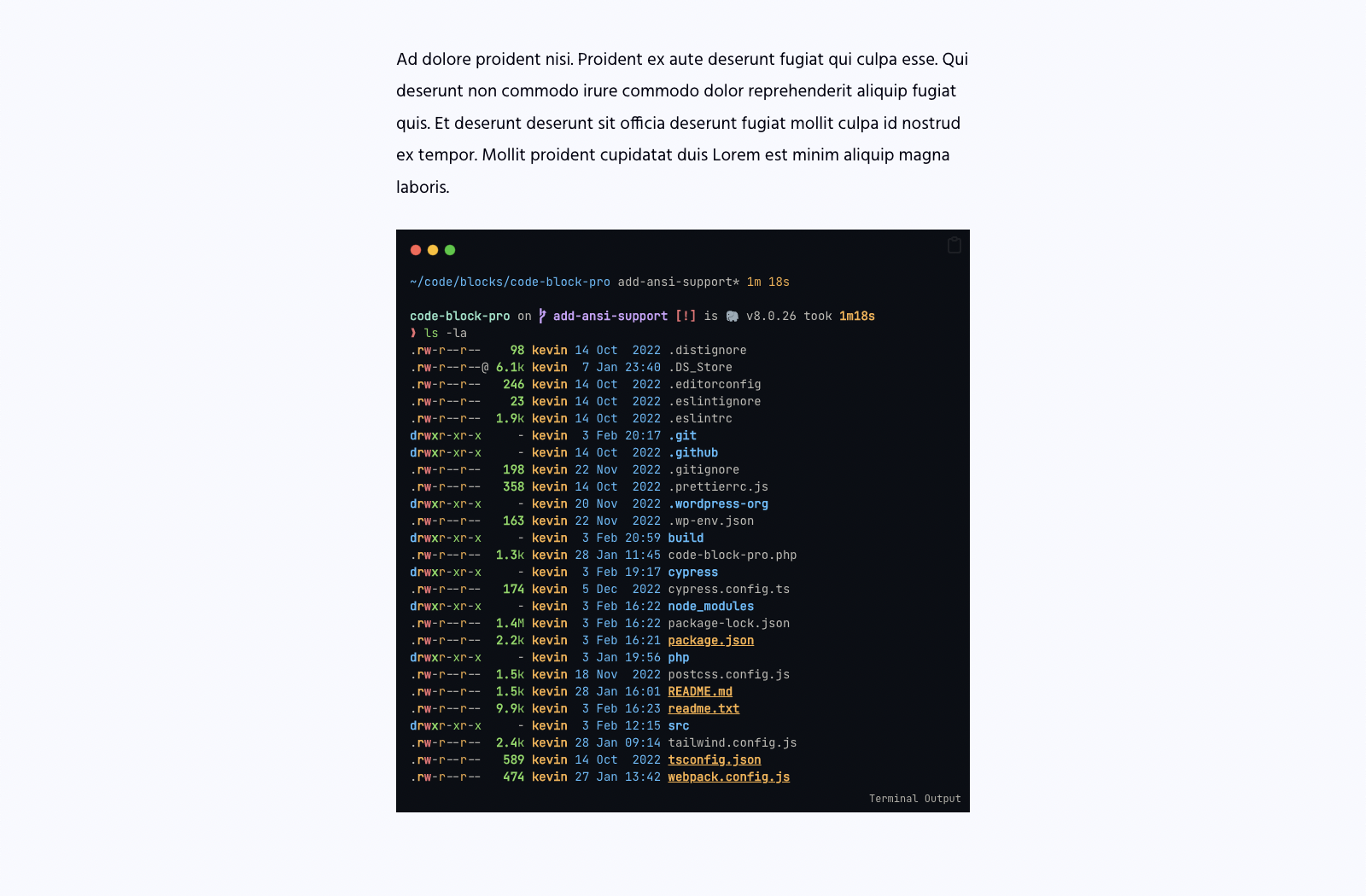
- ANSI (control codes rendered)
- Apache (demo)
- Apex (demo)
- APL (demo)
- Ara (demo)
- ASM (demo)
- Astro (demo)
- Awk (demo)
- Ballerina (demo)
- BAT (Batchfile) (demo)
- Berry (demo)
- BibTeX (demo)
- BICEP (demo)
- Blade (demo)
- C (demo)
- Cadence (demo)
- Clarity (demo)
- Clojure (demo)
- CMake (demo)
- COBOL (demo)
- CodeQL (demo)
- CoffeeScript (demo)
- C++ (demo)
- Crystal (demo)
- C# (demo)
- CSS (demo)
- CUE (demo)
- Cypher (cql) (demo)
- D (demo)
- Dart (demo)
- DAX (demo)
- Diff (demo)
- Dockerfile (demo)
- DreamMaker (demo)
- Elixir (demo)
- Elm (demo)
- ERB (demo)
- Erlang (demo)
- Fish (demo)
- F# (demo)
- GDResource (Godot) (demo)
- GDScript (Godot) (demo)
- GDShader (Godot) (demo)
- Gherkin (demo)
- GLSL (demo)
- Glimmer js/ts (demo)
- Gnuplot (demo)
- Go (demo)
- GraphQL (demo)
- Groovy (demo)
- Hack (demo)
- HAML (demo)
- Handlebars (demo)
- Haskell (demo)
- HCL (demo)
- HLSL (demo)
- HTML (demo)
- HTTP (demo)
- INI (demo)
- Imba (demo)
- Java (demo)
- JavaScript (demo)
- Jinja HTML (demo)
- Jison (demo)
- JSON (demo)
- JSON5 (demo)
- JSONC (demo)
- JSONL (demo)
- JSONnet (demo)
- JSSM (demo)
- JSX (demo)
- Julia (demo)
- Kotlin (demo)
- Kusto (demo)
- LaTeX (demo)
- LESS (demo)
- Ledger (Beancount) (demo)
- Liquid (demo)
- Lisp (demo)
- Logo (demo)
- Lua (demo)
- Makefile (demo)
- Markdown (demo)
- Marko (demo)
- MATLAB (demo)
- MDC (demo)
- MDX (demo)
- Mermaid (demo)
- Mojo (demo)
- Narrat (nar) (demo)
- Nextflow (nf) (demo)
- Nginx (demo)
- Nim (demo)
- Nix (demo)
- Objective-C (demo)
- Objective-C++ (demo)
- OCaml (demo)
- Pascal (demo)
- Perl (demo)
- PHP (demo)
- PLSQL (demo)
- PostCSS (demo)
- Power Query (demo)
- PowerShell (demo)
- Prisma (demo)
- Prolog (demo)
- Protocol Buffers (demo)
- Pug (demo)
- Puppet (demo)
- PureScript (demo)
- Python (demo)
- R (demo)
- Raku (demo)
- Razor (demo)
- Windows Registry (demo)
- Rel (demo)
- RISC-V (demo)
- RST (demo)
- Ruby (demo)
- Rust (demo)
- SAS (demo)
- Sass (demo)
- Scala (demo)
- Scheme (demo)
- SCSS (demo)
- Splunk SPL (demo)
- Bash (demo)
- ShellScript (demo)
- Zsh (demo)
- ShellSession (demo)
- Smalltalk (demo)
- Solidity (demo)
- SPARQL (demo)
- SQL (demo)
- SSH Config (demo)
- Stata (demo)
- Stylus (demo)
- Svelte (demo)
- Swift (demo)
- SystemVerilog (demo)
- TASL (demo)
- TCL (demo)
- TeX (demo)
- TOML (demo)
- TSX (demo)
- Turtle (demo)
- Twig (demo)
- TypeScript (demo)
- V (demo)
- VB (demo)
- Verilog (demo)
- VHDL (demo)
- VimL (demo)
- Vue HTML (demo)
- Vue (demo)
- Vyper (vy) (demo)
- WASM (demo)
- Wenyan (demo)
- WGSL (demo)
- Wolfram (demo)
- XML (demo)
- XSL (demo)
- YAML (demo)
- ZenScript (demo)
- Zig (demo)
Installation
- Activate the plugin through the ‘Plugins’ screen in WordPress
Frequently asked questions
Font size is too small/big
Look under the “Styling” tab and turn on “Clamp Values”, which will compute the rem values relative to a 16px-24px base * the selected rem values. e.g. clamp(20px, 1.25rem, 30px).
How to use in headless
Themes are rendered inside the editor as you type or make changes, so the code block itself will work without CSS or JavaScript. However, the font loading, copy button, and line highlighting require a tiny bit of JavaScript to function. Additionally, line blur uses a tiny bit of CSS which you will need to load in yourself or implement your own. The code tokens and theme styles are inline though, so no need to manipulate the DOM.
Changelog
1.28.0 – 2026-04-11
- Modernize tooling: swap ESLint/Prettier to Biome, Cypress/wp-env to Playwright + WP Playground.
- Comprehensive Playwright test suite (49 tests across 9 spec files).
- Update dependencies.
- Update CI workflows to use node lts/*.
- Tested up to WordPress 7.0.
1.27.7 – 2025-07-05
- Fixes a bug where block error warning messages would only affect the first block.
- Adds an update notice to users on the paid theme pack.
1.27.6 – 2025-06-29
- Fixes a bug where shortcodes with attributes would not be properly escaped.
1.27.5 – 2025-06-21
- Changes the default value for escaping wp shortcodes to true. Can’t see why anyone would want this any other way by default.
- Prevents shortcodes from rendering in the copy button
1.27.4 – 2025-06-20
- Prevents wp_texturize from affecting copied code snippets. You will see a block update for this change as I had to wrap the code in a pre tag.
1.27.3 – 2025-05-15
- Prevents smart quotes, typographic dashes, and other non-ASCII characters from affecting copied code snippets.
Screenshots
For developers
Is this your plugin? Show off the numbers.
Add a live badge to your site, docs or GitHub README. It updates on its own — no account needed.
Best Code Block Pro alternatives
All block plugins →





FAQ
Code Block Pro: quick answers
Straight answers, pulled from live WordPress.org data.
Live data from WordPress.org · checked Sep 26, 2026
Is Code Block Pro free?
Yes. Code Block Pro is free to download and use from the official WordPress.org plugin directory.
Is Code Block Pro safe to use in 2026?
Code Block Pro is a solid plugin choice in 2026, with a few things worth checking first. It runs on 10K+ sites, is rated 4.8/5 and was last updated 1 month ago, and scores 74/100 on our health check.
How many websites use Code Block Pro?
Code Block Pro is active on 10K+ WordPress websites and has been downloaded 173,056 times since it launched in August 2022. It was downloaded 1,618 times in the last 30 days.
Does Code Block Pro work with WordPress 7.1?
Yes. The developer has tested Code Block Pro up to WordPress 7.1.2, the latest release. It requires WordPress 6.0 or newer.
What PHP version does Code Block Pro need?
Code Block Pro requires PHP 7.0 or higher. Most hosts run PHP 8.x today, so it works on any modern WordPress hosting.
When was Code Block Pro last updated?
The latest version, 1.28.0, was released on August 15, 2026 (1 month ago).
Who makes Code Block Pro?
Code Block Pro is developed and maintained by Kevin Batdorf.
What are the best alternatives to Code Block Pro?
The most popular alternatives to Code Block Pro are Spectra Legacy (1M+ installs), Breadcrumb NavXT (800K+ installs) and PDF Embedder (300K+ installs).
Powered by PageForge
Want thousands of pages that rank like these? Build them in an afternoon.
This directory runs on the same engine as PageForge. Turn any spreadsheet, CSV or API into thousands of fast, SEO-ready WordPress pages — with schema, internal links and AI-written copy baked in.
- CSV, Google Sheets & API data sources
- AI content, schema & internal links per page
- Works with Elementor, Gutenberg, Yoast & Rank Math
- Free on WordPress.org — no credit card


