


CM Map Locations – Visualize and share your locations in a few clicks
Display locations on an interactive map with Google Maps. Use as a store locator, showcase business locations, and improve navigation.

Use with caution
CM Map Locations works, but test it on a staging site before relying on it in 2026. It runs on 70+ sites, is rated 2.5/5 and was last updated 2 months ago, and scores 59/100 on our health check.
- Small user base (70+ active installs)
- Low rating so far — 2.5/5 from only 4 reviews
How does it stack up?
Side-by-side on installs, updates, ratings & support



Daily downloads
Download spikes usually follow a new release — each site that auto-updates counts as a download.
Rankings
Where CM Map Locations stands todayWordPress.org search rankings
Live position in the plugin search, top 100| Keyword | Position |
|---|---|
| business locations | #23 |
| Google Maps | >100 |
| map | >100 |
| maps | >100 |
| Store locator | #47 |
Version adoption
Share of active sites per release.
Rating breakdown
★★★★★★★★★★ 2.5 from 4 reviews
About CM Map Locations
From the official readme · v2.1.9Description
Pro Plugin Page | Videos | Demo | User Guide
Enables users to easily manage and organize multiple locations. With integrated Google Maps functionality, it also provides a seamless store locator experience.
The Google Maps Locations plugin empowers users to effortlessly add a location, multiple locations, or points of interest to a Google maps.
⭐ We’re excited to introduce the updated version of CM Map Locations! Now featuring a Setup Wizard and new tools to enhance your mapping experience. Explore the improvements and take your maps to the next level.
Location Detailed Description
Each map location is showcased on a dedicated page, featuring comprehensive details like descriptions, images, videos, full addresses, and zip codes.
Furthermore, all locations are highlighted on Google Maps, with each marked by a distinct icon based on its category or user selection.
Map and Index Page with all Locations
The Google Maps plugin generates an index page displaying all locations on a Google Map and as a list.
Clicking on any location on the map or the list can either direct users to the location page or display a tooltip with additional details when clicked on the map.
Google Maps and Locations Plugin Premium Editions
The Google Maps and Location Plugin Premium editions includes even more powerful features, such as: versatile shortcodes, use of polygons for marking locations and areas, user location tracking support, API support and much more.
Google Maps and Locations Plugin Introduction Video (Pro Version)
Locations Plugin Use Cases
- Store Locator – Easily add multiple physical store locations, customize the location icons, images and description.
- Business Locations – Create a directory index of businesses with their locations visible on Google Maps.
- Niche Business – Ideal for showcasing locations on Google Maps in a structured and stylized way.
- User Aggregated Directory – Increase engagement by letting users post locations and content. The admin edits the content before approving and publishing the submissions.
Basic Features
- Place a location on a Google maps.
- Add description for each location.
- Show all locations on an index page showing one map for all locations.
- Allow user to see all their posted locations in a dashboard, add new locations or control the status of existing locations.
- Images and videos can be added to each location.
- Search locations by any keywords in location description or title.
- Display snippet or map of the location using shortcodes.
- Control which content should appear on the location page.
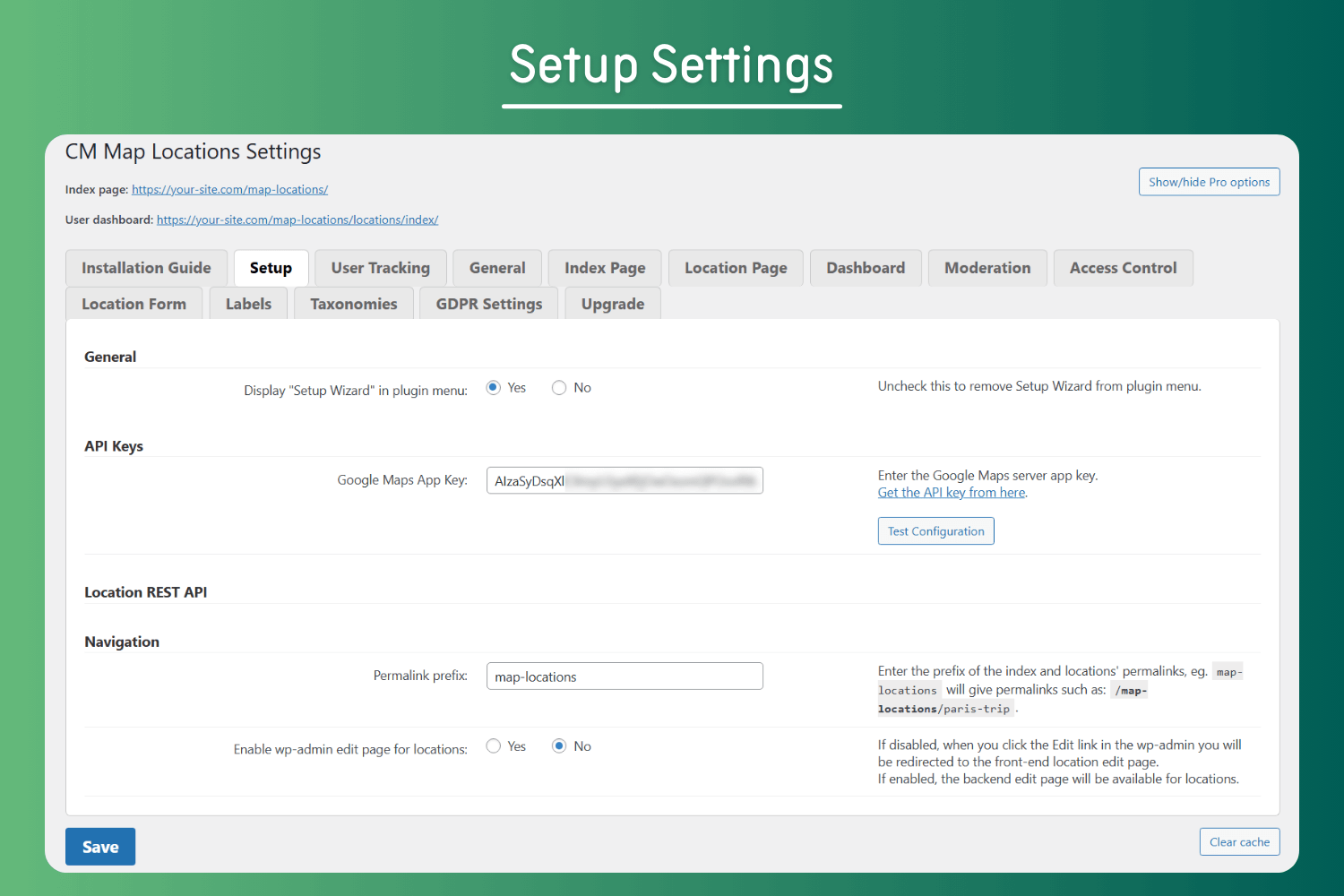
- Includes a user-friendly Setup Wizard for quick and easy plugin configuration.
Pro Version Features
Pro Version Detailed Features List | Demo Site
- Locations index map display – Choose between several display templates to support use cases such as store locator, store list, point of interest and more.
- Import and export locations using KML, GPX or CSV format.
- Categories – Place locations in categories and assign a unique icon for each category.
- Weather information – Weather information is shown near each location.
- Location Icon – Override location category icon with a unique icon per each specific location.
- Upload Location Icon – Upload your own location icon.
- Images – Images and videos can be added to each location.
- Extended Set of Shortcodes – Several shortcodes are supported. Shortcodes can be embedded in posts and show a single location, a map with all locations in a category, and more.
- Tags – Tags can be added to locations and allow filtering of locations.
- Search location using zip, radius and text.
- Modify all text labels in the plugin.
- Access Control – Set which role can create or view locations.
- Location moderation and notifications.
- Allow users to use an iframe and share location map on another site.
- Tiles/Layers support – Show extra information from external services as an additional map layer.
- Display Markers As Numbers – Use numbers instead of icons as location markers.
- Polygon support – Draw a beautiful shape overlay.
- Track users location – Create a link that allows user to show their location on the map in real time.
- Automatically add links to Waze and Google directions for each location.
- Create time-based locations and polygons. Users can filter the map according to date and time to view these locations.
- Route Manager – Integrates with the Route Manager plugin to show both locations and routes on a joint map.
Add-ons and Related Plugins
- Location Manager PeepSo Integration
- Location Manager Anonymous Posting
- CM Route Manager Plugin
- CM Business Directory
Follow Us
Blog | Twitter | LinkedIn | YouTube | Pinterest | Facebook
Suggested Plugins by CreativeMinds
List of all WordPress Plugins by CreativeMinds
- CM Tooltip Glossary – Easily creates a Glossary, Encyclopaedia or Dictionary of your website’s terms and shows them as a tooltip in posts and pages when hovering. With many more powerful features.
- CM Download Manager – Allows users to upload, manage, track and support documents or files in a download directory listing database for others to contribute, use and comment upon.
- CM Answers Plugin – A fully-featured WordPress Questions & Answers Plugin that allows you to build multiple discussion forum systems Just like StackOverflow, Yahoo Answers and Quora, Now with MicroPayments and Anonymous posting support.
- CM OnBoarding – Superb Guidance tool which improves the online experience and the user satisfaction.
- Routes Plugin – Draw map routes and generate a catalog of routes and trails with points of interest using Google maps.
Installation
- Upload the plugin folder to the
/wp-content/plugins/directory. - Activate the plugin through the ‘Plugins’ menu in WordPress.
- Add a Google API key.
- Add as many locations as you want. Each will have it’s own location page and will show up on the index map.
- There are a handful of other optional preferences available in the dashboard.
Changelog
2.1.9
- Restricted image uploads to users with the upload_files capability.
2.1.8
- Improvements
2.1.7
Release Date: 05 Jul 2025
* Fixed vulnerability issue related to search bar
2.1.6
Release Date: 12 Jun 2025
* Added restrictions for deactivating a plugin and send reason should be admin user
2.1.5
Release Date: 15 May 2025
* Updated pricing
2.1.4
Release Date: 14 Apr 2025
* Improvements
Screenshots


For developers
Is this your plugin? Show off the numbers.
Add a live badge to your site, docs or GitHub README. It updates on its own — no account needed.
Best CM Map Locations alternatives
All business locations plugins →


FAQ
CM Map Locations: quick answers
Straight answers, pulled from live WordPress.org data.
Live data from WordPress.org · checked Sep 30, 2026
Is CM Map Locations free?
Yes. CM Map Locations is free to download and use from the official WordPress.org plugin directory.
Is CM Map Locations safe to use in 2026?
CM Map Locations works, but test it on a staging site before relying on it in 2026. It runs on 70+ sites, is rated 2.5/5 and was last updated 2 months ago, and scores 59/100 on our health check.
How many websites use CM Map Locations?
CM Map Locations is active on 70+ WordPress websites and has been downloaded 24,472 times since it launched in November 2015. It was downloaded 235 times in the last 30 days.
Does CM Map Locations work with WordPress 7.1?
CM Map Locations is officially tested up to WordPress 7.0.6, while the latest release is 7.1.2. It may still work, but try it on a staging site first.
What PHP version does CM Map Locations need?
CM Map Locations requires PHP 5.2.4 or higher. Most hosts run PHP 8.x today, so it works on any modern WordPress hosting.
When was CM Map Locations last updated?
The latest version, 2.1.9, was released on July 29, 2026 (2 months ago).
Who makes CM Map Locations?
CM Map Locations is developed and maintained by CreativeMindsSolutions.
What are the best alternatives to CM Map Locations?
The most popular alternatives to CM Map Locations are Store Locator for WordPress📍 (1K+ installs), Interactive Map Widget (10+ installs) and Mapsmith (<10 installs).
Powered by PageForge
Want thousands of pages that rank like these? Build them in an afternoon.
This directory runs on the same engine as PageForge. Turn any spreadsheet, CSV or API into thousands of fast, SEO-ready WordPress pages — with schema, internal links and AI-written copy baked in.
- CSV, Google Sheets & API data sources
- AI content, schema & internal links per page
- Works with Elementor, Gutenberg, Yoast & Rank Math
- Free on WordPress.org — no credit card


