


CM Blocks
CM Blocks is a collection of page building blocks for WordPress block editor.

Consider an alternative
CM Blocks shows warning signs in 2026 — compare the alternatives below before installing. It runs on 200+ sites and was last updated 1 year ago, and scores 35/100 on our health check.
- Small user base (200+ active installs)
- Very few reviews so far
- No update in over a year
- Only tested up to WordPress 6.8 (latest is 7.1)
How does it stack up?
Side-by-side on installs, updates, ratings & support



Daily downloads
Download spikes usually follow a new release — each site that auto-updates counts as a download.
Rankings
Where CM Blocks stands todayWordPress.org search rankings
Live position in the plugin search, top 100| Keyword | Position |
|---|---|
| blocks | >100 |
| gutenberg | >100 |
| gutenberg blocks | >100 |
| page builder | >100 |
| wordpress blocks | >100 |
Version adoption
Share of active sites per release.
About CM Blocks
From the official readme · v3.1.0Description
Introducing CM Blocks, the hassle-free and robust WordPress plugin designed to streamline your site-building experience. CM Blocks adds functionality to the WordPress editor without unnecessary bloat, ensuring an efficient user experience. Additionally, CM Blocks offers niche, easy-to-use options on each block type, making customization simple and intuitive.
Plugin Features:
Starter Sites:
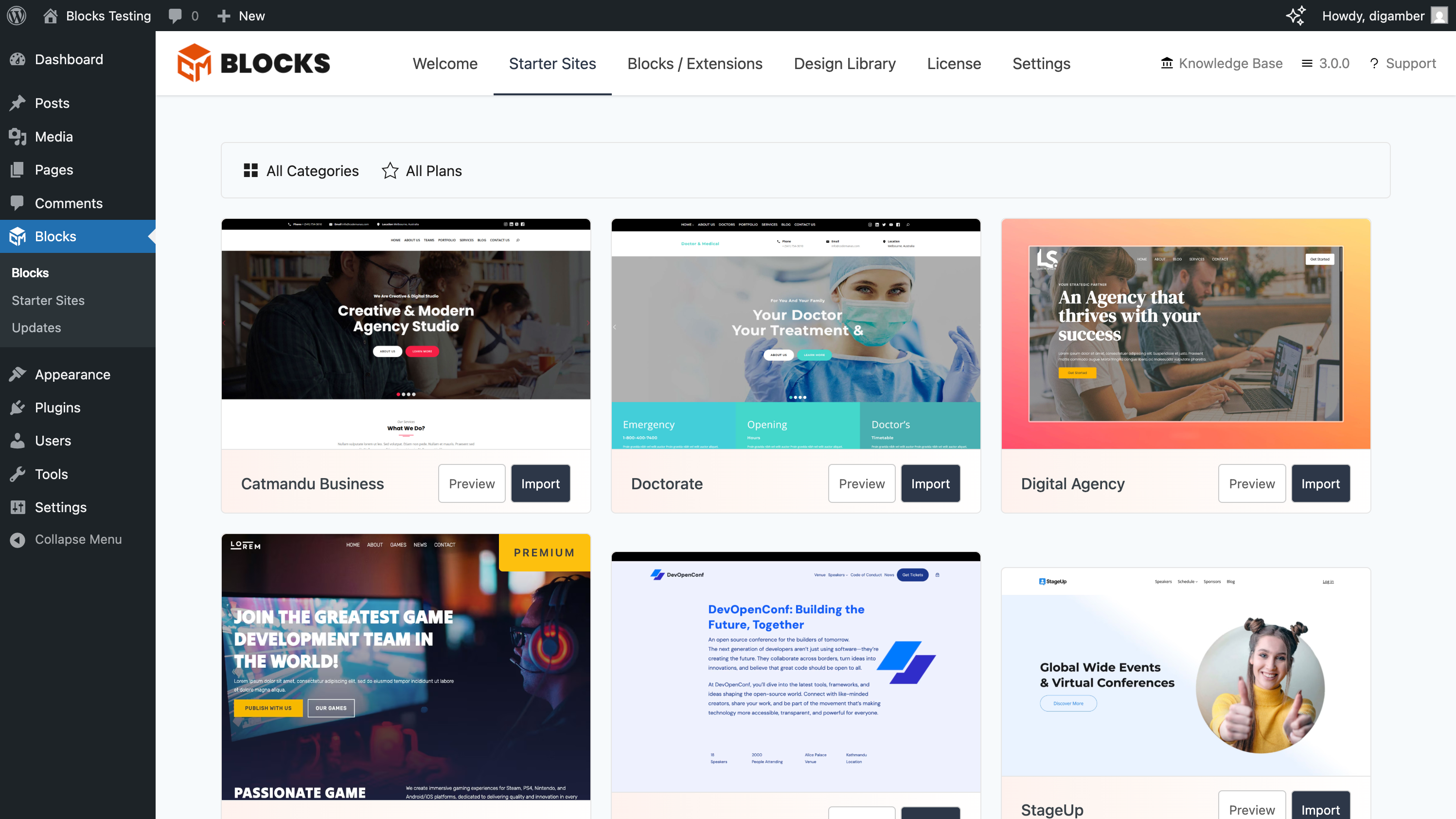
Starter Sites lets you quickly launch your website with fully designed, ready-to-import site templates.
No code required. Get setup in under a minute Learn More
Design Library:
Explore our extensive collection of expertly crafted patterns and page designs. Choose from a variety of options to create your site exactly as you envision it.
Prebuilt Block Templates:
Jump Start your projects with ease using our prebuilt block templates. With just a click, you’re ready to start crafting your site. Spend less time configuring and more time perfecting your designs.
Lightweight Performance:
Say goodbye to bloat. CM Blocks only loads what it needs to, ensuring lightning-fast performance for your website. Experience speed without sacrificing functionality.
CM BLocks Suite:
Unlock endless possibilities with our feature-rich blocks and an extensive design library for the WordPress block editor. Check CM Blocks Suite
LINKS
DEMO LINKS
Block Animations
Advanced Heading, Shape Group, Separator
Slider
Masonry Gallery
Accordion
Progress Bar
Counter
Countdown
Icon
Icon Box
Icon List
Timeline
Social Share
Star Rating
Time to Read
Installation
- Upload the plugin files to the
/wp-content/plugins/cm-blocksdirectory, or install the plugin through the WordPress plugins screen directly. - Activate the plugin through the ‘Plugins’ screen in WordPress
Changelog
3.1.0 2025-05-30
- Fix: Importer not syncing post images.
- Fix: Site logo not syncing if not exists.
- Fix: WooCommerce products not importing.
- Fix: Navigations failing to import.
- Fix: 3rd Party plugins data were not imported.
3.0.1 2025-05-21
- Minor Update – Code Refactoring
- Misc: Update screenshots
3.0.0 2025-05-02
- Introducing Starter Sites: Learn More
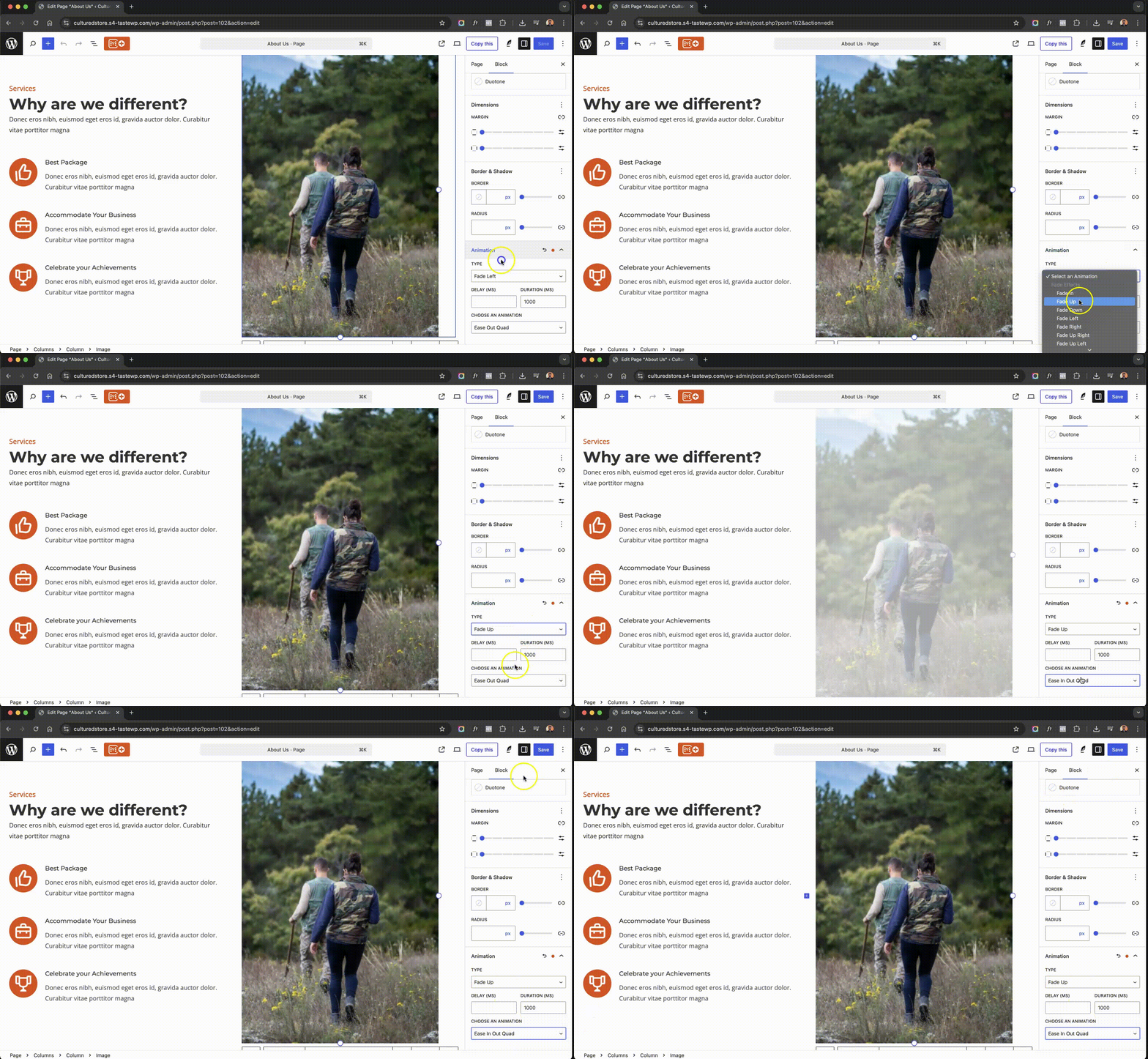
- New Feature: Add Animations to your site Learn More
- New Blocks: Advanced Header, Separator, Shape Group Learn More
- Feature: Sticky header with advanced header options, make your headers stick out
- Enhancement: Plugin settings page UI/UX revamped
- Enhancement: Design Library UI/UX improvement
- Fix: Quality of Life updates and minor bug fixes.
2.2.0 2024-10-29
- Release of block enhancements Announcement Post
- Features:
- Block Visibility: Control content visibility by setting display conditions based on user roles or screen sizes. Learn More
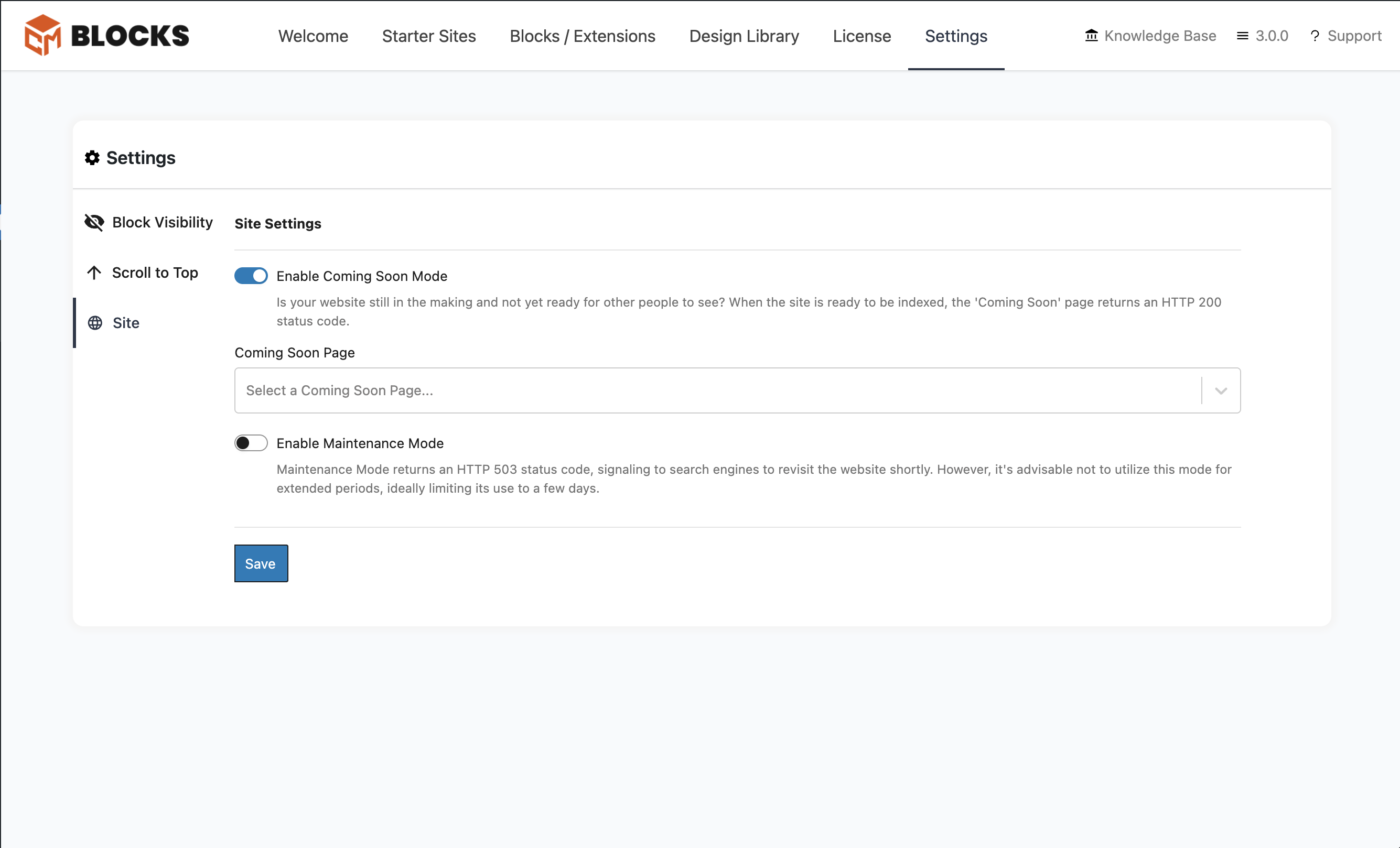
- Site Modes Easily switch your site to Maintenance or Coming Soon Mode with SEO-friendly redirects and customizable designs. Learn More
- Copy/Paste Block Styles: Instantly replicate styling across blocks for a cohesive design without extra effort. Learn More
- Scroll to Top: Add a customizable scroll button for smooth, user-friendly navigation on long pages. Learn More
- Dev: Refactor & Optimization
2.1.0
- Bug Fix: CM Star Rating – Star colors not changing for other rating blocks if more that one block on a single post / page
- Documentation: Added Demo Links to all new blocks
- Documentation: Correct Icons Added to show up on wp.org listing
- Fix: Change widget category from widgets to codemanas-blocks
2.0.0 2024-09-18
Read more about this update: Announcement
* New: CM Icon
* New: CM Icon List
* New: CM Icon Box
* New: CM Timeline
* New: CM Star Rating
* New: CM Time to Read
* Dev: Bundling optimization
Screenshots

For developers
Is this your plugin? Show off the numbers.
Add a live badge to your site, docs or GitHub README. It updates on its own — no account needed.
Best CM Blocks alternatives
All blocks plugins →





FAQ
CM Blocks: quick answers
Straight answers, pulled from live WordPress.org data.
Live data from WordPress.org · checked Sep 28, 2026
Is CM Blocks free?
Yes. CM Blocks is free to download and use from the official WordPress.org plugin directory.
Is CM Blocks safe to use in 2026?
CM Blocks shows warning signs in 2026 — compare the alternatives below before installing. It runs on 200+ sites and was last updated 1 year ago, and scores 35/100 on our health check.
How many websites use CM Blocks?
CM Blocks is active on 200+ WordPress websites and has been downloaded 7,103 times since it launched in April 2024. It was downloaded 113 times in the last 30 days.
Does CM Blocks work with WordPress 7.1?
CM Blocks is officially tested up to WordPress 6.8.10, while the latest release is 7.1.2. It may still work, but try it on a staging site first.
What PHP version does CM Blocks need?
CM Blocks requires PHP 7.4 or higher. Most hosts run PHP 8.x today, so it works on any modern WordPress hosting.
When was CM Blocks last updated?
The latest version, 3.1.0, was released on May 30, 2025 (1 year ago).
Who makes CM Blocks?
CM Blocks is developed and maintained by CodeManas.
What are the best alternatives to CM Blocks?
The most popular alternatives to CM Blocks are Spectra Legacy (1M+ installs), Kadence Blocks (600K+ installs) and Extendify (500K+ installs).
Powered by PageForge
Want thousands of pages that rank like these? Build them in an afternoon.
This directory runs on the same engine as PageForge. Turn any spreadsheet, CSV or API into thousands of fast, SEO-ready WordPress pages — with schema, internal links and AI-written copy baked in.
- CSV, Google Sheets & API data sources
- AI content, schema & internal links per page
- Works with Elementor, Gutenberg, Yoast & Rank Math
- Free on WordPress.org — no credit card


