



Clearout Email Validator – Real-Time Email Verification on WordPress Forms
Block invalid emails like temporary, disposable, etc. with our real-time email verification. Verify email address during form-fill and stop form spam.

Solid choice
Clearout Email Validator is a solid plugin choice in 2026, with a few things worth checking first. It runs on 500+ sites, is rated 4.2/5 and was last updated 4 weeks ago, and scores 79/100 on our health check.
- Actively developed — last update 4 weeks ago
- Tested with the latest WordPress (7.1)
- Momentum — downloads up 194.5% vs the previous 30 days
- Small user base (500+ active installs)
How does it stack up?
Side-by-side on installs, updates, ratings & support



Daily downloads
Download spikes usually follow a new release — each site that auto-updates counts as a download.
Rankings
Where Clearout Email Validator stands todayWordPress.org search rankings
Live position in the plugin search, top 100| Keyword | Position |
|---|---|
| email checker | #12 |
| email validation | #16 |
| email verification | #8 |
| email verifier | #2 |
| woocommerce | >100 |
Version adoption
Share of active sites per release.
Rating breakdown
★★★★★★★★★★ 4.2 from 13 reviews
About Clearout Email Validator
From the official readme · v3.3.2Description
Clearout Email Validation plugin seamlessly integrates with all major forms to validate the email addresses in real time.
The plugin performs 20+ refined real-time validation checks to determine the current status of the email address. These checks include extensive verifications like greylist verification, anti-spam check, gibberish check, catch-all verification, email blacklist verification, temporary email address check, and more.
Key Benefits of Using Clearout Email Verification Plugin:
- Accept only safe-to-send email address to protect your sender reputation
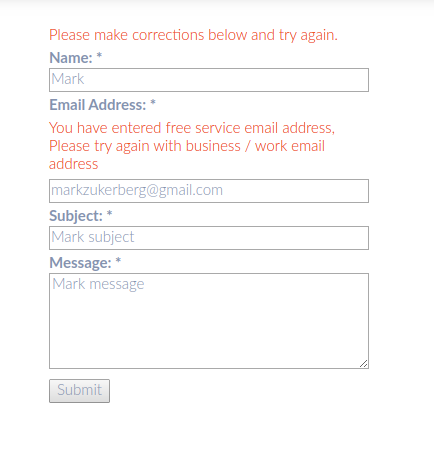
- Accept only business or work email addresses
- Prevent fraudulent signups or leads getting into CRM by stopping temporary / disposable / throw away email addresses
- Customization to Block free email address providers like gmail.com / yahoo.com / hotmail.com
- Remove duplicate and alias email addresses
How to Install Clearout Email Verifier Plugin
Obtain an API Token:
1. Log in to your Clearout account.
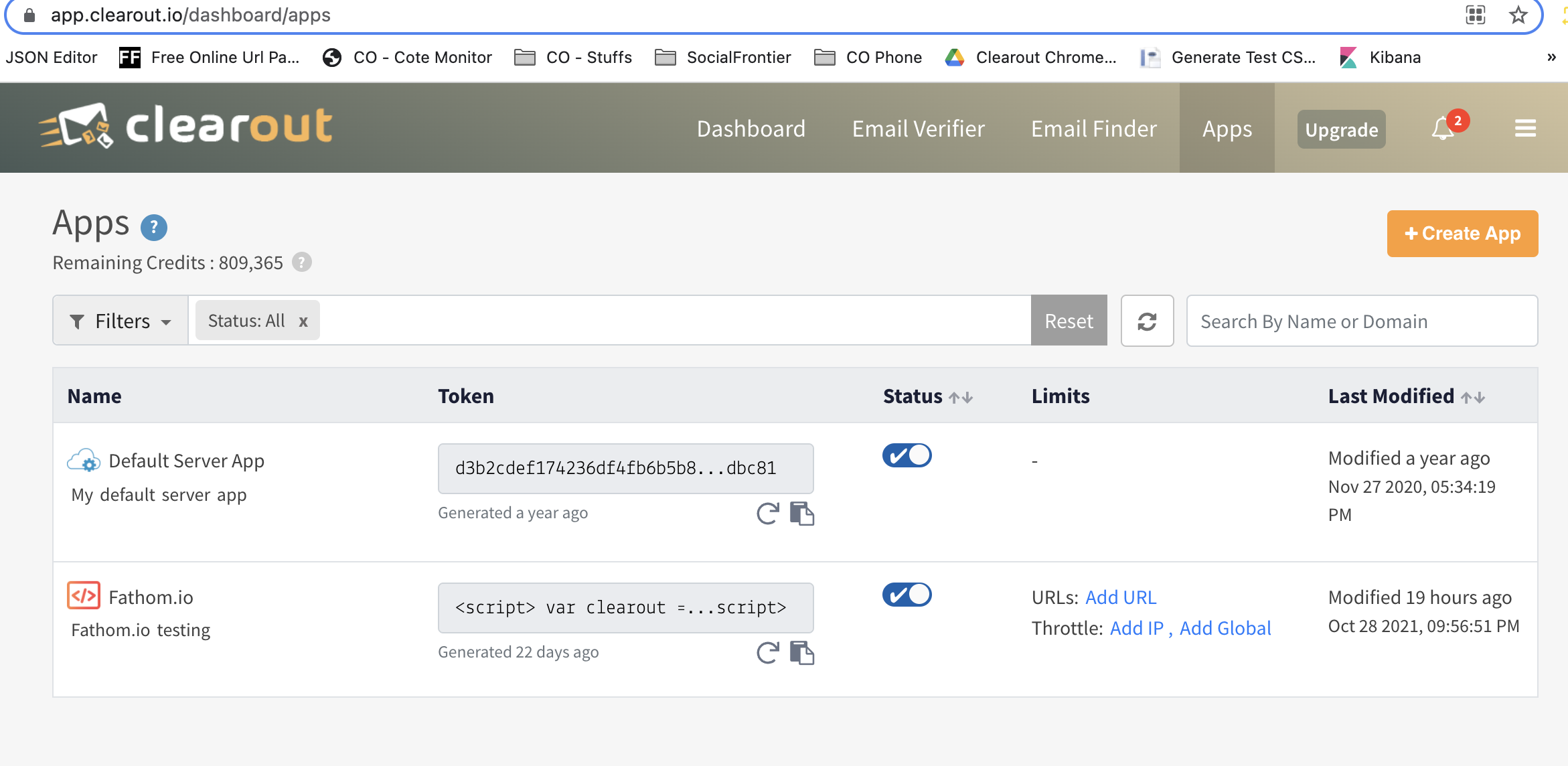
2. Navigate to the ‘Developer’ menu and click on ‘+ Create API Token’.
3. Add the necessary details for reference, and click on “Create” to generate the API token.
Create a Clearout Account (if you don’t have one):
1. Sign up for a Clearout account to get 100 free email validation credits with no credit card required.
For more detailed instructions, visit Clearout Email Verifier Plugin Installation.
Supported Forms/Plugins
The Clearout email verification plugin supports a rich set of popular form-based plugins by listening to email address capture flow or by hooking into WordPress is_email() function:
- Elementor Form
- Gravity Forms
- Forminator Form
- WooCommerce Checkout Forms
- WooCommerce Registration Form
- Fluent Form
- WP Forms
- Formidable forms
- WS Form
- WP-Members
- Contact Form
- Mailster Form
- MailChimp
- Ninja Forms
- Profile Builder
- Ultimate Member registration form
- Users Ultra registration form
- JetPack comments and a contact form
- MailPoet
- Theme My Login
- Paid Memberships Pro
- Form Maker by 10Web
- Visual Form Builder
- Any WordPress registrations & contact forms
Key Features
- Accurate Email Verification
- Fastest Real-time Email Validation
- Seamless API Integration
- Guaranteed Deliverability (Safe to send)
- High Precision Advanced Catch-all Resolver
- Block Role Email
- Block Disposable Email
- Block Gibberish Email
- Email / Domain Allowlisting and Blocklisting
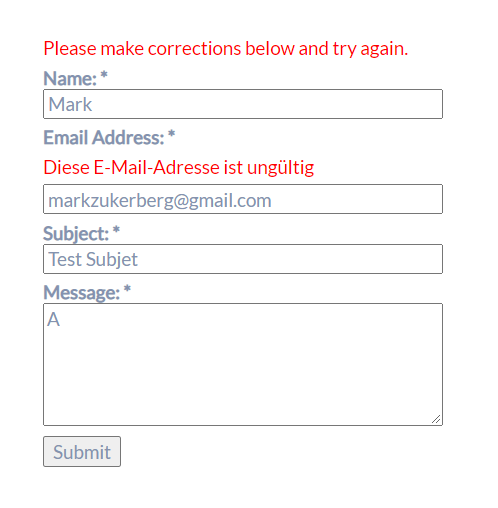
- Custom Error Message
- Limit email validation to only required pages
- Low Credit Notification Alert
- Team Accounts
- Syntax Verification
- Test email addresses
Know A Little More About Clearout Email Verification Service
In addition to its availability as a WordPress Plugin, Clearout Email Verifier supports email verification in multiple forms and ways to meet the needs of the user. Other verification methods supported by Clearout Email Verifier are – Bulk email list validation, real-time email validation API, and Form Guard Email Validation.
FURTHER READING
More about Clearout Email Verification
- https://clearout.io/email-verification-api/
- https://clearout.io/disposable-email-checker/
- https://clearout.io/integrations/
- https://clearout.io/help/
- https://docs.clearout.io/
Other Clearout Services
Installation
Installation using WordPress dashboard
- Select Plugins -> Add New.
- Search for “Clearout Email Validator”.
- Click on Install Now to install the plugin.
- Click on Activate button to activate the plugin.
- Get your Clearout API token before start using the plugin.
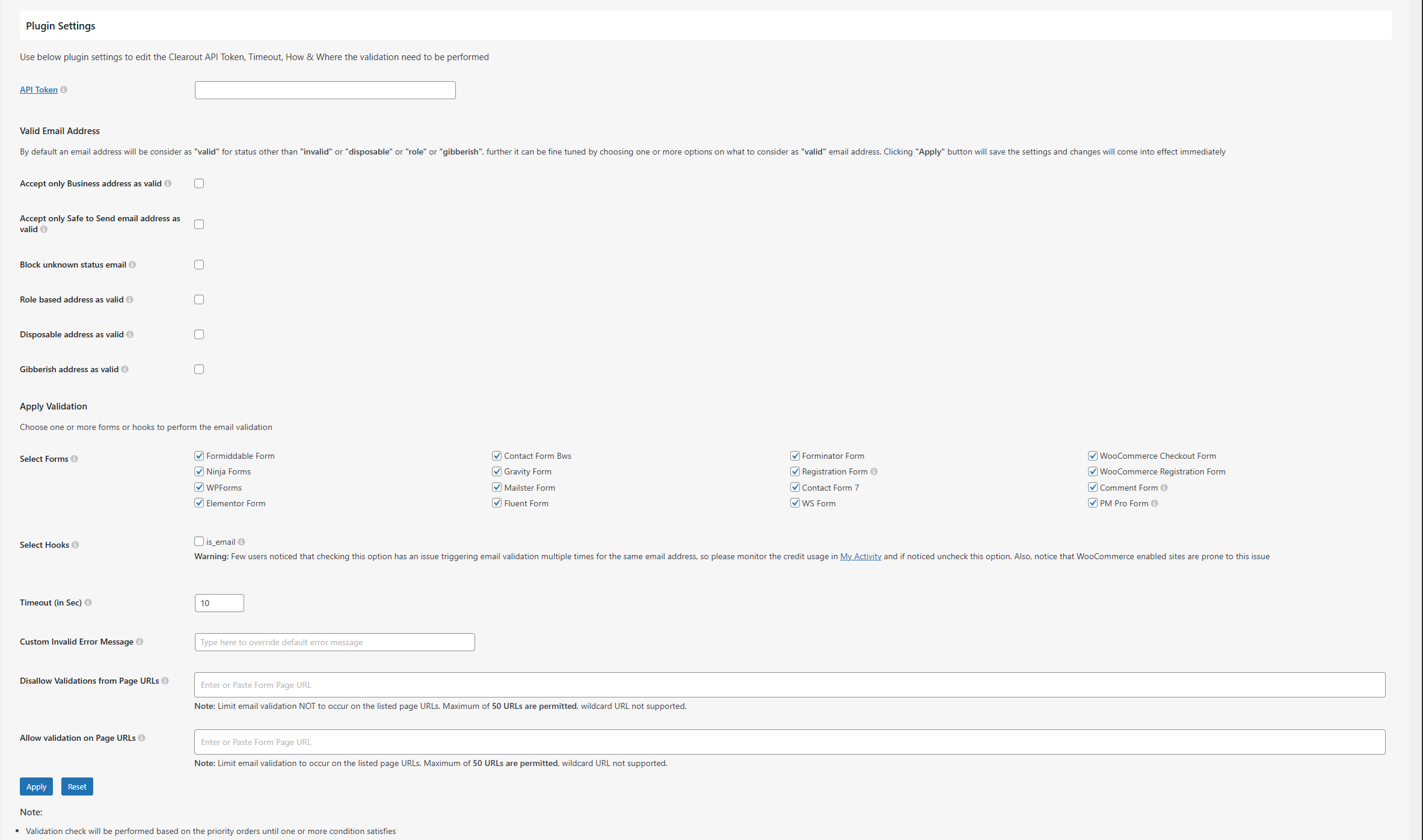
- Configure the plugin settings, including your API key, and check/uncheck the role, disposable, and Business email validator.
Manual Installation
- Upload the plugin files to the
/wp-content/plugins/clearout-email-validatordirectory. - Activate the plugin through the Plugins screen in WordPress
- Get your Clearout API token through here.
- Configure the plugin settings, including your API key, and switch on or off the valid, disposable, and free email validator.
Frequently asked questions
What is real-time email verification?
Real-time email verification refers to the process of confirming the authenticity or existence of an email address account in real time. Its results are based on real-time analysis rather than on basic checks against the old & existing databases.
How does this plugin work?
This Email Validation plugin listens to email address capture flow for all major forms by hooking WordPress is_email() function to verify whether the user’s typed email address can be accepted or not. Behind the screen, the verification will be carried out using Clearout API and the results will be matched with the appropriate settings allowed by the plugin.
Which Clearout status will be considered as a “valid” email address?
Clearout status other than “invalid” will be considered as “valid” email address and the form submission will be allowed. Also, by default, the email address of “disposable” or “role” will be considered as “invalid.” These settings can be changed in the plugin settings.
Does email validation stop all bad emails?
No, Clearout email validation cannot prevent bad emails from entering your system in the following conditions: 1. If email validation takes longer than the specified timeout value 2. If the status of email validation is returned as unknown
What version of WordPress is required?
This requires a minimum WordPress version of 4.6, tested and compatible with the latest version.
Why does “Select Forms” have only a few forms listed?
We strive to bring Clearout email validation support to all major WordPress forms, in case if you see your form is not listed let us know (us@clearout.io). Alternatively, you can try using Clearout Form Guard to bring support of email validation to any form with little or no coding effort
What is an API token and where can I get it?
The API token is a unique representation of your access to Clearout Email Validation Service. The API token can be created or obtained by ‘+ Create API Token’ from the Developer menu.
How to generate an API token?
Once logged in to your Clearout account click on ‘Developer’–> Click on ‘+ Create API Token’–> Provide the required details –> Click on Create and the API token will be generated.
What is a credit?
A credit represents the successful validation of a single email address. The trial account comes with 100 FREE credits. Additional credits can be purchased anytime and the credits will never expire.
Do you provide test email address?
Yes. For testing, you can find test email addresses to confirm that your integration works as intended without incurring credits.
What happens once the 100 free credits are exhausted?
You need to purchase additional credits. System will notify in advance when you are running out of credits (by default when below 50 credits)
What factors determine the high accuracy level claimed by Clearout email validation plugin?
Clearout WordPress Plugin performs more than 20+ validation checks on each email address to provide 99% accuracy level. These rigorous validation checks have a wide scale ranging from role/free account check to disposable email verification, spam trap detection, email blacklist verification, gibberish check & a lot more.
How secure is my data?
Clearout email verifier is GDPR compliant. Data is highly secure since we take security and confidentiality seriously. At default, your processed data is retained in our system for 30 days, and it can be erased immediately if requested. In addition, all financial information is encrypted and maintained in a military-grade secure system.
How long will it take to validate an email address?
Clearout email verifier has been rewarded to have the fastest TAT(Turnaround Time ). Some domains might take longer time than expected. But free domains like gmail.com are verified in less than a half-a-second (less than 100 milliseconds)
How to buy more credits?
Buy the desired number of email verifier credits in a few clicks by clicking on Buy Credits from your account.
How to opt out of the Clearout Email checker on a specific form?
Clearout Email checker is enabled by default on all forms on the website. If it is necessary to skip validation on a given form, it must be handled as mentioned below. Ninja Forms Ensure to enable Developer mode for your ninja form builder Open the form in the Form editor that does not require the Clearout Email Validation Open the Email field setting and under the ADMINISTRATION option enter the key value prefixed with ‘clearout_skip_validation’ for the field key and save the changes Formidable / WP Form Open the form in the Form editor that does not require the Clearout Email Validation Add…
Do you support page or form-specific custom validation?
Yes, add the page URL that hosts the form in the ‘Add Form Page URLs’ to limit validation to page-specific or to limit form-specific custom validation through Clearout Form Guard, the integration is simple and can be done without need of developer help. Clearout Form Guard provides all the bells and whistles to customize the email validation as per your need.
Looking for custom integration of this plugin?
Send us an email at us@clearout.io or say “Hello” in the chat
Where can I report bugs?
Send us an email at us@clearout.io or say “Hello” in the chat
Changelog
1.0.0
- Initial Release
1.0.1
- Content and Banner Changed
1.0.2
- Description Changed
1.1.0
- Major Bug Fixes and performance increased
1.1.1
- Major Bug Fixes and Performance Improvement
1.1.2
- Minor Bug Fixes
Screenshots
For developers
Is this your plugin? Show off the numbers.
Add a live badge to your site, docs or GitHub README. It updates on its own — no account needed.
Best Clearout Email Validator alternatives
All email checker plugins →




FAQ
Clearout Email Validator: quick answers
Straight answers, pulled from live WordPress.org data.
Live data from WordPress.org · checked Oct 5, 2026
Is Clearout Email Validator free?
Yes. Clearout Email Validator is free to download and use from the official WordPress.org plugin directory.
Is Clearout Email Validator safe to use in 2026?
Clearout Email Validator is a solid plugin choice in 2026, with a few things worth checking first. It runs on 500+ sites, is rated 4.2/5 and was last updated 4 weeks ago, and scores 79/100 on our health check.
How many websites use Clearout Email Validator?
Clearout Email Validator is active on 500+ WordPress websites and has been downloaded 34,958 times since it launched in October 2019. It was downloaded 957 times in the last 30 days.
Does Clearout Email Validator work with WordPress 7.1?
Yes. The developer has tested Clearout Email Validator up to WordPress 7.1.2, the latest release. It requires WordPress 4.6 or newer.
When was Clearout Email Validator last updated?
The latest version, 3.3.2, was released on September 8, 2026 (4 weeks ago).
Who makes Clearout Email Validator?
Clearout Email Validator is developed and maintained by clearoutio.
What are the best alternatives to Clearout Email Validator?
The most popular alternatives to Clearout Email Validator are ZeroBounce Email Verificati… (900+ installs), Antideo Email Validator (800+ installs) and DeBounce Email Validator (300+ installs).
Powered by PageForge
Want thousands of pages that rank like these? Build them in an afternoon.
This directory runs on the same engine as PageForge. Turn any spreadsheet, CSV or API into thousands of fast, SEO-ready WordPress pages — with schema, internal links and AI-written copy baked in.
- CSV, Google Sheets & API data sources
- AI content, schema & internal links per page
- Works with Elementor, Gutenberg, Yoast & Rank Math
- Free on WordPress.org — no credit card


