



Add to Calendar Button – CalGet
Easily add "Add to Calendar" buttons to your WordPress site. Supports Google Calendar, Apple Calendar, Office 365 and more.

Consider an alternative
Add to Calendar Button – CalGet shows warning signs in 2026 — compare the alternatives below before installing. It runs on 20+ sites and was last updated 1 year ago, and scores 33/100 on our health check.
- Small user base (20+ active installs)
- Very few reviews so far
- No update in over a year
- Only tested up to WordPress 6.8 (latest is 7.1)
How does it stack up?
Side-by-side on installs, updates, ratings & support

Daily downloads
Download spikes usually follow a new release — each site that auto-updates counts as a download.
Rankings
Where Add to Calendar Button stands todayWordPress.org search rankings
Live position in the plugin search, top 100| Keyword | Position |
|---|---|
| add to calendar | >100 |
| button | >100 |
| calendar | >100 |
| events | >100 |
| events calendar | >100 |
Version adoption
Share of active sites per release.
About Add to Calendar Button – CalGet
From the official readme · v1.0.1Description
CalGet provides a seamless way to add to calendar integration to any WordPress site. With the block editor component, you can easily add and customize “Add to Calendar” buttons for your visitors.
Key Features
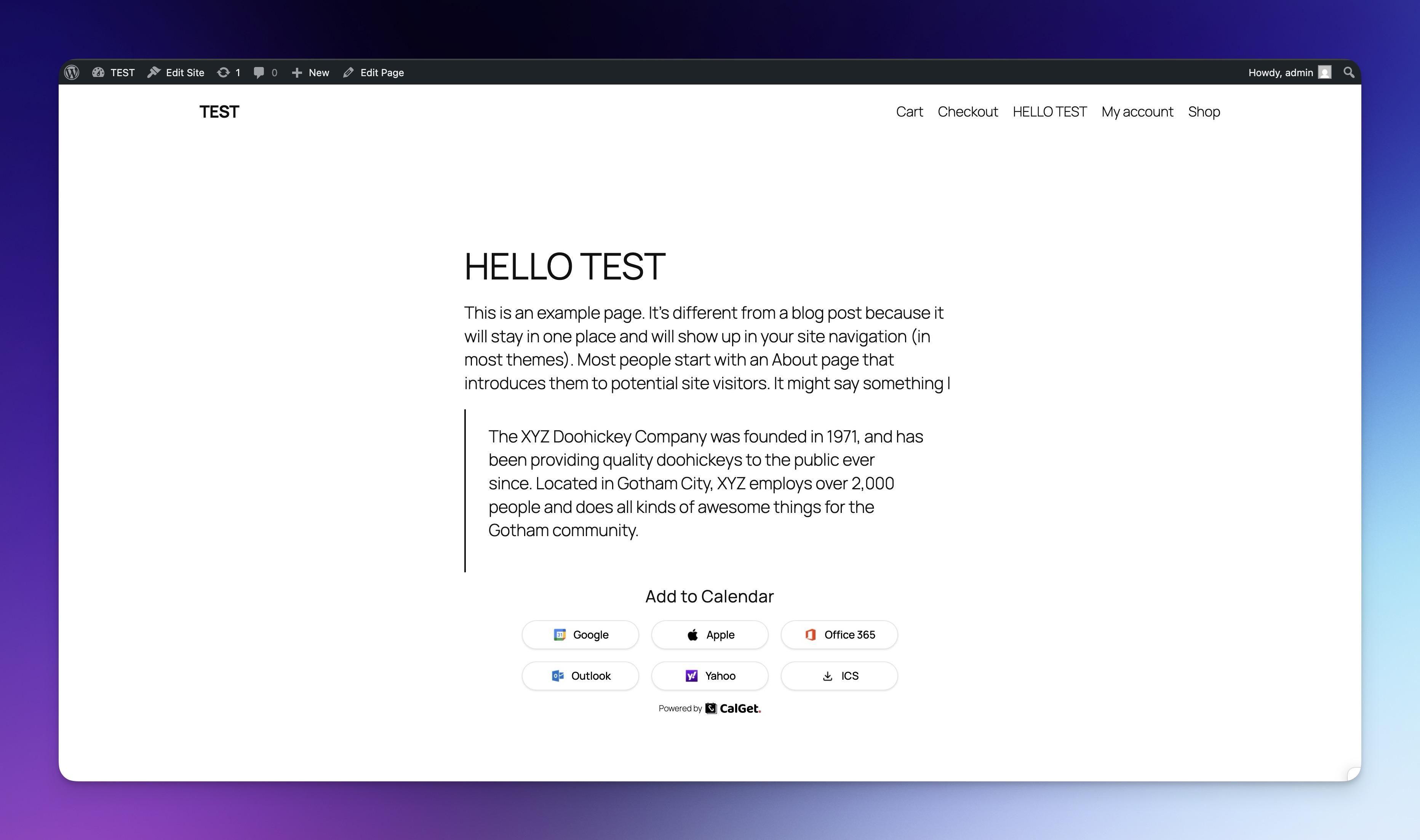
- Multiple Calendar Support: Generate buttons for popular calendar services including Google Calendar, Apple Calendar, Office 365, Outlook, Yahoo, and downloadable ICS files.
- Customizable Appearance: Adjust colors, corner roundness, and whether to display icons alongside button text.
- Block Editor Integration: Simple drag-and-drop interface in the WordPress block editor.
- Modern Design: Clean, responsive buttons that match your site’s aesthetic.
Calendar Services Supported
- Google Calendar
- Apple Calendar
- Microsoft Office 365
- Microsoft Outlook
- Yahoo Calendar
- ICS File Download (compatible with most calendar apps)
External Services
This plugin connects to the external CalGet API (https://calget.com) to function. Here’s how it’s used:
- Service Used: CalGet
- API Endpoint Base:
https://calget.com/api/wp/v1/ - Purpose: The CalGet API is used to:
- Fetch your calendars and existing events to select from within the block editor.
- Create new calendar events directly from the block editor.
- Retrieve the necessary links for each “Add to Calendar” button (Google, Apple, etc.) for rendering on the frontend.
- Verify your API key and fetch team/subscription information for the settings page and editor notices.
- Data Sent:
- API Key: Your CalGet API key (obtained from calget.com) is sent with every request for authentication.
- Calendar/Event Selection: When selecting calendars or events in the editor, the relevant IDs are sent.
- New Event Details: When creating a new event via the block editor, the details you enter (title, description, dates, location, timezone, etc.) are sent to the API.
- Block Attributes: When rendering the buttons on the frontend, the selected event ID and calendar ID might be sent if the links weren’t saved with the block.
- Frequency: API calls occur when:
- Loading the block editor for the “Add to Calendar Button” block (fetching calendars, events, team info).
- Changing the selected calendar in the editor (fetching events).
- Saving a new event created within the editor.
- Loading a page containing the rendered block on the frontend (potentially fetching event links).
- Loading the plugin settings page (fetching team info, verifying API key).
- Terms and Privacy: Use of the CalGet service is subject to their Terms of Service and Privacy Policy.
- Terms of Service: https://calget.com/terms
- Privacy Policy: https://calget.com/privacy
An active CalGet account and API key are required for this plugin to fetch event data and generate calendar links.
By using this plugin, you agree to the terms and privacy policy of CalGet. A CalGet account and API key are required for the plugin to function.
Third Party Services Tracking
This plugin does not track any user data or include any tracking mechanisms.
Installation
- Upload the
calgetfolder to the/wp-content/plugins/directory - Activate the plugin through the ‘Plugins’ menu in WordPress
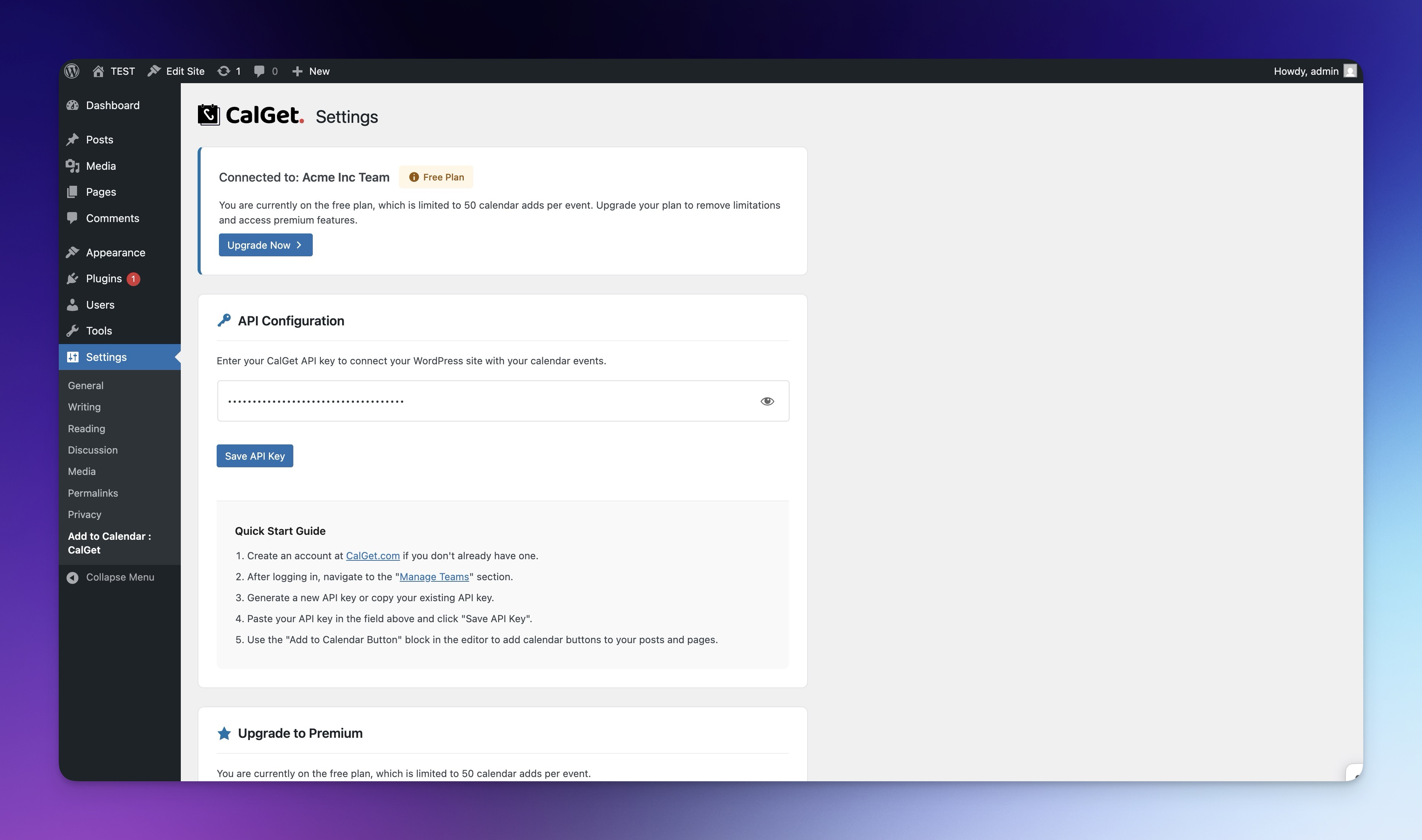
- Navigate to Settings > Add to Calendar : CalGet
- Create a CalGet account at CalGet.com if you don’t have one
- Enter your API key from CalGet.com in the settings page
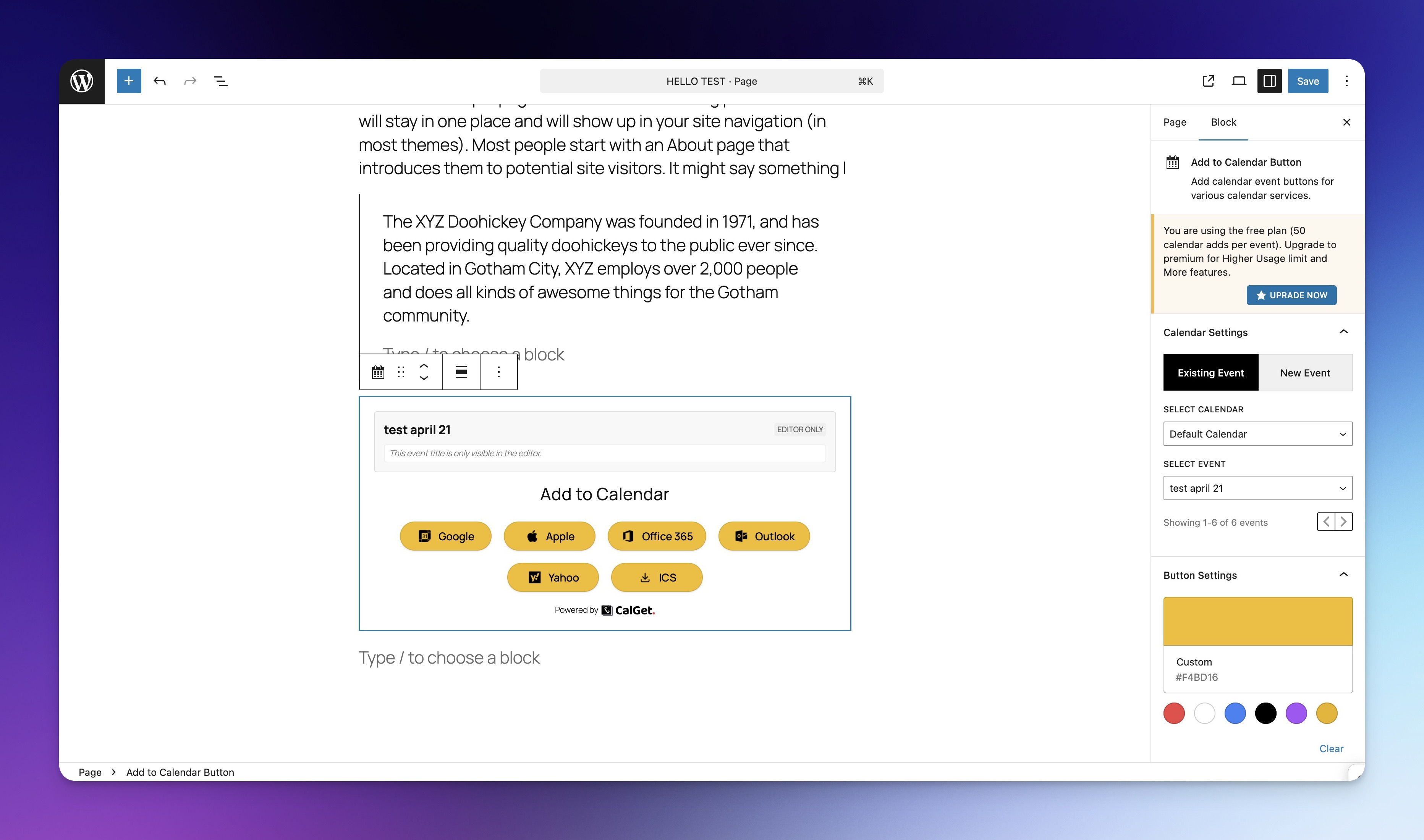
- Add the “Add to Calendar Button” block to any post or page
- Select an existing calendar event or create a new one
- Customize the appearance and save
Frequently asked questions
Do I need a CalGet account?
Yes, you need to create an account at CalGet.com to get an API key and access the calendar services.
Is there a limit to how many calendar buttons I can create?
No, you can create as many calendar buttons as you need.
Is there a limit on how many events I can create?
Yes, the free plan is limited to 50 calendar adds per event. For higher usage limits and additional features, check out our premium plans at CalGet.com/pricing.
Can I customize the appearance of the buttons?
Yes, you can change the color, adjust the corner roundness from square to rounded, and choose whether to display icons alongside button text.
Which calendar services are supported?
Google Calendar, Apple Calendar, Microsoft Office 365, Microsoft Outlook, Yahoo Calendar, and downloadable ICS files (compatible with most calendar apps).
Changelog
Initial release of CalGet calendar button plugin.
1.0.0
- Initial release
1.0.1
- Button style adjustments
Screenshots
For developers
Is this your plugin? Show off the numbers.
Add a live badge to your site, docs or GitHub README. It updates on its own — no account needed.
Best Add to Calendar Button alternatives
All add to calendar plugins →FAQ
Add to Calendar Button – CalGet: quick answers
Straight answers, pulled from live WordPress.org data.
Live data from WordPress.org · checked Oct 14, 2026
Is Add to Calendar Button – CalGet free?
Yes. Add to Calendar Button – CalGet is free to download and use from the official WordPress.org plugin directory.
Is Add to Calendar Button – CalGet safe to use in 2026?
Add to Calendar Button – CalGet shows warning signs in 2026 — compare the alternatives below before installing. It runs on 20+ sites and was last updated 1 year ago, and scores 33/100 on our health check.
How many websites use Add to Calendar Button – CalGet?
Add to Calendar Button – CalGet is active on 20+ WordPress websites and has been downloaded 786 times since it launched in April 2025. It was downloaded 108 times in the last 30 days.
Does Add to Calendar Button – CalGet work with WordPress 7.1?
Add to Calendar Button – CalGet is officially tested up to WordPress 6.8.11, while the latest release is 7.1.3. It may still work, but try it on a staging site first.
What PHP version does Add to Calendar Button – CalGet need?
Add to Calendar Button – CalGet requires PHP 7.2 or higher. Most hosts run PHP 8.x today, so it works on any modern WordPress hosting.
When was Add to Calendar Button – CalGet last updated?
The latest version, 1.0.1, was released on April 22, 2025 (1 year ago).
Who makes Add to Calendar Button – CalGet?
Add to Calendar Button – CalGet is developed and maintained by CalGet.
What are the best alternatives to Add to Calendar Button – CalGet?
The most popular alternatives to Add to Calendar Button – CalGet are Event – Add to Calendar (40+ installs) and ListYourEvent (<10 installs).
Powered by PageForge
Want thousands of pages that rank like these? Build them in an afternoon.
This directory runs on the same engine as PageForge. Turn any spreadsheet, CSV or API into thousands of fast, SEO-ready WordPress pages — with schema, internal links and AI-written copy baked in.
- CSV, Google Sheets & API data sources
- AI content, schema & internal links per page
- Works with Elementor, Gutenberg, Yoast & Rank Math
- Free on WordPress.org — no credit card


