



BugPost
Simple frontend bug reporting overlay for WordPress. Visitors submit reports with auto-captured browser context and console errors.

Use with caution
BugPost works, but test it on a staging site before relying on it in 2026. Was last updated 6 months ago, and scores 42/100 on our health check.
- Small user base (<10 active installs)
- Very few reviews so far
- Only tested up to WordPress 6.9 (latest is 7.1)
How does it stack up?
Side-by-side on installs, updates, ratings & support



Daily downloads
Download spikes usually follow a new release — each site that auto-updates counts as a download.
Rankings
Where BugPost stands todayWordPress.org search rankings
Live position in the plugin search, top 100| Keyword | Position |
|---|---|
| bug report | >100 |
| bug-tracking | >100 |
| error reporting | >100 |
| feedback | >100 |
| q&a | >100 |
About BugPost
From the official readme · v1.2.3Description
BugPost adds a lightweight bug reporting button to your site’s frontend. When clicked, it opens a clean overlay panel where visitors or team members can describe an issue. Browser details, operating system, viewport size, page URL, page load time, and JavaScript console errors are captured automatically — no extra effort needed from the reporter.
Key Features:
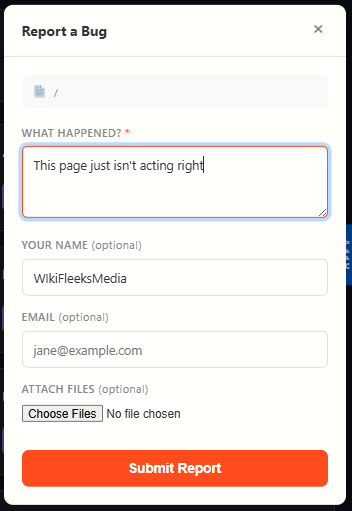
- One-click reporting — A “Report” tab on the right side of every page opens a simple form.
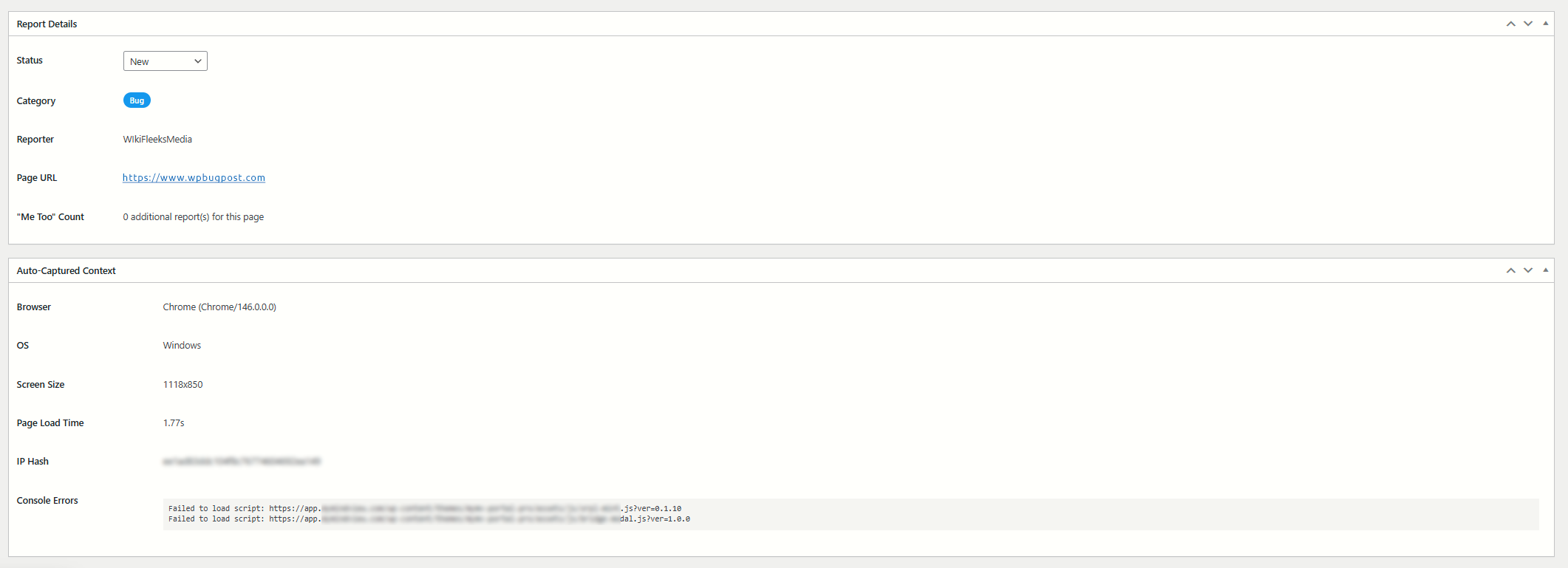
- Auto-captured context — Browser name and version, OS, viewport dimensions, page URL, page load time, and console errors are sent along with every report.
- Console error capture — JavaScript errors and unhandled promise rejections are logged automatically and attached to the report.
- Reporter fields — Optional name and email fields let reporters identify themselves.
- Honeypot spam protection — A hidden field traps bots without annoying humans with CAPTCHAs.
- Rate limiting — 3 reports per IP per hour prevents abuse.
- “Me too” duplicate grouping — When multiple reports target the same page, earlier open reports get a +1 count so you can see which issues affect the most people.
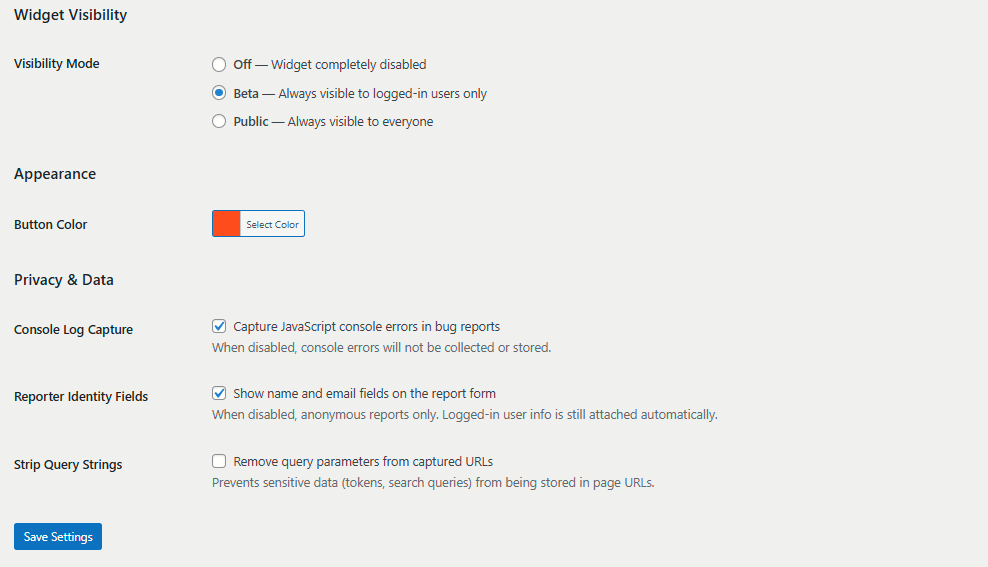
- Visibility modes — Choose Beta (logged-in users only) or Public (everyone). Turn it off entirely when not needed.
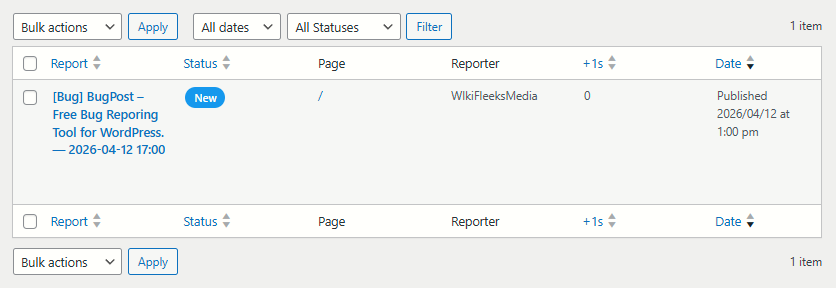
- Admin dashboard — All reports in a familiar WordPress list table with status badges, reporter info, page URL, and date columns.
- Report detail view — Each report has a full meta box showing all captured context data.
- Status workflow — Mark reports as New, Acknowledged, In Progress, Resolved, or Closed.
- CSV export — Download all reports as a CSV file for use in spreadsheets or external tools.
- Customizable button color — Match the report button to your site’s brand via a color picker.
- Fully translatable — All strings use WordPress i18n functions with the
bugposttext domain.
What this plugin does NOT do (by design):
- No external API calls, no tracking, no phoning home.
- No CDN dependencies — all assets are bundled locally.
- No account required to use the plugin.
Installation
- Upload the
bugpostfolder to the/wp-content/plugins/directory, or install directly through the WordPress plugin screen. - Activate the plugin through the “Plugins” screen in WordPress.
- Go to BugPost > Settings to choose your visibility mode and button color.
- Visit your site’s frontend — you should see the “Report” tab on the right side of the page.
Frequently asked questions
How do visitors submit a bug report?
A “Report” button appears as a vertical tab on the right edge of every page (when the widget is enabled). Clicking it opens an overlay panel with a text area to describe the issue, plus optional name and email fields. Browser details and console errors are captured automatically.
What data is captured automatically?
Each report includes: the page URL, page title, browser name and version, operating system, viewport size (width x height), page load time, and any JavaScript console errors that occurred before the report was submitted.
How does spam protection work?
The plugin uses two mechanisms: a honeypot field (invisible to humans, filled by bots) and IP-based rate limiting (3 reports per hour per IP address). No CAPTCHA is needed.
Can I export the reports?
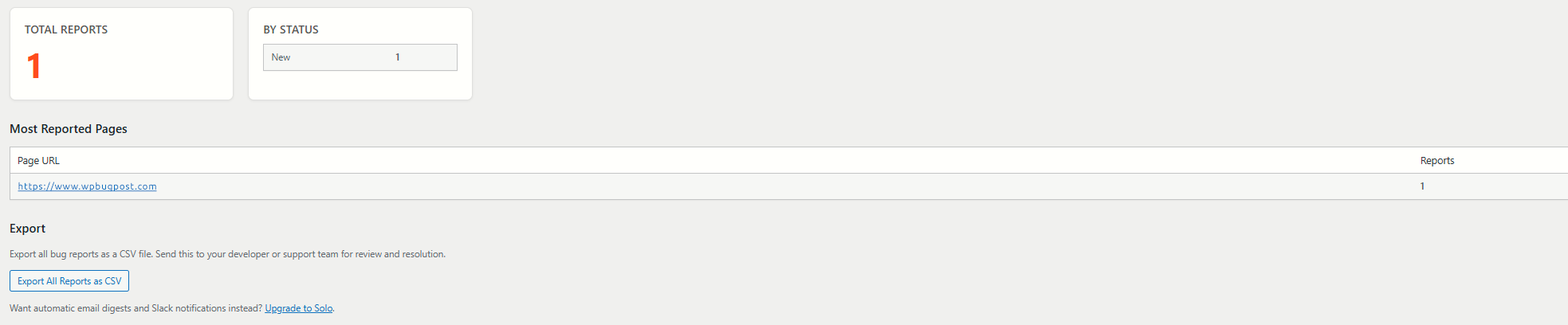
Yes. Go to BugPost > Summary and click “Export All Reports as CSV.” The export includes all report fields, context data, and status information.
What are the visibility modes?
Off — The widget is completely hidden. Beta — The widget appears only for logged-in WordPress users. Great for internal QA testing. Public — The widget appears for all visitors.
Does this plugin make external requests?
No. BugPost does not load any external scripts, stylesheets, fonts, or make any API calls to outside servers. Everything is self-contained.
Is this plugin compatible with caching plugins?
Yes. The widget is loaded via standard WordPress script enqueueing and uses AJAX for submissions. It works with all popular caching plugins.
Where can I get more features?
The paid versions at wpbugpost.com add screenshot capture, annotation tools, custom categories and priorities, GitHub/Jira/Linear integrations, email digests, Slack notifications, and more.
Changelog
Upgrade prompt pricing updated to match the new tier structure. No functional changes.
1.2.3
- Updated Agency upgrade prompt pricing to $199/yr.
1.2.2
- Fixed inline CSS to use wp_add_inline_style() instead of echoing style tags.
- Improved input sanitization: POST data sanitized with map_deep() at access time.
- Improved file upload sanitization: each $_FILES field sanitized individually at access.
1.2.1
- Removed deprecated load_plugin_textdomain() call.
- Resolved plugin checker warnings for file upload handling and query performance.
1.2.0
- Renamed plugin from WPBugPost to BugPost.
- Updated slug, text domain, constants, and all prefixes to
bugpost.
1.1.2
- Security: Added server-side MIME type verification for file uploads via wp_check_filetype_and_ext().
- Security: Added filename sanitization before upload processing via sanitize_file_name().
1.1.1
- Fixed: Summary page heading now renders em dash correctly instead of showing raw HTML entity.
Screenshots

For developers
Is this your plugin? Show off the numbers.
Add a live badge to your site, docs or GitHub README. It updates on its own — no account needed.
Best BugPost alternatives
All bug report plugins →



FAQ
BugPost: quick answers
Straight answers, pulled from live WordPress.org data.
Live data from WordPress.org · checked Sep 29, 2026
Is BugPost free?
Yes. BugPost is free to download and use from the official WordPress.org plugin directory.
Is BugPost safe to use in 2026?
BugPost works, but test it on a staging site before relying on it in 2026. Was last updated 6 months ago, and scores 42/100 on our health check.
How many websites use BugPost?
BugPost is active on <10 WordPress websites and has been downloaded 335 times since it launched in April 2026. It was downloaded 61 times in the last 30 days.
Does BugPost work with WordPress 7.1?
BugPost is officially tested up to WordPress 6.9.9, while the latest release is 7.1.2. It may still work, but try it on a staging site first.
What PHP version does BugPost need?
BugPost requires PHP 7.4 or higher. Most hosts run PHP 8.x today, so it works on any modern WordPress hosting.
When was BugPost last updated?
The latest version, 1.2.3, was released on April 15, 2026 (6 months ago).
Who makes BugPost?
BugPost is developed and maintained by wikifleeksmedia.
What are the best alternatives to BugPost?
The most popular alternatives to BugPost are Feedback Button – Jotform (600+ installs), Couac (<10 installs) and PushFeedback (<10 installs).
Powered by PageForge
Want thousands of pages that rank like these? Build them in an afternoon.
This directory runs on the same engine as PageForge. Turn any spreadsheet, CSV or API into thousands of fast, SEO-ready WordPress pages — with schema, internal links and AI-written copy baked in.
- CSV, Google Sheets & API data sources
- AI content, schema & internal links per page
- Works with Elementor, Gutenberg, Yoast & Rank Math
- Free on WordPress.org — no credit card


