



BtW Importer – Free Blogger/Blogspot Migration
Import your Blogger .atom file from Google Takeout and migrate to WordPress, free and automatic.

Solid choice
BtW Importer is a solid plugin choice in 2026, with a few things worth checking first. It runs on 500+ sites, is rated 5/5 and was last updated 3 months ago, and scores 62/100 on our health check.
- Small user base (500+ active installs)
- Very few reviews so far
- Needs PHP 8.1 or newer
How does it stack up?
Side-by-side on installs, updates, ratings & support



Daily downloads
Download spikes usually follow a new release — each site that auto-updates counts as a download.
Rankings
Where BtW Importer stands todayWordPress.org search rankings
Live position in the plugin search, top 100| Keyword | Position |
|---|---|
| blogger | #8 |
| blogger importer | #2 |
| blogspot | #1 |
| blogspot importer | #1 |
| import blogspot | #1 |
Version adoption
Share of active sites per release.
Rating breakdown
★★★★★★★★★★ 5 from 4 reviews
About BtW Importer
From the official readme · v4.2.1Description
BtW Importer is a powerful yet simple migration tool that helps you seamlessly transfer your content from Blogger (Blogspot) to WordPress with minimal effort. Whether you’re a casual blogger or managing a large archive, this plugin handles the complex parts so you don’t have to.
With just 3 steps, BtW Importer lets you upload your .atom file from Google Takeout and automatically imports your posts—images, links, formatting, and more. It also enhances your content by downloading embedded images, replacing Blogger URLs with WordPress-friendly links, and setting featured images based on the first image in each post. Plus, you’ll get real-time progress feedback so you can watch the migration unfold with confidence.
Designed to be fast, reliable, and compatible with WordPress 6.9+, this plugin streamlines the process and saves you hours of manual work.
Notice: Nginx-based server maybe slower when importing content than Apache or Litespeed. If you’re using Nginx-based server, it’s recommended to import blogspot content in wordpress localhost, then upload to hosting or server.
Features
- Scans and downloads embedded images
- Replaces outdated Blogger URLs with WordPress-friendly links
- Sets featured images using the first image in each post
- Displays real-time progress during import
- Supports image formats:
jpg, jpeg, png, gif, webp, bmp, svg, tiff, avif, ico. Undownloaded images and videos still embedded, but with external files. - Support legacy image download (for content older than 2008)
- Import content based on post type
- Keep external embedded content
- Posts or Pages date sync as date in the .atom file (e.g. your Blogspot post published on 2022/02/02, then the post in WordPress also 2022/02/02)
- Categories added or use existing category based on .atom file
- Only Blogspot/Google images downloaded, others external (saving your hosting storage, especially if you use external CDN)
- Only download original size images (avoid duplicated)
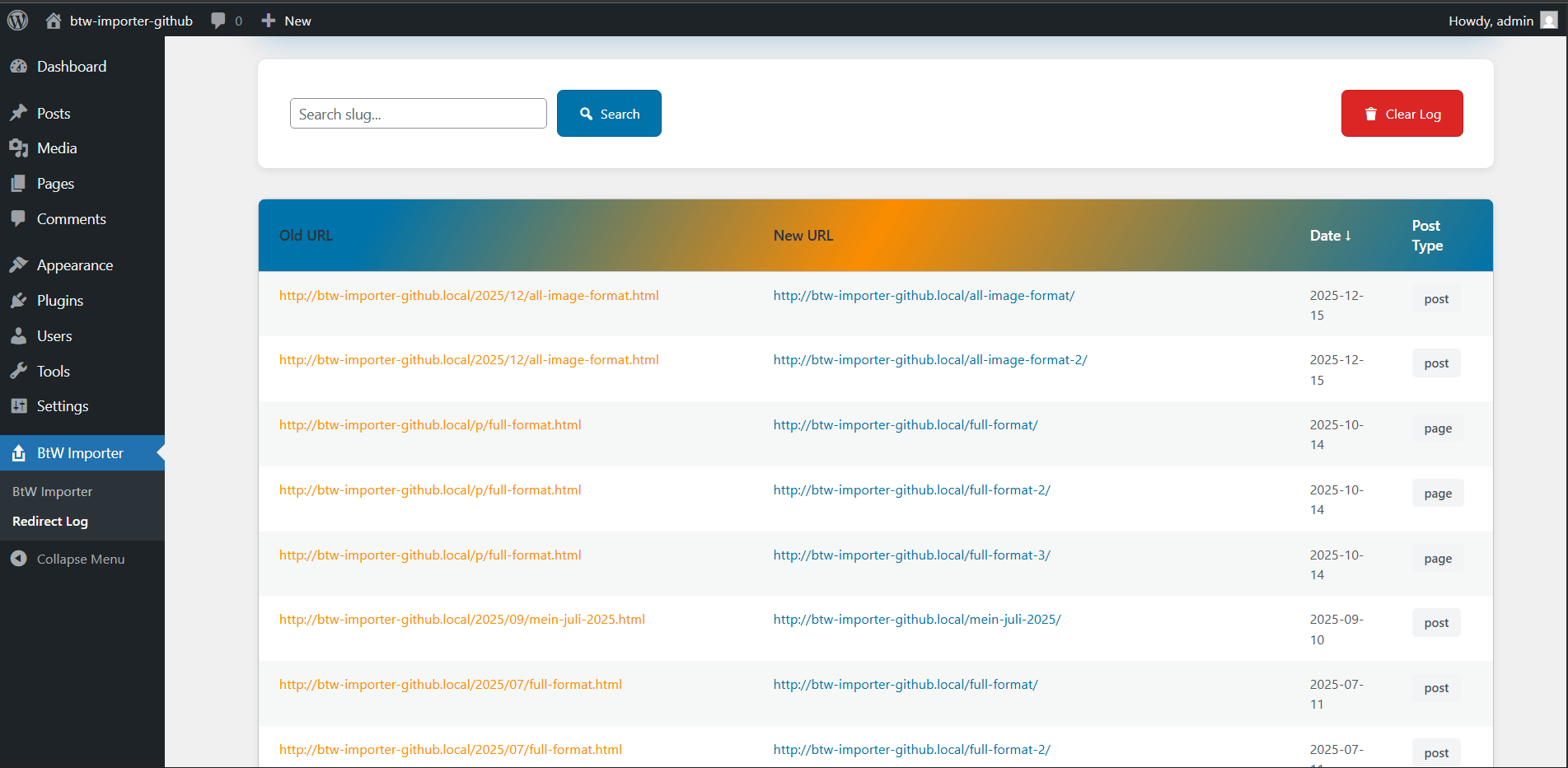
- Automatically add 301 redirect from Blogspot permalink to new WordPress URL to keep your SEO (only for post with
/YYYY/MM/slug.htmlformat) - Redirect log page to check list of redirection has been made, also option to clear redirection logs
- Optional conversion from imported Blogger HTML to WordPress block markup
Note
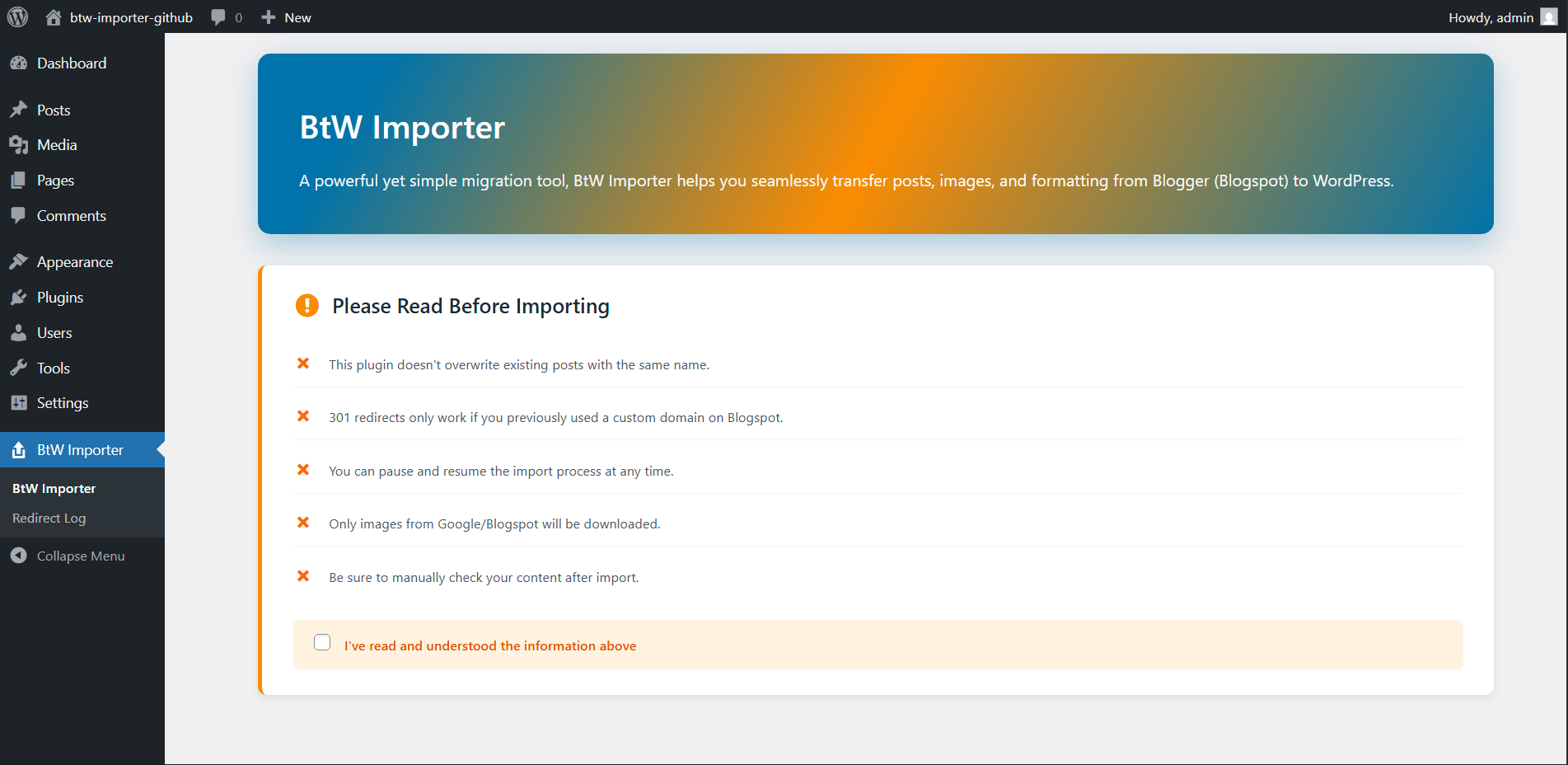
Make sure to check your content after you import contents. Also, this plugin doesn’t overwrite current post or pages, so if you’ve imported posts or pages and want to import again, kindly delete the previous imported posts, pages, and images.
Usage
- Download your
.atomfile:
Blogger → Settings → Back Up → Download → redirects to Google Takeout - Open the BtW Importer menu in WordPress
- Read and check the agreement
- Upload the
.atomfile from your local storage - Extract the atom file in second step
- Start the migration
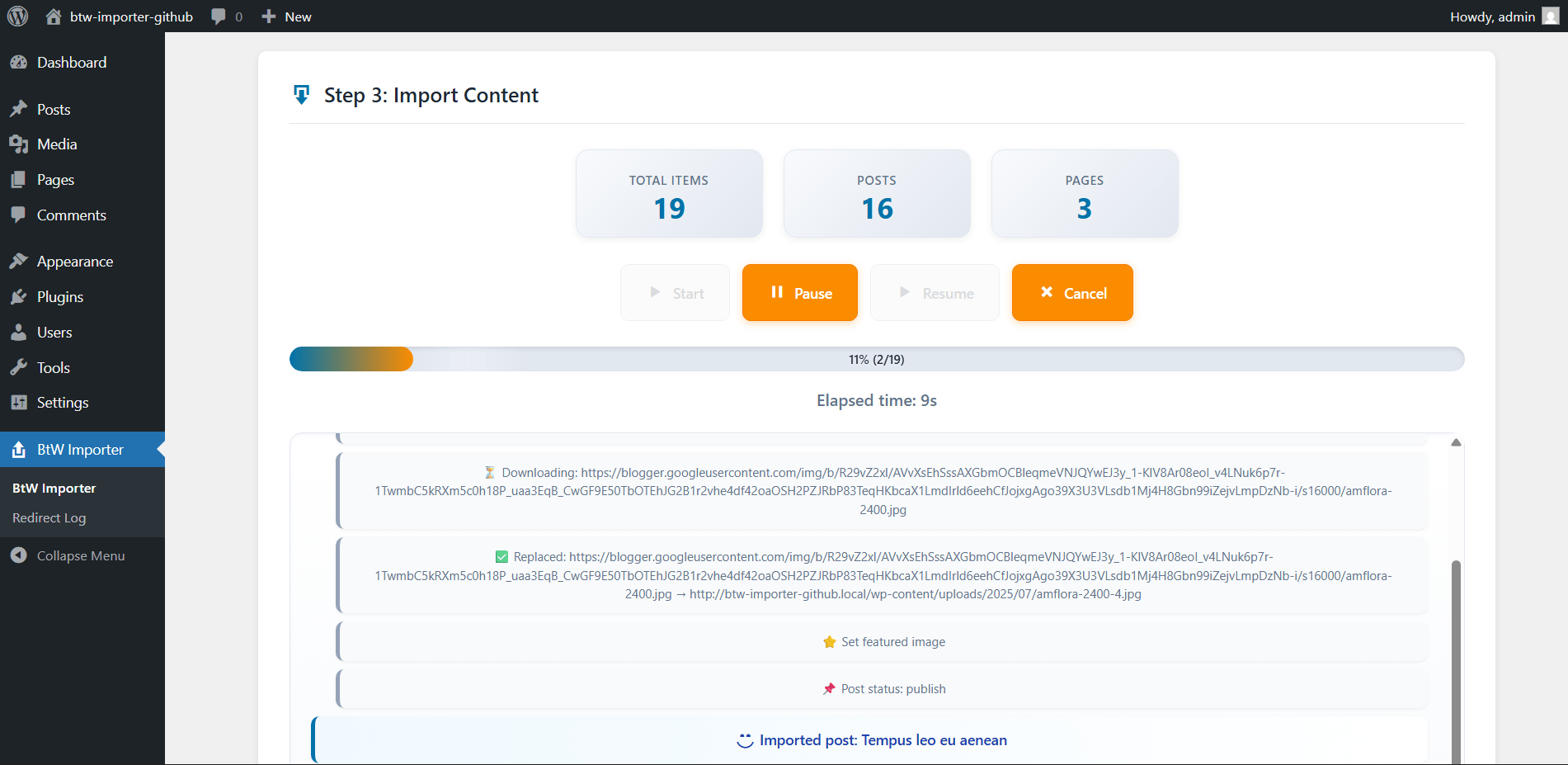
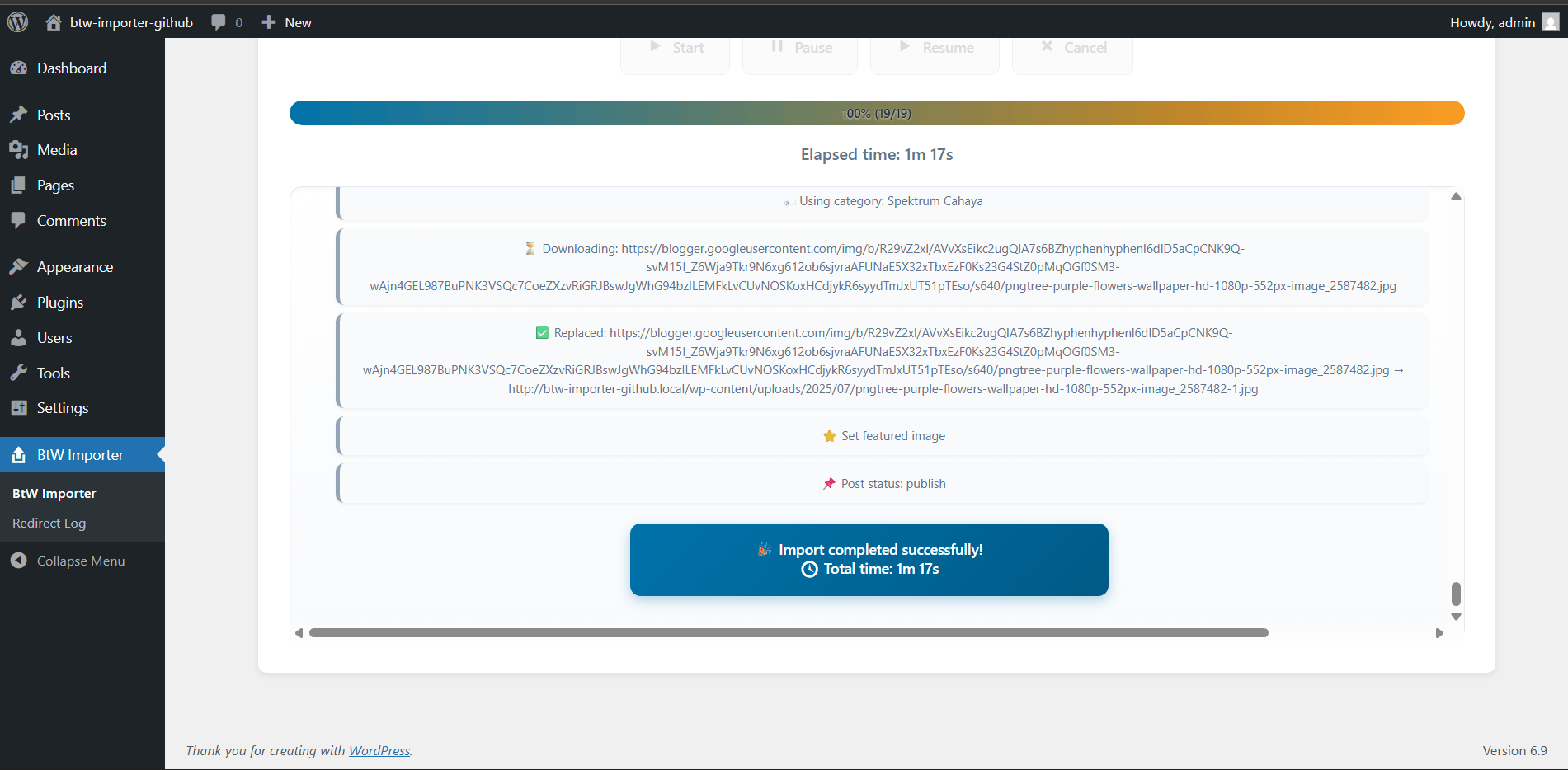
- Monitor the live progress
- Done! Your Blogger content is now in WordPress
Requirements
- PHP 8.1 or later
- cURL PHP Extension
SimpleXMLPHP Extensionallow_url_fopenenabled- Writable
wp-content/uploadsfolder (default setting already meets this)
Installation
- Upload the plugin files to
/wp-content/plugins/btw-importer, or install via the WordPress plugin screen directly. - Activate the plugin via the Plugins screen in WordPress.
- Open the BtW Importer menu from your dashboard.
Changelog
Please check the changelog tab to check what's new.
4.2.1
- Fixed:
WP_Scripts::localizenotice by passing localization data as an array. - Added: Import success popup with a local Lottie celebration animation.
- Fixed: Replaced discouraged native
parse_url()usage withwp_parse_url(). - Fixed: Some inconsistant icon color.
4.2.0
- Added: Optional conversion from imported Blogger HTML to WordPress block markup.
- Added: Collapsible Advanced Options panel in the importer UI.
- Improved: Advanced importer options layout and icon color consistency.
4.1.1
- Minor improvements
- Compability update for WordPress 7.0
4.1.0
- Added: Author selection for imported posts (choose specific user or original Blogger author)
- Added: Dedicated AJAX endpoint for reliable user fetching (bypasses browser cache issues)
4.0.0
Major Update
* Added multi-step import UI with visual step indicator (Upload → Extract → Import)
* Added batch processing with 4 speed options
* Added support for modern Blogger image URLs without file extensions
* Added automatic image format detection using MIME type
* Added image format preservation (PNG, GIF, WEBP, BMP keep original format)
* Added import statistics display (Total Items, Posts, Pages)
* Added modern import controls (Start, Pause, Resume, Cancel)
* Added scrollable import log with auto-scroll
* Added pause and resume timer (elapsed time pauses when import is paused)
* Added batch delay system to improve Nginx-based server performance
* Added temporary .atom file storage in wp-content/uploads/btw-importer-temp/ (auto deleted after import)
- Fixed image URLs in posts not being replaced with local WordPress URLs
- Fixed images without file extensions not downloading
- Fixed long filename handling (100+ characters now use a short hash)
- Fixed TIFF images by auto-converting to JPG for browser compatibility
-
Fixed error handling for expired Blogger image URLs
-
Improved caching system to prevent re-downloading the same images
- Improved step pagination behavior during import
- Improved button state handling based on import status
- Improved default batch delay to 50ms for more stable and faster imports
- Improved overall UI and styling
-
Removed import overlay completely
-
Note: Batch size “Fastest” is only recommended for VPS or dedicated servers
3.0.0
- Compability test with WordPress 6.9
- Add styling on Importer and Redirect Log page
- Add legacy image URL (now support more image format and URL type)
- Add
wp_safe_redirectin redirect for better security - Security update based on WordPress 6.9 and PCP 1.7.0
Screenshots
For developers
Is this your plugin? Show off the numbers.
Add a live badge to your site, docs or GitHub README. It updates on its own — no account needed.
Best BtW Importer alternatives
All blogger plugins →





FAQ
BtW Importer: quick answers
Straight answers, pulled from live WordPress.org data.
Live data from WordPress.org · checked Sep 30, 2026
Is BtW Importer free?
Yes. BtW Importer is free to download and use from the official WordPress.org plugin directory.
Is BtW Importer safe to use in 2026?
BtW Importer is a solid plugin choice in 2026, with a few things worth checking first. It runs on 500+ sites, is rated 5/5 and was last updated 3 months ago, and scores 62/100 on our health check.
How many websites use BtW Importer?
BtW Importer is active on 500+ WordPress websites and has been downloaded 6,375 times since it launched in September 2025. It was downloaded 420 times in the last 30 days.
Does BtW Importer work with WordPress 7.1?
BtW Importer is officially tested up to WordPress 7.0.6, while the latest release is 7.1.2. It may still work, but try it on a staging site first.
What PHP version does BtW Importer need?
BtW Importer requires PHP 8.1 or higher. Most hosts run PHP 8.x today, so it works on any modern WordPress hosting.
When was BtW Importer last updated?
The latest version, 4.2.1, was released on June 27, 2026 (3 months ago).
Who makes BtW Importer?
BtW Importer is developed and maintained by M. Nasikin.
What are the best alternatives to BtW Importer?
The most popular alternatives to BtW Importer are Blogger Importer (50K+ installs), Blogger Importer Extended (4K+ installs) and Blogger To WordPress (3K+ installs).
Powered by PageForge
Want thousands of pages that rank like these? Build them in an afternoon.
This directory runs on the same engine as PageForge. Turn any spreadsheet, CSV or API into thousands of fast, SEO-ready WordPress pages — with schema, internal links and AI-written copy baked in.
- CSV, Google Sheets & API data sources
- AI content, schema & internal links per page
- Works with Elementor, Gutenberg, Yoast & Rank Math
- Free on WordPress.org — no credit card


