



BravesChat
Connect your WordPress site to your N8N AI agent. Professional chat widget with GDPR support, business hours, and full customization.

Use with caution
BravesChat works, but test it on a staging site before relying on it in 2026. It runs on 10+ sites and was last updated 4 months ago, and scores 51/100 on our health check.
- Small user base (10+ active installs)
- Very few reviews so far
How does it stack up?
Side-by-side on installs, updates, ratings & support



Daily downloads
Download spikes usually follow a new release — each site that auto-updates counts as a download.
Rankings
Where BravesChat stands todayWordPress.org search rankings
Live position in the plugin search, top 100| Keyword | Position |
|---|---|
| AI | >100 |
| chat | >100 |
| chatbot | >100 |
| n8n | #46 |
| webhook | >100 |
Version adoption
Share of active sites per release.
About BravesChat
From the official readme · v2.5.0Description
BravesChat is the bridge between your WordPress site and your N8N workflows: connect any AI agent you have built with your visitors, without extra code and in minutes.
Designed for the N8N community
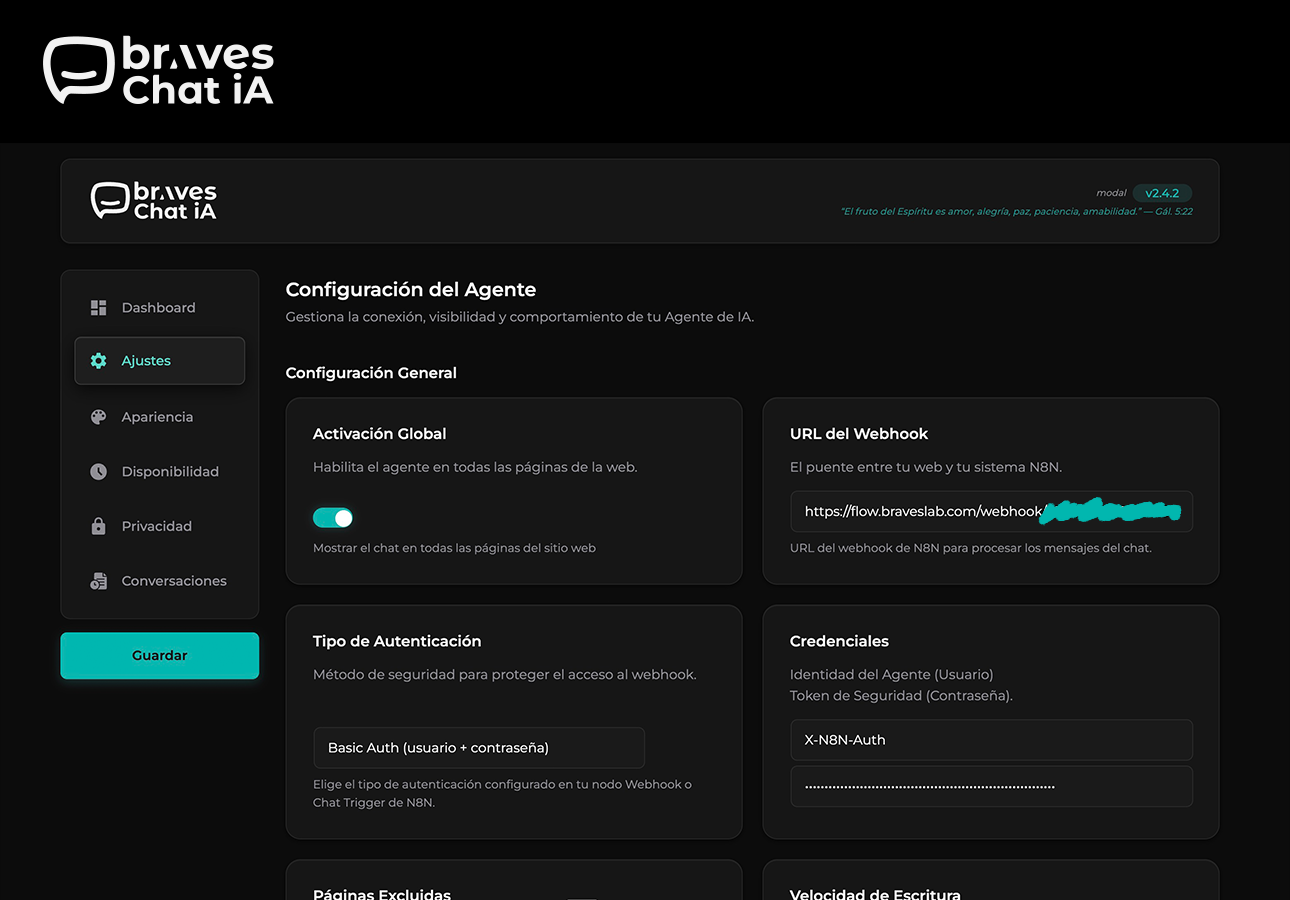
- N8N-ready webhook: Point BravesChat to your workflow URL and start receiving messages instantly. Supports an authentication token in the header (
X-N8N-Auth) to protect your endpoints. - Complete payload on every message: Each request includes the current message and the user’s unique
sessionId— everything your N8N nodes need to maintain conversation context. - Markdown responses: Your agent’s messages are rendered with rich formatting — bold, lists, links, and code — with no extra configuration.
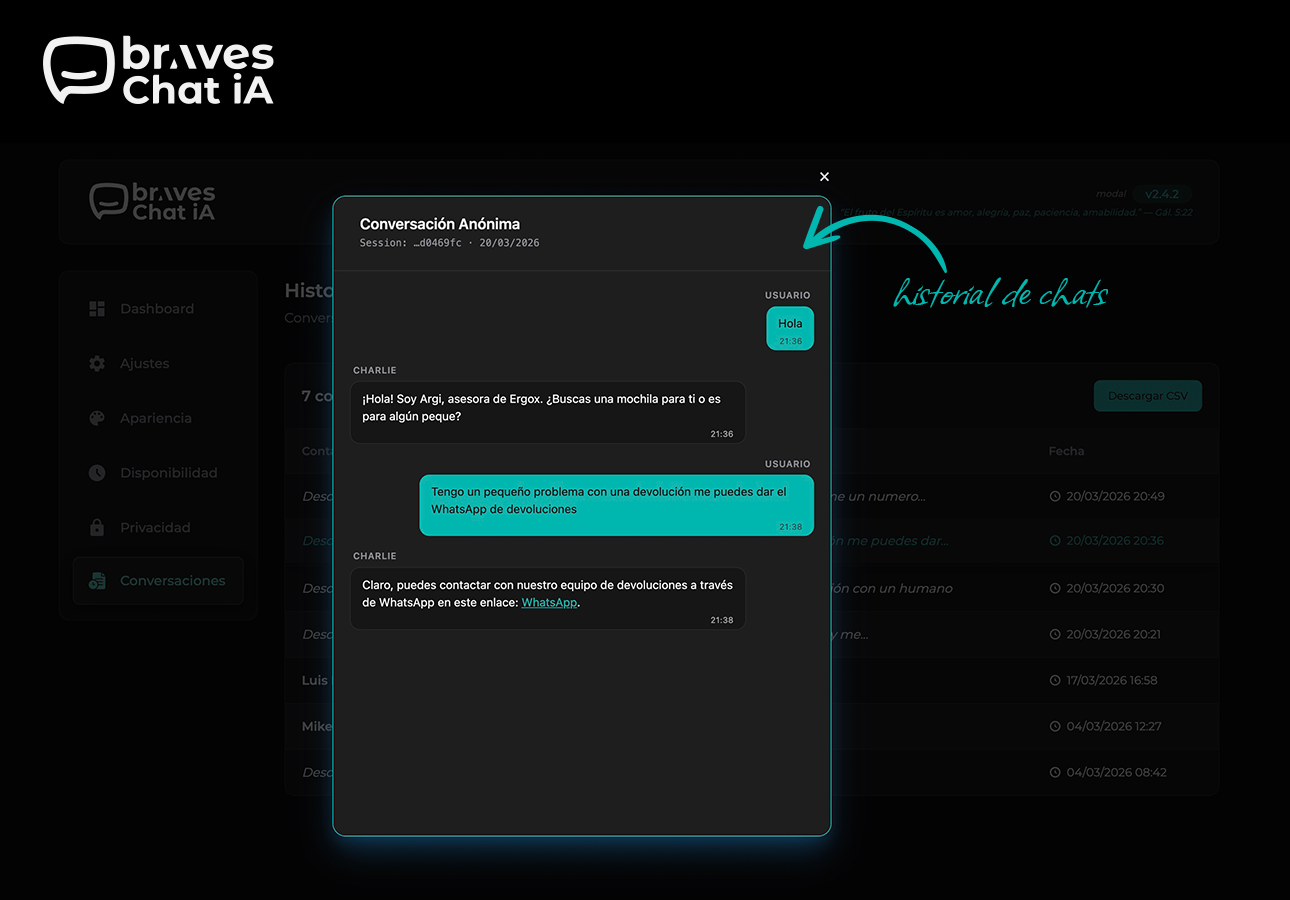
- Conversation history with CSV export: Browse all sessions from the WordPress dashboard and export them to your CRM, spreadsheet, or database with one click.
Production-ready
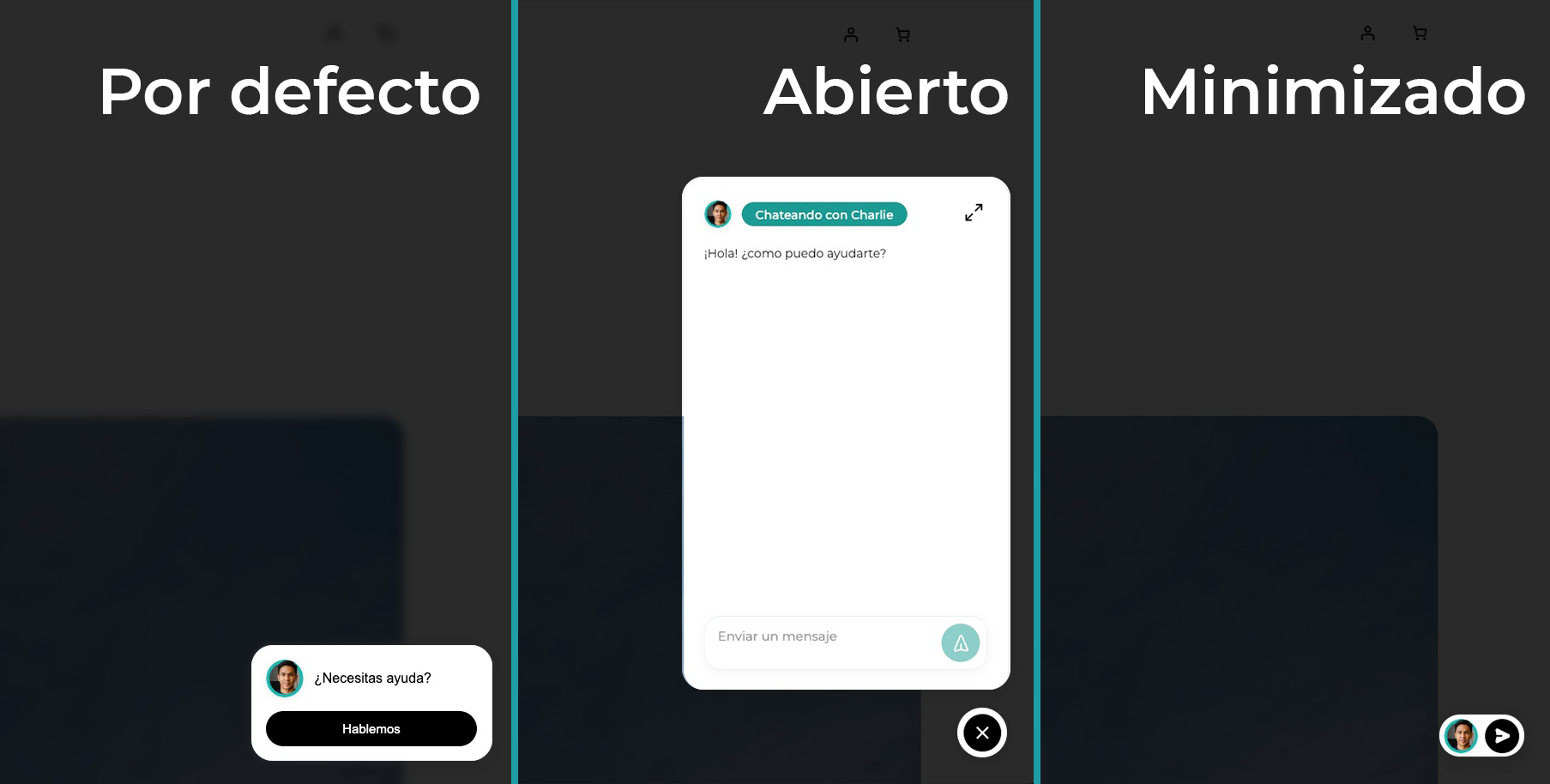
- Three display modes: Floating widget, full screen, or mixed — global bubble with full screen on specific pages via a Gutenberg block.
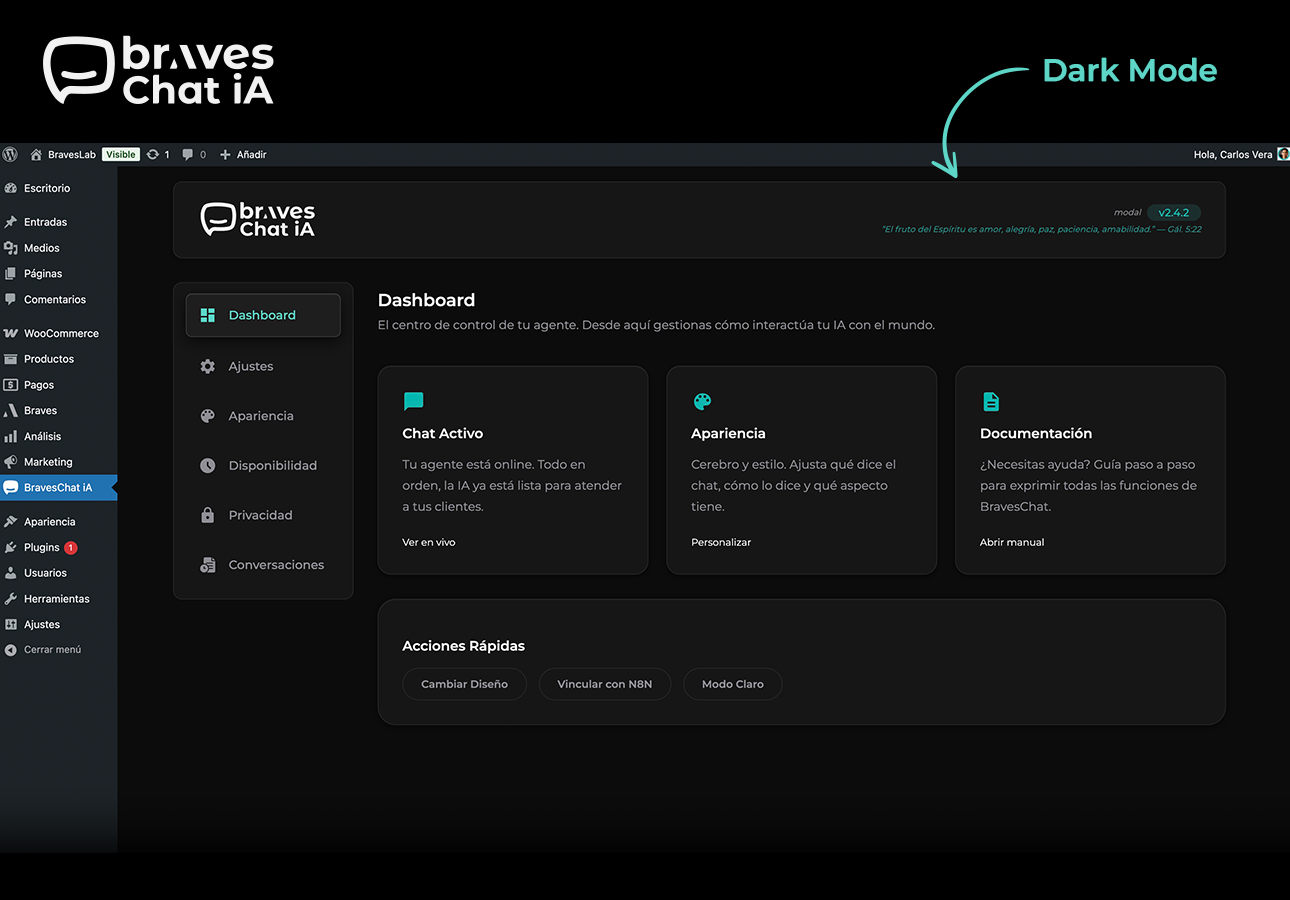
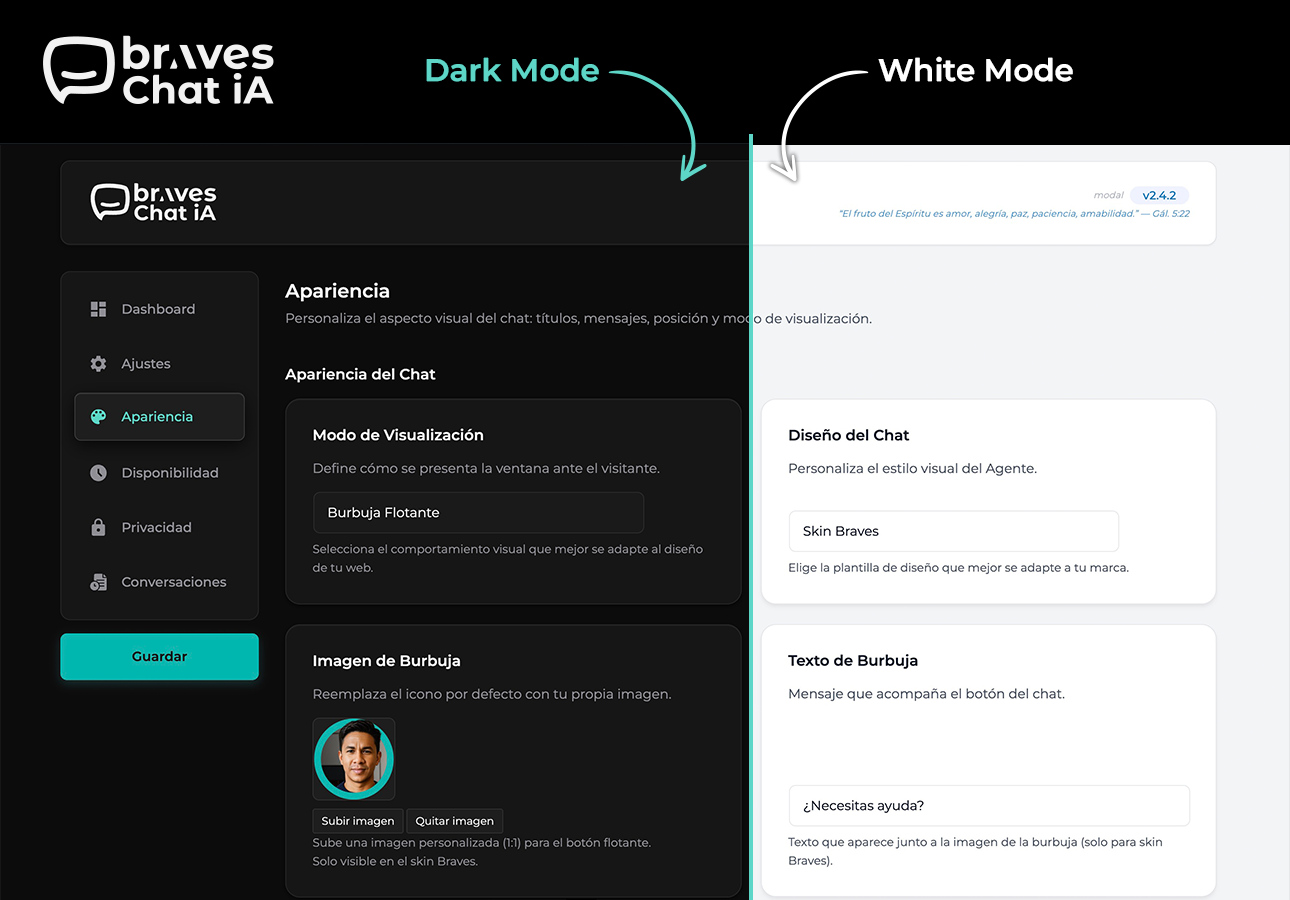
- Dark mode admin panel: Toggle between light and dark theme. Preference is saved per user and restored without flash.
- Configurable business hours: Define when the chat is active and show a custom message outside those hours — ideal if your agent depends on a human in the loop.
- Built-in GDPR compliance: Consent banner that blocks the chat until the user accepts. Montserrat font loaded locally, no external requests.
- Full brand customization: Colors, texts, position, skin, and display mode — all adjustable without touching code.
- Reinforced security: The N8N authentication token travels only on the server — it is never exposed in the page HTML.
- WooCommerce compatible: Works in WooCommerce stores without conflicts, enabling conversational assistance throughout the purchase process.
Session identification with Fingerprinting
BravesChat generates a unique sessionId per visitor based on browser characteristics (SHA-256 hash), without storing personal data. This allows N8N to maintain conversation context even if the user reloads the page.
External services
N8N Webhook (user-configured)
This plugin sends chat messages to an N8N webhook URL configured by the site administrator.
What data is sent: The visitor’s chat message, conversation history, an anonymous session identifier (fingerprint), and the current page URL.
When: On every message sent by a visitor through the chat widget, but only if the administrator has configured a webhook URL.
Why: To forward the conversation to the administrator’s N8N workflow for AI processing.
The webhook URL, destination server, and all data processing are fully controlled by the site administrator. No data is sent to any Braves-operated server.
Installation
- Upload the
braveschatfolder to the/wp-content/plugins/directory. - Activate the plugin from the Plugins menu in WordPress.
- Go to BravesChat → Settings and enter your N8N webhook URL.
- (Optional) Customize colors, texts, and position under Appearance.
- (Optional) Configure the consent banner under GDPR.
Frequently asked questions
Do I need an N8N account to use BravesChat?
Yes. BravesChat acts as the chat widget on your WordPress, but the intelligence and responses are managed by your own N8N workflow. You can use N8N Cloud or your self-hosted instance.
Does it work with any AI agent in N8N?
Yes. BravesChat sends the message and the conversation sessionId to the webhook URL you configure. The agent can be connected to OpenAI, Claude, Gemini, Ollama, or any model your workflow supports — BravesChat imposes no restrictions.
What data is sent to the webhook on each message?
Each request includes: the user’s message (chatInput) and the unique session identifier (sessionId). Conversation history is managed by N8N via the sessionId.
Is the conversation history saved in the WordPress database?
No. The history shown in the admin panel is fetched directly from your N8N data source (e.g., PostgreSQL) via a separate webhook that you configure.
Can I hide the chat on certain pages?
Yes. In the Settings section you can specify pages where the widget should not appear.
Is it compatible with WooCommerce?
Yes, BravesChat is compatible with WooCommerce and does not generate conflicts with the checkout process or store styles.
Does the plugin comply with GDPR?
Yes. You can enable a consent banner that blocks the chat until the user accepts. User fingerprinting does not collect personal data. The Montserrat font is loaded locally, with no requests to Google Fonts.
Can I use BravesChat without N8N?
Technically yes: the webhook can point to any HTTP endpoint that returns JSON with the output field. However, the plugin is optimized and documented for N8N workflows.
Is the N8N authentication token secure?
Yes. The token travels only on the server — it is never exposed in the page HTML or JavaScript. The frontend sends messages to the WordPress AJAX endpoint, which acts as a proxy and adds the token before contacting N8N.
Changelog
WordPress 7.0 compatibility, block inserter preview, and a fix for the history screen. Requires WordPress 5.9+.
2.5.0
- IMPROVED: Full compatibility with WordPress 7.0 — the chat block now keeps the editor running smoothly inside its iframe.
- IMPROVED: The chat block now shows a live preview in the block inserter.
- FIXED: The conversation history screen no longer appears blank when the webhook is not yet configured; setup hints are now visible.
- IMPROVED: Now requires WordPress 5.9 or higher.
2.4.6
- FIXED: Chat links from AI responses with non-HTTP protocols (e.g. javascript:) are no longer rendered — only https:// and http:// are accepted. Prevents potential XSS from malicious agent responses.
- FIXED: Auth header name sanitized before use to prevent header injection.
- FIXED: History modal no longer shows hardcoded Spanish labels (“Conversación Anónima”, “Session:”, “Usuario”) — all strings are now translatable.
- ADDED: Bible verses in the admin header now appear in English when WordPress is not set to Spanish.
- IMPROVED: Changelog timeline in the About page no longer requires manual spacing values — adding a new entry is as simple as setting braves-tl-right or braves-tl-left.
2.4.5
- FIXED: Bible API dependency removed — verses now served from a local file with 365 NVI verses. No external requests.
- ADDED: Full English translation of the admin UI with i18n support for es_ES.
- ADDED: About page translated to English; Spanish translations preserved in the .po file.
- FIXED: N8N auth token no longer exposed via console.log in the browser.
- FIXED: HTTP/HTTPS scheme validation added before wp_remote_get() calls.
- FIXED: $_GET[‘page’] sanitized and boolean values properly escaped in hidden inputs.
- FIXED: i18n pattern in admin.js updated to use const { __ } = wp.i18n — compatible with wp i18n make-json.
2.4.4
- IMPROVED: All user-visible strings in the admin panel JavaScript are now fully translatable via WordPress i18n (wp.i18n.__).
- IMPROVED: Admin script registered with translation support — JSON language files loaded automatically for the active locale.
- FIXED: Hardcoded default text for bubble, screen footer, and settings fields is now translatable — no more untranslated strings in non-English installs.
2.4.3
- ADDED: Mixed display mode — floating bubble on all pages, fullscreen chat on pages with the Gutenberg block.
- IMPROVED: Chat widget now forces light color scheme, preventing iOS Safari dark mode from inverting widget colors.
- IMPROVED: GDPR banner colors are now fully isolated from theme dark mode — text colors stay consistent on all themes.
- FIXED: Fullscreen block mode now renders a background overlay that hides the white page background while the chat loads.
- FIXED: Chat input placeholder color no longer inherits from the active theme.
- FIXED: Screen CSS is now always loaded on pages using the fullscreen Gutenberg block, regardless of global display mode setting.
2.4.2
- ADDED: Dark mode for the admin panel — toggle between light and dark theme. Preference is saved per user and restored on every page load without flash.
- IMPROVED: Admin UI uses semantic CSS variables throughout — dark mode adapts automatically with no hardcoded colors.
- IMPROVED: Select/deselect all pages buttons in Settings are now styled consistently with the rest of the admin panel.
- IMPROVED: Inline styles removed from field help text and range labels — styles now come from CSS classes for better dark mode support.
- IMPROVED: Message preview no longer injects hardcoded inline styles — uses CSS class instead.
Screenshots
For developers
Is this your plugin? Show off the numbers.
Add a live badge to your site, docs or GitHub README. It updates on its own — no account needed.
Best BravesChat alternatives
All AI plugins →





FAQ
BravesChat: quick answers
Straight answers, pulled from live WordPress.org data.
Live data from WordPress.org · checked Oct 7, 2026
Is BravesChat free?
Yes. BravesChat is free to download and use from the official WordPress.org plugin directory.
Is BravesChat safe to use in 2026?
BravesChat works, but test it on a staging site before relying on it in 2026. It runs on 10+ sites and was last updated 4 months ago, and scores 51/100 on our health check.
How many websites use BravesChat?
BravesChat is active on 10+ WordPress websites and has been downloaded 571 times since it launched in April 2026. It was downloaded 84 times in the last 30 days.
Does BravesChat work with WordPress 7.1?
BravesChat is officially tested up to WordPress 7.0.7, while the latest release is 7.1.3. It may still work, but try it on a staging site first.
What PHP version does BravesChat need?
BravesChat requires PHP 7.4 or higher. Most hosts run PHP 8.x today, so it works on any modern WordPress hosting.
When was BravesChat last updated?
The latest version, 2.5.0, was released on June 24, 2026 (4 months ago).
Who makes BravesChat?
BravesChat is developed and maintained by Carlos Vera.
What are the best alternatives to BravesChat?
The most popular alternatives to BravesChat are Elementor Website Builder (10M+ installs), All in One SEO (2M+ installs) and AI Agent by SiteGround (1M+ installs).
Powered by PageForge
Want thousands of pages that rank like these? Build them in an afternoon.
This directory runs on the same engine as PageForge. Turn any spreadsheet, CSV or API into thousands of fast, SEO-ready WordPress pages — with schema, internal links and AI-written copy baked in.
- CSV, Google Sheets & API data sources
- AI content, schema & internal links per page
- Works with Elementor, Gutenberg, Yoast & Rank Math
- Free on WordPress.org — no credit card


