


BrandKity: Brand Asset Manager
Connect your BrandKity workspace and import brand assets directly into your WordPress Media Library — logos, visuals, icons, videos, colors, and more.

Use with caution
BrandKity: Brand Asset Manager works, but test it on a staging site before relying on it in 2026. Was last updated 4 months ago, and scores 42/100 on our health check.
- Small user base (<10 active installs)
- Very few reviews so far
- Only tested up to WordPress 6.9 (latest is 7.1)
How does it stack up?
Side-by-side on installs, updates, ratings & supportDaily downloads
Download spikes usually follow a new release — each site that auto-updates counts as a download.
Rankings
Where BrandKity: Brand Asset Mana… stands todayWordPress.org search rankings
Live position in the plugin search, top 100| Keyword | Position |
|---|---|
| brand assets | >100 |
| brand kit | #75 |
| brand management | >100 |
| design assets | >100 |
| media library | >100 |
About BrandKity: Brand Asset Manager
From the official readme · v1.0.0Description
BrandKity: Brand Asset Manager is the official WordPress plugin for BrandKity — the brand asset management platform for growing businesses and creative teams.
With this plugin, your entire brand kit lives inside WordPress. Browse your brand assets directly from the WordPress admin and import them to your Media Library with a single click.
What you can do
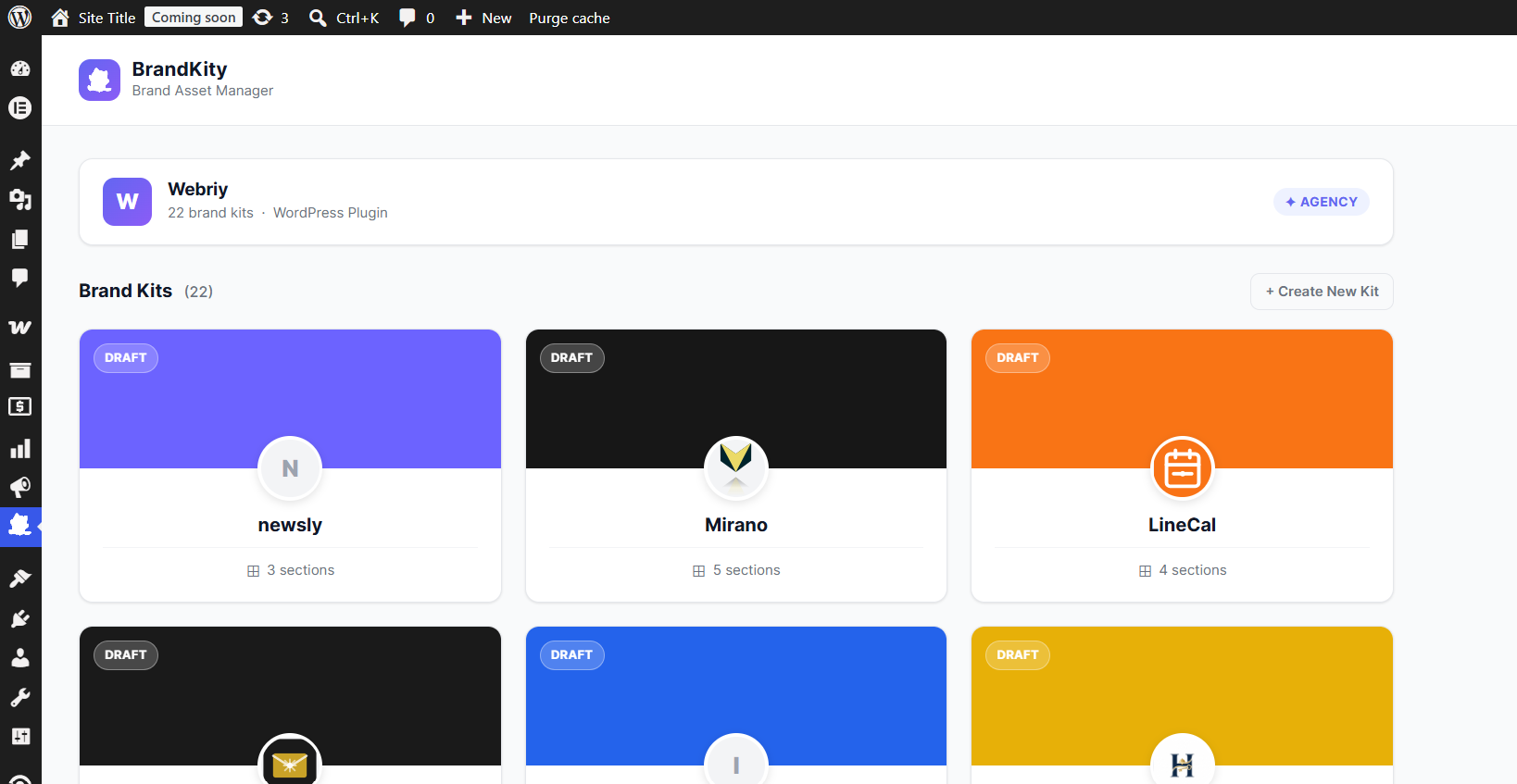
- Browse all your brand kits from inside the WordPress admin
- Import logos, visuals, icons, videos, collaterals, and resources to your Media Library
- View colors with click-to-copy HEX/RGB values
- View typography — font names, weights, and Google Fonts links
- Read brand story and guidelines from your kit
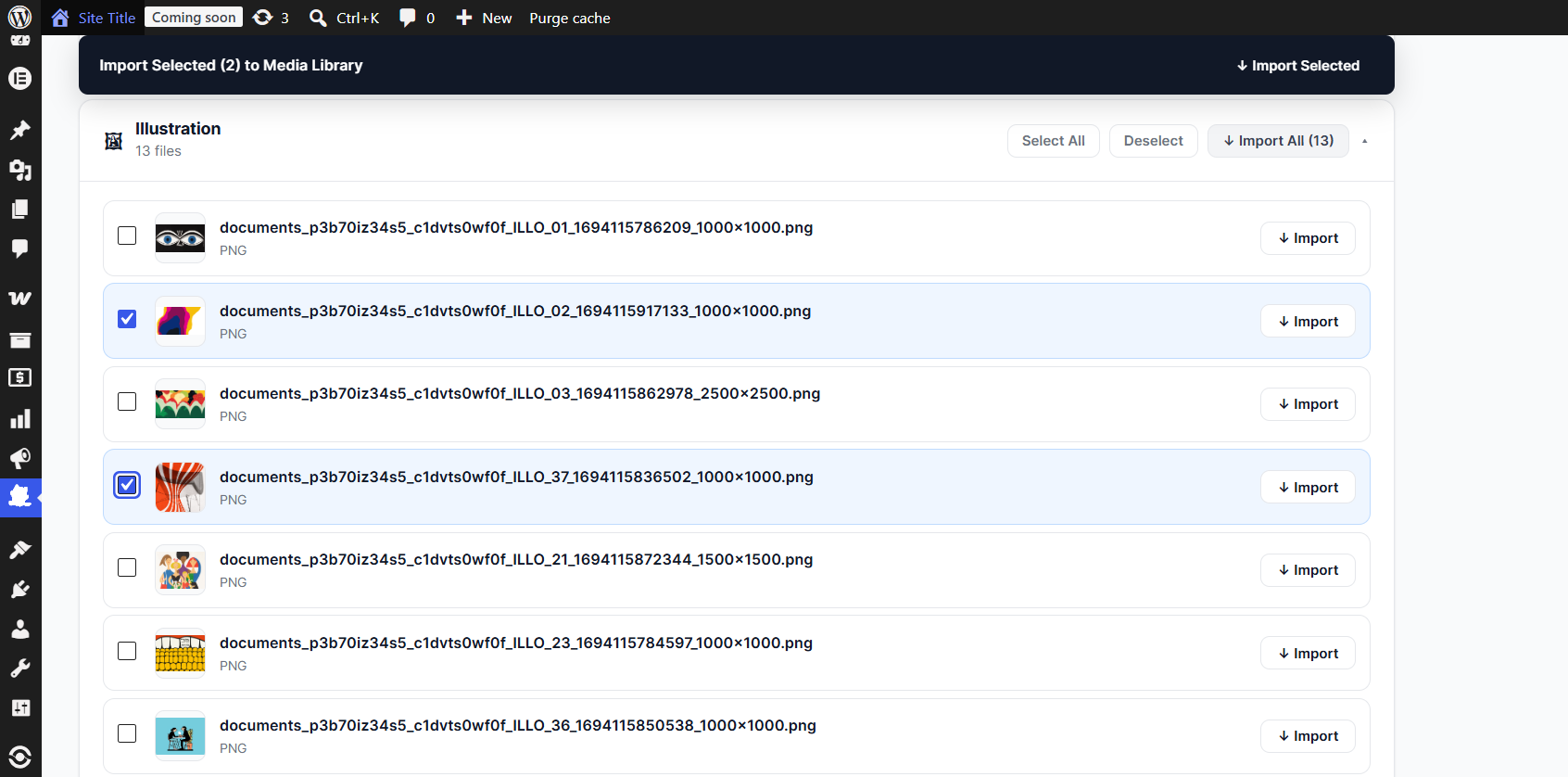
- Select individual assets or bulk-import entire sections at once
- Multi-select across sections and import everything in one click
Key Features
- 🎨 Full brand kit browser — see every asset your team has uploaded
- ↓ One-click import — assets land directly in your WordPress Media Library
- ✓ Bulk import — select all in a section or select across sections
- 🔒 Secure API key storage — your key is encrypted in the database using AES-256
- ⚡ Lightweight — pure PHP, no external libraries, no Composer dependencies
- 🛡 CSRF protected — all actions use WordPress nonces
- 🖼 SVG support — SVGs are sanitized before import (scripts, event handlers removed)
How it works
- Install and activate the plugin
- Get your API key from brandkity.com → Settings → API Keys
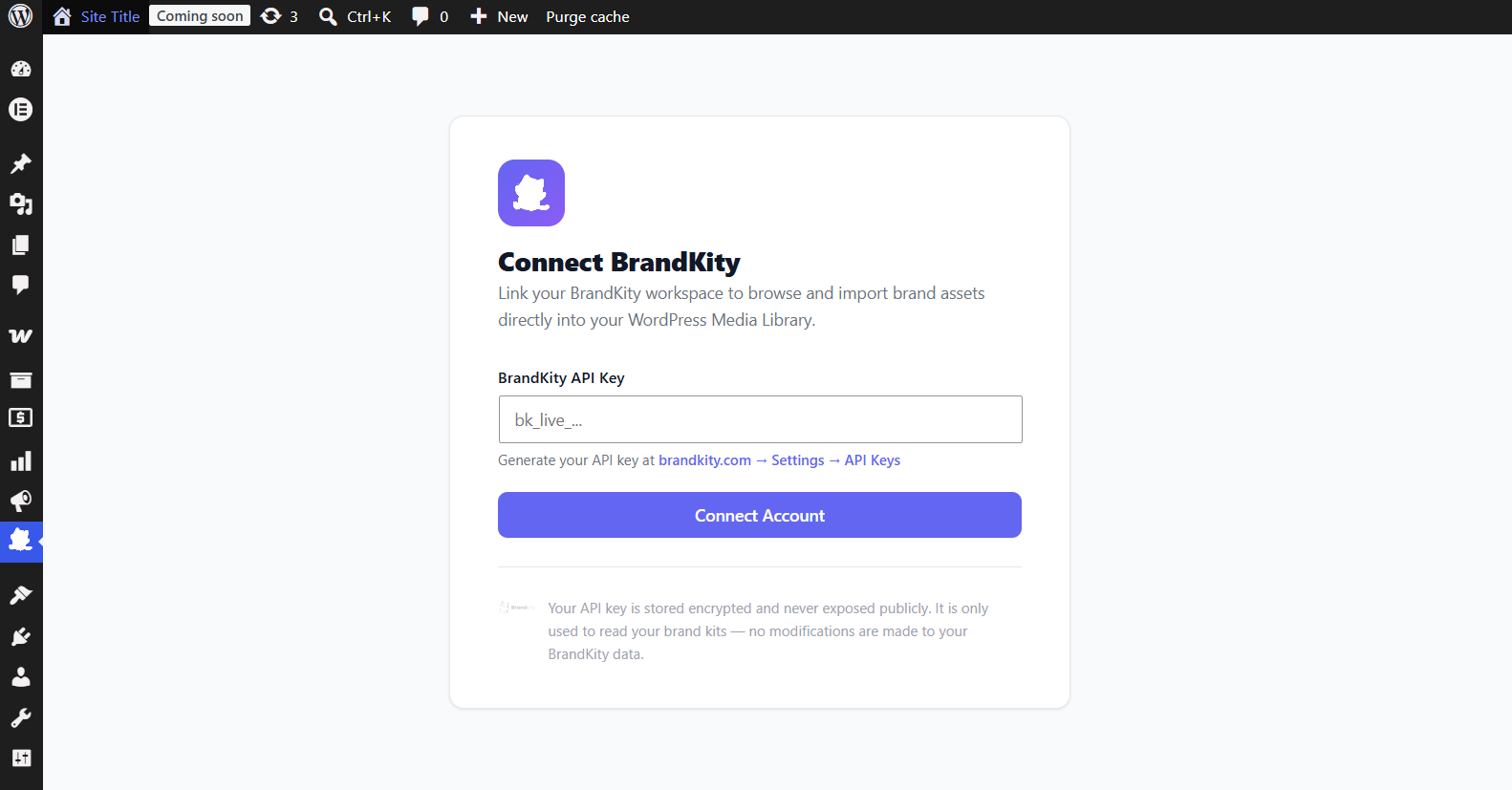
- Enter it in BrandKity → Settings
- Browse your brand kits and import assets to Media Library
Requirements
- A BrandKity account (any plan — Free, Starter, Pro, or Agency)
- WordPress 6.0 or higher
- PHP 7.4 or higher
Privacy Policy
This plugin connects to the BrandKity API at https://brandkity.com using your API key to fetch your brand kit data. No personal data from your WordPress site is sent to BrandKity except the API key you provide.
For BrandKity’s full privacy policy, visit: https://brandkity.com/privacy-policy
Installation
- Upload the
brandkity-for-wordpressfolder to/wp-content/plugins/ - Activate the plugin through the Plugins menu in WordPress
- Navigate to BrandKity in the WordPress admin sidebar
- Enter your BrandKity API key (get it at brandkity.com → Settings → API Keys)
- Start importing brand assets!
Automatic Installation
- Go to Plugins → Add New in your WordPress admin
- Search for “BrandKity”
- Click Install Now then Activate
Frequently asked questions
Do I need a paid BrandKity plan?
No! The WordPress plugin works on all BrandKity plans, including the free plan.
Where do I get my API key?
Log in to brandkity.com, go to Settings → API Keys, and generate a new key. It starts with bk_live_.
Where do imported assets go?
All assets are imported directly to your WordPress Media Library (Media → Library). They are downloaded from BrandKity’s CDN and stored on your server.
Are SVG files supported?
Yes! The plugin sanitizes SVG files before importing them — it removes any scripts, event handlers, and external references to keep your site secure.
Is my API key stored securely?
Yes. Your API key is encrypted using AES-256-CBC with your WordPress authentication key before being stored in the database. It is never stored in plaintext.
Can I use this with page builders?
Once assets are in your Media Library, they work with any page builder or theme that uses the WordPress Media Library — Elementor, Gutenberg, Divi, Beaver Builder, etc.
Does the plugin modify my BrandKity data?
No. The plugin is read-only — it only fetches and displays your brand kits. No changes are made to your BrandKity workspace.
Changelog
Initial release of BrandKity for WordPress.
1.0.0
- Initial release
- Kit dashboard with card grid
- Kit detail with all block types (logos, visuals, icons, videos, colors, typography, brand story, collaterals, resources)
- One-click and bulk import to WordPress Media Library
- SVG sanitization
- Encrypted API key storage
- Full multi-select and bulk import support
Screenshots
For developers
Is this your plugin? Show off the numbers.
Add a live badge to your site, docs or GitHub README. It updates on its own — no account needed.
Best BrandKity: Brand Asset Manager alternatives
All brand assets plugins →| Rank | Plugin | Active installs |
|---|---|---|
| 1 |
 Brand Assets
Create a WordPress brand assets page with color palettes, logo downloads, and brand…
Brand Assets
Create a WordPress brand assets page with color palettes, logo downloads, and brand…
|
10+ |
| 3 |
 Air Asset Picker
Embed brand-approved images and videos from your Air workspace directly in the WordPress…
Air Asset Picker
Embed brand-approved images and videos from your Air workspace directly in the WordPress…
|
<10 |
FAQ
BrandKity: Brand Asset Manager: quick answers
Straight answers, pulled from live WordPress.org data.
Live data from WordPress.org · checked Oct 14, 2026
Is BrandKity: Brand Asset Manager free?
Yes. BrandKity: Brand Asset Manager is free to download and use from the official WordPress.org plugin directory.
Is BrandKity: Brand Asset Manager safe to use in 2026?
BrandKity: Brand Asset Manager works, but test it on a staging site before relying on it in 2026. Was last updated 4 months ago, and scores 42/100 on our health check.
How many websites use BrandKity: Brand Asset Manager?
BrandKity: Brand Asset Manager is active on <10 WordPress websites and has been downloaded 266 times since it launched in June 2026. It was downloaded 55 times in the last 30 days.
Does BrandKity: Brand Asset Manager work with WordPress 7.1?
BrandKity: Brand Asset Manager is officially tested up to WordPress 6.9.10, while the latest release is 7.1.3. It may still work, but try it on a staging site first.
What PHP version does BrandKity: Brand Asset Manager need?
BrandKity: Brand Asset Manager requires PHP 7.4 or higher. Most hosts run PHP 8.x today, so it works on any modern WordPress hosting.
When was BrandKity: Brand Asset Manager last updated?
The latest version, 1.0.0, was released on June 27, 2026 (4 months ago).
Who makes BrandKity: Brand Asset Manager?
BrandKity: Brand Asset Manager is developed and maintained by brandkity.
What are the best alternatives to BrandKity: Brand Asset Manager?
The most popular alternatives to BrandKity: Brand Asset Manager are Brand Assets (10+ installs) and Air Asset Picker (<10 installs).
Powered by PageForge
Want thousands of pages that rank like these? Build them in an afternoon.
This directory runs on the same engine as PageForge. Turn any spreadsheet, CSV or API into thousands of fast, SEO-ready WordPress pages — with schema, internal links and AI-written copy baked in.
- CSV, Google Sheets & API data sources
- AI content, schema & internal links per page
- Works with Elementor, Gutenberg, Yoast & Rank Math
- Free on WordPress.org — no credit card


