



AZO Ads – Video Ad, Banner Ad, Popup Ad, AdSense Ad & much more
A powerful tool to manage your ads in WordPress easily. Easy way to embed Google AdSense and other kinds of ad. Cool features and beautiful UI/UX.

Consider an alternative
AZO Ads shows warning signs in 2026 — compare the alternatives below before installing. It runs on 70+ sites, is rated 5/5 and was last updated 2 years ago, and scores 35/100 on our health check.
- Small user base (70+ active installs)
- Very few reviews so far
- No update in over a year
- Only tested up to WordPress 6.7 (latest is 7.1)
How does it stack up?
Side-by-side on installs, updates, ratings & support



Daily downloads
Download spikes usually follow a new release — each site that auto-updates counts as a download.
Rankings
Where AZO Ads stands todayWordPress.org search rankings
Live position in the plugin search, top 100| Keyword | Position |
|---|---|
| ads | >100 |
| adsense | #84 |
| banner | >100 |
| popup | >100 |
| rotation | >100 |
Version adoption
Share of active sites per release.
Rating breakdown
★★★★★★★★★★ 5 from 4 reviews
About AZO Ads
From the official readme · v1.6.4Description
An ad management power tool plugin with many advanced advertising features to insert your ad by many positions on your website.
Home · Documentation · Help & Support · Pro Version
AZO Ads is the most comprehensive ad management tool available and is the most feature rich solution built for WordPress.
Features
- Cache Compatibility: AZO Ads works great with the most popular WordPress caching plugins: Autoptimize, Breeze Cache, Cache Enabler, GoDaddy Cache, Kinsta Cache, LiteSpeed Cache, Elementor (CSS cache), Premium Addons for Elementor, SiteGround SuperCacher, WP Fastest Cache, WP Optimize Cache, WP Rocket, WP Super Cache, W3 Total Cache, WPEngine Cache.
- Responsive Ad feature will make your ad looks good on all devices (PC, mobile).
- Beautiful UI/UX to help you manage the ad easily and quickly.
- Google Adsense: the plugin makes a deep integration with the ad types of Google Adsense such as Auto Ad, Display Ad, In-feed Ad & In-article Ad. You can adjust responsive or fixed sizes for your ad.
- Google Ad Manager (Double Click) support.
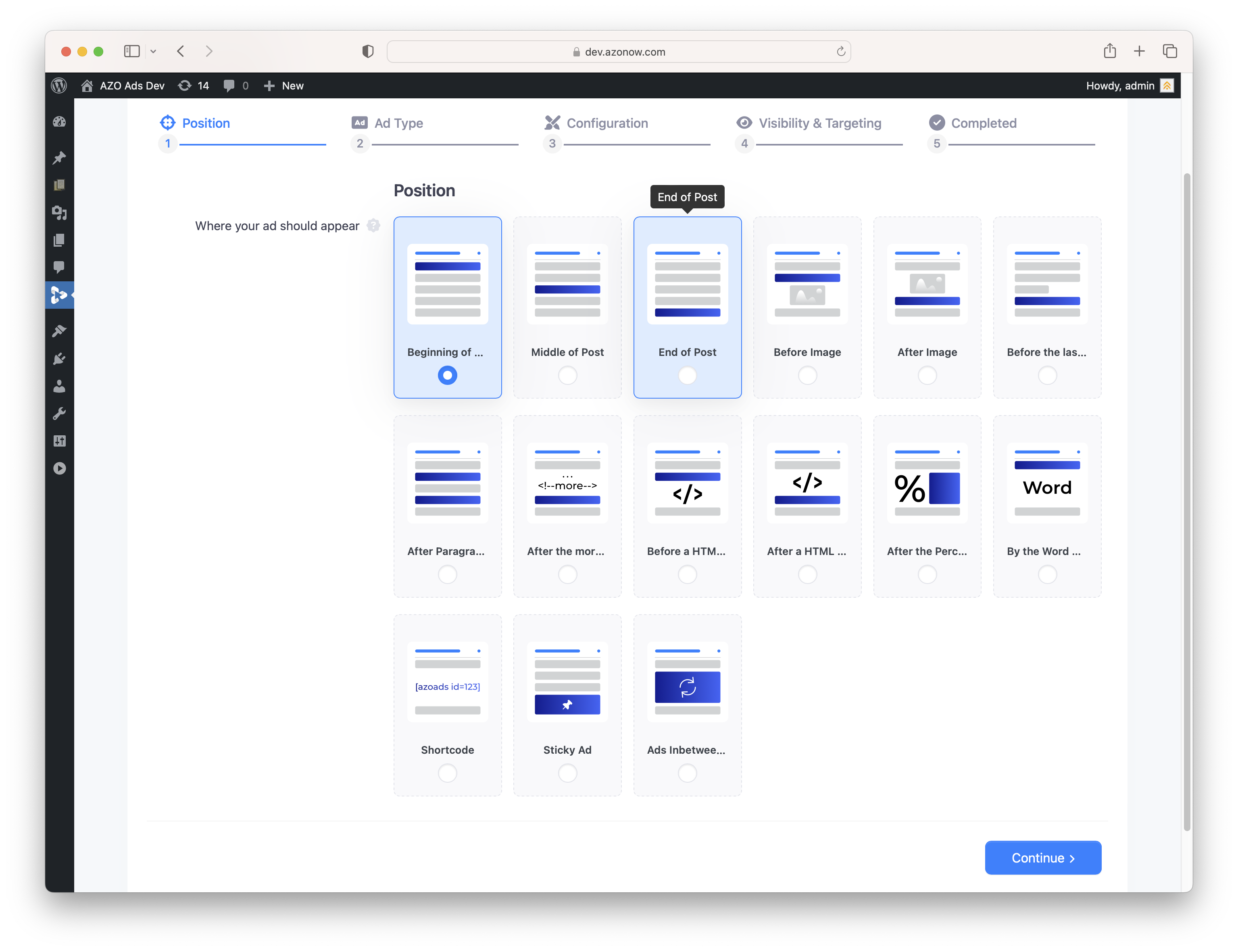
- 15 Ad Positions will help you manage where your ad will show.
- 10 Ad Network support.
- 10 types condition of Visibility: 10 conditional ad visibility which helps you to control (include/exclude) on which posts/pages would you like the ads to appear.
- 9 types condition of Targeting which will help you to control when your ad should appear.
- Banner Ads support.
- Background Ads support.
- Text/HTML/Javascript support.
- Video Ads support.
- Popup Ads support (Pro version only).
- Loop Ads support (Pro version only).
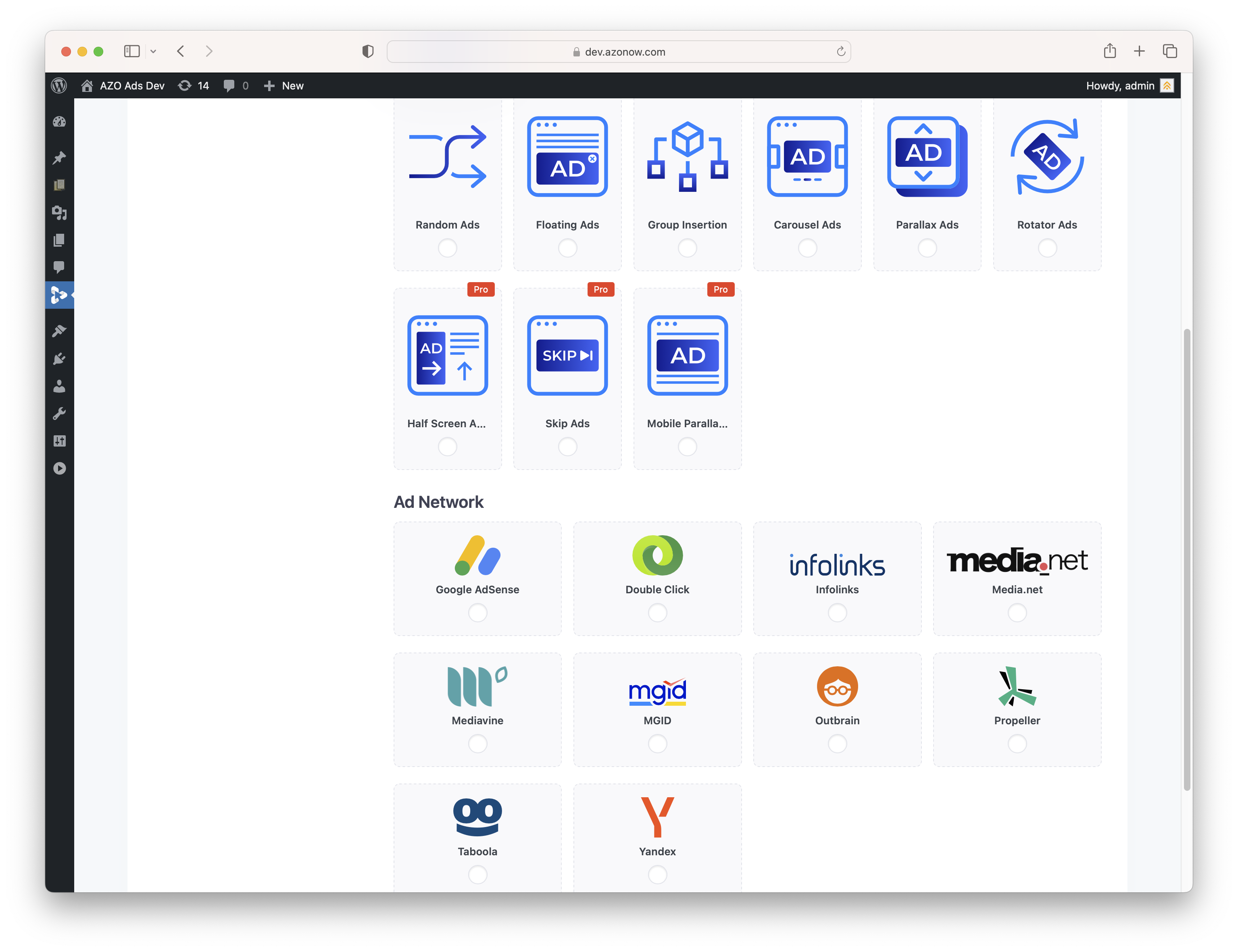
- Random Ads support (Pro version only).
- Floating Ads support (Pro version only).
- Group Insertion support (Pro version only).
- Carousel Ads support (Pro version only).
- Parallax Ads support (Pro version only).
- Rotator Ads support (Pro version only).
- Half Screen Ads support (Pro version only).
- Skip Ads support (Pro version only).
- Mobile Parallax Fullscreen Ads support (Pro version only).
- Appearance Layout Options where you can set up Alignment, Margin, Padding, Ad Label, Ad Label Position of the ads.
- Ad Label: You can easily add your custom label, you can choose the position to show label above or below of the ad.
- Expiration: Set up expiration time for the individual ad.
- Show Up by Days: Select which days to show up the individual ad (Pro version only).
- Duplicate/Clone your ad with the same configuration by just one click.
- Amazing speed with searching ad by using AJAX technology.
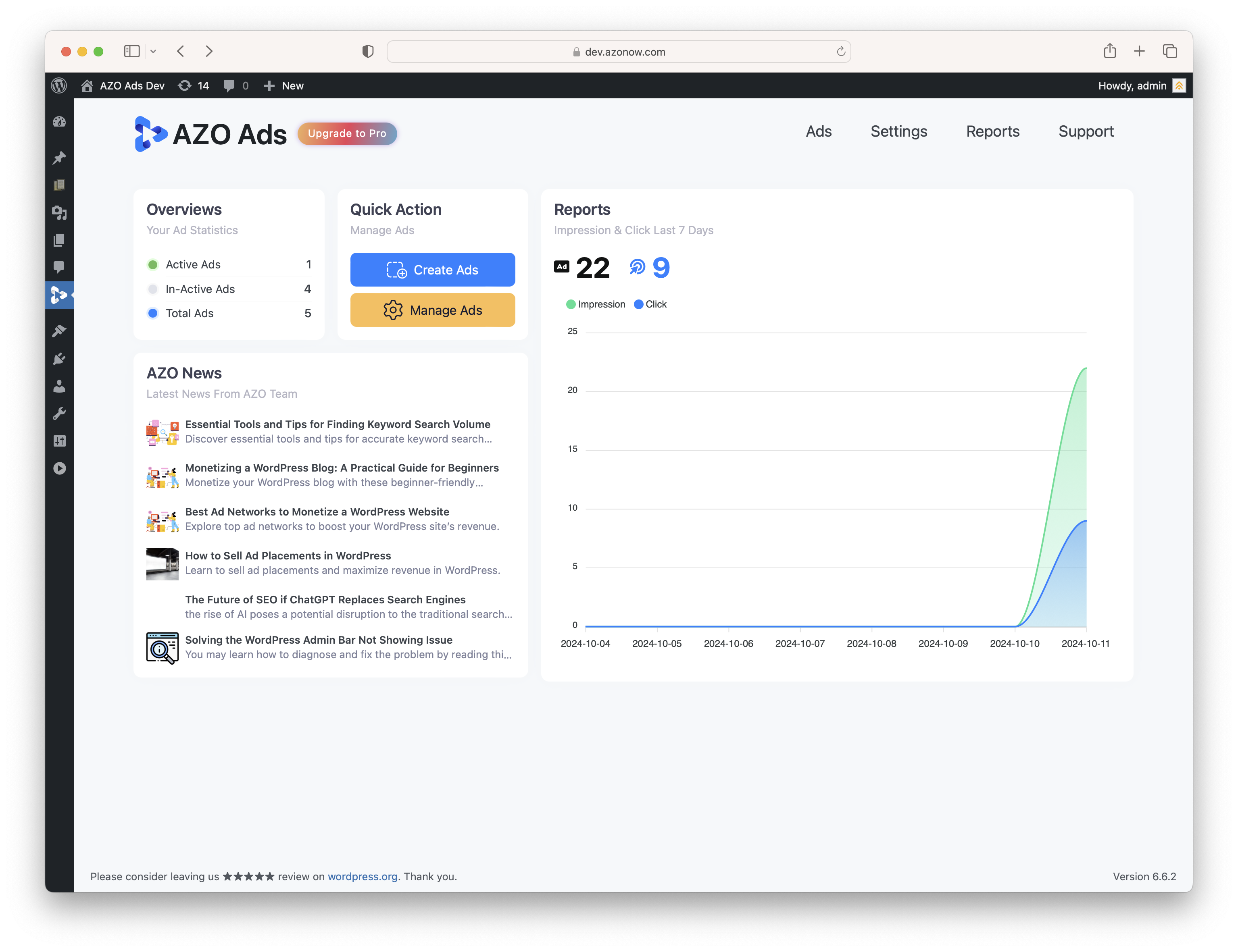
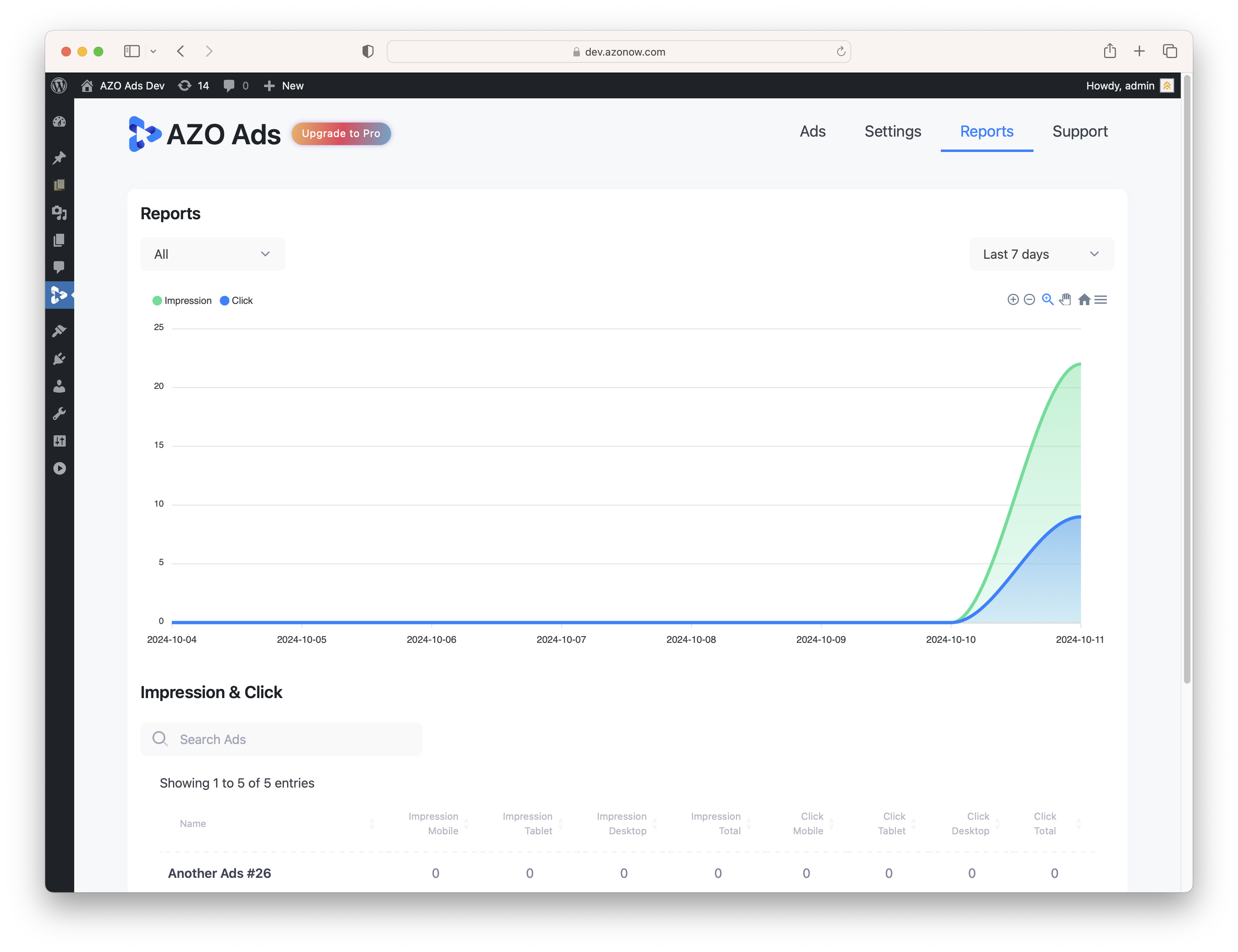
- Reports where you can get the chart about all statistics of your total ads or just specific ad for weekly, monthly or yearly. Very strong!
- Low Server Resource – AZO Ads plugin is coded well. It takes very low resource from the server such as: memory and CPU. This makes your website loading fast and getting SEO improvement.
- Multiple language support.
Settings Page
- Ad Blocker Detector: the advanced ad blocker allows you detect and show the dialog message to user.
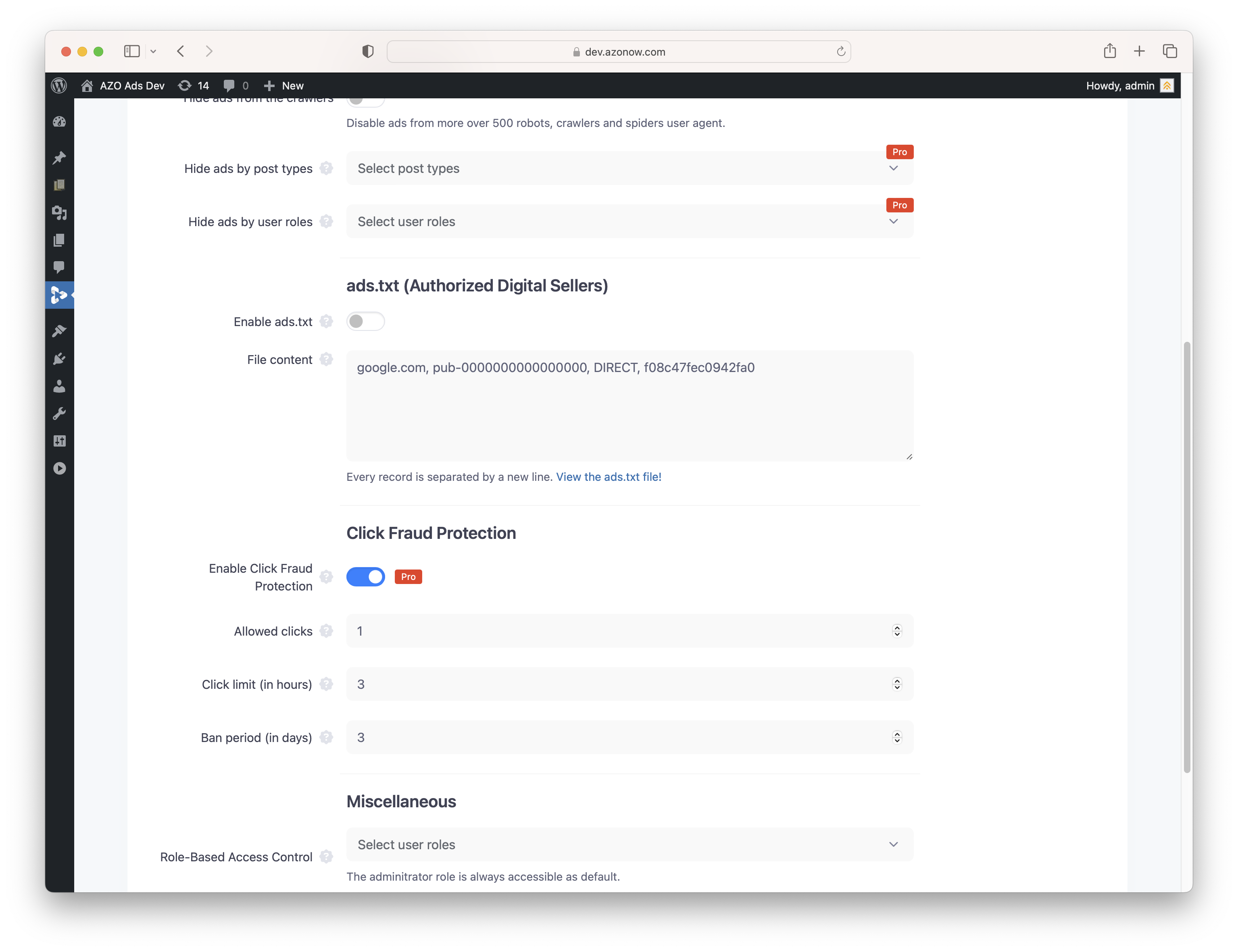
- Ad Disablement › Hide ads from the crawlers: Disable ads from more over 500 robots, crawlers and spiders user agent.
- Ad Disablement › Hide ads by post types (Pro version only).
- Ad Disablement › Hide ads by user roles (Pro version only).
- ads.txt (Authorized Digital Sellers): Create & manage your ads.txt content easily.
Ad Positions
- Beginning of Post
- Middle of Post
- End of Post
- Before Image
- After Image
- Before the last Paragraph
- After Paragraph
- After the More Tag
- Before a HTML Tag
- After a HTML Tag
- After the Percentage
- By the Word Count
- Shortcode
- Sticky Ad
- Ads Inbetween Loop
Ad Network Support
- Google Adsense
- Google Ad Manager (Double Click)
- Infolinks
- Media.net
- Mediavine
- MGID
- Outbrain
- Propeller
- Taboola
- Yandex
Visibility: Where you can select include or exclude the ads
- General: Homepage or everywhere.
- Page: one or more pages.
- Page Template
- Post: one or more posts.
- Post Category: one or more categories.
- Post Format
- Post Type: conditions based on Custom Post Type.
- Taxonomy
- Tags
- User Roles
Targeting: When your ad should be displayed
- Browser Language
- Browser Width (Pro version only)
- Cookie
- Device Type: PC, Mac, Mobile… (Pro version only)
- Logged In
- Referring URL
- URL Parameter
- User Agent (Pro version only)
- User Roles
Documentation
Demo Document
Check Live Demo of AZO Ads plugin.
Support & Help
Send us a ticket. We will get back to you shortly in 24 hours.
Third-Party Services
This plugin relies on several third-party services to provide functionality such as advertising and content delivery. Below is a list of these services, including the circumstances under which they are used and links to their terms of use and privacy policies.
Google AdSense
– Description: Provides advertising services.
– Usage: Ads are loaded via script for monetization purposes.
– Service URL: Google AdSense
– Terms of Use: Google AdSense Terms of Service
– Privacy Policy: Google Privacy Policy
DoubleClick
– Description: Used for serving advertisements and tracking ad performance.
– Usage: Ads are loaded via script to provide targeted advertising and track performance.
– Service URL: DoubleClick
– Terms of Use: Google Ad Manager Terms of Service
– Privacy Policy: Google Privacy Policy
Infolinks
– Description: Used for contextual advertising.
– Usage: Ads are loaded via script to display relevant advertisements.
– Service URL: Infolinks
– Terms of Use: Infolinks Terms of Use
– Privacy Policy: Infolinks Privacy Policy
Media.net
– Description: Provides contextual advertising services.
– Usage: Ads are loaded via script to monetize content.
– Service URL: Media.net
– Terms of Use: Media.net Terms of Service
– Privacy Policy: Media.net Privacy Policy
Mediavine
– Description: Used for displaying advertisements on your site.
– Usage: Ads are loaded via script to provide targeted advertising.
– Service URL: Mediavine
– Terms of Use: Mediavine Terms of Use
– Privacy Policy: Mediavine Privacy Policy
MGID
– Description: Used for native advertising and content recommendations.
– Usage: Ads and content recommendations are loaded via script.
– Service URL: MGID
– Terms of Use: MGID Terms of Use
– Privacy Policy: MGID Privacy Policy
Outbrain
– Description: Used for content recommendation and advertising.
– Usage: Content recommendations and ads are loaded via script.
– Service URL: Outbrain
– Terms of Use: Outbrain Terms of Use
– Privacy Policy: Outbrain Privacy Policy
Propeller
– Description: Provides advertising services.
– Usage: Ads are loaded via script to monetize content.
– Service URL: Propeller Ads
– Terms of Use: Propeller Ads Terms of Service
– Privacy Policy: Propeller Ads Privacy Policy
Taboola
– Description: Used for content discovery and native advertising.
– Usage: Content recommendations and ads are loaded via script.
– Service URL: Taboola
– Terms of Use: Taboola Terms of Use
– Privacy Policy: Taboola Privacy Policy
Yandex
– Description: Used for displaying ads.
– Usage: Ads are loaded via script.
– Service URL: Yandex
– Terms of Use: Yandex Terms of Use
– Privacy Policy: Yandex Privacy Policy
AZO
– Description: Used for loading news, WordPress tips from AZO Team Blog
– Usage: Content recommendations are loaded via AJAX javascript.
– Service URL: AZO
– Terms of Use: AZO Terms of Use
– Privacy Policy: AZO Privacy Policy
Installation
How to install the plugin and get it working?
Using The WordPress Dashboard (Recommended Installation)
- Navigate to the ‘Add New’ in the Plugins dashboard.
- Search for ‘AZO Ads’.
- Click ‘Install Now’.
- Activate AZO Ads on the Plugin dashboard.
Uploading in WordPress Dashboard
- Navigate to the ‘Add New’ in the Plugin dashboard.
- Navigate to the ‘Upload’ area.
- Select
azo-ads.zipfrom your computer. - Click ‘Install Now’.
- Activate AZO Ads in the Plugin dashboard.
Using FTP
- Download
azo-ads.zip - Extract the
azo-adsdirectory to your computer - Upload the
azo-adsdirectory to the/wp-content/plugins/directory - Activate AZO Ads in the Plugin dashboard
Frequently asked questions
Which Ad Network are supported in the plugin?
AZO Ads is compatible with many Ad Network: Google Adsense, Google Ad Manager (Double Click), Infolinks, Media.net, Mediavine, MGID, Outbrain, Propeller, Taboola, Yandex.
Could I customize the plugin?
Yes, you can do it.
Will my ad show up for ad block users?
Visitors who having any ad blocker (e.g., AdGuard AdBlocker, AdBlock Plus) enabled won’t see ads, a popup with your custom message will be showed up to warning.
Could I report bugs and request new features?
Yes, we are always looking forward to hearing from you. You can report the bugs over here
How do I get in touch?
Just send us a ticket from here.
Changelog
Initial Release: First release to WordPress Plugin Directory.
1.0.0 (March 8, 2024)
- Initial Release.
1.0.1 (June 29, 2024)
- We fixed some minor bugs related to UI & code optimization.
1.0.2 (July 19, 2024)
- Bug fixes.
1.1.0 (July 20, 2024)
- New function: Ability to insert javascript to Header and Footer for ‘Text/HTML/Javascript’ Ad Type.
- Syntax Highlight Tool added to ‘Text/HTML/Javascript’ Ad Type section. The tool determines the color and style of source code displayed in the textarea.
- Make AZO Ads compatible with WordPress v6.6.
1.1.1 (July 20, 2024)
- Fix a small bug about Syntax Highlight Tool.
1.1.2 (August 2, 2024)
- Bug fix and code optimization.
Screenshots



For developers
Is this your plugin? Show off the numbers.
Add a live badge to your site, docs or GitHub README. It updates on its own — no account needed.
Best AZO Ads alternatives
All ads plugins →





FAQ
AZO Ads: quick answers
Straight answers, pulled from live WordPress.org data.
Live data from WordPress.org · checked Oct 18, 2026
Is AZO Ads free?
Yes. AZO Ads is free to download and use from the official WordPress.org plugin directory.
Is AZO Ads safe to use in 2026?
AZO Ads shows warning signs in 2026 — compare the alternatives below before installing. It runs on 70+ sites, is rated 5/5 and was last updated 2 years ago, and scores 35/100 on our health check.
How many websites use AZO Ads?
AZO Ads is active on 70+ WordPress websites and has been downloaded 5,431 times since it launched in June 2024. It was downloaded 83 times in the last 30 days.
Does AZO Ads work with WordPress 7.1?
AZO Ads is officially tested up to WordPress 6.7.10, while the latest release is 7.1.3. It may still work, but try it on a staging site first.
What PHP version does AZO Ads need?
AZO Ads requires PHP 5.4 or higher. Most hosts run PHP 8.x today, so it works on any modern WordPress hosting.
When was AZO Ads last updated?
The latest version, 1.6.4, was released on January 10, 2025 (2 years ago).
Who makes AZO Ads?
AZO Ads is developed and maintained by AZO.
What are the best alternatives to AZO Ads?
The most popular alternatives to AZO Ads are Google for WooCommerce (800K+ installs), Ad Inserter (300K+ installs) and Head, Footer and Post Injec… (200K+ installs).
Powered by PageForge
Want thousands of pages that rank like these? Build them in an afternoon.
This directory runs on the same engine as PageForge. Turn any spreadsheet, CSV or API into thousands of fast, SEO-ready WordPress pages — with schema, internal links and AI-written copy baked in.
- CSV, Google Sheets & API data sources
- AI content, schema & internal links per page
- Works with Elementor, Gutenberg, Yoast & Rank Math
- Free on WordPress.org — no credit card


