



atshift Members
Build a simple membership site with verified registration, member pages, posting controls, a directory, and private files.

Solid choice
atshift Members is a solid plugin choice in 2026, with a few things worth checking first. Was last updated 5 days ago, and scores 64/100 on our health check.
- Actively developed — last update 5 days ago
- Tested with the latest WordPress (7.1)
- Small user base (<10 active installs)
- Very few reviews so far
- Needs PHP 8.1 or newer
How does it stack up?
Side-by-side on installs, updates, ratings & support



Daily downloads
Download spikes usually follow a new release — each site that auto-updates counts as a download.
Rankings
Where atshift Members stands todayWordPress.org search rankings
Live position in the plugin search, top 100| Keyword | Position |
|---|---|
| access-control | >100 |
| member directory | >100 |
| membership | >100 |
| private content | >100 |
| User Registration | >100 |
About atshift Members
From the official readme · v1.0.1Description
atshift Members provides a compact foundation for a straightforward WordPress membership site. It keeps member registration, account management, member posting, protected content, an optional directory, and private attachments in one place.
Members can create their own permitted posts and attach images or documents stored separately from the public WordPress Media Library. Each private download checks the member’s current status and access to the parent content.
Bundled interface catalogs cover Japanese, US English, German, Spanish, French, Indonesian, Italian, Korean, Dutch, Polish, Brazilian Portuguese, Russian, Turkish, Simplified Chinese, and Traditional Chinese.
Official website: atshift Members | Japanese
Documentation: Setup guide | Feature and shortcode reference | Pro Add-on
Japanese documentation: Guide | Reference
Set up the member experience
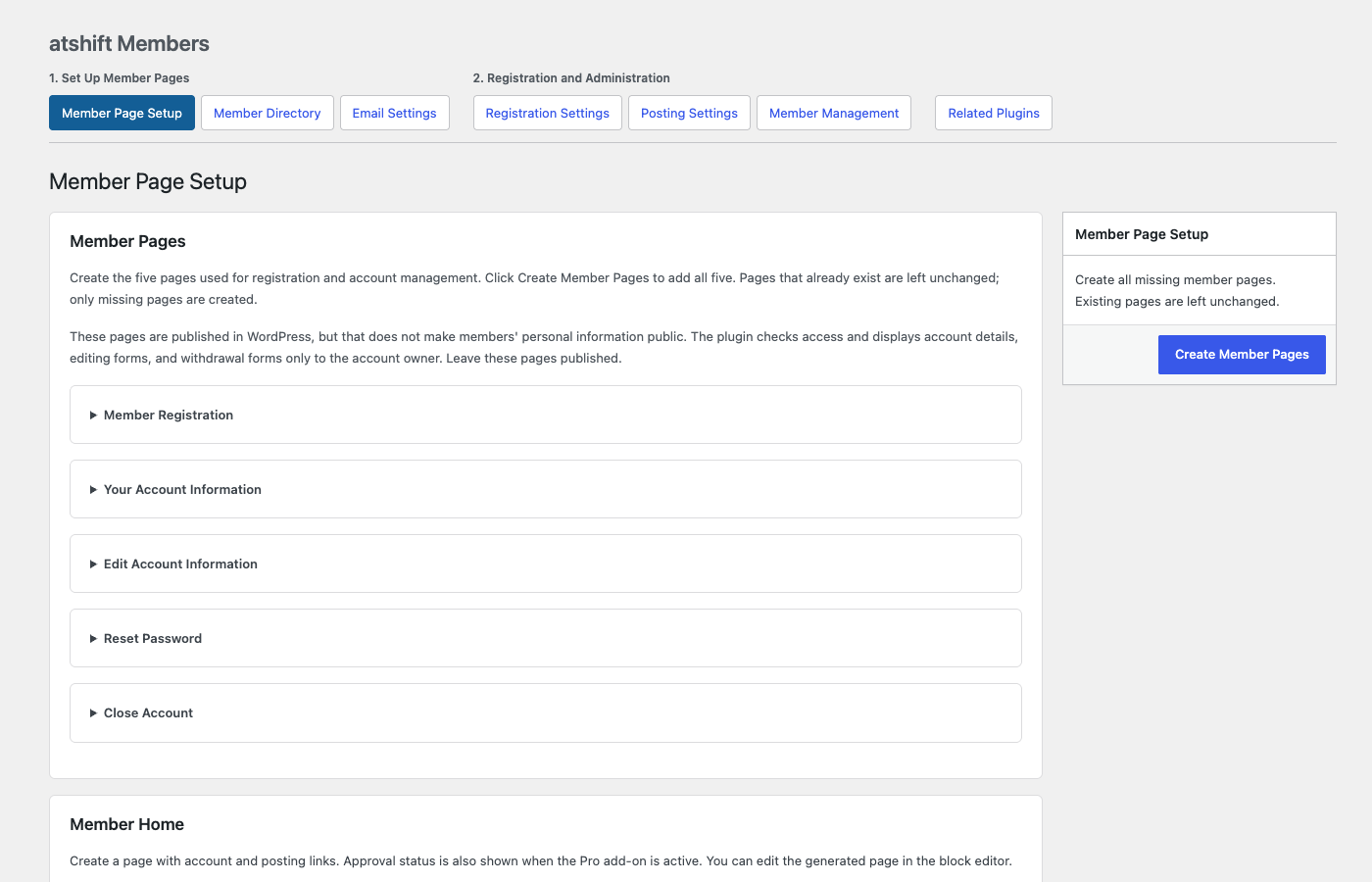
- Create the registration, account, account-editing, password-reset, and account-closure pages together.
- Add a member home page with links to the account and the post types each member can use.
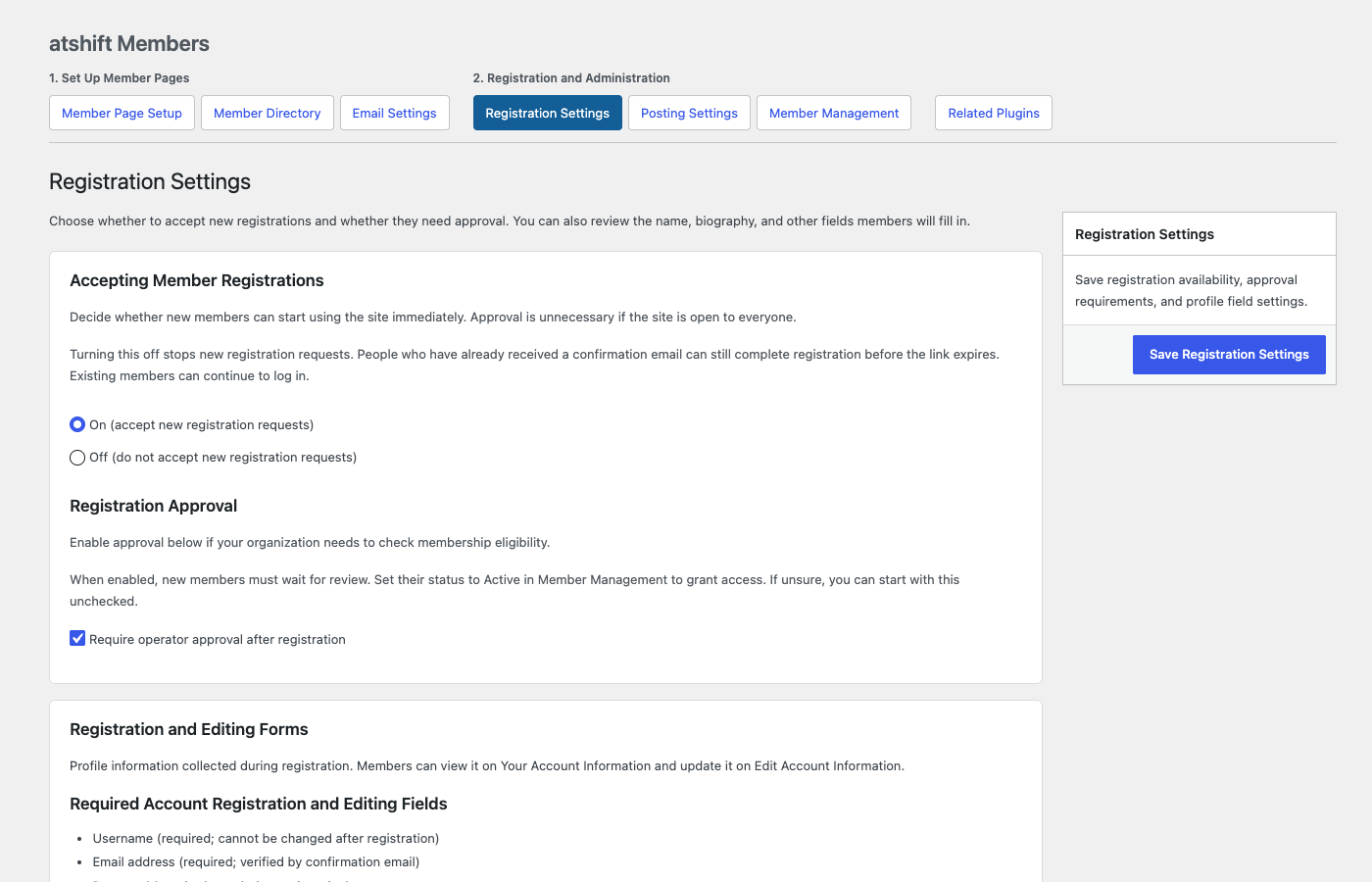
- Accept registrations immediately or hold new accounts for an administrator to approve.
- Use email confirmation for registration, email-address changes, and password resets.
Manage members and content
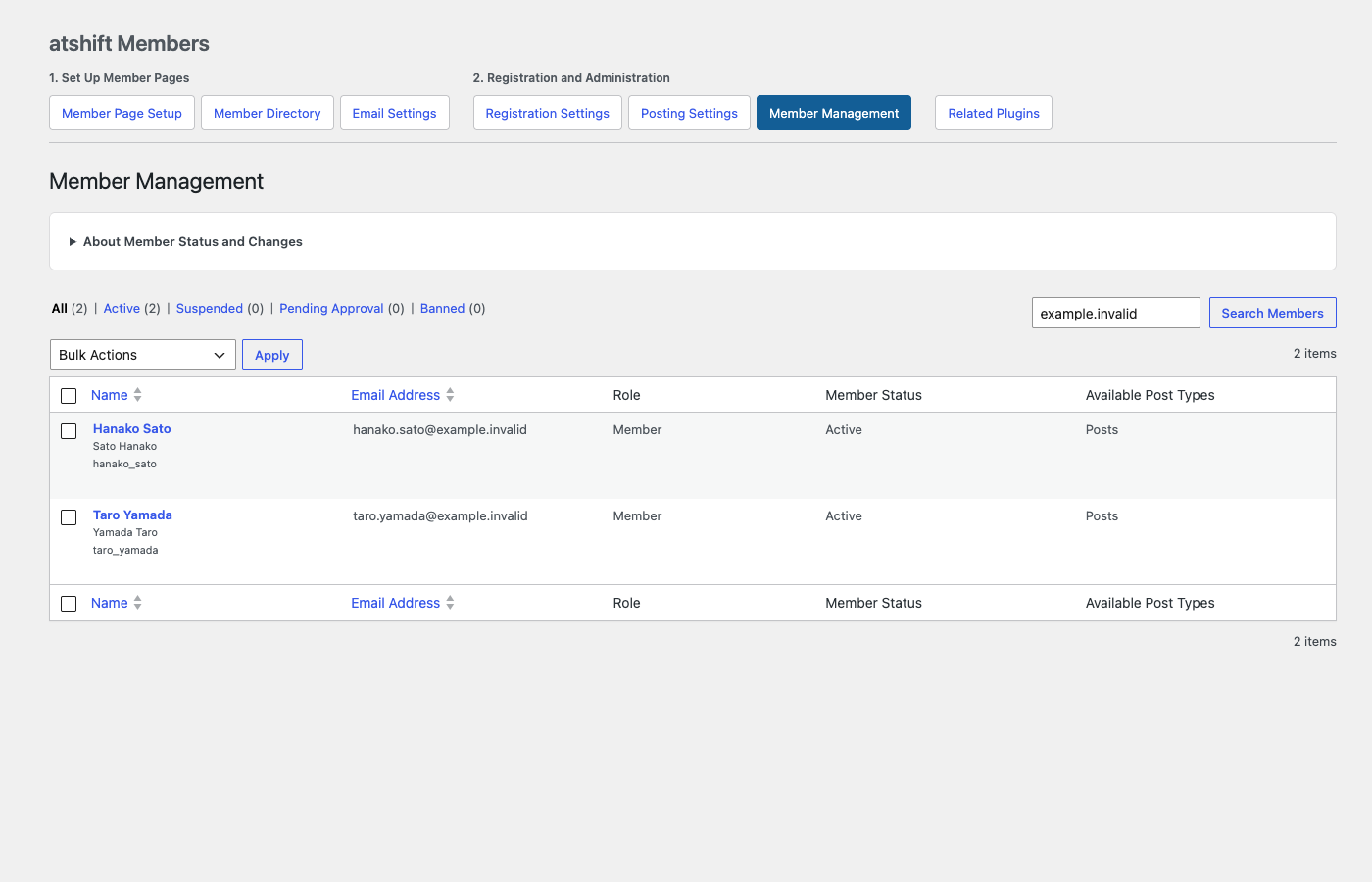
- Activate, suspend, or return accounts to pending status from a dedicated member list.
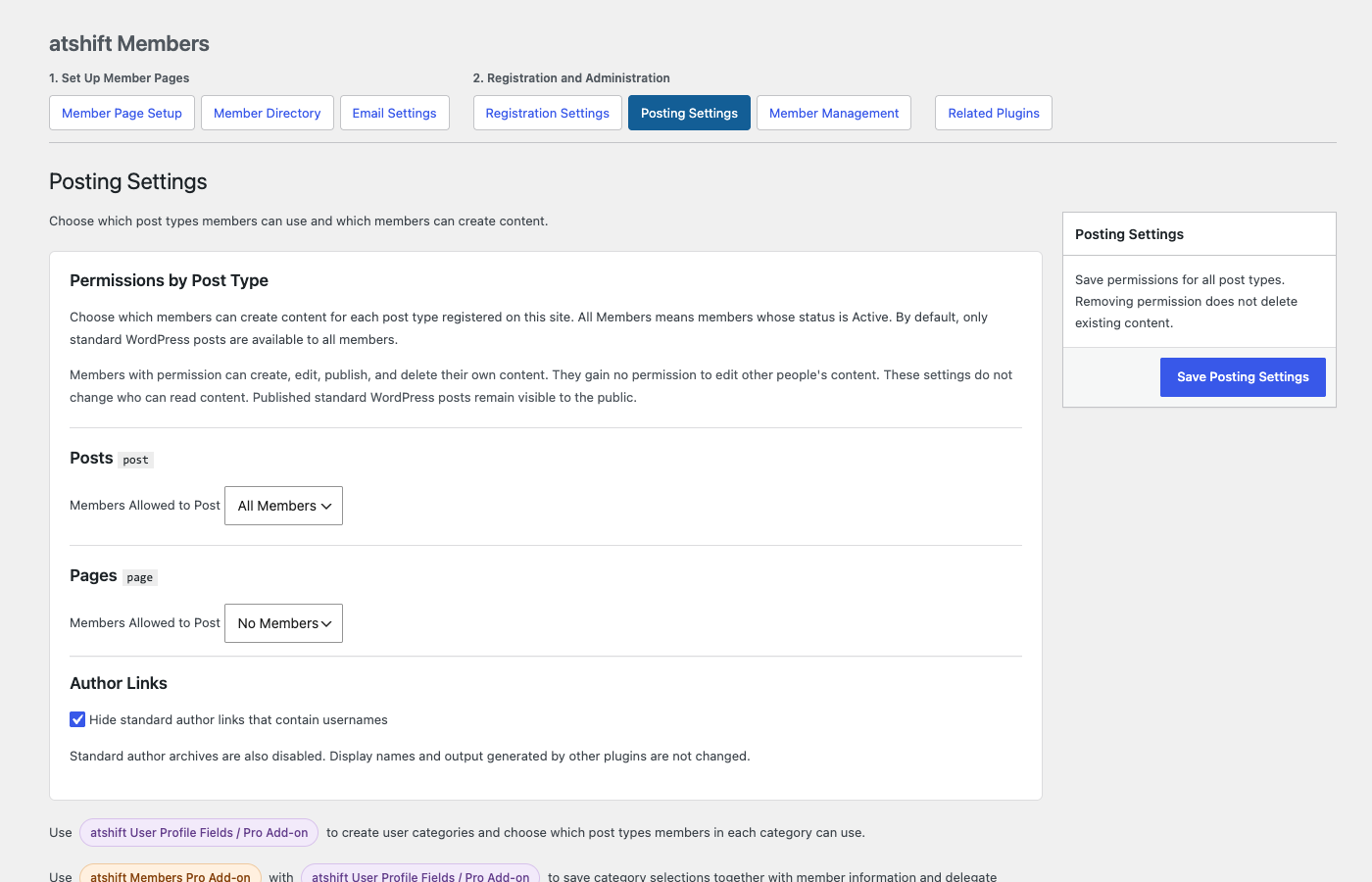
- Allow active members to create selected WordPress post types while keeping them from editing other users’ content.
- Protect selected posts or pages for active members without changing public content elsewhere on the site.
- Hide standard author archives and username-based author links.
Publish an optional member directory
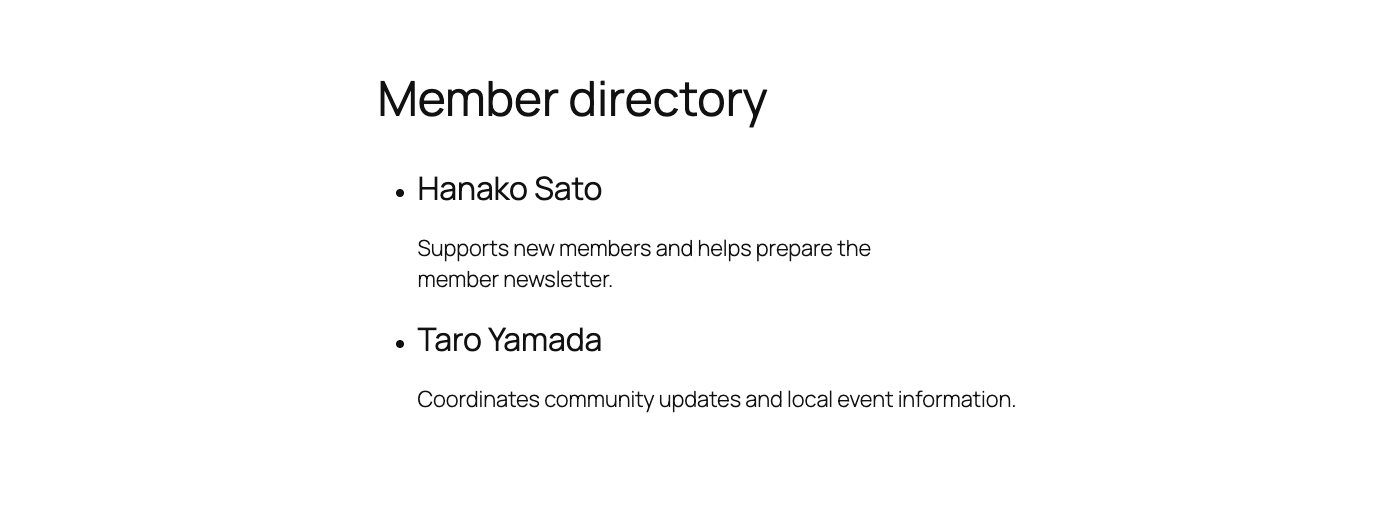
The directory is disabled by default. When enabled, it can be public, restricted to active members, restricted to site operators, or limited through an optional classification integration. Choose whether to display a member’s name, affiliation, and biography, and exclude individual accounts such as site builders.
Store member-only attachments
Private attachments can be stored in a non-public directory on the WordPress server or on a file-server/NAS share already mounted by the host. Each download checks the current member and the parent content. Ordinary WordPress uploads remain public.
Extend atshift Members
atshift Members works on its own with basic name and biography fields and keeps the core membership-site structure simple. Separate add-ons and related plugins let organizations and businesses strengthen only the parts of operation they need.
- atshift Members Pro Add-on – strengthens operations for organizations and businesses with staged post and membership-change review, delegated responsibilities and management scopes, targeted announcement delivery and scheduling, CSV member invitations, and a workspace where members can follow posts, private attachments, and approval history.
- atshift User Profile Fields – strengthens member profiles with additional fields such as telephone numbers and addresses and lets administrators arrange the member-facing profile form.
- atshift User Profile Fields Pro Add-on – strengthens member organization with hierarchical classifications such as branches, departments, and membership types. Compatible classifications can also be used for posting rules, directory audiences, and Members Pro management scopes.
- atshift Freeform Login – strengthens the sign-in experience with a customizable login screen plus password and passkey registration, login, and management.
Each add-on and related plugin is a separate product and is not included in this plugin.
The current release supports WordPress single-site installations. Test the complete registration, email, cache, content, file-storage, and account-closure flows on a staging site before opening registration.
Shortcodes
Core account pages:
[atshme_registration][atshme_account][atshme_account_edit][atshme_password_reset][atshme_withdraw]
Member navigation and directory:
[atshme_dashboard][atshme_account_links][atshme_post_links][atshme_approval_status](shows Pro approval data when the add-on is active)[atshme_member_directory]
The dashboard shortcodes accept class, heading_tag, title, and limit where applicable. The directory accepts class, heading_tag, and per_page. Shortcode attributes cannot broaden the access configured by an administrator.
See the feature and shortcode reference for usage details and examples.
External services
Cloudflare Turnstile is used on registration and password-reset request forms to reduce automated abuse. Its browser script loads when one of these forms is displayed. When a request is submitted, the plugin sends the Turnstile response token and the site administrator’s secret key to Cloudflare’s Siteverify endpoint. Cloudflare may also process browser and network signals as described in its policies. Registration and password-reset requests cannot proceed when verification fails.
Service: https://www.cloudflare.com/products/turnstile/
Terms: https://www.cloudflare.com/terms/
Privacy: https://www.cloudflare.com/privacypolicy/
Pwned Passwords is queried whenever this plugin validates a new or changed password. The plugin sends only the first five hexadecimal characters of the password’s SHA-1 hash to the range endpoint at api.pwnedpasswords.com. The password and full hash are never sent. Returned suffixes are used only for the current comparison and are not stored. Password validation fails closed if the service is unavailable (five-second timeout). A site administrator can disable this check by defining ATSHME_PWNED_PASSWORDS_ENABLED as false.
Service: https://haveibeenpwned.com/Passwords
Terms: https://haveibeenpwned.com/TermsOfUse
Privacy: https://haveibeenpwned.com/Privacy
WordPress mail uses the site’s configured mail transport and is not a service supplied by this plugin. Test both external services with credentials for the target site before opening registration.
Privacy and access
Pending requests retain email addresses for at most 30 minutes plus cron delay; completion proofs last 15 minutes. Secret proofs are stored only as hashes. Source, email, and cookie counters use keyed hashes. Audit events expire after seven days plus cron delay. Hashing is pseudonymization, not anonymization. Raw tokens should be redacted from web-server, access, and analytics logs outside WordPress; confirmation pages send no-referrer and no-store headers.
Private downloads recheck membership and parent-content access. Public content can remain visible to logged-out visitors when a member is suspended. CDN and page caches, reverse proxies, and third-party profile, API, and SEO plugins require separate integration testing.
Account closure permanently erases the account and plugin-managed data by default. Members can explicitly transfer selected contributions to a non-login site custodian. Shared physical files, backups, and data stored by unrelated plugins have limits explained before final confirmation.
Installation
- Install and activate atshift Members on a single-site WordPress installation using InnoDB tables.
- Open Members > Member Page Setup and create the five member pages. Keep these pages published; the plugin restricts account details and forms to the appropriate user.
- Open Members > Registration Settings and choose whether to accept registrations and require administrator approval.
- Add Cloudflare Turnstile site and secret keys. Server-managed sites can define
ATSHME_TURNSTILE_SITE_KEYandATSHME_TURNSTILE_SECRETinwp-config.php; constants take priority and hide the key controls. - Review Members > Posting Settings, email templates, directory settings, and private-file storage.
- Exclude member pages from page caches and shared CDN caches. Verify cron and outgoing email before enabling registration.
HTTPS is required except when WP_ENVIRONMENT_TYPE is local. Production sites reject Cloudflare test keys.
Frequently asked questions
Can I use the plugin without another profile plugin?
Yes. atshift Members can collect a name, display name, and biography on its own. atshift User Profile Fields is optional when you need additional or rearranged fields.
Can members publish WordPress posts?
Yes. Posting Settings lets an administrator choose which registered post types active members may use. A grant covers a member’s own content and does not grant permission to edit other users’ posts. Reading permissions are configured separately.
Is the member directory public?
Only if an administrator enables it and selects Everyone. The directory is disabled by default. Login names, email addresses, and administrative permissions are not directory fields.
Are normal Media Library uploads private?
No. Standard WordPress uploads remain public. Member-only files must use the configured private storage and the member-only attachment controls.
Does the free plugin send bulk announcements?
No. The free plugin sends account-related transactional email. Announcement delivery, scheduling, post review, and staff responsibility assignment are available through the separate atshift Members Pro Add-on.
Does it support multisite?
Version 1.0.1 supports single-site installations.
Changelog
1.0.1
- Add bundled translations for 15 locales across settings, member pages, default emails, and the media picker.
- Translate member-home labels using the selected WordPress language while preserving the Japanese wording.
- Improve translation terminology and validate placeholders, configuration keys, and language catalogs.
1.0
- Initial public release with email-verified registration, account management, protected member content, posting permissions, and private attachments.
- Add a member home, optional directory, individual directory exclusions, basic profile presets, and optional integrations with other atshift plugins.
- Add migration from beta identifiers and strengthen authorization, request validation, external-service documentation, and media-page integration.
Screenshots

For developers
Is this your plugin? Show off the numbers.
Add a live badge to your site, docs or GitHub README. It updates on its own — no account needed.
Best atshift Members alternatives
All access-control plugins →





FAQ
atshift Members: quick answers
Straight answers, pulled from live WordPress.org data.
Live data from WordPress.org · checked Oct 2, 2026
Is atshift Members free?
Yes. atshift Members is free to download and use from the official WordPress.org plugin directory.
Is atshift Members safe to use in 2026?
atshift Members is a solid plugin choice in 2026, with a few things worth checking first. Was last updated 5 days ago, and scores 64/100 on our health check.
How many websites use atshift Members?
atshift Members is active on <10 WordPress websites and has been downloaded 157 times since it launched in September 2026. It was downloaded 153 times in the last 30 days.
Does atshift Members work with WordPress 7.1?
Yes. The developer has tested atshift Members up to WordPress 7.1.2, the latest release. It requires WordPress 6.6 or newer.
What PHP version does atshift Members need?
atshift Members requires PHP 8.1 or higher. Most hosts run PHP 8.x today, so it works on any modern WordPress hosting.
When was atshift Members last updated?
The latest version, 1.0.1, was released on September 27, 2026 (5 days ago).
Who makes atshift Members?
atshift Members is developed and maintained by @shift.
What are the best alternatives to atshift Members?
The most popular alternatives to atshift Members are PublishPress Capabilities:… (100K+ installs), Restrict User Access (10K+ installs) and PublishPress Permissions: A… (10K+ installs).
Powered by PageForge
Want thousands of pages that rank like these? Build them in an afternoon.
This directory runs on the same engine as PageForge. Turn any spreadsheet, CSV or API into thousands of fast, SEO-ready WordPress pages — with schema, internal links and AI-written copy baked in.
- CSV, Google Sheets & API data sources
- AI content, schema & internal links per page
- Works with Elementor, Gutenberg, Yoast & Rank Math
- Free on WordPress.org — no credit card


