


AssistKit – Site Optimizer Toolkit
Improve WordPress performance, strengthen security, simplify administration, and reduce website bloat with a single lightweight plugin.

Solid choice
AssistKit is a solid plugin choice in 2026, with a few things worth checking first. It runs on 60+ sites and was last updated 1 month ago, and scores 64/100 on our health check.
- Tested with the latest WordPress (7.1)
- Small user base (60+ active installs)
- Very few reviews so far
How does it stack up?
Side-by-side on installs, updates, ratings & support



Daily downloads
Download spikes usually follow a new release — each site that auto-updates counts as a download.
Rankings
Where AssistKit stands todayWordPress.org search rankings
Live position in the plugin search, top 100| Keyword | Position |
|---|---|
| admin | >100 |
| dashboard | >100 |
| optimization | >100 |
| tools | >100 |
| tweaks | >100 |
Version adoption
Share of active sites per release.
About AssistKit – Site Optimizer Toolkit
From the official readme · v3.3.0Description
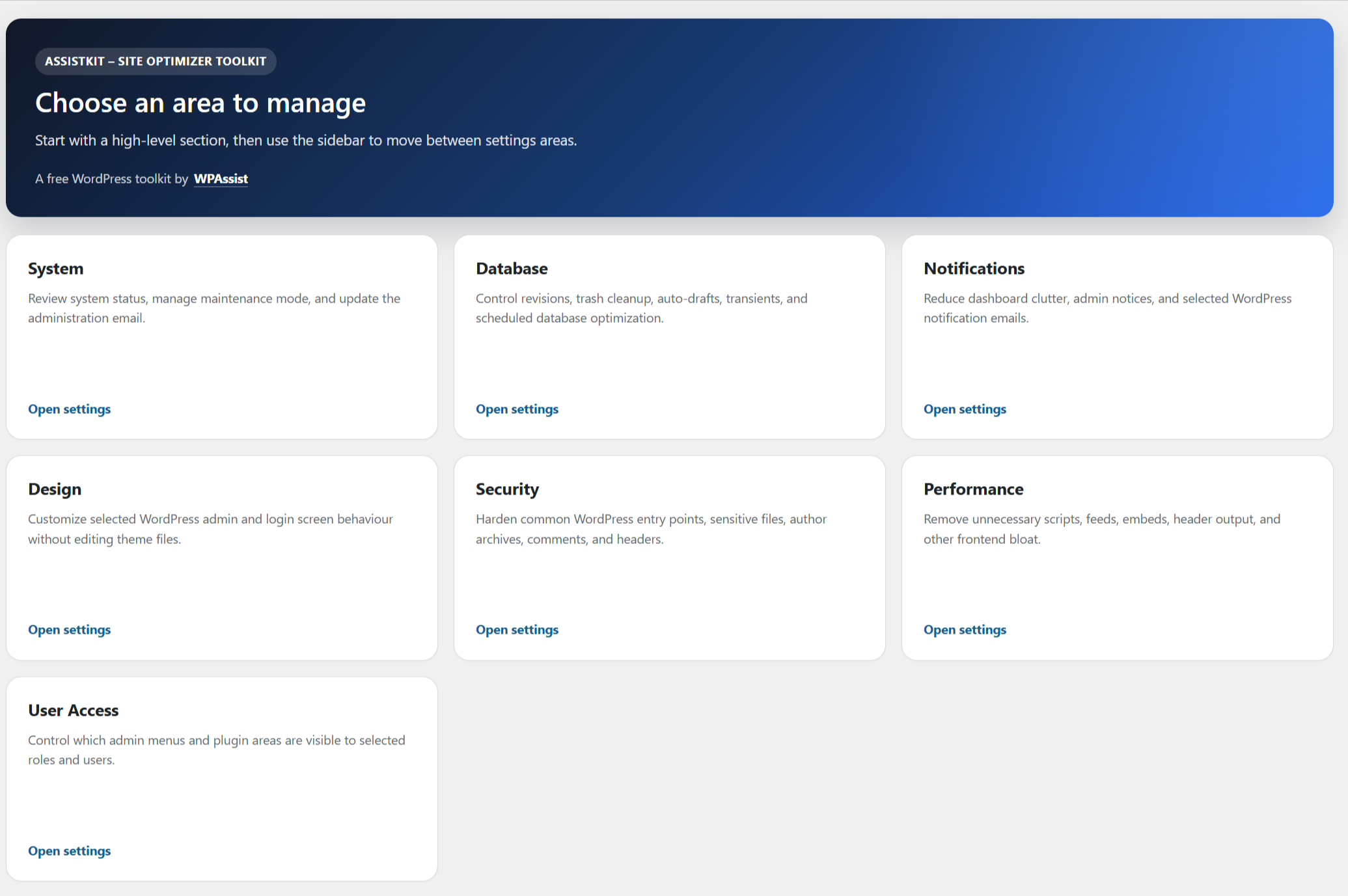
AssistKit – Site Optimizer Toolkit is an all-in-one WordPress optimization toolkit designed to improve website performance, strengthen security, simplify administration, and streamline website maintenance.
Unlike plugins that focus on a single area, AssistKit – Site Optimizer Toolkit combines performance enhancements, security hardening, maintenance tools, and administrative controls into one easy-to-use plugin.
Whether you’re a website owner, freelancer, agency, or WordPress maintenance provider, AssistKit – Site Optimizer Toolkit helps you build faster, cleaner, and more secure WordPress websites.
Diagnostics Centre
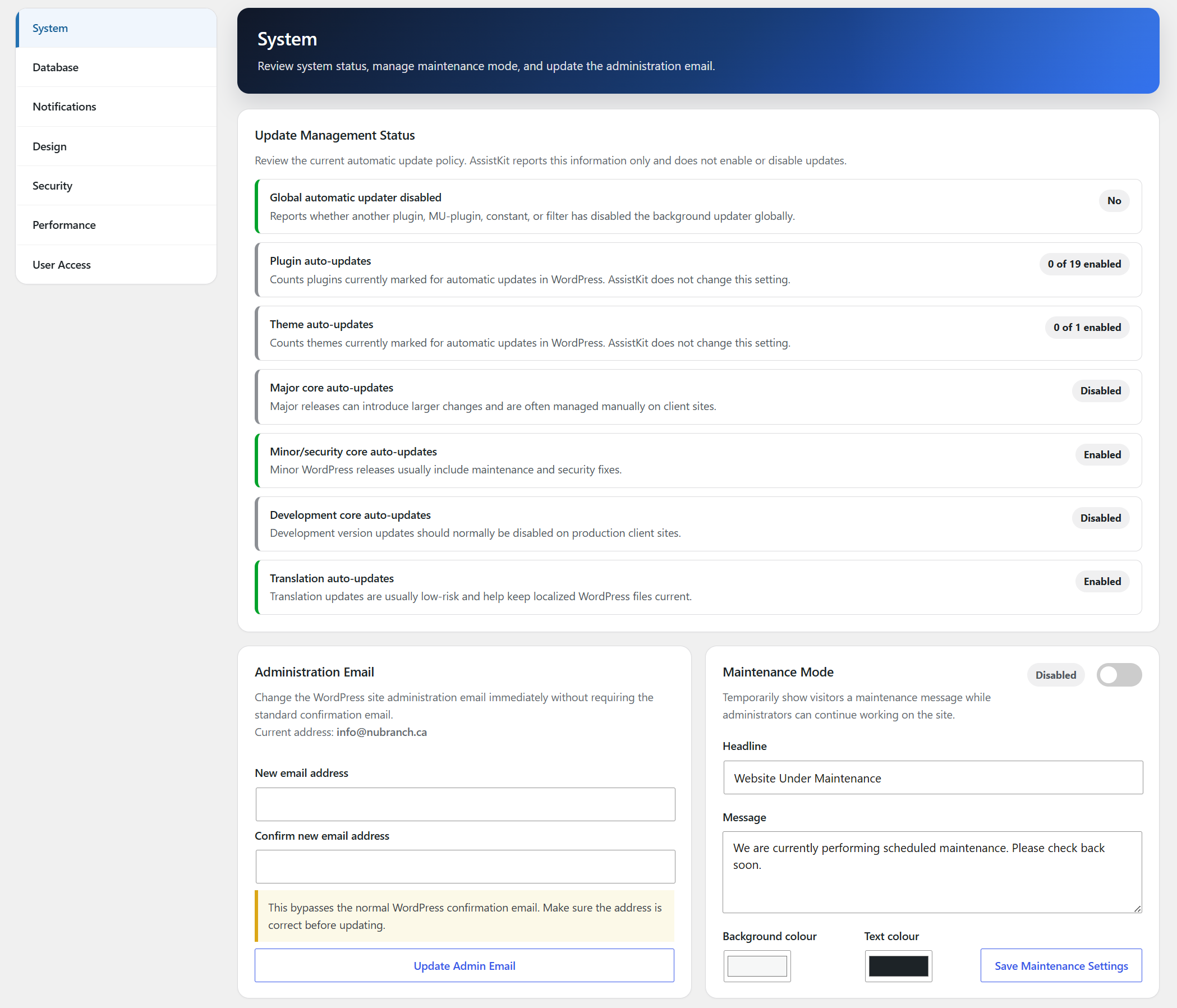
Run read-only checks that help explain whether important WordPress systems are configured and operating as expected.
WordPress and Site Address configuration
HTTPS and search engine visibility
Environment and debug configuration
REST API and loopback requests
WordPress.org and outbound HTTP communication
Background updates and scheduled events
WP-Cron configuration and recorded update failures
Focused Scheduled Task Health summary
Page cache and persistent object cache
PHP memory limit
WordPress memory limits
Database server version
Maximum upload and POST sizes
Maximum execution time, input time, and input variables
AssistKit distinguishes informational configurations from actual problems. Different frontend and WordPress addresses, disabled visitor-triggered WP-Cron, and hidden search visibility are not automatically treated as failures when they may be intentional.
CRON and Scheduled Task Health
Monitor WP-Cron events and Action Scheduler queues from a dedicated CRON screen without sorting through a raw list of technical hooks.
Detect when the site-wide WP-Cron runner appears stalled, including sites that use an external server cron
Identify overdue recurring events and distinguish a runner-wide problem from individual task concerns
Detect repeated Scheduled Action failures from the last seven days
Detect stalled and substantially overdue Scheduled Actions
Identify high-confidence duplicate WP-Cron schedules and Scheduled Actions
Show task ownership evidence for WordPress core, installed plugins, shared frameworks, and other identifiable sources
Check callback-free hooks against bounded active plugin and theme source evidence before treating them as leftovers
Allow for valid plugins that register some cron callbacks only when work is required
Run a lightweight callback and schedule health observation automatically once per day
Observe callback-free events across three separate automatic checks before identifying them as likely leftovers
Continue monitoring every day after the initial three checks so newly abandoned tasks can still be discovered
Offer guarded leftover-event removal with best-effort undo when the available evidence meets the required confidence threshold
Delete selected failed Action Scheduler history or cancel selected stalled, overdue, and duplicate actions
Keep WordPress core tasks and active conditional plugin tasks protected from inappropriate removal
Hide healthy tasks by default while providing a collapsed read-only reference table of existing tasks
Reflect detected Scheduled Task Health problems in the Diagnostics Centre summary
Database Tools
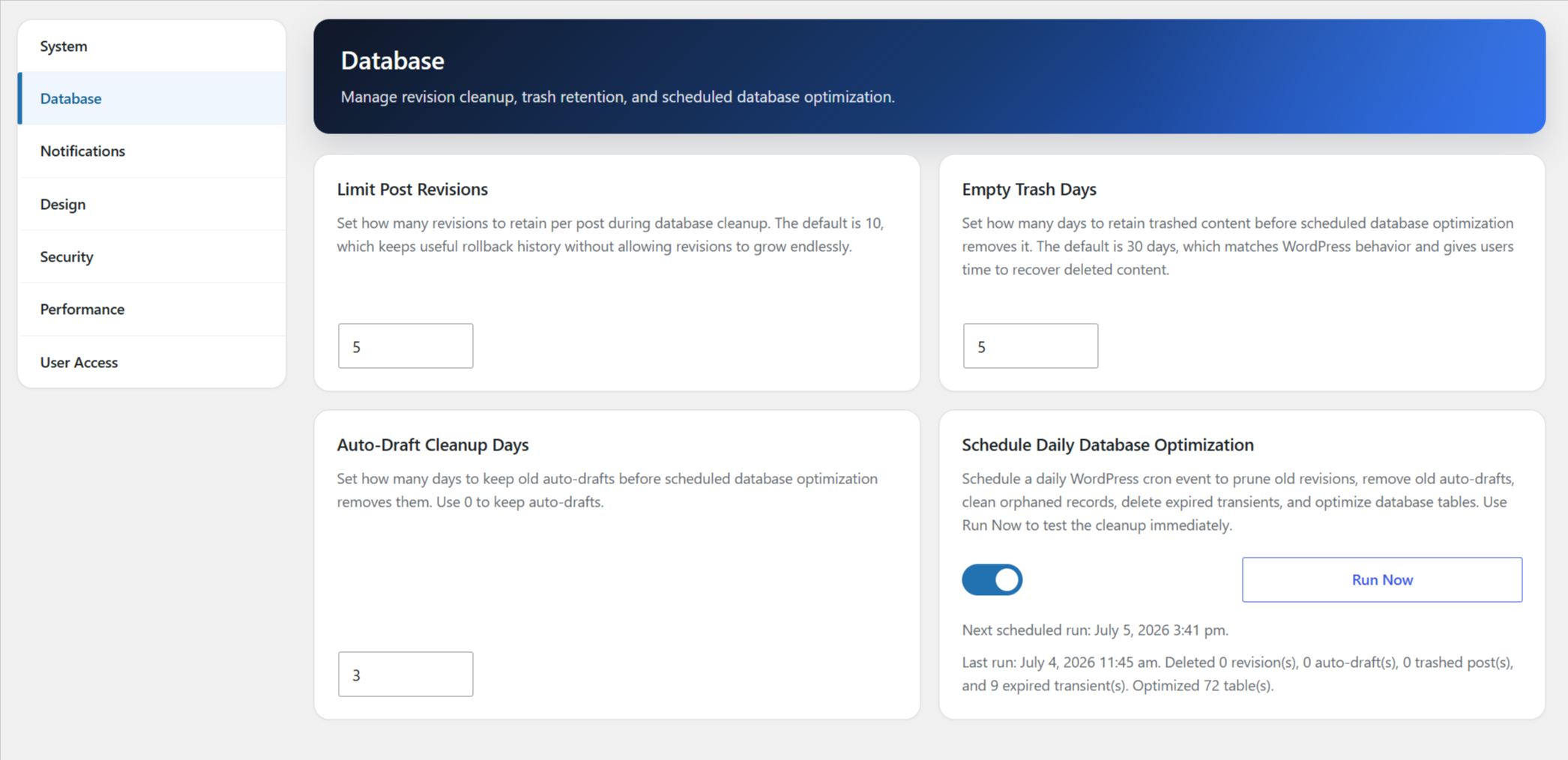
Use focused Cleanup, Tables, and Options tabs without loading every database scan at once.
Configure post revision, trash, and auto-draft retention
Choose which WordPress cleanup tasks run manually or on the daily schedule
Remove expired transients, spam comments, and orphaned metadata
Clear a stale pre-WordPress 6.4 directory-size transient when it has no valid expiration
Clean expired WooCommerce customer sessions and transients when WooCommerce tables are present
Remove orphaned WooCommerce order items, item metadata, HPOS addresses, and HPOS operational data using conservative parent checks
Clean completed and canceled Scheduled Actions older than 15 days
Optionally remove failed Scheduled Actions older than 60 days
Remove orphaned Scheduled Action logs
Run the saved cleanup selections immediately or schedule them once per day
Review all WordPress-prefixed base table engines, row estimates, and sizes
Detect MyISAM tables and check InnoDB, FULLTEXT, and SPATIAL compatibility
Convert all eligible MyISAM tables to InnoDB or adjust the selected tables first
Process conversions one table at a time with verification and a converted, skipped, and failed summary
Optimize WordPress tables manually, one table at a time, after substantial database changes
Keep table conversion and table optimization out of scheduled cleanup
Autoloaded Options Manager
Review the largest non-protected options WordPress loads automatically and identify settings that may be adding unnecessary database overhead.
View total, manageable, and protected autoloaded option sizes
Review the top 20 manageable autoloaded options by size
Check up to 50 large options against installed plugin, MU-plugin, and theme code, including safely constructed option prefixes
Recognize additional option families from WPCode, Divi, The Events Calendar, Event Tickets, GiveWP, WP Ultimate Post Grid, Formidable Forms, GoodLayers, and Slider Revolution
See the likely source and whether it is active, inactive, or no longer installed
Identify possible orphaned options using cautious ownership matching
Disable autoload without deleting the saved option value
Restore the option’s previous autoload state from AssistKit Changes
Keep option values private and protected WordPress options read-only
Administration Tools
Manage WordPress more efficiently with tools designed for website owners and agencies.
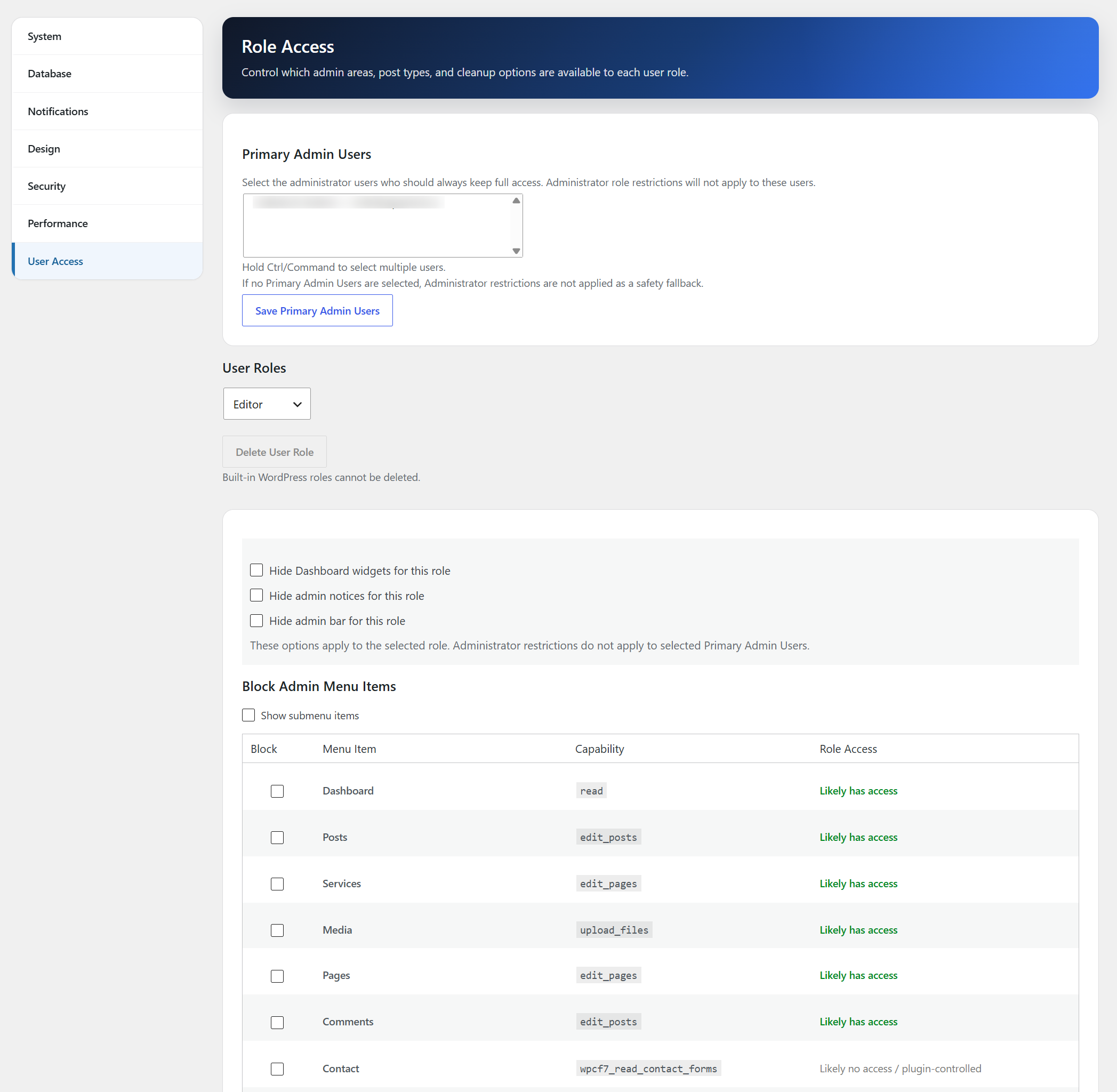
Role Access Management
Restrict plugin installation access
Restrict theme appearance access
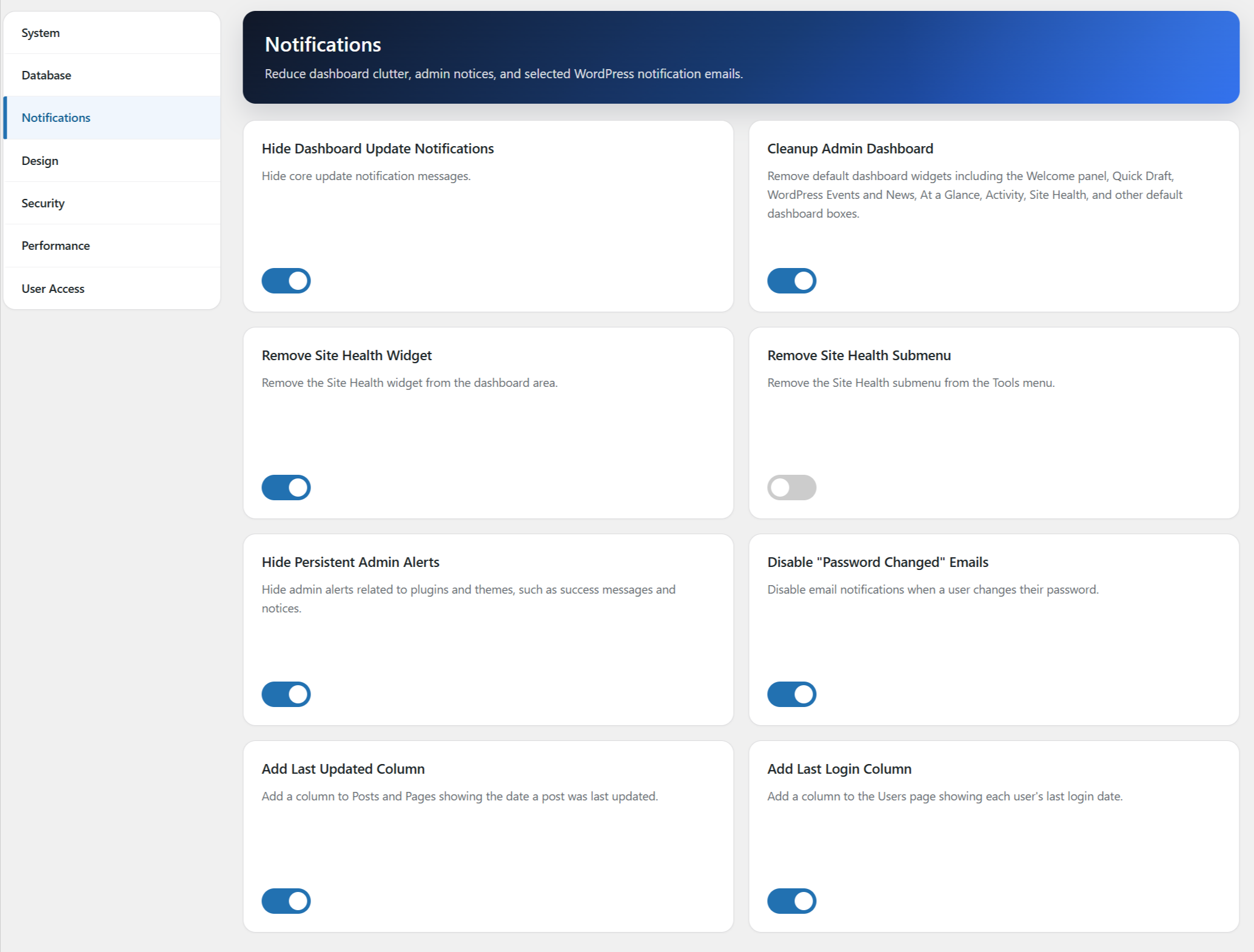
Hide dashboard widgets
Hide admin notices
Last Login tracking
Last Updated tracking
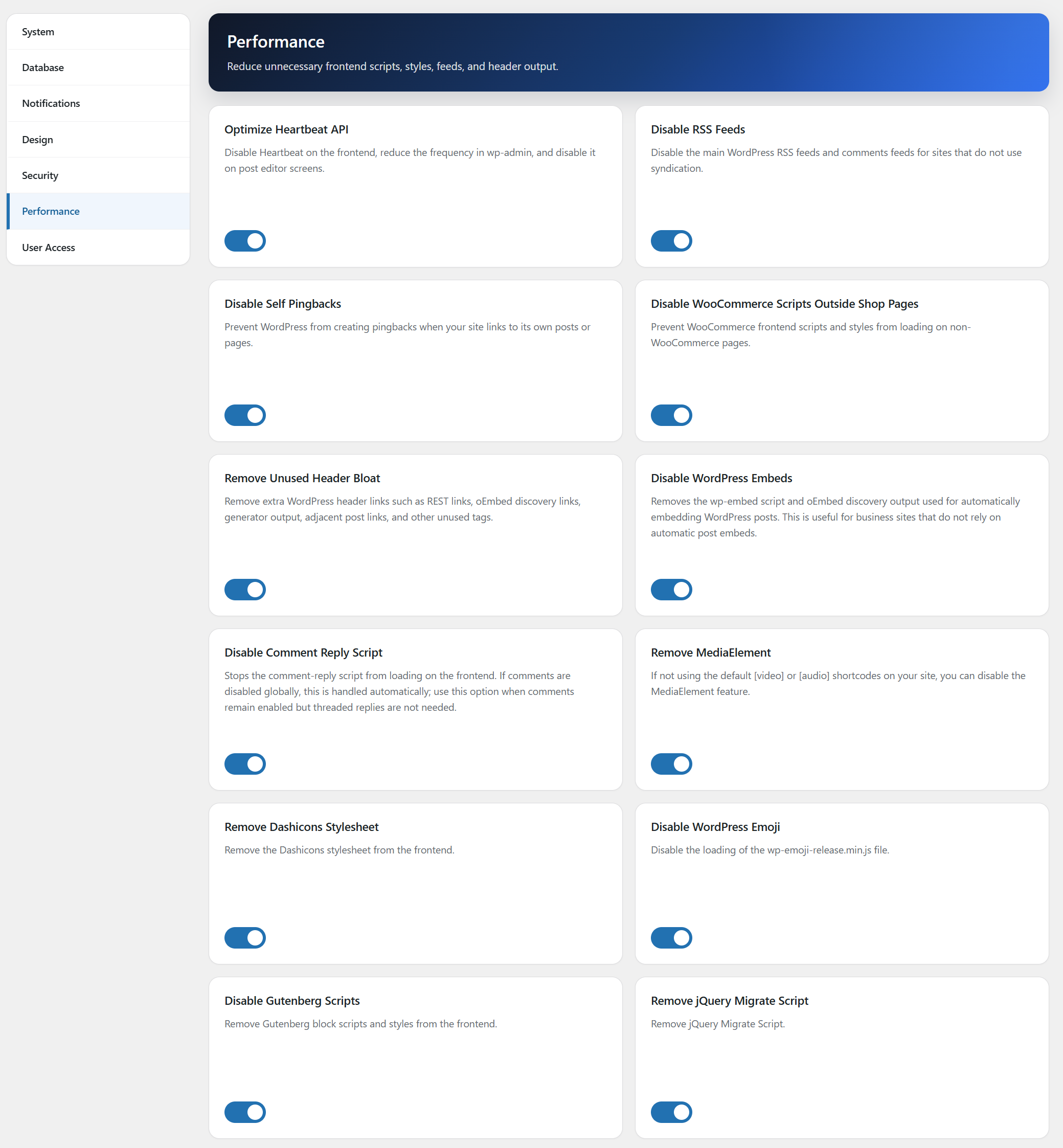
Performance Optimization
Improve loading speed and Core Web Vitals with tools designed to reduce unnecessary requests and render-blocking resources.
Optimize WooCommerce script loading
Optimize WordPress Heartbeat API
Disable RSS feeds
Disable self pingbacks
Remove unnecessary header bloat
Remove MediaElement
Remove Dashicons stylesheet
Disable WordPress emoji
Disable Gutenberg Scripts
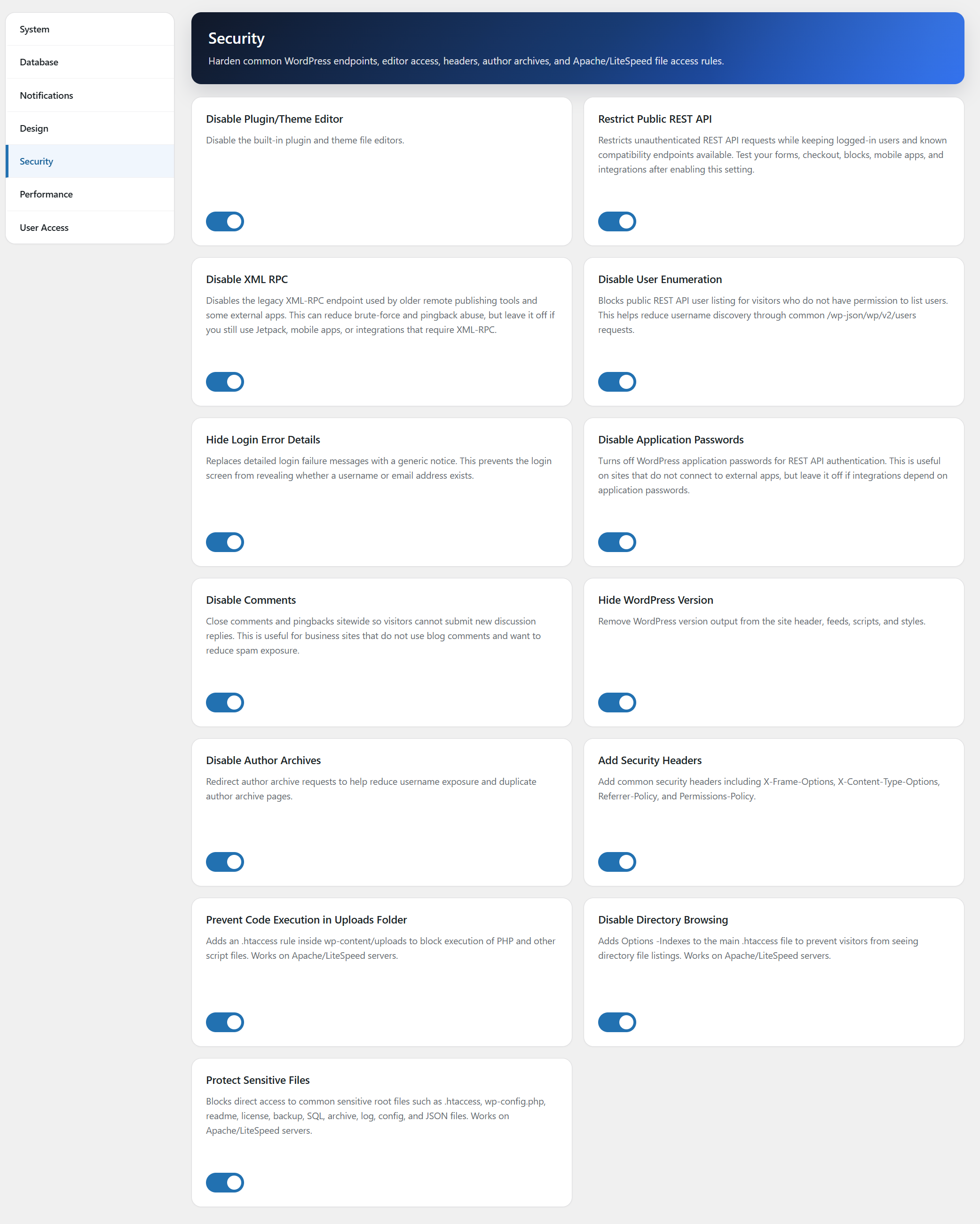
Security Hardening
Reduce attack surface and improve website security with simple one-click controls.
Disable XML-RPC
Hide WordPress version information
Disable author archives
Prevent user enumeration
Hide detailed login errors
Disable application passwords
Disable comments globally
Add common security headers
Restrict public REST API access with compatibility exceptions
Prevent code execution in the public ‘Uploads’ folder
Disable directory browsing
Protect sensitive files
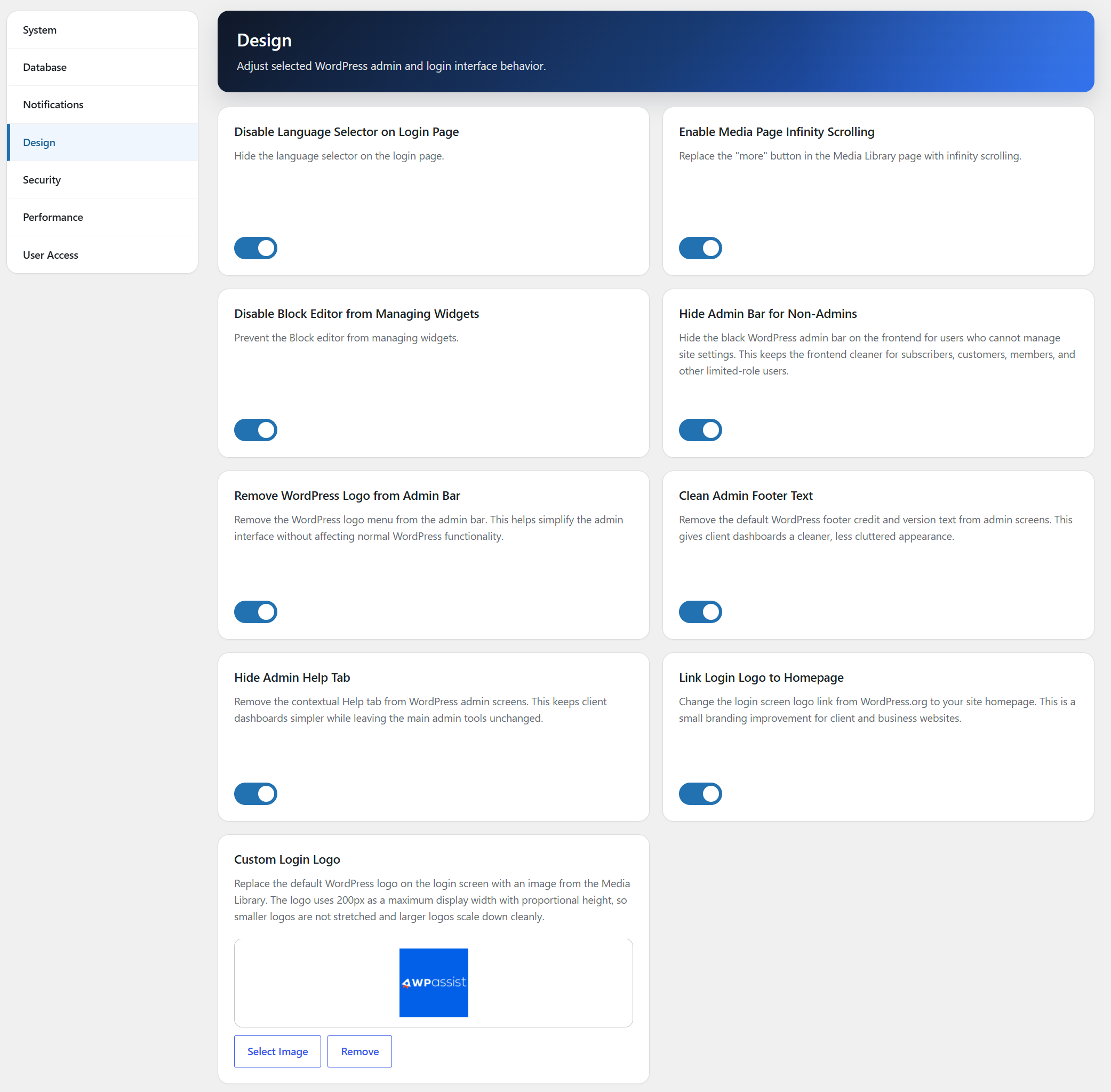
Design Tweaks
Polish small WordPress interface details for cleaner client and business websites.
Hide the login language selector
Enable infinite scrolling in the Media Library
Disable the block-based widget editor
Hide the frontend admin bar for non-admin users
Link the login logo to the site homepage
Replace the login page WordPress logo with a custom Media Library image
Remove the WordPress logo from the admin bar
Clean the default WordPress admin footer text
Perfect For
WordPress maintenance providers
Freelance web designers
Digital marketing agencies
WooCommerce stores
Membership websites
Business websites
Bloggers and publishers
Lightweight by Design
AssistKit – Site Optimizer Toolkit focuses on practical performance, security, and maintenance improvements without adding unnecessary complexity or excessive server overhead.
Feedback or Support
Need help configuring AssistKit – Site Optimizer Toolkit?
Documentation: AssistKit documentation
Website: WPAssist
Installation
Upload the plugin through Plugins → Add New.
Activate the plugin.
Select AssistKit – Site Optimizer Toolkit from the WordPress admin menu.
Enable the optimization, security, and maintenance features you wish to use.
Save your settings.
Frequently asked questions
Does AssistKit – Site Optimizer Toolkit improve Core Web Vitals?
Many features are specifically designed to improve performance metrics such as LCP, INP, and overall page loading speed.
Can I enable only the features I need?
Yes. Most optimization features can be enabled or disabled independently.
Does this plugin work with Elementor?
Yes. AssistKit – Site Optimizer Toolkit works alongside Elementor, Divi, Gutenberg, Beaver Builder, and most modern WordPress themes.
Does this plugin work with WooCommerce?
Yes. The plugin includes WooCommerce-specific performance optimizations. If Restrict Public REST API is enabled, AssistKit keeps WooCommerce REST and Store API route prefixes available when WooCommerce is active so carts, checkout, blocks, mobile apps, and integrations are less likely to break.
Is AssistKit – Site Optimizer Toolkit suitable for agencies?
Yes. Role Access Management, maintenance controls, and administration tools make it particularly useful for agencies managing multiple client websites.
Will Restrict Public REST API break forms or ecommerce?
It can if a plugin depends on public /wp-json/ requests. AssistKit shows a warning before enabling the feature and automatically allows known compatibility route prefixes when related plugins are active, including Contact Form 7, WooCommerce, Jetpack, WPForms, Gravity Forms, Formidable Forms, Fluent Forms, Ninja Forms, Site Kit, Yoast SEO, Rank Math, and All in One SEO. Site owners should still test forms, checkout, blocks, mobile apps, and integrations after enabling it.
Does AssistKit – Site Optimizer Toolkit modify server configuration files?
AssistKit does not write PHP debug constants or automatic update constants to core configuration files. Selected Apache/LiteSpeed security hardening options may add or remove clearly marked rules in .htaccess only when the related setting is changed by an administrator.
Does the Autoloaded Options Manager delete plugin settings?
No. The manager changes only whether a selected option loads automatically on every request. The option value remains in the database, and AssistKit records the previous autoload state so it can be restored from the AssistKit Changes table. Protected WordPress options are not actionable.
Does AssistKit – Site Optimizer Toolkit clean the database automatically?
Only the saved cleanup tasks can run on the administrator-enabled daily schedule. Retention values and cleanup selections save automatically, and the same choices are used for manual and daily cleanup. Table optimization and MyISAM-to-InnoDB conversion are always manual. WooCommerce and Scheduled Actions cleanup options appear only when their database tables are detected.
Changelog
Adds focused Database tabs, manual table optimization, and guarded bulk MyISAM-to-InnoDB conversion.
3.3.0 – August 18, 2026
- Split the Database screen into focused Cleanup, Tables, and Options tabs, with table and option scans loaded only when opened.
- Added a WordPress-prefixed base-table scan with table engine, size, row estimate, InnoDB availability, and legacy FULLTEXT and SPATIAL compatibility checks.
- Added bulk MyISAM-to-InnoDB conversion with all eligible tables selected by default, adjustable selection, backup confirmation, table-by-table AJAX processing, post-conversion verification, and converted, skipped, and failed summaries.
- Added large-table and disk-space guidance while excluding views and unrelated database tables.
- Moved OPTIMIZE TABLE into a manual-only Tables action that processes verified WordPress tables one at a time; it no longer runs during daily cleanup.
- Added a non-critical Diagnostics Centre recommendation when WordPress-prefixed MyISAM tables are available for review.
3.2.2 – August 15, 2026
- Updated the WordPress.org tags to: admin, dashboard, optimization, tools, and tweaks.
- Kept the database backup dialog hidden until it is opened, including when an admin theme globally forces dialog elements to display.
- Improved Scheduled Task Health ownership detection with bounded active plugin and theme source checks, additional conditional-hook signatures, and a conservative registry for confirmed retired hooks.
- Improved leftover-event removal when a recurring event runs or moves between the health check and the removal request, and now treats an already-disappeared target as resolved instead of showing a false failure.
3.2.1 – July 31, 2026
- Moved Scheduled Task Health from System into its own CRON dashboard card and sidebar section with a dedicated clock icon.
- Added a daily automatic scheduled-task health observation while retaining on-demand checks from the CRON page.
- Added a collapsed read-only reference table for existing WP-Cron events and active Scheduled Actions, capped at 500 displayed rows for large queues.
- Moved likely task ownership below each issue heading and changed unknown ownership to the clearer “Owner: Unknown” label.
- Added ownership recognition for
updraftplus_andflamingo_hooks. - Added Dashboard as the first internal sidebar link.
- Removed the Settings and Role Access submenu links while keeping both screens available from the AssistKit dashboard and sidebar.
- Generalized abandoned WP-Cron detection so recurring events with no callable callback across three separate daily checks are flagged even when the owning plugin is unknown.
- Distinguished missing callbacks from registered-but-not-callable callbacks using the WordPress hook registry and
is_callable(). - Migrated the legacy
wpa_database_optimization_eventto the current AssistKit database optimization hook. - Corrected the hidden Role Access screen registration so the dashboard and sidebar links remain accessible without restoring WordPress submenu entries.
3.2.0 – July 31, 2026
- Added a focused Scheduled Task Health manager that hides healthy tasks and reports only meaningful WP-Cron and Action Scheduler problems.
- Added detection for repeated Scheduled Action failures, stalled and long-overdue actions, high-confidence duplicate schedules, queue overload, and strong possibly abandoned WP-Cron candidates.
- Added issue-specific cleanup controls for duplicate or abandoned WP-Cron events, failed action history, and selected stalled, overdue, or duplicate Scheduled Actions.
- Added best-effort undo for recent WP-Cron removals and kept WordPress core duplicate schedules read-only.
- Added a read-only Scheduled Task Health summary to Diagnostics Centre.
- Expanded autoload option ownership recognition for Really Simple Security, Brainstorm Force plugins, Divi Google Fonts, All-in-One WP Migration, Google Site Kit, ShortPixel, and additional Slider Revolution options.
- Added cleanup of a stale legacy
_transient_dirsize_cacherow without a valid expiration on WordPress 6.4 or newer.
3.1.8 – July 23, 2026
- Changed completed Scheduled Action cleanup from 31 days to 15 days.
- Changed canceled Scheduled Action cleanup from 31 days to 15 days.
- Changed optional failed Scheduled Action cleanup from 90 days to 60 days.
- Added dedicated inline SVG icons to the eight main dashboard cards for faster visual navigation.
3.1.7 – July 23, 2026
- Improved cleanup-selection saving so it does not depend on a second WooCommerce or Action Scheduler table-detection query during the AJAX request.
- Added post-save verification to avoid false save errors when database filters or persistent caches return an unchanged update result.
- Added an accessible HTML backup confirmation dialog before manual database optimization runs.
- Added the same backup confirmation before the daily database optimization schedule is enabled.
- Reverts the schedule switch when saving fails so the interface always reflects the stored setting.
Screenshots
For developers
Is this your plugin? Show off the numbers.
Add a live badge to your site, docs or GitHub README. It updates on its own — no account needed.
Best AssistKit alternatives
All admin plugins →




FAQ
AssistKit – Site Optimizer Toolkit: quick answers
Straight answers, pulled from live WordPress.org data.
Live data from WordPress.org · checked Sep 29, 2026
Is AssistKit free?
Yes. AssistKit is free to download and use from the official WordPress.org plugin directory.
Is AssistKit safe to use in 2026?
AssistKit is a solid plugin choice in 2026, with a few things worth checking first. It runs on 60+ sites and was last updated 1 month ago, and scores 64/100 on our health check.
How many websites use AssistKit?
AssistKit is active on 60+ WordPress websites and has been downloaded 1,169 times since it launched in July 2026. It was downloaded 118 times in the last 30 days.
Does AssistKit work with WordPress 7.1?
Yes. The developer has tested AssistKit up to WordPress 7.1.2, the latest release. It requires WordPress 6.0 or newer.
What PHP version does AssistKit need?
AssistKit requires PHP 7.4 or higher. Most hosts run PHP 8.x today, so it works on any modern WordPress hosting.
When was AssistKit last updated?
The latest version, 3.3.0, was released on August 21, 2026 (1 month ago).
Who makes AssistKit?
AssistKit is developed and maintained by WPAssist.
What are the best alternatives to AssistKit?
The most popular alternatives to AssistKit are Loginizer (1M+ installs), Redux Framework (900K+ installs) and Admin Menu Editor (300K+ installs).
Powered by PageForge
Want thousands of pages that rank like these? Build them in an afternoon.
This directory runs on the same engine as PageForge. Turn any spreadsheet, CSV or API into thousands of fast, SEO-ready WordPress pages — with schema, internal links and AI-written copy baked in.
- CSV, Google Sheets & API data sources
- AI content, schema & internal links per page
- Works with Elementor, Gutenberg, Yoast & Rank Math
- Free on WordPress.org — no credit card


