


Announcer – Sticky Message Banner & Notification Bar
Add customizable WordPress notification bar to display announcements, promotions, coupons, or news at the top or bottom of your website.

Solid choice
Announcer is a solid plugin choice in 2026, with a few things worth checking first. It runs on 10K+ sites, is rated 4.8/5 and was last updated 2 months ago, and scores 74/100 on our health check.
- Proven at scale on 10K+ active sites
- Loved by users — 4.8/5 from 40 reviews
- Tested with the latest WordPress (7.1)
How does it stack up?
Side-by-side on installs, updates, ratings & support



Daily downloads
Download spikes usually follow a new release — each site that auto-updates counts as a download.
Rankings
Where Announcer stands todayWordPress.org search rankings
Live position in the plugin search, top 100| Keyword | Position |
|---|---|
| banner | #20 |
| bar | #26 |
| notice bar | #11 |
| notification bar | #7 |
| sticky header | #15 |
Version adoption
Share of active sites per release.
Rating breakdown
★★★★★★★★★★ 4.8 from 40 reviews
About Announcer
From the official readme · v6.5Description
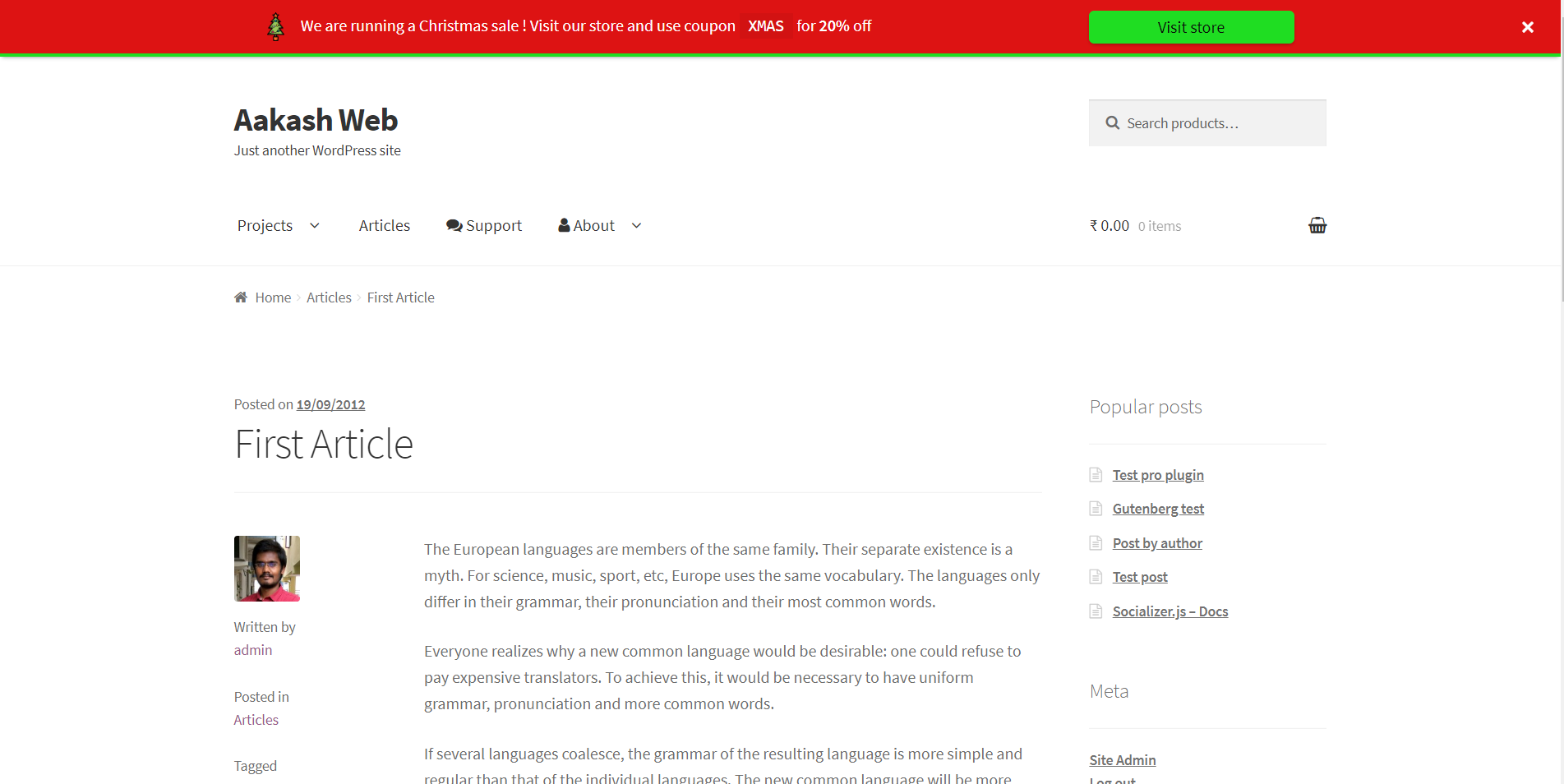
Announcer is the ultimate WordPress notification bar plugin designed to help you display important messages, promotions, cookie notices, and alerts anywhere on your site. Whether you want to welcome new visitors, drive traffic to a seasonal sale, or ensure GDPR compliance with a cookie banner, Announcer makes it incredibly easy.
Built to be lightweight and user-friendly, you can create eye-catching sticky bars that capture attention without slowing down your site. Add powerful Call-To-Action (CTA) buttons, set up customized display rules, and start boosting your user engagement and conversion rates in minutes.
See it in action: View the Live demo of the plugin!
⭐ Why Choose Announcer?
Announcer is packed with market-leading features to give you complete control over your website banners:
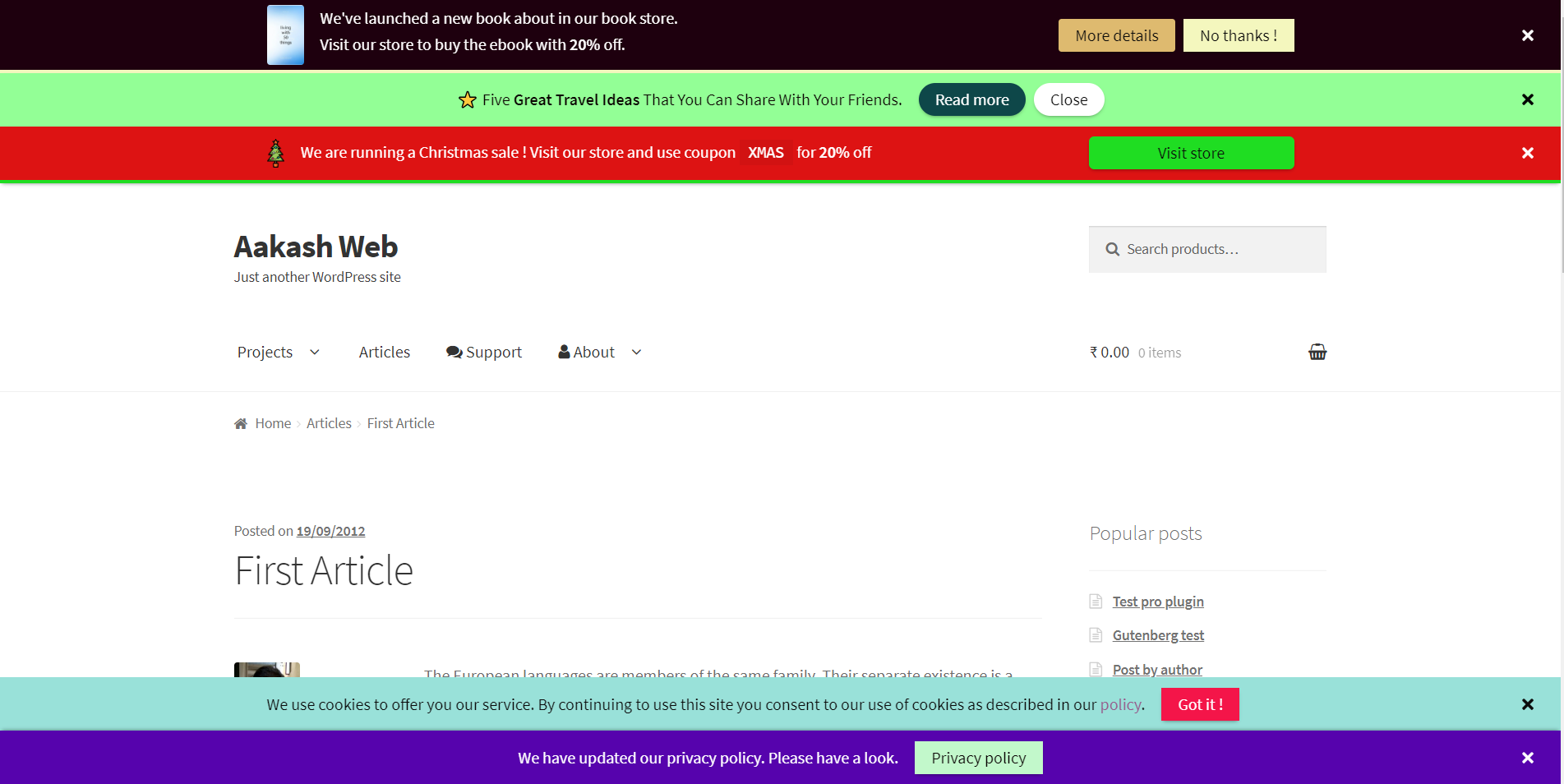
- Unlimited Announcements: Create and manage multiple notification bars at the same time.
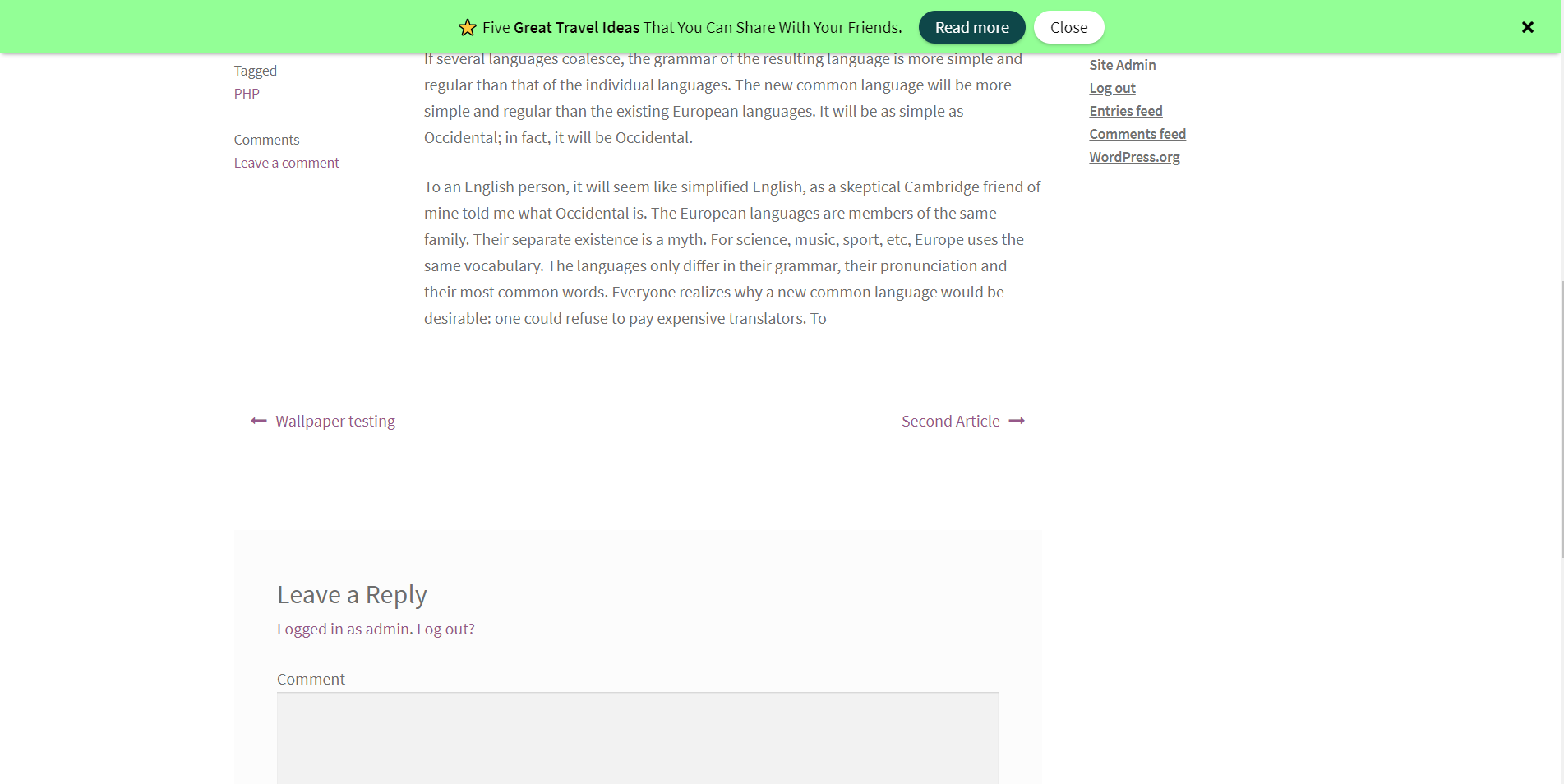
- Flexible Positioning: Display messages at the top or bottom of your site.
- Smart Stacking: Neatly stack multiple banners if more than one announcement is active on a single page.
- Sticky & Fixed Layouts: Keep your message in view as users scroll, or fix it to the top of the page.
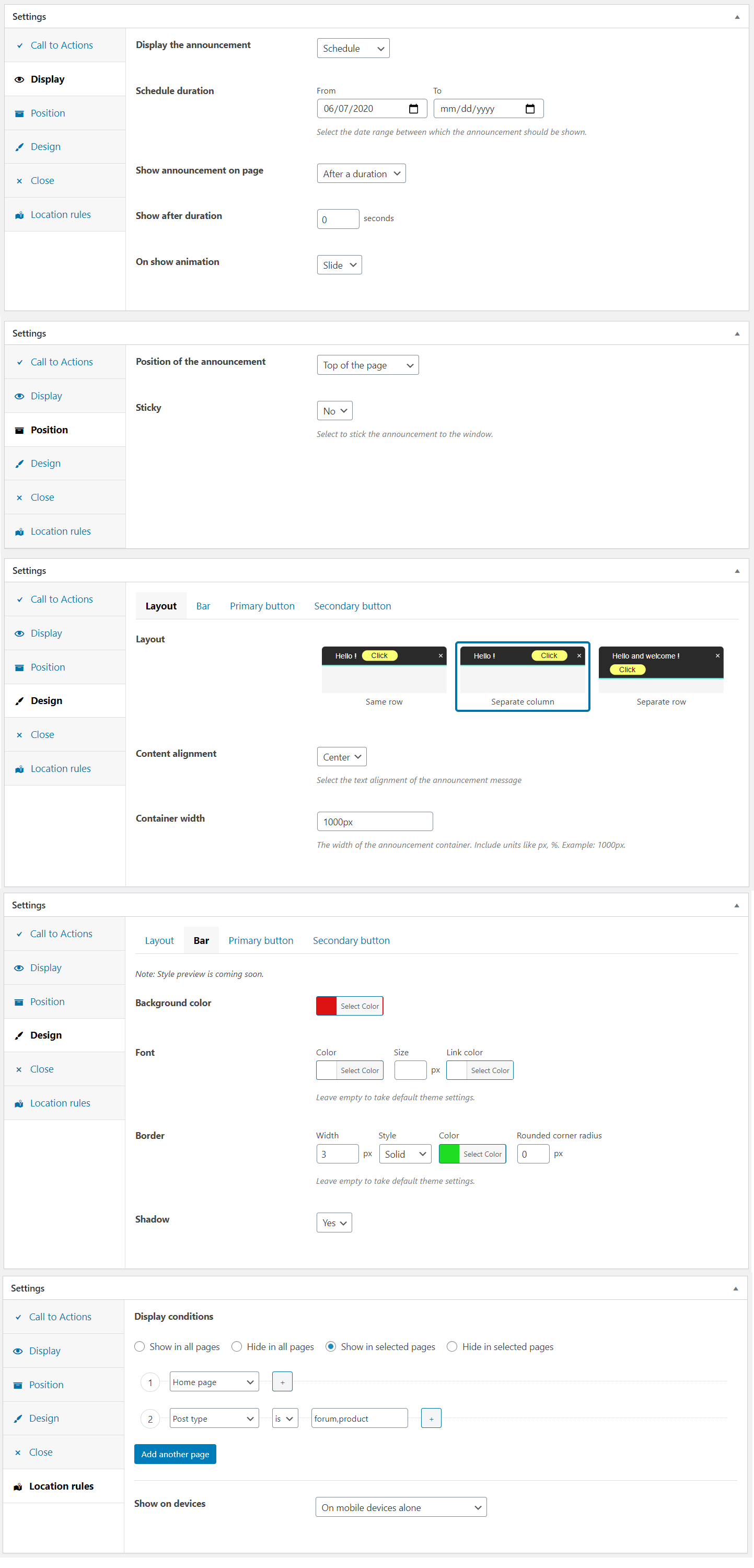
- Advanced Scheduling: Automate your promo bars by scheduling a start and end date/time.
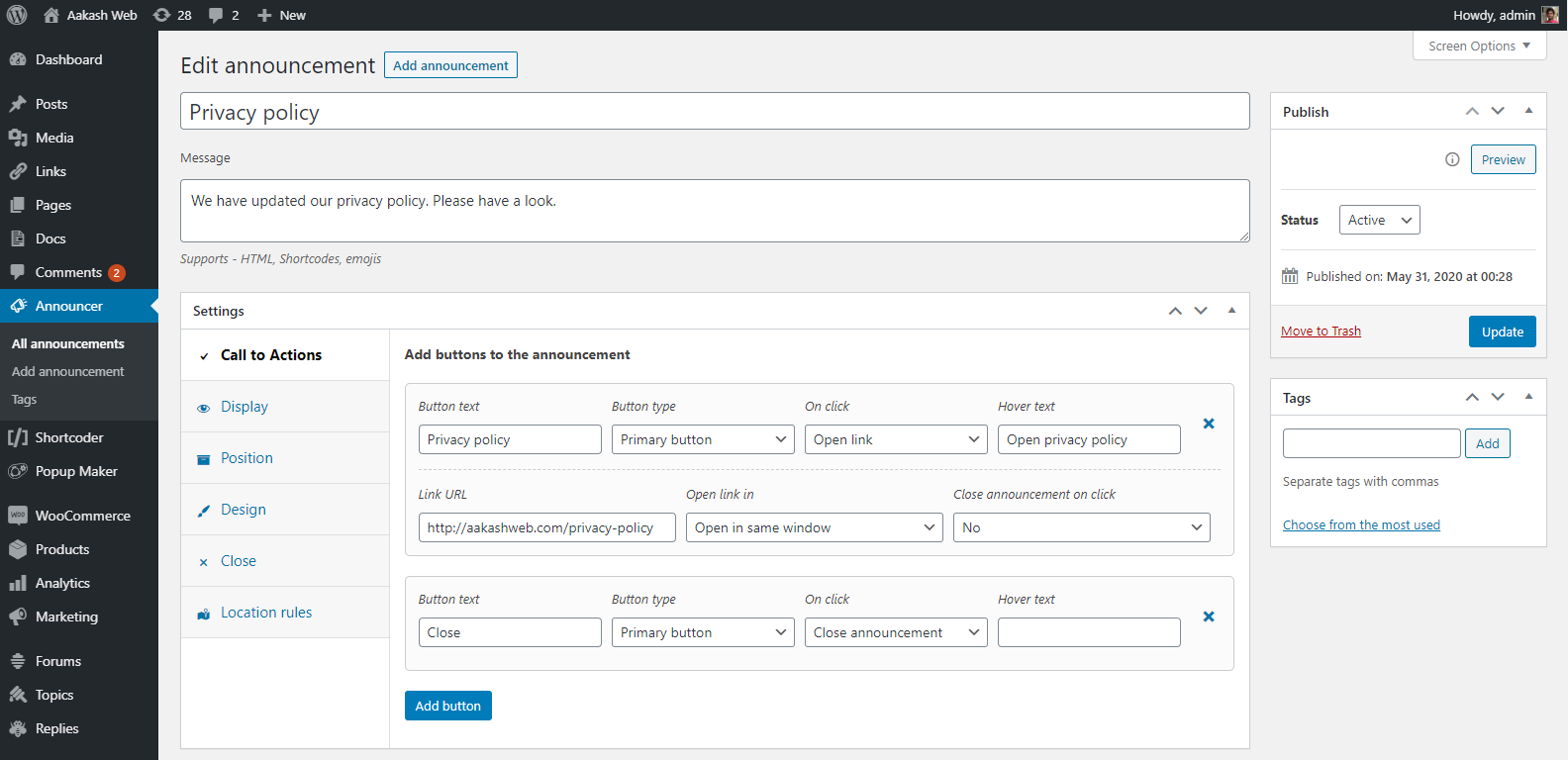
- Call-To-Action (CTA) Buttons: Drive clicks with customizable buttons that can open links or dismiss the banner.
- Horizontal Ticker: Display longer text beautifully with a smooth scrolling news-ticker effect.
- Smart Cookie Control: Allow users to permanently close notices, or set them to re-display after a specific time.
- Rich Content Support: Insert any content into your banner, including images, HTML, or shortcodes from other plugins (like forms).
- Conditional Display Rules: Target specific audiences by showing banners only on certain pages, posts, or categories.
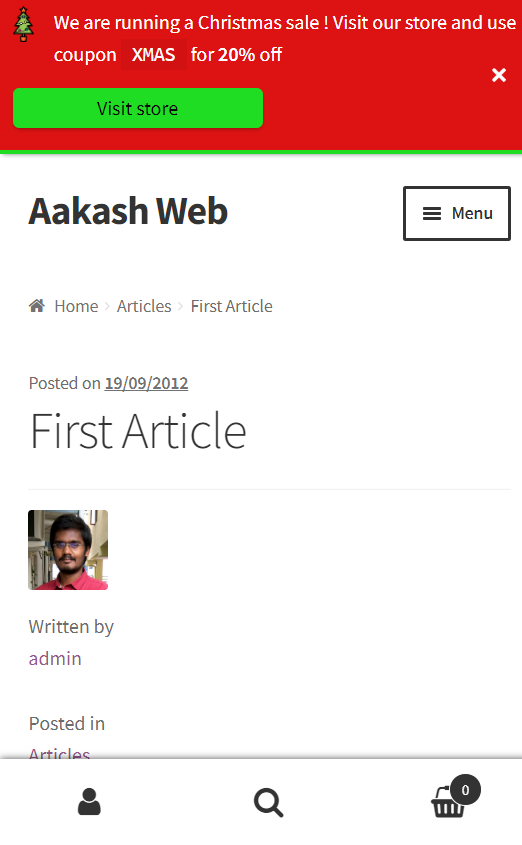
- 100% Mobile Responsive: Designed mobile-first to ensure your announcements look perfect on any screen size.
- Accessibility Ready: Includes basic ARIA labels and live-region support so announcement bars are easier to use with screen readers.
- Customization Made Easy: Choose from multiple layout options and unlimited color palettes to match your brand.
- Trigger Options: Automatically display banners based on a time delay or user page scroll.
- Smooth Animations: Engage users with sleek open and close transition effects.
- Multilingual Ready: Target announcements based on your WPML translated post language.
- Lightweight & Secure: Clean code that won’t bloat your site, fully GDPR compliant.
🚛 Popular Use Cases & Ideas
You can use the Announcer plugin to create a wide variety of sticky messages, including:
- Promo Bars: Highlight sales, discount coupons, and seasonal offers.
- Compliance: Display a GDPR-friendly cookie consent banner or privacy policy updates.
- Lead Generation: Embed newsletter sign-ups (Mailchimp, WPForms) directly into the banner via shortcodes.
- Alerts & Updates: Share important site-wide notices, business hours.
- Content Promotion: Drive traffic to new blog posts, product launches, or special events.
- Welcome Messages: Greet new visitors with custom introductory notes.
- Social Proof & Feedback: Share quick links, social icons, or ask for customer feedback.
💎 PRO version
Ready to take your announcements to the next level? The PRO version offers advanced marketing tools designed to maximize your conversions and give you pinpoint targeting capabilities:
- Multiple Messages (Ticker/Slider) – Maximize your screen real estate. Add a slider or auto-playing ticker to display multiple messages within a single announcement bar, complete with next/prev navigation.
- Different Large/Small Screen Message – Show different announcement message for large and small screens.
- Countdown Timers – Skyrocket your sales! Embed fully customizable countdown timers right into your promo bars to create FOMO (Fear Of Missing Out) for limited-time offers.
- Advanced Animations – Grab instant attention with eye-catching entrance animations for your banners and funky effects for your CTA buttons.
- Smart Visitor Targeting – Show the right message to the right user. Conditionally display banners based on traffic source (referrer), device type, OS, browser, user login status, user role, or even visit count!
- Shortcode Placement – Need a banner inside a specific post? Use shortcodes to place your announcements exactly where you want them, inside pages, posts, or theme templates.
- One-Click Duplicate – Save time by instantly cloning your favorite announcement setups.
Check out the PRO version | View PRO Demo
👋 Feedback & Support
We love hearing from our users! If you run into any issues, have questions, or want to share a feature request, please reach out to us in the Official Support Forum.
Installation
- Extract the zipped file and upload the folder
Announcerto/wp-content/plugins/directory. - Activate the plugin through the ‘Plugins’ menu in WordPress.
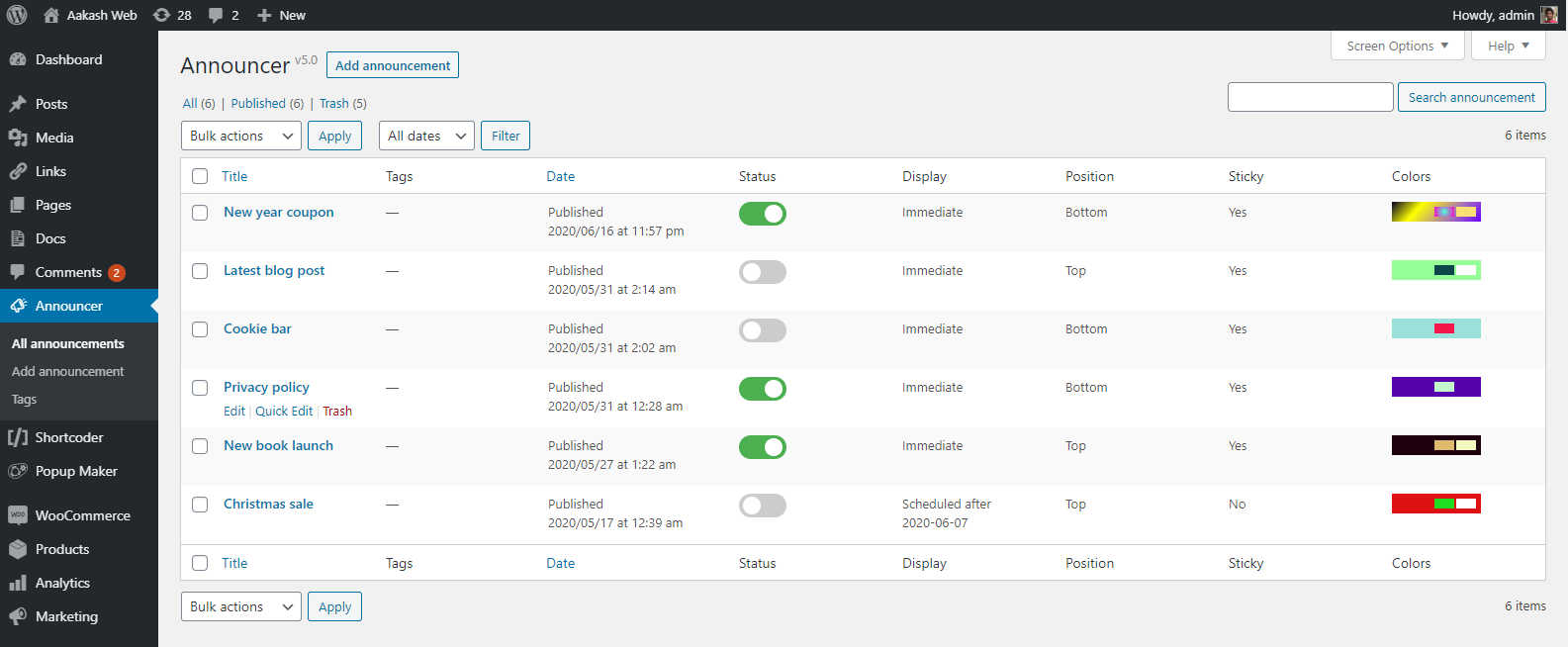
- Go to Announcer –> All announcements menu on the left navigation pane to manage all the announcements.
- Click “Add announcement” to add an announcement.
- Customize the announcement and publish it.
Changelog
Version 4.0 is a recommended update as the plugin is rewritten from scratch with modern design and features. When upgrading from v3 to v4+, the existing announcements are not migrated. Please make a note of the announcements and manually create them in v4 and above.
6.5
- New: Added basic ARIA attributes to announcement containers, close buttons, and CTA links for improved accessibility.
- Fix: Screen-reader friendly labeling for dismiss and action controls.
- Fix: Hide announcements in legacy widgets preview.
- Fix: Support for WordPress 7.1.
6.4
- New: New location rules to target WooCommerce pages.
- Fix: Misc Admin UI enhancements.
- Fix: Support for WordPress 7.0.
6.3
- New: Option to start the ticker scroll from the middle of the screen.
- Fix: Optimized ticker animation for better performance.
6.2
- New: Load JS only on pages where announcement is inserted.
6.1
- New: Slide down effect on the page when announcement is shown.
- Fix: Close button is repositioned to not overlap content.
- Fix: Border radius is incorrectly set on the announcement bar.
- Fix: Adjust button margin on smaller screens.
- Fix: Ticker scroll overflows sometimes.
6.0.1
- Fix: Added permission/role check for ajax operations.
6.0
- New: Location rule to target by WPML language.
- New: Location rule to target search page.
- New: Location rule to select all post statuses.
- Fix: Ticker scroll was abrupt when using images.
- Fix: Background image URL not set correctly.
- Fix: Added nonce to admin ajax call.
5.9
- Fix: Call to Action button supports relative URLs.
- Fix: Misc CSS enhancements to CTA button and message style precedence.
- Fix: Misc admin UI enhancements.
- Fix: New close icon.
- Fix: PHP warnings at some places.
5.8
- New: Horizontal ticker feature.
- Fix: Font size and color of the bar is now strictly applied.
- Fix: Bar padding is adjusted when close button is enabled.
- Fix:
paddingkey not found warning message.
5.7
- New: Visual editor enabled for the announcement message.
- Fix: Padding value not honored.
5.6
- New:
nofollowattribute can be added to buttons.
5.5
- Fix: Enhancements to input and output data sanitization.
5.4
- New: Option to close announcement when a link inside message is clicked.
- Fix: Minor admin UI enhancements.
5.3
- New: Option to set background image for the bar
- Fix: Moved “layout” options to a separate tab in the admin settings.
- Fix: Minor admin UI color enhancements.
5.2
- New: “Custom” display option to open the announcement as needed using JS API.
- New: New option to add extra padding to the announcement bar.
- Fix: Apostrophe not saved when button text is CTA.
- Fix: jQuery exception when trying to add padding when admin bar is shown.
- Fix: Disable autocomplete for the schedule date picker.
- Fix: “Terms of post” criteria was not checking the post type.
- Fix: Minor enhancements to admin settings field.
5.1
- New: Announcement can be scheduled with time.
- New: Timezone can be selected for scheduling the announcement.
- New: A mini editor is included to add HTML to announcement message.
- New: Option to order announcement when they are stacked.
- Fix: Preview not working.
- Fix: Announcement message with slashes was not working in preview.
- Fix: Close icon now has a text on hover.
- Fix: Announcement reopens when display on page scroll is selected.
5.0
- New: Announcement message is switched to a plain text box rather than rich editor to avoid unwanted formatting.
- New: Preview announcements before publishing.
- New: Can enter title/hover text for CTA buttons.
- New: Quick toggle switch to activate/deactivate the announcements.
- New: Custom taxonomies and terms can now be selected in location rules.
- New: Close announcement option upon clicking CTA button.
- Fix: Undefined index
cta_buttonsupon saving the announcement with no buttons. - Fix: Replace PHP constant
__class__to__CLASS__. - Fix: Issue with display on page scroll.
- Fix: Optimized responsiveness for smaller screens.
4.1
- New: Added support to set gradients as background color.
4.0
- New: Plugin is rewritten from scratch with modern design, new interface and features.
- Note: Announcements from v3 will not be automatically migrated. Announcement positions like above loop is not available in this version. Please make a note of the announcements when in v3 and create them in v4.
Screenshots
For developers
Is this your plugin? Show off the numbers.
Add a live badge to your site, docs or GitHub README. It updates on its own — no account needed.
Best Announcer alternatives
All banner plugins →





FAQ
Announcer: quick answers
Straight answers, pulled from live WordPress.org data.
Source: WordPress.org
Is Announcer free?
Yes. Announcer is free to download and use from the official WordPress.org plugin directory.
Is Announcer safe to use in 2026?
Announcer is a solid plugin choice in 2026, with a few things worth checking first. It runs on 10K+ sites, is rated 4.8/5 and was last updated 2 months ago, and scores 74/100 on our health check.
How many websites use Announcer?
Announcer is active on 10K+ WordPress websites and has been downloaded 230,100 times since it launched in May 2010. It was downloaded 2,991 times in the last 30 days.
Does Announcer work with WordPress 7.1?
Yes. The developer has tested Announcer up to WordPress 7.1.5, the latest release. It requires WordPress 4.4 or newer.
What PHP version does Announcer need?
Announcer requires PHP 5.3 or higher. Most hosts run PHP 8.x today, so it works on any modern WordPress hosting.
When was Announcer last updated?
The latest version, 6.5, was released on October 4, 2026 (2 months ago).
Who makes Announcer?
Announcer is developed and maintained by vaakash.
What are the best alternatives to Announcer?
The most popular alternatives to Announcer are CookieAdmin (400K+ installs), Image Widget (100K+ installs) and Simple Banner (50K+ installs).
Powered by PageForge
One template and a spreadsheet. A real page for every search.
PageForge turns each row of a CSV into a WordPress page with its own title, URL, SEO fields and schema, built on the layout you already designed. Free on WordPress.org.
- CSV and XLSX, plus Google Sheets on Professional and Enterprise
- Its own title, URL, SEO fields and schema for every page
- Works with the block editor, Elementor, Divi and Avada
- Free on WordPress.org, no credit card