


Amazon Product in a Post Plugin
The Amazon Product In a Post plugin can be used to quickly add formatted Amazon Products/Items to any page or post by using just the Amazon product ASIN.

Consider an alternative
Amazon Product in a Post Plugin shows warning signs in 2026 — compare the alternatives below before installing. It runs on 800+ sites, is rated 4.2/5 and was last updated 6 years ago, and scores 40/100 on our health check.
- Small user base (800+ active installs)
- No update in 5 years
- Only tested up to WordPress 5.6 (latest is 7.1)
How does it stack up?
Side-by-side on installs, updates, ratings & support



Daily downloads
Download spikes usually follow a new release — each site that auto-updates counts as a download.
Rankings
Where Amazon Product in a Post Pl… stands todayWordPress.org search rankings
Live position in the plugin search, top 100| Keyword | Position |
|---|---|
| amazon | >100 |
| amazon affiliate | >100 |
| Amazon Associate | #82 |
| Amazon product | >100 |
Version adoption
Share of active sites per release.
Rating breakdown
★★★★★★★★★★ 4.2 from 54 reviews
About Amazon Product in a Post Plugin
From the official readme · v5.2.2Description
The Amazon Product In a Post plugin can be used to quickly add formatted Amazon Products/Items to any page or post by using just the Amazon product ASIN.
NOTICE
Uses the New Amazon Product Advertising API V5
As of March 9th 2020, Amazon requires the API version 5.0 to be used. This version has a more streamlined response so some data is no longer available. Most noticeably the Product Description and Customer Reviews.
If you have an Affiliate account already, you will need to Migrate your API Keys or generate a new set of keys before the plugin will work correctly.
This will also require you to add the new keys in the plugin settings.
Amazon also requires you have your affiliate account fully approved before they will grant you access to the Amazon Product Advertising API. This means that you many not be able to use the plugin immediately until you receive access to the API.
If you do not have an Amazon Affiliate Account or Amazon Product Advertising API Keys already, it is free and not too extremely difficult to set up (takes about 15 min. total for both). Once you have an account, install the plugin, enter your Amazon Associate ID and API keys in the Plugin Settings page and you are ready to start adding products to your website!
How it Works:
The plugin uses the Amazon Product Advertising API to get product information from Amazon to display on your site. To use the plugin, you must have:
1. An Amazon Affiliate Account
2. Amazon Product Advertising API keys (generated after March 2019).
Amazon’s Product Advertising API Terms of Use requires you have an AWS Access Key ID and Secret Access Key of your own to use. See Plugin FAQs or Getting Started page for links to sign up.
With this plugin you can:
- Add any Amazon product or item to an existing Post (or Page) or custom Post Type.
- Monetize your blog posts with custom Amazon Product and add your own Reviews, descriptions or any other thing you would normally want to add to a post — and still have the Amazon product there.
- Easily add only the items that are right for your site.
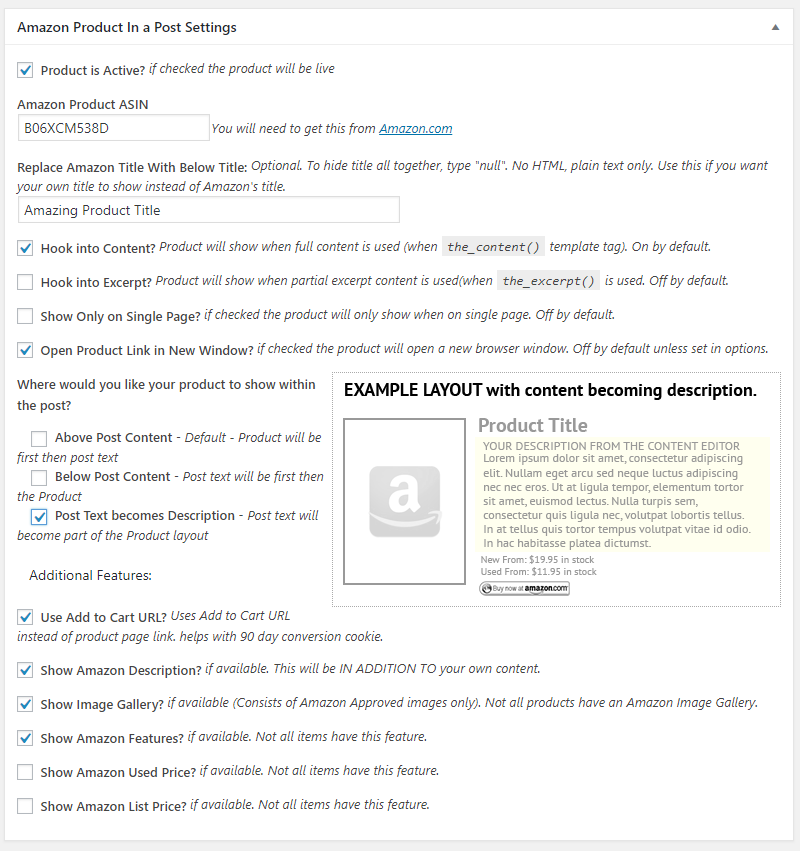
- Add the product to the TOP of the post content, the BOTTOM of the post content, or make the post content become part of the product layout (see screenshots for examples)
- You can add as many products as you want to any existing page/post content using Shortcodes — see Installation or FAQ page for details.
Features:
- Preformmated display of Amazon Products for easy integration (with various settings)
- Shortcodes for Adding Products, Product Elements, Product Grids, etc.
- Add new Page/Post at the same time with “New Amazon Post” feature
- New Gutenberg Blocks for Amazon Products, Element, Searches and Grid Layouts.
- You can add Product Grid Layouts, Single Product Layouts or Individual Product Elements to Pages/Posts
- Option to create multiple Pages/Posts from ASINs with Amazon product data auto populated (no need to add separate products)
- Products can use the Standard product page URL or “Add to Cart” URL (i.e., 90 day Cookie Conversions)
- Links can be set to open in a new window/tab
- Custom styling options (via CSS in the settings)
- Lightbox functionality for larger image popups and additional images (can be disabled).
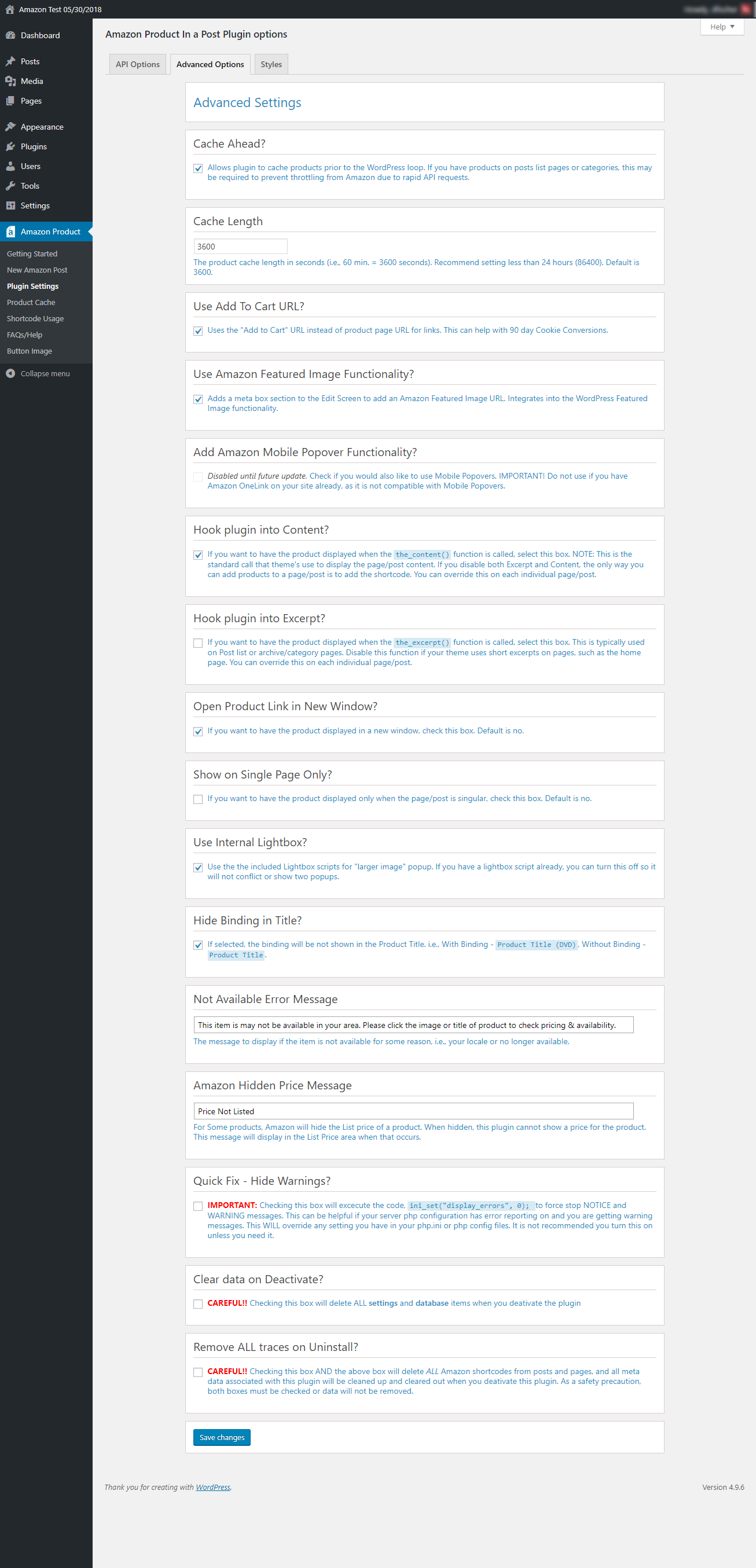
- Adjustable Caching of product data to limit API Calls
- Test feature for verifying Amazon settings are properly set up
- Debugging Information for troubleshooting issues
Known Issues:
- If you just applied for Amazon Product Advertising API Usage and were approved, it can still take up to several weeks before you have access to the API.
- The more products you add, the more overhead there is for API requests. The caching system tries to optimize the number of requests by grouping them, instead of doing them individually.
- Amazon OneLink scripts may cause some links not to work correctly by over-riding the standard product link. If you use OneLink scripts on your site and still want to add products, try to limit the Amazon OneLink scripts to pages where you will not include products.
- Amazon Ads may also cause some links not to works correctly. This is the same as for Amazon OneLink.
- Some Products or Product data is not available via the Amazon Product Advertising API. When this happens, the product will not be displayed, or the requested element will not be displayed in the product output.
- You must have at least twp referral sales every 30 days or you will lose your Amazon Product Advertising Account. If this happens, Amazon will deactivate your Amazon Product Advertising Account and the plugin will no longer display products. You can simply re-sign up for access and change your Amazon Keys in the settings, and they will return (products shortcodes and settings are not deleted, they just cannot be displayed).
Support
- Browse issue tracker on GitHub
- Follow us on Twitter to stay in contact and informed about updates
Installation
After you install the plugin, you need to set up your Amazon Affiliate/Associate ID in the Options panel located in the AMAZON PRODUCT menu under PLUGIN SETTING.
An AWS Access Key ID and Secret Access Key REQUIRED. You MUST use the ROOT keys and not the User or Group Keys that Amazon recommends. See the plugin Getting Started page for additional setup instructions.
No additional adjustments are needed unless you want to configure your own CSS styles. Styles can be adjusted or removed in the Options Panel as well.
Frequently asked questions
Does this plugin use the New v5 of the Product Advertising API?
Yes — As of the plugin version 5.0, the plugin uses version 5.0 of the PA API.
Do I have to use the version 5 API? Can’t I just still use version 4??
Amazon has officially retired the PA API Version 4, so it cannot be used.
Will you support Blocks for New Gutenberg Editor?
Yes! We are finalizing them now and hope to roll them out prior to WordPress 5.0 Rollout. Our goal is to have blocks for all shortcodes (amazon-grid, amazon-elements, amazon-search and amazonproduct) and the main product (non-shortcode, currently the ‘meta-box’ default option) with the ability to make easy customization to the product layout/elements. Our early tests are looking/working great! Anyone still wanting to use the Classic Editor will be able to still use shortcodes like they currently do, and you can use shortcodes in Gutenberg by using the core ‘shortcode’ block that is included…
What do I need to do to get started?
You need to have an Amazon Affiliate Account and you have to register for the Amazon Product Advertising API to get a set of access Keys to put in the plugin. That allows the plugin to make calls to Amazon to get Product Data and pricing. Version 3.5.1+ has a Getting Started page that helps you through the Amazon Signup for your Amazon Access Keys. Install the plugin and go to the Getting Started Page in the plugin menu for more information.
Great Plugin! How do I donate to the cause?
Excellent question! The plugin is provided free to the public — you can use it however you like — where ever you like — you can even change it however you like. Should you decide that the plugin has been a great help and want to donate to our plugin development fund, you may do so here.
Changelog
Plugin settings didn't update properly
5.2.2 (22th February 2021)
- Tweak: Set product title as default ALT tag for images
- Fix:
hide_imageandhide_lg_img_textdidn’t work properly - WordPress v5.6.1 compatibility
5.2.1 (20th September 2020)
- Fix: Plugin settings didn’t update properly
5.2.0 (4th September 2020)
- New: Added support for the following Amazon stores: Japan, Mexico, Netherlands, Saudi Arabia, Singapore & United Arab Emirates
- Fix: Javascript error “Uncaught TypeError: $(…).live is not a function”
- WordPress v5.5.1 compatibility
5.1.1 (2nd June 2020)
- Tweak: Optimized database table character set / collation for plugin installation
- Fix: Button image didn’t load properly in some cases
- Fix: PHP notice “Undefined variable: $aws_plugin_version”
- Updated plugin author information
5.1.0 (26th May 2020)
- Added: Added defined constants to make updating developer information easier. (5/23/2020)
- Updated: Added Flowdee as contributor as he will be taking over future updates. (5/25/2020)
- Updated: Updated FAQs feed URL to a new Feed URL location. (5/25/2020)
- Updated: Change to default styles to fix WooCommerce ‘product’ layout issues (a few styles had the same names and were conflicting). (5/20/2020)
- bug fix: Fixed some style parameters that were incorrect (i.e., In Stock color). (5/14/2020)
- bug fix: Fixed some undefined variable notices in the Test functions. (5/20/2020)
- bug fix: Fixed cart URL not working on Amazon product shortcode and default page product. (5/22/2020)
- bug fix: Fixed templates “cart URL” for same reason as above. (5/22/2020)
- bug fix: Fixed debug output when sending to Developers. If the admin email address was not a real address, we could not respond to the user. Changed reply to email to current user who sends debug request. (5/25/2020)
- Translations: Updated Translations to the latest version. (05/25/2020)
5.0.9
- Added: Added and edit and delete option for custom buttons. (4/21/2020)
- Updated: Added ‘columns’ parameter to search shortcode/block for when ‘grid’ template is used. (4/20/2020)
- Updated: Changed deprecated ‘contextual_help’ filter to use ‘current_screen’ filter. (4/20/2020)
- Updated: Updated Custom Button feature to require Dropdown Field name so it shows in list (cannot be empty). (4/20/2020)
- bug fix: Fixed products showing “0” price when products was out of stock. (04/18/2020)
- bug fix: Fixed “Add to cart” functionality not working in Search shortcode. (04/18/2020)
- bug fix: Fixed Custom Button Styles output CSS (04/19/2020)
- bug fix: Fixed some unknown index errors for non-defined array index calls. (04/19/2020)
- bug fix: Fixed repeated looping output of Custom Styles. This was outputting the CSS for each shotcode because it was enquing styles in the shortcode class. Added a check to see if already enqueued. (04/21/2020)
- bug fix: Fixed ASIN API calls error when there were line breaks in a set of ASINs. (04/14/2020)
Screenshots


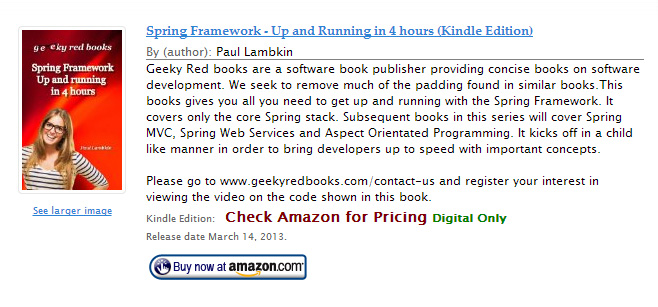

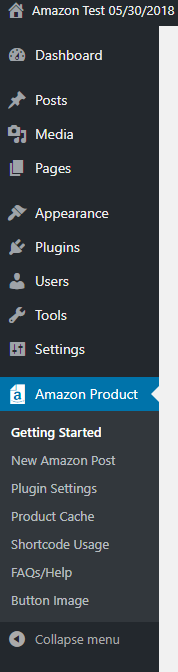
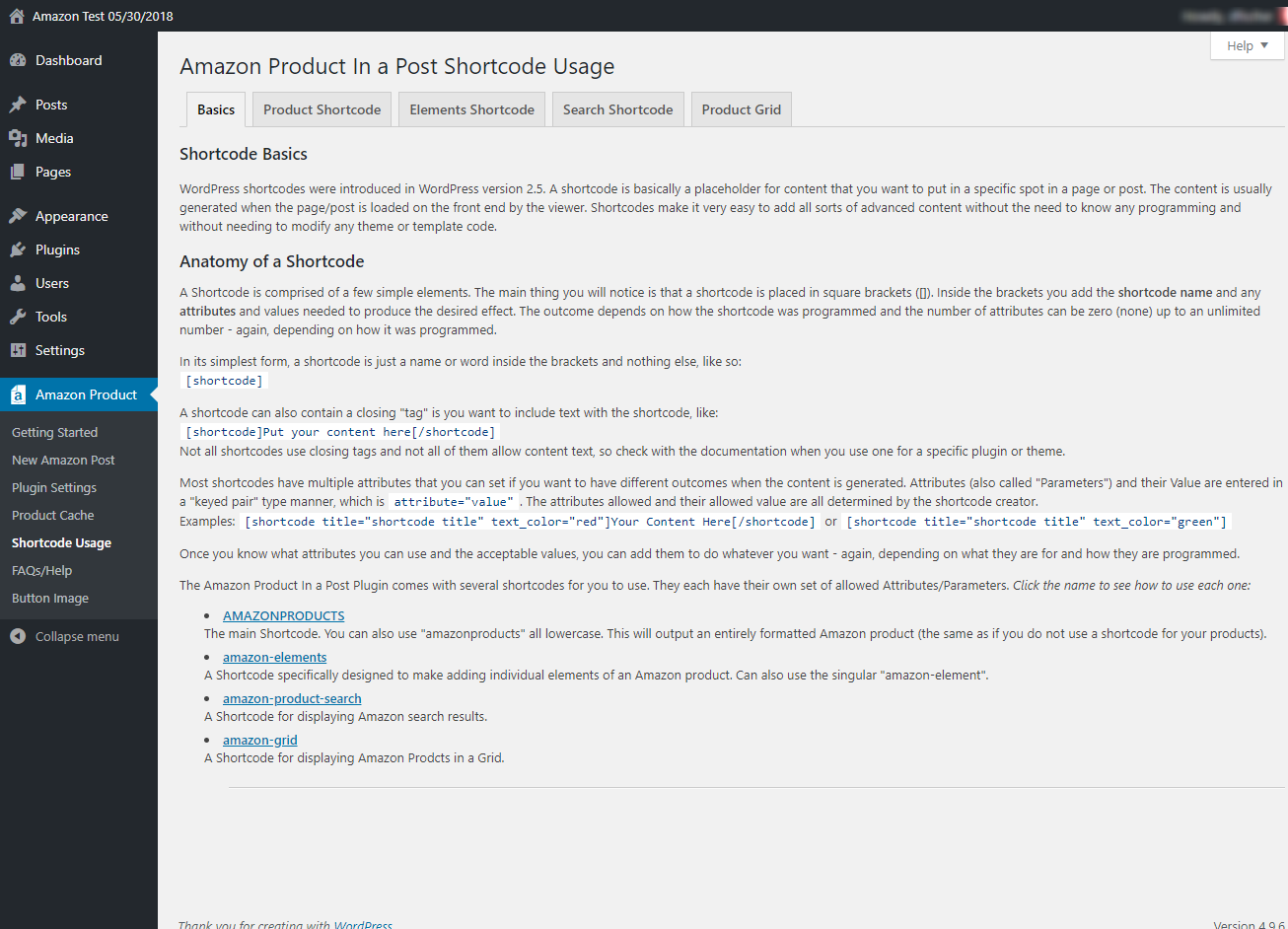
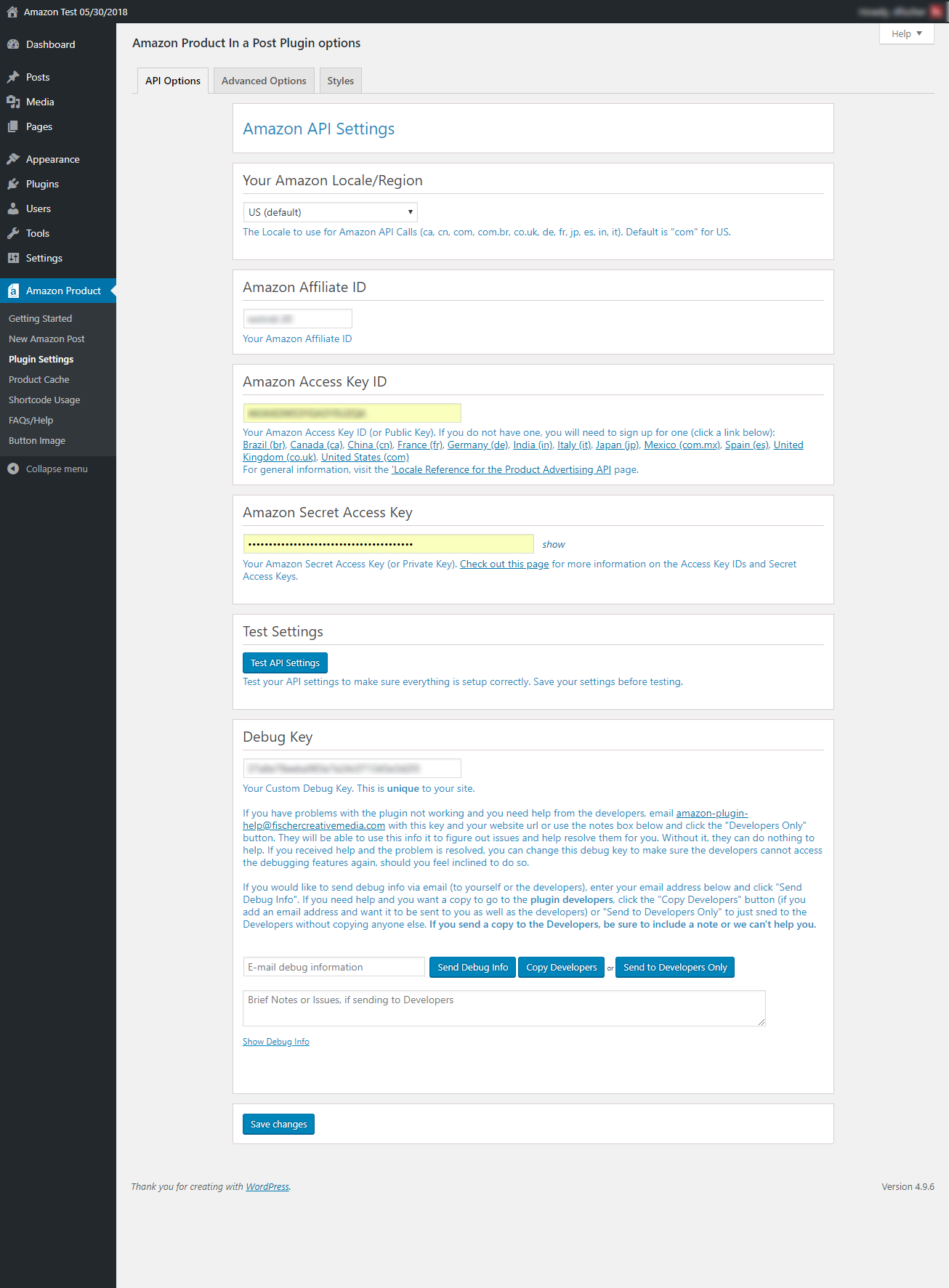
For developers
Is this your plugin? Show off the numbers.
Add a live badge to your site, docs or GitHub README. It updates on its own — no account needed.



Best Amazon Product in a Post Plug… alternatives
All amazon plugins →




FAQ
Amazon Product in a Post Plugin: quick answers
Straight answers, pulled from live WordPress.org data.
Live data from WordPress.org · checked Oct 6, 2026
Is Amazon Product in a Post Plugin free?
Yes. Amazon Product in a Post Plugin is free to download and use from the official WordPress.org plugin directory.
Is Amazon Product in a Post Plugin safe to use in 2026?
Amazon Product in a Post Plugin shows warning signs in 2026 — compare the alternatives below before installing. It runs on 800+ sites, is rated 4.2/5 and was last updated 6 years ago, and scores 40/100 on our health check.
How many websites use Amazon Product in a Post Plugin?
Amazon Product in a Post Plugin is active on 800+ WordPress websites and has been downloaded 224,410 times since it launched in September 2009. It was downloaded 199 times in the last 30 days.
Does Amazon Product in a Post Plugin work with WordPress 7.1?
Amazon Product in a Post Plugin is officially tested up to WordPress 5.6.21, while the latest release is 7.1.2. It may still work, but try it on a staging site first.
What PHP version does Amazon Product in a Post Plugin need?
Amazon Product in a Post Plugin requires PHP 5.6.0 or higher. Most hosts run PHP 8.x today, so it works on any modern WordPress hosting.
When was Amazon Product in a Post Plugin last updated?
The latest version, 5.2.2, was released on February 22, 2021 (6 years ago).
Who makes Amazon Product in a Post Plugin?
Amazon Product in a Post Plugin is developed and maintained by flowdee.
What are the best alternatives to Amazon Product in a Post Plugin?
The most popular alternatives to Amazon Product in a Post Plugin are Advanced Ads (100K+ installs), WP Offload Media Lite for A… (30K+ installs) and Amazon Pay for WooCommerce (10K+ installs).
Powered by PageForge
Want thousands of pages that rank like these? Build them in an afternoon.
This directory runs on the same engine as PageForge. Turn any spreadsheet, CSV or API into thousands of fast, SEO-ready WordPress pages — with schema, internal links and AI-written copy baked in.
- CSV, Google Sheets & API data sources
- AI content, schema & internal links per page
- Works with Elementor, Gutenberg, Yoast & Rank Math
- Free on WordPress.org — no credit card


