


Adminify Activity Log & Audit Trail
Track every change in your WordPress dashboard. Free user activity log with role, time, component, and action filters. No setup, no paid tier.

Use with caution
Adminify Activity Log & Audit T… works, but test it on a staging site before relying on it in 2026. It runs on 200+ sites and was last updated 6 months ago, and scores 48/100 on our health check.
- Small user base (200+ active installs)
- Very few reviews so far
How does it stack up?
Side-by-side on installs, updates, ratings & support



Daily downloads
Download spikes usually follow a new release — each site that auto-updates counts as a download.
Rankings
Where Adminify Activity Log & Aud… stands todayWordPress.org search rankings
Live position in the plugin search, top 100| Keyword | Position |
|---|---|
| Activity Log | #34 |
| audit log | #46 |
| event log | >100 |
| user tracking | >100 |
| wordpress activity log | #46 |
Version adoption
Share of active sites per release.
About Adminify Activity Log & Audit Trail
From the official readme · v1.0.9Description
Adminify Activity Logs: Free WordPress User Activity Log
Adminify Activity Logs records every change made inside the WordPress dashboard. Who did what, when, and from which IP. Built for site owners and agencies who want a clean audit trail without paying for a premium tier or installing a heavy security suite. Everything in this readme is in the free plugin. No locked filters, no upsell modal, no nag screens.
➡️ Explore More | 📖 Documentation | 💬 Support
Why run a WordPress activity log
If you don’t know who deactivated that plugin or deleted that post, you can’t tell a mistake from a security incident. Activity logs answer who-did-what-when. Any WordPress site with more than one person in the dashboard eventually needs one. Agency builds, membership sites, and multi-author blogs all run into the same problem: someone made a change, nobody owns up, and you spend an afternoon working out what happened. An audit trail saves that afternoon.
What Adminify Activity Logs does that the others don’t
- Free with no Pro tier upsell: Every filter, every retention setting, and every detail view ships in the free plugin. Other activity log plugins lock IP tracking or longer retention behind a paid plan.
- Real-time logging: Activities appear in the log as soon as they happen. No cron, no batch delay.
- IP address tracking: Each entry records the source IP. Useful when you’re investigating a login or a change you didn’t expect.
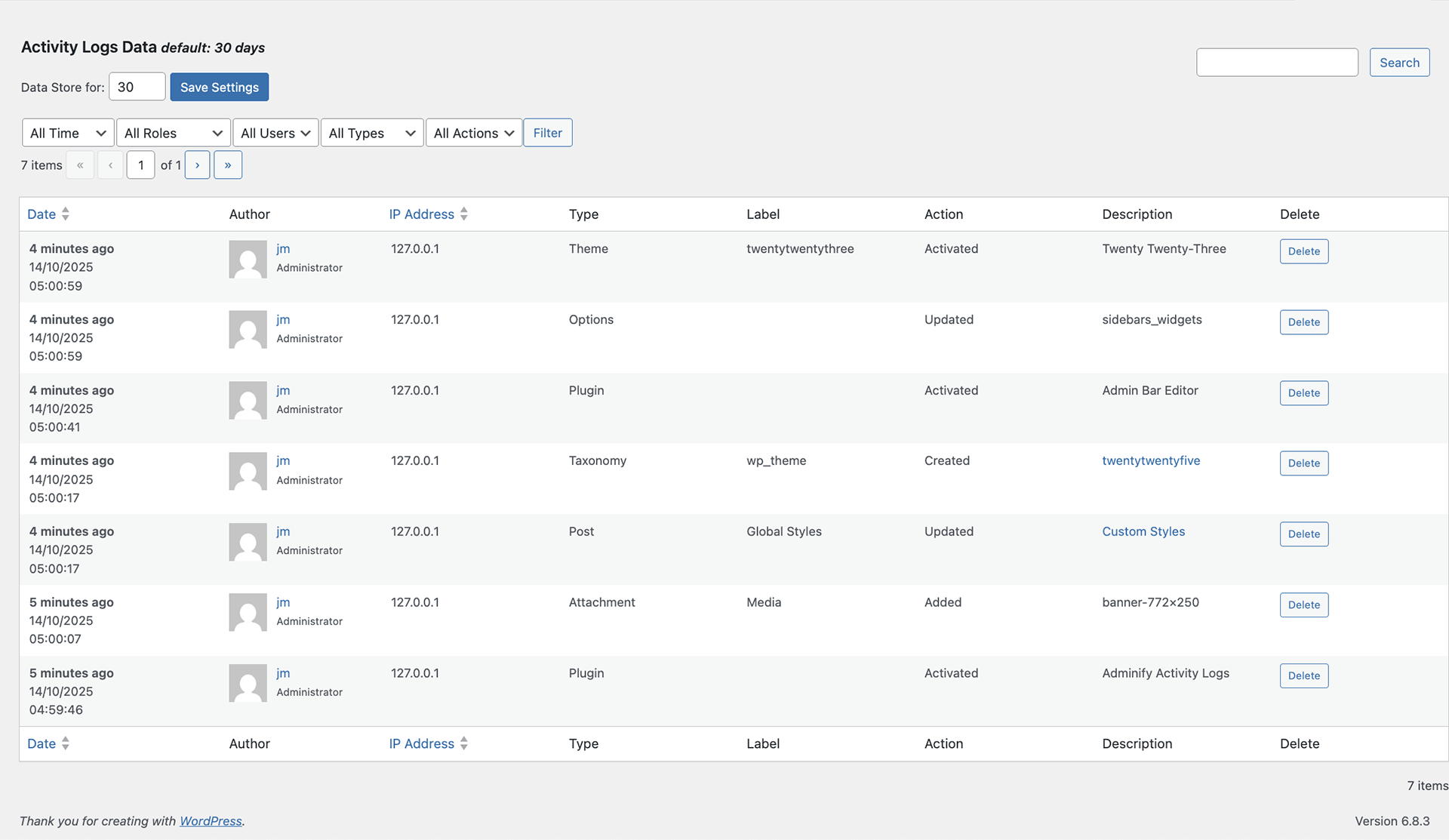
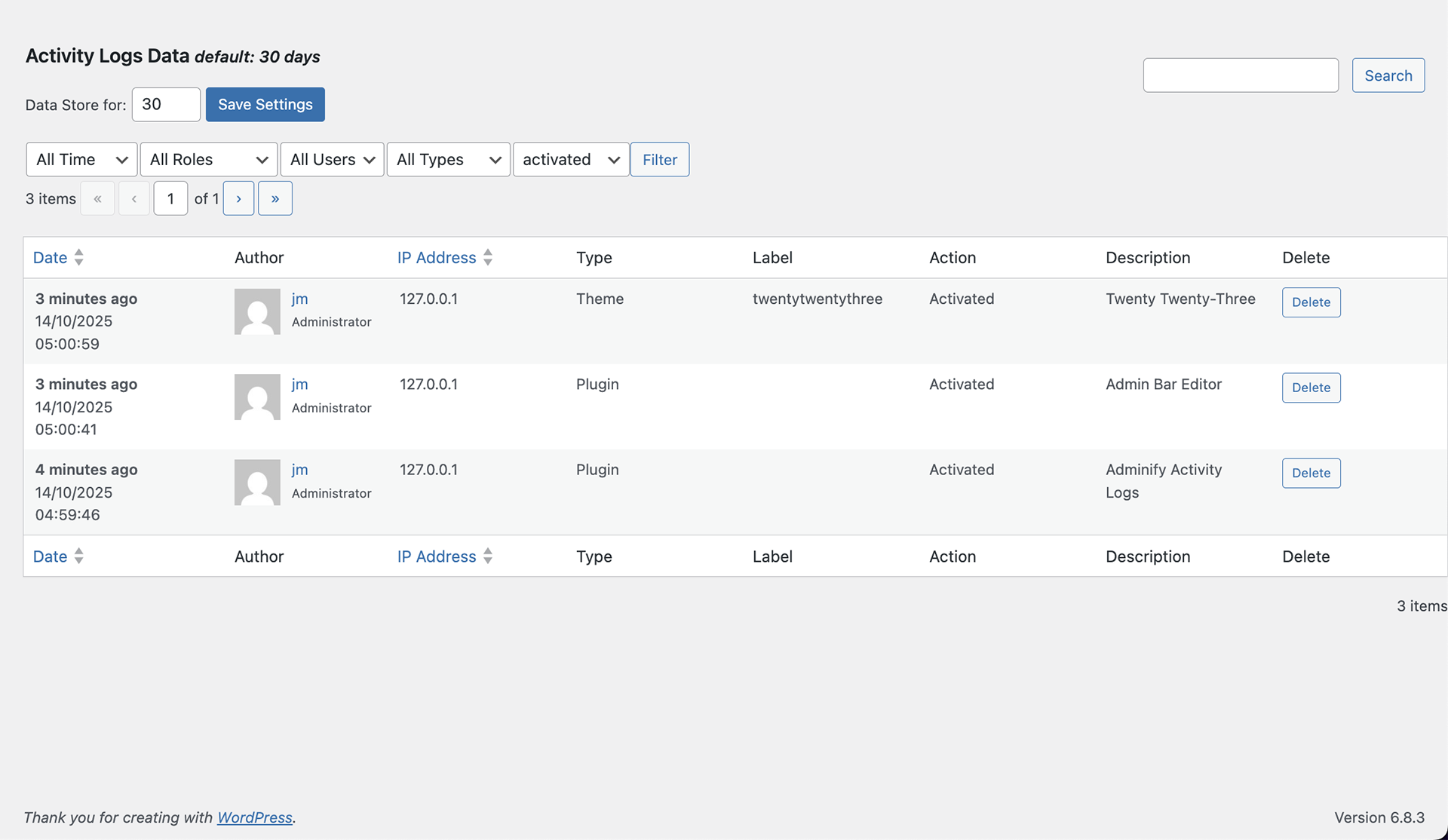
- Time, role, user, component, and action filters: Narrow the log by time frame (today, yesterday, week, month), user role, specific user, WordPress component (Post, Plugin, Theme, etc.), or action type (Updated, Deleted, Activated).
- Configurable retention: Default is 30 days. Bump it up if you need a longer compliance window. Bring it down if database size is tight.
- Searchable records: Find a specific change by user, action, or keyword without scrolling.
- Multisite compatible: Works across WordPress network installations.
- Built by Pixar Labs: Same team that ships WP Adminify, Admin Bar Editor, Master Addons, and Loginfy.
Detailed Feature Breakdown
What gets logged for every entry
- Date: Timestamp when the action happened.
- Author: Username of the person who did it.
- IP Address: Source IP for location tracking.
- Type: Category of the action (post update, plugin installation, etc.).
- Label: Short description of the activity.
- Action: Specific operation (edited, deleted, added, etc.).
- Description: Detailed explanation of the activity.
- Delete control: Remove individual log entries with one click.
Time-frame filters
- All time
- Today
- Yesterday
- Week
- Month
Role-based filters
View activities by user role: Administrator, Editor, Author, Contributor, Subscriber, Customer, Shop Manager, Guest, plus any custom roles registered on the site.
User filters
- All users
- Specific users (select individual users to track)
Component filters
Track activities tied to specific WordPress components:
- Attachments
- Comments
- Options
- Plugin
- Post
- Taxonomy
- Theme
- User
Action types tracked
- Activated
- Added
- Approved
- Created
- Deactivated
- Deleted
- Installed
- Trashed
- Unapproved
- Updated
Configuration options
- Data Retention: Adjust the “Data Store for” value (default 30 days).
- Search & Filter: Filter logs by user, action, or keyword via the search bar.
Common use cases
- Security investigation: Spot unauthorized access attempts and unusual activity.
- Accountability: Know who did what and when across the site.
- Troubleshooting: Trace recent changes when something breaks.
- Compliance: Keep an audit trail for regulatory requirements (GDPR, HIPAA, internal policy).
- Team transparency: Track contributions across multi-author sites.
- Disaster recovery: See what changed in the hours before a problem occurred.
⚡ Upgrade to Adminify Pro to get the full Adminify Pro suite. 60+ admin customization features beyond activity logging: white labeling, menu editor, dashboard widgets, login customizer.
Installation
Automatic installation (recommended)
- Log in to your WordPress dashboard.
- Navigate to
Plugins > Add New. - Search for “Adminify Activity Logs”.
- Install the plugin developed by Pixar Labs.
- Click Activate.
Manual installation
- Download the
adminify-activity-logsplugin ZIP from WordPress.org. - In your dashboard, go to
Plugins > Add New > Upload Plugin. - Upload the ZIP file and click Install Now.
- After installation, click Activate Plugin.
Getting started
- After activation, open Activity Logs in the WordPress dashboard menu.
- The log starts populating immediately. No setup needed.
- Use the filters at the top of the log table to narrow by time, role, user, component, or action.
- Open the plugin settings to adjust the data retention period.
Changelog
Compatibility fix for URL routing conflict with the Loginfy plugin. Recommended for sites running both. ➡️ Upgrade Now
1.0.9 (21-05-2026)
Updated: Plugin Title Update
1.0.8 (21-05-2026)
Added: Recommended suggest plugins options added.
Updated: Performance Improved.
Updated: WordPress 7.0 compatibility checked
1.0.7 (05-02-2026)
- Fixed: URL routing conflict with the Loginfy plugin resolved.
1.0.6 (12-10-2025)
- Fixed: Class missing fatal error resolved.
Screenshots
For developers
Is this your plugin? Show off the numbers.
Add a live badge to your site, docs or GitHub README. It updates on its own — no account needed.
Best Adminify Activity Log & Audit… alternatives
All Activity Log plugins →





FAQ
Adminify Activity Log & Audit Trail: quick answers
Straight answers, pulled from live WordPress.org data.
Live data from WordPress.org · checked Nov 18, 2026
Is Adminify Activity Log & Audit T… free?
Yes. Adminify Activity Log & Audit T… is free to download and use from the official WordPress.org plugin directory.
Is Adminify Activity Log & Audit T… safe to use in 2026?
Adminify Activity Log & Audit T… works, but test it on a staging site before relying on it in 2026. It runs on 200+ sites and was last updated 6 months ago, and scores 48/100 on our health check.
How many websites use Adminify Activity Log & Audit T…?
Adminify Activity Log & Audit T… is active on 200+ WordPress websites and has been downloaded 3,835 times since it launched in May 2025. It was downloaded 229 times in the last 30 days.
Does Adminify Activity Log & Audit T… work with WordPress 7.1?
Adminify Activity Log & Audit T… is officially tested up to WordPress 7.0.8, while the latest release is 7.1.4. It may still work, but try it on a staging site first.
What PHP version does Adminify Activity Log & Audit T… need?
Adminify Activity Log & Audit T… requires PHP 7.0 or higher. Most hosts run PHP 8.x today, so it works on any modern WordPress hosting.
When was Adminify Activity Log & Audit T… last updated?
The latest version, 1.0.9, was released on May 21, 2026 (6 months ago).
Who makes Adminify Activity Log & Audit T…?
Adminify Activity Log & Audit T… is developed and maintained by Pixar Labs.
What are the best alternatives to Adminify Activity Log & Audit T…?
The most popular alternatives to Adminify Activity Log & Audit T… are WP Activity Log (300K+ installs), Activity Log (200K+ installs) and Stream (70K+ installs).
Powered by PageForge
Want thousands of pages that rank like these? Build them in an afternoon.
This directory runs on the same engine as PageForge. Turn any spreadsheet, CSV or API into thousands of fast, SEO-ready WordPress pages — with schema, internal links and AI-written copy baked in.
- CSV, Google Sheets & API data sources
- AI content, schema & internal links per page
- Works with Elementor, Gutenberg, Yoast & Rank Math
- Free on WordPress.org — no credit card


