


Add Customer for WooCommerce
Adds a new checkbox to the orders page to add a new customer/user and links orders to existing accounts

Safe pick
Yes — Add Customer for WooCommerce is a safe, well-maintained plugin to use in 2026. It runs on 1K+ sites, is rated 5/5 and was last updated 2 weeks ago, and scores 86/100 on our health check.
- Actively developed — last update 2 weeks ago
- Tested with the latest WordPress (7.1)
- Momentum — downloads up 65.5% vs the previous 30 days
How does it stack up?
Side-by-side on installs, updates, ratings & support



Daily downloads
Download spikes usually follow a new release — each site that auto-updates counts as a download.
Rankings
Where Add Customer for WooCommerce stands todayWordPress.org search rankings
Live position in the plugin search, top 100| Keyword | Position |
|---|---|
| customer | #9 |
| helper | #19 |
| tools | >100 |
| woocommerce | >100 |
Version adoption
Share of active sites per release.
Rating breakdown
★★★★★★★★★★ 5 from 12 reviews
About Add Customer for WooCommerce
From the official readme · v1.10.1Description
This plugin is designed to simplify the process of creating new users/customers. It’s particularly useful if you receive client orders via phone or email and want to integrate these orders into WooCommerce for stock and order management.
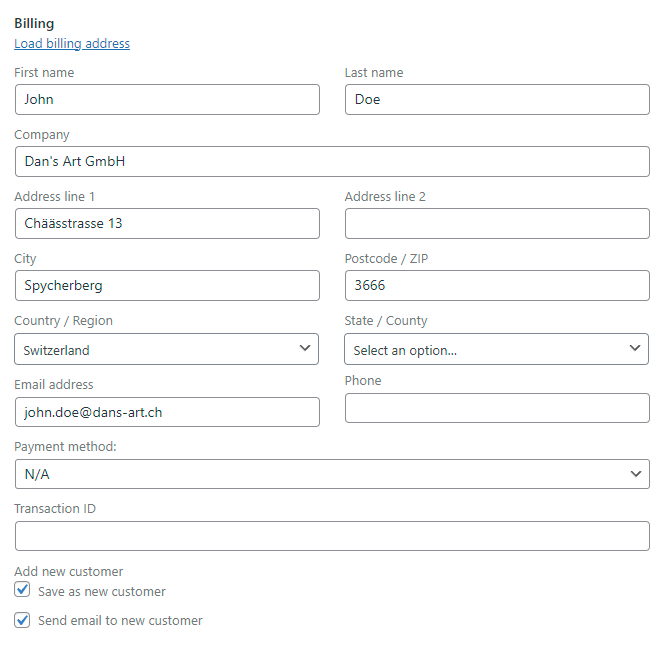
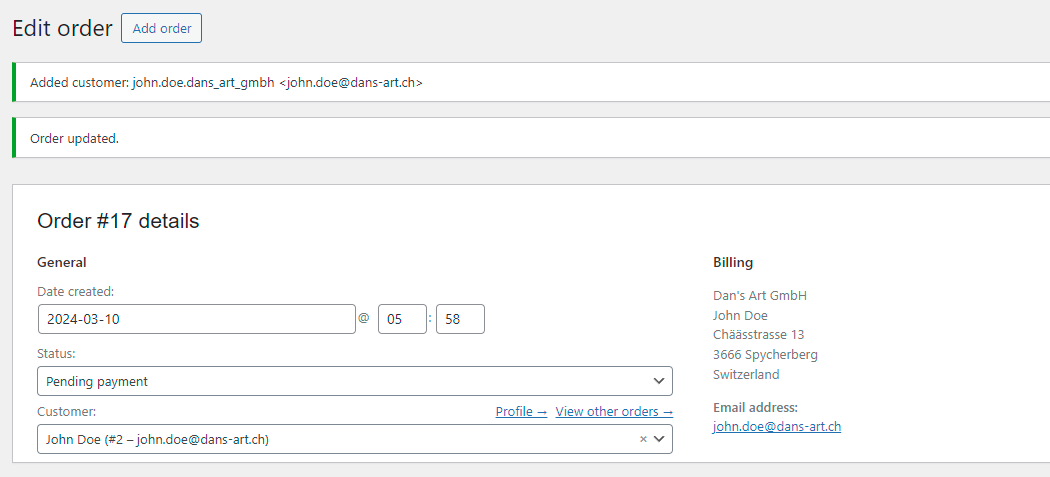
The plugin adds a checkbox at the end of the billing address form. When this box is checked, it creates a new user with the role “customer.” If an email is not provided, the plugin generates a unique one using your site’s domain as the email domain and the customer’s name as the local part (e.g., firstname.lastname@your-site.com). You have the option to customize this auto-generated email format.
Try it out for free with TasteWP:
https://tastewp.com/new?pre-installed-plugin-slug=woocommerce%2Cadd-customer-for-woocommerce
By default, the newly created user does not receive any emails during account creation, though they will probably on order updates.
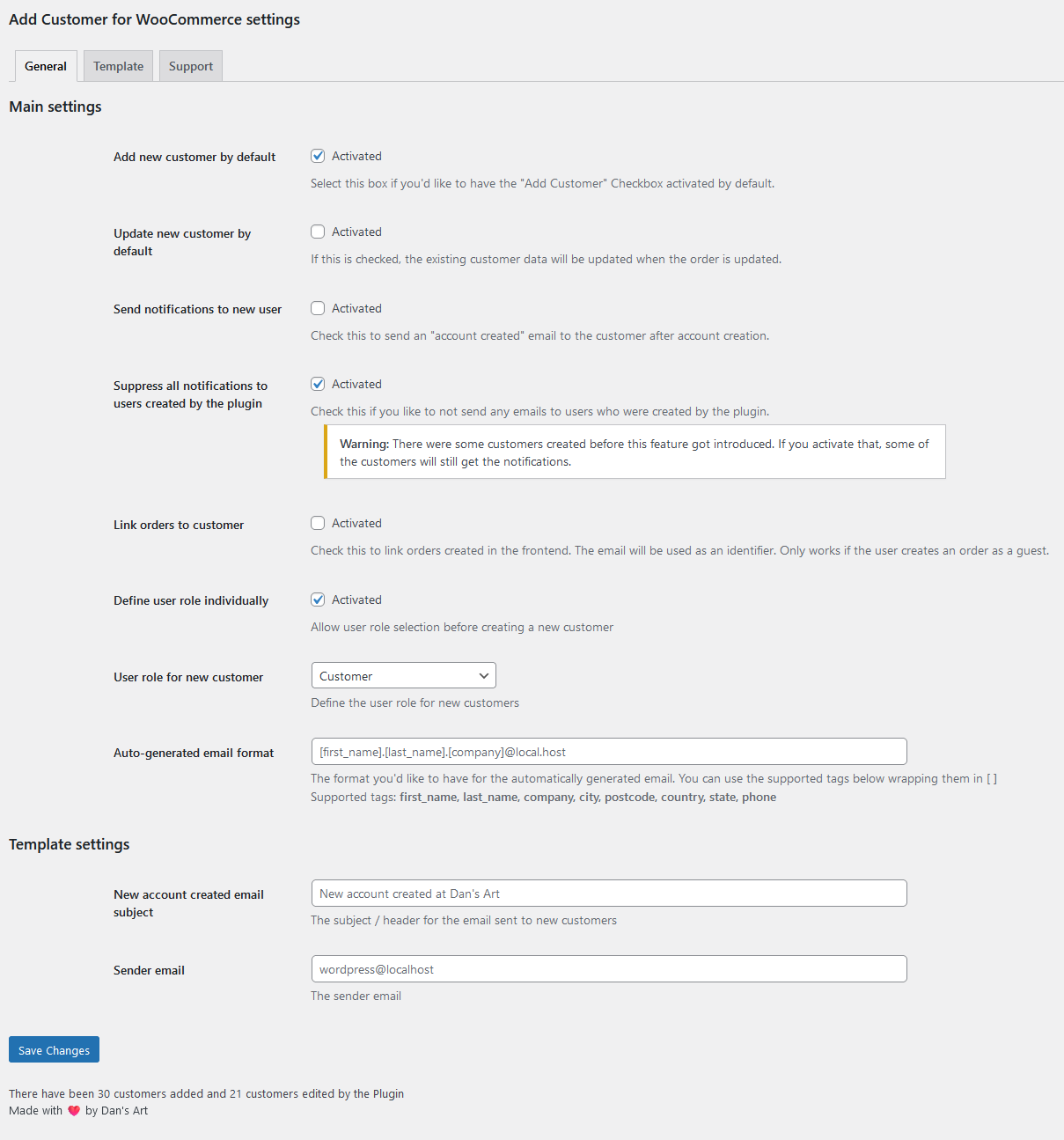
In the settings menu, there are options to:
– Check the box by default
– Send login credentials to the new customer
There are also additional options:
– Update new customer information by default
– Link customer orders
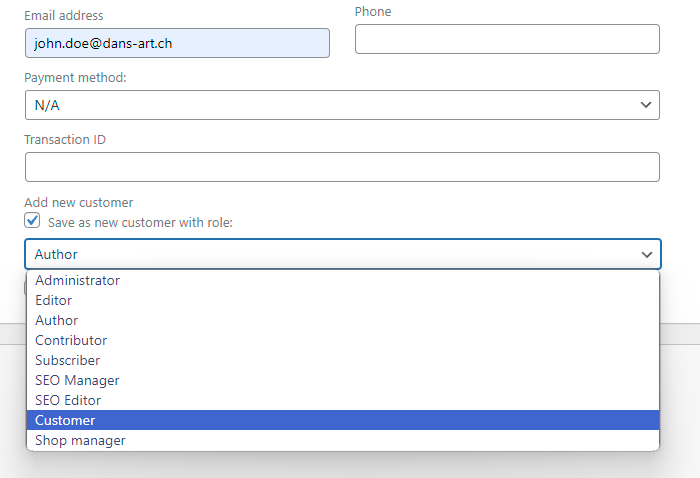
– Define the user role individually
– Set the user role for new customers
– Customize the auto-generated email format
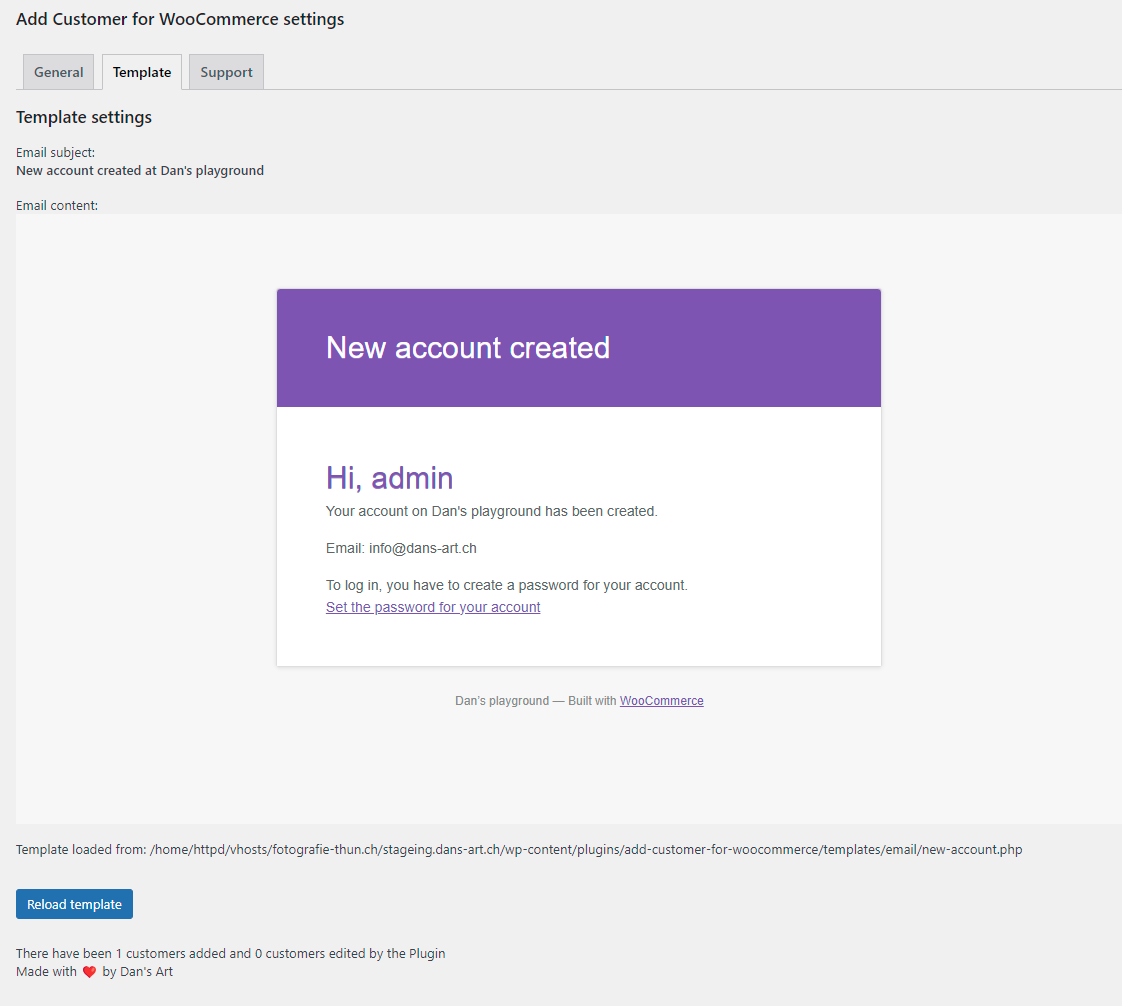
– Edit the email subject for accounts created
– Change the sender’s email address
Settings Menu:
WooCommerce -> Add customer settings
Required Plugins: WooCommerce 4.7.0 or higher
Required PHP extension: Intl
If you like the plugin, please leave some stars or buy me a coffee. Thank you!
Installation
- Upload the plugin files to the /wp-content/plugins/add-customer-for-woocommerce directory, or install the plugin through the WordPress plugins screen directly.
- Activate the plugin through the ‚Plugins‘ screen in WordPress.
- Enjoy
Changelog
Upload the plugin files to the /wp-content/plugins/add-customer-for-woocommerce directory, or update the plugin through the WordPress plugins screen directly.
[1.10.1]
- Fixed: Administrator accounts could be created by shop managers. The administrator role can no longer be assigned to new customers, and users without the “promote_users” capability can only assign the default role set by the admin
- Changed: If the role selection is disabled, the default role set by the admin is always assigned
- Changed: Invalid fake email formats are rejected on save, and the previous format is kept
- Changed: Customer role is always available (Unless removed by filter)
- Fixed: Order save failed with a fatal error if no password reset link could be created
- Fixed: Customers were not created if the generated fake email already existed after converting special characters
- Fixed: Various bugfixes
[1.10.0]
- Added: Option to allow customers created by the plugin to pay for their orders without login
- Added: The verified email is remembered on the payment page, so logged out customers don’t have to enter it again after a failed payment
- Added: Simple History log entry and order note when an order is paid by a logged out customer or by a shop manager on behalf of the customer
- Changed: The “Add new customer” and “Update customer” checkboxes switch depending on the selected customer
- Changed: The text domain is now the plugin slug “add-customer-for-woocommerce” instead of “wac”. The translations are loaded from translate.wordpress.org. Custom translation files have to be placed in wp-content/languages/plugins/ as “add-customer-for-woocommerce-{locale}.mo”
- Fixed: “Settings saved” message was shown on the settings pages of other plugins
- Fixed: Some texts and the JavaScript messages were not translated
- Fixed: The “Created by Add Customer” filter on the users page was applied for any “created_by” value
- Fixed: Escaping of all output and sanitizing of all input, as reported by the Plugin Check
[1.9.6] 2026-05-20
- Added: Creator name and timestamp shown on the edit user screen for plugin-created customers
- Tested up to 7.0
[1.9.5] 2025-02-02
- Fixed: Failed to save customers with very long names
- Fixed: Text overlap on options pages
[1.9.4] 2025-01-17
- Added compatibility for Enhanced Cloudflare Turnstile
- Updated WC Tested up to version
[1.9.3] 2024-12-01
- Fixed: Fatal error when suppressing all emails
- Added TasteWP link
- Updated Support page
Screenshots
For developers
Is this your plugin? Show off the numbers.
Add a live badge to your site, docs or GitHub README. It updates on its own — no account needed.
Best Add Customer for WooCommerce alternatives
All customer plugins →





FAQ
Add Customer for WooCommerce: quick answers
Straight answers, pulled from live WordPress.org data.
Source: WordPress.org
Is Add Customer for WooCommerce free?
Yes. Add Customer for WooCommerce is free to download and use from the official WordPress.org plugin directory.
Is Add Customer for WooCommerce safe to use in 2026?
Yes — Add Customer for WooCommerce is a safe, well-maintained plugin to use in 2026. It runs on 1K+ sites, is rated 5/5 and was last updated 2 weeks ago, and scores 86/100 on our health check.
How many websites use Add Customer for WooCommerce?
Add Customer for WooCommerce is active on 1K+ WordPress websites and has been downloaded 32,347 times since it launched in December 2020. It was downloaded 2,158 times in the last 30 days.
Does Add Customer for WooCommerce work with WordPress 7.1?
Yes. The developer has tested Add Customer for WooCommerce up to WordPress 7.1.5, the latest release. It requires WordPress 5.4.0 or newer.
What PHP version does Add Customer for WooCommerce need?
Add Customer for WooCommerce requires PHP 7.4 or higher. Most hosts run PHP 8.x today, so it works on any modern WordPress hosting.
When was Add Customer for WooCommerce last updated?
The latest version, 1.10.1, was released on November 10, 2026 (2 weeks ago).
Who makes Add Customer for WooCommerce?
Add Customer for WooCommerce is developed and maintained by dansart.
What are the best alternatives to Add Customer for WooCommerce?
The most popular alternatives to Add Customer for WooCommerce are Intercom (5K+ installs), LeadBooster Chatbot by Pipe… (2K+ installs) and Guaranteed Reviews Company… (900+ installs).
Powered by PageForge
One template and a spreadsheet. A real page for every search.
PageForge turns each row of a CSV into a WordPress page with its own title, URL, SEO fields and schema, built on the layout you already designed. Free on WordPress.org.
- CSV and XLSX, plus Google Sheets on Professional and Enterprise
- Its own title, URL, SEO fields and schema for every page
- Works with the block editor, Elementor, Divi and Avada
- Free on WordPress.org, no credit card