AI has become dramatically better at SEO, content analysis and website strategy.
But for most WordPress users, the workflow still feels surprisingly manual.
You open a page.
Copy the content.
Paste it into Claude or ChatGPT.
Explain what the page is supposed to do.
Ask the AI to audit it.
Copy the recommendations.
Return to WordPress.
Make the changes.
Then repeat the process for the next page.
The intelligence improved.
The workflow did not.
That is one reason Model Context Protocol (MCP) is becoming important.
MCP provides a standardized way for AI applications to connect with external systems, data and tools. Instead of forcing you to manually move information between WordPress and an AI assistant, an MCP-enabled workflow can give the AI controlled access to specific capabilities. The official MCP specification describes the protocol as an open standard for integrating LLM applications with external data sources and tools.
With PageForge MCP, that idea can now be applied directly to WordPress.
The goal is straightforward:
Connect WordPress → give AI useful context → expose controlled tools → let AI help with real website work.
This guide explains what WordPress MCP means, how to connect Claude with WordPress through PageForge, how the workflow works, and why this is more significant than simply adding another AI chatbot to your dashboard.
What Is MCP?
MCP stands for Model Context Protocol.
The easiest way to understand MCP is to think of it as a common communication layer between an AI application and another system.
Before MCP, connecting an AI model to multiple tools often meant building separate custom integrations for every service.
One implementation for a CRM.
Another for a database.
Another for WordPress.
Another for project management.
Another for analytics.
MCP introduces a standardized protocol through which servers can expose capabilities to compatible AI clients.
One of the most important concepts is tools.
An MCP server can expose defined tools that a language model may invoke. According to the official MCP specification, these tools allow models to interact with external systems, including calling APIs, querying data or performing other supported operations.
That is very different from simply sending an AI a giant data export.
Instead of saying:
“Here is everything in my WordPress database. Figure it out.”
you can expose specific capabilities such as:
- inspect website information;
- retrieve a page;
- audit SEO data;
- analyze metadata;
- identify problems;
- retrieve supported content;
- execute an approved optimization;
- perform another controlled PageForge action.
This is the architecture that makes MCP especially interesting for WordPress automation.
Why WordPress Is a Natural Fit for MCP
WordPress already has a mature application layer.
The official WordPress REST API allows applications to interact with WordPress by sending and receiving structured JSON data. It is also part of the technology foundation used by WordPress itself for interfaces such as the Block Editor.
WordPress APIs can expose resources including posts and other content, while developers can register additional endpoints and support custom content types.
MCP does not replace this infrastructure.
It adds an AI-oriented tool layer on top of workflows like it.
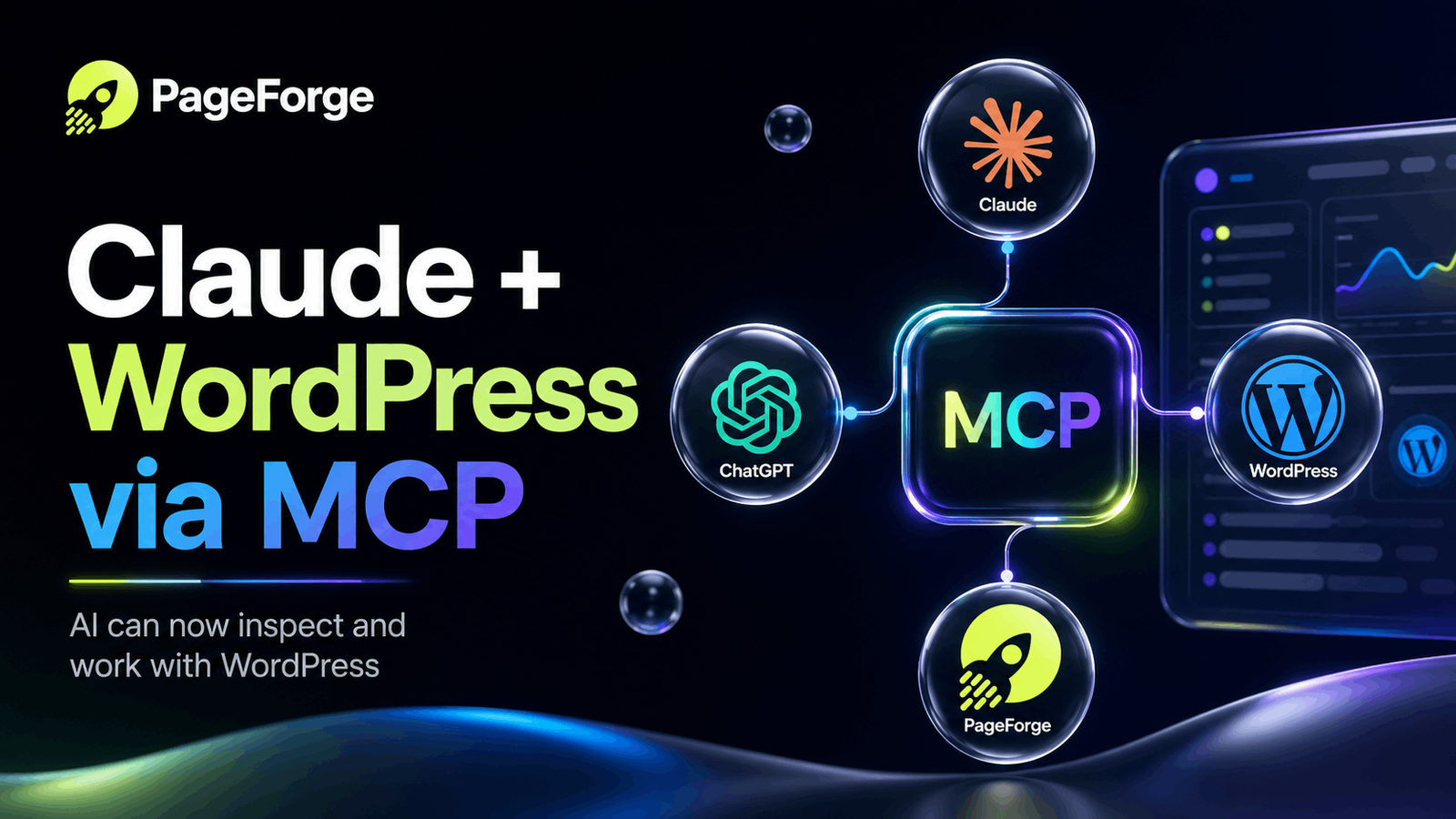
A simplified architecture looks like this:
WordPress
↓
PageForge
↓
MCP tools
↓
Claude / MCP-compatible AI
The AI handles reasoning and natural-language interaction.
PageForge handles WordPress-specific logic and determines what supported capabilities are exposed.
This separation matters.
Claude does not need to understand every WordPress plugin implementation internally.
It needs clearly defined tools that allow it to request the information or action required.
What Is PageForge MCP?
PageForge is a WordPress platform for programmatic SEO, structured content generation and SEO automation.
Its core workflow can transform structured CSV or Google Sheets data into WordPress pages, posts and supported custom post types using reusable templates, dynamic variables, AI-generated content, SEO metadata and related automation.
With its MCP implementation, PageForge adds another layer:
AI interaction with WordPress itself.
PageForge’s current MCP positioning separates the workflow into two broad levels:
PageForge Free can help an AI assistant understand and audit the website.
PageForge Pro can go further by exposing supported actions and SEO fixes.
The important phrase here is supported actions.
The objective is not to hand an AI unrestricted control of WordPress.
The objective is to expose useful, controlled capabilities that an AI can reason about and invoke when appropriate.
That creates a much safer model for AI-operated WordPress workflows.
➡️ Explore PageForge MCP:
PageForge SEO MCP
How to Connect Claude to WordPress Using PageForge MCP
The connection shown in the PageForge MCP demo takes only a few steps.
Step 1: Install and Configure PageForge
Start with PageForge installed on your WordPress website.
You can begin with the free version through the official WordPress plugin directory.
Once activated, open PageForge inside your WordPress dashboard and complete the initial configuration.
If you already use PageForge for programmatic SEO, bulk page generation or AI content workflows, your MCP connection becomes another capability inside the same WordPress environment.
Step 2: Open the PageForge Connections Area
Inside PageForge, navigate to the Connections section.
This is where PageForge provides the details required to connect an external MCP-compatible AI application with your WordPress installation.
Instead of exporting content or repeatedly copying WordPress information into Claude, PageForge becomes the controlled bridge between the two systems.
Conceptually, the workflow changes from:
WordPress → You → Claude → You → WordPress
to:
WordPress ↔ PageForge ↔ MCP ↔ Claude
You are still in control.
But you are no longer acting as the data transfer layer.
Step 3: Copy Your MCP URL
PageForge provides an MCP endpoint for the connection.
Copy the MCP URL from the connector interface.
This step may look simple, but it is one of the most important parts of the workflow.
The URL gives the MCP client a destination through which it can discover and use the capabilities PageForge exposes.
There is no need to manually recreate your WordPress site structure inside every new AI prompt.
Instead, the AI can interact through the connection.
Step 4: Add PageForge as a Claude Custom Connector
Open Claude and navigate to its connector settings.
Claude supports remote MCP custom connectors, allowing compatible external MCP servers to extend what Claude can understand and interact with. Anthropic currently documents remote MCP custom connectors across supported Claude experiences.
Add the PageForge MCP URL as a custom connector.
Claude can then discover the tools exposed by PageForge.
That is where the difference between a normal chatbot and a connected AI workflow becomes clear.
Without MCP, Claude knows only what you type, upload or otherwise place into its context.
With the connector, Claude can potentially call supported PageForge tools when it needs additional WordPress information.
Step 5: Authorize the WordPress Connection
After adding the connector, complete the authorization process.
Security matters enormously here.
MCP includes authorization mechanisms for protected remote servers so clients can make authorized requests rather than requiring unrestricted access. Current MCP authorization documentation builds on OAuth-based flows for protecting resources and operations.
This allows the architecture to follow a better principle:
Give AI the capabilities required for the task—not unrestricted access to the entire system.
For example, an AI that needs to audit WordPress SEO should not require your:
- hosting account password;
- database credentials;
- FTP login;
- server root access.
It should receive controlled access to the capabilities necessary to perform the job.
This principle becomes increasingly important as AI agents move from answering questions toward actually performing work.
Step 6: Confirm What Claude Can Access
Once connected, do not immediately ask Claude to change your website.
Start with discovery.
For example:
Check my WordPress website and tell me what information and tools you can access. Do not make any changes.
This is a useful first prompt because it verifies three things:
- The MCP connection is active.
- Claude can discover the PageForge capabilities.
- You understand the scope of the connection before requesting actions.
This is a good practice for almost any AI-agent workflow.
Before asking:
“Fix everything.”
first ask:
“What can you see?”
Then:
“What problems do you find?”
Then:
“What would you change?”
Only after reviewing the answer should you move into execution.
Step 7: Ask Claude to Audit Your WordPress SEO
Once the connection is working, the workflow becomes genuinely useful.
Try a prompt such as:
Audit my WordPress website for SEO problems. Prioritize the most important issues and explain what should be fixed. Do not make changes yet.
This is fundamentally different from copying a single page into Claude.
The AI can work through the WordPress context and supported PageForge capabilities rather than relying entirely on whichever pieces of information you remembered to paste.
Depending on the tools available through the integration, this can support workflows around areas such as:
- SEO metadata;
- site content;
- page-level issues;
- content quality;
- structural problems;
- optimization opportunities;
- supported PageForge fixes.
The result is a much better starting point for site-wide SEO work.
AI Adviser vs AI Operator
This is the bigger change MCP introduces.
Most AI SEO workflows today work like this:
AI adviser
Human: What is wrong?
AI: Here are 12 things you should fix.
Human: Manually fixes all 12.
The AI performed the analysis.
The human performed nearly all the operational work.
MCP creates the foundation for a different model.
AI operator
Human: Audit the website.
AI: These are the highest-priority issues.
Human: Prepare the fixes.
AI: Here is what I propose.
Human: Approves.
AI + PageForge: Execute supported actions.
That is a major shift.
It changes AI from being only an information generator into a potential interface for operating software.
Anthropic describes connectors as a way for Claude to understand and take action in connected tools, which is exactly the broader direction this architecture enables.
Why Human Approval Still Matters
AI automation should not mean uncontrolled automation.
For production websites, a strong workflow should look more like this:
1. Inspect
The AI retrieves enough context to understand the current website.
2. Analyze
It identifies problems and opportunities.
3. Prioritize
Not every issue deserves immediate action.
The AI should separate critical problems from low-impact recommendations.
4. Propose
Before modifying anything important, show the intended change.
5. Approve
A human confirms the operation.
6. Execute
PageForge performs the supported action.
7. Verify
The system confirms that the desired state was actually achieved.
This model combines AI speed with human accountability.
That becomes especially important when optimizing hundreds or thousands of pages.
Where MCP Gets Interesting for Programmatic SEO
PageForge was originally built around scaling WordPress SEO through reusable systems.
Instead of manually creating hundreds of location or service pages, programmatic SEO uses structured data and reusable templates to create targeted pages efficiently.
PageForge can turn sources such as CSV data or Google Sheets into WordPress content with dynamic fields, SEO metadata, schema and related automation.
MCP adds a reasoning layer above this infrastructure.
Imagine combining:
structured data
reusable WordPress templates
programmatic page generation
AI auditing
AI-assisted optimization
controlled execution
That creates a much larger automation loop.
Instead of generating 1,000 pages and manually checking them individually, the long-term workflow can become:
Generate → Audit → Prioritize → Improve → Verify
with AI participating throughout the process.
➡️ Read the full guide:
Programmatic SEO for WordPress
Practical WordPress MCP Use Cases
MCP is not valuable because the acronym is new.
It is valuable when it removes repetitive work.
Here are several workflows where WordPress MCP becomes particularly interesting.
Site-Wide SEO Auditing
Instead of manually exporting information from multiple WordPress screens, ask the AI to inspect the supported website context and identify priority issues.
Metadata Optimization
Review titles and meta descriptions across groups of pages and identify weak, missing or poorly aligned metadata.
With supported Pro actions, the workflow can move beyond suggestions toward controlled implementation.
Content Analysis
Ask AI to evaluate whether important pages properly address their intended topics and search intent.
Programmatic SEO Quality Control
Generate large numbers of targeted pages, then use AI-assisted auditing to identify weak outputs or anomalies requiring attention.
Agency SEO Operations
An agency could potentially connect supported client sites and use natural-language workflows to inspect issues rather than manually navigating dozens of WordPress installations for every task.
Local SEO
Programmatic local landing pages can be generated systematically and then audited for quality, metadata and content consistency.
Custom Post Types
WordPress is often used for directories, real estate, products, listings, jobs and other structured content beyond ordinary posts and pages.
The WordPress REST API itself can be extended to work with custom content types, making controlled AI workflows especially interesting for these types of installations.
MCP Does Not Mean “Give AI Your Website Password”
This misunderstanding is worth addressing.
Connecting an AI to WordPress through a controlled MCP server is not the same architectural idea as giving a chatbot your WordPress administrator username and password.
A well-designed tool layer should expose specific capabilities with explicit permissions.
That is important for security.
It is also important for predictability.
The AI should know:
- which tools exist;
- what each tool does;
- what information it requires;
- what result it returns;
- whether it reads or changes something.
MCP tools are defined with metadata and schemas so compatible clients can understand how they should be invoked.
This structured approach is far preferable to telling an autonomous browser agent to randomly click through a production WordPress dashboard.
What This Means for the Future of WordPress
WordPress has historically evolved through different interfaces.
First, humans interacted almost entirely through administrative screens.
Then APIs allowed applications to interact with WordPress programmatically.
Now AI creates another interface:
natural language.
You may increasingly be able to say:
“Find my pages with weak metadata.”
or:
“Audit the service pages published this month.”
or:
“Show me which pages need internal links.”
or:
“Prepare improved titles and descriptions, but let me approve them before publishing.”
The user no longer needs to know where every individual setting lives.
The AI interprets intent.
The connected tool performs the specialized operation.
That does not eliminate the WordPress dashboard.
It creates an additional operating layer above it.
And for websites with hundreds or thousands of pages, that layer can become extremely valuable.
Getting Started With PageForge MCP
If you want to test the workflow yourself, there are several ways to start.
Download PageForge Free
Install PageForge directly from WordPress.org:
The current WordPress.org listing describes PageForge as an AI-powered programmatic SEO and bulk page generator for WordPress, alongside its expanding SEO MCP capabilities.
Explore PageForge MCP
Read more about the current MCP implementation:
Upgrade to PageForge Pro
For advanced PageForge functionality and supported action-oriented workflows:
Learn Programmatic SEO
If your primary goal is scaling landing pages, local SEO pages or structured campaigns:
Read the Programmatic SEO WordPress Guide
Final Thoughts
AI has already changed how we create content.
MCP may change how AI interacts with the software where that content actually lives.
That difference is significant.
The old workflow was:
Ask AI → receive answer → manually perform the work.
The emerging workflow is:
Connect → inspect → reason → approve → execute → verify.
For WordPress SEO, this could remove a huge amount of repetitive operational work.
The value is not that Claude can magically “run WordPress.”
The value is that WordPress can expose controlled, purpose-built tools to an AI capable of understanding what you are trying to accomplish.
That creates a much more practical model for AI automation.
And it is exactly the direction we are building toward with PageForge.
Ready to connect AI with your WordPress workflow?
🆓 Download PageForge Free
⚡ Get PageForge Pro
🔌 Explore PageForge MCP
Frequently Asked Questions
What is WordPress MCP?
WordPress MCP generally refers to connecting WordPress capabilities to an MCP-compatible AI application through a Model Context Protocol server. MCP provides a standardized way for AI clients to access external context and tools.
Can Claude connect to WordPress?
Yes, when WordPress functionality is exposed through a compatible integration such as PageForge MCP. Claude supports custom remote MCP connectors.
What can Claude do with PageForge MCP?
PageForge currently positions the Free workflow around understanding and auditing the WordPress website, while Pro can expose supported SEO and website actions. Available capabilities should always be verified within the current PageForge connection interface.
Is MCP the same as the WordPress REST API?
No. The WordPress REST API is an application interface for interacting with WordPress data and functionality. MCP is a protocol designed to connect AI applications with external context and tools. An MCP implementation can use WordPress APIs and plugin-specific logic underneath its AI-facing tool layer.
Is WordPress MCP secure?
Security depends on the implementation. MCP includes authorization standards for protected HTTP-based servers, and a well-designed WordPress integration should expose only required capabilities rather than unrestricted site credentials or administrator access.
Do I need PageForge Pro to try MCP?
PageForge currently states that its Free MCP workflow can help AI understand and audit a website, while Pro extends the model into supported fixes and actions.