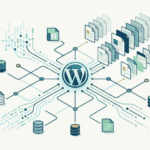



Ranking on Google does not have to take months when the strategy is built correctly. In this live PageForge case study, I show how I used AI-powered programmatic SEO to create, optimise, publish, and start ranking across 200+ keyword opportunities within 24 hours.
This is not theory. This is a real workflow showing how PageForge can help you move faster than manual SEO by creating scalable, search-ready WordPress pages using structured content, AI, internal linking, and smart keyword targeting.
If you run an agency, local business, SaaS product, directory website, service business, or niche WordPress site, this guide will show you how to use PageForge to build ranking opportunities at scale without manually creating every single page one by one.
What This Live Ranking Test Is About
The goal of this test was simple: prove how fast a properly planned programmatic SEO campaign can create ranking signals when the right pages, keywords, structure, and internal links are published together.
Instead of writing one blog post and waiting, the PageForge workflow focuses on building multiple keyword-focused pages from a reusable template. Each page targets a specific search intent, location, service, product variation, comparison, or long-tail keyword.
Why Ranking on 200+ Keywords Matters
Most businesses chase only one or two highly competitive keywords. The smarter approach is to target hundreds of long-tail keywords where the intent is clearer and the competition is lower.
- Service plus city keywords
- Product plus use case keywords
- Industry-specific landing pages
- Comparison keywords
- Problem-based search terms
- Local SEO pages
- Niche buyer-intent keywords
The 24-Hour PageForge SEO Workflow
1. Start with Keyword Clustering
Before generating pages, you need to understand what keywords you want to target and how they should be grouped. A proper keyword cluster helps you avoid duplicate pages and makes sure every page has a unique purpose.
2. Build One Strong SEO Template
The template is the foundation of the entire campaign. A strong PageForge template should include a keyword-focused H1, clear intro, dynamic content, internal links, FAQs, trust signals, and a conversion-focused CTA.
3. Use AI to Create Unique Content at Scale
AI should not be used to create thin, generic content. The correct way to use AI is to combine it with structured data, clear prompts, keyword intent, and page-specific variables.
4. Add Internal Links Before Publishing
Every generated page should link to main service pages, related location pages, relevant blog posts, pricing pages, and conversion pages. This improves crawlability and helps Google understand your site structure.
5. Publish with Clean URLs
Clean URLs help both users and search engines understand the page before they click.
- /services/service-name-city/
- /locations/city-service/
- /compare/tool-one-vs-tool-two/
- /seo/keyword/
What “Ranking in 24 Hours” Really Means
When we say “ranking in 24 hours”, it does not mean every page will instantly rank number one for every keyword. SEO does not work like that.
It means your pages can start getting indexed, discovered, and ranked for long-tail keyword opportunities much faster when the structure, content, internal links, and publishing workflow are done correctly.
Why PageForge Makes This Possible
Manual SEO is slow because every page requires research, writing, formatting, optimisation, publishing, and internal linking. PageForge helps you generate SEO pages in bulk using templates, variables, data, and AI-assisted content.
Best Use Cases for This Strategy
Local SEO Businesses
Create service pages for multiple cities and locations.
Agencies
Create landing pages for different industries, services, and regions.
Ecommerce Stores
Create pages for product variations, buying guides, categories, and long-tail product searches.
SaaS Companies
Create comparison, alternative, use-case, and industry pages.
How to Copy This Workflow
- Choose one niche, service, product, or keyword category.
- Build a keyword list of 100 to 300 long-tail opportunities.
- Group the keywords by intent.
- Create a clean dataset with variables.
- Build one strong PageForge template.
- Add dynamic headings, content blocks, FAQs, and CTAs.
- Generate your pages.
- Review quality before publishing.
- Publish pages with clean URLs.
- Submit your sitemap.
- Track indexing and ranking movement.
- Improve pages that start getting impressions.
Final Result: Faster SEO Execution with PageForge
The biggest advantage of PageForge is not just page generation. The real advantage is execution speed. SEO rewards consistency, structure, relevance, and coverage. PageForge helps you create that coverage faster.
Ready to try it? Start using PageForge and create your first AI-powered SEO page campaign today.
FAQs About Ranking in 24 Hours with PageForge
Can I really rank in 24 hours with PageForge?
PageForge can help you create and publish SEO-ready pages quickly. Some pages may start getting indexed or ranking signals within 24 hours depending on site authority, keyword competition, content quality, internal linking, and crawl speed.
How many keywords should I target?
Start with 100 to 300 long-tail keywords. This gives you enough scale to test the strategy without creating an unmanageable campaign.
Is programmatic SEO safe?
Programmatic SEO is safe when pages are useful, unique, and built for real search intent. Avoid duplicate, thin, or spam-style pages.
Who should use PageForge?
PageForge is useful for agencies, local businesses, SaaS companies, ecommerce stores, directories, affiliate websites, and service providers that want to create SEO pages at scale.