



Video Gallery – YouTube Gallery, Playlist & Video Grid
Responsive YouTube gallery, playlist, and video grid builder. Curate YouTube videos into beautiful grids, blocks, or playlists, no coding required.

Solid choice
Video Gallery is a solid plugin choice in 2026, with a few things worth checking first. It runs on 2K+ sites, is rated 4.9/5 and was last updated 2 weeks ago, and scores 77/100 on our health check.
- Loved by users — 4.9/5 from 128 reviews
- Actively developed — last update 2 weeks ago
- Tested with the latest WordPress (7.1)
How does it stack up?
Side-by-side on installs, updates, ratings & support



Daily downloads
Download spikes usually follow a new release — each site that auto-updates counts as a download.
Rankings
Where Video Gallery stands todayWordPress.org search rankings
Live position in the plugin search, top 100| Keyword | Position |
|---|---|
| playlist | #10 |
| video gallery | #30 |
| video grid | #6 |
| youtube | #12 |
| youtube gallery | #12 |
Version adoption
Share of active sites per release.
Rating breakdown
★★★★★★★★★★ 4.9 from 128 reviews
About Video Gallery
From the official readme · v4.1.0Description
Turn your YouTube videos into a professional video hub. Build visually in the block editor, or use shortcodes if that’s your workflow.
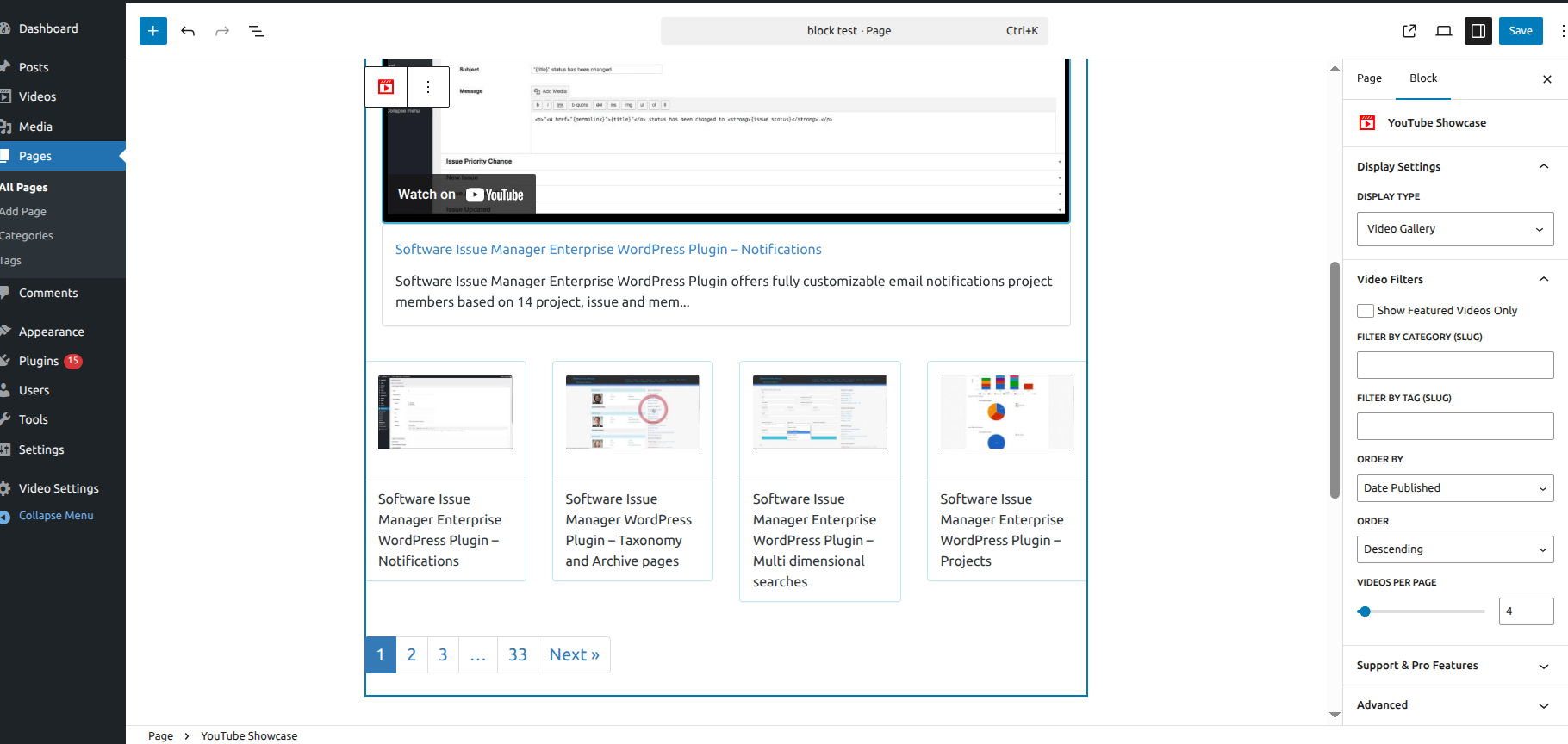
Video Gallery & Playlist for YouTube (YouTube Showcase) is rated 4.9 out of 5 stars across 128 reviews and is featured in WPBeginner’s Best YouTube Video Gallery Plugins roundup. The Visual Block lets you design grids and playlists directly in the Block Editor with a real-time preview in the sidebar — change a setting and see the result instantly, without saving and refreshing.
Whether you’re a creator, blogger, or marketer, this plugin displays your YouTube content in responsive, mobile-ready layouts in a few clicks.
🔗 Quick Links
- Live Demo Site – See it in action.
- WPBeginner Featured Review – Rated as a top choice.
- Documentation – Easy step-by-step setup guides.
🚀 Key Features
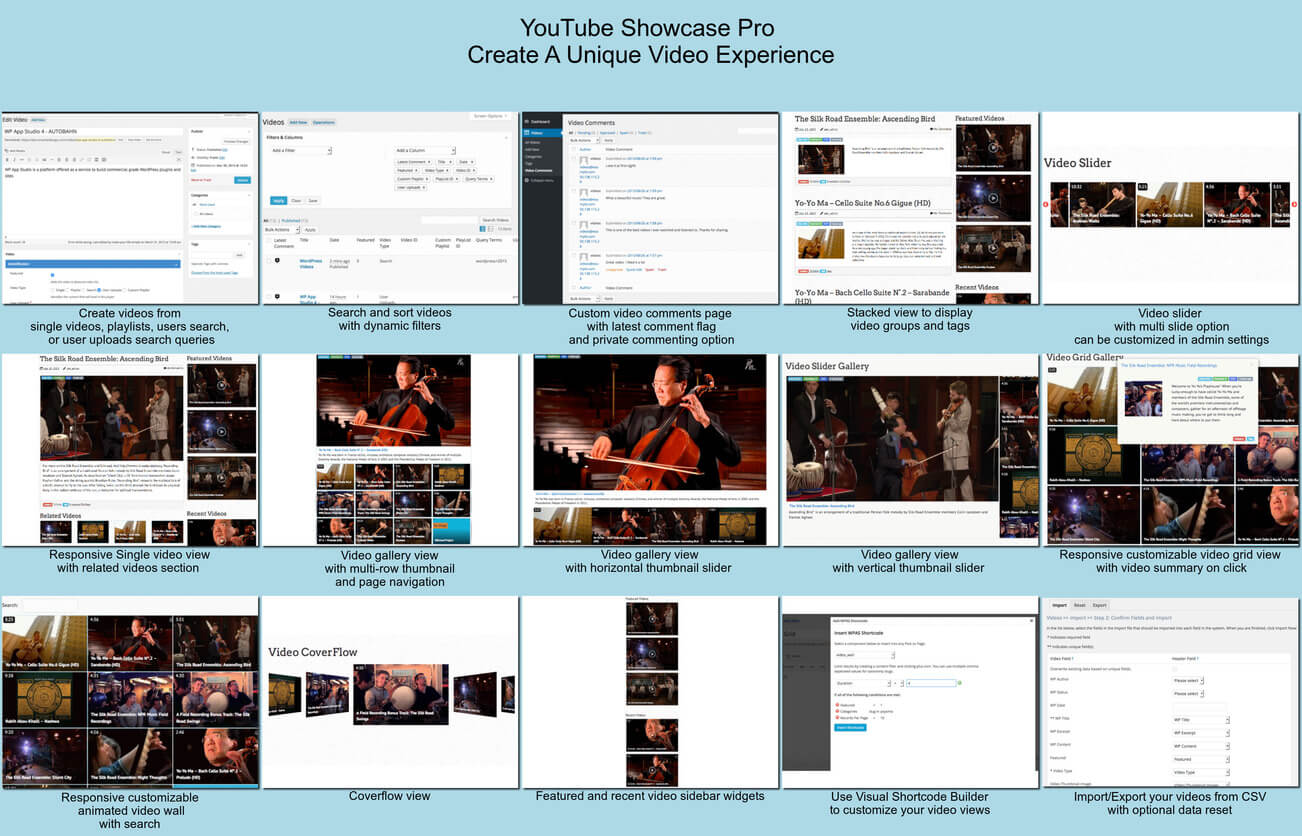
- Visual Block Builder — pick your videos and watch the gallery update live in the sidebar, no save-and-refresh needed
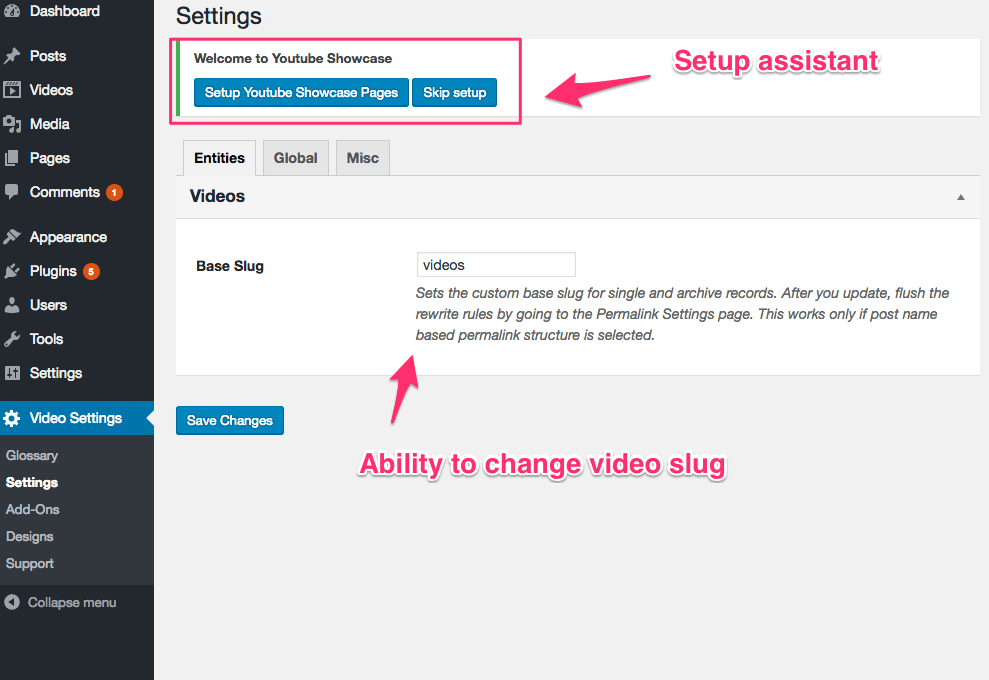
- Optional Setup Assistant — creates ready-to-use gallery and grid pages in one click
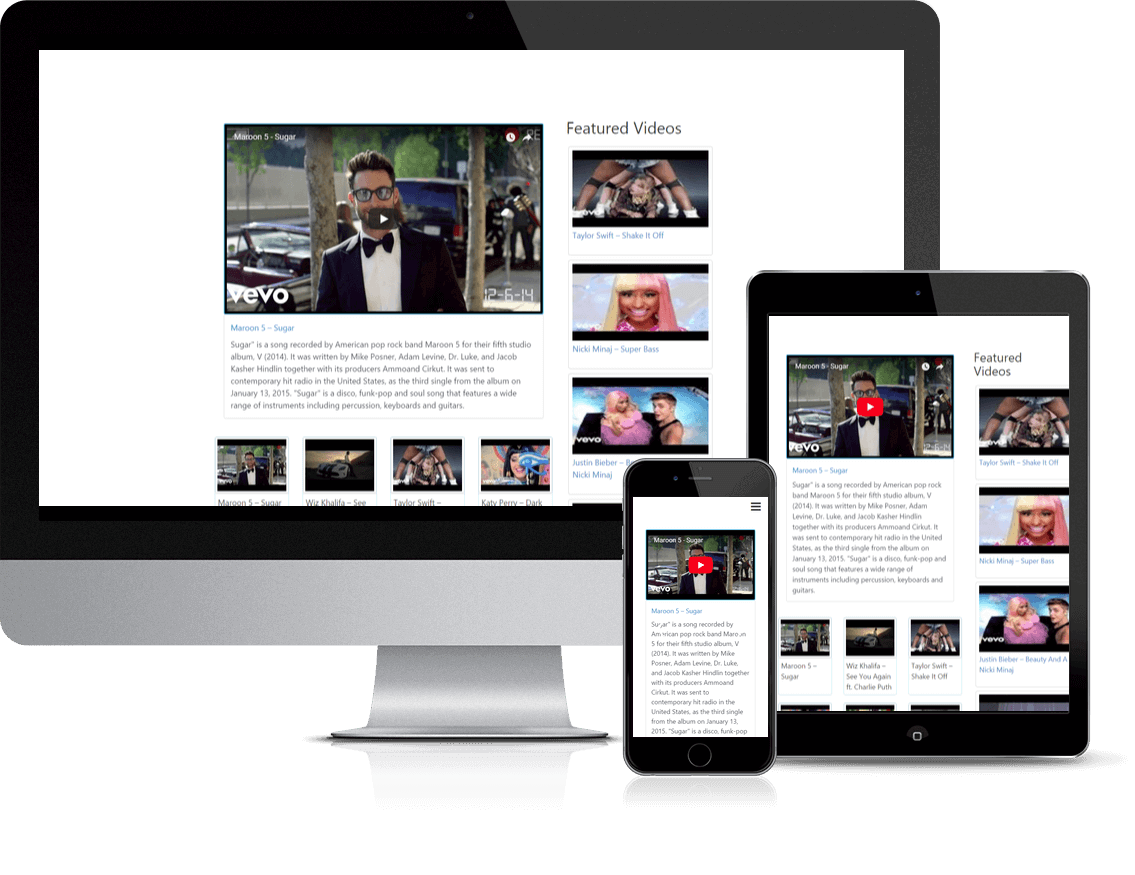
- Cinematic Playlists — a large featured player with thumbnail navigation below it
- Responsive Video Grids — 4-column layouts that adjust automatically for mobile and tablet
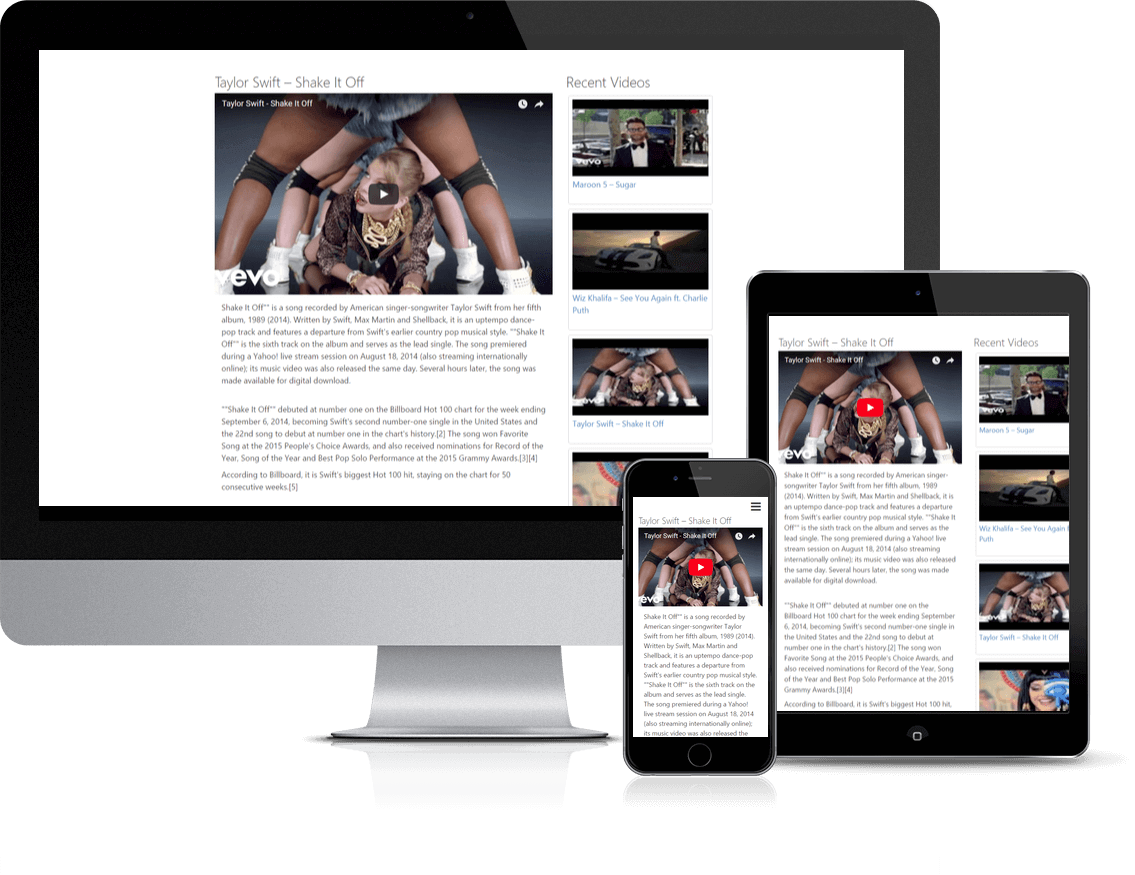
- Automated Video Pages — every video gets its own SEO-optimized page with WordPress comments enabled
- Lightweight Code — built to keep your page speed high
- Full Customization — set thumbnail quality (16:9 or 4:3) and adjust video URL slugs for your own branding
- Shortcode Support — build galleries with classic shortcodes if you don’t use the block editor
Getting Started & Details
How to Add Videos
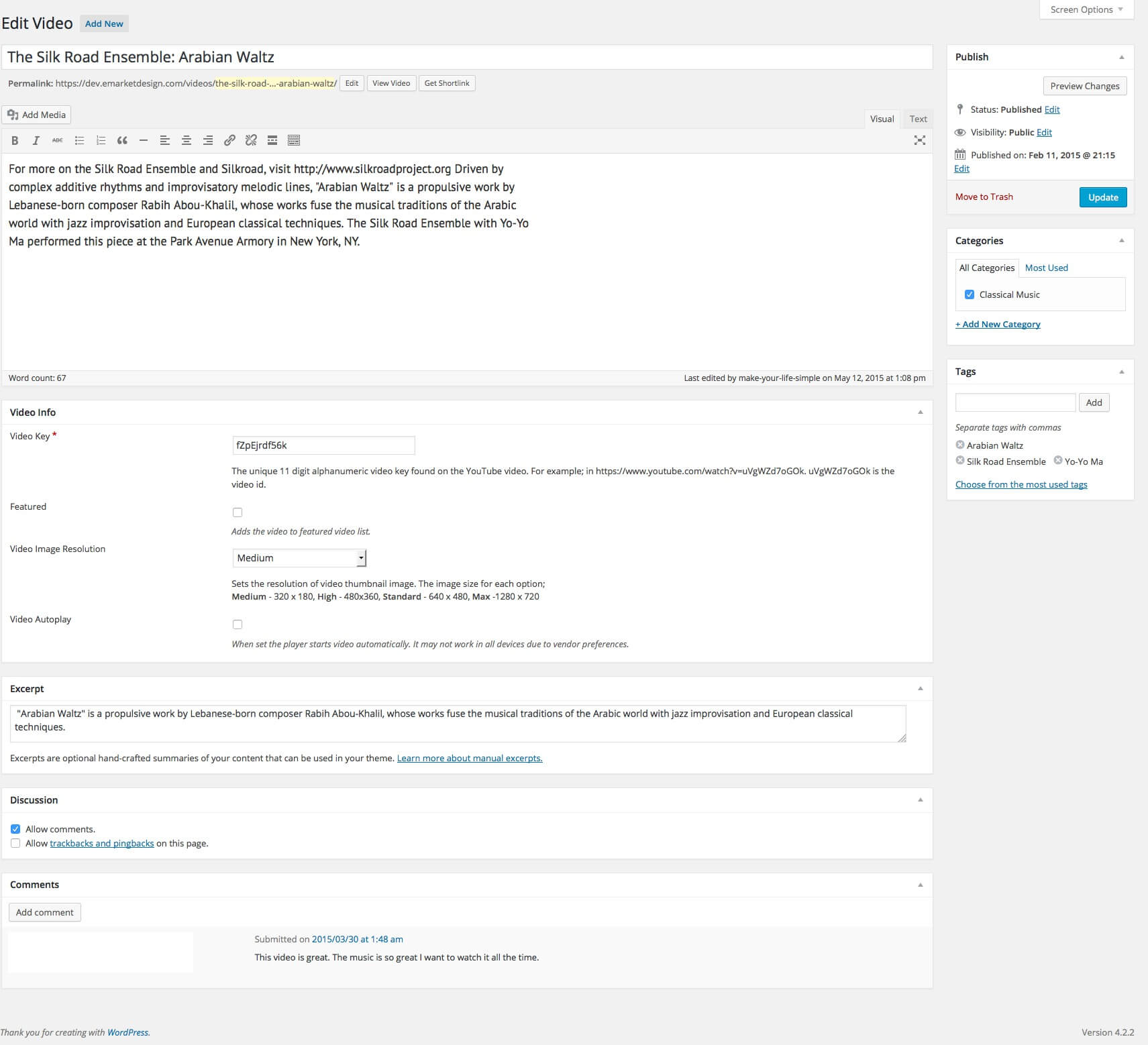
The plugin uses the YouTube Video ID, the 11-character string at the end of a YouTube URL.
Example: for youtube.com/watch?v=9K4uBRkFJEU, the ID is 9K4uBRkFJEU. Enter that ID in the video editor and the plugin fetches the rest.
Built-in Layouts
If you run the Optional Setup Assistant, it creates two ready-to-use pages:
1. YouTube Video Gallery — a main player with thumbnail navigation below it
2. YouTube Video Grid — a 4-column responsive layout
Customization Tips
- Thumbnail Quality — switch between 16:9 and 4:3 to match your site’s design
- Content & Excerpts — add custom text per video; the full text shows on the single video page, the excerpt shows below the main video in the gallery view
Get More with YouTube Showcase Pro
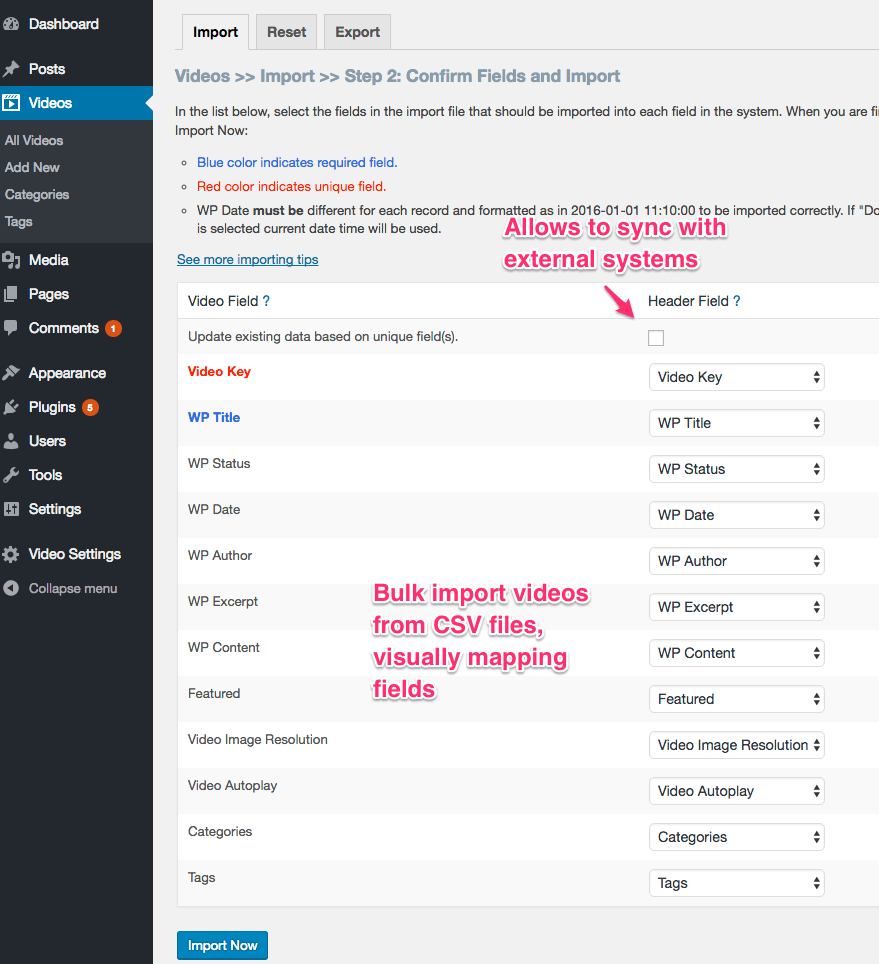
- Auto-sync entire YouTube channels or playlists, no manual adding
- Lightbox popup player — videos open without leaving the page
- Filter and search videos by category or tag on the frontend
- Masonry, Coverflow, and additional grid layouts
- 40–65% faster page loads from optimized embed loading
👉 Upgrade to YouTube Showcase Pro
Technical Foundation
This plugin was developed using the WP App Studio design and development platform, ensuring a modular and maintainable code structure that follows WordPress standards.
Installation
- Upload the
youtube-showcasefolder to the/wp-content/plugins/directory. - Activate the plugin through the ‘Plugins’ menu in WordPress.
- Use the Optional Setup Assistant to automatically create your core gallery pages, or skip to build manually.
- To build manually: Go to any Page/Post, click (+), and search for “YouTube Showcase” to start building visually!
Frequently asked questions
How do I add videos?
The plugin creates a “Video” menu in your dashboard. Simply enter the 11-character YouTube Video ID (e.g., 9K4uBRkFJEU), and the plugin handles the rest.
Does this work with the new Block Editor?
Yes! Version 4.0.0 is built specifically for the Block Editor. Search for the YouTube Showcase block to design your galleries visually.
Do I need to use the block editor, or can I still use shortcodes?
Either works. The block gives you a live visual preview, but classic shortcodes are still supported if that’s how your site is set up.
Can I display a full channel or playlist?
In this free version, you can curate your channel content manually using categories. For automatic syncing of entire channels or playlists, check out YouTube Showcase Pro.
Is it mobile-friendly?
Absolutely. All layouts are fully responsive. On mobile, the playlist navigation automatically switches to an intuitive icon-based system for better usability.
Can I categorize videos?
Yes. You can assign categories to your videos and then use the Visual Block settings to filter and display only specific categories in your grids or galleries.
Can I control the order videos appear?
Yes. Videos are displayed newest first by default. You can control the order by adjusting the publish date of each video in the dashboard.
Changelog
This major update introduces the Visual Block Editor. Upgrade now to start building your galleries visually without shortcodes!
4.1.0
- FIXED Security and code quality by improving output escaping and database query handling, session cleanup and switched to WP core’s code editor.
4.0.6
- TWEAK Tested and confirmed compatibility with WordPress 7.0.
4.0.5
- FIXED XSS vulnerability for emd_mb_meta function
4.0.4
- FIXED Function call vulnerability in the file deletion AJAX handler.
4.0.3
- FIXED Patched an unrestricted file upload vulnerability.
4.0.2
- FIXED An issue where non-admin users were blocked from wp-admin due to an incorrect wp_die() call in show_optin()
Screenshots


For developers
Is this your plugin? Show off the numbers.
Add a live badge to your site, docs or GitHub README. It updates on its own — no account needed.
Best Video Gallery alternatives
All playlist plugins →





FAQ
Video Gallery: quick answers
Straight answers, pulled from live WordPress.org data.
Live data from WordPress.org · checked Sep 28, 2026
Is Video Gallery free?
Yes. Video Gallery is free to download and use from the official WordPress.org plugin directory.
Is Video Gallery safe to use in 2026?
Video Gallery is a solid plugin choice in 2026, with a few things worth checking first. It runs on 2K+ sites, is rated 4.9/5 and was last updated 2 weeks ago, and scores 77/100 on our health check.
How many websites use Video Gallery?
Video Gallery is active on 2K+ WordPress websites and has been downloaded 227,805 times since it launched in February 2015. It was downloaded 2,343 times in the last 30 days.
Does Video Gallery work with WordPress 7.1?
Yes. The developer has tested Video Gallery up to WordPress 7.1.2, the latest release. It requires WordPress 5.8 or newer.
When was Video Gallery last updated?
The latest version, 4.1.0, was released on September 13, 2026 (2 weeks ago).
Who makes Video Gallery?
Video Gallery is developed and maintained by emarket-design.
What are the best alternatives to Video Gallery?
The most popular alternatives to Video Gallery are Seriously Simple Podcasting (30K+ installs), Cue by AudioTheme.com (6K+ installs) and My YouTube Channel (5K+ installs).
Powered by PageForge
Want thousands of pages that rank like these? Build them in an afternoon.
This directory runs on the same engine as PageForge. Turn any spreadsheet, CSV or API into thousands of fast, SEO-ready WordPress pages — with schema, internal links and AI-written copy baked in.
- CSV, Google Sheets & API data sources
- AI content, schema & internal links per page
- Works with Elementor, Gutenberg, Yoast & Rank Math
- Free on WordPress.org — no credit card


