


WPTerm
An xterm-like plugin to run non-interactive shell commands.

Safe pick
Yes — WPTerm is a safe, well-maintained plugin to use in 2026. It runs on 4K+ sites, is rated 5/5 and was last updated 1 month ago, and scores 80/100 on our health check.
- Tested with the latest WordPress (7.1)
How does it stack up?
Side-by-side on installs, updates, ratings & supportDaily downloads
Download spikes usually follow a new release — each site that auto-updates counts as a download.
Rankings
Where WPTerm stands todayWordPress.org search rankings
Live position in the plugin search, top 100| Keyword | Position |
|---|---|
| bash | #1 |
| command | #14 |
| shell | #6 |
| terminal | #5 |
| xterm | #1 |
Version adoption
Share of active sites per release.
Rating breakdown
★★★★★★★★★★ 5 from 14 reviews
About WPTerm
From the official readme · v1.3Description
An xterm-like plugin to run non-interactive shell commands.
WPTerm is an xterm-like plugin. It can be used to run non-interactive shell commands from the WordPress admin dashboard.
Just like a terminal, WPTerm lets you do almost everything you want (e.g., changing file permissions, viewing network connections or current processes etc). That’s great, but if you aren’t familiar with Unix shell commands, you can also damage your blog. Therefore, each time you use WPTerm, please follow this rule of thumb: if you don’t know what you’re doing, don’t do it!
Compatibility
WPTerm is not compatible with Microsoft Windows; it works on Unix-like servers only.
Because it makes use of PHP program execution functions such as exec or shell_exec, it may not be compatible with some shared hosts that have disabled these functions. To make sure your server is compatible, follow these steps:
- Download this script.
- Rename it to “wpterm-check.php”.
- Upload it inside your website root folder.
- Go to http://YOUR WEBSITE/wpterm-check.php
- Delete it afterwards.
Password Protection
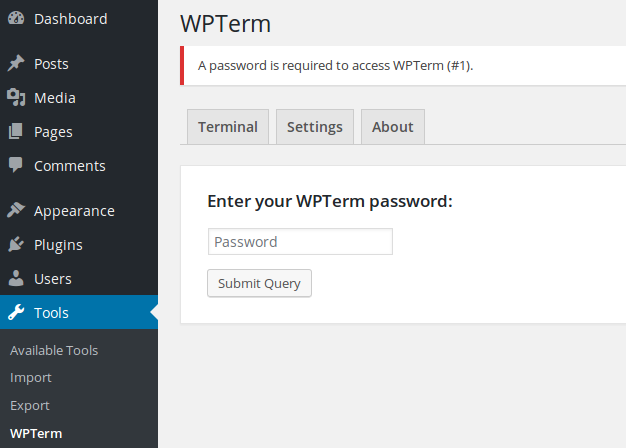
You can (and probably should!) password protect the access to WPTerm. Consult the contextual help, or type help at the terminal prompt to get more details about how to enable this feature.
Features
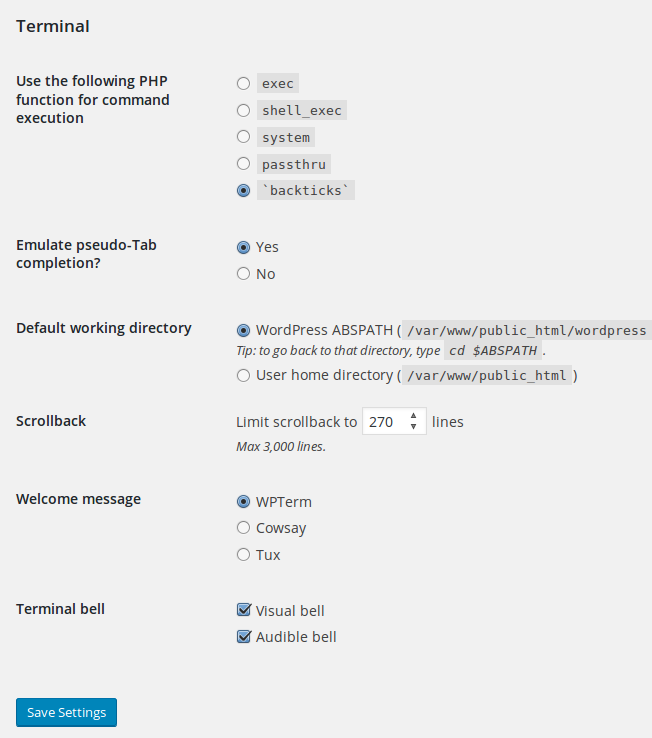
- Selectable PHP program execution function to run commands.
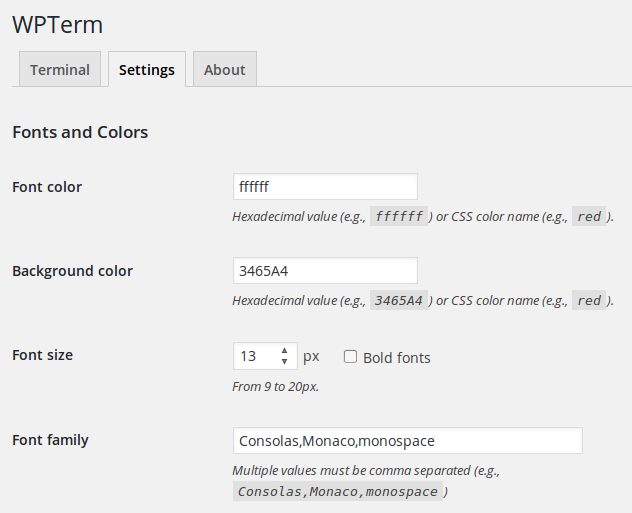
- Custom fonts family, size and color.
- Custom background color.
- History and scrollback buffer.
- Terminal bell (audible / visible).
- Optional password protection.
- Contextual help.
- Multisite compatible (only accessible to the SuperAdmin).
Supported Languages
- English
- French
Requirements
- WordPress 5.0+
- PHP 7.0+
- Unix-like OS (Linux, *BSD etc) only. WPTerm is NOT compatible with Microsoft Windows.
Installation
- Upload
wptermfolder to the/wp-content/plugins/directory. - Activate the plugin through the ‘Plugins’ page in WordPress.
- Plugin settings are located in the ‘Tools > WPTerm’ sub-menu.
Frequently asked questions
Is there any Microsoft Windows version ?
WPTerm works on Unix-like servers only.
Changelog
1.3
- Many small fixes and improvements: useless/obsolete parts of code removed, terminal’s AJAX code improved, translation strings escaped, bugs fixed etc.
- If
DISALLOW_FILE_MODSis set on the blog, access to the terminal will be refused. - WPTerm requires now at least PHP 7.0 and WordPress 5.0.
1.2
- Communication between the terminal and the plugin will be base64-encoded to prevent security applications such as ModSecurity to block the AJAX request.
- Fixed a PHP “Function _load_textdomain_just_in_time was called incorrectly” notice.
- Ensure compatibility with WordPress 6.8
1.1.9
- Compatibility with WordPress 5.9.
1.1.8
- Fixed the “Your site could not complete a loopback request” error message in Site Health due to the PHP session when WPTerm’s password protection was enabled.
- On multisite installations the plugin is now accessible from the main site only. Since there’s just one physical WordPress install, there’s no need to use it on other sites.
1.1.7
- Added right to left language support to the terminal (compatible wit Firefox, Chrome, Opera and Safari browsers).
1.1.6
- Fixed an issue where the PHP session required by WPTerm’s password protection was always started, even when a non-admin user visited the site.
Screenshots
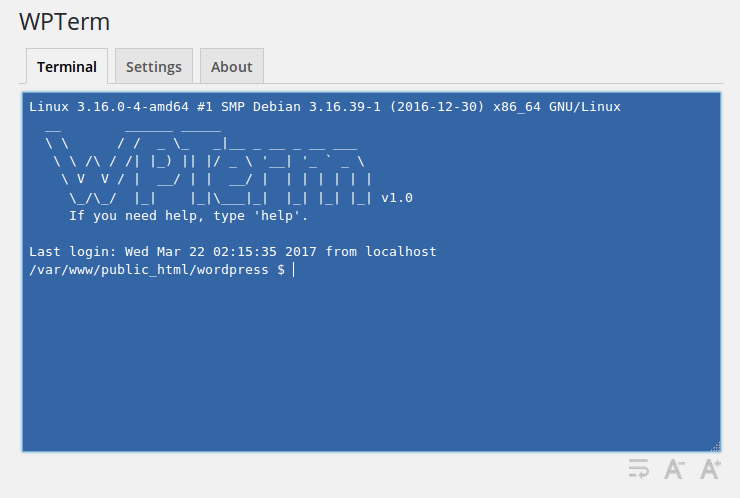
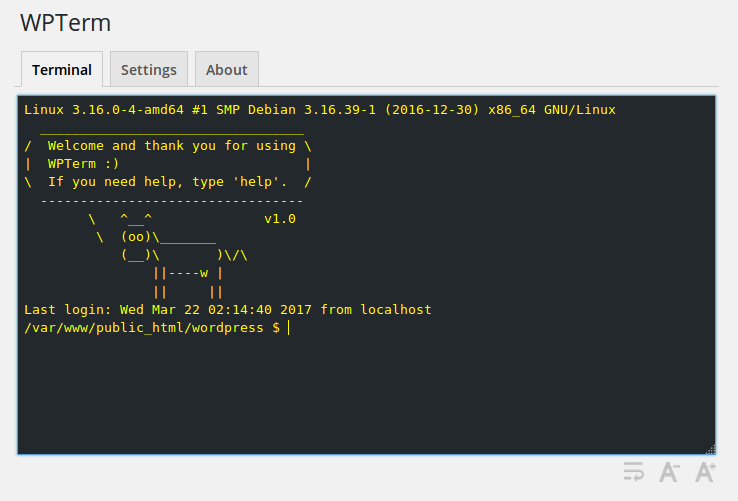
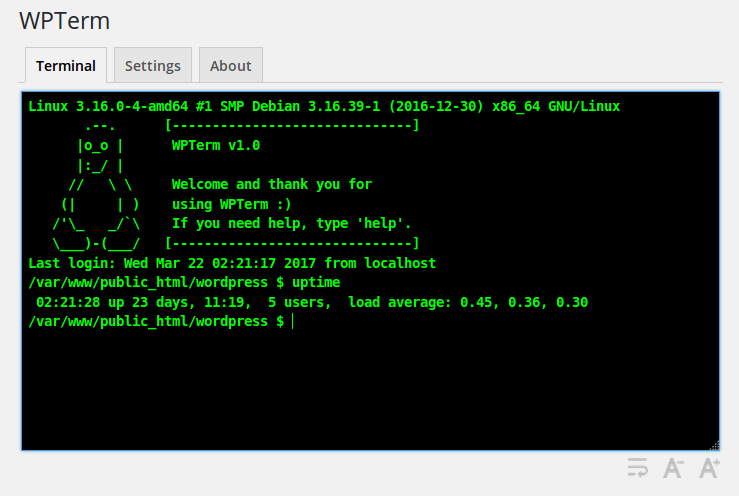

For developers
Is this your plugin? Show off the numbers.
Add a live badge to your site, docs or GitHub README. It updates on its own — no account needed.
Best WPTerm alternatives
All bash plugins →| Rank | Plugin | Active installs |
|---|---|---|
| 2 |
 SimTerm
Make demos of your terminal commands and output in an attractive way.
SimTerm
Make demos of your terminal commands and output in an attractive way.
|
20+ |
| 3 |
 Simpler Syntax Highlighter
Lightweight code snippet syntax highlighter.
Simpler Syntax Highlighter
Lightweight code snippet syntax highlighter.
|
<10 |
FAQ
WPTerm: quick answers
Straight answers, pulled from live WordPress.org data.
Live data from WordPress.org · checked Sep 28, 2026
Is WPTerm free?
Yes. WPTerm is free to download and use from the official WordPress.org plugin directory.
Is WPTerm safe to use in 2026?
Yes — WPTerm is a safe, well-maintained plugin to use in 2026. It runs on 4K+ sites, is rated 5/5 and was last updated 1 month ago, and scores 80/100 on our health check.
How many websites use WPTerm?
WPTerm is active on 4K+ WordPress websites and has been downloaded 72,352 times since it launched in April 2017. It was downloaded 1,705 times in the last 30 days.
Does WPTerm work with WordPress 7.1?
Yes. The developer has tested WPTerm up to WordPress 7.1.2, the latest release. It requires WordPress 5.0 or newer.
What PHP version does WPTerm need?
WPTerm requires PHP 7.0 or higher. Most hosts run PHP 8.x today, so it works on any modern WordPress hosting.
When was WPTerm last updated?
The latest version, 1.3, was released on August 16, 2026 (1 month ago).
Who makes WPTerm?
WPTerm is developed and maintained by bruandet.
What are the best alternatives to WPTerm?
The most popular alternatives to WPTerm are SimTerm (20+ installs) and Simpler Syntax Highlighter (<10 installs).
Powered by PageForge
Want thousands of pages that rank like these? Build them in an afternoon.
This directory runs on the same engine as PageForge. Turn any spreadsheet, CSV or API into thousands of fast, SEO-ready WordPress pages — with schema, internal links and AI-written copy baked in.
- CSV, Google Sheets & API data sources
- AI content, schema & internal links per page
- Works with Elementor, Gutenberg, Yoast & Rank Math
- Free on WordPress.org — no credit card


