


WPCode Content Ratio
This plugin extracts the text of all your pages and posts from HTML code and calculates the content ratio based on this information.

Consider an alternative
WPCode Content Ratio shows warning signs in 2026 — compare the alternatives below before installing. It runs on 100+ sites, is rated 5/5 and was last updated 12 years ago, and scores 32/100 on our health check.
- Small user base (100+ active installs)
- Very few reviews so far
- No update in 12 years
- Only tested up to WordPress 3.9 (latest is 7.1)
Daily downloads
Download spikes usually follow a new release — each site that auto-updates counts as a download.
Rankings
Where WPCode Content Ratio stands todayWordPress.org search rankings
Live position in the plugin search, top 100| Keyword | Position |
|---|---|
| code to content | >100 |
| content optimization | >100 |
| search engine optimization | >100 |
| seo | >100 |
| wordpress seo | >100 |
Version adoption
Share of active sites per release.
Rating breakdown
★★★★★★★★★★ 5 from 1 reviews
About WPCode Content Ratio
From the official readme · v2.0Description
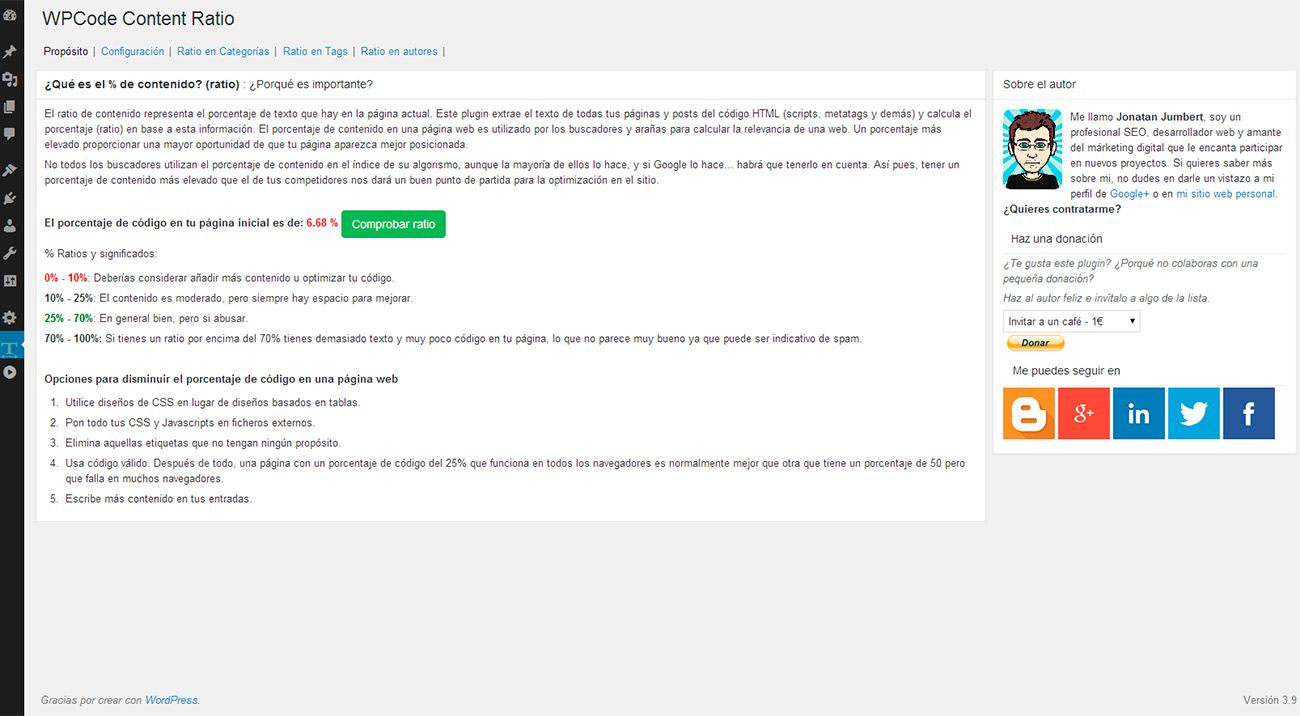
The Code to Text Ratio represents the percentage of actual text in a web page. This plugin extracts the text of all your pages and posts from HTML code and calculates the content ratio based on this information.
Why is it important?
The code to text ratio of a page is used by search engines and spiders to calculate the relevancy of a web page. A higher code to text ratio gives you a better chance of getting a good page ranking for your page.
Not all search engines are using the code to text ratio in their index algorithm, but most of them do. So having a higher code to text ratio than your competitors gives you a good start for on-site optimization.
% Ratios and meanings:
- 0% – 10%: Consider adding more content or revamping your code.
- 10% – 25%: Content is moderate, but always room to improve.
- 25% – 70%: Generally good, but don’t over do it.
- 70% – 100%: If you’ve got higher than about 70% or so then you’ve got a lot of text and not a lot of code, which might sound like a good thing, but could represent spam too.
Ways to lower the amount of code on a web page
- Use CSS layouts instead of table-based layouts.
- Put CSS and Javascript into external files.
- Take out tags that have no purpose.
- Use valid code. After all, a page scoring 25% which works everywhere is usually better than one which scores 50% but fails in most browsers.
- Write more text on your posts.
Installation
- Download WPCode Content Ratio for WordPress plugin ‘wpcode-content-ratio.zip’
- Login to WordPress and go to Plugins-> Add New -> Upload
- Click the Choose File button and select wpcode-content-ratio.zip from your hard drive.
- Click Install Now
- Once the plugin has been installed, click Activate.
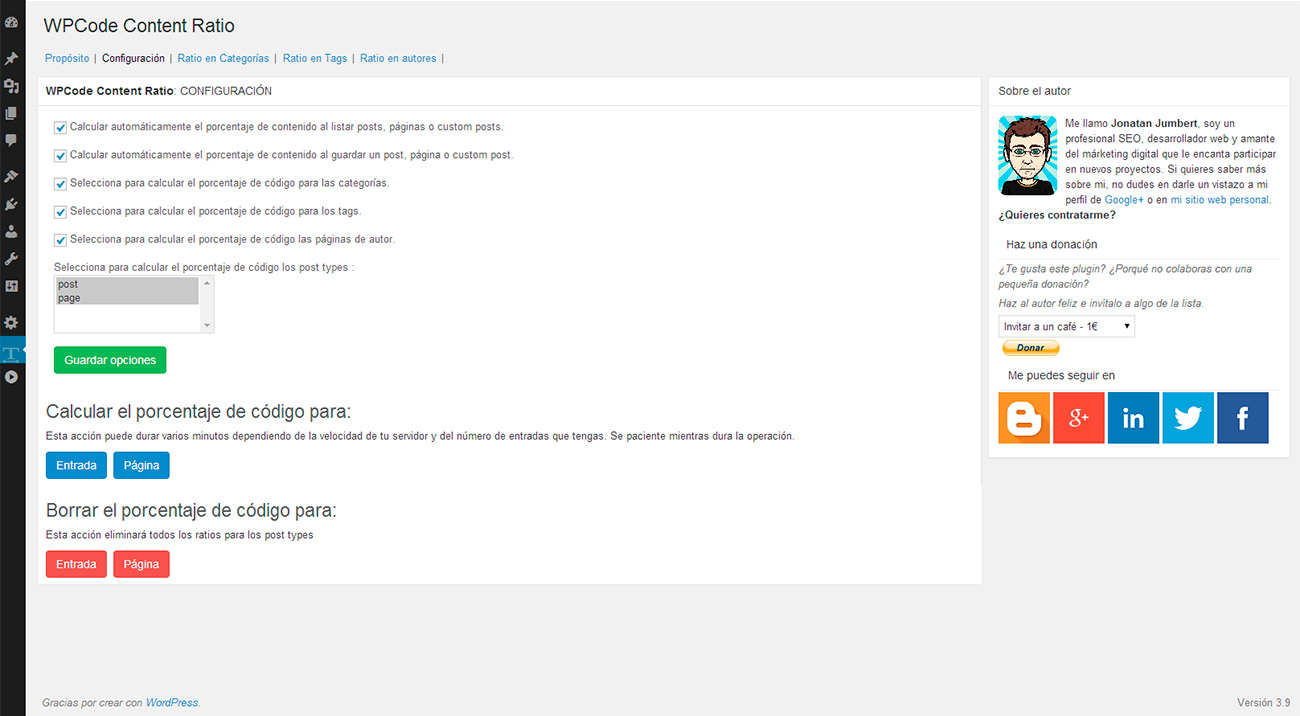
- Check configuration options and adjust them.
METHOD 2 – FTP
- Download WPCode Content Ratio for WordPress plugin ‘wpcode-content-ratio.zip’. Extract the contents of the file.
- Using your favourite FTP client, upload the folder to ‘/wp-content/plugins/’ on your server.
- Login to your WordPress account and go to the Plugins page.
- Activate the plugin.
- Check configuration options and adjust them.
Changelog
Just minor changes like readme.txt file and two screenshots.
2.0
- New look & Feel using bootstrap style.
- Donation links fixed.
- Author social networks.
1.0.1
- Readme.txt was updated.
- New screenshots added.
Screenshots
For developers
Is this your plugin? Show off the numbers.
Add a live badge to your site, docs or GitHub README. It updates on its own — no account needed.
FAQ
WPCode Content Ratio: quick answers
Straight answers, pulled from live WordPress.org data.
Live data from WordPress.org · checked Oct 6, 2026
Is WPCode Content Ratio free?
Yes. WPCode Content Ratio is free to download and use from the official WordPress.org plugin directory.
Is WPCode Content Ratio safe to use in 2026?
WPCode Content Ratio shows warning signs in 2026 — compare the alternatives below before installing. It runs on 100+ sites, is rated 5/5 and was last updated 12 years ago, and scores 32/100 on our health check.
How many websites use WPCode Content Ratio?
WPCode Content Ratio is active on 100+ WordPress websites and has been downloaded 5,016 times since it launched in November 2012. It was downloaded 95 times in the last 30 days.
Does WPCode Content Ratio work with WordPress 7.1?
WPCode Content Ratio is officially tested up to WordPress 3.9.40, while the latest release is 7.1.2. It may still work, but try it on a staging site first.
When was WPCode Content Ratio last updated?
The latest version, 2.0, was released on May 4, 2014 (12 years ago).
Who makes WPCode Content Ratio?
WPCode Content Ratio is developed and maintained by Jonatan Jumbert.
Powered by PageForge
Want thousands of pages that rank like these? Build them in an afternoon.
This directory runs on the same engine as PageForge. Turn any spreadsheet, CSV or API into thousands of fast, SEO-ready WordPress pages — with schema, internal links and AI-written copy baked in.
- CSV, Google Sheets & API data sources
- AI content, schema & internal links per page
- Works with Elementor, Gutenberg, Yoast & Rank Math
- Free on WordPress.org — no credit card


