



WPTypia Email Service Provider Connector for Newspack Newsletters with Listmonk
Companion ESP provider for sending Newspack Newsletters campaigns with Listmonk.

Use with caution
WPTypia Email Service Provider… works, but test it on a staging site before relying on it in 2026. Was last updated 1 month ago, and scores 60/100 on our health check.
- Tested with the latest WordPress (7.1)
- Small user base (<10 active installs)
- Very few reviews so far
How does it stack up?
Side-by-side on installs, updates, ratings & support



Daily downloads
Download spikes usually follow a new release — each site that auto-updates counts as a download.
Rankings
Where WPTypia Email Service Provi… stands todayWordPress.org search rankings
Live position in the plugin search, top 100| Keyword | Position |
|---|---|
| campaigns | >100 |
| >100 | |
| listmonk | #6 |
| newsletter | >100 |
| Newspack | #5 |
About WPTypia Email Service Provider Connecto…
From the official readme · v1.0.0Description
WPTypia Email Service Provider Connector for Newspack Newsletters with Listmonk is a companion plugin for Newspack Newsletters that adds a Listmonk ESP provider.
It turns Newspack newsletter editor output into raw HTML Listmonk campaigns, then
supports draft sync, test sends, immediate sends, and scheduled sends.
Subscriber sync and campaign analytics are included. The connector does not
expose a WordPress webhook receiver; configure bounce and complaint processing
in Listmonk.
This plugin requires a Listmonk server configured by the site administrator. It
sends newsletter HTML, campaign metadata, subscriber email addresses, list
membership changes, subscriber attributes, and analytics lookup requests to the
configured Listmonk API URL. Listmonk may be self-hosted or operated by another
party depending on the URL you configure. Review your Listmonk deployment’s own
privacy policy, terms, and data retention settings before connecting it.
Listmonk project documentation is available at https://listmonk.app/docs/.
Built with WPTypia
This plugin was scaffolded as a WPTypia workspace and continues to use
WPTypia packages and synchronization tooling for typed REST contracts,
generated schemas, and build consistency. WPTypia is maintained by this
plugin’s author at https://github.com/imjlk/wp-typia.
The plugin also builds on the WordPress Block Editor and Interactivity API,
Newspack Newsletters provider APIs, and the Listmonk REST API.
Newspack and Listmonk are trademarks or project names of their respective
owners. This plugin is not affiliated with or endorsed by Newspack, Automattic,
or the Listmonk project.
Requirements
- WordPress 6.7 or later.
- PHP 8.0 or later.
- Newspack Newsletters installed and active.
- Newspack platform plugin is optional; Newspack Newsletters is the required dependency for this connector.
- A reachable Listmonk server over HTTPS. Plain HTTP is allowed only when WordPress runs in a local or development environment.
- A Listmonk API user with
lists:get_all,campaigns:manage,campaigns:send,campaigns:get_analytics,subscribers:get,subscribers:manage, andbounces:get.
Privacy and Uninstall
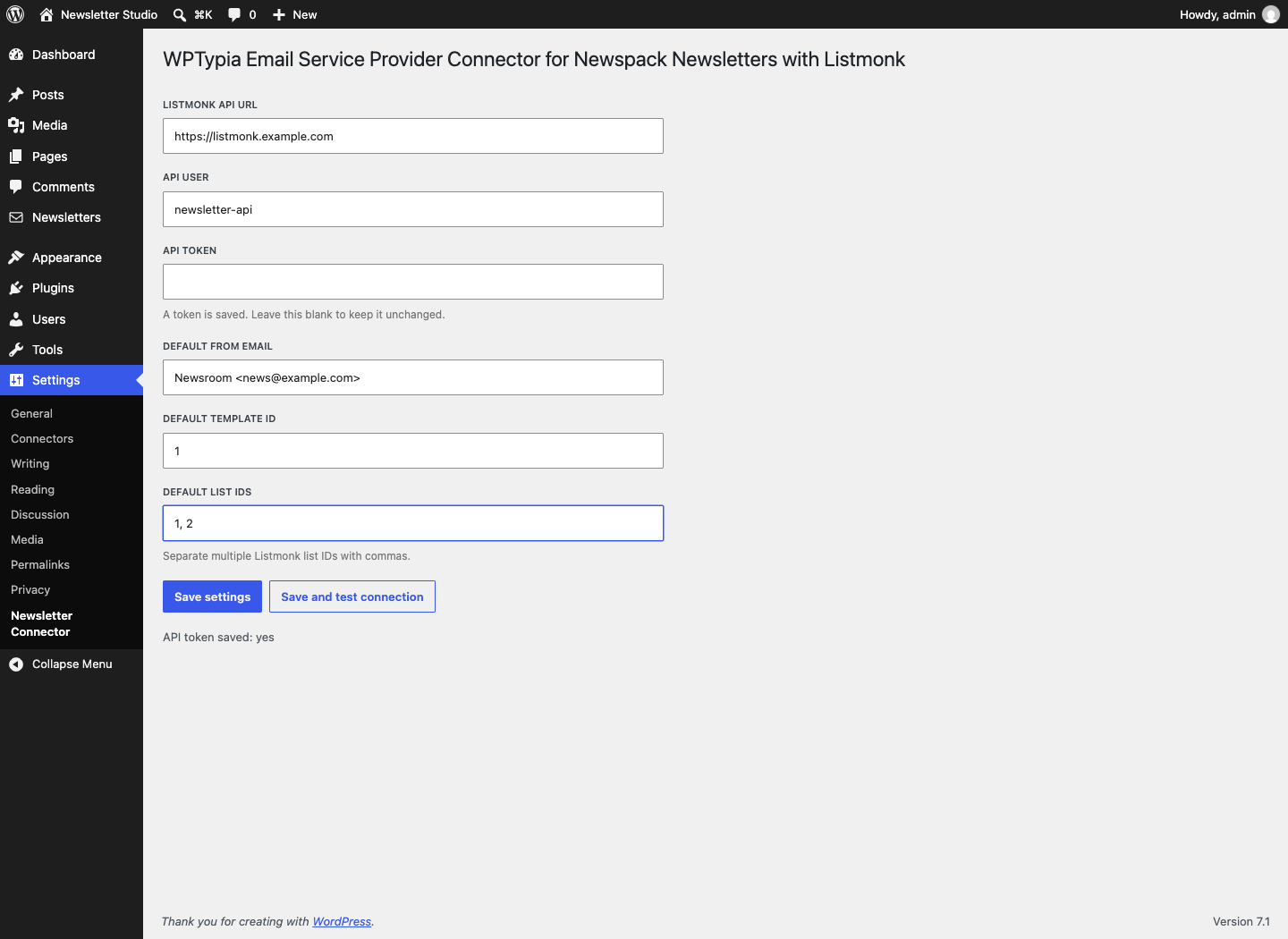
The Listmonk API URL, API user, API token, default From email, template ID, and
default list IDs are stored in the WordPress options table. When the plugin is
uninstalled, those local settings and connector sync-error transients are
deleted.
Uninstalling this plugin does not delete remote Listmonk campaigns,
subscribers, lists, bounces, or analytics data. It also preserves connector post
meta on newsletter posts so campaign history remains auditable if the plugin is
reinstalled. Remove remote data from the Listmonk admin if your retention policy
requires it.
Suggested privacy-policy text is available at
https://github.com/imjlk/wp-typia-newsletter-connector/blob/main/docs/PRIVACY.md.
Installation
- Install and activate Newspack Newsletters.
- Upload and activate
wp-typia-newsletter-connector.zip. - Open Settings > Newsletter Connector.
- Enter the Listmonk API URL, API user, API token, default From email, template ID, and list IDs.
- Use Save and test connection.
- Select
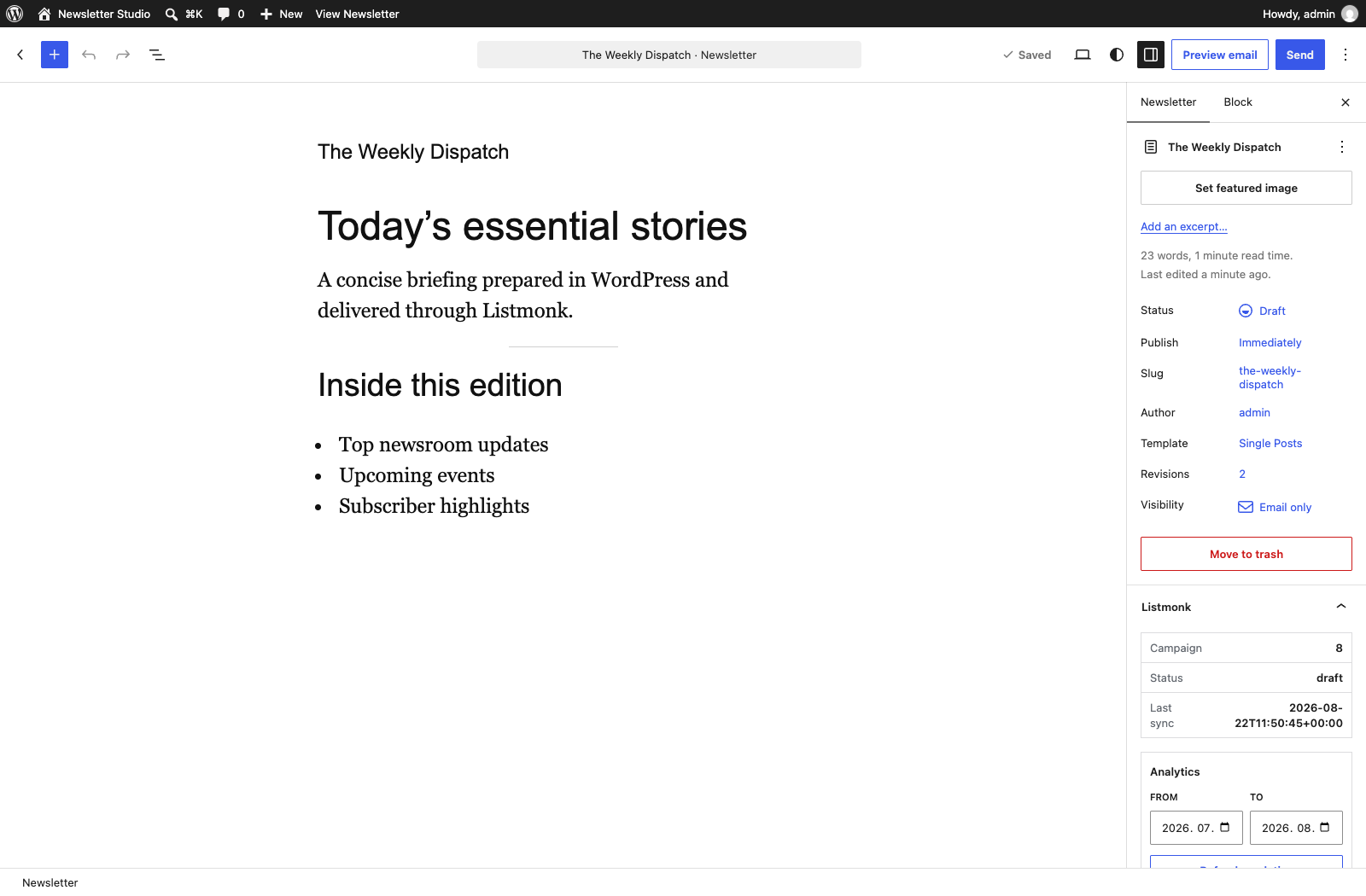
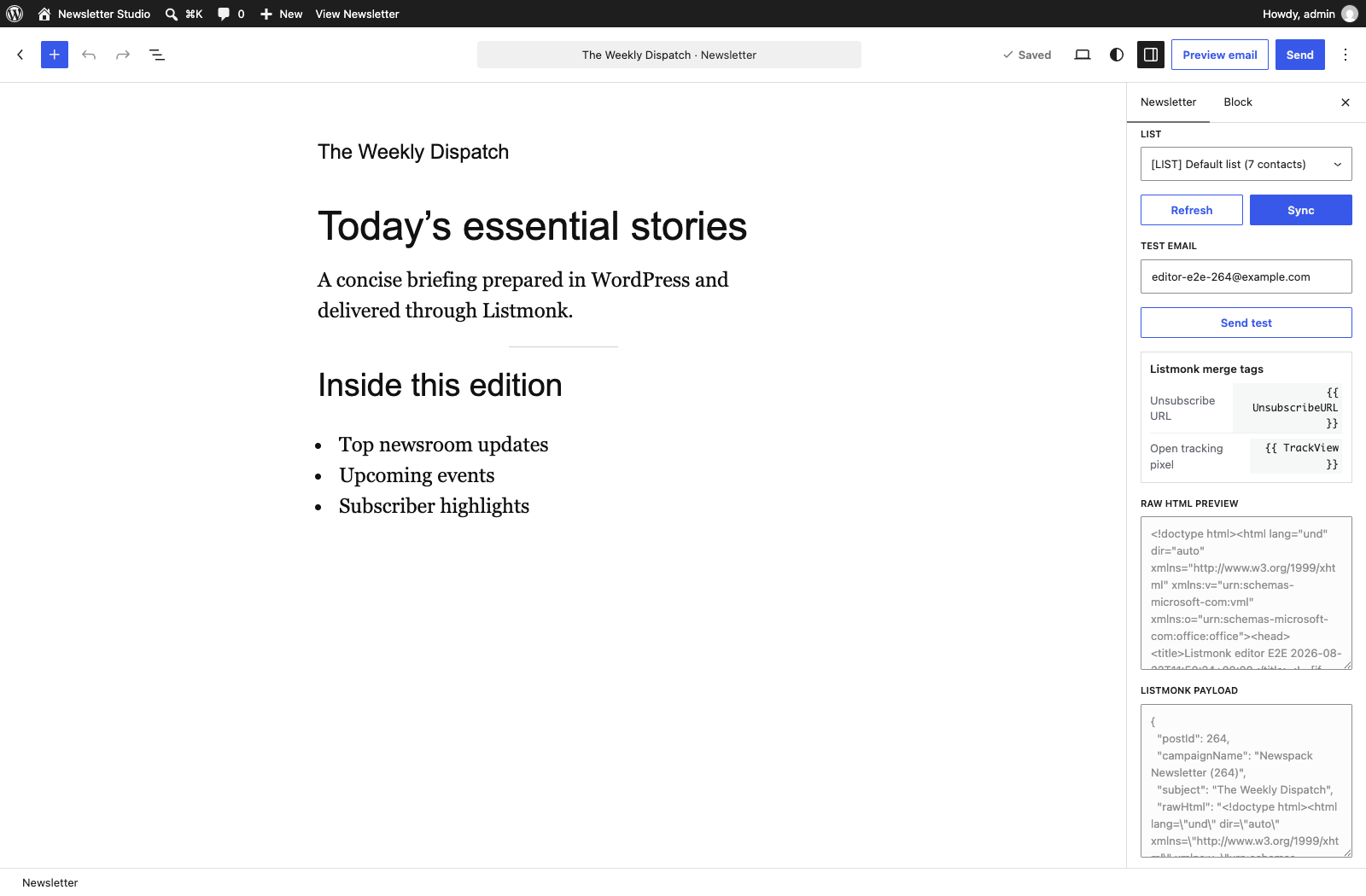
listmonkas the active Newspack Newsletters service provider. - Create a Newspack newsletter and verify the Listmonk editor panel can preview, sync, and send a test.
Detailed setup and validation documentation is available at
https://github.com/imjlk/wp-typia-newsletter-connector/blob/main/docs/SETUP.md.
Changelog
1.0.0
- Changed: 5fd2f76 Promote the connector to its first stable WordPress.org release with WordPress 7.1 compatibility, verified Newspack Newsletters and Listmonk workflows, and complete directory artwork. — Thanks imjlk!
0.1.2
- Changed: e0f7b9d Rename the plugin for trademark-safe WordPress.org review and verify compatibility with WordPress 7.1, including its enforced iframed editor and updated form controls. — Thanks @imjlk!
0.1.1
- Fixed: Replace dynamic PHP include paths with explicit local resource loading, remove development documentation from the WordPress.org package, and update the WPTypia tooling used to validate generated contracts.
- Changed: 3ed995c Add changeset-driven versioning and verified WordPress plugin release automation. — Thanks @imjlk!
- Changed: c35932f Align the plugin slug, text domain, REST namespace, and release artifacts for WordPress.org review while keeping the directory-facing display name distinct. — Thanks @imjlk!
0.1.0
- Initial WordPress.org release for the Newspack Newsletters and Listmonk integration.
- Declares Newspack Newsletters as the required companion dependency and adds Listmonk provider registration, settings, campaign sync, test send, send/schedule transitions, editor panel, subscriber sync, analytics, and compatibility fallbacks.
- Documents that bounce and complaint webhooks should terminate at Listmonk, not WordPress.
Screenshots
For developers
Is this your plugin? Show off the numbers.
Add a live badge to your site, docs or GitHub README. It updates on its own — no account needed.
Best WPTypia Email Service Provide… alternatives
All campaigns plugins →





FAQ
WPTypia Email Service Provider Conn…: quick answers
Straight answers, pulled from live WordPress.org data.
Live data from WordPress.org · checked Oct 5, 2026
Is WPTypia Email Service Provider… free?
Yes. WPTypia Email Service Provider… is free to download and use from the official WordPress.org plugin directory.
Is WPTypia Email Service Provider… safe to use in 2026?
WPTypia Email Service Provider… works, but test it on a staging site before relying on it in 2026. Was last updated 1 month ago, and scores 60/100 on our health check.
How many websites use WPTypia Email Service Provider…?
WPTypia Email Service Provider… is active on <10 WordPress websites and has been downloaded 135 times since it launched in August 2026. It was downloaded 62 times in the last 30 days.
Does WPTypia Email Service Provider… work with WordPress 7.1?
Yes. The developer has tested WPTypia Email Service Provider… up to WordPress 7.1.2, the latest release. It requires WordPress 6.7 or newer.
What PHP version does WPTypia Email Service Provider… need?
WPTypia Email Service Provider… requires PHP 8.0 or higher. Most hosts run PHP 8.x today, so it works on any modern WordPress hosting.
When was WPTypia Email Service Provider… last updated?
The latest version, 1.0.0, was released on August 22, 2026 (1 month ago).
Who makes WPTypia Email Service Provider…?
WPTypia Email Service Provider… is developed and maintained by Junglei Kim.
What are the best alternatives to WPTypia Email Service Provider…?
The most popular alternatives to WPTypia Email Service Provider… are GatewayAPI (300+ installs), Diller Loyalty (70+ installs) and Sendmachine for WordPress (60+ installs).
Powered by PageForge
Want thousands of pages that rank like these? Build them in an afternoon.
This directory runs on the same engine as PageForge. Turn any spreadsheet, CSV or API into thousands of fast, SEO-ready WordPress pages — with schema, internal links and AI-written copy baked in.
- CSV, Google Sheets & API data sources
- AI content, schema & internal links per page
- Works with Elementor, Gutenberg, Yoast & Rank Math
- Free on WordPress.org — no credit card


