



Responsive Thumbnail Slider
A fast, lightweight responsive thumbnail slider for WordPress — modern animation engine, lightbox, captions, and full theme/builder compatibility.

Safe pick
Yes — Responsive Thumbnail Slider is a safe, well-maintained plugin to use in 2026. It runs on 1K+ sites, is rated 4.4/5 and was last updated 4 weeks ago, and scores 84/100 on our health check.
- Actively developed — last update 4 weeks ago
- Tested with the latest WordPress (7.1)
How does it stack up?
Side-by-side on installs, updates, ratings & support



Daily downloads
Download spikes usually follow a new release — each site that auto-updates counts as a download.
Rankings
Where Responsive Thumbnail Slider stands todayWordPress.org search rankings
Live position in the plugin search, top 100| Keyword | Position |
|---|---|
| Gutenberg block | >100 |
| image slider | #67 |
| responsive slider | #10 |
| Thumbnail Carousel | #6 |
| thumbnail slider | #4 |
Version adoption
Share of active sites per release.
Rating breakdown
★★★★★★★★★★ 4.4 from 23 reviews
About Responsive Thumbnail Slider
From the official readme · v1.1.53Description
Responsive Thumbnail Slider lets you build a clean, responsive image slider and drop it anywhere on your site — no coding required. It’s built to be lightweight and fast by default, with a modern rendering engine that doesn’t even require jQuery on the front end.
Two rendering engines
- Modern — a lightweight, dependency-free engine (no jQuery required for the slider itself), touch/swipe-friendly, with lazy-loaded images
- Legacy — the original engine, kept for sites that want it exactly as-is
- Existing sites automatically stay on Legacy after updating, so nothing changes on your live site — new installs default to Modern
WordPress Responsive Thumbnail carousel slider Video
Everything you need for a great-looking slider
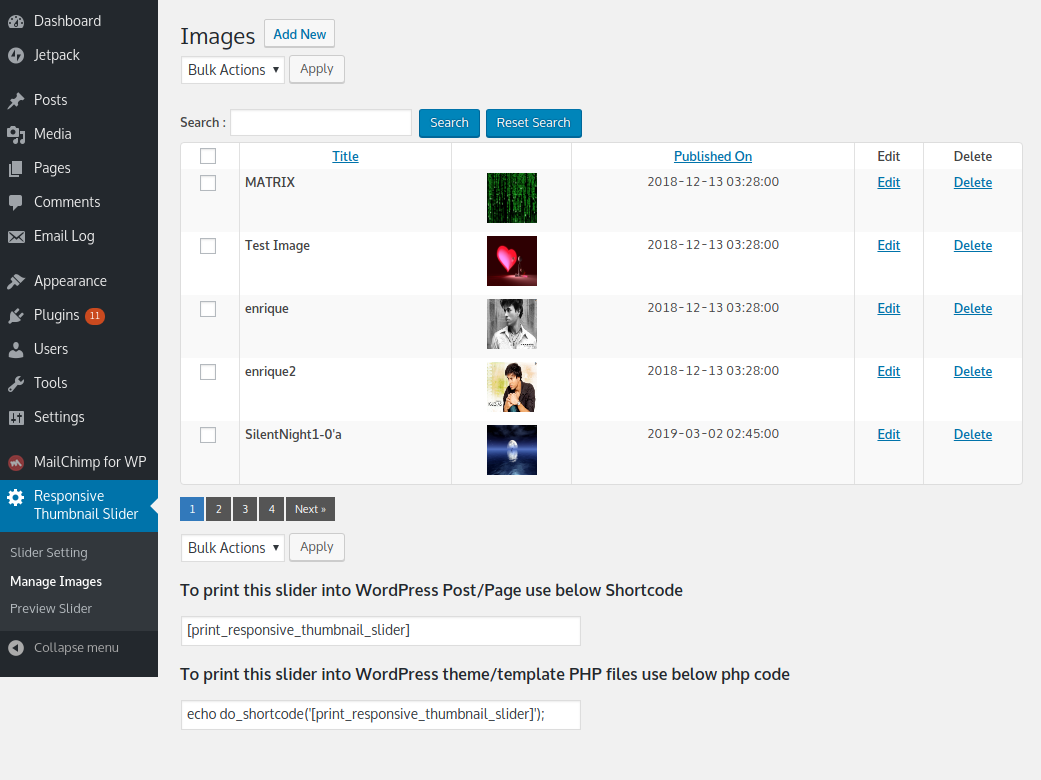
- Add any number of images to your slider
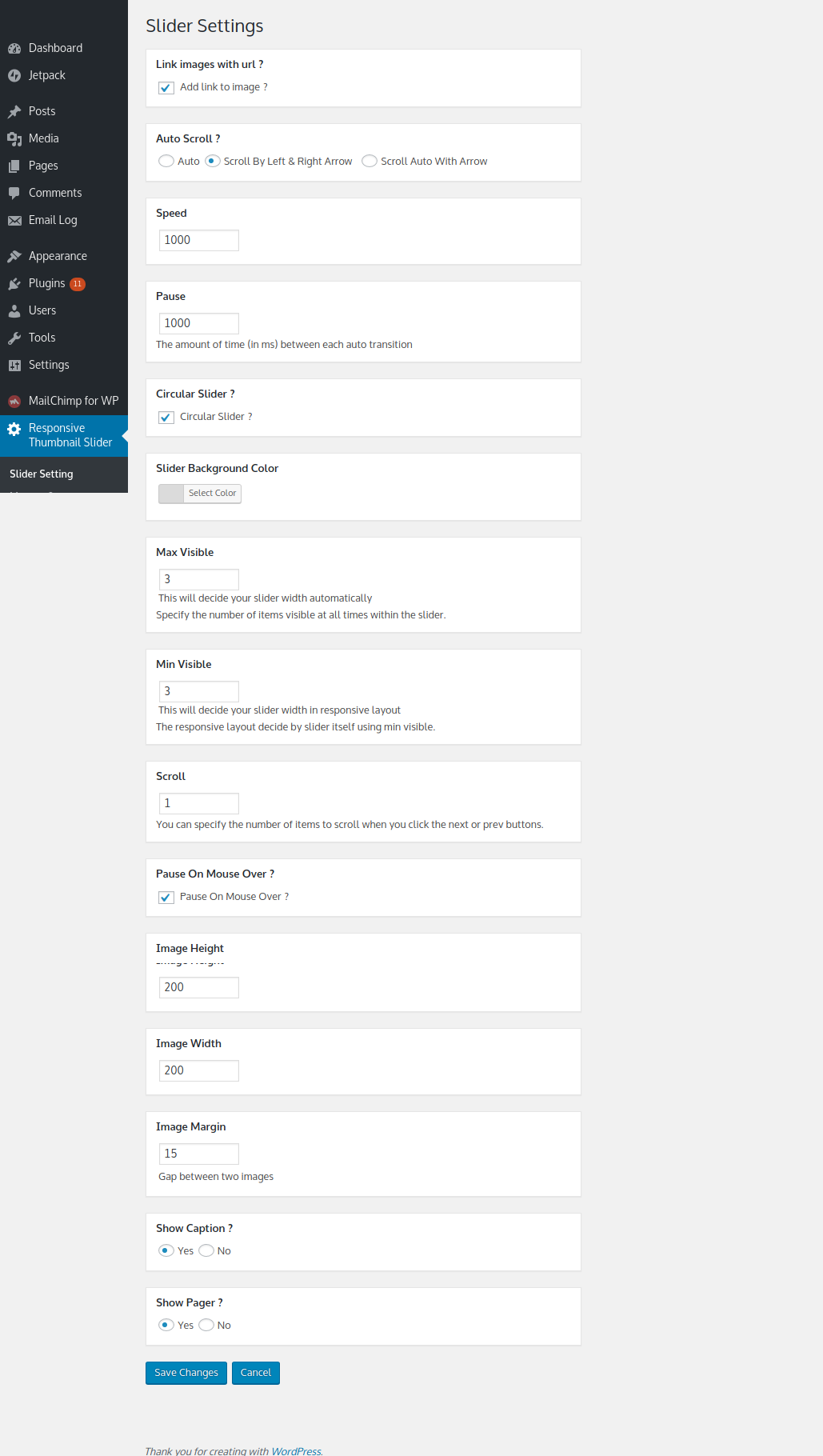
- Set image height and width, slider speed, and how many images are visible at once
- Circular (looping) slider, or arrow-only navigation
- Auto-slide, or manual control with left/right arrows
- Optional pager dots and image captions
- Optional lightbox — clicking a slide opens the full image in a clean overlay
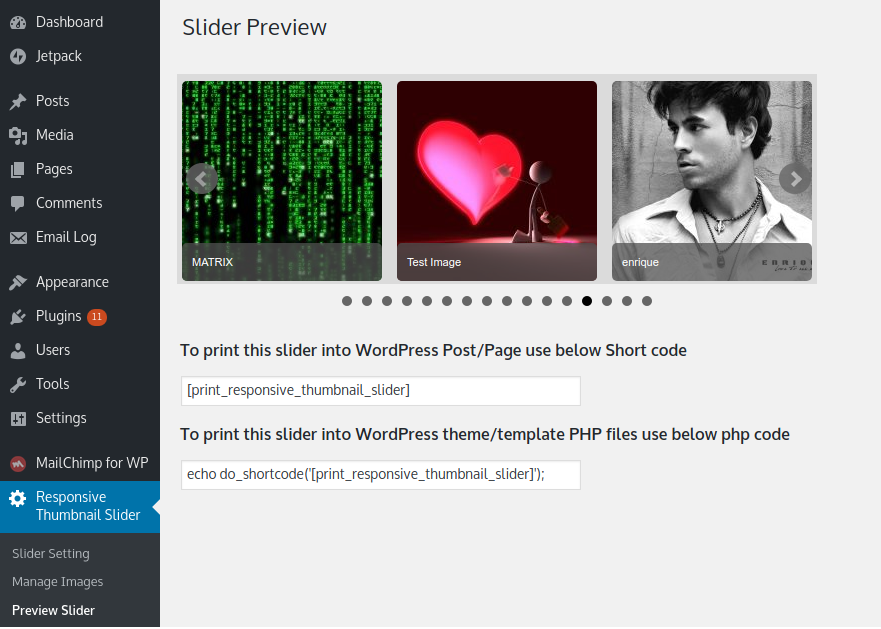
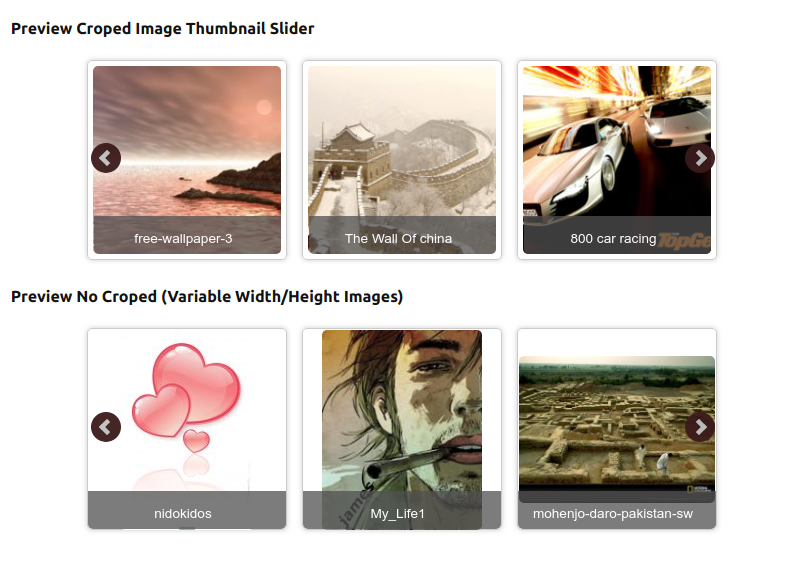
- Preview your slider before publishing it
- Image name doubles as the alt tag for SEO
- Responsive admin layout and WordPress capability support
- No advertisements
Simple to add anywhere
Use the shortcode [print_responsive_thumbnail_slider] in any page, post, or widget — or use it directly in a theme template with do_shortcode(). Full Gutenberg block editor support is built in.
Need more than one slider?
The free version gives you one slider — great for a single homepage banner or gallery. If you need more, Responsive Thumbnail Slider PRO unlocks:
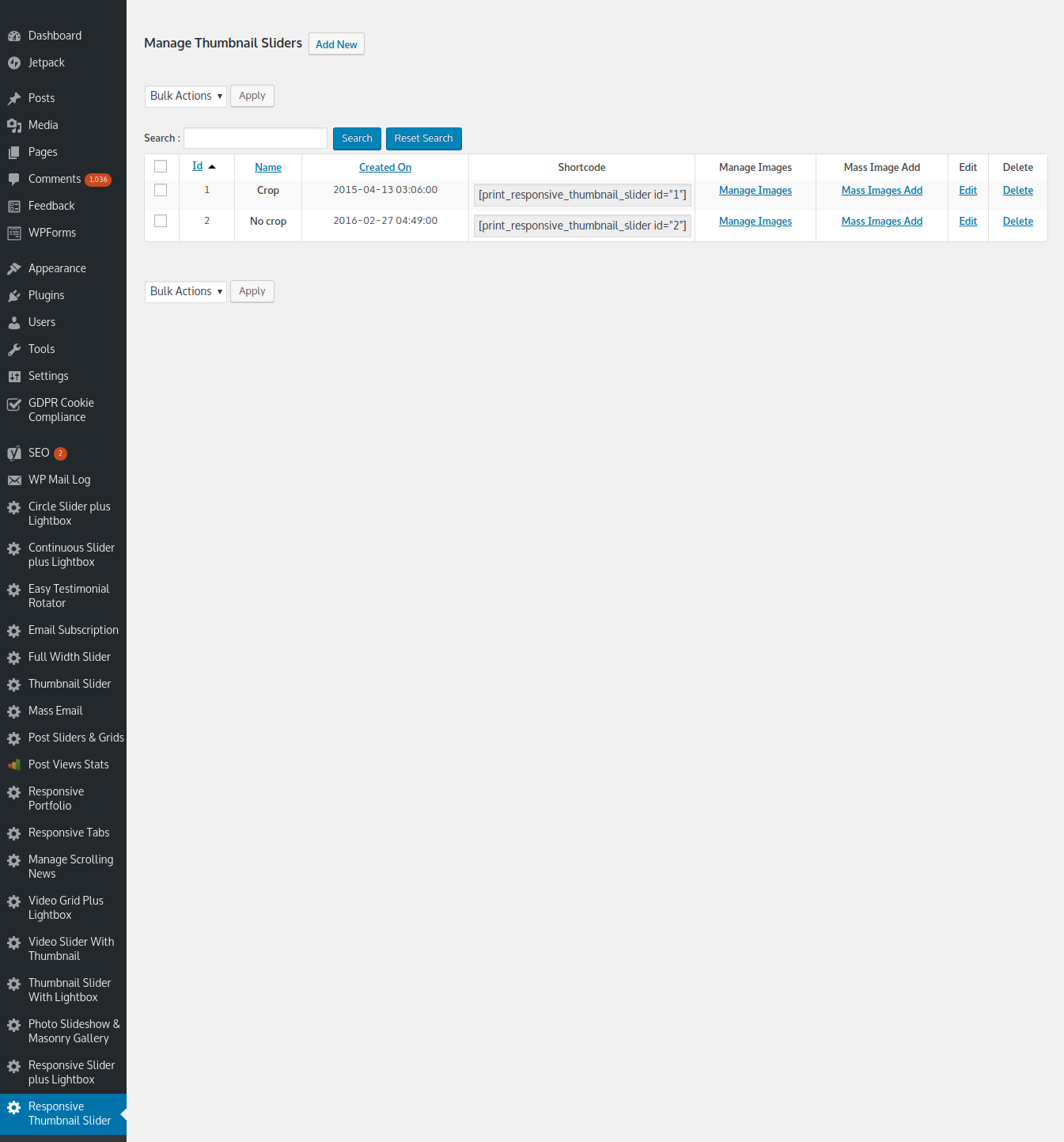
- Unlimited sliders — a completely different, independent slider for every page
- 16 real easing animation curves, including true Bounce and Elastic motion
- Bulk image upload, drag-to-reorder, or random image order
- Per-slider styling — border color, radius, box-shadow, crop / no-crop modes
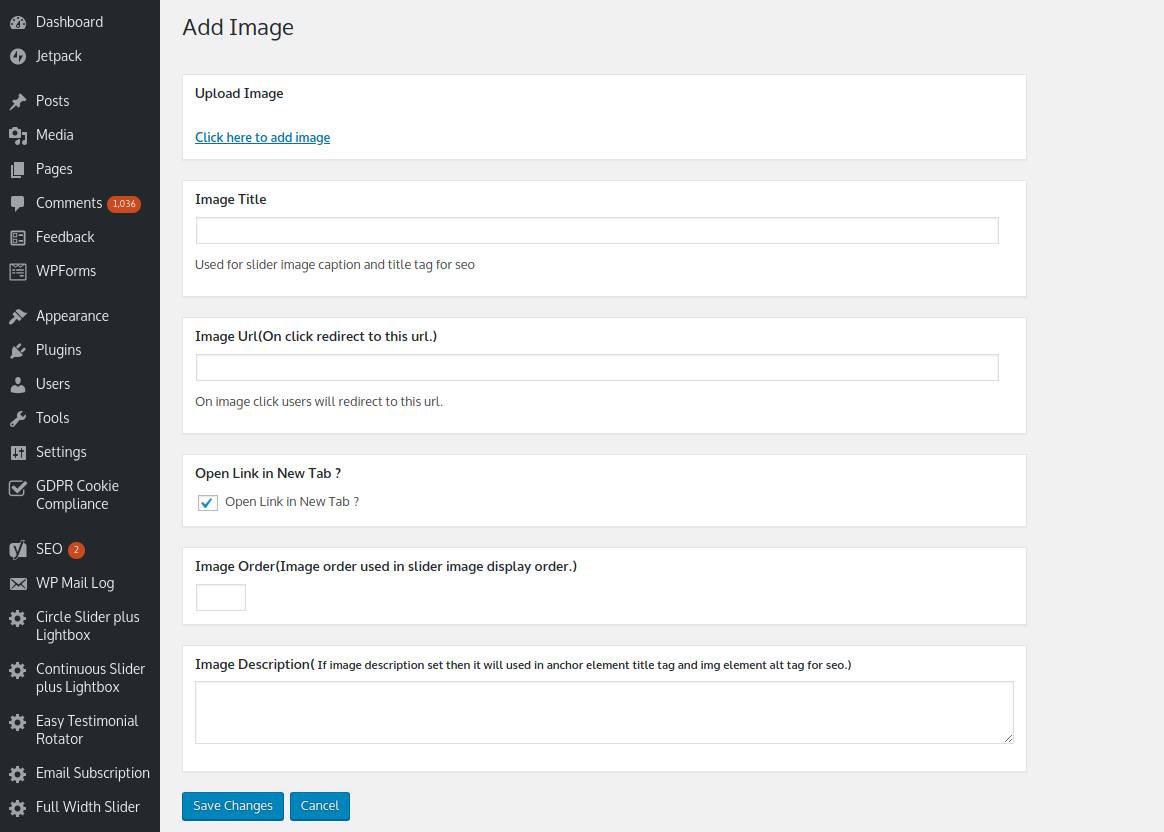
- Per-image custom links, link targets, and captions
- Native Elementor widget and Divi module, both with live builder previews
- Full Gutenberg block editor control — create and edit sliders, and pick images from the Media Library, without leaving the block sidebar
- Per-slider analytics dashboard — impressions, clicks, and click-through rate, with a 30-day graph (aggregate-only, no visitor tracking)
See Responsive Thumbnail Slider PRO →
License
This plugin is free for everyone! Since it’s released under the GPL, you can use it free of charge on your personal or commercial blog. But you can make some donations if you realy find it useful.
Installation
- Upload the plugin folder to
wp-content/plugins/, or install it directly from the WordPress plugin directory. - Activate the plugin from the Plugins screen in your WordPress admin.
- Go to Responsive Thumbnail Slider in the admin menu to configure your slider and add images.
Usage
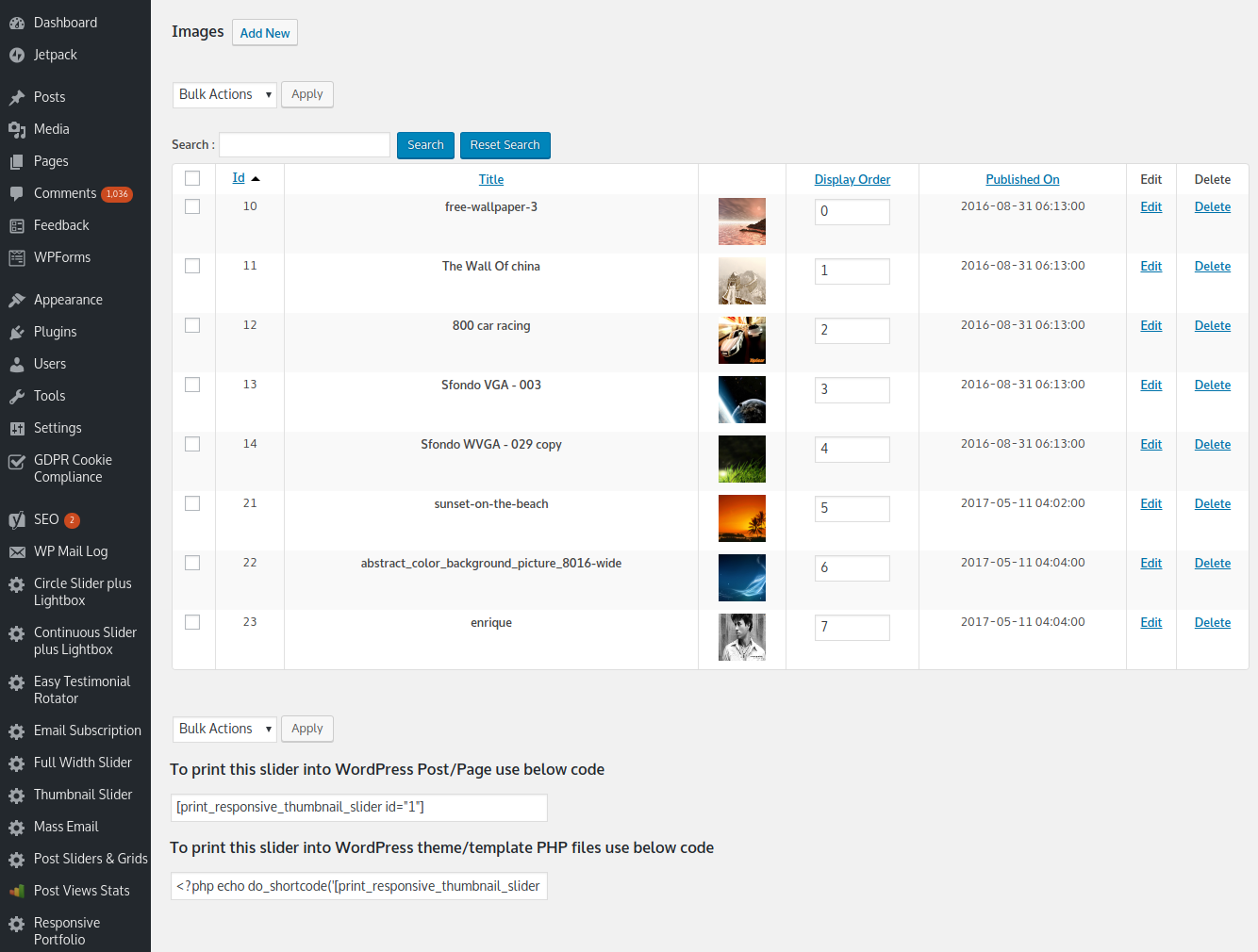
- Manage your images from the Manage Images menu.
- Configure slider behavior from the Slider Settings menu.
- Preview your slider anytime from the Preview Slider menu before publishing it.
-
Add it to a page or post with the shortcode:
[print_responsive_thumbnail_slider]
Or in a theme template:
<?php echo do_shortcode('[print_responsive_thumbnail_slider]'); ?>
Need more than one slider on your site? Upgrade to PRO for unlimited independent sliders.
Frequently asked questions
How many sliders can I create with the free version?
One. It’s a great fit for a single homepage banner, gallery, or logo strip. If you need multiple independent sliders across your site, Responsive Thumbnail Slider PRO supports unlimited sliders.
What’s the difference between the Modern and Legacy engine?
Modern is a lighter, dependency-free engine (no jQuery required for the slider itself), touch/swipe-friendly with lazy-loaded images. Legacy is the original engine, kept for sites that rely on its exact current behavior. Existing sites stay on Legacy automatically after updating — nothing changes on your live site unless you switch it yourself in Slider Settings.
Will updating break my existing slider?
No. Your slider keeps its current engine and all current settings after an update — nothing changes on your live site unless you explicitly change a setting yourself.
How do I add the slider to a page?
Use the shortcode [print_responsive_thumbnail_slider] in any page, post, or widget, or add it directly to a theme template with do_shortcode(). Gutenberg block editor support is also built in.
Does the lightbox work with captions?
Yes — when Show Caption is enabled, the caption also appears in the lightbox overlay when a slide is clicked.
I need more control — border styling, per-image links, analytics, page builder support…
That’s what Responsive Thumbnail Slider PRO is for — see the Description tab above for the full feature list.
Changelog
Please clear browser as well as wp cache ( if you have installed ) after update.
1.1.54
- Fixed: square/disc bullet markers could show next to slides on some themes, on both engines. The Modern engine’s list-style reset had no !important, so a theme with equally-specific or more aggressive list styling could override it (a fix we’d already applied to the Divi-specific stylesheet but never to the base CSS). The Legacy engine’s stylesheet was missing a list-style reset entirely, relying only on bxSlider’s own JS to suppress bullets, which can fail against certain themes.
1.1.48
- Fixed: Lightbox showed a caption even when “Show caption” was turned off. The lightbox caption now only appears when Show caption is enabled, matching the slider itself.
1.1.47
- Fixed: Lightbox didn’t work on the admin Preview page — its assets were only registered on the front end, so enqueuing them on the admin page silently did nothing (same class of bug fixed earlier for the modern engine’s editor CSS). Now also registered for admin context.
1.1.46
- Added 50px top padding to the Pro upgrade box’s sidebar on the Settings, Manage Images, and Add Image pages
1.1.45
- Reverted the previous change — Pro upgrade box moved back to the original ad location (bottom sidebar), since placing it beside the Stats box created an awkward gap before the settings form. Stats box now stands alone at the top again.
1.1.44
- Moved the Pro upgrade box on the Settings page to sit directly beside the Slider Stats box (flex row at the top of the page), instead of appearing separately at the bottom of the page in the sidebar — removed the now-duplicate copy from the bottom sidebar
Screenshots


For developers
Is this your plugin? Show off the numbers.
Add a live badge to your site, docs or GitHub README. It updates on its own — no account needed.
Best Responsive Thumbnail Slider alternatives
All Gutenberg block plugins →





FAQ
Responsive Thumbnail Slider: quick answers
Straight answers, pulled from live WordPress.org data.
Live data from WordPress.org · checked Sep 30, 2026
Is Responsive Thumbnail Slider free?
Yes. Responsive Thumbnail Slider is free to download and use from the official WordPress.org plugin directory. The developer also sells premium add-ons or a Pro version with extra features.
Is Responsive Thumbnail Slider safe to use in 2026?
Yes — Responsive Thumbnail Slider is a safe, well-maintained plugin to use in 2026. It runs on 1K+ sites, is rated 4.4/5 and was last updated 4 weeks ago, and scores 84/100 on our health check.
How many websites use Responsive Thumbnail Slider?
Responsive Thumbnail Slider is active on 1K+ WordPress websites and has been downloaded 104,962 times since it launched in August 2013. It was downloaded 530 times in the last 30 days.
Does Responsive Thumbnail Slider work with WordPress 7.1?
Yes. The developer has tested Responsive Thumbnail Slider up to WordPress 7.1.2, the latest release. It requires WordPress 3.5 or newer.
When was Responsive Thumbnail Slider last updated?
The latest version, 1.1.53, was released on September 2, 2026 (4 weeks ago).
Who makes Responsive Thumbnail Slider?
Responsive Thumbnail Slider is developed and maintained by Nks.
What are the best alternatives to Responsive Thumbnail Slider?
The most popular alternatives to Responsive Thumbnail Slider are Qi Blocks (60K+ installs), Map Block for Google Maps (20K+ installs) and Button visually impaired (10K+ installs).
Powered by PageForge
Want thousands of pages that rank like these? Build them in an afternoon.
This directory runs on the same engine as PageForge. Turn any spreadsheet, CSV or API into thousands of fast, SEO-ready WordPress pages — with schema, internal links and AI-written copy baked in.
- CSV, Google Sheets & API data sources
- AI content, schema & internal links per page
- Works with Elementor, Gutenberg, Yoast & Rank Math
- Free on WordPress.org — no credit card


