


Payment Button for PayPal
Easily accept payment in WordPress by adding a PayPal button to your website.

Safe pick
Yes — Payment Button for PayPal is a safe, well-maintained plugin to use in 2026. It runs on 4K+ sites, is rated 4.5/5 and was last updated 1 month ago, and scores 87/100 on our health check.
- Loved by users — 4.5/5 from 40 reviews
- Tested with the latest WordPress (7.1)
How does it stack up?
Side-by-side on installs, updates, ratings & support



Daily downloads
Download spikes usually follow a new release — each site that auto-updates counts as a download.
Rankings
Where Payment Button for PayPal stands todayWordPress.org search rankings
Live position in the plugin search, top 100| Keyword | Position |
|---|---|
| checkout | >100 |
| ecommerce | >100 |
| payment | #60 |
| paypal | #6 |
Version adoption
Share of active sites per release.
Rating breakdown
★★★★★★★★★★ 4.5 from 40 reviews
About Payment Button for PayPal
From the official readme · v1.2.3.49Description
Payment Button for PayPal plugin (also known as WP PayPal) allows you to easily create PayPal Buy Now buttons. It generates dynamic buttons using shortcodes that enable PayPal checkout on your WordPress site.
Your customers will be able to pay for your products using PayPal or Credit Card. This plugin makes it easy for you to set up your online e-commerce store.
Payment Button for PayPal supports PayPal Sandbox. PayPal Sandbox is a simulation environment which allows you to do test purchases between a test buyer and a seller account. This is to make sure that your store can process PayPal transactions without any issues. It also helps you get prepared before selling to real customers.
Payment Button for PayPal Add-ons
Payment Button for PayPal Features
- Sell products or services using PayPal
- Create PayPal buttons in a post/page using shortcodes
- Accept once off payments
- Accept donations from users
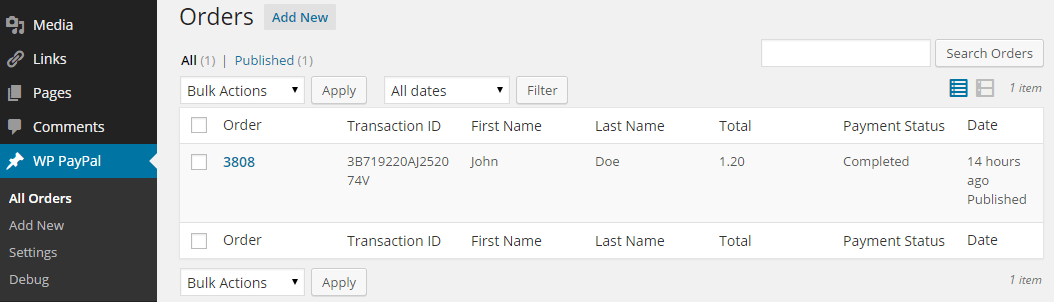
- View or Manage orders received via PayPal buttons from your WordPress admin dashboard
- Quick settings configurations
- Enable debug to troubleshoot various issues (e.g. orders not getting updated)
- Open PayPal log to see how order are being processed
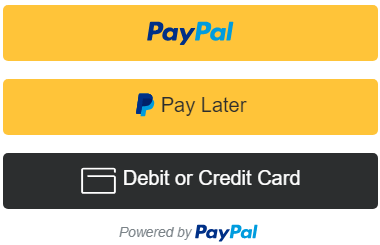
- Accept debit or credit card payments
- Switch your store to PayPal sandbox mode for testing
- Sell in any currency supported by PayPal
- Charge shipping on your products or services
- Send a purchase confirmation email to your customer after a transaction
- Send a sale notification email to one or more recipients (e.g. the seller) after a transaction
- Accept payments with PayPal smart payment buttons
- Accept Pay Later Pay in 4 payments
Note: This is NOT an official PayPal product.
How to Use Payment Button for PayPal
Once you have installed this plugin you need to go to the settings menu to configure some PayPal settings (WP PayPal -> Settings).
PayPal Checkout Settings
- Client ID: The client ID for your PayPal REST API app
- Secret Key: The secret key for your PayPal REST API app
- Currency Code: The default currency code for payments
- Return URL: The redirect URL after a successful payment
- Cancel URL: The redirect URL when a payment is cancelled
- Checkout Page URL: The URL of the page where PayPal checkout options will appear
How to Create a Buy Now Button
To create a Buy Now button create a product first (WP PayPal -> Products). Now insert the shortcode into a page like the following:
[wp_paypal_product id="1"]
Replace 1 with the actual product ID.
How to Create a PayPal Checkout Page
To create a PayPal checkout page insert the shortcode into a page like the following.
[wp_paypal_checkout]
This is where payment options will appear.
For more information check the PayPal Checkout documentation page.
Payment Button for PayPal Emails
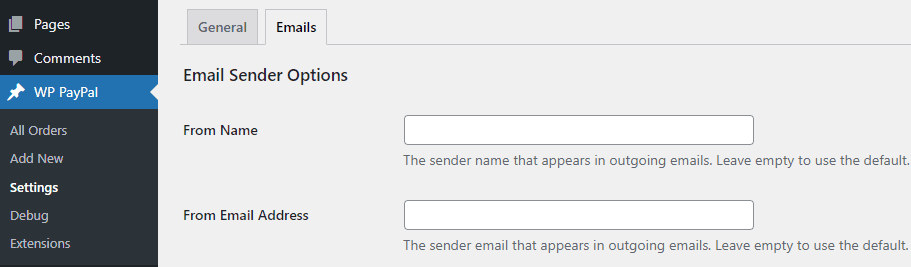
Payment Button for PayPal plugin comes with an “Emails” tab where you will be able to configure some email related settings.
Email Sender Options
In this section you can choose to customize the default From Name and From Email Address that will be used when sending an email.
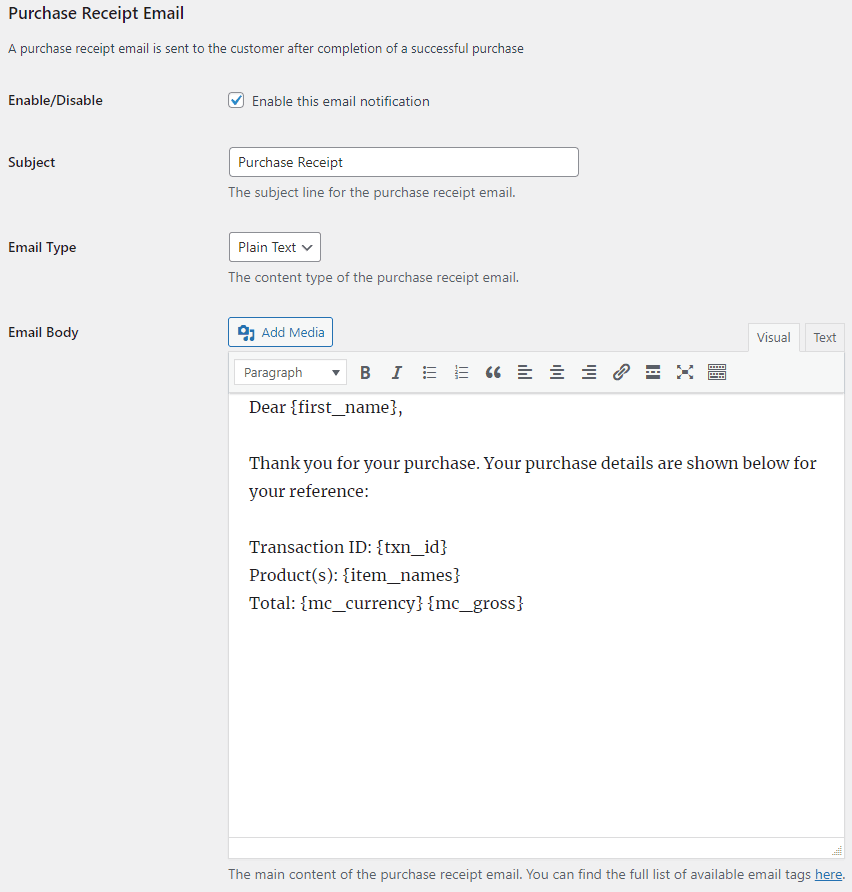
Purchase Receipt Email
When this feature is enabled an email sent to the customer after completion of a successful purchase. Options you can customize here:
- The subject of the purchase receipt email
- The content type of the purchase receipt email. The default is “Plain Text”. But you can also set it to “HTML”
- The body of the purchase receipt email.
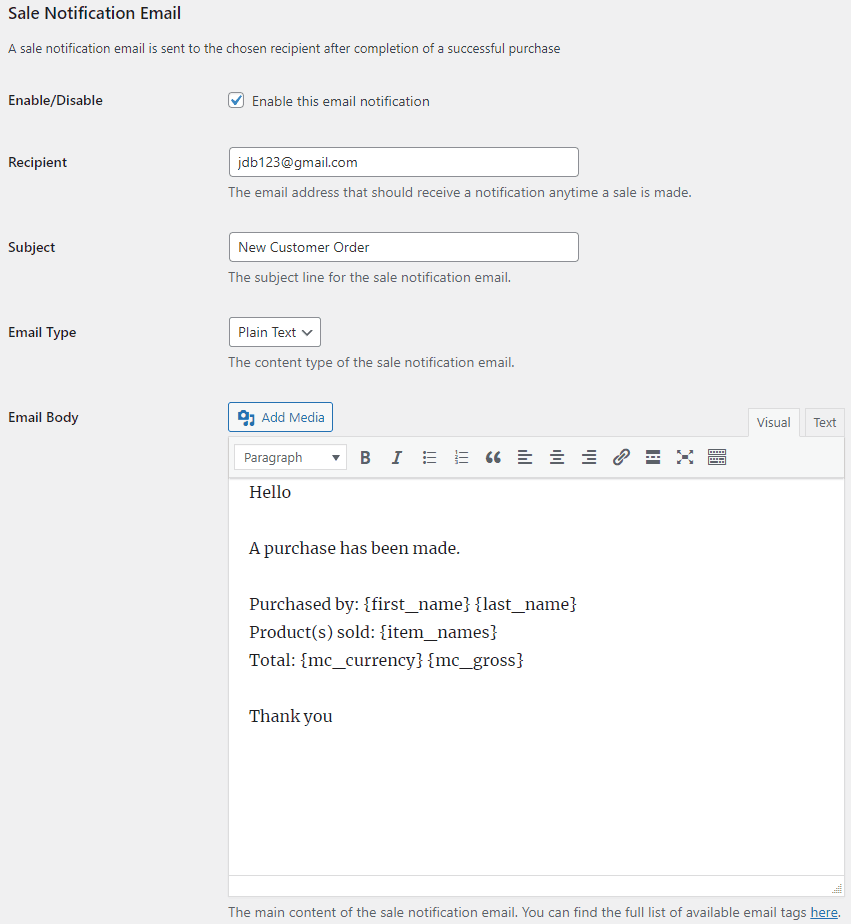
Sale Notification Email
When this feature is enabled an email is sent to your chosen recipient(s) after completion of a successful purchase. Options you can customize here:
- The subject of the sale notification email
- The content type of the sale notification email. The default is “Plain Text”. But you can also set it to “HTML”
- The body of the sale notification email.
You can use various email tags in the subject/body of an email to dynamically change its content. You can find the full list of available email tags in the WordPress PayPal plugin page.
Can the email messages be sent over SMTP? Absolutely. The following SMTP plugins have been tested:
- SMTP Mailer
- Gmail SMTP
- WP Mail SMTP
- Post SMTP
- FluentSMTP
- Easy WP SMTP
Installation
- Go to the Add New plugins screen in your WordPress Dashboard
- Click the upload tab
- Browse for the plugin file (wp-paypal.zip) on your computer
- Click “Install Now” and then hit the activate button
Changelog
This version disabled existing payment buttons. Please follow the updated documentation to set up.
1.2.3.49
- Added button image option for product.
1.2.3.48
- Compatibility update for custom input.
1.2.3.47
- Compatibility update for variable price.
1.2.3.46
- Fixed some warning notices.
1.2.3.45
- Added a product interface.
- Disabled existing payment buttons.
1.2.3.44
- Changes to URL parameters.
Screenshots

For developers
Is this your plugin? Show off the numbers.
Add a live badge to your site, docs or GitHub README. It updates on its own — no account needed.
Best Payment Button for PayPal alternatives
All checkout plugins →





FAQ
Payment Button for PayPal: quick answers
Straight answers, pulled from live WordPress.org data.
Source: WordPress.org
Is Payment Button for PayPal free?
Yes. Payment Button for PayPal is free to download and use from the official WordPress.org plugin directory.
Is Payment Button for PayPal safe to use in 2026?
Yes — Payment Button for PayPal is a safe, well-maintained plugin to use in 2026. It runs on 4K+ sites, is rated 4.5/5 and was last updated 1 month ago, and scores 87/100 on our health check.
How many websites use Payment Button for PayPal?
Payment Button for PayPal is active on 4K+ WordPress websites and has been downloaded 586,188 times since it launched in February 2015. It was downloaded 2,960 times in the last 30 days.
Does Payment Button for PayPal work with WordPress 7.1?
Yes. The developer has tested Payment Button for PayPal up to WordPress 7.1.4, the latest release. It requires WordPress 5.3 or newer.
When was Payment Button for PayPal last updated?
The latest version, 1.2.3.49, was released on October 13, 2026 (1 month ago).
Who makes Payment Button for PayPal?
Payment Button for PayPal is developed and maintained by Noor Alam.
What are the best alternatives to Payment Button for PayPal?
The most popular alternatives to Payment Button for PayPal are Brazilian Market on WooComm… (60K+ installs), reCAPTCHA for WooCommerce (40K+ installs) and FunnelKit (30K+ installs).
Powered by PageForge
One template and a spreadsheet. A real page for every search.
PageForge turns each row of a CSV into a WordPress page with its own title, URL, SEO fields and schema, built on the layout you already designed. Free on WordPress.org.
- CSV and XLSX, plus Google Sheets on Professional and Enterprise
- Its own title, URL, SEO fields and schema for every page
- Works with the block editor, Elementor, Divi and Avada
- Free on WordPress.org, no credit card