BLACK FRIDAY
Save 59% on PageForge Annual $191/year $485/year
Claim 59% Off →
WP Mail icon
Possibly abandoned Tested up to 4.6.30 #27 in mail

WP Mail

If any problem occurs, please contact us at http://www.webdesi9.com/support/.

Active installs700+100+ tier
Downloads · 30d211▲ +14.1% vs prev. 30d
Rating5/51 reviews
Health score34/100At risk
All-time downloads10.9KSince Jul 2016
Support resolved—No recent threads
RequiresWP 3.4PHP any
Downloads · 7d61▲ +3.4% week over week
Our verdict

Consider an alternative

WP Mail shows warning signs in 2026 — compare the alternatives below before installing. It runs on 700+ sites, is rated 5/5 and was last updated 10 years ago, and scores 34/100 on our health check.

  • Small user base (700+ active installs)
  • Very few reviews so far
  • No update in 9 years
  • Only tested up to WordPress 4.6 (latest is 7.1)

How does it stack up?

Side-by-side on installs, updates, ratings & support

Daily downloads

4812Jun 30Aug 13Sep 27
Yesterday6
Daily average (1y)5
Peak day161Oct 6, 2025
Last 12 months2K

Download spikes usually follow a new release — each site that auto-updates counts as a download.

Rankings

Where WP Mail stands today

WordPress.org search rankings

Live position in the plugin search, top 100
KeywordPositionCompeting pluginsCategory
mail >100 4,195 Best mail plugins →
mail system >100 1,360 Best mail system plugins →
mailers >100 316 Best mailers plugins →
send mail >100 2,479 Best send mail plugins →
wp_mail >100 803 Best wp_mail plugins →

Version adoption

Share of active sites per release.

  • 1.050.0%
  • 1.350.0%

Rating breakdown

★★★★★★★★★★ 5 from 1 reviews

  • 5★100.0%
  • 4★0.00%
  • 3★0.00%
  • 2★0.00%
  • 1★0.00%

About WP Mail

From the official readme · v1.3

Description

WP Mail plugin is simply a wp network mail or message system. User can send mail or messages to other users over one wp network.

Key Features of WP Mail

  • WP Mail – It allows WordPress administrators as well as wordpress users to send/recieve emails to registered users with in respective wordpress environment or manually typed in registered user’s email addresses.
  • Multiuser mails – You can send mails to multiple users by adding comma seprated mail ids ex:test@domain.com,test2@domain.com.
  • Mail as draft – WP users can save message in draft.

How to use

  1. First Activate Plugin.
  2. Go to Wp Mail Menu
  3. To Create New Mail – Click Compose Menu
  4. To Check Message – Click Indox Menu= Minimum requirements for Mail System =

* WordPress 3.3+
* PHP 5.x
* MySQL 5.x

If any problem occurs, please contact us at http://www.webdesi9.com/support/.

Installation

  1. Upload the wp-mail folder to the directory /wp-content/plugins/.
  2. Activate the plugin using the ‘Plugins’ menu in WordPress.

Screenshots
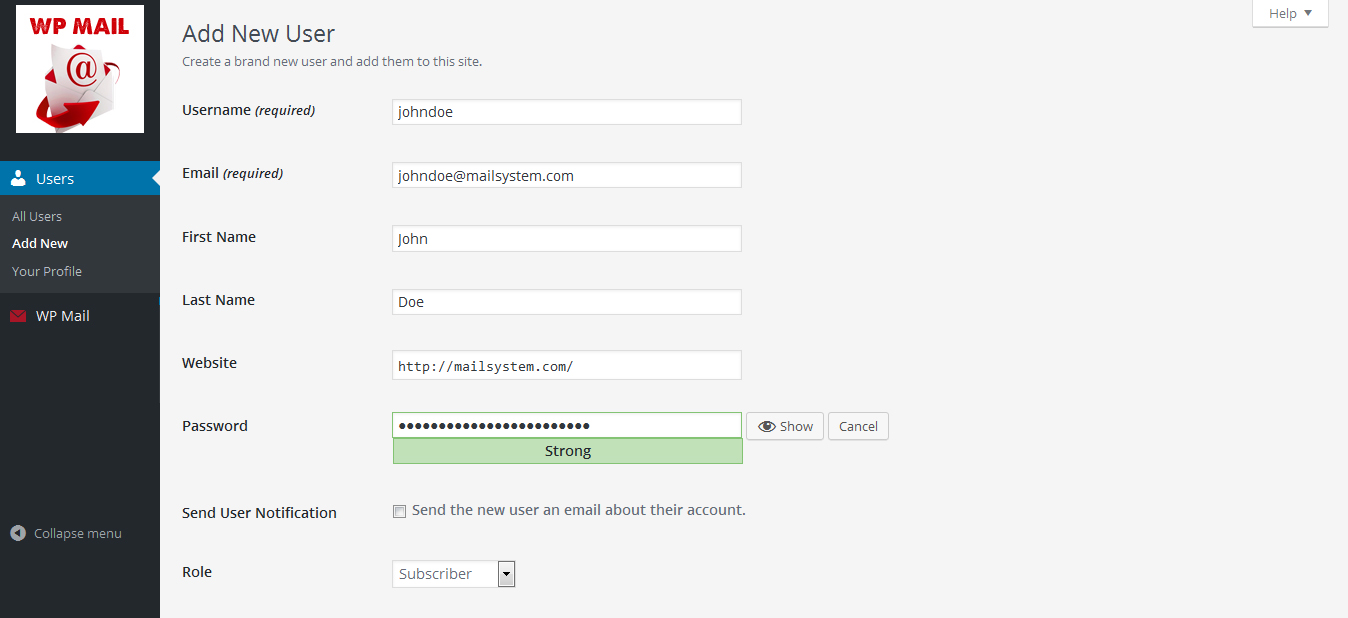
Create new user or give a signup form on you site frontend.
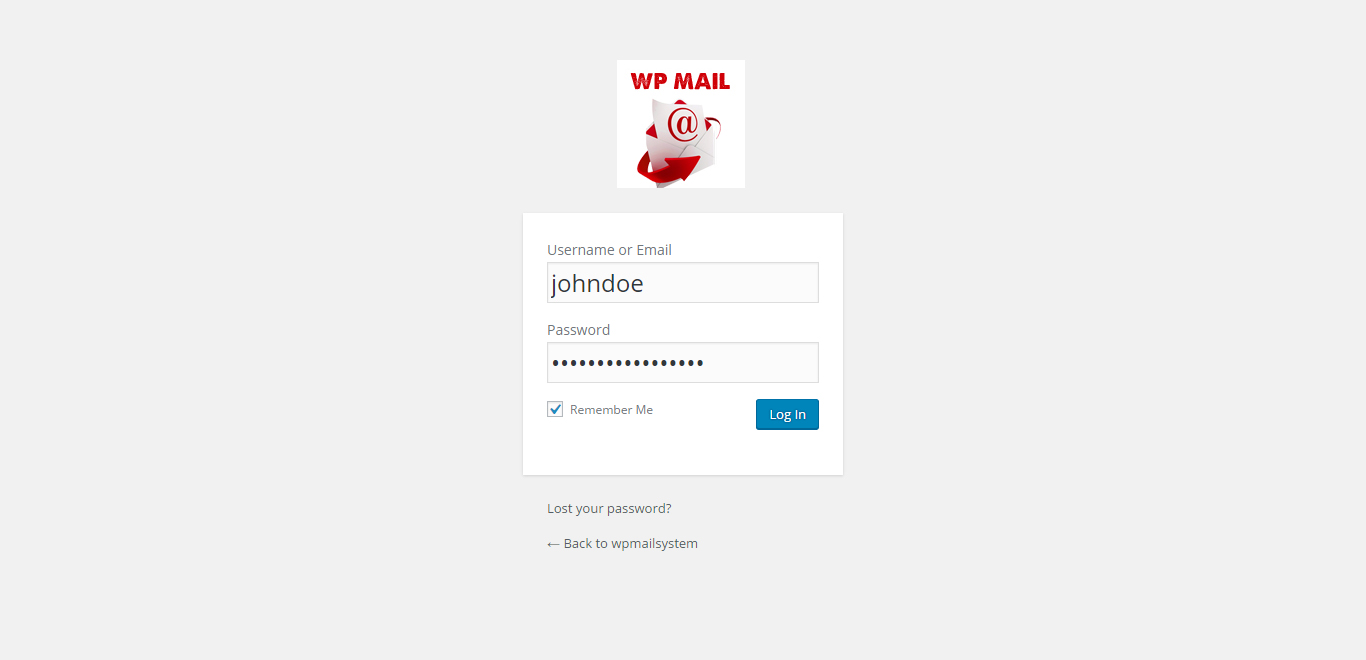
Go to login screeen and login with your credentials.
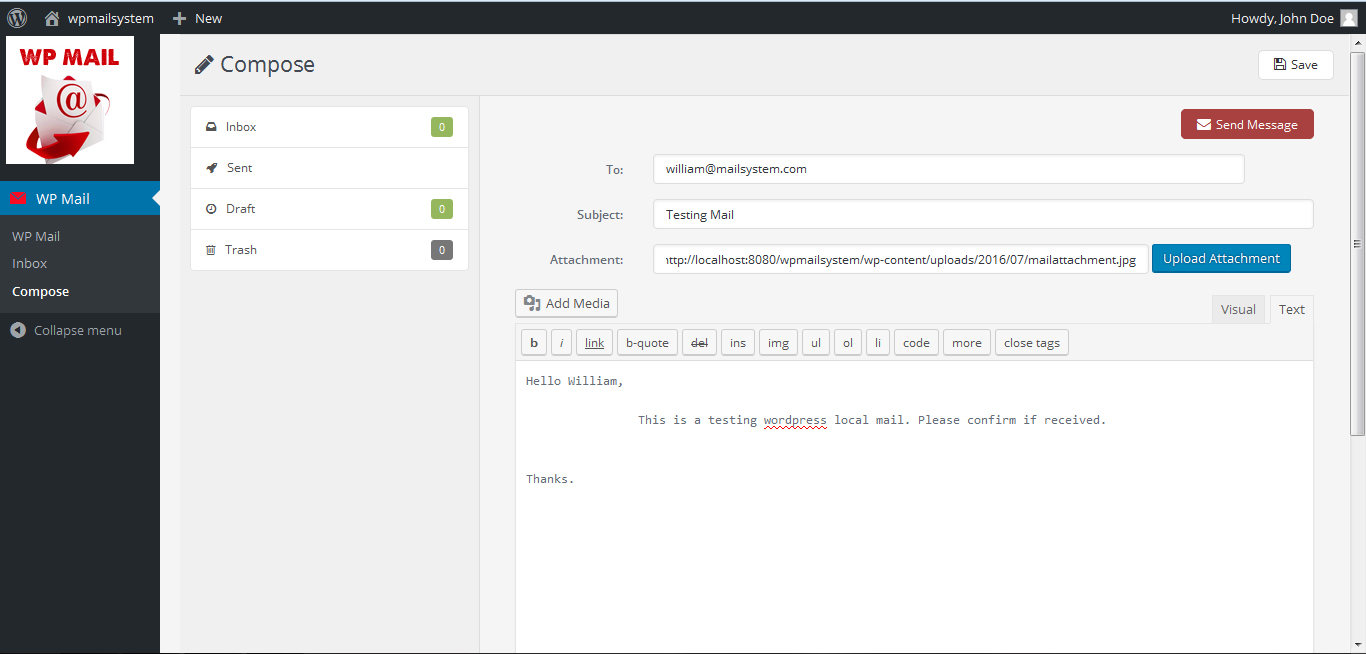
Click on Compose button to compose a mail to any of your wordpress register user. You should know email of user.
Click on Compose button to compose a mail to any of your wordpress register user. You…
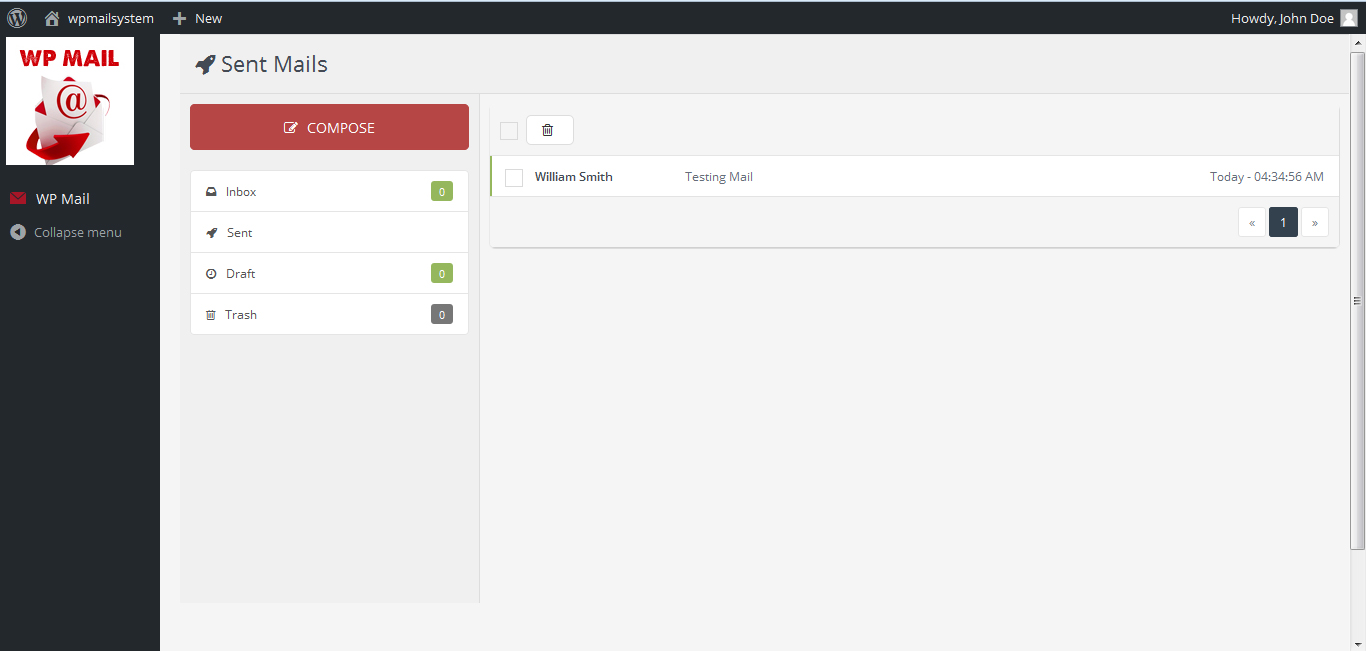
Check sent mail menu, Mail sent or Not.
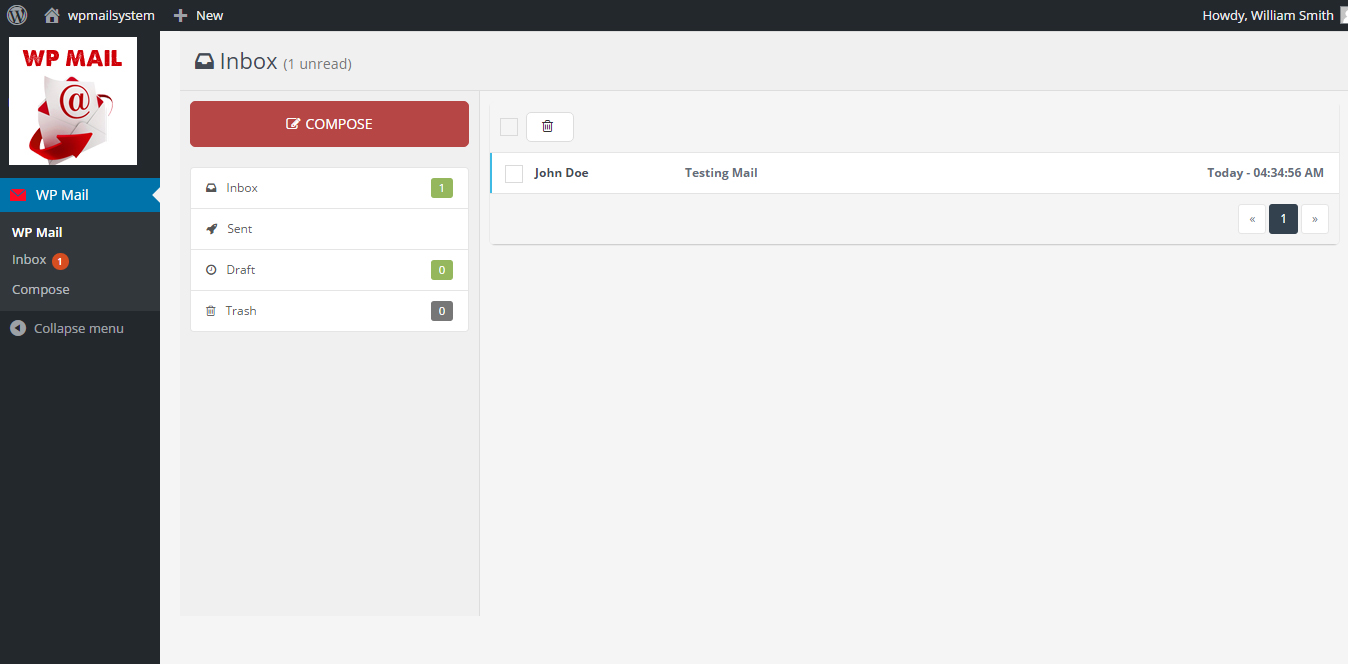
This is receiver's inbox. Receiver can see new email in inbox.
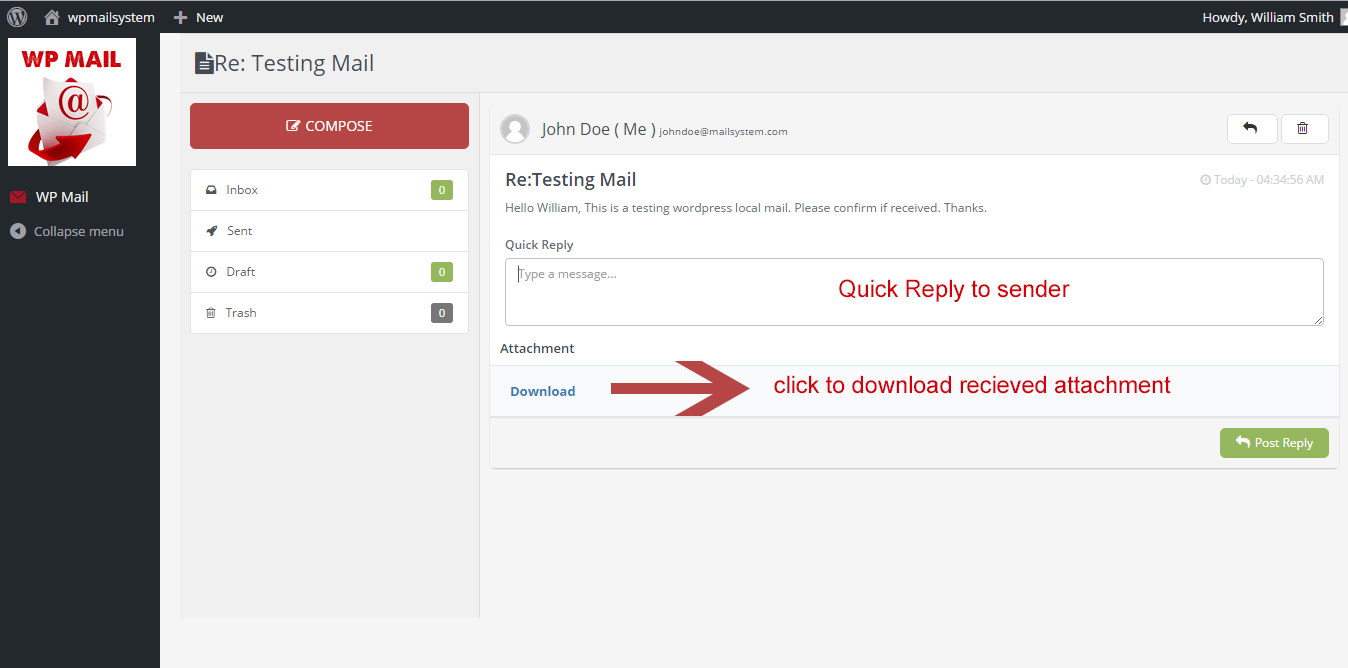
Email view screen. You can read full message here. Also download attachment if received. You can also make a quick reply to sender.
Email view screen. You can read full message here. Also download attachment if received…
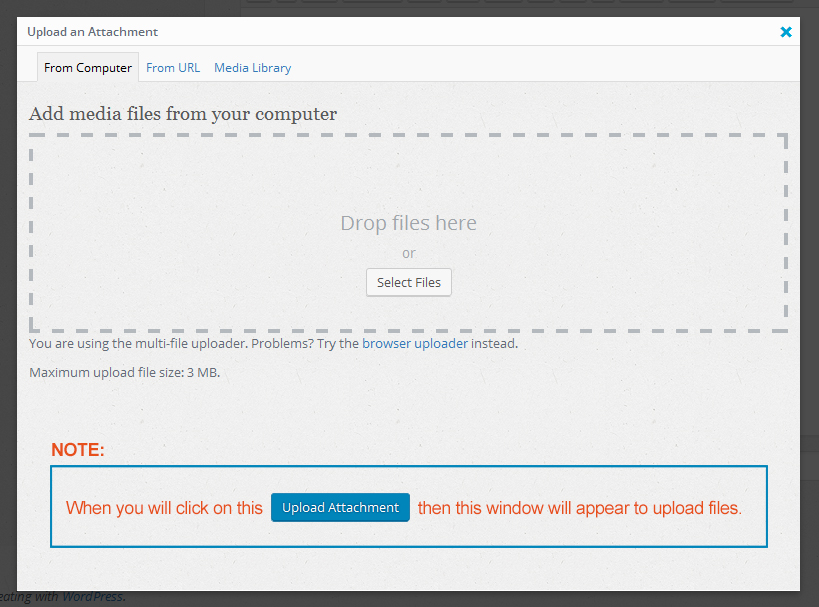
How to upload attachment - when click on Upload Attachment button in compose mail section this window will appear. You can drag and drop your attachment here.
How to upload attachment - when click on Upload Attachment button in compose mail section…
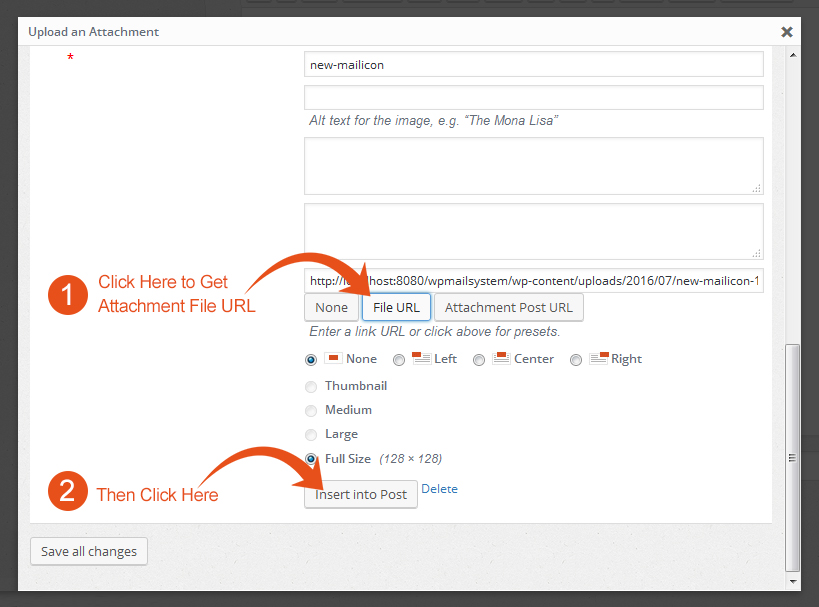
Then click on attachment then this window will appear. Then click on * File URL Button to get attachment path or url. Then after this click on * Insert into Post.
Then click on attachment then this window will appear. Then click on * File URL Button to…

For developers

Is this your plugin? Show off the numbers.

Add a live badge to your site, docs or GitHub README. It updates on its own — no account needed.

Active installs badge Rating badge Health score badge

Best WP Mail alternatives

All mail plugins →

Alternatives
Rank Plugin Active installs Rating Updated Health
1 Flamingo Flamingo A trustworthy message storage plugin for Contact Form 7. by Rock Lobster Inc. 800K+ ★★★★★★★★★★ 4.2 (121) 1 month ago 75
2 MW WP Form MW WP Form MW WP Form is shortcode base contact form plugin. This plugin have many features. For… by Webの相談所 200K+ ★★★★★★★★★★ 4.2 (23) 1 day ago 59
3 Kadence WooCommerce Email Designer Kadence WooCommerce Email Designer Customize the default WooCommerce email templates design and text through the native… by Nexcess 90K+ ★★★★★★★★★★ 4.5 (142) 1 week ago 89
4 Mailgun for WordPress Mailgun for WordPress Easily send email from your WordPress site through Mailgun using the HTTP API or SMTP. by Mailgun 80K+ ★★★★★★★★★★ 3.8 (49) 4 days ago 86
5 SMTP Mailer SMTP Mailer Configure a SMTP server to send email from your WordPress site. Configure the wp_mail()… by Noor Alam 70K+ ★★★★★★★★★★ 4.6 (67) 3 weeks ago 93
6 reCAPTCHA for MW WP Form reCAPTCHA for MW WP Form You can use "reCAPTCHA V3" with MW WP FORM. by Masahiro NAKASHIMA 30K+ ★★★★★★★★★★ 3.7 (3) 2 years ago 34
7 Change Mail Sender Change Mail Sender Easily change the default WordPress from email name and from email address. by Syed Balkhi 20K+ ★★★★★★★★★★ 4.4 (18) 1 year ago 43
8 Zoho Mail for WordPress Zoho Mail for WordPress Zoho Mail Plugin lets you configure your Zoho Mail account on your WordPress site enabling… by Zoho Mail 20K+ ★★★★★★★★★★ 3.8 (41) 4 months ago 51
9 WP Mail Log WP Mail Log WP Mail Log helps you to Log and view all emails from WordPress. It is useful if you have… by WPVibes 10K+ ★★★★★★★★★★ 4.9 (66) 3 months ago 81
10 Gmail SMTP Gmail SMTP Connect to Gmail SMTP server to automatically send email from your WordPress site… by Noor Alam 10K+ ★★★★★★★★★★ 4.1 (103) 1 month ago 86

FAQ

WP Mail: quick answers

Straight answers, pulled from live WordPress.org data.

Live data from WordPress.org · checked Sep 28, 2026

Is WP Mail free?

Yes. WP Mail is free to download and use from the official WordPress.org plugin directory.

Is WP Mail safe to use in 2026?

WP Mail shows warning signs in 2026 — compare the alternatives below before installing. It runs on 700+ sites, is rated 5/5 and was last updated 10 years ago, and scores 34/100 on our health check.

How many websites use WP Mail?

WP Mail is active on 700+ WordPress websites and has been downloaded 10,894 times since it launched in July 2016. It was downloaded 211 times in the last 30 days.

Does WP Mail work with WordPress 7.1?

WP Mail is officially tested up to WordPress 4.6.30, while the latest release is 7.1.2. It may still work, but try it on a staging site first.

When was WP Mail last updated?

The latest version, 1.3, was released on October 6, 2016 (10 years ago).

Who makes WP Mail?

WP Mail is developed and maintained by mndpsingh287.

What are the best alternatives to WP Mail?

The most popular alternatives to WP Mail are Flamingo (800K+ installs), MW WP Form (200K+ installs) and Kadence WooCommerce Email D… (90K+ installs).

Powered by PageForge

Want thousands of pages that rank like these? Build them in an afternoon.

This directory runs on the same engine as PageForge. Turn any spreadsheet, CSV or API into thousands of fast, SEO-ready WordPress pages — with schema, internal links and AI-written copy baked in.

  • CSV, Google Sheets & API data sources
  • AI content, schema & internal links per page
  • Works with Elementor, Gutenberg, Yoast & Rank Math
  • Free on WordPress.org — no credit card

Sarah is here to help!
Hi there! 👋 Need help finding what you're looking for?
Sarah
Sarah
Online & Ready to Help
Hi there! 👋 Need help finding what you're looking for?

We'll use this to continue our conversation

Just now ✓ Verified

Join 500+ SEO Pros Scaling Their Strategy

Get exclusive programmatic SEO tactics, AI content workflows, and the latest PageForge updates delivered straight to your inbox. Stay ahead of the algorithm.

We care about your data in our privacy policy.