


WP Eventbrite Embedded Checkout – Ticket Checkout Block, Popup & Elementor Widget
Sell Eventbrite tickets on your site: the checkout on the page or in a popup, with a block, shortcode or Elementor widget, for any number of events.

Use with caution
WP Eventbrite Embedded Checkout works, but test it on a staging site before relying on it in 2026. It runs on 700+ sites, is rated 4.8/5 and was last updated 1 month ago, and scores 61/100 on our health check.
- Tested with the latest WordPress (7.1)
- Small user base (700+ active installs)
- Very few reviews so far
How does it stack up?
Side-by-side on installs, updates, ratings & support



Daily downloads
Download spikes usually follow a new release — each site that auto-updates counts as a download.
Rankings
Where WP Eventbrite Embedded Chec… stands todayWordPress.org search rankings
Live position in the plugin search, top 100| Keyword | Position |
|---|---|
| checkout | #38 |
| eventbrite | #6 |
| events | >100 |
| popup | >100 |
| tickets | #34 |
Version adoption
Share of active sites per release.
Rating breakdown
★★★★★★★★★★ 4.8 from 4 reviews
About WP Eventbrite Embedded Checkout
From the official readme · v3.0.0Description
Eventbrite Plugin for WordPress
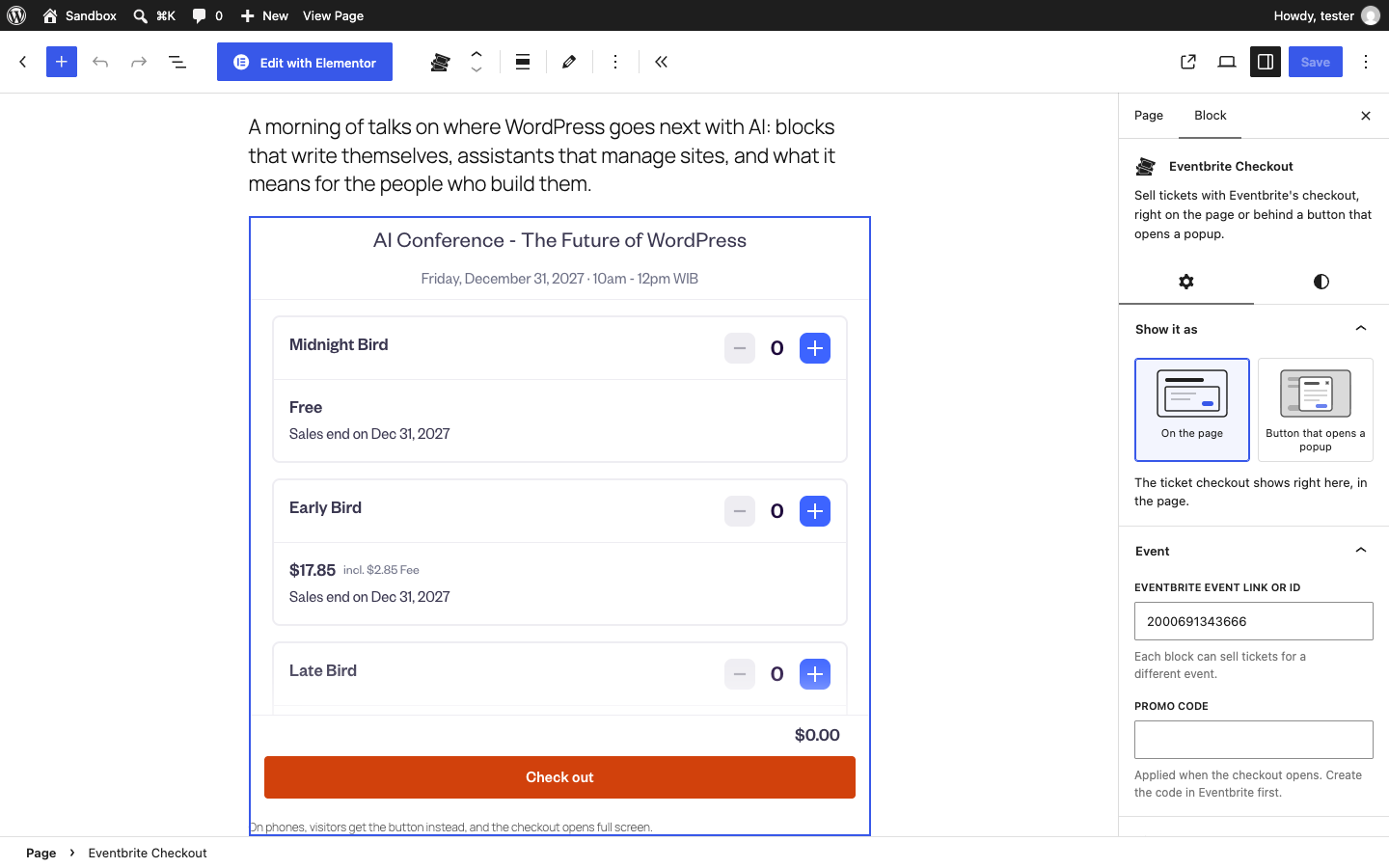
WP Eventbrite Embedded Checkout puts Eventbrite’s own ticket checkout on your WordPress site, so people buy tickets without leaving your pages. In the WordPress editor, add the Eventbrite Checkout block, paste the link to your event and click Show checkout. The real checkout appears in the editor. Then pick how to show it: right on the page, or as a button that opens the checkout in a popup.
You get an Eventbrite Checkout block with the live checkout in the editor, an Eventbrite Checkout widget for Elementor, and a [wp-eventbrite-checkout] shortcode for the classic editor, widgets, Divi, Bricks and other page builders. Every block, widget and shortcode can sell tickets for a different event, so one site can sell all of them.
Eventbrite takes the payment, sends the tickets and keeps your attendee list, exactly as on eventbrite.com. The plugin needs no API key and stores no orders.
Made for event organizers, venues, conferences, workshops, meetups, schools and nonprofits that want ticket sales on their own website.
How to add Eventbrite checkout to WordPress
- Install and activate WP Eventbrite Embedded Checkout: go to Plugins → Add New, search for “Eventbrite checkout” and click Install Now, then Activate.
- Open your event on Eventbrite and copy its link from the address bar, for example
https://www.eventbrite.com/e/your-event-tickets-123456789012. The number at the end is the event ID; either works. - In the WordPress editor, add the Eventbrite Checkout block. Type “eventbrite” in the block search to find it.
- Paste the link and click Show checkout. The checkout appears in the editor.
- In the block sidebar, pick On the page or Button that opens a popup, adjust the options, and publish.
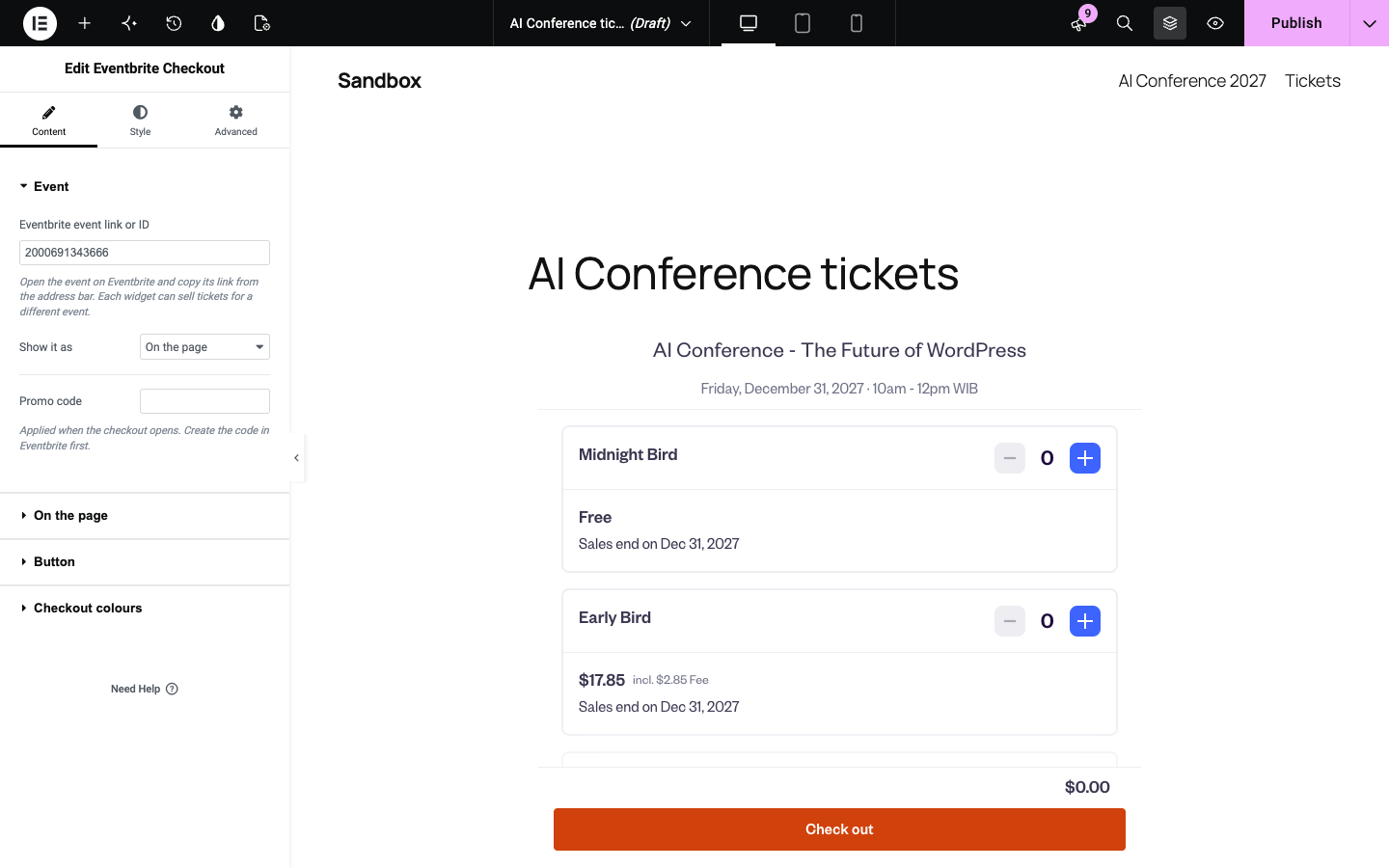
Using Elementor? Add the Eventbrite Checkout widget, paste the link and pick how to show it.
Using the classic editor or another page builder? Paste the shortcode instead: [wp-eventbrite-checkout event="123456789012"]. Go to Eventbrite → Shortcode to build one with your options and copy it.
Your site needs https (an SSL certificate): Eventbrite shows its checkout only on secure pages.
Eventbrite’s embed code or this plugin?
You don’t need a plugin to embed Eventbrite. In your event dashboard on Eventbrite, choose Embedded Checkout under Marketing, copy the code and paste it into a Custom HTML block. That works for one event that rarely changes.
Use this plugin instead if you want to:
- See the checkout while you edit, instead of an empty HTML box.
- Paste a link instead of code, and change the display, button text, colour or promo code from the sidebar.
- Let Authors and Contributors add checkouts. WordPress removes scripts saved by users who aren’t allowed to add unfiltered HTML, so Eventbrite’s code disappears when they save. The block works for every user who can edit the page.
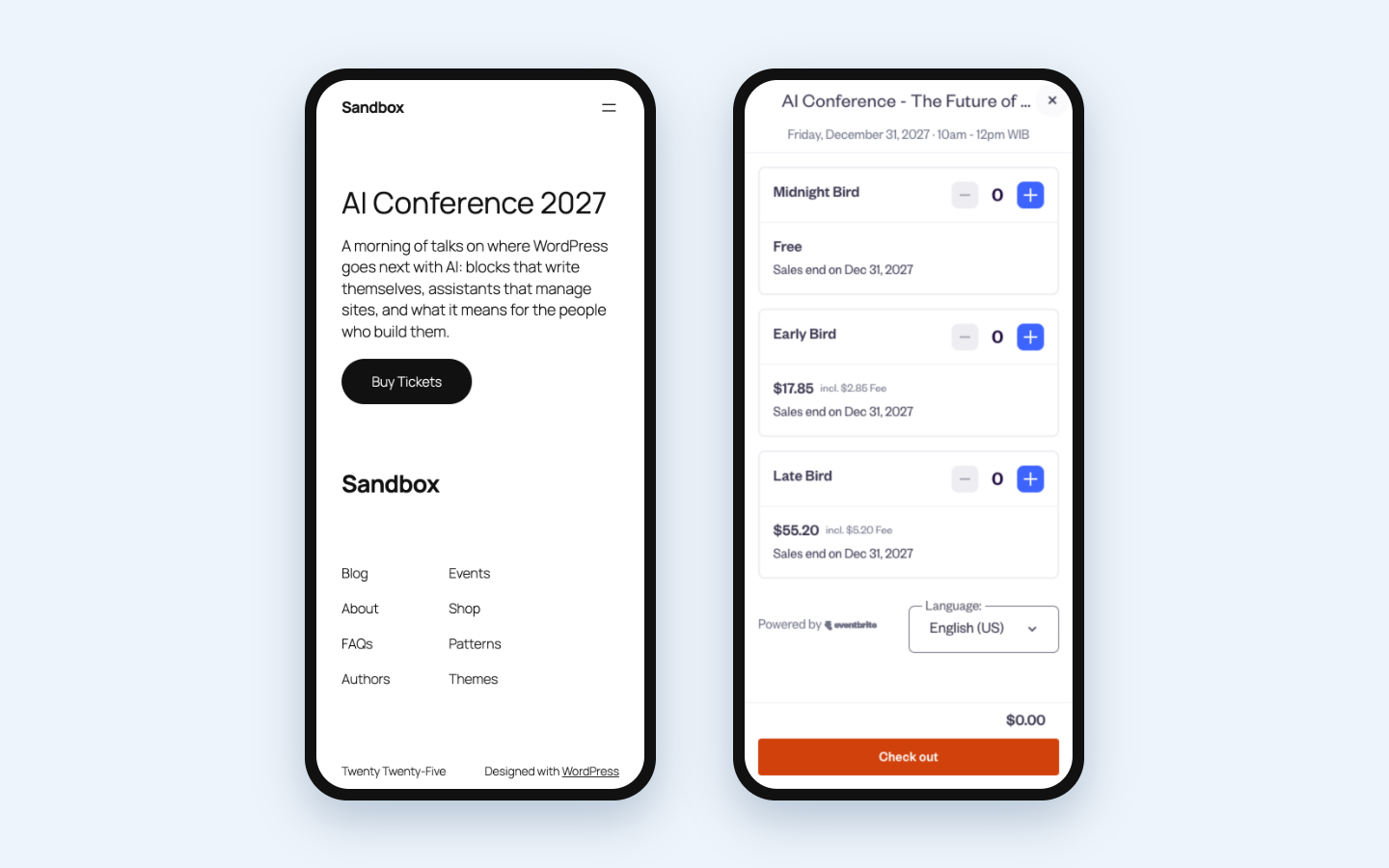
- Give phone visitors a button that opens the checkout full screen, as Eventbrite recommends, while larger screens keep the checkout on the page.
- Send ticket purchases to Google Analytics, Google Tag Manager or Meta Pixel, and send buyers to your own thank-you page.
Features
- Any number of events: every block, widget and shortcode has its own event.
- Paste the event’s link or its ID. Eventbrite’s embed code works too: the plugin finds the event in it.
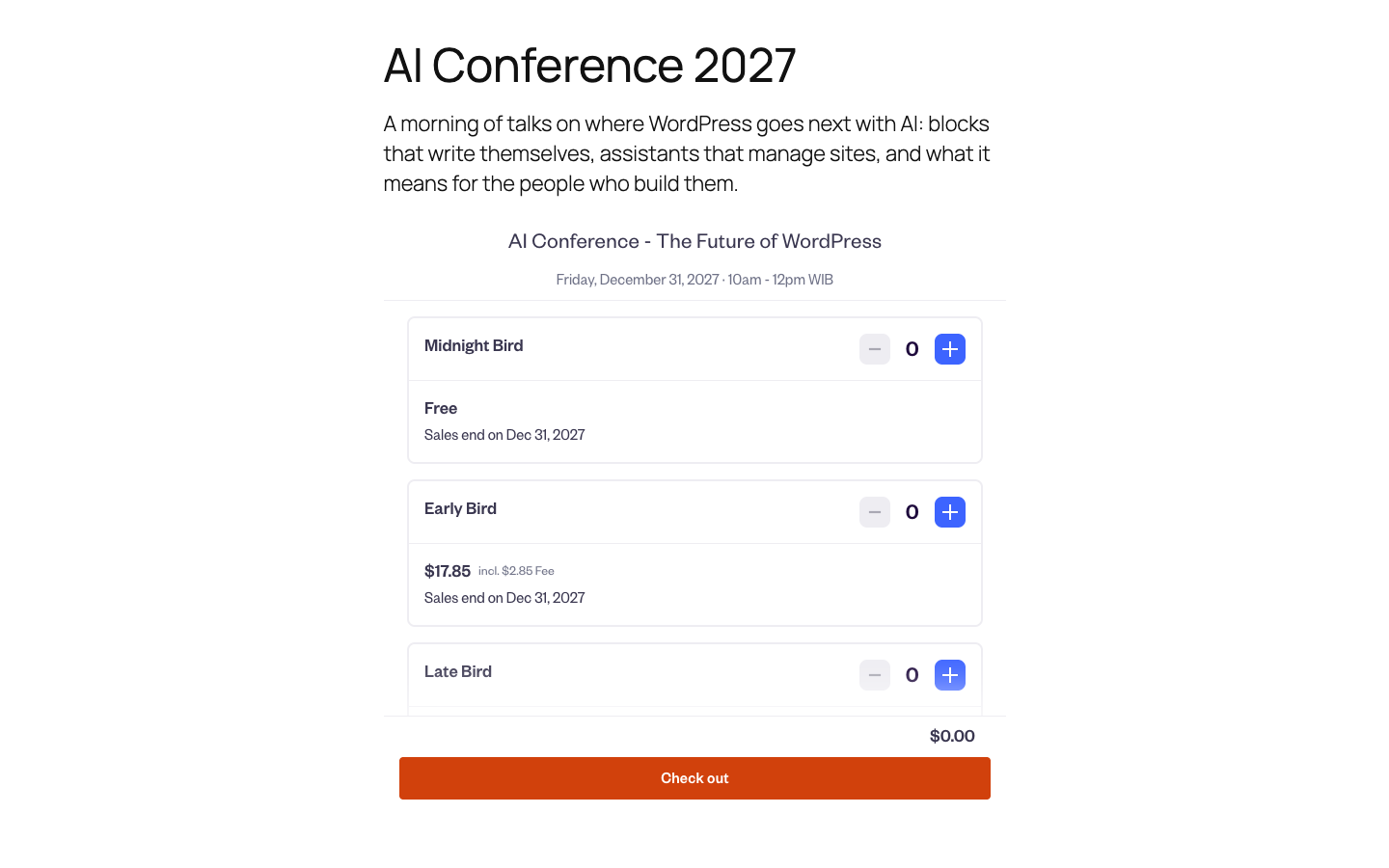
- Two ways to show it: the checkout on the page, or a button that opens it in a popup over the page.
- Popup on phones: on small screens, the checkout on the page becomes a button, and the checkout opens full screen.
- Your brand colour on the checkout’s buttons and links, applied by Eventbrite.
- Promo codes: apply one of your Eventbrite promo codes when the checkout opens.
- The button matches your theme’s buttons or uses a simple dark style, in your own colours if you like. The Elementor widget has a Style tab for it.
- A shortcode builder: choose your options under Eventbrite → Shortcode and copy the finished shortcode.
- Optional purchase tracking: an
eventbrite_purchaseevent for the Google Analytics, Google Tag Manager and Meta Pixel tags already on your site. - Optional thank-you page after a completed order.
- Eventbrite’s script loads only on pages with a checkout.
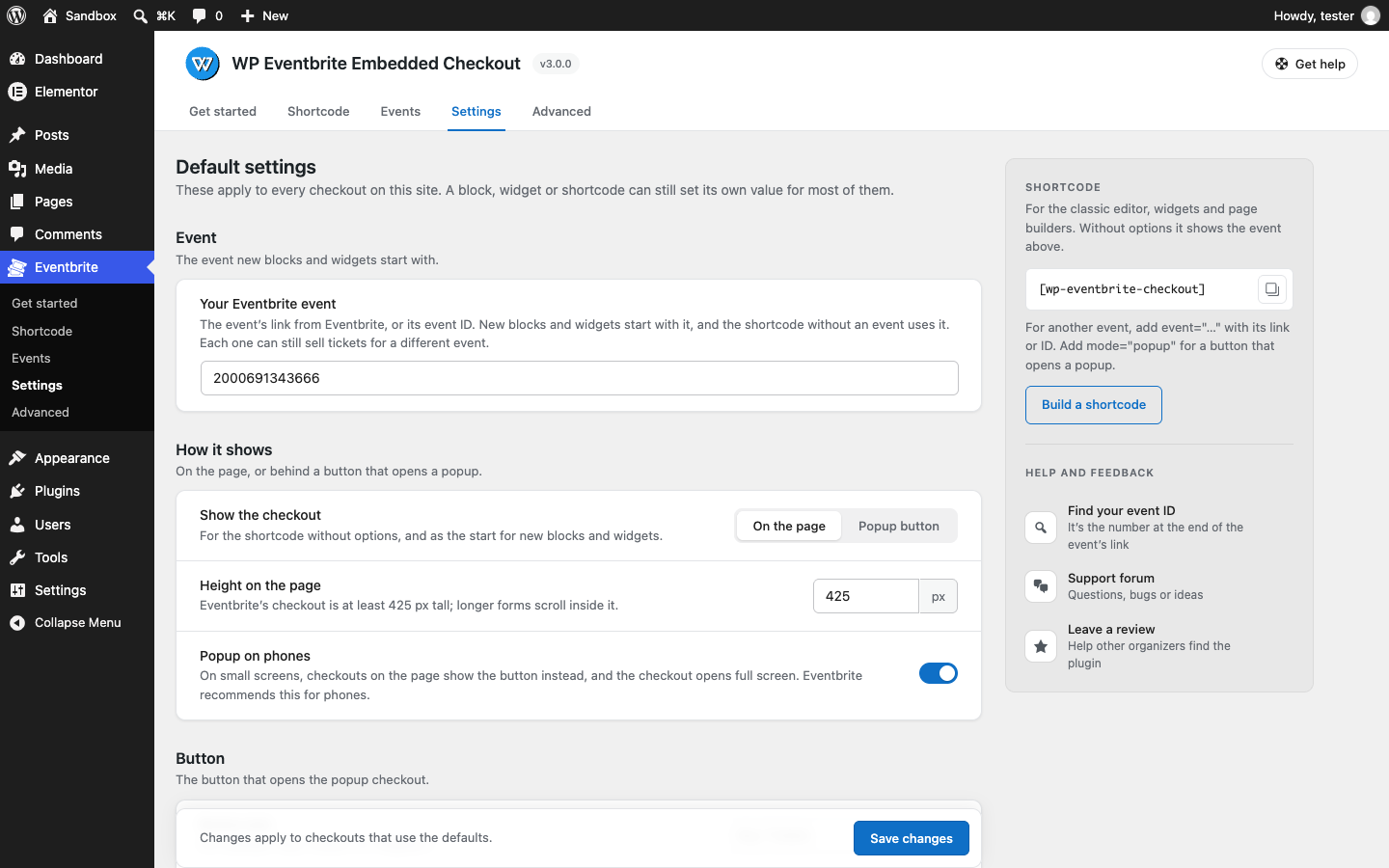
- A Get started page that saves your event once and creates a page with the block or widget for you, and a Settings page with defaults for every checkout.
Shortcode
[wp-eventbrite-checkout event="https://www.eventbrite.com/e/your-event-tickets-123456789012" mode="popup" button_text="Get tickets"]
Without attributes, [wp-eventbrite-checkout] shows the event set under Eventbrite → Settings, as in earlier versions. See the FAQ for all attributes.
External services
This plugin shows Eventbrite’s ticket checkout (eventbrite.com), a third-party ticketing service. It does not work without it.
On every page with a checkout, the plugin loads Eventbrite’s checkout widget script from https://www.eventbrite.com/static/widgets/eb_widgets.js, which shows the checkout from https://www.eventbrite.com/checkout-external in an iframe on the page or in a popup. The visitor’s browser connects to Eventbrite directly and sends the event ID, the address of your page, the promo code and button colour you set, and standard request data such as the IP address and browser. Campaign tags (utm_*) in your page’s address are passed on by Eventbrite’s script. Ticket selection, the order form, payment and the tickets are handled by Eventbrite; nothing a buyer enters is sent to your WordPress site. Eventbrite sets its own cookies inside the checkout.
The block editor and Elementor’s editor show the live checkout from Eventbrite the same way while you edit.
In the WordPress admin, the plugin contacts Tally (tally.so), a form service, only if you click Request this feature on the Eventbrite → Events page. That opens a short feedback form hosted on Tally (https://tally.so/r/M1eoWE) and loads Tally’s embed script (https://tally.so/widgets/embed.js) at that moment. The form sends what you choose or type, plus the plugin’s version number. Tally’s terms and privacy policy: https://tally.so/help/terms-and-privacy.
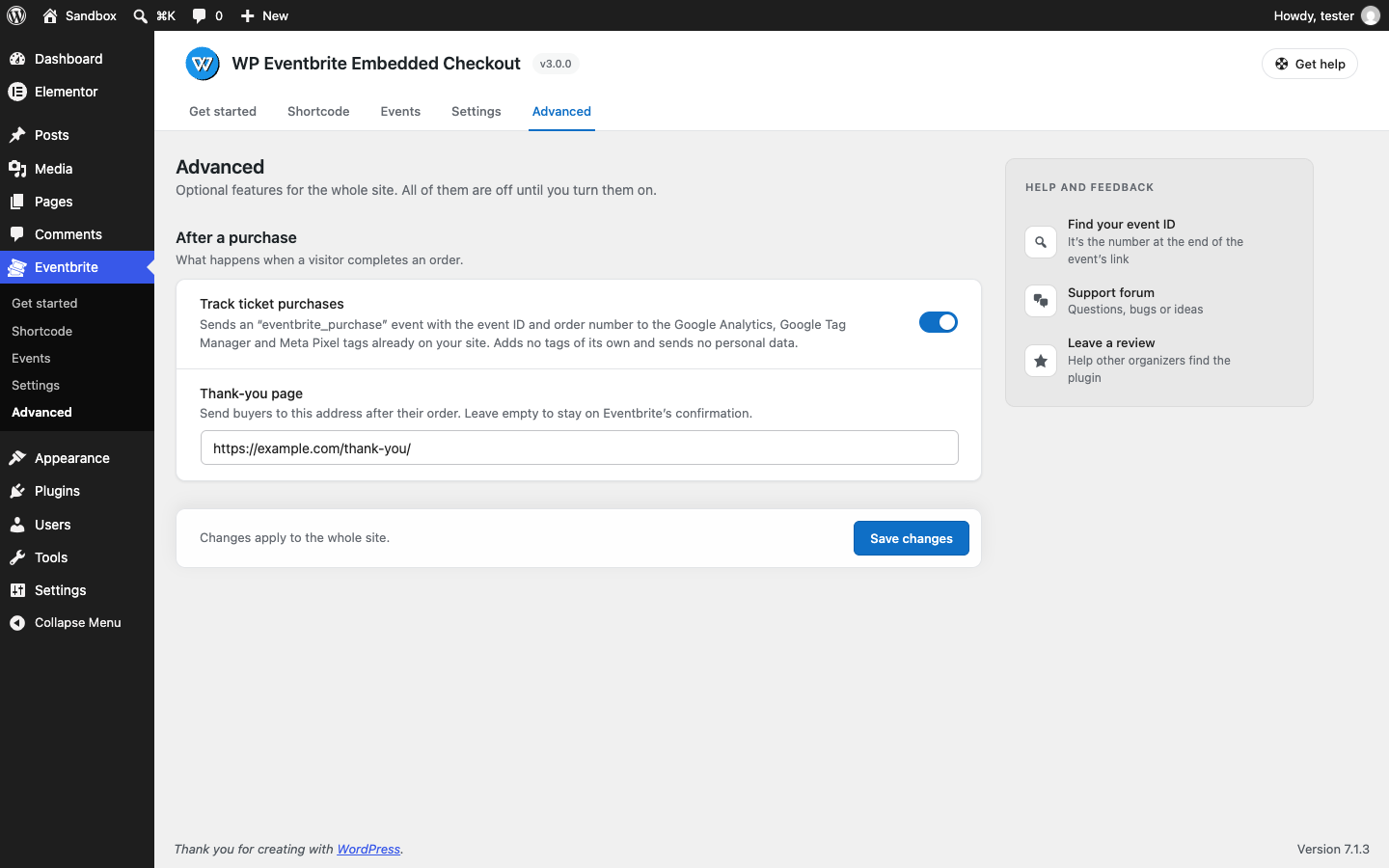
Optional features, all off by default (Eventbrite → Advanced):
- Track ticket purchases. When Eventbrite reports a completed order, the plugin sends an
eventbrite_purchaseevent with the event ID and the order number to the Google Analytics (gtag), Google Tag Manager (dataLayer) and Meta Pixel (fbq) tags already on your page. It carries no buyer details. The plugin adds no analytics tags of its own; what your own tags send, and to whom, is governed by those services. - Thank-you page. After a completed order, the buyer is sent to the page you choose.
Eventbrite’s terms of service: https://www.eventbrite.com/help/en-us/articles/251210/eventbrite-terms-of-service/
Eventbrite’s privacy policy: https://www.eventbrite.com/help/en-us/articles/460838/eventbrite-privacy-policy/
Installation
- Upload the plugin folder to
/wp-content/plugins/or install it from the Plugins screen. - Activate the plugin. The Get started page opens: paste your event’s link and it saves itself, then create a page with the block or the Elementor widget in one click.
- Or add the Eventbrite Checkout block to any post or page (or the Eventbrite Checkout widget in Elementor) and paste the event’s link, or use the
[wp-eventbrite-checkout event="..."]shortcode. - Optionally set defaults under Eventbrite → Settings.
Changelog
Multiple events are now free, with a block and an Elementor widget. Existing shortcodes and settings keep working. Needs WordPress 6.6.
3.0.0
Release Date – 25 October 2026
- New: any number of events. Each block, widget and shortcode has its own event; paste the event’s link or ID.
- New: Eventbrite Checkout block with the live checkout in the editor.
- New: Eventbrite Checkout widget for Elementor, with a Style tab for the button.
- New: Popup on phones. On small screens the checkout on the page becomes a button that opens it full screen. On for new sites, off on sites that used 2.x.
- New: your brand colour on the checkout’s buttons and links, a popup preview in the editor, and promo codes.
- New: button styles (match the theme, or simple) and button colours.
- New: optional purchase tracking (Google Analytics, Google Tag Manager, Meta Pixel) and thank-you page.
- New: Get started page, shortcode builder, Settings and Advanced pages under a new Eventbrite menu.
- New:
[wpeecpro]shortcodes from the Pro plugin keep working when Pro is deactivated. - Changed: the “Widget by wpevent.pro” link is off by default. Turn it on under Settings if you like.
- Changed: the error for a missing event is shown only to people who can edit the site.
[wp-eventbrite-checkout]without attributes shows the same event, mode, height and button text as before.- Requires WordPress 6.6 or newer.
2.2.0
Release Date – 12 September 2026
- Tested with WordPress 7.1 and PHP 7.4 through 8.5.
- Improved output escaping and settings validation.
- Fixed compatibility issues when no global post object is available.
- Added support for multiple checkout shortcodes on the same page.
- Load Eventbrite assets only when the checkout shortcode is rendered.
- Replaced third-party admin popup code with native WordPress notices.
- Improved admin accessibility, responsive styling, and documentation.
2.1.5
Release Date – 21 Feb 2025
- Bugs fixing and code enhancements
2.1.4
Release Date – 19 Feb 2025
- Compatibility checks with WordPress 6.7.2
2.1.3
Release Date – 11 Jan 2025
- Compatibility checks with WordPress 6.7.1
2.1.2
Release Date – 11 Jan 2024
- Bugs fixing
- Compatibility checks with WordPress 6.4.2
Screenshots


For developers
Is this your plugin? Show off the numbers.
Add a live badge to your site, docs or GitHub README. It updates on its own — no account needed.
Best WP Eventbrite Embedded Checko… alternatives
All checkout plugins →





FAQ
WP Eventbrite Embedded Checkout: quick answers
Straight answers, pulled from live WordPress.org data.
Source: WordPress.org
Is WP Eventbrite Embedded Checkout free?
Yes. WP Eventbrite Embedded Checkout is free to download and use from the official WordPress.org plugin directory.
Is WP Eventbrite Embedded Checkout safe to use in 2026?
WP Eventbrite Embedded Checkout works, but test it on a staging site before relying on it in 2026. It runs on 700+ sites, is rated 4.8/5 and was last updated 1 month ago, and scores 61/100 on our health check.
How many websites use WP Eventbrite Embedded Checkout?
WP Eventbrite Embedded Checkout is active on 700+ WordPress websites and has been downloaded 25,373 times since it launched in January 2019. It was downloaded 665 times in the last 30 days.
Does WP Eventbrite Embedded Checkout work with WordPress 7.1?
Yes. The developer has tested WP Eventbrite Embedded Checkout up to WordPress 7.1.5, the latest release. It requires WordPress 6.6 or newer.
What PHP version does WP Eventbrite Embedded Checkout need?
WP Eventbrite Embedded Checkout requires PHP 7.4 or higher. Most hosts run PHP 8.x today, so it works on any modern WordPress hosting.
When was WP Eventbrite Embedded Checkout last updated?
The latest version, 3.0.0, was released on October 25, 2026 (1 month ago).
Who makes WP Eventbrite Embedded Checkout?
WP Eventbrite Embedded Checkout is developed and maintained by Hendra Setiawan.
What are the best alternatives to WP Eventbrite Embedded Checkout?
The most popular alternatives to WP Eventbrite Embedded Checkout are Brazilian Market on WooComm… (60K+ installs), reCAPTCHA for WooCommerce (40K+ installs) and FunnelKit (30K+ installs).
Powered by PageForge
One template and a spreadsheet. A real page for every search.
PageForge turns each row of a CSV into a WordPress page with its own title, URL, SEO fields and schema, built on the layout you already designed. Free on WordPress.org.
- CSV and XLSX, plus Google Sheets on Professional and Enterprise
- Its own title, URL, SEO fields and schema for every page
- Works with the block editor, Elementor, Divi and Avada
- Free on WordPress.org, no credit card