



WP Club Manager – WordPress Sports Club Plugin
WP Club Manager is easy to set-up and has everything you need to build and manage an amazing sports club website.

Safe pick
Yes — WP Club Manager is a safe, well-maintained plugin to use in 2026. It runs on 600+ sites, is rated 4.7/5 and was last updated 1 week ago, and scores 86/100 on our health check.
- Loved by users — 4.7/5 from 40 reviews
- Actively developed — last update 1 week ago
- Tested with the latest WordPress (7.1)
- Small user base (600+ active installs)
How does it stack up?
Side-by-side on installs, updates, ratings & support



Daily downloads
Download spikes usually follow a new release — each site that auto-updates counts as a download.
Rankings
Where WP Club Manager stands todayWordPress.org search rankings
Live position in the plugin search, top 100| Keyword | Position |
|---|---|
| club | #2 |
| club management | #1 |
| sport | #4 |
| sports club | #2 |
| teams | >100 |
Version adoption
Share of active sites per release.
Rating breakdown
★★★★★★★★★★ 4.7 from 40 reviews
About WP Club Manager
From the official readme · v2.4.0Description
Build A Pro Sports Club Website With No Hassle
WP Club Manager is a sports plugin used to create and manage a club website with WordPress. Quick and easy to set-up, you can manage clubs, player profiles and performance data, staff, sponsors, league tables, keep track of your fixtures and results and loads more.
Endorsed by USA Rugby
“It’s perfect for the professional sports web developer and the first-time team administrator. Incredibly easy to customize and integrate, I highly recommend WP Club Manager to any sports teams that want a better website!”
Davey Jacobson, Information Systems Developer, USA Rugby
Features Include
- Manage multiple teams in your club
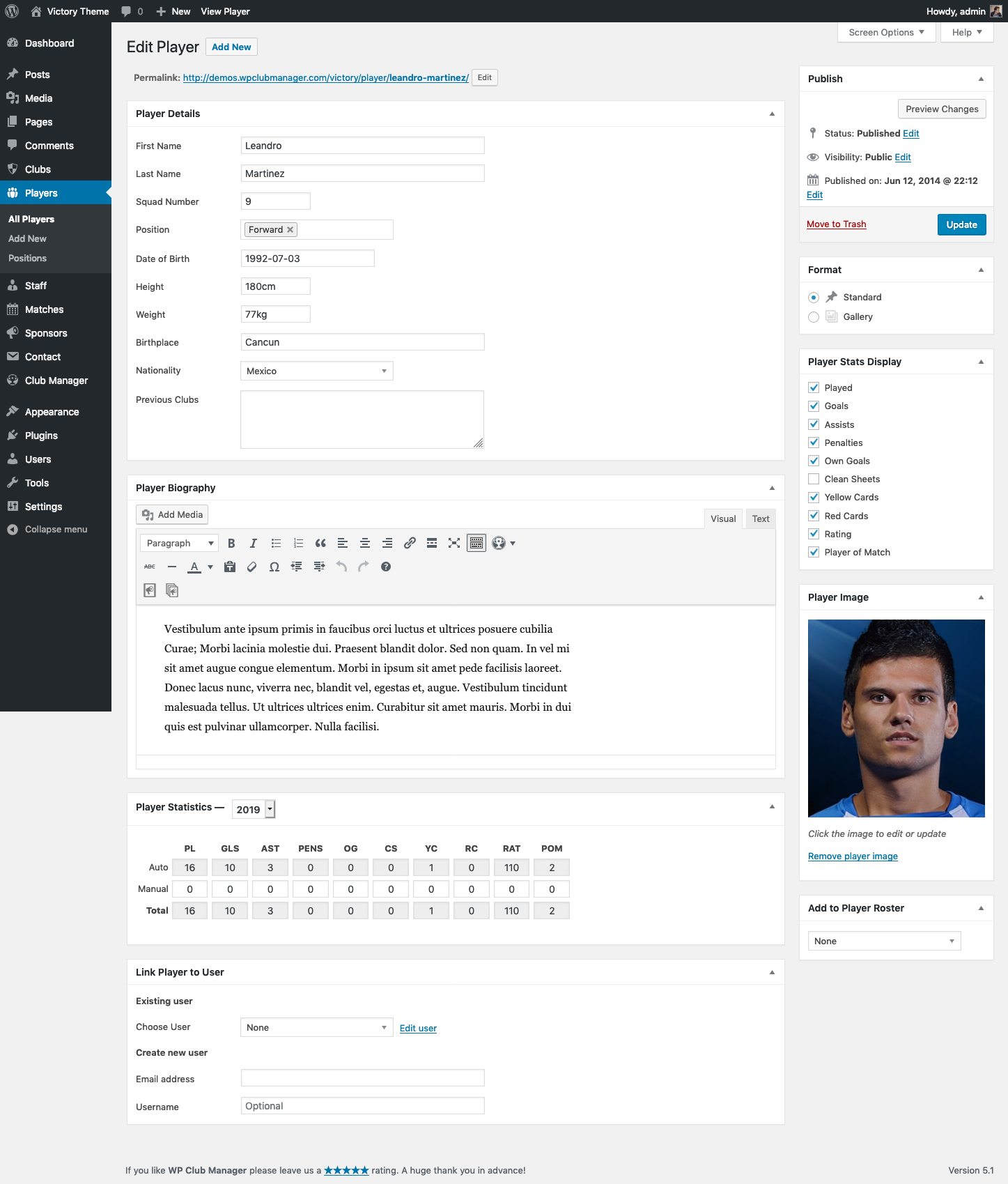
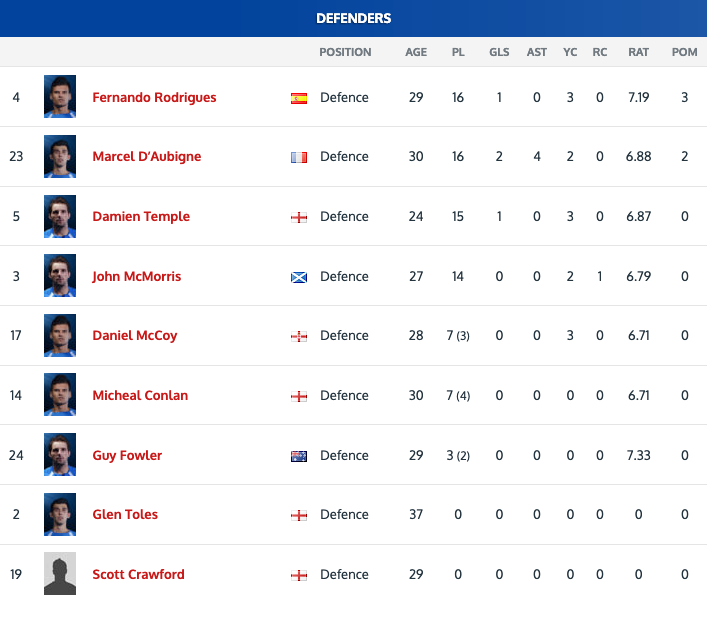
- Player and staff profiles
- Player performance ratings
- Full player statistics
- Informative club profiles with club stats
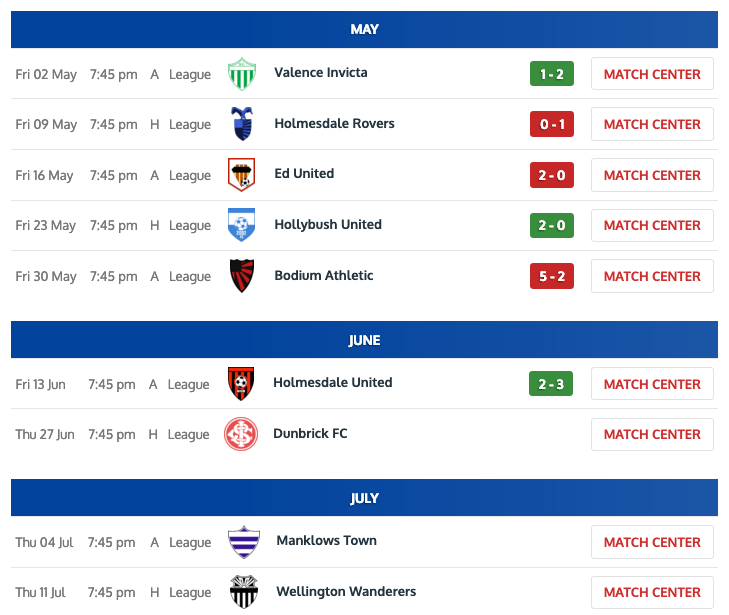
- Fixtures and results
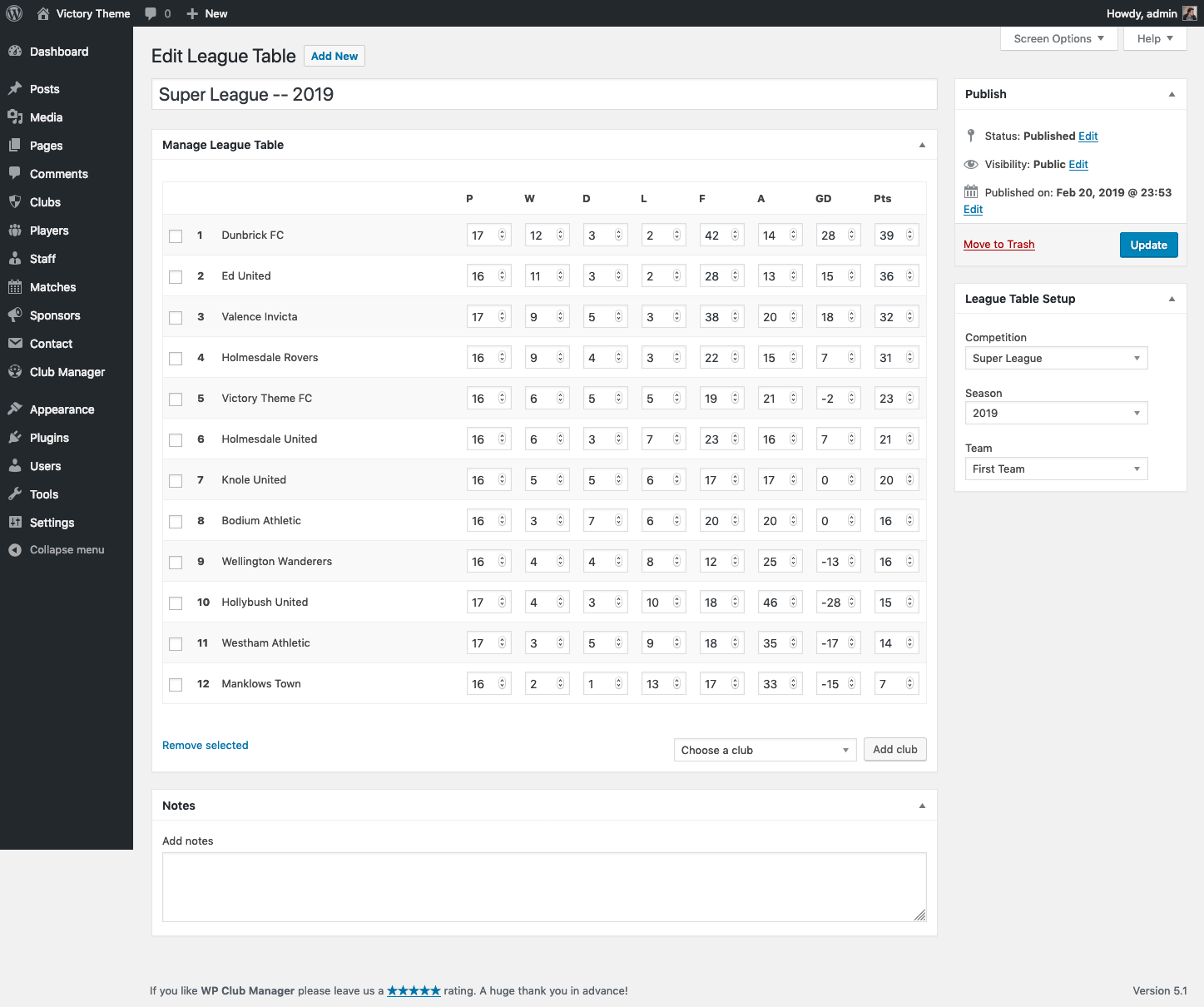
- Automatically updated league tables
- Match statistics and reports
- Manage club sponsors
- Venue details and maps
- Fixture, results, player, table, sponsor and birthday widgets
- Easily Import matches, players, staff and clubs from a CSV file
- Easy-to-use Shortcodes
- Customize appearance with flexible templates
Find out more about all each feature and more, please visit our site.
Supported Sports
- American Football
- Australian Rules Football
- Baseball
- Basketball
- Cricket
- Field Hockey
- Floorball
- Football (Soccer)
- Gaelic Football
- Handball
- Hurling
- Ice Hockey
- Lacrosse
- Netball
- Rugby League
- Rugby Union
- Volleyball
Find extensive documentation and friendly support at our plugin website.
Themes & Extensions
The WP Club Manager plugin has a growing catalogue of themes to add extra functionality and a professional look to your club website. Browse through our collection of WP Club Manager themes.
Included Languages
- Arabic – العربية (ar)
- Bulgarian – Български (bg_BG)
- Chinese (China) – 中文 (zh_CN)
- Croatian – Hrvatski (hr)
- Czech – Čeština (cs_CZ)
- Danish – Dansk (da_DK)
- Dutch – Nederlands (nl_NL)
- English – UK (en_GB)
- German – Deutsch (de_DE)
- Finnish – Suomi (fi)
- French – Français (fr_FR)
- Greek – Ελληνικά (el_GR)
- Hebrew – עברית (he_IL)
- Hungarian – Magyar (hu_HU)
- Italian – Italiano (it_IT)
- Latvian – Latviešu (lv_LV)
- Lithuanian – Lietuvių kalba (lt_LT)
- Persian – فارسی (fa_IR)
- Polish – Polski (pl_PL)
- Portuguese (Brazil) – Português do Brasil (pt_BR)
- Portuguese (Portugal) – Português (pt_PT)
- Russian – Русский (ru_RU)
- Slovak – Slovenčina (sk_SK)
- Spanish – Español (es_ES)
- Swedish – Svenska (sv_SE)
- Turkish – Türkçe (tr_TR)
- Vietnamese – Tiếng Việt (vi)
Getting Involved
Translators can contribute to WP Club Manager translations at GlotPress.
Extensible, adaptable, and open source — WP Club Manager is created with developers in mind. Contribute on GitHub.
Please Rate and Enjoy!
Please take a moment to leave a review on WordPress.org. Your feedback is much appreciated and helps towards the continued improvement of WP Club Manager.
Installation
Minimum Requirements
- WordPress 4.7 or greater
- PHP version 5.2.4 or greater (PHP 7.2 or greater is recommended)
- MySQL version 5.0 or greater (MySQL 5.6 or greater is recommended)
Automatic installation
Automatic installation is the easiest option as WordPress handles the file transfers itself and you don’t need to leave your web browser. To do an automatic install of WP Club Manager, log in to your WordPress dashboard, navigate to the Plugins menu and click Add New.
In the search field type “WP Club Manager” and click Search Plugins. Once you’ve found our plugin you can view details about it such as the the point release, rating and description. Most importantly of course, you can install it by simply clicking “Install Now”.
Manual installation
The manual installation method involves downloading our plugin and uploading it to your webserver via your favourite FTP application. The WordPress codex contains instructions on how to do this here.
Updating
Automatic updates should work as expected but as always, it is recommended that you backup your site just in case any problems should occur during the update process.
Frequently asked questions
Is this plugin suitable for managing a league website?
Sorry but we are removing support for leagues as from version 3 so we do not recommend using the league feature available in the current version 2 branch!
My sport is not supported. How can I add my sport?
If your sport is not supported please contact us with details of your sport, including any information that may be useful, for example player stats info and player positions. If possible we will add it to the list of supported sports.
Where can I find documentation and support for the WP Club Manager plugin?
You can find documentation for the plugin at WP Club Manager documentation or get Support
Will WP Club Manager work with my theme?
Yes; WP Club Manager will work with any theme, but may require some styling to make it match nicely. Please see our docs for help. If you’re looking for a theme with built in WP Club Manager integration we recommend Victory.
Where can I report bugs or contribute to the project?
You can help improve this plugin by reporting any bugs or contributing to the source code at our Github repository.
How can I report security bugs?
You can report security bugs through the Patchstack Vulnerability Disclosure Program. The Patchstack team help validate, triage and handle any security vulnerabilities. Report a security vulnerability.
Changelog
2.0.0 is a major update so it is important that you make backups, and ensure themes and extensions are version 2.0.0 compatible before upgrading. See release notes for more details. Note: Version 2 includes improvements to many templates. If your theme uses custom templates then please ensure your theme supports version 2 before updating.
2.4.0 – 25th May 2026
- Feature: Recreate shortcodes as Gutenberg blocks
- Feature: Head-to-head sorting in league tables
- Feature: Support individual/non-team sports
- Feature: Option to remove link on player photo in gallery
- Feature: Include all settings in export/import
- Add: Match calendar view with iCal support
- Fix: Match import not finding existing competitions/teams
- Fix: 404 error on league table pages
- Fix: Accented characters broken in permalinks
- Fix: Scheduled matches returning 404 on frontend
- Fix: Dashboard widget PHP warnings and stats query
2.3.3 – 13th April 2026
- Fix: League table club logos not showing after 2.3.1
2.3.2 – 8th April 2026
- Fix: Sub appearances count showing incorrectly
- Fix: PHP 8.x fatal error on player settings page
- Fix: Players List and Standings widgets rendering empty
- Fix: PHP 8.x fatal errors from null property access in dashboard and stats
- Fix: Allow multiple players to be linked to a single user account
- Fix: Missing JavaScript assets in WordPress.org release
2.3.1 – 6th April 2026
- Tweak: Internal code quality improvements
2.3.0 – 2nd April 2026
- Fix: PHP 8.0+ fatal error in player stats functions
- Fix: Google Maps embed now works without an API key
- Fix: Setup wizard map picker broken
- Fix: New players not appearing in player list shortcode
- Fix: Wrong club count in league table admin column
- Fix: Bulk add clubs to league table now supports multi-select
- Fix: Bulk add players and staff to rosters now supports multi-select
- Fix: Staff profile title can now be hidden via settings
- Fix: League table and dashboard crash when no competition assigned
- Fix: Schema.org markup updated to HTTPS and SportsOrganization type
- Fix: Deprecated PHP function compatibility (PHP 8.2+)
- Tweak: Tested up to WordPress 6.7
2.2.17 – 15th April 2024
- Fix: An error of type E_ERROR on league page for PHP 8+ installs
- Fix: Fatal error on uninstall process for PHP8+ installs
- Fix: Meta data not removed on uninstall
- Fix: Undefined term_id notice on uninstall uninstall
Screenshots
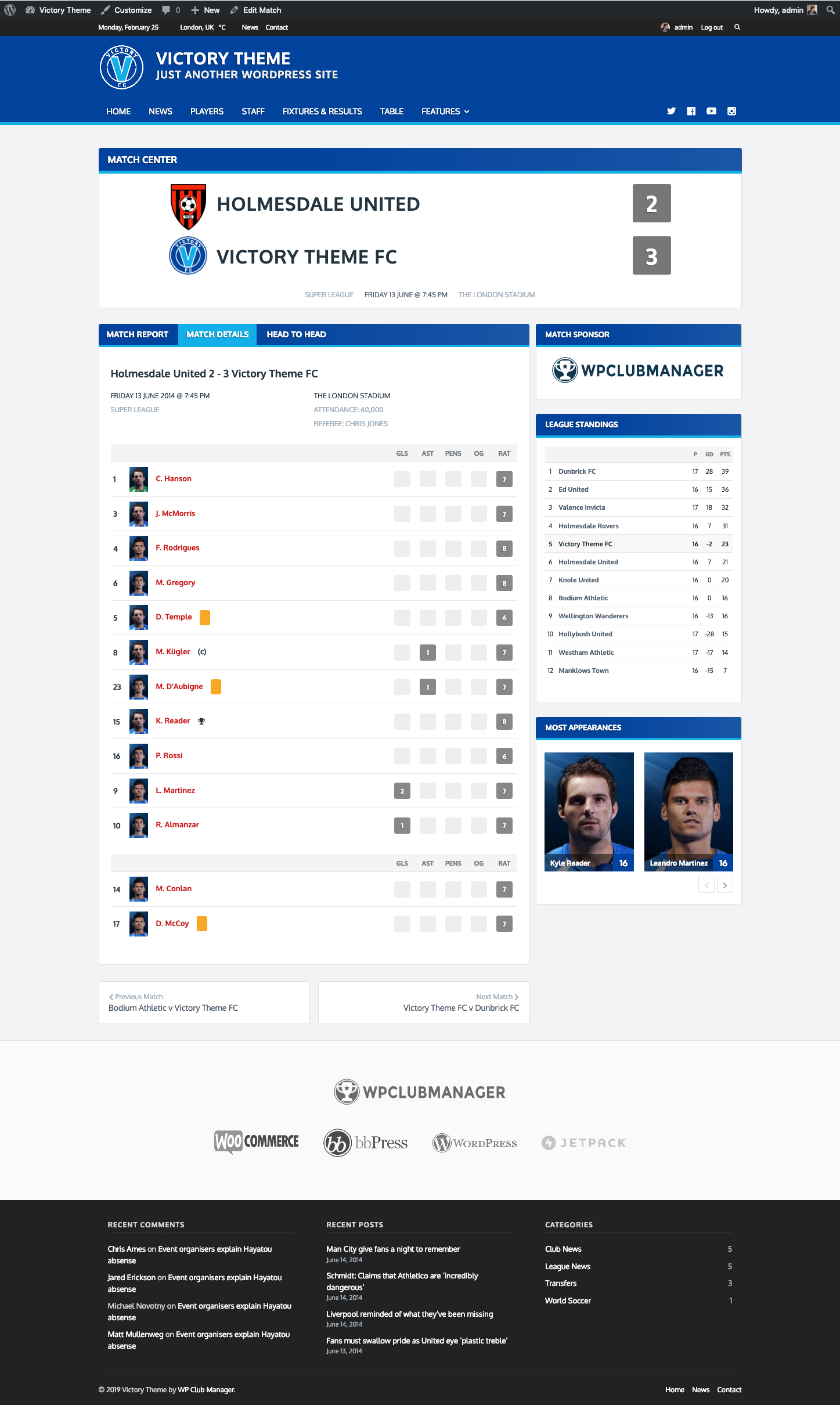
For developers
Is this your plugin? Show off the numbers.
Add a live badge to your site, docs or GitHub README. It updates on its own — no account needed.
Best WP Club Manager alternatives
All club plugins →





FAQ
WP Club Manager: quick answers
Straight answers, pulled from live WordPress.org data.
Live data from WordPress.org · checked Sep 30, 2026
Is WP Club Manager free?
Yes. WP Club Manager is free to download and use from the official WordPress.org plugin directory.
Is WP Club Manager safe to use in 2026?
Yes — WP Club Manager is a safe, well-maintained plugin to use in 2026. It runs on 600+ sites, is rated 4.7/5 and was last updated 1 week ago, and scores 86/100 on our health check.
How many websites use WP Club Manager?
WP Club Manager is active on 600+ WordPress websites and has been downloaded 133,657 times since it launched in March 2014. It was downloaded 358 times in the last 30 days.
Does WP Club Manager work with WordPress 7.1?
Yes. The developer has tested WP Club Manager up to WordPress 7.1.2, the latest release. It requires WordPress 4.9 or newer.
What PHP version does WP Club Manager need?
WP Club Manager requires PHP 7.4 or higher. Most hosts run PHP 8.x today, so it works on any modern WordPress hosting.
When was WP Club Manager last updated?
The latest version, 2.4.0, was released on September 22, 2026 (1 week ago).
Who makes WP Club Manager?
WP Club Manager is developed and maintained by WP Club Manager.
What are the best alternatives to WP Club Manager?
The most popular alternatives to WP Club Manager are SportsPress (10K+ installs), Squadeno (30+ installs) and Lemonberry Page Protect (10+ installs).
Powered by PageForge
Want thousands of pages that rank like these? Build them in an afternoon.
This directory runs on the same engine as PageForge. Turn any spreadsheet, CSV or API into thousands of fast, SEO-ready WordPress pages — with schema, internal links and AI-written copy baked in.
- CSV, Google Sheets & API data sources
- AI content, schema & internal links per page
- Works with Elementor, Gutenberg, Yoast & Rank Math
- Free on WordPress.org — no credit card


