



CloudSync Master – Offload Media to S3, Cloudflare R2 & Google Cloud
VERSION 2.0 – COMPLETELY REBUILT! CloudSync Master has been rebuilt from the ground up with a new setup wizard, 10 cloud providers, powerful integrations, and cross-provider migration.

Use with caution
CloudSync Master works, but test it on a staging site before relying on it in 2026. It runs on 30+ sites, is rated 5/5 and was last updated 2 months ago, and scores 54/100 on our health check.
- Small user base (30+ active installs)
- Very few reviews so far
How does it stack up?
Side-by-side on installs, updates, ratings & support



Daily downloads
Download spikes usually follow a new release — each site that auto-updates counts as a download.
Rankings
Where CloudSync Master stands todayWordPress.org search rankings
Live position in the plugin search, top 100| Keyword | Position |
|---|---|
| amazon s3 | #42 |
| cdn | >100 |
| cloud storage | #52 |
| cloudflare r2 | #11 |
| media offload | #14 |
Version adoption
Share of active sites per release.
Rating breakdown
★★★★★★★★★★ 5 from 1 reviews
About CloudSync Master
From the official readme · v2.1.8Description
VERSION 2.0 – COMPLETELY REBUILT! CloudSync Master has been rebuilt from the ground up with a new setup wizard, 10 cloud providers, powerful integrations, and cross-provider migration.
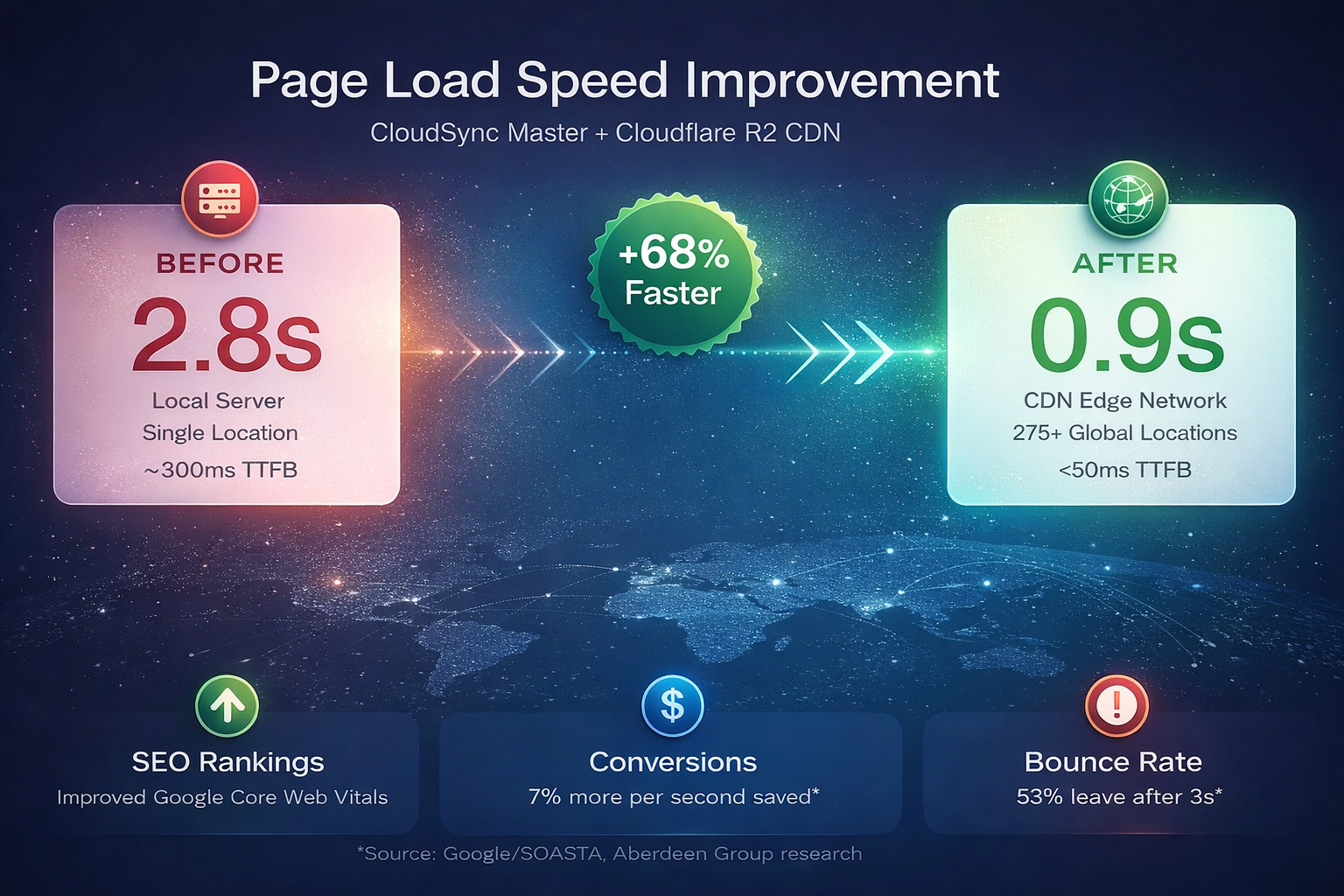
Your slow-loading images are costing you visitors and sales. Studies show that 53% of mobile users abandon sites that take longer than 3 seconds to load. Every second of delay reduces conversions by 7%.
CloudSync Master offloads your WordPress media to cloud storage and serves it via global CDN – delivering lightning-fast page loads that keep visitors engaged and improve your Google rankings.
The best part? Unlike competitors charging $99+/year, CloudSync Master gives you 10 cloud providers, one-click migration, and zero egress fees – completely FREE.
What’s New in 2.0
- Setup Wizard – Step-by-step guidance for each cloud provider
- 10 Cloud Providers – Amazon S3, Cloudflare R2, Google Cloud, DigitalOcean, Backblaze, Wasabi, Vultr, Linode, MinIO, Custom S3
- 20+ Plugin Integrations – Image optimizers, cache plugins, page builders, e-commerce, multilingual (PRO)
- Import from Cloud – Download files from cloud to server and register in Media Library
- Cross-Provider Migration – Stream files directly between cloud providers
- Improved Admin UI – Cleaner, faster, more intuitive interface
Why Site Owners Choose CloudSync Master
- 10 Cloud Providers – More options than any competitor (WP Offload Media: 3, WP-Stateless: 1)
- Zero Egress Fees – Save up to 90% on bandwidth with Cloudflare R2 or Wasabi
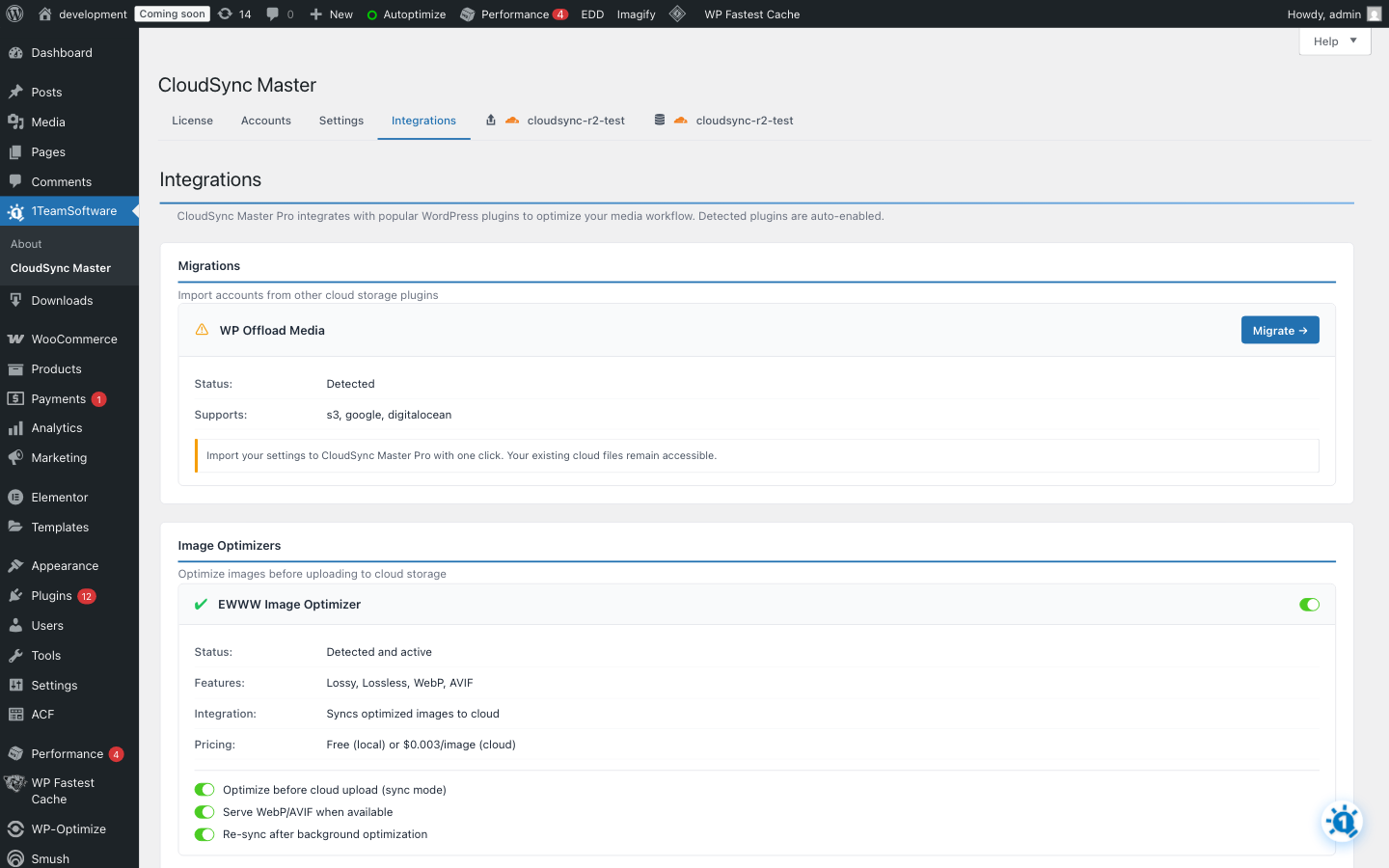
- Switch Instantly – One-click migration from WP Offload Media, Media Cloud, WP-Stateless
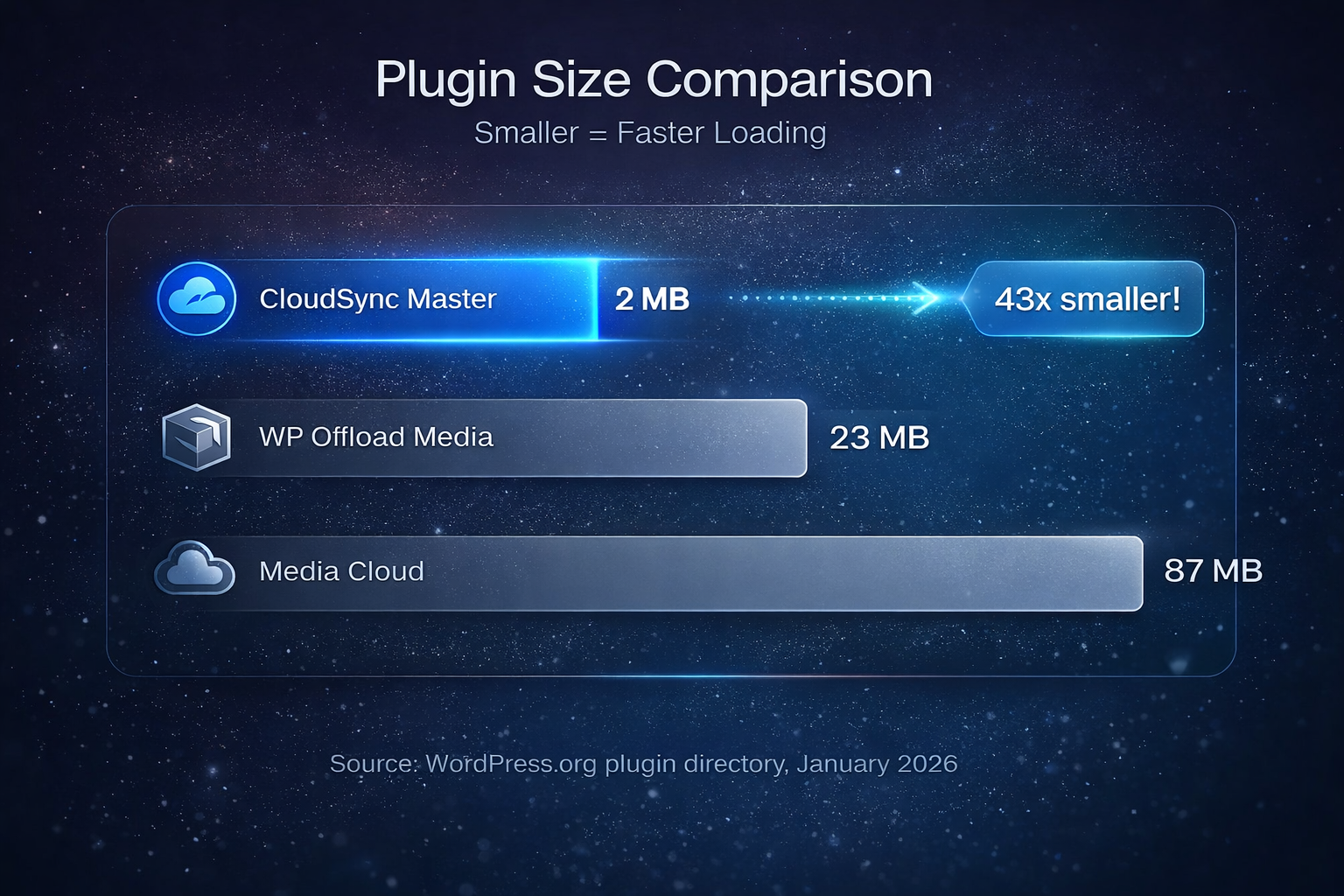
- Tiny Footprint – Just <1.5MB vs competitors’ 23-87MB (no bloated SDKs)
- Works in Minutes – Simple setup, no coding required
Cloudflare R2 – Stop Paying for Bandwidth
AWS S3 charges you every time someone views your images. A site with 100,000 monthly visitors can pay $50-200/month in egress fees alone.
Cloudflare R2 charges $0 for downloads. Zero. Just $0.015/GB for storage.
- Unlimited traffic – No bandwidth bills, ever
- Same S3 API – Easy migration from AWS
- Global CDN included – Cloudflare’s edge network built-in
- Free tier – 10GB storage + 10M requests/month free
CloudSync Master makes R2 setup dead simple – easier than any competitor.
10 Cloud Providers, One Plugin
Connect to any major cloud storage service:
- Cloudflare R2 – Zero egress fees, global CDN
- Amazon S3 – Industry standard, massive ecosystem
- Google Cloud Storage – Enterprise reliability
- DigitalOcean Spaces – Simple and affordable
- Backblaze B2 – Best for large archives
- Wasabi – Hot storage, no egress fees
- Vultr Object Storage – High performance
- Linode Object Storage – Reliable S3-compatible
- MinIO – Self-hosted option
- Any S3-Compatible – Custom endpoints supported
One-Click Migration From Other Plugins
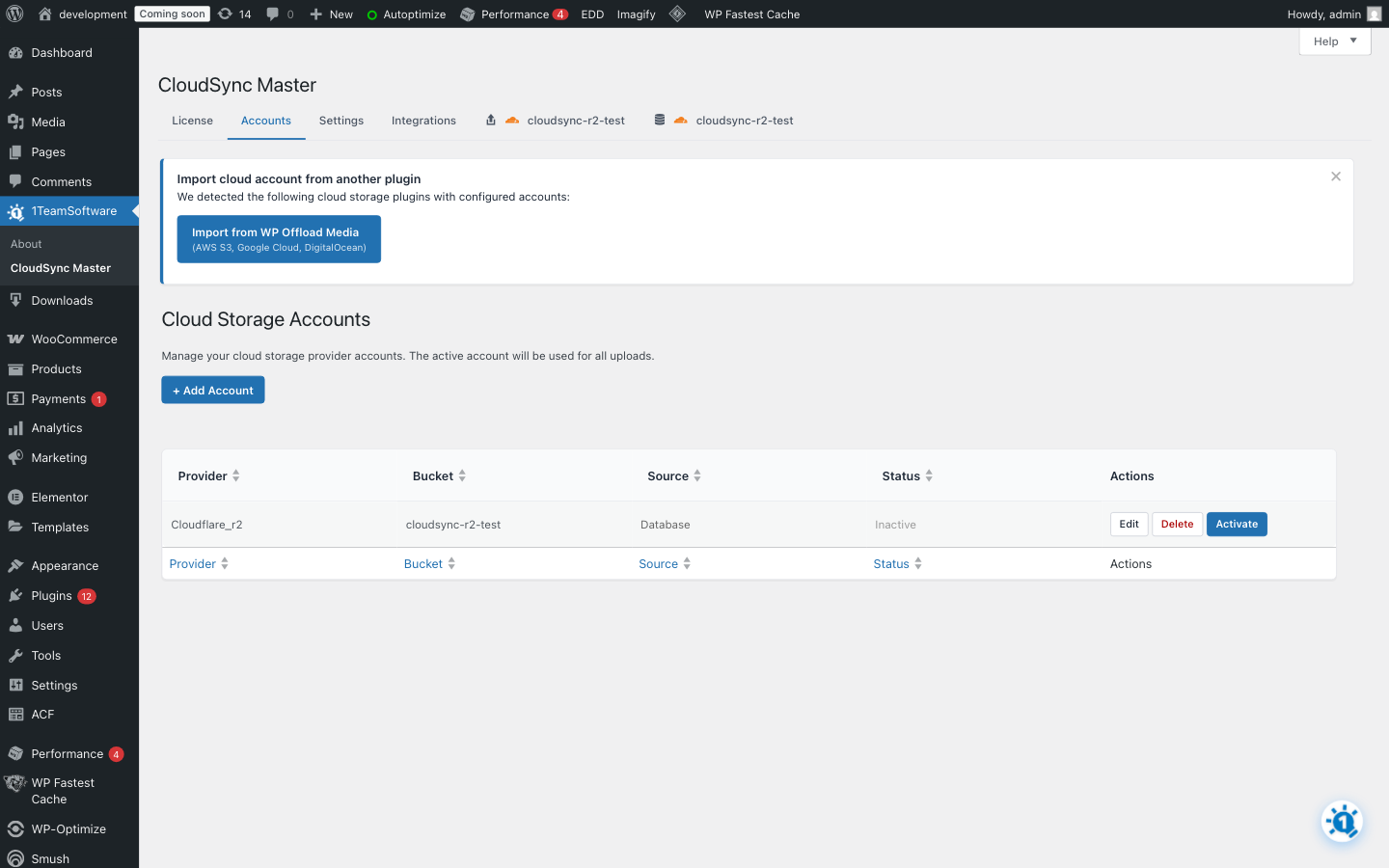
Already using another cloud storage plugin? CloudSync Master can import your settings with one click from:
- WP Offload Media (by Delicious Brains)
- Media Cloud (ILAB)
- WP-Stateless (by UDX)
No manual reconfiguration needed – just install, import, and go.
FREE Features That Competitors Charge For
CloudSync Master vs WP Offload Media vs Media Cloud:
- Cloud Providers – CloudSync Master: 10, WP Offload Media: 3, Media Cloud: 5
- Plugin Size – CloudSync Master: <1.5 MB, WP Offload Media: 23 MB, Media Cloud: 87 MB
- Setup Wizard – CloudSync Master: FREE, Others: No
- Migrate From Other Plugins – CloudSync Master: FREE, WP Offload Media: No, Media Cloud: Partial
- Cross-Provider Migration – CloudSync Master: FREE, Others: No
- Import from Cloud to Server – CloudSync Master: FREE, Others: No
- Upload Queue Visibility – CloudSync Master: FREE, Others: No
- Parallel Async Uploads – CloudSync Master PRO: Up to 20 concurrent, Others: No
How It Works
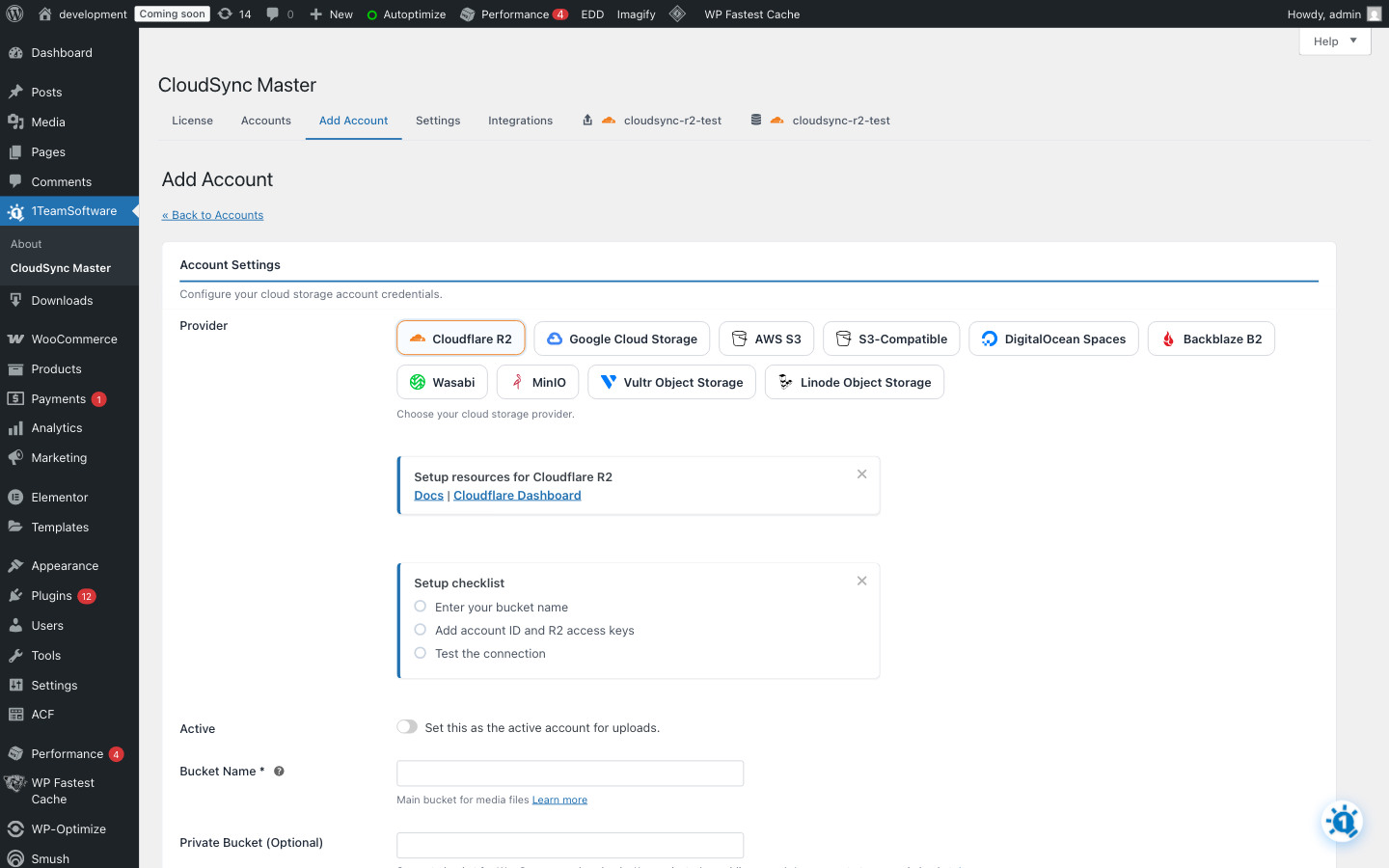
- Connect – Add your cloud storage credentials
- Configure – Choose bucket, path, and CDN settings
- Offload – New uploads automatically go to cloud storage
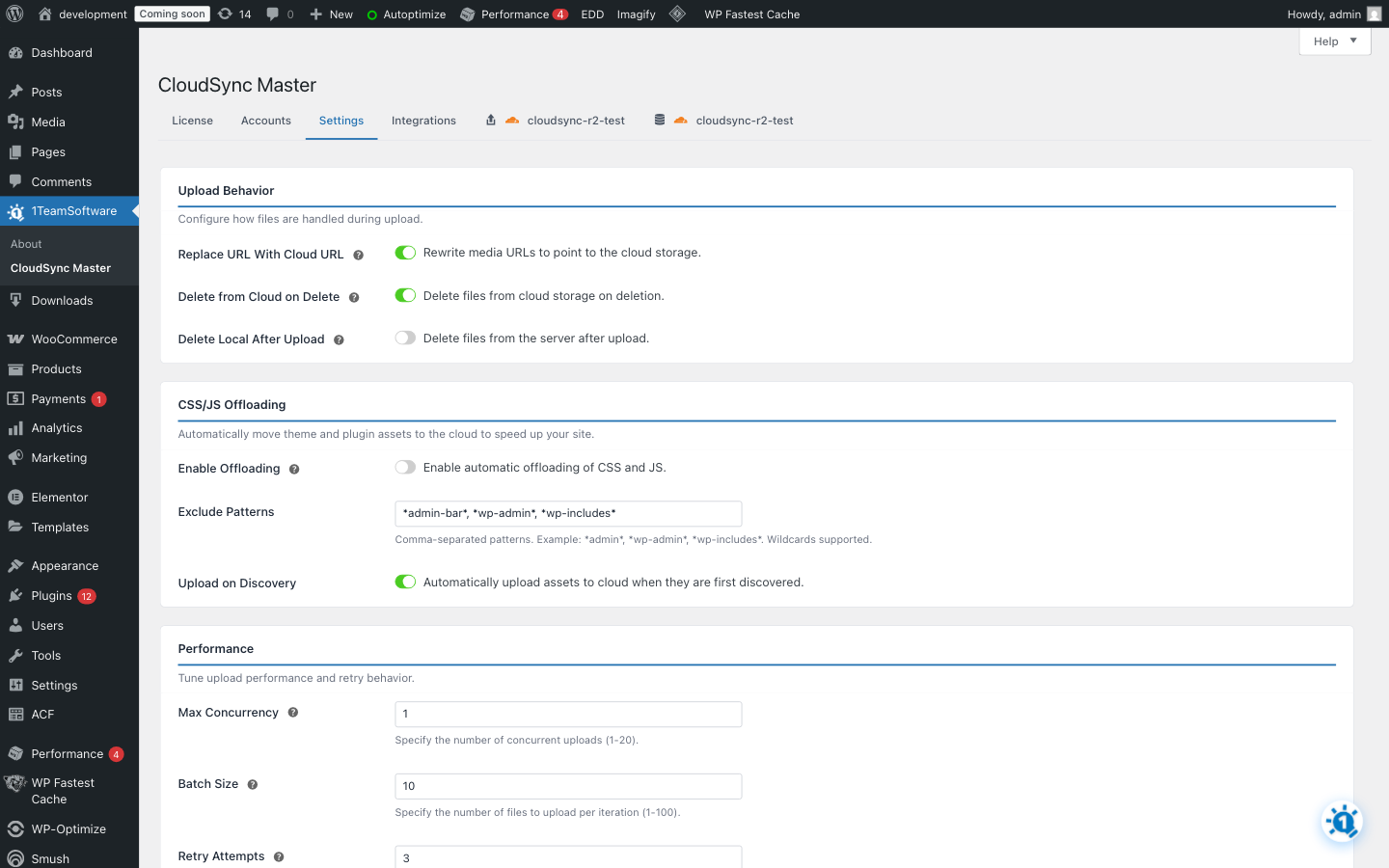
- Save Space – Optionally delete local copies after upload
Your media is served from cloud/CDN URLs automatically. No manual work required.
Transform Your Site Performance
Offloading media delivers measurable business results:
- Faster Pages – Media served from CDN edge locations worldwide, loading in milliseconds
- Higher Google Rankings – Page speed is a confirmed SEO ranking factor since 2018
- More Conversions – Faster sites convert better (Amazon found 1 second = 7% more sales)
- Lower Hosting Bills – Free up expensive disk space, reduce bandwidth usage
- Unlimited Scale – Handle viral traffic without server crashes
Safer Than Local Storage
Your media is more secure in the cloud than on your web server:
- Automatic Redundancy – Cloud providers replicate your files across multiple data centers
- Disaster Recovery – Server crash? Hacked? Your media is safe in the cloud
- Easy Server Migration – Move hosts without transferring gigabytes of media files
- No Backup Hassles – Cloud storage is already backed up by the provider
- Enterprise Security – AWS, Google, and Cloudflare protect your files with world-class security
Lightweight & Modern – Works Everywhere
CloudSync Master uses native REST APIs instead of bundled SDKs. At just <1.5MB (vs competitors’ 23-87MB), it runs anywhere:
- Serverless Ready – Works on Vercel, AWS Lambda, and edge hosting
- Shared Hosting Friendly – Won’t hit resource limits
- Faster Loading – Less code to parse on every request
- Fewer Conflicts – No SDK version conflicts with other plugins
- Wide PHP Support – Works on PHP 7.4 through 8.3+ for maximum compatibility
- Modern Codebase – Promise-based async operations
Competitors bundle massive SDKs that bloat your WordPress install and can cause conflicts. CloudSync Master stays lean and works everywhere.
Powerful Integrations
CloudSync Master integrates with your favorite plugins:
Competitor Migration (FREE)
* WP Offload Media – One-click settings import
* Media Cloud – One-click settings import
* WP-Stateless – One-click settings import
Image Optimizers (PRO)
* ShortPixel – Optimize before cloud upload
* Imagify – Optimize before cloud upload
* EWWW Image Optimizer – Optimize before cloud upload
* Smush – Optimize before cloud upload
* TinyPNG – Optimize before cloud upload
* WebP/AVIF auto-serving to supported browsers
Cache Plugins (PRO)
* LiteSpeed Cache – Auto-clear on media offload
* WP Rocket – Auto-clear on media offload
* W3 Total Cache – Auto-clear on media offload
* WP Fastest Cache – Auto-clear on media offload
* WP Optimize – Auto-clear on media offload
* Autoptimize – Auto-clear on media offload
Page Builders (PRO)
* ACF (Advanced Custom Fields) – URL rewriting in custom fields
* Elementor – Cloud URLs in page builder content
E-commerce (PRO)
* WooCommerce – Signed URLs for secure digital downloads
* Easy Digital Downloads – Signed URLs for EDD products
Multilingual (PRO)
* WPML – Safe deletion across translations
PRO Features
Need more power? Upgrade to PRO for:
- Media Library Scanner – Bulk upload existing media to cloud
- Upload Queue – Real-time visibility, pause, resume, retry controls
- Parallel Async Uploads – Up to 20 concurrent uploads, offload terabytes of media fast
- Objects Browser – Search and manage your cloud-stored files
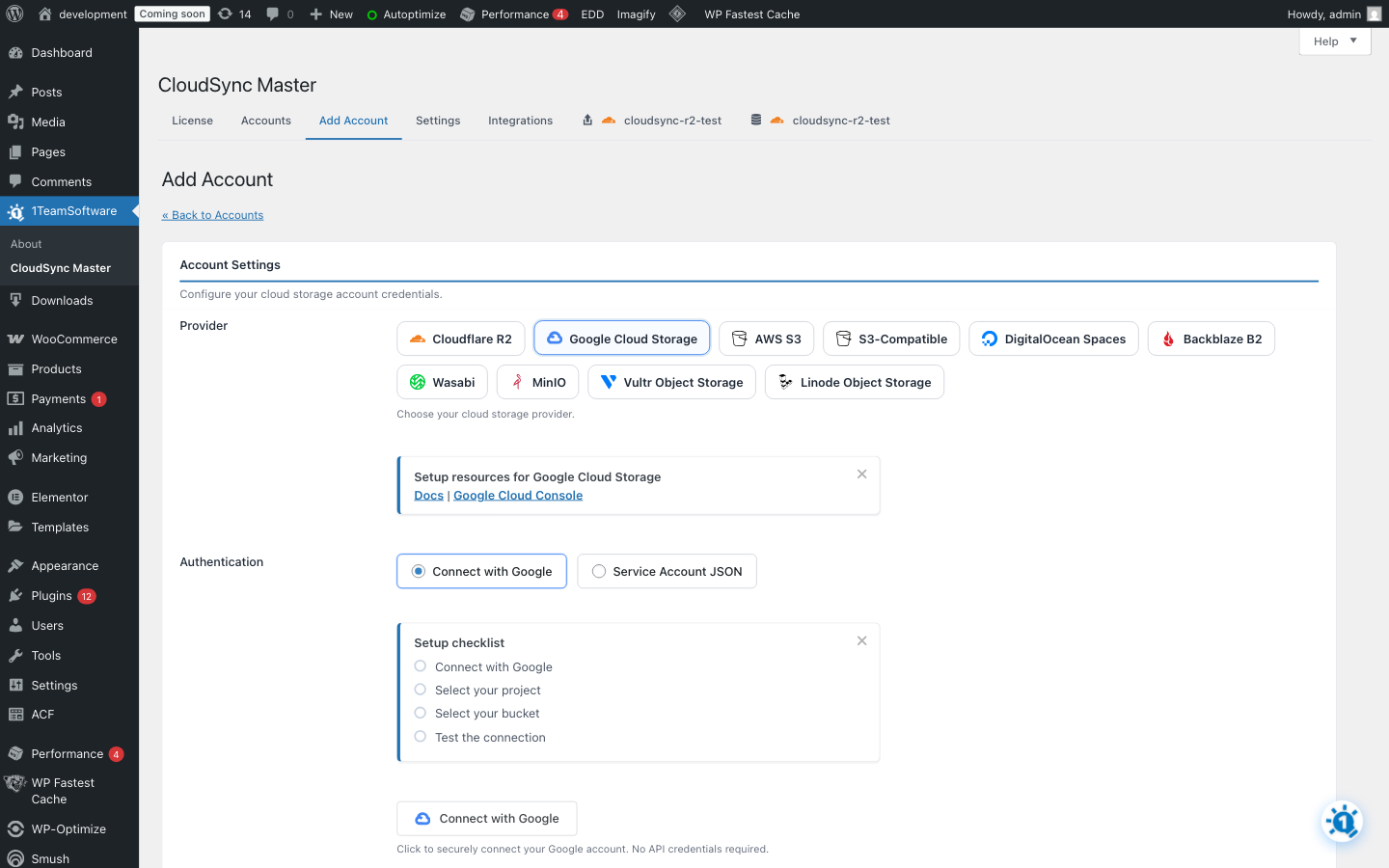
- Google OAuth – One-click Google Cloud connection
- WooCommerce Signed URLs – Secure time-limited download links
- Easy Digital Downloads – Signed URLs for EDD products
- Page Builder Support – Activate cloud URLs in ACF, Elementor, and other page content
- Extended Coverage – Rewrite URLs across all supported page types and plugins
- Image Optimization – ShortPixel, Imagify, EWWW, Smush, TinyPNG integration
- WebP/AVIF Serving – Automatic modern format delivery
- Cache Integration – LiteSpeed, WP Rocket, W3TC, and more
- Priority Support – Direct email support
Get Started in 5 Minutes
- Install CloudSync Master from WordPress.org
- Connect your cloud provider (Cloudflare R2, S3, Google Cloud, etc.)
- Enable automatic offloading
- Done – Your new uploads are now served from global CDN
Already using another plugin? CloudSync Master detects and imports your settings automatically. No manual work needed.
Start saving money and loading faster with CloudSync Master today.
Installation
Automatic Installation
- Go to Plugins > Add New in WordPress admin
- Search for “CloudSync Master”
- Click Install Now then Activate
- Go to CloudSync Master to configure
Manual Installation
- Download the plugin ZIP file
- Go to Plugins > Add New > Upload Plugin
- Choose the ZIP file and click Install Now
- Activate and configure under CloudSync Master
Quick Setup
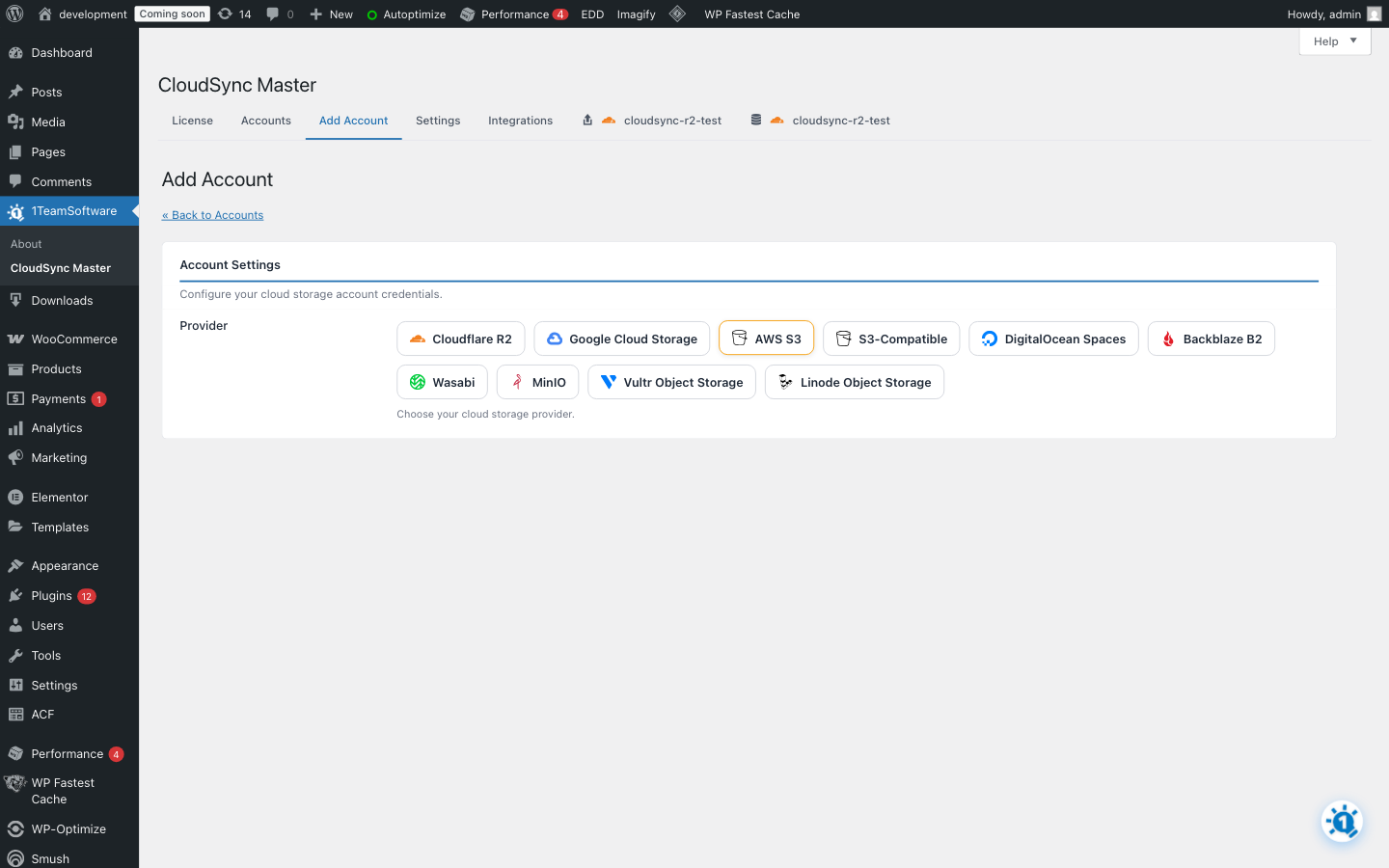
- Navigate to CloudSync Master in admin
- Click Add Account
- Select your cloud provider
- Enter credentials (API keys, tokens, etc.)
- Select or create a bucket
- Enable automatic offloading
- Done! New uploads now go to cloud storage
Frequently asked questions
Which cloud provider should I choose?
For zero bandwidth costs: Cloudflare R2 or Wasabi – both have no egress fees For enterprise reliability: Amazon S3 or Google Cloud Storage For simplicity: DigitalOcean Spaces – straightforward pricing For large archives: Backblaze B2 – very affordable storage For self-hosted: MinIO – run your own S3-compatible storage
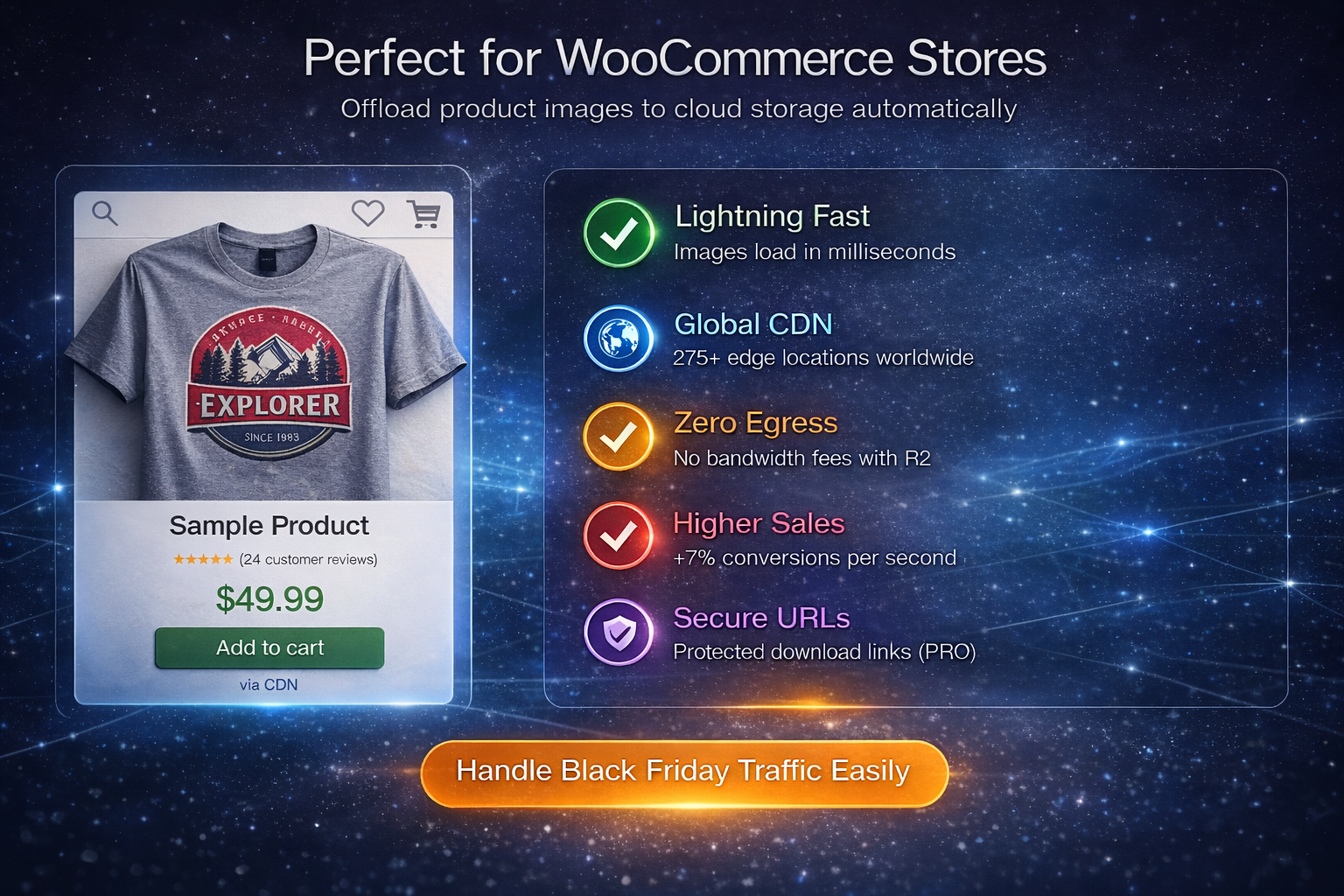
Perfect for WooCommerce Stores
Product images are the #1 bandwidth consumer on e-commerce sites. CloudSync Master offloads all your product images to cloud storage automatically. Benefits for WooCommerce: – Faster product pages = higher conversion rates – Handle Black Friday traffic without crashes – Reduce hosting costs as your catalog grows PRO Feature: Secure signed URLs for digital downloads prevent customers from sharing download links.
Can I migrate from WP Offload Media?
Yes! CloudSync Master can automatically detect and import your settings from WP Offload Media, Media Cloud, and WP-Stateless. Look for the migration notice in your admin.
What about my existing media files?
The FREE version offloads new uploads automatically. Your existing files stay on the server. PRO Feature: The Media Library Scanner bulk uploads your existing media to cloud storage.
Will this slow down my site?
No – it speeds it up! Media is served from CDN edge locations closer to your visitors. Uploads happen in the background without affecting page loads.
What happens if I deactivate the plugin?
Your files remain in cloud storage. URLs will revert to local paths (if files still exist locally) or you can keep using cloud URLs.
Does this help with server migration?
Yes! When your media is in cloud storage, migrating to a new host is much easier – just move your database and code. No need to transfer gigabytes of media files. Your cloud URLs keep working immediately.
Is cloud storage safer than my server?
Much safer. Cloud providers like AWS, Google Cloud, and Cloudflare automatically replicate your files across multiple data centers. If your server gets hacked or crashes, your media is safe. Cloud storage is enterprise-grade backup built-in.
Can I use a CDN with this?
Yes! Configure a custom CDN domain in your account settings. Works with CloudFront, Cloudflare CDN, BunnyCDN, and others.
Does this work with multisite?
Yes. CloudSync Master is fully compatible with WordPress multisite networks.
Is Cloudflare R2 really free?
R2 has zero egress fees – you only pay for storage ($0.015/GB/month). The free tier includes 10GB storage and 10 million reads per month.
How is this different from WP Offload Media?
CloudSync Master offers: – 10 providers vs 3 –
What file types are supported?
All WordPress media types: images (JPG, PNG, GIF, WebP, SVG), videos (MP4, WebM), documents (PDF), and any other uploads.
Changelog
Bug fix: Improved handling of broken AWS permissions and files uploaded manually without standard wp-content/uploads path prefix.
2.1.8
- Fixed deleting a file from the Media Library leaving it behind in cloud storage when “Delete local file after upload” was enabled. The original and every generated thumbnail stayed in the bucket forever, so deleted media kept adding to your storage bill. Deleting a file now removes it and all of its sizes from the bucket, whether or not the local copy is still on the server.
- Fixed the account edit screen failing to load on sites where the plugin starts up late, which could leave the settings page blank instead of showing the form.
- Fixed media URLs breaking while migrating between two cloud accounts. Files that had not moved to the new bucket yet could be served from a mixed-up address that belonged to neither account, showing broken images. Files still in the previous bucket are now served correctly from that account until they are copied across.
- Kept the free edition’s shared code in sync with CloudSync Master PRO 2.1.8.
2.1.6
- Fixed a PHP 7.4 compatibility regression introduced in 2.1.5: on PHP 7.4 sites, media files could silently fail to offload to the cloud and stay on local storage after the bundled HTTP library was updated. Offloading now works reliably on PHP 7.4 and newer.
- Kept the free edition’s shared code in sync with CloudSync Master PRO 2.1.6.
2.1.5
- Added the “Fetch Missing Files From URL” option to the Upload Behavior settings. This is a CloudSync Master PRO feature: when a media file can’t be read from disk during offloading — for example on some managed hosts, with externalized media, or when files were already removed locally — PRO downloads the file from its public URL and offloads that copy so offloading still works. The option appears here as a PRO upgrade.
- Kept the free edition’s shared code in sync with CloudSync Master PRO 2.1.5.
2.1.4
- Improved compatibility when the CloudSync Master PRO add-on is also active — the free edition now reliably steps aside so the PRO edition’s most up-to-date shared code is always used. This prevents rare version-mismatch problems (including potential fatal errors) that could otherwise occur after updating only one of the two plugins.
2.1.3
- Fixed large media uploads (videos, multi-megabyte images, archives) silently failing when a single TLS hiccup interrupted one chunk mid-stream — the plugin now recognizes “cURL error 56” (LibreSSL bad record mac), “cURL error 55” (broken pipe), and similar transient network errors as retryable and retries them automatically with exponential backoff, instead of giving up after the first failed chunk and leaving the file unoffloaded
- Fixed multipart uploads (files larger than 5 MB) cascading-failing on shaky connections — previously, when one chunk failed, the plugin immediately aborted the whole upload session, causing every other in-flight chunk to fail with a 404; chunks are now allowed to finish their retries before the session is aborted
- Added a configurable concurrency cap for multipart upload chunks (default 3) to reduce parallel TLS pressure on hosts where SSL stability is the limiting factor
- Fixed customers upgrading from older versions losing all upload functionality when their stored settings predated the active provider configuration field — the plugin now backfills it automatically on first load, preferring the database-defined account, so uploads keep working after upgrade instead of silently staying on local storage
2.1.2
- Fixed admin page slowdowns caused by malformed attachment paths that triggered expensive cross-provider lookups on every upload queue scan — attachments with unresolvable paths are now detected and skipped early, eliminating hundreds of unnecessary database queries per queue cycle
- Fixed file offloading on Flywheel-hosted sites and other “sibling layout” WordPress installs (including Bedrock/Roots) where the content directory lives next to the WordPress core directory — previously the plugin computed cloud storage keys against the wrong filesystem anchor, producing unreachable keys so uploads either failed or the queue would never drain
- Fixed embedded URL extraction to correctly handle both local paths (mangled by get_attached_file) and URLs (mangled by wp_get_attachment_url) by matching the last http(s):// occurrence
- Fixed Edit Account form field names for Cloudflare R2 Quick Setup and Google OAuth — the form now submits canonical field names in all auth-mode branches, fixing R2 Quick Setup Public URL not saving correctly
- Inactive auth-mode inputs are now disabled so browsers do not submit stale values when switching between Quick Setup and API-keys (or OAuth and Service Account) modes
- The storage provider is now locked once an account is saved — the provider selector is greyed-out on existing accounts and a provider change is rejected on save to prevent breaking uploaded files and links
- Fixed provider switching while adding a new account — it no longer falls back to a full page reload that discarded unsaved fields, and a previous Test Connection result is cleared when switching providers
- Cloudflare R2 custom domain entered without a scheme (e.g. cdn.example.com) is now automatically normalized to https:// on save
- Existing Google OAuth accounts stored under a legacy key are migrated automatically on first edit — no action required after upgrading
- Cached bucket health status to skip repeated network probes on unreachable accounts, reducing background request overhead
- Updated compatibility with WordPress 7.0
Screenshots
For developers
Is this your plugin? Show off the numbers.
Add a live badge to your site, docs or GitHub README. It updates on its own — no account needed.
Best CloudSync Master alternatives
All amazon s3 plugins →





FAQ
CloudSync Master: quick answers
Straight answers, pulled from live WordPress.org data.
Live data from WordPress.org · checked Oct 8, 2026
Is CloudSync Master free?
Yes. CloudSync Master is free to download and use from the official WordPress.org plugin directory.
Is CloudSync Master safe to use in 2026?
CloudSync Master works, but test it on a staging site before relying on it in 2026. It runs on 30+ sites, is rated 5/5 and was last updated 2 months ago, and scores 54/100 on our health check.
How many websites use CloudSync Master?
CloudSync Master is active on 30+ WordPress websites and has been downloaded 2,812 times since it launched in October 2023. It was downloaded 191 times in the last 30 days.
Does CloudSync Master work with WordPress 7.1?
CloudSync Master is officially tested up to WordPress 7.0.7, while the latest release is 7.1.3. It may still work, but try it on a staging site first.
What PHP version does CloudSync Master need?
CloudSync Master requires PHP 7.4 or higher. Most hosts run PHP 8.x today, so it works on any modern WordPress hosting.
When was CloudSync Master last updated?
The latest version, 2.1.8, was released on August 19, 2026 (2 months ago).
Who makes CloudSync Master?
CloudSync Master is developed and maintained by oneteamsoftware.
What are the best alternatives to CloudSync Master?
The most popular alternatives to CloudSync Master are WP Offload Media Lite for A… (30K+ installs), Advanced Media Offloader (7K+ installs) and Static Porter (90+ installs).
Powered by PageForge
Want thousands of pages that rank like these? Build them in an afternoon.
This directory runs on the same engine as PageForge. Turn any spreadsheet, CSV or API into thousands of fast, SEO-ready WordPress pages — with schema, internal links and AI-written copy baked in.
- CSV, Google Sheets & API data sources
- AI content, schema & internal links per page
- Works with Elementor, Gutenberg, Yoast & Rank Math
- Free on WordPress.org — no credit card


