


WP Anywhere Widgets
“WP Anywhere Widgets” is a powerful and user-friendly plugin designed to give you complete control over widget placement on your WordPress site. With this plugin, you can create unique widgets and display them in any…

Use with caution
WP Anywhere Widgets works, but test it on a staging site before relying on it in 2026. It runs on 700+ sites, is rated 4.8/5 and was last updated 1 year ago, and scores 42/100 on our health check.
- Small user base (700+ active installs)
- Very few reviews so far
- No update in over a year
- Only tested up to WordPress 6.8 (latest is 7.1)
Daily downloads
Download spikes usually follow a new release — each site that auto-updates counts as a download.
Rankings
Where WP Anywhere Widgets stands todayWordPress.org search rankings
Live position in the plugin search, top 100| Keyword | Position |
|---|---|
| easy widget | >100 |
| shortcode | >100 |
| simple widget | >100 |
| widget | >100 |
| widget. shortcode | >100 |
Version adoption
Share of active sites per release.
Rating breakdown
★★★★★★★★★★ 4.8 from 4 reviews
About WP Anywhere Widgets
From the official readme · v4.0Description
“WP Anywhere Widgets” is a powerful and user-friendly plugin designed to give you complete control over widget placement on your WordPress site. With this plugin, you can create unique widgets and display them in any desired location—whether it’s posts, pages, sidebars, or custom areas. No coding required!
Create unique widgets and embed them seamlessly across your site—in posts, pages, sidebars, headers, footers, or any custom area—enhancing both functionality and design while improving user engagement.
Key Features
- Classic & Block Widgets Support: Fully compatible with both the Classic Widgets and Block Widgets editors, making it future-ready and versatile.
- Custom Widget Creation: Easily create widgets tailored to your specific needs.
- Display Anywhere: Embed widgets in posts, pages, headers, footers, sidebars, or custom sections using shortcodes or PHP functions.
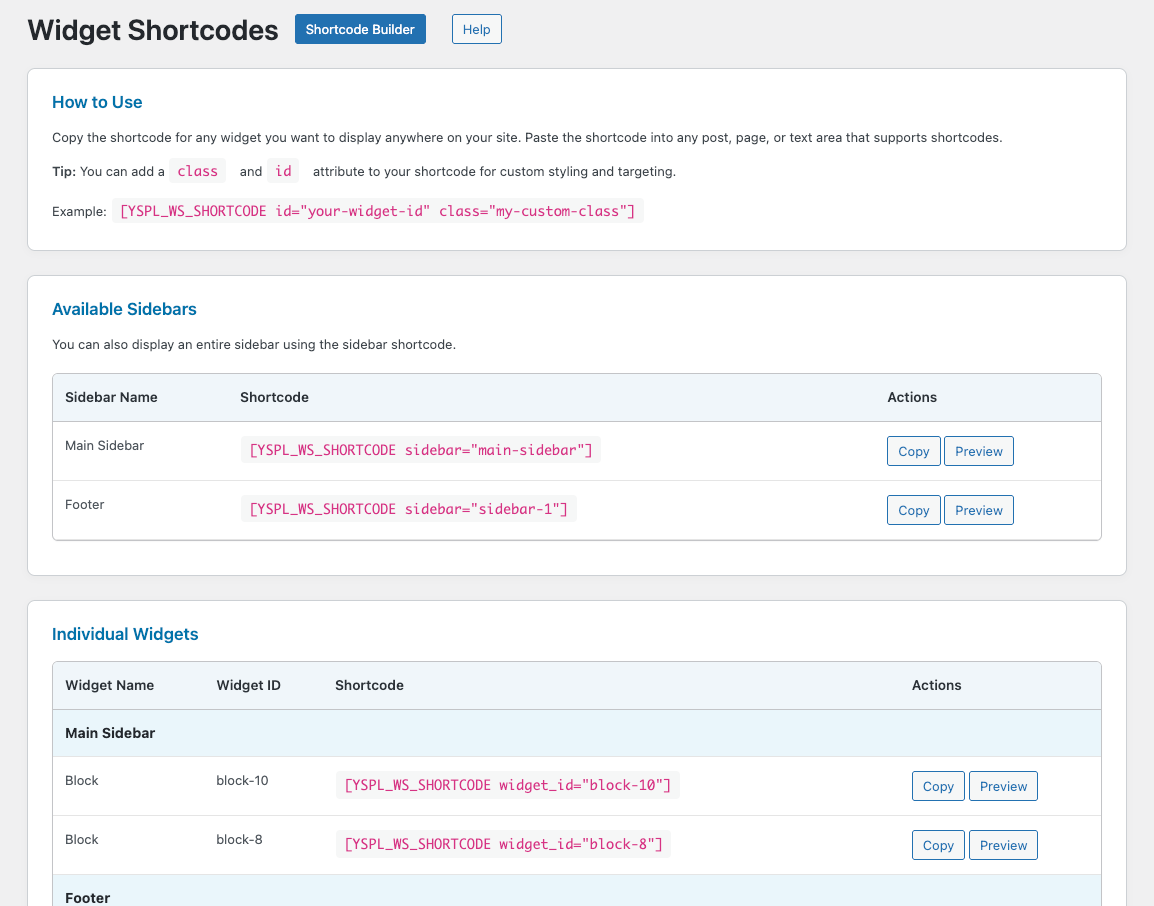
- Widget Shortcode Page: Access a dedicated admin page listing all widget shortcodes for easy copy-paste usage on the frontend.
- Shortcode Support: Place widgets anywhere using shortcodes for maximum flexibility.
- Reusable Widgets: Use the same widget across multiple areas to maintain a consistent look and feel.
- Intuitive User Interface: Manage and edit your widgets through a clean and simple admin interface.
- Theme and Plugin Compatibility: Works seamlessly with most WordPress themes and plugins.
Need Plugin Support?
Please submit a request here for Support. We will get back to you quickly.
Installation
Installing the plugin is easy. Just follow these steps:
- From the dashboard of your site, navigate to Plugins –> Add New.
- Select the Upload option and hit “Choose File.”
- When the popup appears select the wp-anywhere-widgets.zip file from your desktop.
- Follow the on-screen instructions and wait till the upload completes.
- When it’s finished, activate the plugin via the prompt. A message will display confirming activation was successful.
Frequently asked questions
How do I display a widget on a specific page or post?
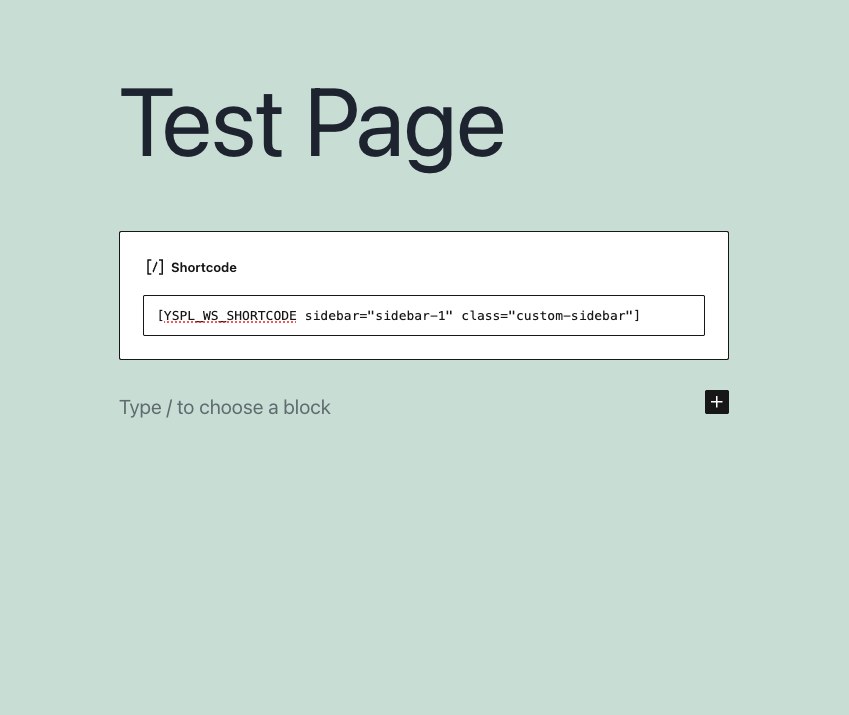
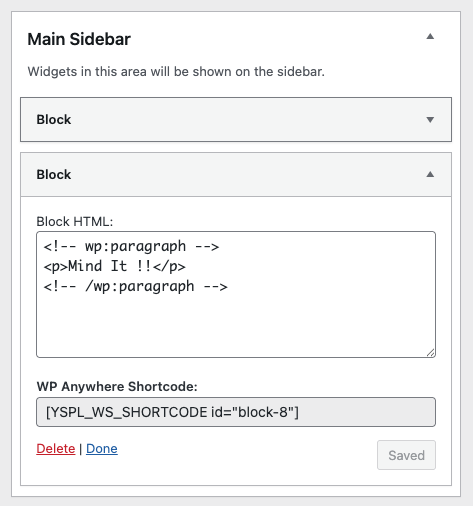
After creating a widget in the admin panel, you’ll receive a unique shortcode. Simply copy and paste this shortcode into any page, post, or widget area—even inside the Gutenberg/Block Editor or Classic Editor.
Is “WP Anywhere Widgets” compatible with the Block Editor (Gutenberg)?
Yes! The plugin now fully supports both the Classic Widgets and the Block (Gutenberg) Widgets editor, offering flexibility no matter which editor you prefer.
Can I use “WP Anywhere Widgets” with my theme?
Yes, the plugin is designed to work seamlessly with almost all WordPress themes. If you experience any conflicts, our support team is happy to help.
Does the plugin support custom CSS?
Absolutely. You can style your widgets using your own CSS to match your site’s design perfectly.
Is coding knowledge required to use this plugin?
Not at all! The plugin is designed with a user-friendly interface suitable for beginners. Advanced users can take advantage of PHP functions for deeper customization.
Can I place widgets in custom template files?
Yes, advanced users can embed widgets directly into PHP theme or template files using the provided PHP function.
Where can I find the widget shortcodes?
There’s now a dedicated Widget Shortcodes page in the admin panel where you can view and copy shortcodes for all your created widgets.
Changelog
Major Update: Now Supports Block Widgets (Gutenberg)!
4.0
- Block Editor Support: Now fully compatible with Gutenberg (Block Widgets Editor).
- Classic Widgets Compatibility retained for backward support.
- New Admin Shortcode Page: Easily view and copy all widget shortcodes from one place.
- UI improvements and minor bug fixes.
- Enhanced shortcode usability inside posts, pages, and widget areas.
Screenshots
For developers
Is this your plugin? Show off the numbers.
Add a live badge to your site, docs or GitHub README. It updates on its own — no account needed.
FAQ
WP Anywhere Widgets: quick answers
Straight answers, pulled from live WordPress.org data.
Live data from WordPress.org · checked Sep 30, 2026
Is WP Anywhere Widgets free?
Yes. WP Anywhere Widgets is free to download and use from the official WordPress.org plugin directory.
Is WP Anywhere Widgets safe to use in 2026?
WP Anywhere Widgets works, but test it on a staging site before relying on it in 2026. It runs on 700+ sites, is rated 4.8/5 and was last updated 1 year ago, and scores 42/100 on our health check.
How many websites use WP Anywhere Widgets?
WP Anywhere Widgets is active on 700+ WordPress websites and has been downloaded 5,814 times since it launched in July 2018. It was downloaded 163 times in the last 30 days.
Does WP Anywhere Widgets work with WordPress 7.1?
WP Anywhere Widgets is officially tested up to WordPress 6.8.10, while the latest release is 7.1.2. It may still work, but try it on a staging site first.
When was WP Anywhere Widgets last updated?
The latest version, 4.0, was released on May 27, 2025 (1 year ago).
Who makes WP Anywhere Widgets?
WP Anywhere Widgets is developed and maintained by Yudiz Solutions Ltd..
Powered by PageForge
Want thousands of pages that rank like these? Build them in an afternoon.
This directory runs on the same engine as PageForge. Turn any spreadsheet, CSV or API into thousands of fast, SEO-ready WordPress pages — with schema, internal links and AI-written copy baked in.
- CSV, Google Sheets & API data sources
- AI content, schema & internal links per page
- Works with Elementor, Gutenberg, Yoast & Rank Math
- Free on WordPress.org — no credit card


