


StoreCustomizer – A plugin to Customize all WooCommerce Pages
A store editor plugin for editing all WooCommerce store and product pages, cart, checkout and user account pages, all within the WordPress Customizer

Solid choice
StoreCustomizer is a solid plugin choice in 2026, with a few things worth checking first. It runs on 20K+ sites, is rated 4.8/5 and was last updated 1 month ago, and scores 74/100 on our health check.
- Proven at scale on 20K+ active sites
- Loved by users — 4.8/5 from 127 reviews
- Tested with the latest WordPress (7.1)
How does it stack up?
Side-by-side on installs, updates, ratings & support


Daily downloads
Download spikes usually follow a new release — each site that auto-updates counts as a download.
Rankings
Where StoreCustomizer stands todayWordPress.org search rankings
Live position in the plugin search, top 100| Keyword | Position |
|---|---|
| customize woocommerce | #10 |
| ecommerce | >100 |
| online store | #29 |
| woocommerce | >100 |
| woocommerce addons | #72 |
Version adoption
Share of active sites per release.
Rating breakdown
★★★★★★★★★★ 4.8 from 127 reviews
About StoreCustomizer
From the official readme · v2.6.6Description
Previously known as “WooCustomizer”
Are you tired of creating child themes or adding multiple plugins to customize your WooCommerce ecommerce store?
WooCommerce offers a lot of action and filter hooks to further customize WooCommerce… the only problem is, you need to add your own custom php code snippets to edit all the different WooCommerce elements.
Introducing StoreCustomizer, a free WooCommerce customizer plugin, and your answer to customizing all WooCommerce store and product pages, cart page, checkout page and also your user account pages.
StoreCustomizer Requires the WooCommerce Plugin to be active on your ecommerce store
StoreCustomizer DOES NOT override WooCommerce templates, the plugin simply adds extra design options, WooCommerce addons and advanced shop functionality to your existing ecommerce pages which are designed by the theme you are using.
If something does not work, Get in contact and we’ll help as best we can.
StoreCustomizer Top Features
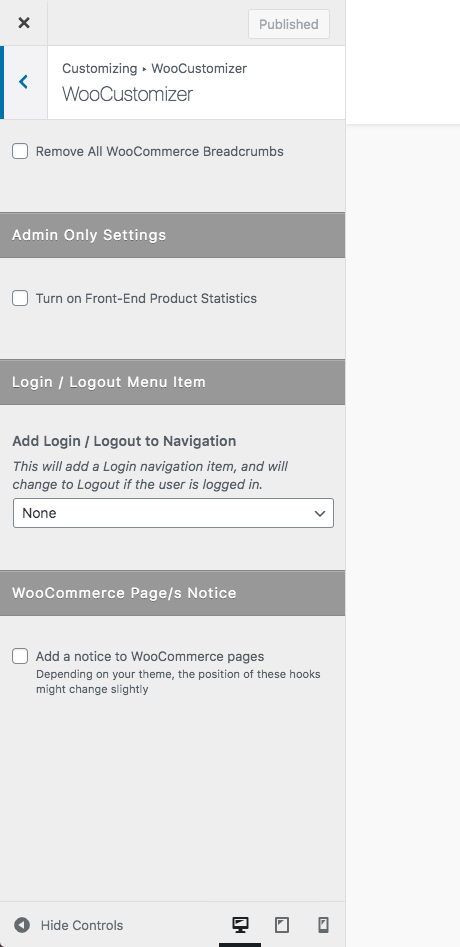
✅ Add Login / Logout menu item to a selected WP/theme menu area
✅ Add Product sales statistics for Admin users on the WooCommerce shop page
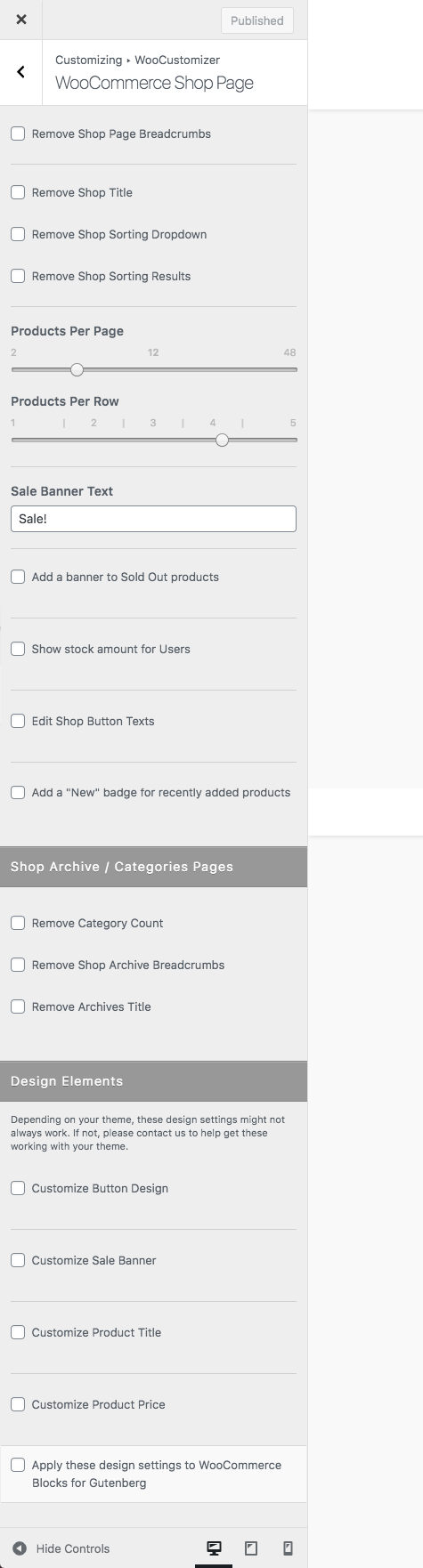
✅ Customize WooCommerce Shop & Product Pages by editing or removing elements
✅ Edit font size and color for WooCommerce Shop & Product pages & Cart/Checkout elements
✅ Customize the design of all WooCommerce buttons for Shop & Product pages & Cart/Checkout pages
✅ Edit ‘On Sale’ banners text and colors for WooCommerce products
✅ Edit User Account tabs and tab content headings
✅ Edit or Remove Product Page Tabs and edit tab headings
✅ Add a ‘Continue Shopping’ button to your store product pages
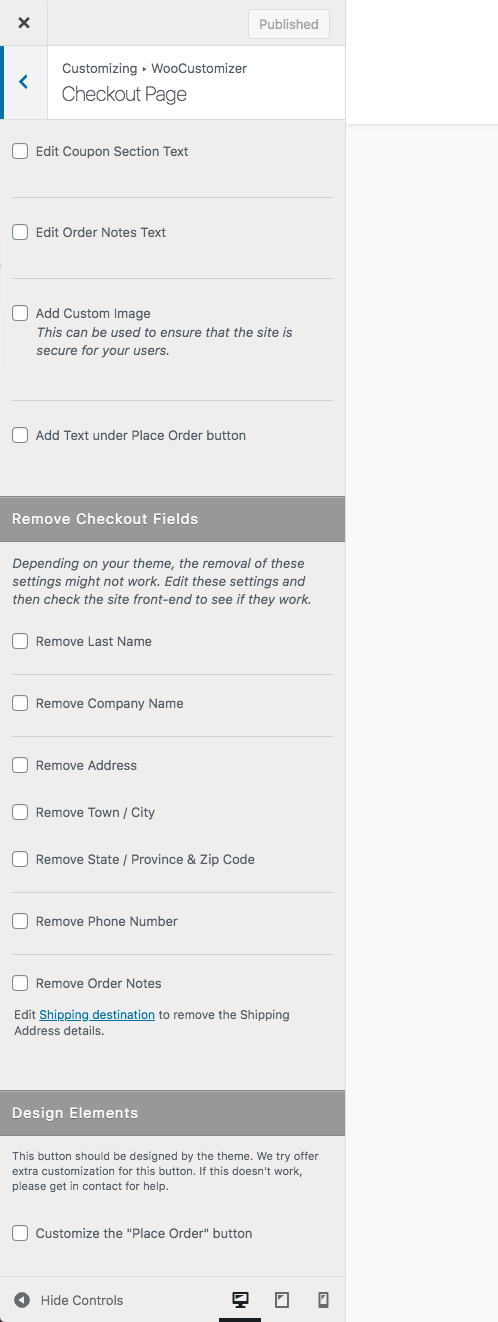
✅ Remove basic checkout fields on WooCommerce Checkout page
✅ Add a ‘Back to Shop’ button to your cart page
✅ Add “New Product” badges to products created within a specified number of days
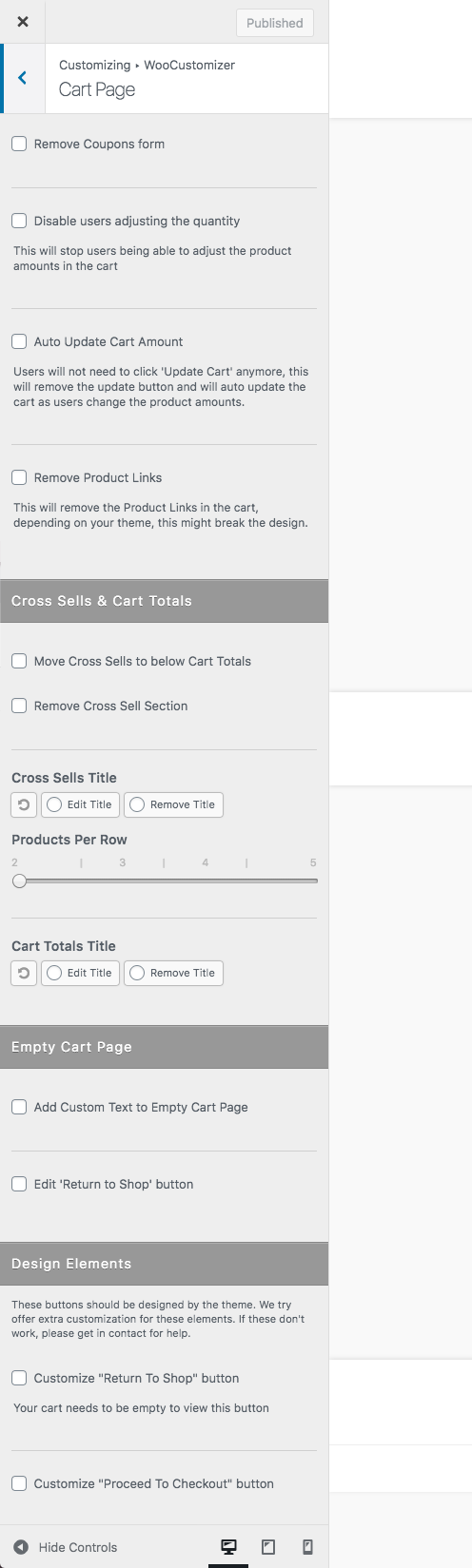
✅ Auto / Ajax Update Cart when amount is changed on cart page
✅ Auto Update WooCommerce Cart when user edits product amounts
✅ Edit Cart & Checkout buttons & add return to shop buttons
✅ Select the login redirect page or logout redirect page and edit the menu item text
✅ ‘Add To Cart’ Increments – Set Min & Max values for ‘Add To Cart’ inputs, plus the increment value
🔸 Plus lots more
StoreCustomizer is useful because
🔸 No more creating a child theme to add WooCommerce code snippets
🔸 Offers extra design options and functionlaity for WooCommerce that your theme doesn’t
🔸 All settings built into the WordPress Customizer so you can edit WooCommerce visually in a live environment
🔸 StoreCustomizer is built to be lightweight… adding only the code that is needed, when it’s needed
🔸 We offer dedicated support for those extra elements you need help with, even if StoreCustomizer can’t do it
🔸 Plus lots more
Fast & Intuitive
StoreCustomizer is built to be a fast & lightweight, easy to work with WooCommerce extension for customizing WooCommerce.
With all the settings built into the WordPress Customizer, you can easily customize WooCommerce visually in the live environment of the WP Customizer… See your changes happen as you edit WooCommerce settings.
StoreCustomizer only includes the code that is activated to ensure that StoreCustomizer is lightweight and fast for when you customize WooCommerce pages.
StoreCustomizer does not exclude or offer half premium functionality to try get you to upgrade, all Pro features are standalone to the free version, to enhance WooCommerce even more!
User 5 Star Rating: This is by far in the top 3 of WP plugins, from all points of view: functionality, GUI, reliability, options… you name it. The only reason I don’t put it on the 1st place is because I just don’t know what other great plugins are out there but, on my personal book, this is definetely number one. For sure it’s worth every penny.
See if StoreCustomizer Pro offers what you want:
Below are the Premium features you’ll get with StoreCustomizer Pro to enhance WooCommerce even more, to help you increase sales and create a beautiful online eCommerce store.
**Included with StoreCustomizer Pro:**
🔸 Catalogue Mode for WooCommerce
Easily remove the ‘Add to Cart’ and Purchase functionality from your WooCommerce shop, turning your online store into a beautiful online WooCommerce catalogue.
Set WooCommerce Catalogue Mode for the time being, or leave it on permanently.
Apply Catalogue Mode settings to all WooCommerce products, only selected products, or only for users that are not logged in, prompting users to create an account and log in to purchase your store products.
🔸 Product Quick View for WooCommerce
Let users browse quicker through your online WooCommerce store with Product Quick View for WooCommerce.
Give your users the option to quickly preview your products and easily ‘Add to Cart’, or browse the image gallery from within a quick view popup on your WooCommerce Shop page, or click through to the Product Single page after they’ve seen it all.
Product Quick View for WooCommerce offers a neat popup on Product and Category Shop pages, and comes with extra settings to configure the popup and make the Product Quick View popup suit your WooCommerce store design.
🔸 WooCommerce Ajax Product Search
Help users to browse through and find your WooCommerce products quicker with WooCommerce Ajax Search.
Add a simple Ajax Product Search anywhere using a shortcode, and configure the settings to display a prediction of your WooCommerce products when your users start typingin the Ajax Search bar.
Add multiple Ajax Search bars as widgets anywhere on your site, or simply click to add an Ajax Search to the top of your WooCommerce Shop page & configure the settings to fit your WooCommerce store design.
🔸 Menu Cart for WooCommerce
Your theme doesn’t offer a neat WooCommerce Menu Cart in the main navigation area?
Simply turn on Menu Cart for your WooCommerce store and select which menu you’d like to display a WooCommerce cart in, or add a Cart items anywhere using the Menu Cart shortcode.
Set the cart to display only on WooCommerce Shop pages or to only show if the cart contains products.
Your store shoppers can easily and quickly view their WooCommerce shopping cart with an optional drop down basket/mini cart, they can add or remove WooCommerce Cart products or checkout from the WooCommerce Menu Cart.
🔸 WooCommerce Custom Thank You Pages
The after purchase Thank You page for WooCommerce is a very powerful place to get your users to sign up to your newsletter, show how to use the products they’ve just bought, or to advertise other products you sell online that they might be interested in… They have just purchased something from you so they do already trust you and want your products.
You can choose to redirect your customer to your new default Custom WooCommerce Thank You page, redirect them to different Custom Thank You pages depending on the products they’ve just bought, or to different Custom Thank You pages depending how they purchased the products and what payment method they used on your WooCommerce store.
Build your own Custom Thank You pages for WooCommerce using the default Gutenberg editor, Elementor, Beaver Builder, SiteOrigin or any other page builder you choose.
🔸 HandHeld Menu Bar
StoreCustomizer Pro also offers a new, neat handheld (mobile) footer navigation bar to help your users easily navigate your products or website, or proceed to the cart or checkout pages, and aimed to help users convert better when browsing your website on mobile or tablet devices.
Easily include the StoreCustomizer Ajax Search functionality within this new mobile navigation bar, and give your users an even easier way to browse around your WooCommerce store.
Handheld Footer Bar comes with default WooCommerce page links and search bar functionality included, as well as the option to add your own custom links and change the design colors too.
🔸 Custom Product Badges
Do you want fancy badges for your WooCommerce Products?
The next Pro feature coming with StoreCustomizer is custom Product Badges for WooCommerce.
WooCommerce Product Badges will let you easily add great looking product badges to your WooCommerce shop and product pages, plus extra features to customize the badges to suit your online WooCommerce store.
Extra Pro Features include
🔸 Add new WooCommerce user Account tabs – Build a new page with the WP editor and add it as the Account Dashboard page.
🔸 WooCommerce Direct Checkout – Remove your store cart page and send customers straight to checkout, plus the option to include the cart on the checkout page.
🔸 WooCommerce Sticky ‘Add to Cart’ – An ‘Add to Cart’ banner that slides into view once the standard add-to-cart button has scrolled out of view.
🔸 Add Plus & Minus increment buttons to the Product Single page ‘Add To Cart’ input
View StoreCustomizer Pro features & see videos on what each premium feature offers.
Related Products by Kaira
Theme Site Kit: An all-in-one toolkit for essential WordPress site features.
Blockons: Advanced editor blocks and site addons for your WordPress site.
Linkt: Affiliate and Custom link tracking and management.
Translations
Translations currently available for StoreCustomizer:
– Dutch – (nl_NL)
– Italian – (it_IT)
– French – (fr_FR)
– Spanish – (es_ES)
– Swedish – (sv_SE)
We’re always needing new translations, so please contact us here if you are willing to help translate StoreCustomizer into a language that we don’t have yet.
Installation
Requirements
StoreCustomizer requires the WooCommerce plugin to be installed and active.
Installation
Installing StoreCustomizer can be done either by searching for “StoreCustomizer” via the Plugins > Add New screen in your WordPress dashboard, or by using the following steps:
- Download the plugin via WordPress.org
- Upload the ZIP file through the
Plugins > Add New > Uploadscreen in your WordPress dashboard - Activate the plugin through the
Pluginsmenu in WordPress
Configuration – Free & Pro
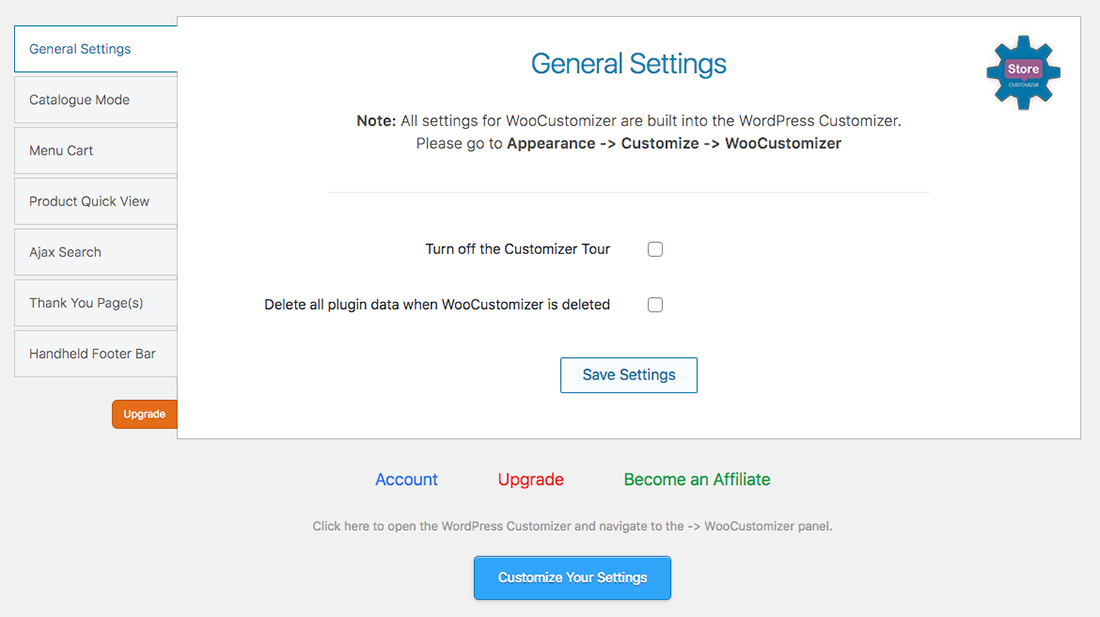
Navigate to WooCommerce -> StoreCustomizer in your WordPress Dashboard.
The settings are self explanatory in the free version.
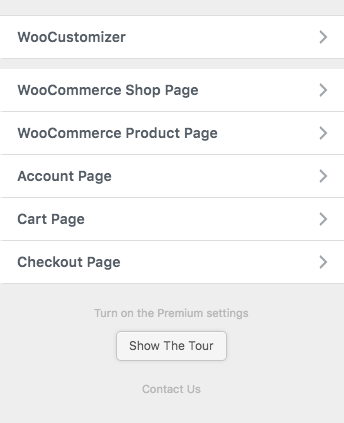
In the premium version, each tab has a setting to turn on the relevant Pro feature, once you turn the settings on, you will then be able to go further edit the settings in Customize -> StoreCustomizer.
Changelog
2.6.6
- Styling tweaks/fixes
- Updated Freemius SDK
- Fix WC Catalogue & Product settings
- Updated the language .pot file
2.6.5
- Styling tweaks/fixes
- Backend code commenting & refactoring
- Updated Freemius SDK
- Fixed Access Control issue for WC product stats
- Updated the language .pot file
2.6.3
- Styling tweaks/fixes
- Updated Freemius SDK
- Version compatibility for WP 6.8 & WC 9.9
- Updated the language .pot file
2.6.1
- Styling tweaks/fixes
- Minor code refactoring
- Added: Price Prefix & Suffix for variable product variations
- Updated the language .pot file
2.6.0
- Styling tweaks/fixes
- Updated Freemius SDK
2.5.9
- Styling tweaks/fixes
- Backend code commenting
- Fix update product prefix & suffix php notice
- Updated Freemius SDK
- Version compatibility for WP 6.7 & WC 9.6
Screenshots


For developers
Is this your plugin? Show off the numbers.
Add a live badge to your site, docs or GitHub README. It updates on its own — no account needed.
Best StoreCustomizer alternatives
All customize woocommerce plugins →FAQ
StoreCustomizer: quick answers
Straight answers, pulled from live WordPress.org data.
Live data from WordPress.org · checked Nov 16, 2026
Is StoreCustomizer free?
Yes. StoreCustomizer is free to download and use from the official WordPress.org plugin directory.
Is StoreCustomizer safe to use in 2026?
StoreCustomizer is a solid plugin choice in 2026, with a few things worth checking first. It runs on 20K+ sites, is rated 4.8/5 and was last updated 1 month ago, and scores 74/100 on our health check.
How many websites use StoreCustomizer?
StoreCustomizer is active on 20K+ WordPress websites and has been downloaded 1,105,805 times since it launched in October 2019. It was downloaded 7,606 times in the last 30 days.
Does StoreCustomizer work with WordPress 7.1?
Yes. The developer has tested StoreCustomizer up to WordPress 7.1.4, the latest release. It requires WordPress 5.0 or newer.
What PHP version does StoreCustomizer need?
StoreCustomizer requires PHP 5.6 or higher. Most hosts run PHP 8.x today, so it works on any modern WordPress hosting.
When was StoreCustomizer last updated?
The latest version, 2.6.6, was released on October 14, 2026 (1 month ago).
Who makes StoreCustomizer?
StoreCustomizer is developed and maintained by Kaira.
What are the best alternatives to StoreCustomizer?
The most popular alternatives to StoreCustomizer are Product Page Customizer for… (50+ installs), Simplify for WooCommerce (30+ installs) and Mad Cow Customizer for WooC… (10+ installs).
Powered by PageForge
Want thousands of pages that rank like these? Build them in an afternoon.
This directory runs on the same engine as PageForge. Turn any spreadsheet, CSV or API into thousands of fast, SEO-ready WordPress pages — with schema, internal links and AI-written copy baked in.
- CSV, Google Sheets & API data sources
- AI content, schema & internal links per page
- Works with Elementor, Gutenberg, Yoast & Rank Math
- Free on WordPress.org — no credit card


