



Extended Coupon Features for WooCommerce FREE
“Extended Coupon Features for WooCommerce” adds functionality to the WooCommerce coupons and allows for automatic discount rules. Very easy to use, the functionality is conveniently integrated to the WooCommerce Edit…

Solid choice
Extended Coupon Features for Wo… is a solid plugin choice in 2026, with a few things worth checking first. It runs on 10K+ sites, is rated 5/5 and was last updated 7 months ago, and scores 62/100 on our health check.
- Proven at scale on 10K+ active sites
- Loved by users — 5/5 from 69 reviews
- Only tested up to WordPress 6.9 (latest is 7.1)
How does it stack up?
Side-by-side on installs, updates, ratings & support



Daily downloads
Download spikes usually follow a new release — each site that auto-updates counts as a download.
Rankings
Where Extended Coupon Features fo… stands todayWordPress.org search rankings
Live position in the plugin search, top 100| Keyword | Position |
|---|---|
| coupons | #9 |
| discount | #64 |
| woocommerce | >100 |
Version adoption
Share of active sites per release.
Rating breakdown
★★★★★★★★★★ 5 from 69 reviews
About Extended Coupon Features for WooCommerc…
From the official readme · v3.4.2Description
“Extended Coupon Features for WooCommerce” adds functionality to the WooCommerce coupons and allows for automatic discount rules.
Very easy to use, the functionality is conveniently integrated to the WooCommerce Edit Coupon panel.
Requires:
* WordPress 5.0 or newer (6.8+ recommended)
* WooCommerce 5.0 or newer (9.0+ recommended)
* PHP 7.0 or newer (8.2+ recommended)
Full documentation is available at www.soft79.nl.
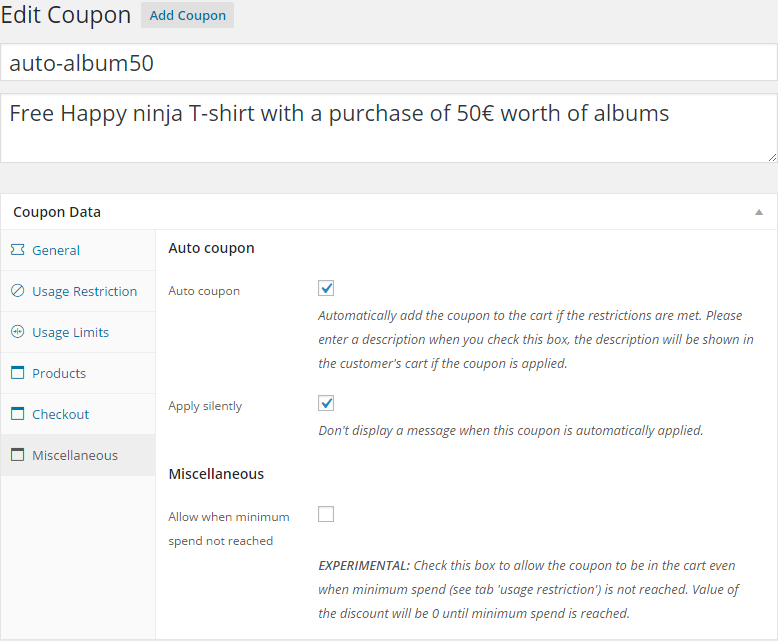
- Auto coupons: Allow coupons to be automatically added to the users cart if its restrictions are met,
- Apply coupon via an url,
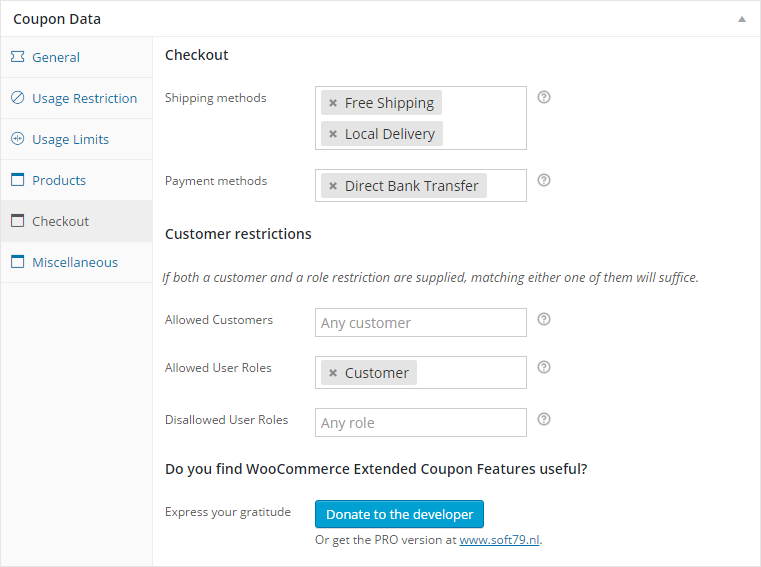
- Restrict coupon by shipping method,
- Restrict coupon by payment method,
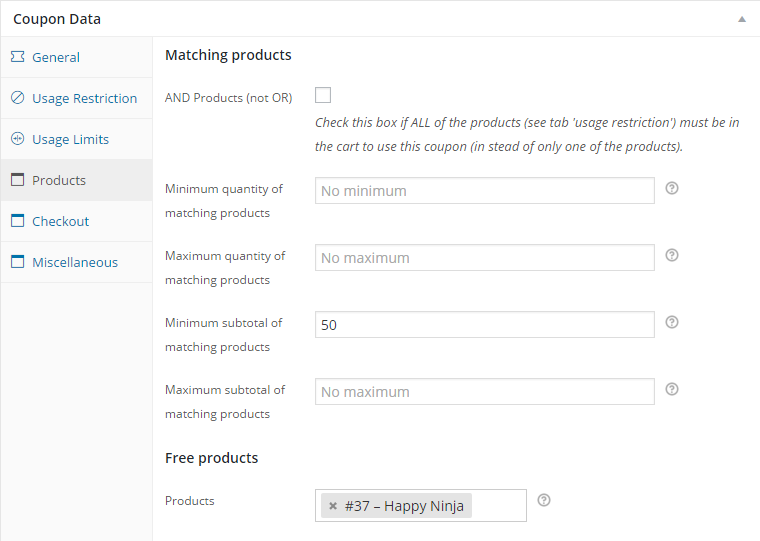
- Restrict coupon by a combination of products
- Restrict coupon to certain customer roles
- (PRO) Add free products to the customer’s cart based on coupon rules
- (PRO) Allow a cart discount to be applied based on quantity / subtotal of matching products
- (PRO) Set Auto Coupon priorities (Useful for ‘Individual Use Only’-coupons)
- (PRO) Restrict coupon by shipping zone
- (PRO) Allow coupon for first purchase only
- (PRO) API to allow developers to use functions of this plugin
For more information or the PRO version please visit www.soft79.nl
Example: Auto coupon
Let the customer have a discount of $ 5.00 when the cart reaches $ 50.00.
- Create a coupon, let’s name it auto_50bucks and enter a short description e.g. $ 50.00 order discount
- On the General tab: Select discount type Cart discount, and set the coupon amount to $ 5.00
- On the Usage restrictions tab: Set minimum spend to $ 50.00 and check the Auto coupon-box
Voila! The discount will be applied when the customer reaches $ 50.00 and a descriptive message will be shown.
If the restrictions are no longer met, it will silently be removed from the cart.
Example: Apply coupon via an URL
Apply coupon through an url like this:
- Use the url www.example.com/url-to-shop?apply_coupon=my_coupon&fill_cart=123
Voila! Any coupon can be applied this way. Please note that an empty cart can not contain any coupons. Download the free Cart Links for WooCommerce-plugin to handle the ‘fill_cart’-part of the url.
This plugin has been tested in combination with WP-Multilang.
Installation
- Upload the plugin in the
/wp-content/plugins/directory, or automatically install it through the ‘New Plugin’ menu in WordPress - Activate the plugin through the ‘Plugins’ menu in WordPress
How to create an automatically added coupon?
- Create a coupon through the ‘Coupons’ menu in WooCommerce. TIP: Name it auto_’whatever’ so it will be easy to recognize the auto coupons
- Setup the coupon as you’d normally would. Make sure you enter a description for the coupon and set usage restrictions
- In the “Miscellaneous” tab, check the box Auto coupon
- Voila! That’s it
Frequently asked questions
Is the plugin translatable?
Yes, all string values are translatable through the supplied POT/PO/MO files. In WPML translatable items appear in the context woocommerce-jos-autocoupon in “String Translations”.
Why isn’t my coupon applied using www.example.com?apply_coupon=my_coupon ?
The coupon will only be applied if the url links to a WooCommerce page (e.g. product loop / cart / product detail ) and at least one product is in the cart. An empty cart can not have any coupons. The PRO version of this plugin has a work around for this though; it will ‘remember’ the coupon and apply it at the moment the cart contains a product.
The cart is not updated after changing the payment method
On the settings page (Settings > Extended Coupon Features for WooCommerce) check the box Update order review on payment method change.
The cart is not updated after changing the billing email address
On the settings page (Settings > Extended Coupon Features for WooCommerce) check the box Update order review on billing email change.
Changelog
3.4.2
Release Date – 2026-02-14
– Improve get_all_auto_coupons performance (thanks, migueldamota)
– Code cleanup
3.4.1
Release Date – 2025-10-12
– (PRO) Change license server to lic.soft79.nl
3.4.0
Release Date – 2025-09-07
– (PRO) FIX: Compatibility issue between Free products and ‘Advanced Product Fields Pro for WooCommerce’
– Rename plugin to comply with WooCommerce trademark guidelines
3.3.9
Release Date – 2025-05-13
– FIX: Loading of translations of plugins too early
3.3.8
Release Date – 2024-11-23
– FIX: Loading of translations too early
3.3.7
Release Date – 2024-10-17
– (PRO) FIX: Coupon queueing incompatibility with WooCommerce Blocks
Screenshots

For developers
Is this your plugin? Show off the numbers.
Add a live badge to your site, docs or GitHub README. It updates on its own — no account needed.
Best Extended Coupon Features for… alternatives
All coupons plugins →





FAQ
Extended Coupon Features for WooCom…: quick answers
Straight answers, pulled from live WordPress.org data.
Live data from WordPress.org · checked Sep 26, 2026
Is Extended Coupon Features for Wo… free?
Yes. Extended Coupon Features for Wo… is free to download and use from the official WordPress.org plugin directory.
Is Extended Coupon Features for Wo… safe to use in 2026?
Extended Coupon Features for Wo… is a solid plugin choice in 2026, with a few things worth checking first. It runs on 10K+ sites, is rated 5/5 and was last updated 7 months ago, and scores 62/100 on our health check.
How many websites use Extended Coupon Features for Wo…?
Extended Coupon Features for Wo… is active on 10K+ WordPress websites and has been downloaded 537,683 times since it launched in July 2014. It was downloaded 1,027 times in the last 30 days.
Does Extended Coupon Features for Wo… work with WordPress 7.1?
Extended Coupon Features for Wo… is officially tested up to WordPress 6.9.9, while the latest release is 7.1.2. It may still work, but try it on a staging site first.
What PHP version does Extended Coupon Features for Wo… need?
Extended Coupon Features for Wo… requires PHP 7.0 or higher. Most hosts run PHP 8.x today, so it works on any modern WordPress hosting.
When was Extended Coupon Features for Wo… last updated?
The latest version, 3.4.2, was released on February 14, 2026 (7 months ago).
Who makes Extended Coupon Features for Wo…?
Extended Coupon Features for Wo… is developed and maintained by Soft79.
What are the best alternatives to Extended Coupon Features for Wo…?
The most popular alternatives to Extended Coupon Features for Wo… are Discount Rules for WooComme… (100K+ installs), Advanced Dynamic Pricing an… (20K+ installs) and Coupon Generator for WooCom… (9K+ installs).
Powered by PageForge
Want thousands of pages that rank like these? Build them in an afternoon.
This directory runs on the same engine as PageForge. Turn any spreadsheet, CSV or API into thousands of fast, SEO-ready WordPress pages — with schema, internal links and AI-written copy baked in.
- CSV, Google Sheets & API data sources
- AI content, schema & internal links per page
- Works with Elementor, Gutenberg, Yoast & Rank Math
- Free on WordPress.org — no credit card


