



BuildKit – Product Builder for WooCommerce – Custom PC Builder
WooCommerce Product Configurator appears to be a must-have app for any component and part building pages, particularly PC builder pages. Imagine if customers could go through the process of building a PC and selecting…

Solid choice
BuildKit is a solid plugin choice in 2026, with a few things worth checking first. It runs on 200+ sites, is rated 2.8/5 and was last updated 3 days ago, and scores 69/100 on our health check.
- Actively developed — last update 3 days ago
- Tested with the latest WordPress (7.1)
- Small user base (200+ active installs)
- Low rating so far — 2.8/5 from only 4 reviews
Daily downloads
Download spikes usually follow a new release — each site that auto-updates counts as a download.
Rankings
Where BuildKit stands todayWordPress.org search rankings
Live position in the plugin search, top 100| Keyword | Position |
|---|---|
| add products step by step | #56 |
| custom pc builder | #1 |
| custom pc parts | #1 |
| prebuilt gaming pc | #1 |
| woocommerce | >100 |
Version adoption
Share of active sites per release.
Rating breakdown
★★★★★★★★★★ 2.8 from 4 reviews
About BuildKit
From the official readme · v1.0.30Description
WooCommerce Product Configurator appears to be a must-have app for any component and part building pages, particularly PC builder pages. Imagine if customers could go through the process of building a PC and selecting the components and parts they want through steps. That would be incredible, and that is what WooCommerce Product Configurator can provide.
WooCommerce Product Builder is a plugin that allows your customers to build a full product set from small parts step by step. This plugin works as a WooCommerce Product Configurator based on the WooCommerce platform, promising to provide you with many useful features like compatible, email completed product, attributes filters …
Preview Product Builder for WooCommerce – Custom PC Builder
Install and use
Important Notice:
- Plugin works based on WooCommerce plugin.
- It is released on WordPress.org and you can use plugin as free to build themes for sale.
FREE VERSION:
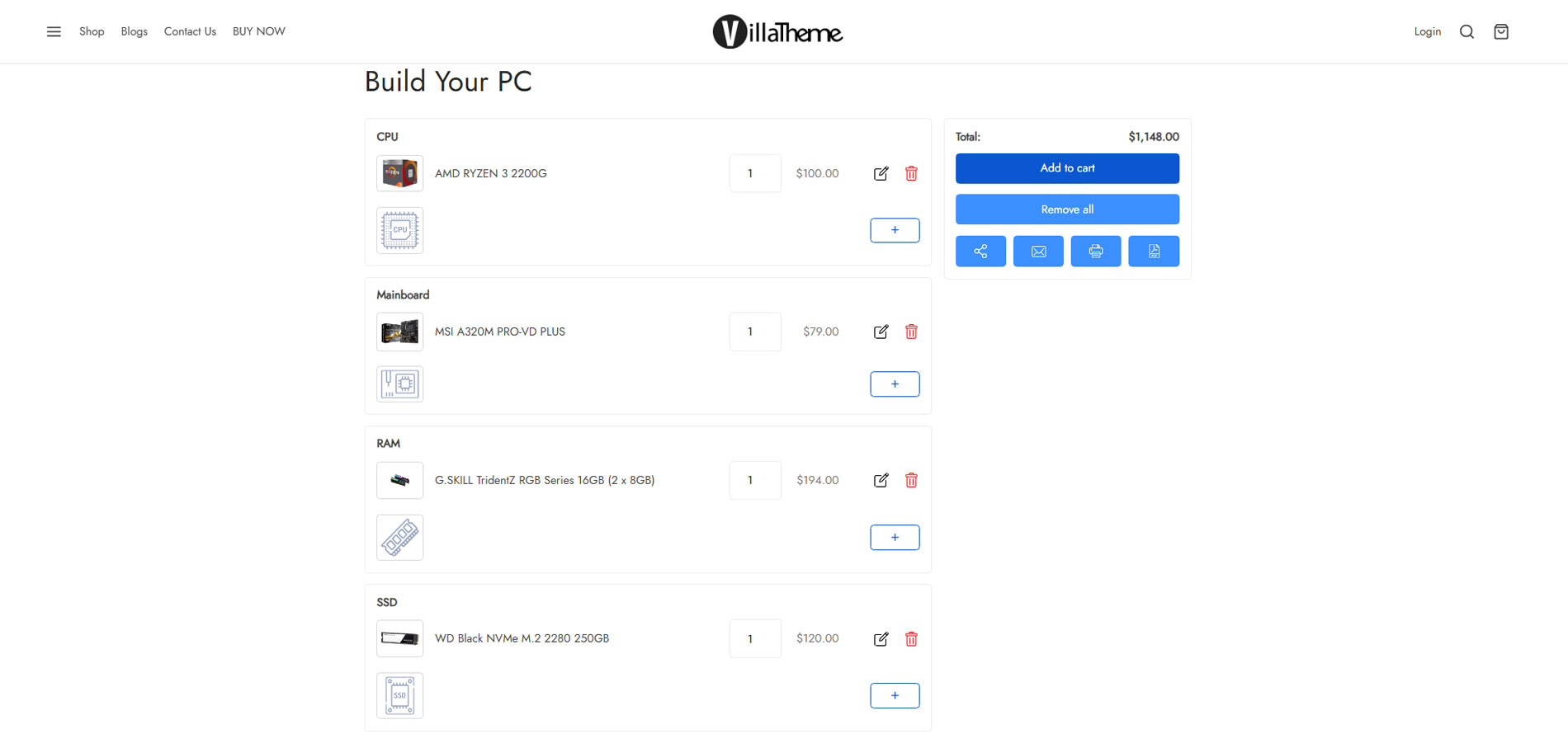
► Create Product Builder pages: Each product builder will display on front-end as a page, customers will build their products on this page. You can add as many product builders as you want.
► Multiple steps: Add as many steps as you need customers to select product parts.
► Change step name: Select a name for each step like STEP 1 – Mainboard, STEP 2 – CPU… Use the shortcode {step_number} to display the number of currency step.
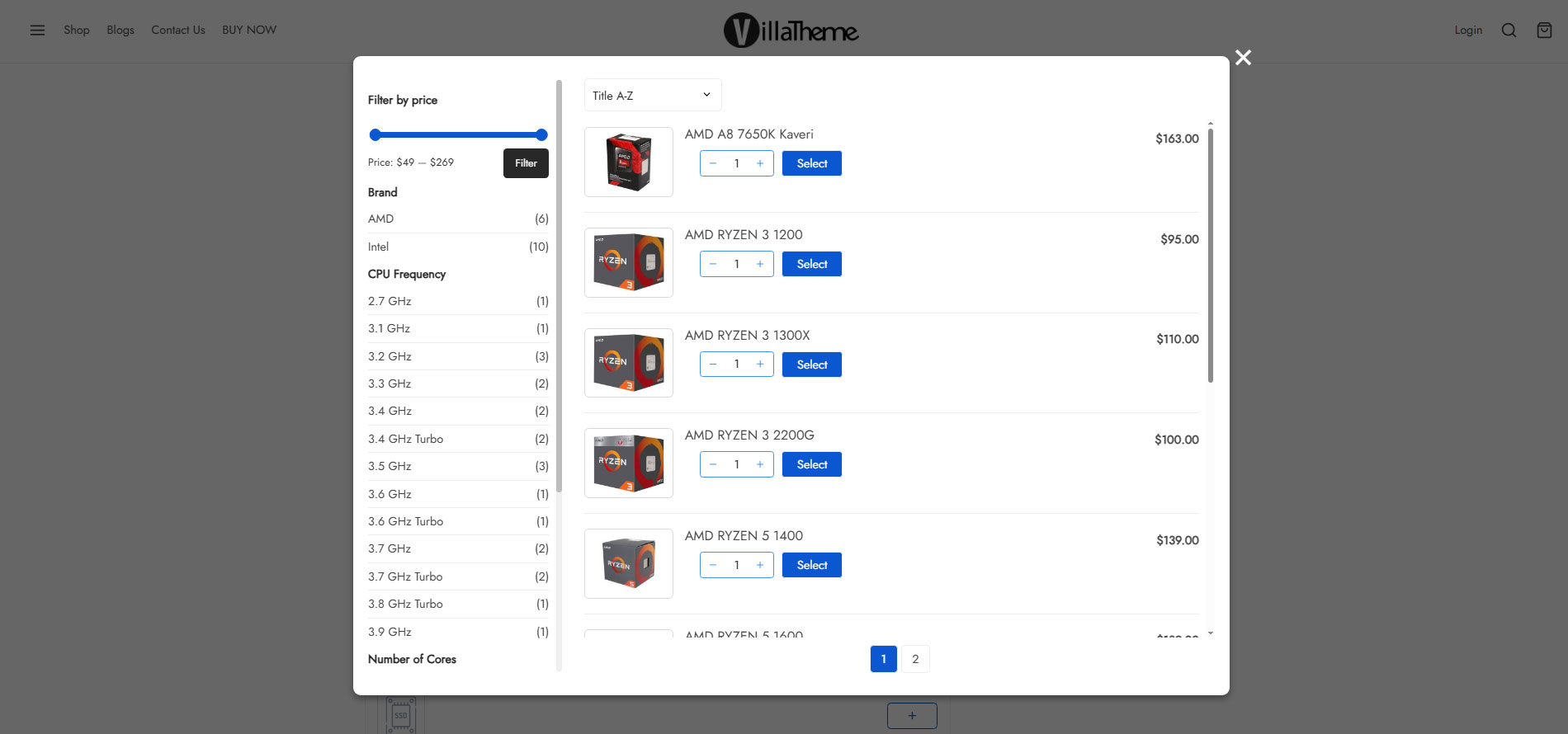
► Select product and categories for each step: You can select which products categories will appear in each step and then customers can pick one (or more) in that step.
► Quantity field: This option allows customers to select products quantity. If this option is disabled, the quantity will be set as 1.
► Preview button: The preview feature allows customers to view their full product before purchase. The preview page will appear in the last step, by enabling this option you will allow customers to visit the preview page from any step.
► Product per page: Select how many products will be displayed on one page in front-end.
► Attribute Widget: Attribute widgets helps your customers to easier to find the product they want to purchase. To enable attribute widgets, visit Appearance/ Widgets, look for WC Product Builder Widgets and drag/drop them to WC Product Builder Sidebar Area. Please take note that the plugin will not work with custom attributes. To add/edit attributes, please visit Products/ Attributes
► WC Product Builder Price Filter: Allow customers to find products in a price range.
► WC Product Builder Rating Filter: Allow customers to find product base on ratings.
► WC Product Builder Attribute Filter: Allow customers to find product base on attributes. Like color, brand…
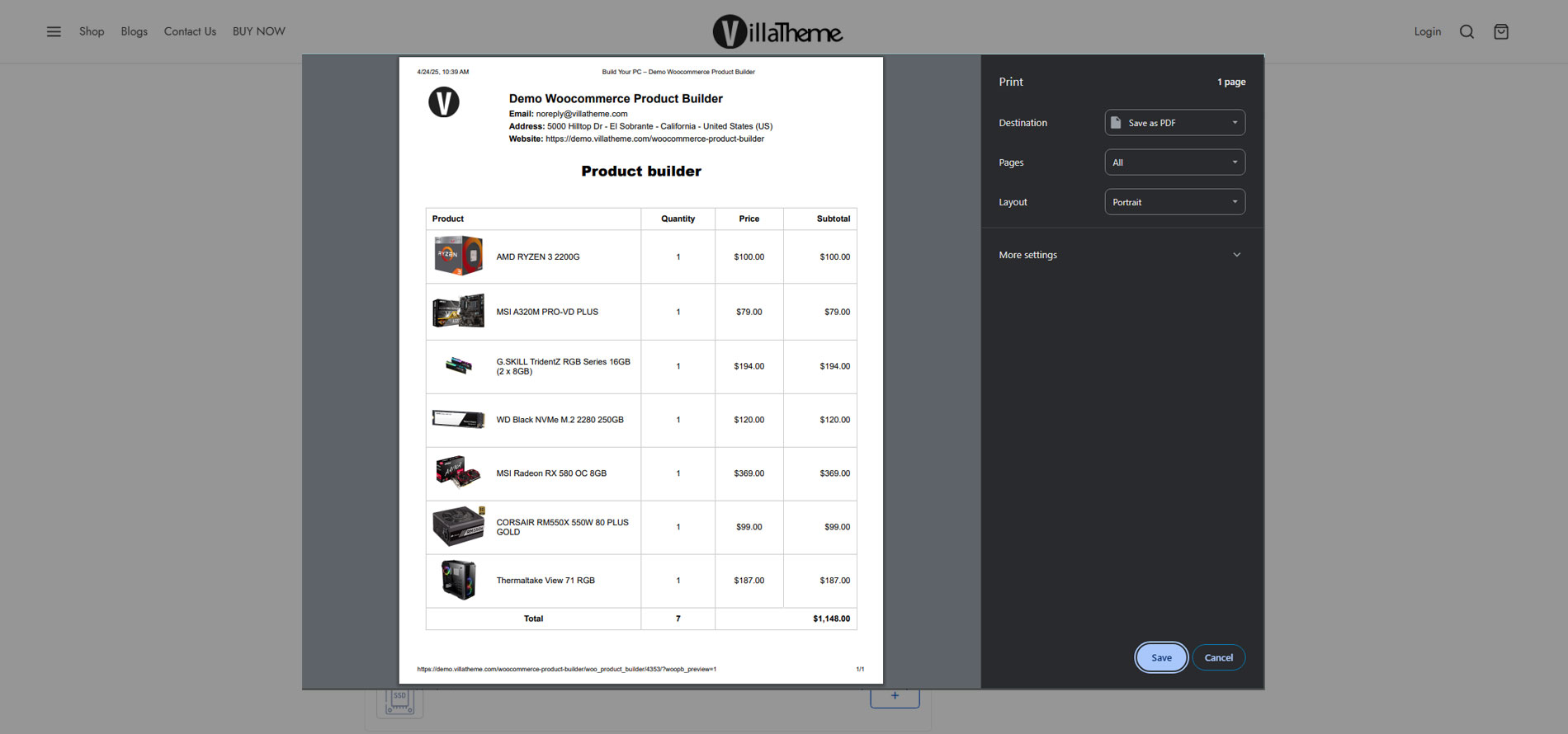
► Preview page: After finish building a product, customers can review it again in the preview page. This page will display the information about product names, prices, quantity, total price. Then customers can select to check-out or email the completed product.
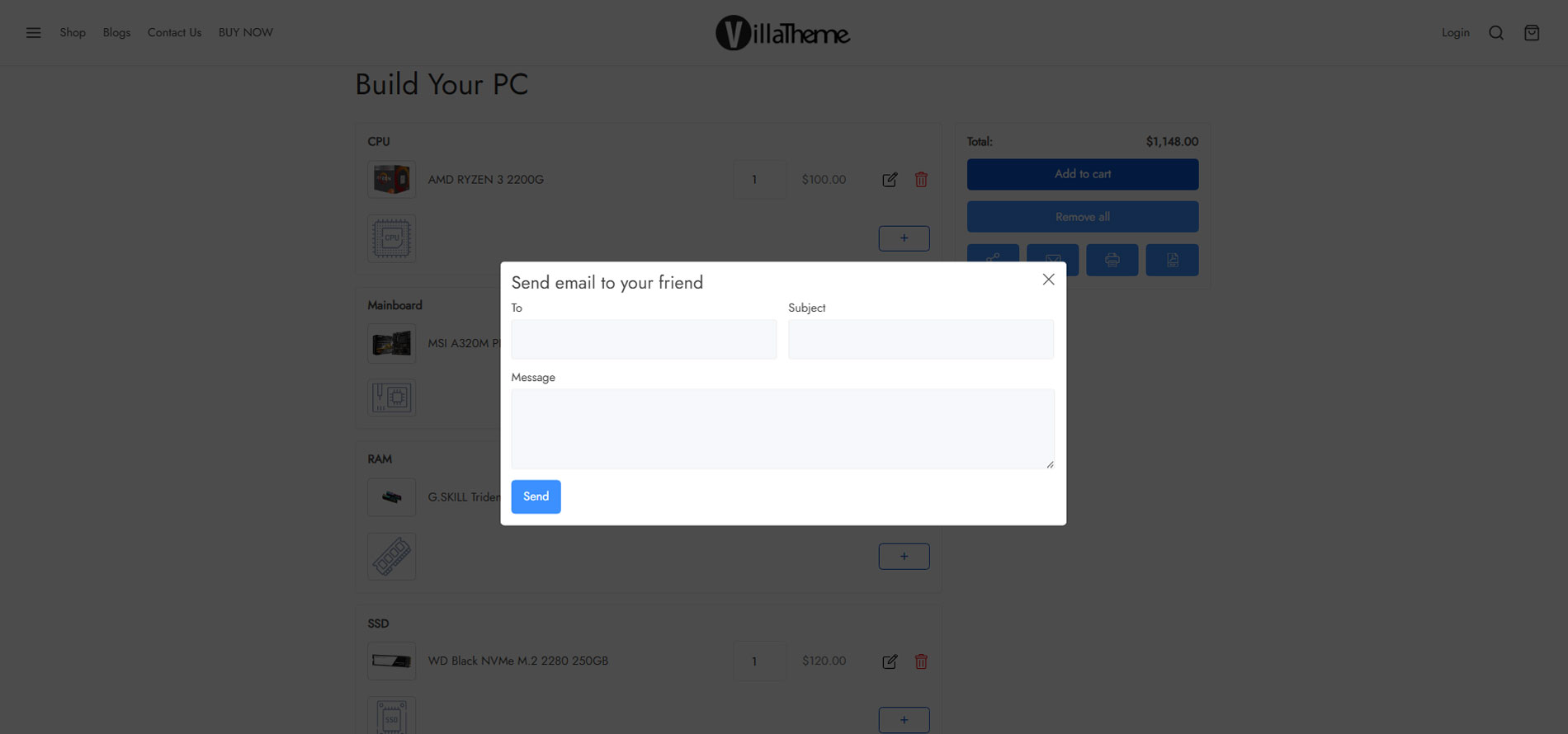
► Email: Customers can send their finished product by emails
► “Thank you” message: A message notice customers that their products have been sent successfully.
► Design: The product builder front-end page is fully customizable to fit with your theme.
► Text color: Change button text color
► Background color: Change the button background color
► Primary text color: Change the button text hover color
► Primary background color: Change the button background hover color
► Button Icon: Select the button icon style. There are 2 styles of text and icon.
► Steps You can added maximum 3 steps.
PRO VERSION:
► All features from free version.
► Select multiple products: Allow customers to add more than one product in each step. If this option is disabled, when customers select a product they will be automatical redirect to the next step.
► Compatible: Make sure all selected product parts will work properly. The compatible feature works based on attributes values. For example: In STEP 1 – CPU, customers select a CPU with the attribute “Socket” has its value as “LGA 1151”, then in STEP 2 – Mainboard he will find only mainboards which have the socket LGA 1151 (this attribute value must be added to products)
► Unlimited steps You can added unlimited steps.
► Custom CSS: Add your own CSS code to configure the front-end style as you want.
► Access our developer forum on any trouble: If you need any assistance, let’s create topic in forum then we’ll support in the soonest time.
► Premium support 6 months.
And much more things are waitting for you discover
Check screenshots at https://villatheme.com/extensions/woocommerce-product-builder/
Documentation
Plugin Links
MAY BE YOU NEED
VARGAL – Additional Variation Gallery for Woo
AFFI – Affiliate Marketing for WooCommerce
TMDS – Dropshipping for TEMU and Woo
DEPART – Deposit and Part payment for Woo
HANDMADE – Dropshipping for Etsy and WooCommerce
HAPPY – Helpdesk Support Ticket System
GIFT4U – Gift Cards All in One for Woo
SUBRE – Product Subscription for WooCommerce
Clear Autoptimize Cache Automatically
FEWC – WooCommerce Extra Checkout Fields
EPOW – Custom Product Options for WooCommerce
ChinaDS – Taobao Dropshipping for WooCommerce
9MAIL – WordPress Email Templates Designer
WebPOS – Point of Sale for WooCommerce
Coreem – Coupon Reminder for WooCommerce
COMPE – WooCommerce Compare Products
W2S – Migrate WooCommerce to Shopify
REDIS – WooCommerce Dynamic Pricing and Discounts
EXMAGE – WordPress Image Links
Pofily – WooCommerce Product Filters
Bopo – WooCommerce Product Bundle Builder
WPBulky – WordPress Bulk Edit Post Types
Bulky – Bulk Edit Products for WooCommerce
Catna – Woo Name Your Price and Offers
Product Size Chart For WooCommerce
Product Pre-Orders for WooCommerce
Checkout Upsell Funnel for WooCommerce
Cart All In One For WooCommerce
Email Template Customizer for WooCommerce
ALD – Dropshipping and Fulfillment for AliExpress and WooCommerce
Product Variations Swatches for WooCommerce
Orders Tracking for WooCommerce
Abandoned Cart Recovery For WooCommerce
Customer Coupons for WooCommerce
Virtual Reviews for WooCommerce
Thank You Page Customizer for WooCommerce
Suggestion Engine for WooCommerce
Advanced Product Information for WooCommerce
Product Builder for WooCommerce
Free Shipping Bar for WooCommerce
Installation
- Unzip the download package
- Upload
woo-product-builderto the/wp-content/plugins/directory - Activate the plugin through the ‘Plugins’ menu in WordPress
Changelog
2026.11.13 – version 1.0.30
– Fixed: Reject out-of-step products on classic session add (step product allowlist)
– Fixed: Use wp_safe_redirect after session add; add variations to cart with parent + variation ids
– Fixed: Require is_email() for share-email destinations; null-guard products in email/preview/sidebar
– Fixed: Step sidebar quantity from session data; RTL stylesheet uses free CSS constant
– Fixed: Register CPT before flush_rewrite_rules on activation so pretty permalinks work
– Updated: Stop loading unused Mobile Detect library (PHP 8.5 deprecation noise)
– Updated: Compatibility check with WC 11.2; Requires PHP env check aligned to 7.4
2026.09.29 – version 1.0.29
– Fixed: Stored SQL injection via builder step list_content on front-end product queries (reported by Naiches via WPScan/Jetpack)
– Fixed: Validate builder quantity against WooCommerce min/max/step before session storage and cart insertion
– Fixed: Harden share-email against abuse — require login by default, per-session send limit, block non-public selected products
2026.08.22 – version 1.0.28
– Updated: Compatibility check with WP 7.1
– Updated: VillaThem support
2026.08.17 – version 1.0.27
– Updated: Compatibility check with WC 11.0
– Updated: Optimize code
2026.06.20 – version 1.0.26
– Updated: VillaTheme Support
– Updated: Compatible with WP 7.0 and WC 10.8.1
2026.05.19 – version 1.0.25
– Updated: Compatible with WC 10.7
2025.11.05 – version 1.0.24
– Updated: Compatible with WC 10.3
– Updated: Update support class
2025.07.26 – version 1.0.23
– Updated: Compatible with WP 6.8.2 and WC 10.0.3
– Updated: Update support class
2025.07.01 – version 1.0.22
– Updated: Compatible with WC 9.9.5
– Updated: Update support class
2025.05.29 – version 1.0.21
– Updated: Compatible with WP 6.8.1 and WC 9.8.5
– Updated: Update support class
– Fixed: Fixed an issue where adding a step displayed empty content on the Product Builder page.
2025.04.18 – version 1.0.20
– Updated: Compatible with WP 6.8 and WC 9.8.1
– Updated: Update support class
2025.03.29 – version 1.0.19
– Fixed: Fixed customer reported issues.
– Updated: Compatible with WooCommerce 9.7.1
– Updated: Update support class
2025.03.07 – version 1.0.18
– Updated: Compatible with WP 6.7.2 and WC 9.7
– Updated: Update support class
2025.01.22 – version 1.0.17
– Updated: Compatible with WP 6.7.1 and WC 9.5.2
– Updated: Ui/Ux backend setting product builder
– Updated: Update support class
2024.11.21 – version 1.0.16
– Updated: Compatible with WP 6.7 and WC 9.4
– Updated: Update support class
2024.08.10 – version 1.0.15
– Updated: Compatible with WP 6.6 and WC 9.1
2024.06.27 – version 1.0.14
– Updated: Compatible with WC 8.9
2024.04.13 – version 1.0.13
– Updated: Compatible with WP 6.5 and WC 8.7
– Updated: Update support class
2023.04.12 – version 1.0.12
– Updated: Compatible with ‘High-Performance order storage (COT)’
2022.12.15 – version 1.0.11
– Fixed: Add missing nonce
2022.11.17 – version 1.0.10
– Updated: VillaTheme_Support
2022.05.02 – version 1.0.9
– Updated: Compatible with WooCommerce 6.4
2022.03.29 – version 1.0.8
– Updated: VillaTheme_Support
2021.07.31 – version 1.0.6
– Update: support class
2021.06.02 – version 1.0.5
– Update: support class
2021.05.04 – version 1.0.4
– Fixed: Enqueue style only product builder page
– Fixed: Display image of product parent if can not find product variation image
– Updated: Compatible with Woodmart v5.3.6
2020.11.12 – version 1.0.3
– Update: Improve mobile interface
– Update: Add feature Clear session after add to cart
2020.05.29 – version 1.0.2.9
– Update: Hide out of stock
2020.04.23 – version 1.0.2.8
– Update: Support file
2019.11.16 – version 1.0.2.6
– Update: Sanitize input data
2019.10.07 – version 1.0.2.5
– Updated: Update readme
2019.05.10 – version 1.0.2.4
– Updated: Change plugin name
– Updated: Change premium version url
2019.04.04 – version 1.0.2.3
– Updated: Make admin notices dismissible
2018.01.29 – version 1.0.2.2
– Fixed: JS tab
2018.12.07 – version 1.0.2.1
– Updated: Class support
– Fixed: Session when select products
2018.12.04 – version 1.0.2
– Fixed: The same premium version
2018.11.10 – version 1.0.1.2.1
– Fixed: Class support
2018.10.17 – version 1.0.1.2
– Remove: Upgrade notice
2018.10.15 – version 1.0.1.1
– Remove: Upgrade notice
2018.06.26 – version 1.0.1
– Fixed: Responsive
– Fixed: Slug translate
2018.05.12 – version 1.0.0
~ The first released.
Screenshots
For developers
Is this your plugin? Show off the numbers.
Add a live badge to your site, docs or GitHub README. It updates on its own — no account needed.
FAQ
BuildKit: quick answers
Straight answers, pulled from live WordPress.org data.
Live data from WordPress.org · checked Nov 16, 2026
Is BuildKit free?
Yes. BuildKit is free to download and use from the official WordPress.org plugin directory.
Is BuildKit safe to use in 2026?
BuildKit is a solid plugin choice in 2026, with a few things worth checking first. It runs on 200+ sites, is rated 2.8/5 and was last updated 3 days ago, and scores 69/100 on our health check.
How many websites use BuildKit?
BuildKit is active on 200+ WordPress websites and has been downloaded 25,634 times since it launched in June 2018. It was downloaded 515 times in the last 30 days.
Does BuildKit work with WordPress 7.1?
Yes. The developer has tested BuildKit up to WordPress 7.1.4, the latest release. It requires WordPress 5.0 or newer.
What PHP version does BuildKit need?
BuildKit requires PHP 7.4 or higher. Most hosts run PHP 8.x today, so it works on any modern WordPress hosting.
When was BuildKit last updated?
The latest version, 1.0.30, was released on November 13, 2026 (3 days ago).
Who makes BuildKit?
BuildKit is developed and maintained by VillaTheme.
Powered by PageForge
Want thousands of pages that rank like these? Build them in an afternoon.
This directory runs on the same engine as PageForge. Turn any spreadsheet, CSV or API into thousands of fast, SEO-ready WordPress pages — with schema, internal links and AI-written copy baked in.
- CSV, Google Sheets & API data sources
- AI content, schema & internal links per page
- Works with Elementor, Gutenberg, Yoast & Rank Math
- Free on WordPress.org — no credit card


