



Cost of Shipping for WooCommerce
Allows the association of the cost of shipping to WooCommerce orders.

Solid choice
Cost of Shipping for WooCommerce is a solid plugin choice in 2026, with a few things worth checking first. It runs on 50+ sites, is rated 5/5 and was last updated 1 month ago, and scores 71/100 on our health check.
- Tested with the latest WordPress (7.1)
- Small user base (50+ active installs)
- Very few reviews so far
Daily downloads
Download spikes usually follow a new release — each site that auto-updates counts as a download.
Rankings
Where Cost of Shipping for WooCom… stands todayWordPress.org search rankings
Live position in the plugin search, top 100| Keyword | Position |
|---|---|
| cost of shipping | #8 |
| net profit | #5 |
| shipping cost | #24 |
| shipstation | #19 |
| woocommerce | >100 |
Version adoption
Share of active sites per release.
Rating breakdown
★★★★★★★★★★ 5 from 1 reviews
About Cost of Shipping for WooCommerce
From the official readme · v1.6.0Description
Tracking and analyzing the true profitability of your WooCommerce orders is not possible if you’re not including the cost of shipping. Most sites use a “Cost of Goods” plugin to analyze profit (sales less cost of goods), but this is not a true measure of profitability. The cost of shipping orders is significant, and in many businesses, it can be even more expensive than the cost of goods, so including the cost of shipping in your analysis is critical to running a successful eCommerce business.
NEW! Using WooCommerce Services to buy your shipping labels? Well we have just made new functionality that allows amount spent on shipping to be imported directly into the order! The plugin will automatically do this if the labels have been purchased before the order is marked complete, or there is a manual import button found neatly on the right sidebar while editing orders. Whether you purchase one, multipls labels, or refund labels, we report the Cost of Shipping directly to you!
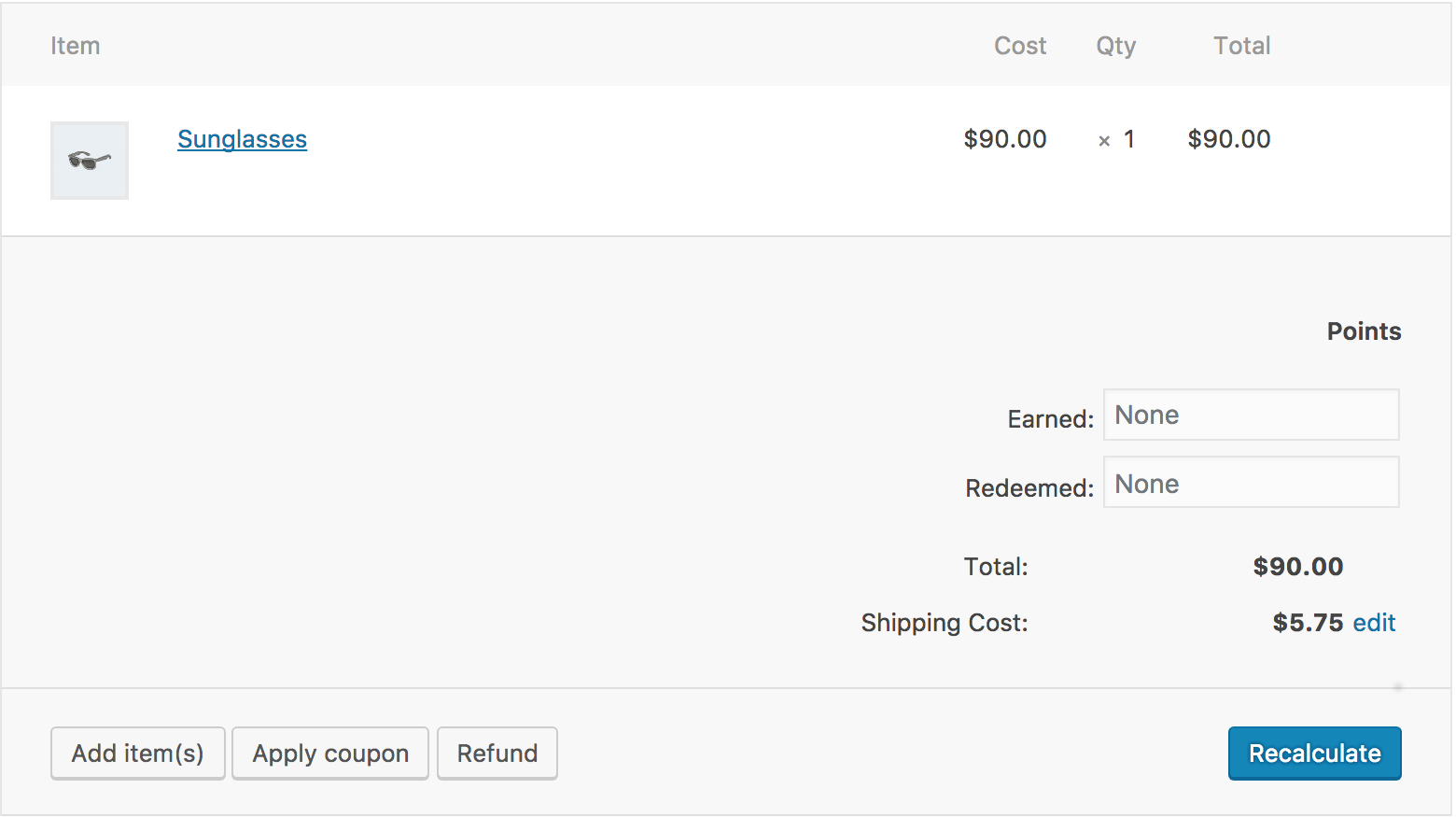
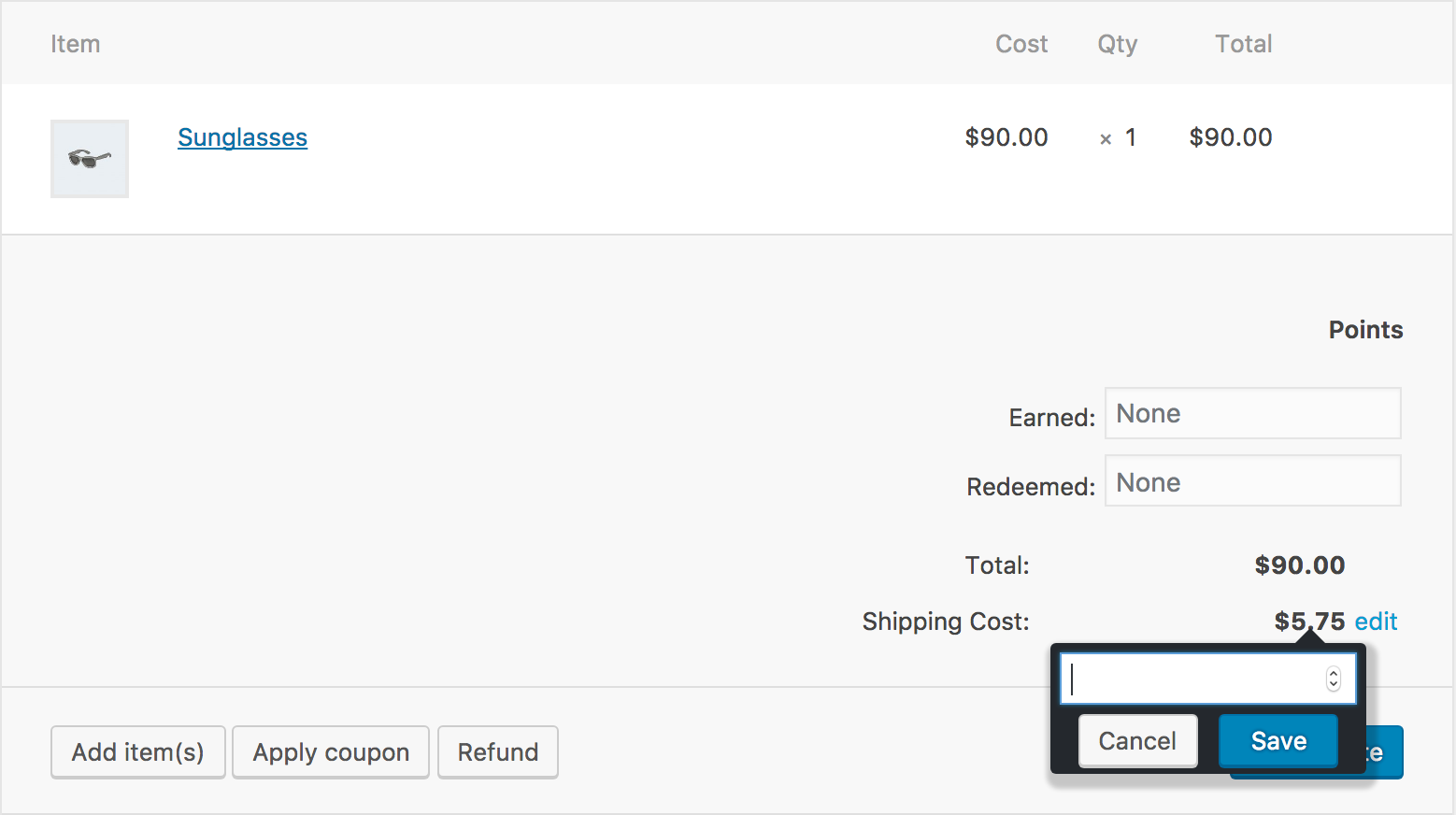
After installing this plugin you’ll be able to manually add or adjust the cost of shipping for each order on the WooCommerce Edit Order page. Better yet, if you use ShipStation then the cost of shipping for each order will be automatically imported as your orders are shipped. If you ship multi-package orders, the total cost of all packages will be imported. If you void a ShipStation shipment and then reship (change shipping method, address, etc.), the new cost of shipping will be imported. It’s all automated and you’re going to love it!
Once you start tracking the cost of shipping, you’ll want to use our WooCommerce Net Profit plugin that will give you beautiful, functional reports to fully analyze your profitability.
Do you use your income statement to track the cost of shipping?
Most eCommerce businesses do, but this just gives you a high level view of the overall profitability of your business. What’s missing is the ability to determine true profitability at the individual order level.
For example:
* If you ship out of California, how does your profit on an order shipped to a customer in California compared to the same order shipped to a customer in New York?
* How does your profit on an order that weighs 2 pounds compare to orders that weigh 5, 10 or 20 pounds?
* If you offer free shipping on orders over a certain dollar amount ($50, $75, etc.), how does the profit on those orders compare to the profit on orders that you are charging a shipping fee?
* How does your profit on a $25 order compare to your profit on a $50, $100 or $200 order?
Only after you have the cost of shipping data at the order level can you make these comparisons (and more), and then make smart adjustments to the way you offer your products to maximize profitability.
Manual Installation
- Upload the entire
/woo-cost-of-shippingdirectory to the/wp-content/plugins/directory. - Activate Cost of Shipping for WooCommerce through the ‘Plugins’ menu in WordPress.
- Enjoy the easy editting of the cost of shipping in the edit order screen, below the order total.
Frequently asked questions
Cost of Shipping from ShipStation is not being saved or imported
There is a common issue we have found in the ShipStation Marketplace Configuration. Ensure your store does not have a redirect from http:// to https:// and also that the Marketplace on ShipStation matches the exact url and protocol. Read more here
The “Import shipping cost” button is not importing the data!
If you are seeing the “Import shipping cost” or “Re-import shipping cost” button, that means you have the WooCommerce Services or WooCommerce Shipping plugin active. The only shipping costs that will be imported are from those plugins, no other integrations will import shipping costs using this button. (e.g. shipstation)
Are there any integrations?
Currently, we support the ShipStation platform, WooCommerce Services, and WooCommerce Shipping, and are looking to extend that.
Is there any reporting tools to go along with this data?
We currently offer a reporting plugin that reports on your true cost of shipping and more at our website!
Does uninstalling this plugin delete my cost of shipping data?
No, not by default. Every order’s cost of shipping, method, carrier, and history is left in place if you remove the plugin, so reinstalling it does not lose your data. If you want a full uninstall to also delete that data, add add_filter( 'wc_cos_delete_data_on_uninstall', '__return_true' ); to your site (for example in a small must-use plugin) before deleting Cost of Shipping.
Changelog
Security update
1.6.0
- New: cost of shipping now also records the carrier (UPS, FedEx, USPS, etc.) alongside the cost, including in the change history.
- Fixed: cost of shipping now imports correctly from the WooCommerce Shipping plugin, not just WooCommerce Services & Tax.
- New:
wp wc-cos cleanup-stray-method-meta(WP-CLI) removes leftover database rows from a bug fixed in 1.5.5. - New: uninstalling now keeps your data by default; see the FAQ to opt into deleting it.
- Tested up to WordPress 7.1 and WooCommerce 11.0.
1.5.5
- Changed: display name to “Cost of Shipping for WooCommerce” (was “WooCommerce Cost of Shipping”). Slug and installed directory are unchanged; this is a display-name-only change.
- Changed: Plugin URI and Donate link now point at the plugin’s real slug instead of the old trademarked path.
- Fixed: text domain now matches the plugin slug.
- Fixed: PHP 8.1+ deprecation notice on the safe XML parser’s method return types.
- Fixed: escaped order-ID attribute output and sanitized page-parameter reads flagged by wordpress.org’s Plugin Check.
- Security: hardened the admin AJAX handlers, the ShipStation import and the XML parser. No vulnerability was found; this is defense in depth. Updating is recommended.
- Fixed: the cost of shipping method and change history were not being saved on orders. Existing order data is left as-is; new saves are correct.
- Fixed: a possible fatal error when importing WooCommerce Services labels on some stores.
- Fixed: a WooCommerce Services import that resolved to exactly 0.00 was reported as a failure.
- Fixed: the order screen could show a cost of shipping as saved when the save had not succeeded.
- Changed: order-screen strings are now translatable.
1.5.4
- Fixed: WooCommerce Services incompatibility caused crash in some stores on the order and analytics page.
1.5.3
- Fixed: Changed how conditional was checked to prevent debug potentially crashing administrative screen.
1.5.2
- Fixed: Changed how conditional was checked to prevent warning output in debug log.
1.5.1
- Fixed: WooCommerce admin page changes prevented javascript enqueueing.
Screenshots


For developers
Is this your plugin? Show off the numbers.
Add a live badge to your site, docs or GitHub README. It updates on its own — no account needed.
FAQ
Cost of Shipping for WooCommerce: quick answers
Straight answers, pulled from live WordPress.org data.
Live data from WordPress.org · checked Oct 6, 2026
Is Cost of Shipping for WooCommerce free?
Yes. Cost of Shipping for WooCommerce is free to download and use from the official WordPress.org plugin directory.
Is Cost of Shipping for WooCommerce safe to use in 2026?
Cost of Shipping for WooCommerce is a solid plugin choice in 2026, with a few things worth checking first. It runs on 50+ sites, is rated 5/5 and was last updated 1 month ago, and scores 71/100 on our health check.
How many websites use Cost of Shipping for WooCommerce?
Cost of Shipping for WooCommerce is active on 50+ WordPress websites and has been downloaded 5,414 times since it launched in June 2018. It was downloaded 230 times in the last 30 days.
Does Cost of Shipping for WooCommerce work with WordPress 7.1?
Yes. The developer has tested Cost of Shipping for WooCommerce up to WordPress 7.1.2, the latest release. It requires WordPress 5.2 or newer.
What PHP version does Cost of Shipping for WooCommerce need?
Cost of Shipping for WooCommerce requires PHP 7.0 or higher. Most hosts run PHP 8.x today, so it works on any modern WordPress hosting.
When was Cost of Shipping for WooCommerce last updated?
The latest version, 1.6.0, was released on August 27, 2026 (1 month ago).
Who makes Cost of Shipping for WooCommerce?
Cost of Shipping for WooCommerce is developed and maintained by The Rite Sites.
Powered by PageForge
Want thousands of pages that rank like these? Build them in an afternoon.
This directory runs on the same engine as PageForge. Turn any spreadsheet, CSV or API into thousands of fast, SEO-ready WordPress pages — with schema, internal links and AI-written copy baked in.
- CSV, Google Sheets & API data sources
- AI content, schema & internal links per page
- Works with Elementor, Gutenberg, Yoast & Rank Math
- Free on WordPress.org — no credit card


