


Social Preview and Open Graph Tags
Social Preview and Open Graph Tags help you control how your WordPress content appears when shared on social media, messaging apps, and link preview tools.

Safe pick
Yes — Social Preview and Open Graph T… is a safe, well-maintained plugin to use in 2026. It runs on 50K+ sites, is rated 4.6/5 and was last updated 2 months ago, and scores 81/100 on our health check.
- Proven at scale on 50K+ active sites
- Loved by users — 4.6/5 from 122 reviews
- Responsive support — 80% of recent threads resolved
How does it stack up?
Side-by-side on installs, updates, ratings & supportDaily downloads
Download spikes usually follow a new release — each site that auto-updates counts as a download.
Rankings
Where Social Preview and Open Gra… stands todayWordPress.org search rankings
Live position in the plugin search, top 100| Keyword | Position |
|---|---|
| facebook open graph | #1 |
| open graph | #1 |
| social preview | #1 |
| twitter cards | #2 |
| x cards | #1 |
Version adoption
Share of active sites per release.
Rating breakdown
★★★★★★★★★★ 4.6 from 122 reviews
About Social Preview and Open Graph Tags
From the official readme · v3.5.1Description
Social Preview and Open Graph Tags help you control how your WordPress content appears when shared on social media, messaging apps, and link preview tools.
The plugin automatically adds Open Graph meta tags, X/Twitter Card tags, and optional SEO meta tags to your website. These tags help platforms understand the correct title, description, URL, image, author, content type, and other metadata to use when building rich link previews.
This plugin was previously known as Open Graph and Twitter Card Tags. The new name better reflects what the plugin helps you achieve: better social previews across modern sharing platforms.
Use it for blogs, publishers, business websites, agencies, WooCommerce stores, and custom WordPress projects that need clean social previews without depending on a large SEO suite only for social metadata.
What is a social preview?
A social preview is the card shown when someone shares your website link on a platform such as Facebook, LinkedIn, WhatsApp, Slack, Discord, Pinterest, Telegram, or X/Twitter.
A good preview usually includes:
A clear title
A useful description
The correct page URL
A large preview image
Site name and content type
Author or publisher details when needed
Without proper metadata, platforms may show the wrong image, no image, an outdated title, or a poor description. This plugin adds the metadata needed to create better-looking link previews.
Main features
- Add Open Graph tags for social sharing previews.
- Add X/Twitter Card tags for large image previews on X/Twitter.
- Control titles, descriptions, URLs, images, site name, content type, locale, author, and publisher metadata.
- Improve WooCommerce product previews when product links are shared.
- Choose fallback images when posts or products do not have a featured image.
- Use featured images, custom Open Graph images, first content images, gallery images, or default images.
- Add optional SEO meta tags when another SEO plugin is not already handling them.
- Configure Facebook-specific publisher, App ID, Admin ID, and cache options.
- Use cache and image tools to troubleshoot incorrect preview images.
- Work with Yoast SEO, WooCommerce, and SubHeading.
- Customize output with developer filters.
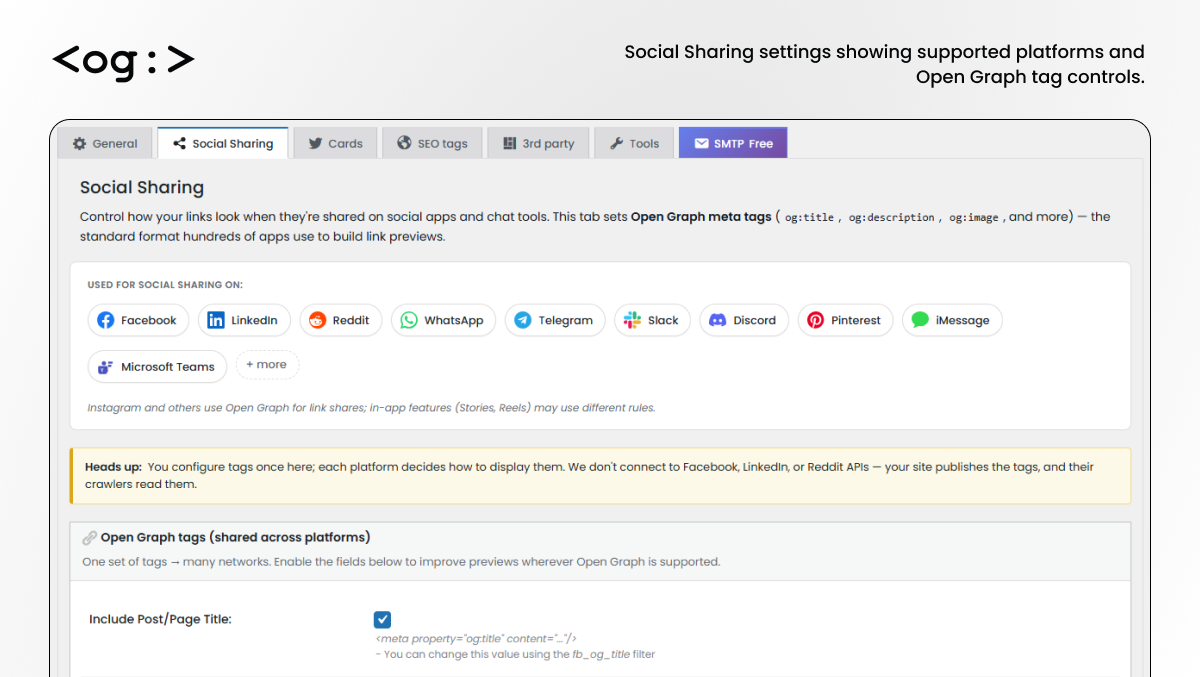
Open Graph tags for social previews
Open Graph tags help many platforms understand how your content should appear when shared.
The plugin can output Open Graph metadata for:
- Title
- Site name
- URL
- Description
- Image
- Image dimensions
- Content type
- Homepage type
- Author
- Published date
- Modified date
- Article section
- Locale
- Declaration method
Related Tags
* og:title: From post/page/archive/tag/… title.
* og:site_name: From blog title.
* og:url: From the post/page permalink.
* og:description: From our specific custom field of the post/page, or if not set post/page excerpt if it exist, or from post/page content. From category/tag description on its pages, if it exist. From tagline, or custom text, on all the others.
* og:image: From our specific custom field of the post/page, or if not set from the post/page featured/thumbnail image, or if it doesn’t exist from the first image in the post content, or if it doesn’t exist from the first image on the post media gallery, or if it doesn’t exist from the default image defined on the options menu. The same image chosen here will be used and enclosure/media:content on the RSS feed.
* og:image:url: Same as og:image.
* og:image:secure_url: Same as og:image if SSL is being used.
* og:image:width and og:image:height: Image dimensions.
* og:type: “website” or “blog” for the homepage, “product” for WooCommerce products and “article” for all the others.
* article:author: From the user (post author) Faceboook Profile URL.
* article:published_time: Article published time (for posts only)
* article:modified_time and og:updated_time: Article modified time (for posts only)
* article:section: From post categories.
* article:publisher: The website Facebook Page URL.
* og:locale: From WordPress locale or chosen by the user.
* og:price:amount and og:price:currency: Price on WooCommerce products.
These tags are commonly used by Facebook and are also read by many other apps and services that generate link previews.
Works with Facebook, LinkedIn, WhatsApp, Slack, Discord and more
Social Preview and Open Graph Tags helps improve previews on platforms and apps such as:
- Telegram
- Slack
- Discord
- Microsoft Teams
- iMessage
- Messenger
- X/Twitter through Twitter Card tags
The plugin does not connect to these platforms, post on your behalf, or use their APIs for normal preview generation. It adds metadata to your WordPress website so crawlers and preview generators can read it.
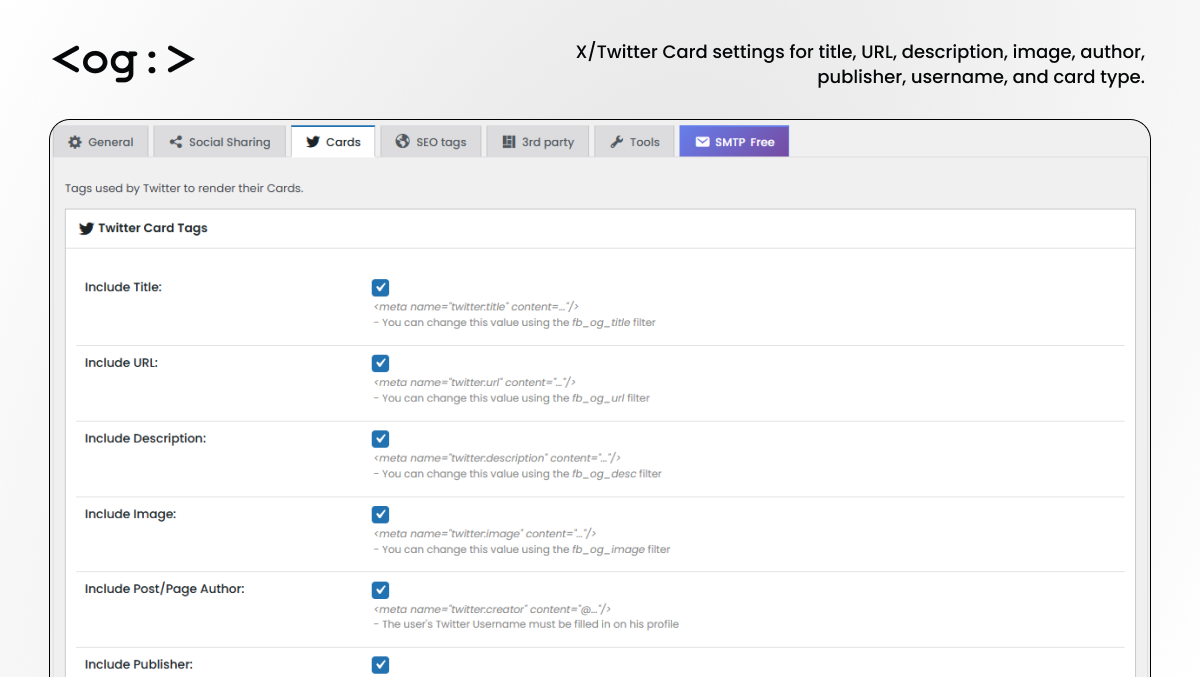
X/Twitter Card support
The plugin includes X/Twitter Card settings for better previews when your content is shared on X/Twitter.
Available X/Twitter Card options include:
- Twitter/X title
- Twitter/X URL
- Twitter/X description
- Twitter/X image
- Post or page author
- Publisher username
- Website Twitter/X username
- Card type
- Summary Card with Large Image support
Related Tags
* twitter:title: Same as og:title.
* twitter:url: Sames as og:url.
* twitter:description: Same as og:description.
* twitter:image: Same as og:image.
* twitter:creator: From the user (post author) Twitter account.
* twitter:site: The website Twitter account.
* twitter:card: With value “summary_large_image” or “summary”.
This helps your shared links appear with a larger and more attractive preview image.
WooCommerce social preview support
Social Preview and Open Graph Tags supports WooCommerce product pages, making it useful for store owners who want better product previews when links are shared.
For WooCommerce stores, the plugin can help social platforms use:
- Product page title
- Product description
- Product featured image
- Product page URL
- Store site name
- Open Graph image metadata
- X/Twitter Card image metadata
- Default fallback image when needed
This is useful for:
- Product sharing on Facebook and LinkedIn
- WhatsApp product links
- Pinterest product discovery
- Social media campaigns
- Affiliate product pages
- Product launch pages
- Store owners who want cleaner product thumbnails in shared links
Unlike WooCommerce-only Open Graph plugins, this plugin can also manage social previews for posts, pages, archives, custom post types, and general WordPress content.
Image control and fallback images
A strong social preview depends on the right image. The plugin gives you flexible control over where social preview images come from.
Image source priority can include:
- Custom Open Graph Image field on the post
- Post or page featured image
- First image from post or page content
- First image from the post or page media gallery
- Default fallback image
You can also configure:
- Default image URL
- Recommended Open Graph image size
- PNG logo overlay option
- RSS/RSS2 image support
- Cached image dimension reset tools
- Advanced image size handling options
Fallback images are especially useful for older posts, imported content, archive pages, and WooCommerce products without strong featured images.
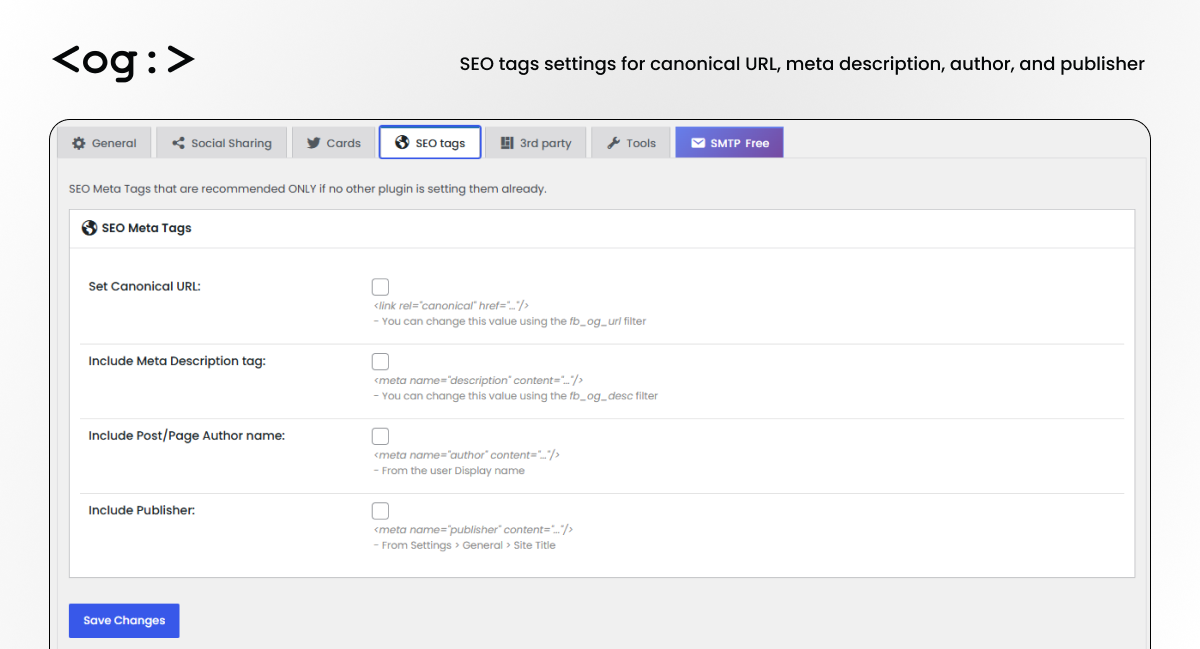
Optional SEO meta tags
The plugin can output basic SEO meta tags when another SEO plugin is not already generating them.
Available SEO tag options include:
- Canonical URL
- Meta description
- Author name
- Publisher name
Related Tags
* canonical: Same as og:url.
* meta description: Same as og:description.
* meta author: From the user (post author) Display Name.
* meta publisher: From the website title.
* enclosure: On RSS feeds, same as og:image.
* media:content: On RSS feeds, same as og:image.
These options should only be enabled when another SEO plugin is not already handling them. This helps avoid duplicate metadata.
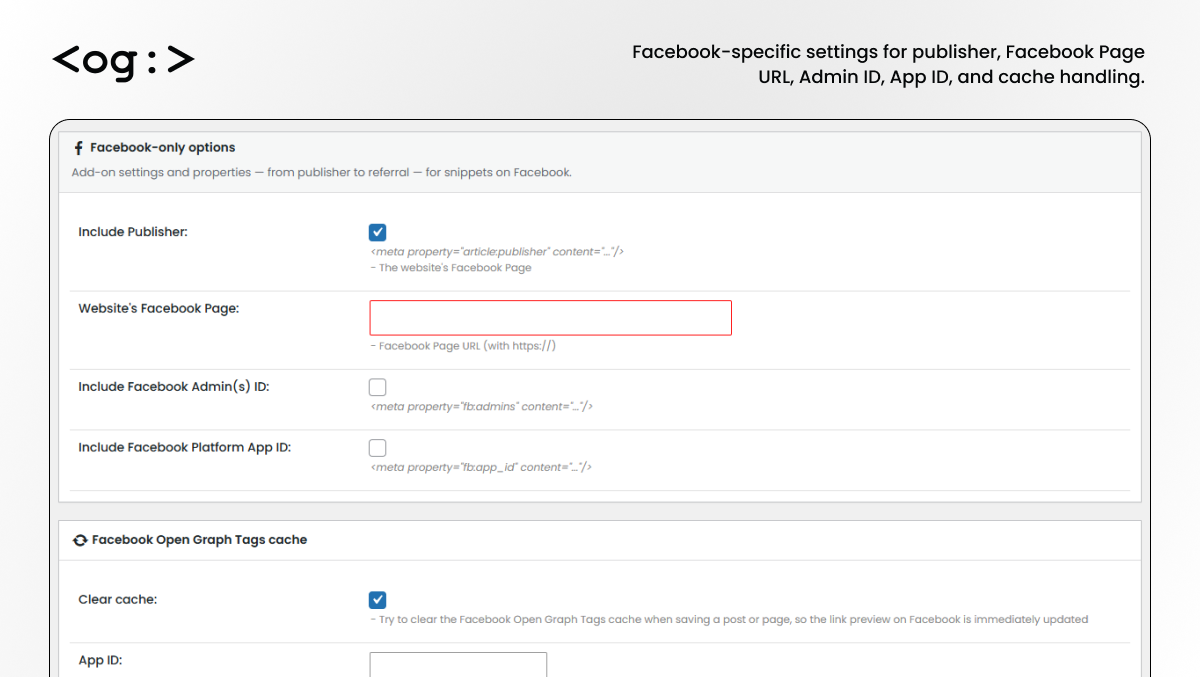
Facebook-specific settings
The plugin includes advanced Facebook Open Graph settings for users who need more control.
Available Facebook options include:
- Facebook publisher tag
- Website Facebook Page URL
- Facebook Admin ID
- Facebook Platform App ID
- Facebook Open Graph cache clearing
- App ID and App Secret fields for authenticated cache clearing
- Cache notice suppression
These settings are useful when managing websites where Facebook previews must update quickly after content changes.
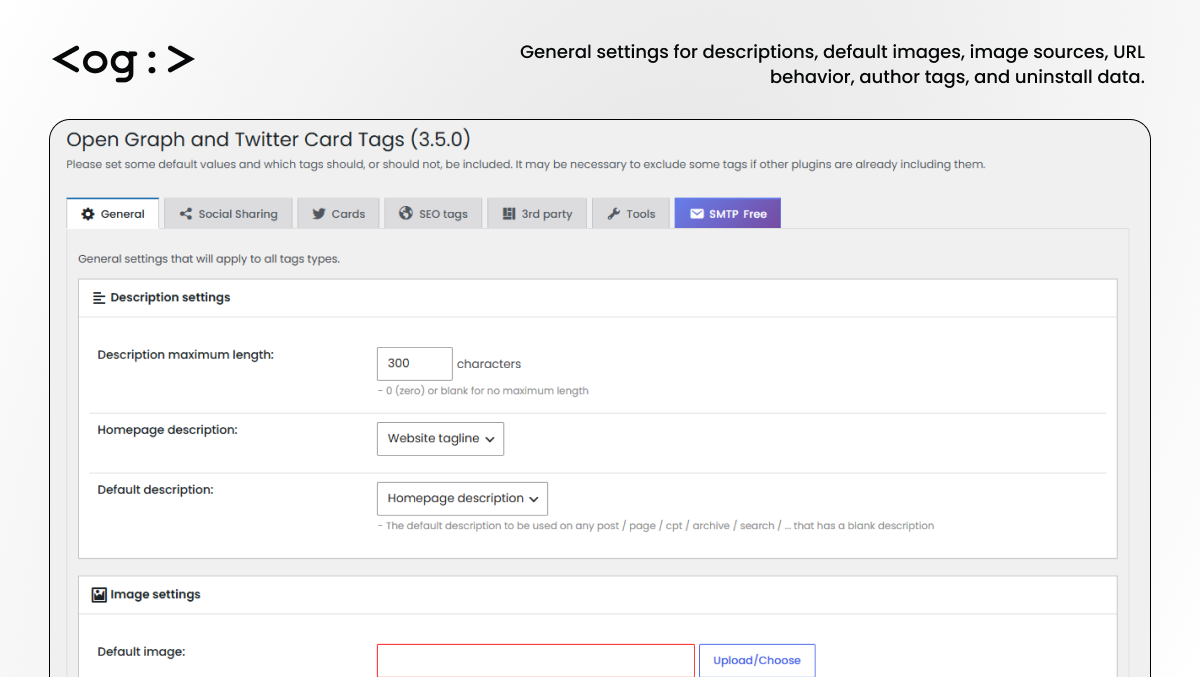
General settings
Global settings help you control how metadata is generated across your website.
General options include:
- Description maximum length
- Homepage description source
- Default description source
- Default Open Graph image
- Image source priority
- URL trailing slash option
- Hide author tags on pages
- Keep plugin data on uninstall
These options apply across supported content types, including posts, pages, products, archives, and custom post types.
You can control which tags are generated to reduce conflicts with SEO plugins or other metadata plugins.
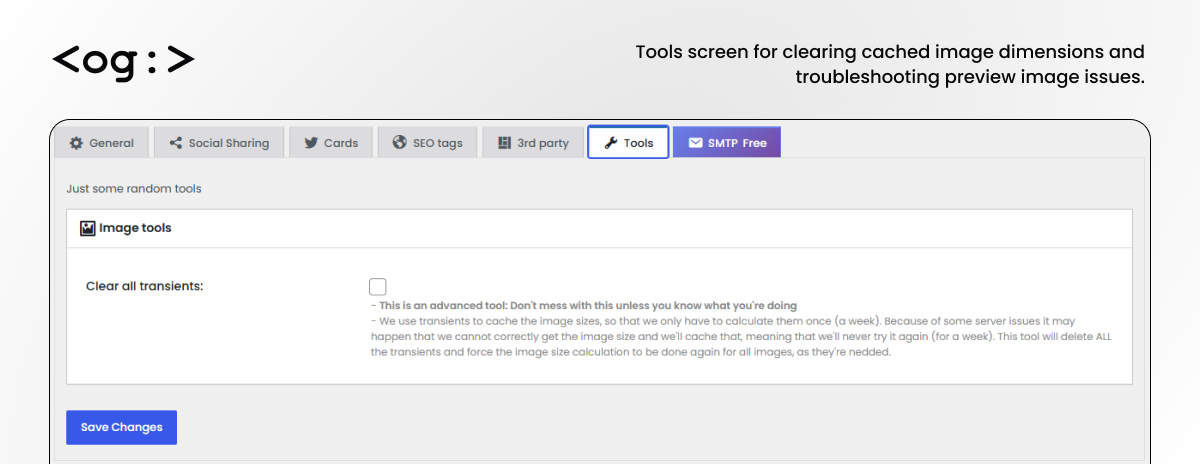
Troubleshooting tools
The plugin includes tools for resolving preview image and cache issues.
Available tool:
- Clear image transients and cached image dimensions
This can help when platforms show old images, incorrect crops, or outdated metadata after a post, page, or product has been updated.
Developer friendly
Developers can customize the generated metadata using filters.
Available filters include:
- fb_og_title
- fb_og_desc
- fb_og_url
- fb_og_type
- fb_type_schema
- fb_og_image
- fb_og_image_additional
- fb_og_image_overlay
- fb_og_locale
- fb_og_app_id
- fb_og_thumb_fill_color
- fb_og_output
- fb_og_enabled
These filters make the plugin useful for agencies, custom WordPress builds, WooCommerce stores, custom post types, and advanced implementations.
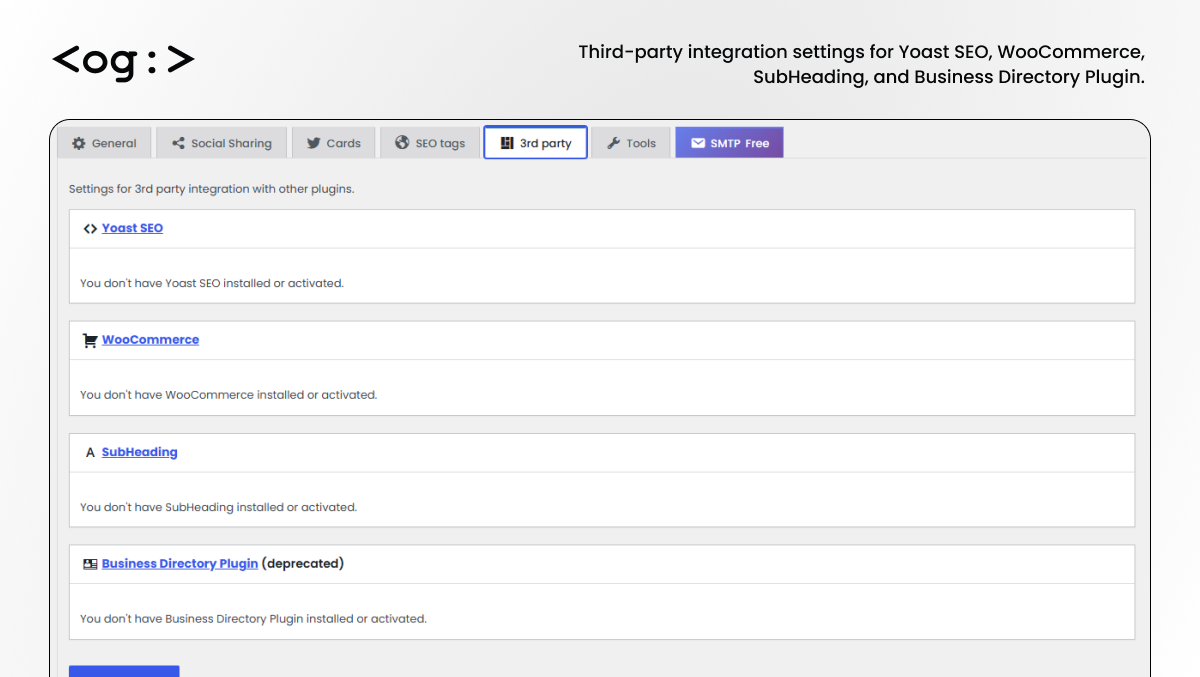
Third- Party Compatibility:
The plugin includes compatibility checks and integration settings for popular WordPress plugins.
Supported integrations include:
- Yoast SEO: Allows you to use the title, URL (canonical), and description from the Yoast SEO plugin.
- WooCommerce: On product pages sets
og:typeto “product” and adds the price including tax to theproduct:priceandproduct:availabilitytags. Also allows you to use the Product Category thumbnails as Open Graph Image and have Product Gallery images as additional Open Graph Images - WooCommerce Brands: On brand pages uses the brand image as Open Graph Image
Why choose Social Preview and Open Graph Tags?
Choose this plugin if you want:
- A focused social preview plugin for WordPress
- Open Graph tags without unnecessary frontend share buttons
- X/Twitter Card support
- WooCommerce product social preview support
- Fallback image handling
- Optional SEO meta tags
- Compatibility with Yoast SEO and WooCommerce
- Developer filters for custom metadata output
- Control over which tags are included or excluded
This plugin is designed for metadata and preview control. It does not add social share buttons and does not publish content to social networks.
Important note
Social Preview and Open Graph Tags is not affiliated with, endorsed by, or connected to Facebook, Meta, X/Twitter, Google, LinkedIn, Pinterest, WooCommerce, or any other third-party platform.
The plugin adds metadata to your WordPress site so social platforms and messaging apps can read your content correctly when a URL is shared.
Installation
- Go to Plugins > Add New in your WordPress admin dashboard.
- Search for “Social Preview and Open Graph Tags”.
- Click Install Now.
- Activate the plugin.
- Go to the plugin settings page.
- Configure the General, Social Sharing, Cards, SEO Tags, 3rd Party, and Tools settings.
- Save changes.
Frequently asked questions
What does Social Preview and Open Graph Tags do?
It adds Open Graph, X/Twitter Card, and optional SEO meta tags to your WordPress website. These tags help social networks, messaging apps, and link preview tools display better previews when your content is shared.
Is this the same plugin as Open Graph and Twitter Card Tags?
Yes. Social Preview and Open Graph Tags is the rebranded name for Open Graph and Twitter Card Tags. The new name better explains the plugin’s main purpose: controlling how WordPress links appear when shared.
Does this plugin work with WooCommerce?
Yes. The plugin supports WooCommerce product pages and can use product titles, descriptions, featured images, and URLs for social preview metadata.
Does this plugin add social share buttons?
No. This plugin focuses on social metadata and link previews. It does not add frontend social sharing buttons.
Which platforms use Open Graph tags?
Open Graph tags are used by Facebook and are also read by many other platforms and apps, including LinkedIn, WhatsApp, Slack, Discord, Pinterest, Telegram, Microsoft Teams, and iMessage.
Does this plugin support X/Twitter Cards?
Yes. You can enable X/Twitter Card tags, including title, description, image, URL, creator, publisher, username, and card type.
Can I use this plugin with Yoast SEO?
Yes. The plugin includes Yoast SEO compatibility options. You can also disable specific tags to avoid duplicate metadata if another SEO plugin is already generating them.
Can I use this plugin with Rank Math, All in One SEO, SEOPress, or The SEO Framework?
Yes, but you should avoid generating duplicate meta tags. If your SEO plugin already outputs Open Graph, Twitter Cards, canonical URLs, or meta descriptions, disable overlapping options in one of the plugins.
What image does the plugin use for social previews?
The plugin can use a custom Open Graph image field, the featured image, the first image in the content, the first image in the media gallery, or a default fallback image depending on your settings.
Why is Facebook still showing an old image or description?
Facebook and other platforms cache shared URLs. Use the plugin cache settings or the Facebook Sharing Debugger to request a fresh scrape of the page.
Should I enable the SEO meta tags?
Enable SEO meta tags only if no other SEO plugin is already generating them. This helps avoid duplicate meta descriptions or canonical URLs.
Does this plugin slow down my website?
The plugin outputs metadata in the page source and does not add heavy frontend elements such as share buttons. For most websites, the performance impact should be minimal.
Can developers customize the output?
Yes. The plugin includes multiple filters for changing titles, descriptions, URLs, images, locale, app ID, output, and whether Open Graph output is enabled.
Facebook is not showing up the correct image when I share a post. What can I do?
Are you using a big enough image? The minimum image size is 200×200 pixels but we recommend 1200×630. Are you sure you only have one og:image tag on the source code? Make sure you’re not using more than one plugin to set OG tags? Go to the Facebook Sharing Debugger, insert your URL, click Debug. Then click on Scrape Again to make sure Facebook gets the current version of your HTML code and not a cached version. If the image that shows up on the preview (bottom of the page) is the correct one, then the tags are well set and it “should” be the one that Facebook uses when sharing the post. If it…
What is the “Manually update Facebook cache” button on the “Post updated” notice?
It’s a shortcut to the Facebook Sharing Debugger, where you should click on Scrape Again to make sure Facebook gets the current version of your post or page.
When I save/edit my post I get the “Facebook Open Graph Tags cache NOT updated/purged” error. Should I worry?
Each time you edit a post, if the option “Try to update Facebook Open Graph Tags cache when saving the post” is activated, we’ll try to notify Facebook of the changes so it clears up its cache and read the new Open Graph tags of this specific URL. If this is a new post and it’s the first time you’re saving it, the error is “normal” and you should ignore it (we’re looking at a workaround to not show you this error). If this is not a new post and it’s not the first time you’re saving it, and if this happens always, then maybe your server does not support calling remote URLs with PHP and you…
Can I authenticate the call to Facebook, with my own app, when trying to update the cache, so I get rid of the “An access token is required to request this resource” error?
Yes, you can. Create a Facebook App and fill in the details on the “Facebook Open Graph Tags cache” panel of the plugin settings page. Do NOT ask us support on this. There is a blog post explaining everything you need to do.
Facebook says “The following required properties are missing: fb:app_id”. Should I worry?
No. Move along.
How can I share my posts or products as Rich Pins on Pinterest?
Pinterest can read Open Graph tags, so no extra tags are needed to share your articles or WooCommerce products as Rich Pins. You need however to apply to whitelist your domain on Pinterest. Head to this page and follow the instructions starting with “Set up”. When in the validator, enter your URL, hit “Validate” and then choose “HTML tags” and hit “Apply now”. It’s then up to Pinterest to accept your application or not.
Can this plugin get content from “random plugin”?
If there’s a popular plugin you think we could get content from to use on the meta tags, use the support forum to tell us that. If you are a plugin or theme author you can always use our filters fb_og_title, fb_og_desc, fb_og_url, fb_og_type, fb_type_schema, fb_og_image, fb_og_image_additional, fb_og_image_overlay, fb_og_locale, fb_og_app_id, fb_og_thumb_fill_color, fb_og_output and fb_og_enabled to customize the Open Graph (and other) meta tags output.
Changelog
🚨 Important: Users updating from v3.5.0 to v3.5.1 should manually reactivate the plugin after updating. If you're updating from a version earlier than v3.5.0, you can ignore this notice.
3.5.1 – July 29, 2026
- Fixed plugin auto-deactivation after update (“Plugin file does not exist”) caused by the 3.5.0 main file rename.
- Restored
wonderm00n-open-graph.phpas the canonical bootstrap and migrate activations from the temporary 3.5.0 filename.
3.5.0 – July 17, 2026
- Improved plugin’s settings interface has been fully redesigned for a cleaner, more intuitive experience.
3.4.0 – May 14, 2026
- Fixed undefined function issue when overlay PNG logo is enabled
3.3.9 – Jan 28, 2026
- Fixed a bug that caused RSS feeds to break.
3.3.8 – Jan 22, 2026
- Fixed vulnerability issue reported by akshatsecurity.com
3.3.7 – Nov 11, 2025
- Removed Admin Notice
Screenshots
For developers
Is this your plugin? Show off the numbers.
Add a live badge to your site, docs or GitHub README. It updates on its own — no account needed.
Best Social Preview and Open Graph… alternatives
All facebook open graph plugins →| Rank | Plugin | Active installs |
|---|---|---|
| 2 |
 Optimize Social Share
Optimizes social share by inserting Facebook Open Graph Meta Tags, General Meta Tags…
Optimize Social Share
Optimizes social share by inserting Facebook Open Graph Meta Tags, General Meta Tags…
|
2K+ |
FAQ
Social Preview and Open Graph Tags: quick answers
Straight answers, pulled from live WordPress.org data.
Live data from WordPress.org · checked Sep 26, 2026
Is Social Preview and Open Graph T… free?
Yes. Social Preview and Open Graph T… is free to download and use from the official WordPress.org plugin directory.
Is Social Preview and Open Graph T… safe to use in 2026?
Yes — Social Preview and Open Graph T… is a safe, well-maintained plugin to use in 2026. It runs on 50K+ sites, is rated 4.6/5 and was last updated 2 months ago, and scores 81/100 on our health check.
How many websites use Social Preview and Open Graph T…?
Social Preview and Open Graph T… is active on 50K+ WordPress websites and has been downloaded 2,409,201 times since it launched in October 2011. It was downloaded 7,432 times in the last 30 days.
Does Social Preview and Open Graph T… work with WordPress 7.1?
Social Preview and Open Graph T… is officially tested up to WordPress 7.0.6, while the latest release is 7.1.2. It may still work, but try it on a staging site first.
What PHP version does Social Preview and Open Graph T… need?
Social Preview and Open Graph T… requires PHP 7.0 or higher. Most hosts run PHP 8.x today, so it works on any modern WordPress hosting.
When was Social Preview and Open Graph T… last updated?
The latest version, 3.5.1, was released on July 29, 2026 (2 months ago).
Who makes Social Preview and Open Graph T…?
Social Preview and Open Graph T… is developed and maintained by Saad Iqbal.
What are the best alternatives to Social Preview and Open Graph T…?
The most popular alternatives to Social Preview and Open Graph T… are Optimize Social Share (2K+ installs).
Powered by PageForge
Want thousands of pages that rank like these? Build them in an afternoon.
This directory runs on the same engine as PageForge. Turn any spreadsheet, CSV or API into thousands of fast, SEO-ready WordPress pages — with schema, internal links and AI-written copy baked in.
- CSV, Google Sheets & API data sources
- AI content, schema & internal links per page
- Works with Elementor, Gutenberg, Yoast & Rank Math
- Free on WordPress.org — no credit card


