



Wishlist for WooCommerce: Multiple Wishlists per Customer
Increase loyalty & sales by letting customers create, manage & share multiple wishlists on your WooCommerce store.

Safe pick
Yes — Wishlist for WooCommerce: Multi… is a safe, well-maintained plugin to use in 2026. It runs on 2K+ sites, is rated 4.9/5 and was last updated 2 days ago, and scores 92/100 on our health check.
- Loved by users — 4.9/5 from 53 reviews
- Actively developed — last update 2 days ago
- Tested with the latest WordPress (7.1)
- Momentum — downloads up 6615.1% vs the previous 30 days
How does it stack up?
Side-by-side on installs, updates, ratings & support



Daily downloads
Download spikes usually follow a new release — each site that auto-updates counts as a download.
Rankings
Where Wishlist for WooCommerce: M… stands todayWordPress.org search rankings
Live position in the plugin search, top 100| Keyword | Position |
|---|---|
| add to wishlist | #7 |
| product wishlist | #10 |
| Wishlist | #9 |
| woocommerce | >100 |
| woocommerce wishlist | #10 |
Version adoption
Share of active sites per release.
Rating breakdown
★★★★★★★★★★ 4.9 from 53 reviews
About Wishlist for WooCommerce: Multiple Wish…
From the official readme · v3.5.8Description
“Incredible support and quick responses: I can’t say enough about the support that comes with this plugin! They truly went above and beyond to make the edits I requested and fix other little bugs.” – ⭐⭐⭐⭐⭐ jewelsmac6
Main Page | Support Forum | Documentation & How to | Demo
Having a Wishlist is essential for any eCommerce platform, offering both users and store owners a range of benefits. With our WooCommerce Wishlist plugin, users have the ability to:
- Save their favorite products effortlessly, enabling them to quickly find and purchase them later.
- Share their wishlists with friends and family for special occasions, introducing new potential customers to your store.
- Create & customize as many wishlists as they want, one for new year, one for their loved ones, and more.
- Promote their wishlist on social networks, acting as indirect marketing for your brand.
But the benefits aren’t just for your users. As a store owner, you can:
- Enhance customer loyalty by providing a seamless shopping experience.
- Gain insights into current product trends by tracking items added to wishlists.
- Boost overall sales as customers often end up buying more than their initially planned items when they revisit their wishlists.
- Improve site visibility and attract new visitors through shared wishlists.
Similar to other plugins that offer the same functionality (like YITH, TI Wishlist & WPC Smart), this plugin is user-friendly, enabling your customers to streamline their shopping journey, reducing the time spent searching for products and adding them to the cart.
Whether you want to provide a platform for customers to bookmark their favorite items, offer a feature for post favorites, or create public and private wishlists, our WooCommerce Wishlist Plugin caters to all these needs and more.
Incorporating the wishlist feature can substantially increase sales and generate loyal customers.
So, if you’re looking to elevate your WooCommerce store, this Wishlist plugin is the perfect solution.
🤝 Recommended By
- CloudWays: Best WooCommerce Wishlist Plugins to Choose
- Kinsta: Best WooCommerce Wishlist Plugins for Your Store
- LearnWoo: Best WooCommerce Wishlist Plugins
- HasThemes: Best WooCommerce Wishlist Plugins
- WPXPO: Best WooCommerce Wishlist Plugins
- Kinsta: YouTube Video
- LearnWoo: YouTube Video
🚀 Main Features: FREE Version
🚀 Wishlist Creation & Management
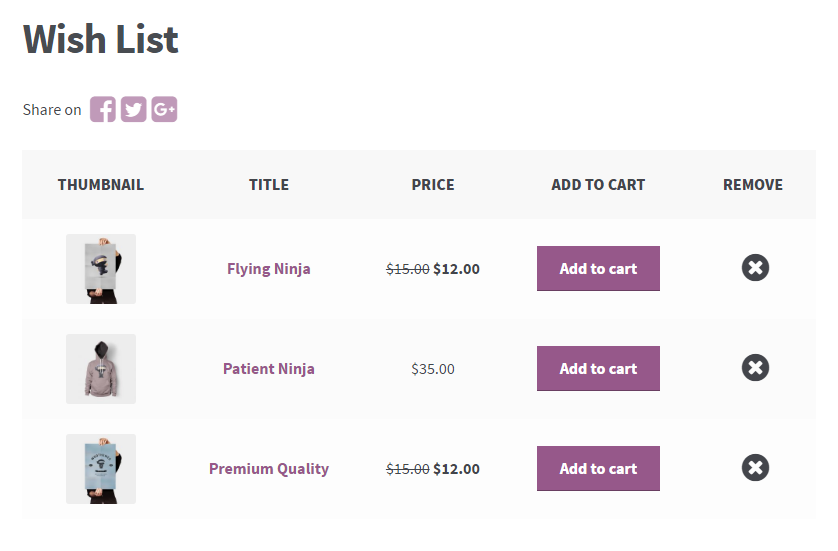
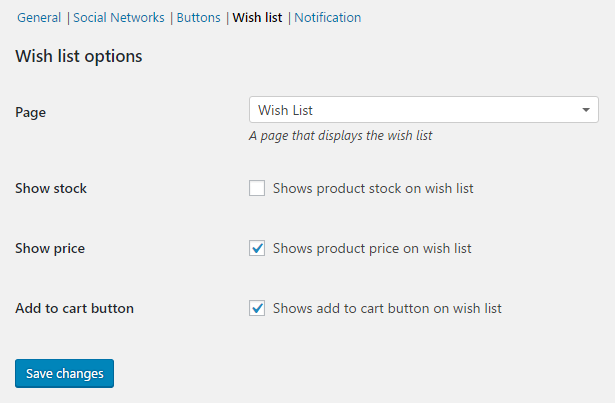
- Select the desired page to show wishlist items, and/or show it under users “My Account” page
- Show & hide columns on wishlist page, including: Stock, Price, Add to Cart, SKU, Quantity, Description, Attributes, Subtotal (by quantity), Categories, and even product taxonomies
- Show subtotal for all items in wishlist (before & after table)
- Auto remove items when purchased: Remove items from wishlist in case they are purchased
- Auto remove items when added to cart
- Allow customers to add personal notes to their items and show it in wishlist page
- Allow users to enable/disable stock alert notifications when their wishlist products are back in stock
🚀 Create Unlimited Wishlists
- Empower customers to create and manage multiple wishlists, streamlining their shopping experience.
- Allow users to select which lists to add products to
- Customize design of wishlists tabs in wishlist page to reflect your store identity & branding
- Allow customers to create & delete wishlists with single clicks
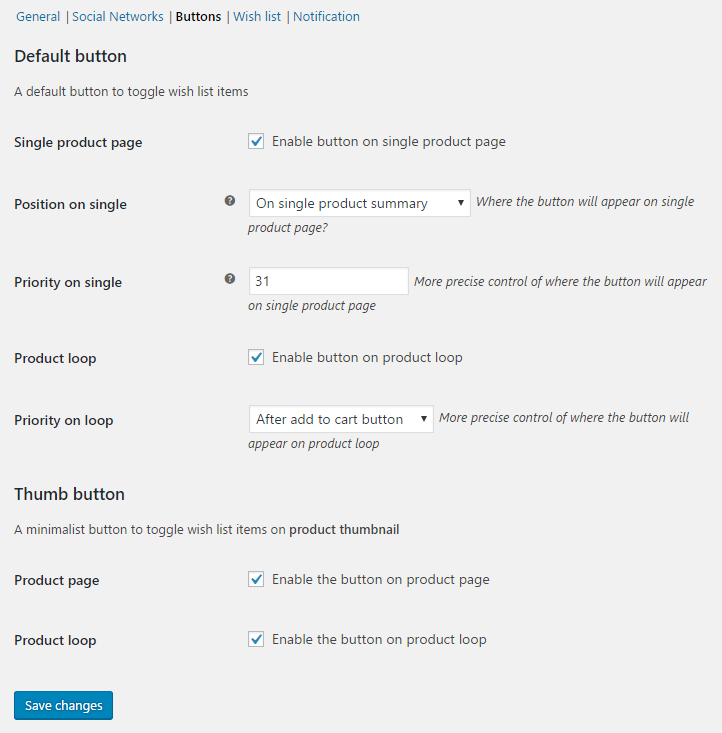
🚀 Add to Wishlist Button Customization
- Allow customers to add as much products as they need to their wishlist
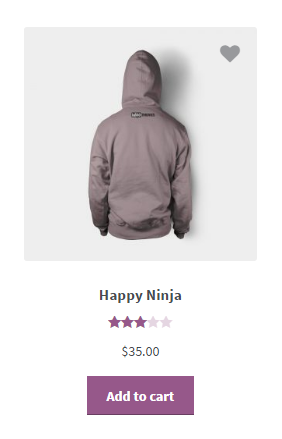
- Show “Add to wishlist” button on shop & archive pages
- Customize wishlist icons (default & when product is added) that appear on product page
- Easily utilize icons from FontAwesome and show in “Add to wishlist” button
- Customize button style: Color, hover, text color, font size, even CSS margins & alignment
- Enlarge icons on mouse hover
- Make icons pulsate on mouse hover
- Customize “Remove from wishlist” icon & style
🚀 Social Sharing
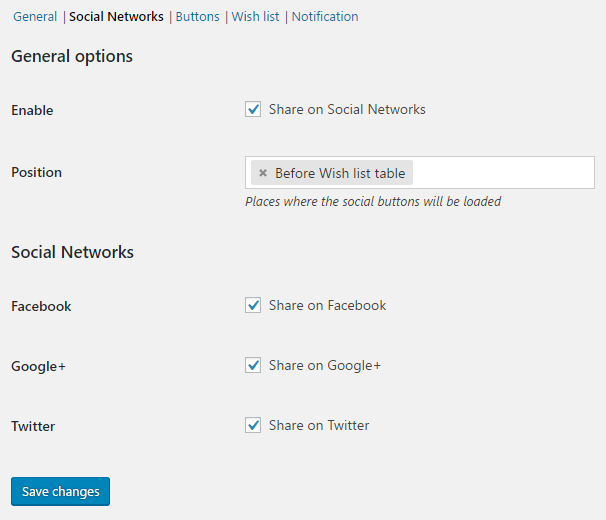
- Allow customers to share their wishlist to Facebook & Twitter (expanding to more networks soon)
- Easily allow customers to copy direct links to their wishlists and share it wherever they want
- Allow customers to send their wishlists through an email
🚀 Notifications & Popups
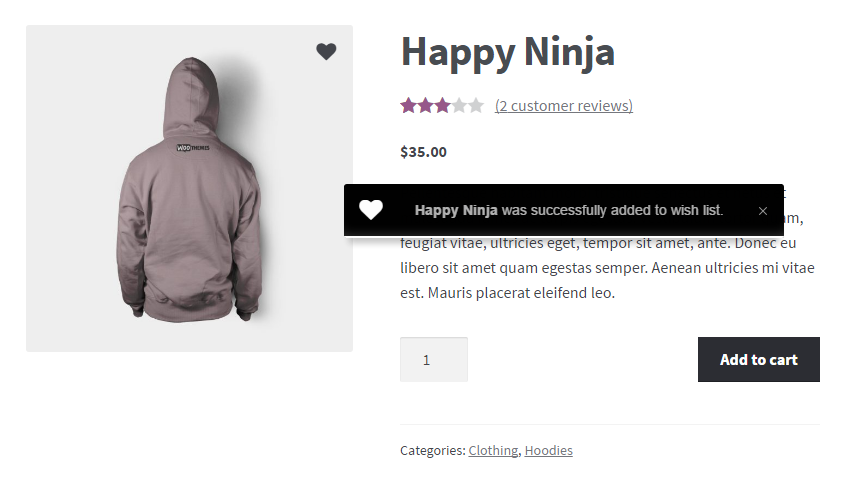
- Show popup notification when items are added to/removed from wishlist
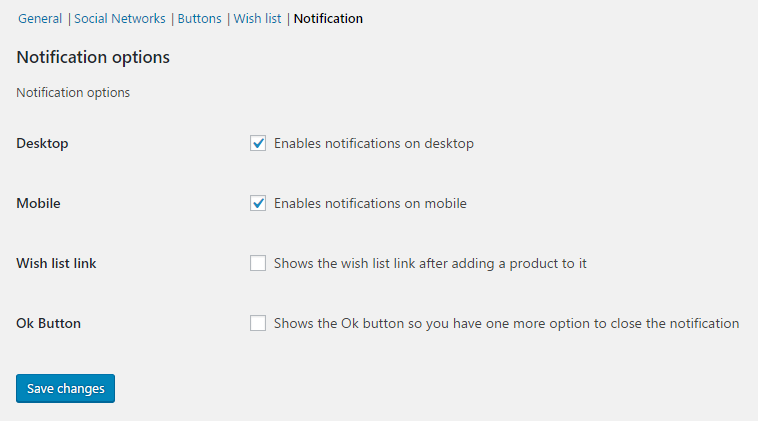
- Customize notifications to appear on desktop, mobile, or both
- Include a link to direct customers to wishlist page from the notification popup
- Customize appearance & style of notification popup
- Select FontAwesome icons to show on notification on added/removed from wishlist
- Autohide notification modal/popup after set period
🚀 Text Customization
Without further ado, any text created by the plugin is customizable, select what text on button, when added to cart, removed from cart, error messages, non-logged in users interactions, remove all, sharing, and everything else!
🚀 Non-logged in Users
Easily allow non-logged in users to utilize this feature and add items to their wishlist, you can select the way the plugin will get the unlogged user id (WC Session or browser cookie).
You can select to allow customers to seamlessly add items to their wishlist even if they are non-logged in, or show the “Add to wishlist” button but ask them to login once the button is clicked.
🚀 Admin Insights & Management
- View the items your customers have saved in their wishlist
- Add a column on the admin users list to see which customers have wishlist items
- Include columns in the WooCommerce products export indicating:
* How many times a product is in wishlists
* The users who have added specific products to their wishlists - Add a column on the admin product list showing the frequency of product addition to wishlists
🚀 Responsive Design
- The plugin works seamlessly with all well-coded themes, and support full responsiveness by default, you can also customize max width & height for button, control margin & alignment to better align with your store design
🚀Advanced Options
- Ignore cache: Enabling seamless functionality even with caching plugins like WP Super Cache, W3 Total Cache and others by ignoring cache and loading the wishlist elements via javascript
- Add/Remove items from wishlist using AJAX
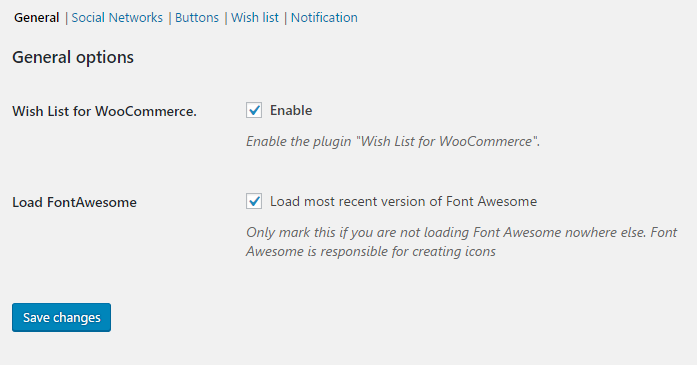
- Utilize the desired FontAwesome library of your choice (all versions)
- Export & Import data of users & their wishlist products usage
“Best Wishlist Plugin For Woocommerce: Lightweight and very well coded. Easy to implement live without any major modifications” – ⭐⭐⭐⭐⭐ xolite
“Easy to understand and set up: Easy to understand and set up, even for simple wordpress users who have little idea of HTML and CSS! The plugin works perfectly! Thank you very much for this helpful tool which is fully functional in the free version – so it is a great pleasure to experience that with WordPress it is also possible to set up a mini-shop, away from the big profit with the smallest budget!” – ⭐⭐⭐⭐⭐ VisionWoman
🏆 Do More: PRO Version
Wish List for WooCommerce Pro features:
All what’s listed above (and more) is available in the free version, but for those who would like to go further and beyond, we have a premium version of Wish List for WooCommerce plugin.
🏆 The Pro version unlocks more advanced features like:
- Show/hide Add to Wishlist button based on product tag
- Use a custom hook for wishlist button
- Allow customers to reorder items in their wishlist using drag & drop
- Allow customers to reorder items in their wishlist using navigational up/down arrows
- Advanced reporting for admin
- Allow wishlist page import using CSV
- Premium support
And much more to come soon.
💯 Why WPFactory?
- Experience You Can Trust: Over a decade in the business
- Wide Plugin Selection: Offering 65+ unique and powerful plugins
- Highly-Rated Support: Backed by hundreds of 5-star reviews
- Expert Team: Dedicated developers and technical support at your service
What’s Next? Discover More Plugins by WPFactory
WPFactory has a diverse range of plugins tailored to enhance your experience, some of our top-selling plugins are:
-
Min Max Step Quantity: Set minimum, maximum, step, and default product quantities, including dropdowns and decimal options on WooCommerce (Free version)
-
Cost of Goods for WooCommerce: Enhance profit maximization and financial management by accurately calculating your WooCommerce store’s COGS (Free version)
-
Maximum Products per User: Impose personalized purchase limits based on user roles and date ranges to manage customer buying behavior (Free version)
-
Order Minimum/Maximum Amount: Customize order limits by amount, quantity, weight, or volume, including user role, category, and more (Free version)
-
EU/UK VAT Manager for WooCommerce: Automate VAT compliance for your WooCommerce store, including settings and VIES validation for a seamless experience (Free version)
-
Email Verification for WooCommerce: Boost security and credibility by verifying customer emails, reducing spam, and improving email marketing (Free version)
-
Free Shipping Over Amount for WooCommerce: Encourage higher spending by offering free shipping based on amount, with a progress bar for customers (Free version)
-
Dynamic Pricing & Bulk Quantity Discounts: Advanced dynamic pricing and discount rules for WooCommerce, encouraging bulk purchases and driving more sales (Free version)
❤️ User Testimonials: See What Others Are Saying!
“Plugin is simple and easy to use with great UI/UX: There’s great customer service-Pablo is very quick to respond to my questions and is super helpful. Highly recommended!” – ⭐⭐⭐⭐⭐ Eda Le
“The Wishlist works great and is highly customizable: The Wishlist works great and is highly customizable – even complex variable products are no problem for this plugin. The SKUs, the attributes, everything gets displayed correct on the Wishlist page. Whats even better about this plugin is its world-class Support. The Support was very quick and even added new functions to the plugin for me. Thank you very much Pablo!” – ⭐⭐⭐⭐⭐ Fab_WP
“Best Wishlist Plugin For Woocommerce: This is the best plugin “whishlist” that I tested and I bought the pro version; Pablo responded very quickly and solved all my technical requests. Congratulations ! Thank you Pablo !
Olivier” – ⭐⭐⭐⭐⭐ Olivier“It just works: It just works and I’m glad it does. Installed, set it up, and it works!” – ⭐⭐⭐⭐⭐ Barbara Rowen
Installation
Follow these simplified steps to get your plugin up and running:
From the WordPress Admin Panel:
1. Navigate to “Plugins” > “Add New”.
2. Use the search bar and find the plugin using the exact name.
3. Click “Install Now” for the desired plugin.
4. Once the installation is finished, and click “Activate”.
Manual Installation Using FTP:
1. Download the desired plugin from WordPress.org.
2. Using your preferred FTP client, upload the entire plugin folder to the /wp-content/plugins/ directory of your WordPress installation.
3. Go to “Plugins” > “Installed Plugins” in your dashboard and click “Activate”.
Manual download & upload from the WordPress Admin Panel:
1. Download the desired plugin in a ZIP format.
2. On your site, navigate to “Plugins” > “Add New” and click the “Upload Plugin” button.
3. Choose the downloaded plugin file and click “Install Now.”
4. After the installation is complete, click “Activate”.
Post-Activation:
Once activated, access the plugin’s settings by navigating to “WooCommerce > Settings” and look for the relevant tab.
Frequently asked questions
Are there any widgets available?
Wish list link – Displays a link to the wish list page
Are there shortcodes available?
[alg_wc_wl] Displays the wish list page [alg_wc_wl_counter] Shows the amount of items that are in the wish list Params [alg_wc_wl_counter ignore_excluded_items=”true”] – Ignores excluded items. Use it if you notice the amount of items doesn’t match the wish list [alg_wc_wl_remove_all_btn] Displays a button that removes all the items from the wish list [alg_wc_wl_add_all_to_cart_btn] Displays a button that adds all the items from the wish list to the cart
How can I contribute? Is there a github repository?
If you are interested in contributing – head over to the Wish List for WooCommerce plugin GitHub Repository to find out how you can pitch in.
How to setup WP Rocket cache?
If you use WP Rocket please try to add a setting on advanced tab > Never cache (cookies)? alg-wc-wl-user-id
How can I help translating it?
You can do it through tranlslate.wordpress
Is there a Pro version?
Yes, you can find it here
How to change the template?
Copy the wish list template file from: plugins\wish-list-for-woocommerce\templates\wish-list.php Create a wish-list-for-woocommerce folder in your theme and paste the template there
Changelog
Initial Release.
3.5.8 – 24/09/2026
- Dev – New “Add all to cart” button on the wishlist page and My Account wishlist tab, adding all wishlist products to the cart at once.
- Dev – New
[alg_wc_wl_add_all_to_cart_btn]shortcode. - Dev – Added options to hide the “Add to cart” button for out of stock, not purchasable or variable products.
3.5.7 – 22/09/2026
- Fix – Fixed plugin name.
3.5.6 – 22/09/2026
- Dev – Moved the
[alg_wc_wl_toggle_item_btn]shortcode to free version.
3.5.5 – 21/09/2026
- Dev – Wishlist table – The product description column now displays right after the product column.
3.5.4 – 10/09/2026
- Fix – Wishlist counter shortcode no longer counts drafted, trashed or deleted products on the first page render, as excluded items are now ignored by default.
3.5.3 – 09/09/2026
- Fix – Fatal error on the frontend after upgrading to 3.5.2, caused by an undefined constant in the frontend assets loading check.
- Fix – Wishlist icon shortcode no longer counts drafted, trashed or deleted products on the first page render, as excluded items are now ignored by default.
- Fix – Removed an orphaned development JS chunk from the package.
Screenshots
For developers
Is this your plugin? Show off the numbers.
Add a live badge to your site, docs or GitHub README. It updates on its own — no account needed.
Best Wishlist for WooCommerce: Mul… alternatives
All add to wishlist plugins →


FAQ
Wishlist for WooCommerce: Multiple…: quick answers
Straight answers, pulled from live WordPress.org data.
Live data from WordPress.org · checked Sep 26, 2026
Is Wishlist for WooCommerce: Multi… free?
Yes. Wishlist for WooCommerce: Multi… is free to download and use from the official WordPress.org plugin directory. The developer also sells premium add-ons or a Pro version with extra features.
Is Wishlist for WooCommerce: Multi… safe to use in 2026?
Yes — Wishlist for WooCommerce: Multi… is a safe, well-maintained plugin to use in 2026. It runs on 2K+ sites, is rated 4.9/5 and was last updated 2 days ago, and scores 92/100 on our health check.
How many websites use Wishlist for WooCommerce: Multi…?
Wishlist for WooCommerce: Multi… is active on 2K+ WordPress websites and has been downloaded 195,330 times since it launched in January 2017. It was downloaded 3,559 times in the last 30 days.
Does Wishlist for WooCommerce: Multi… work with WordPress 7.1?
Yes. The developer has tested Wishlist for WooCommerce: Multi… up to WordPress 7.1.2, the latest release. It requires WordPress 6.1 or newer.
What PHP version does Wishlist for WooCommerce: Multi… need?
Wishlist for WooCommerce: Multi… requires PHP 5.6.0 or higher. Most hosts run PHP 8.x today, so it works on any modern WordPress hosting.
When was Wishlist for WooCommerce: Multi… last updated?
The latest version, 3.5.8, was released on September 24, 2026 (2 days ago).
Who makes Wishlist for WooCommerce: Multi…?
Wishlist for WooCommerce: Multi… is developed and maintained by WPFactory.
What are the best alternatives to Wishlist for WooCommerce: Multi…?
The most popular alternatives to Wishlist for WooCommerce: Multi… are QODE Wishlist for WooCommer… (10K+ installs), Addonify (1K+ installs) and Wishlist for WooCommerce (600+ installs).
Powered by PageForge
Want thousands of pages that rank like these? Build them in an afternoon.
This directory runs on the same engine as PageForge. Turn any spreadsheet, CSV or API into thousands of fast, SEO-ready WordPress pages — with schema, internal links and AI-written copy baked in.
- CSV, Google Sheets & API data sources
- AI content, schema & internal links per page
- Works with Elementor, Gutenberg, Yoast & Rank Math
- Free on WordPress.org — no credit card


