



Wired Impact Volunteer Management
A free, easy way to manage your nonprofit's volunteers.

Solid choice
Wired Impact Volunteer Manageme… is a solid plugin choice in 2026, with a few things worth checking first. It runs on 1K+ sites, is rated 4.8/5 and was last updated 3 months ago, and scores 77/100 on our health check.
- Loved by users — 4.8/5 from 24 reviews
How does it stack up?
Side-by-side on installs, updates, ratings & supportDaily downloads
Download spikes usually follow a new release — each site that auto-updates counts as a download.
Rankings
Where Wired Impact Volunteer Mana… stands todayWordPress.org search rankings
Live position in the plugin search, top 100| Keyword | Position |
|---|---|
| non-profits | #3 |
| nonprofits | #11 |
| not-for-profit | #5 |
| volunteer | #1 |
| volunteers | #3 |
Version adoption
Share of active sites per release.
Rating breakdown
★★★★★★★★★★ 4.8 from 24 reviews
About Wired Impact Volunteer Management
From the official readme · v2.8.2Description
A simple, free way to keep track of your nonprofit’s volunteers and opportunities.
How can the Wired Impact Volunteer Management plugin help your nonprofit?
- Post one-time and flexible volunteer opportunities on your website – Promote volunteer opportunities on any page of your website using a simple block.
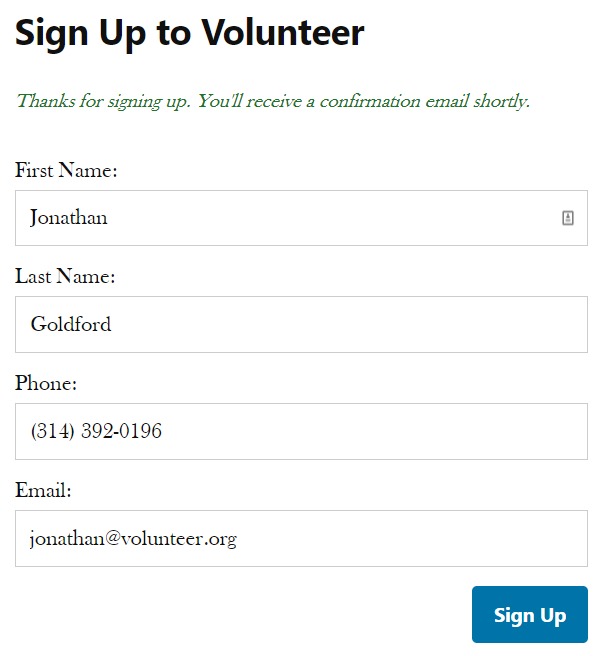
- Volunteers can sign up directly on your website – Make volunteering even easier for your supporters by giving them the option to sign up for an opportunity directly on your website. A confirmation email will be sent to you and the volunteer once they sign up.
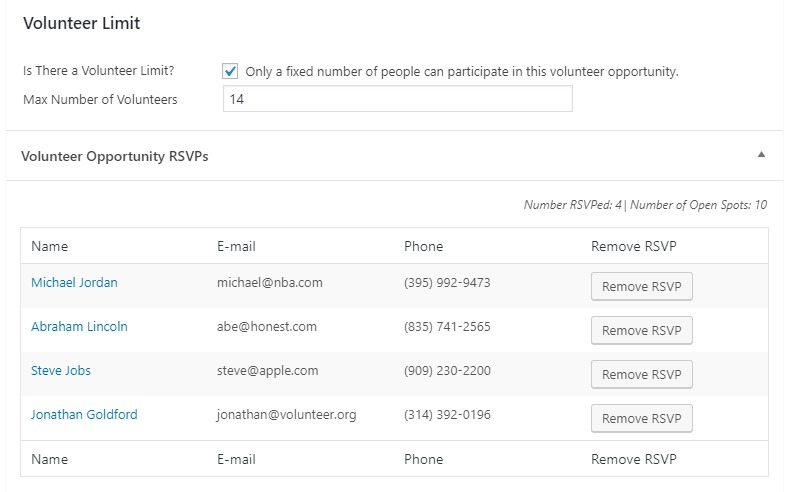
- Control the number of signups available for opportunities – Only need 10 people to help out at an event? Set a cap on the number of people who can sign up. Want as many volunteers as you can get? No problem. You don’t have to set a limit.
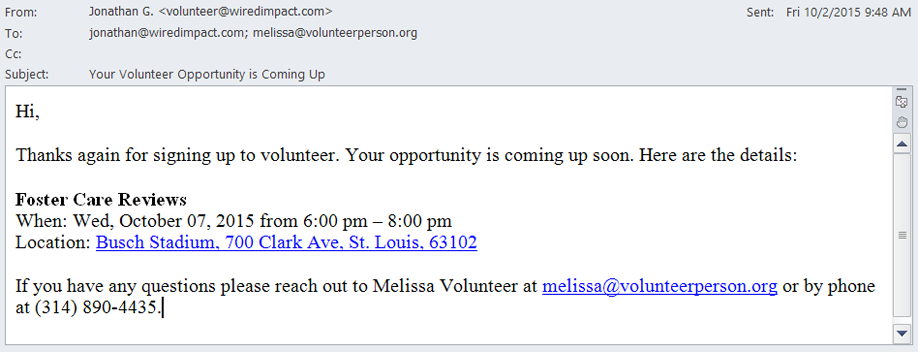
- Send reminder emails anytime – Schedule an automated reminder email a few days in advance or send a one-off email with last-minute details.
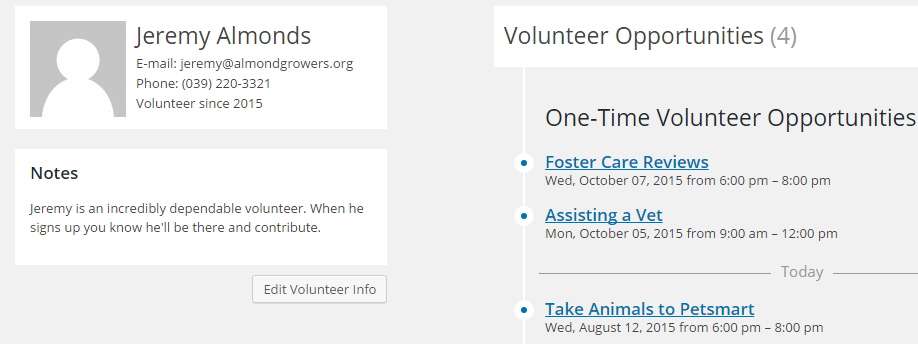
- Volunteer profiles that track participation and more – Keep track of all of your volunteers’ involvement. See what they’ve helped out with in the past, future opportunities they’re signed up for, how long they’ve been volunteering and notes that will help you stay organized.
Thanks to Habitat for Humanity East Bay/Silicon Valley for being an awesome organization and letting us use the photo above.
Installation
How do I install the plugin?
This is the easiest way to install the Wired Impact Volunteer Management plugin:
- In the WordPress backend, go to Plugins >> Add New Plugin
- Search for “Wired Impact Volunteer Management”
- Click “Install Now”
- Click “Activate”
If this doesn’t work, follow these steps:
- Download the Wired Impact Volunteer Management plugin
- Unzip the files
- Upload the wired-impact-volunteer-management folder to the /wp-content/plugins directory of your website
- Activate the Wired Impact Volunteer Management plugin through the “Plugins” menu in WordPress
Frequently asked questions
How do I get started?
Once you’ve downloaded the plugin, you’ll want to adjust the settings to fit your specific needs. You can do this by visiting the Volunteer Management menu and clicking “Help & Settings”. Here, you can do things like: Choose to include our styles Set a default contact and location for volunteer opportunities Pick your default form settings Write a template message for your confirmation and reminder emails
How do I create a new volunteer opportunity?
In the Volunteer Management menu, click “Opportunities” On the Opportunities page, click “Add Volunteer Opportunity” Fill in all of the “Volunteer Opportunity Details” fields Click the blue “Publish” button
How do I display a list of volunteer opportunities on my website?
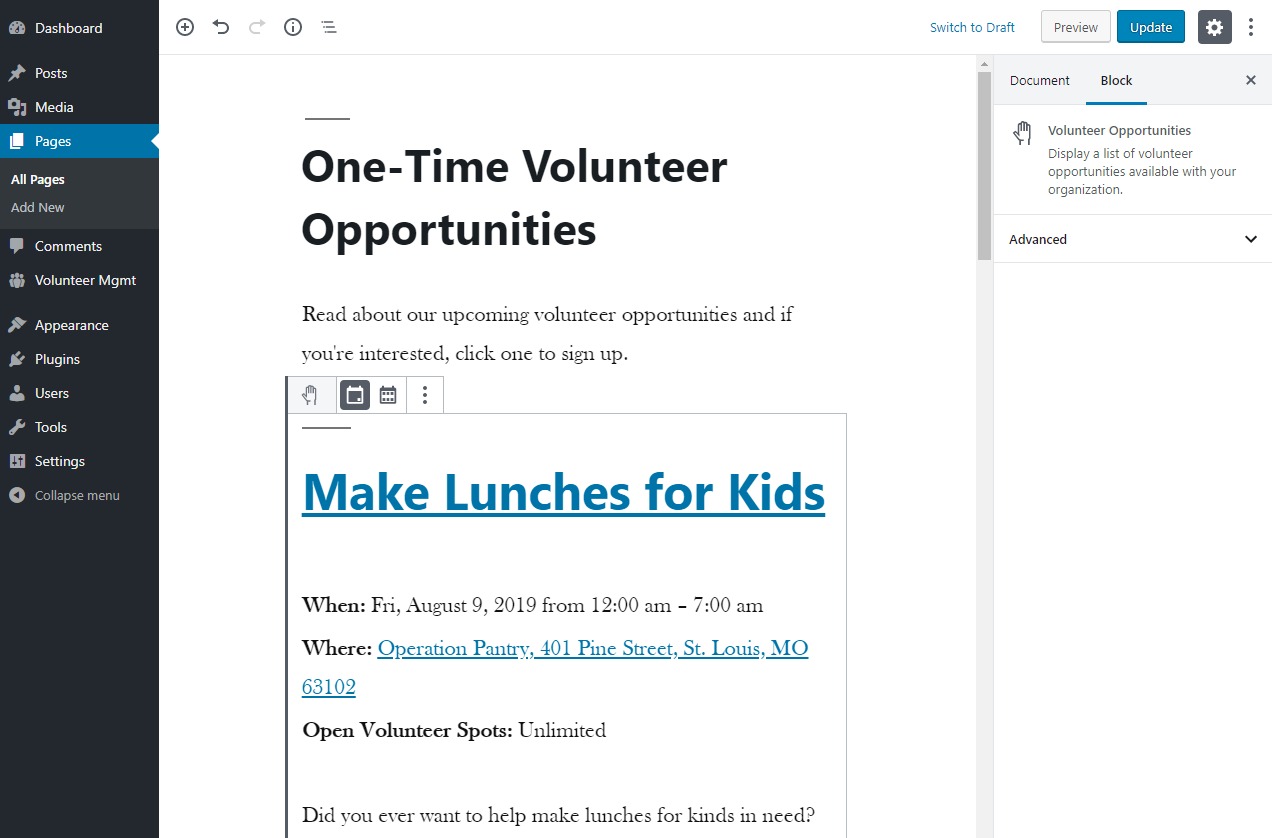
You can display the opportunities by adding the Volunteer Opportunities block to your page content. Once added, use the block’s toolbar to show one-time or flexible opportunities. It’s not currently possible to display both types of opportunities in a single list. We recommend showing only one type of opportunity per page.
What is the difference between the two types of opportunities?
One-time volunteer opportunities happen at a fixed date and time. One example might be a trivia night fundraiser where you need volunteers to help check in attendees. Flexible volunteer opportunities can happen on different days and times. One example might be weekly tutoring. Another example could be looking for a volunteer to help with your social media or blog.
How do I add a volunteer to our database?
Volunteers appear in the database after signing up for an opportunity. You can’t manually add a volunteer to the database.
How do I add notes about a volunteer?
In the Volunteer Management menu, click “Volunteers” Click the name of the volunteer you’d like to add a note about Click “Edit Volunteer Info” Scroll to the bottom of the page to the Notes section Add or edit any notes Click “Update User” to save any changes
How do I remove a volunteer from a specific opportunity?
If a volunteer is no longer able to help out with a specific opportunity, you can remove them from the signup list. Click “Opportunities” from the Volunteer Management menu Find the opportunity you need to remove the volunteer from Click the opportunity to edit Scroll down to the RSVP list, find the volunteer’s name and click “Remove RSVP” Confirm their removal by clicking the blue “Remove RSVP” button You can also remove the RSVP through that individual volunteer’s profile.
How do I create a recurring opportunity?
If you have a recurring opportunity where different people will sign up each time, we recommend creating a one-time opportunity for each date and time. That will allow you to track the RSVPs separately. If the recurring opportunity will have the same volunteers each time, we recommend creating one flexible volunteer opportunity.
How can I adjust the built-in volunteer signup form?
There are three options for handling volunteer signups within the plugin: Use the built-in volunteer signup form which includes name, phone number and email address fields. This form can be modified, but only through code using the PHP template files included inside the plugin. Choose the option not to show a form, then manually embed a third-party form within the content of each volunteer opportunity. If you’re utilizing the Gravity Forms plugin, you can show a form you’ve built within your volunteer opportunities. Information can be passed into the volunteer management system using a form…
Changelog
2.8.2
- Fixed vulnerability where any logged-in user could remove any volunteer’s RSVP, send volunteer emails or dismiss admin notices without the proper capability.
- Updated the Cypress end-to-end tests for better compatibility with newer WordPress versions.
- Tested up to WordPress 7.0.
2.8.1
- Fixed vulnerability where unauthenticated volunteer form submissions could overwrite first name, last name and phone number data for non-volunteer roles.
2.8
- Updated Cypress tests to work with WordPress 6.9.
- Tested up to WordPress 6.9.
2.7
- Modernized the block to use block.json for registration and a more standard file structure.
- Stopped support for the shortcode to block transform.
- Updated the required WordPress version now that the block uses the API version 3.
2.6
- Fixed issues where some strings were translated too early.
- Tested up to WordPress 6.8.
2.5.1
- Fixed bug where pagination doesn’t work when listing volunteer opportunities on a static front page.
- Fixed Cross Site Scripting (XSS) vulnerability when outputting custom CSS classes.
Screenshots

For developers
Is this your plugin? Show off the numbers.
Add a live badge to your site, docs or GitHub README. It updates on its own — no account needed.
Best Wired Impact Volunteer Manage… alternatives
All non-profits plugins →| Rank | Plugin | Active installs |
|---|---|---|
| 2 |
 Nonprofit Board Management
A simple, free way to manage your nonprofit’s board.
Nonprofit Board Management
A simple, free way to manage your nonprofit’s board.
|
100+ |
FAQ
Wired Impact Volunteer Management: quick answers
Straight answers, pulled from live WordPress.org data.
Live data from WordPress.org · checked Oct 8, 2026
Is Wired Impact Volunteer Manageme… free?
Yes. Wired Impact Volunteer Manageme… is free to download and use from the official WordPress.org plugin directory.
Is Wired Impact Volunteer Manageme… safe to use in 2026?
Wired Impact Volunteer Manageme… is a solid plugin choice in 2026, with a few things worth checking first. It runs on 1K+ sites, is rated 4.8/5 and was last updated 3 months ago, and scores 77/100 on our health check.
How many websites use Wired Impact Volunteer Manageme…?
Wired Impact Volunteer Manageme… is active on 1K+ WordPress websites and has been downloaded 61,833 times since it launched in October 2015. It was downloaded 431 times in the last 30 days.
Does Wired Impact Volunteer Manageme… work with WordPress 7.1?
Wired Impact Volunteer Manageme… is officially tested up to WordPress 7.0.7, while the latest release is 7.1.3. It may still work, but try it on a staging site first.
What PHP version does Wired Impact Volunteer Manageme… need?
Wired Impact Volunteer Manageme… requires PHP 5.2.4 or higher. Most hosts run PHP 8.x today, so it works on any modern WordPress hosting.
When was Wired Impact Volunteer Manageme… last updated?
The latest version, 2.8.2, was released on July 21, 2026 (3 months ago).
Who makes Wired Impact Volunteer Manageme…?
Wired Impact Volunteer Manageme… is developed and maintained by Wired Impact.
What are the best alternatives to Wired Impact Volunteer Manageme…?
The most popular alternatives to Wired Impact Volunteer Manageme… are Nonprofit Board Management (100+ installs).
Powered by PageForge
Want thousands of pages that rank like these? Build them in an afternoon.
This directory runs on the same engine as PageForge. Turn any spreadsheet, CSV or API into thousands of fast, SEO-ready WordPress pages — with schema, internal links and AI-written copy baked in.
- CSV, Google Sheets & API data sources
- AI content, schema & internal links per page
- Works with Elementor, Gutenberg, Yoast & Rank Math
- Free on WordPress.org — no credit card


