


WelcomeWP
A simple and easy way to create a welcome message on a WordPress website.

Consider an alternative
WelcomeWP shows warning signs in 2026 — compare the alternatives below before installing. Was last updated 3 years ago, and scores 21/100 on our health check.
- Small user base (<10 active installs)
- Very few reviews so far
- No update in 3 years
- Only tested up to WordPress 6.3 (latest is 7.1)
How does it stack up?
Side-by-side on installs, updates, ratings & support


Daily downloads
Download spikes usually follow a new release — each site that auto-updates counts as a download.
Rankings
Where WelcomeWP stands todayWordPress.org search rankings
Live position in the plugin search, top 100| Keyword | Position |
|---|---|
| greeting message | >100 |
| message | >100 |
| modal | >100 |
| note | >100 |
| welcome message | >100 |
About WelcomeWP
From the official readme · v1.0.4Description
WelcomeWP helps to display a welcome message on a website.
The plugin uses native WordPress API to provide intuitive and secure experience of creating a website welcome message in a foreground, while keeping the website itself readable.
WelcomeWP can be useful for various needs:
- Communicate with your audience without being intrusive
- Increase user engagement on your website
- Elevate customer support via custom notes and announcements
- Boost sales and services of your business via promotions
The plugin allows your welcome message to be expressed as a promotion, note, announcement, greeting, ect.
Possible use-cases
- Share links to social media, documentation, etc
- Provide important announcements
- Notify about terms and conditions changes
- Introduce yourself to new website visitors
- Greet website visitors
- Inform about launch of new products or services
- Offer time limited discount codes
- Keep posted about COVID-19 updates
Installation
There are two ways to install the plugin. Choose the one that best fits your needs.
Automatic method:
- Login to your WordPress admin and go to Plugins > Add New
- Type “WelcomeWP” in the search bar and select this plugin
- Click “Install”, and then “Activate Plugin”
- See “After activation” below
Manual method:
- Download the plugin from WordPress.org
- Unzip and Upload the directory
welcomewpto the/wp-content/plugins/directory - Activate the plugin through the Plugins menu in WordPress
- See “After activation” below
After activation:
- Locate Greeters link in the WordPress dashboard navigation menu (sidebar)
- Add, Edit, or Remove a Greeter (Greeter = welcome message)
- Set global settings in Settings > WelcomeWP
Frequently asked questions
What is a welcome message ?
It is a short text within in a small window that appears in a front of the website content at the bottom corner at the screen, without causing a lot of distraction for visitors. A website visitor can close the message when needed.
How the plugin works ?
After installing and activating the plugin, Greeters link is added to sidebar in dashboard. The role of a Greeter is to deliver a welcome message to website visitors (Greeter = welcome message). The Greeters functionality has a similar interface to Posts and Pages. It allows to create, edit and remove messages. The plugin allows to have a maximum of three (3) active greeters with different display options. Here is a list of available display options: Inactive – Greeter with this option is not visible to any website visitors. All pages – Greeter with this option displays a welcome message on…
Is a welcome message customizable?
Yes. The plugin allows to have different types of a welcome message, using an existing WordPress functionality such as the content area, the excerpt field and the featured image. Note, the content area is required. Your message will be invisible if the content area is empty. Types of a welcome message: Message: Your welcome message is shown without any additional actions made by the user. This type of a welcome message becomes active when you add text to the content area only. Image icon with hidden message: Initially, only an image is shown as your welcome message. After clicking on the…
How the close button works?
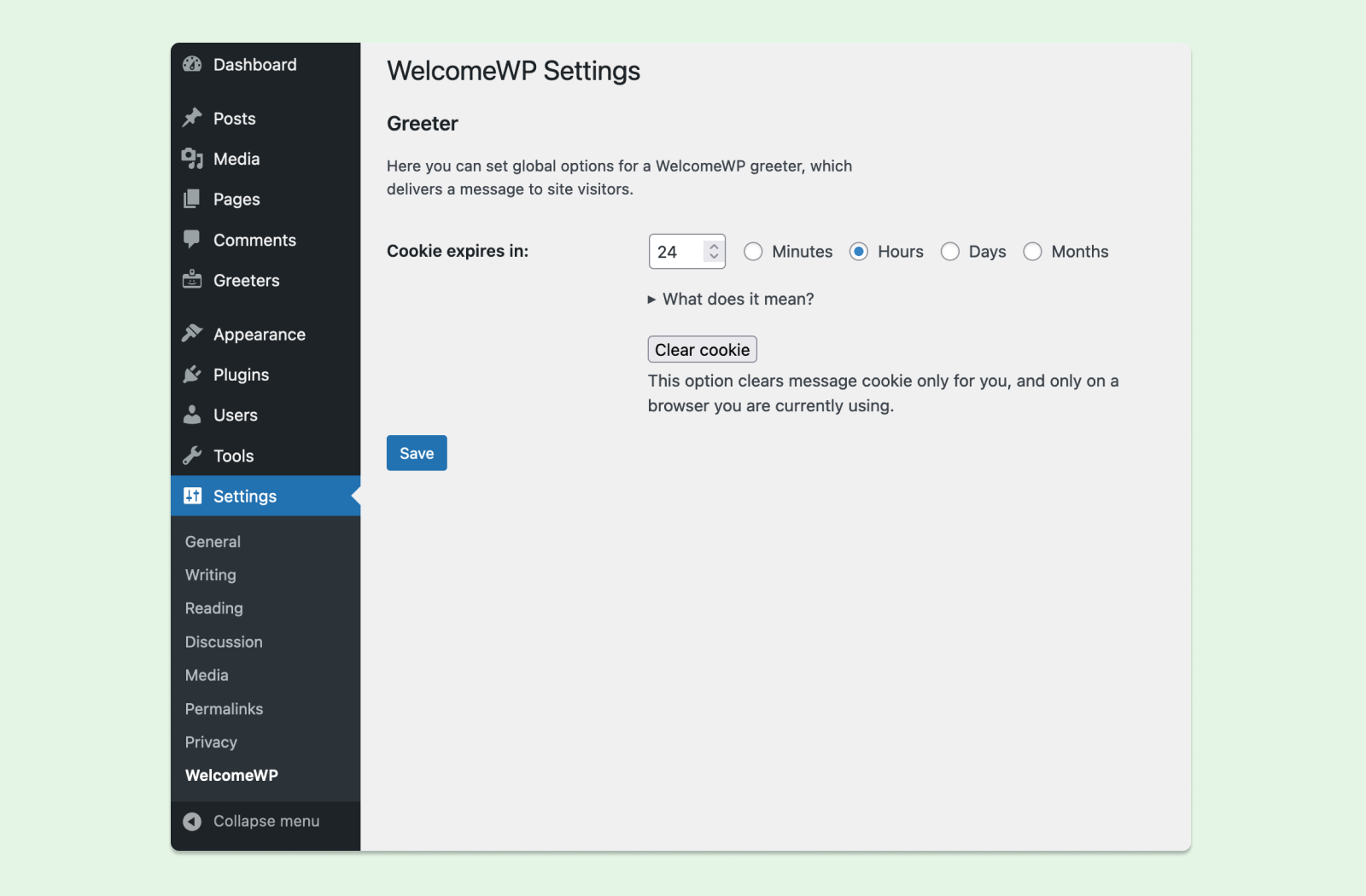
The plugin uses cookie web technology to let the user’s browser know which message, based on message ID, should be marked as closed, after the user clicks close button. This marking has an expiration time, which is by default 5 minutes. The plugin allows to configure it (Settings > WelcomeWP). Also, the user can clear this information from browser any time using browser cleaning functionality.
Where to report a bug?
Please use a support forum.
Changelog
1.0.4 – August 24, 2023
- Update formatting in files;
- Fix: undefined variable issue in Search archives;
1.0.3 – February 17, 2023
- Update: bump up Tested Up To version;
- Fix: style inconsistency in button element in plugin settings page;
1.0.2 – August 06, 2022
- Update: improve spacing in the footer area of a main content in a welcome message;
- Update: improve spacing in the header area of a welcome message;
- Fix: potential background issue in the close button of a welcome message;
- Fix: missing onboarding help when plugin is installed;
- Fix: overflow issue in a welcome message;
1.0.1 – July 21, 2022
- Add: minified version for each stylesheet;
- Add: onboarding functionality;
- Add: minified version for each script;
- Update: directory structure for styles;
- Update: load minified version of back-end settings script when needed;
- Update: display onboarding hint when plugin installed and activated;
- Update: load minified version of front-end script when needed;
- Update: documentation for installation;
- Update: use WordPress selected color scheme for onboarding hints;
- Update: display onboarding hints only when no messages have been created yet;
1.0.0 – July 06, 2022
- Initial beta release.
Screenshots


For developers
Is this your plugin? Show off the numbers.
Add a live badge to your site, docs or GitHub README. It updates on its own — no account needed.
Best WelcomeWP alternatives
All greeting message plugins →FAQ
WelcomeWP: quick answers
Straight answers, pulled from live WordPress.org data.
Live data from WordPress.org · checked Oct 16, 2026
Is WelcomeWP free?
Yes. WelcomeWP is free to download and use from the official WordPress.org plugin directory.
Is WelcomeWP safe to use in 2026?
WelcomeWP shows warning signs in 2026 — compare the alternatives below before installing. Was last updated 3 years ago, and scores 21/100 on our health check.
How many websites use WelcomeWP?
WelcomeWP is active on <10 WordPress websites and has been downloaded 1,761 times since it launched in July 2022. It was downloaded 37 times in the last 30 days.
Does WelcomeWP work with WordPress 7.1?
WelcomeWP is officially tested up to WordPress 6.3.13, while the latest release is 7.1.3. It may still work, but try it on a staging site first.
What PHP version does WelcomeWP need?
WelcomeWP requires PHP 7.4 or higher. Most hosts run PHP 8.x today, so it works on any modern WordPress hosting.
When was WelcomeWP last updated?
The latest version, 1.0.4, was released on August 24, 2023 (3 years ago).
Who makes WelcomeWP?
WelcomeWP is developed and maintained by Taras Dashkevych.
What are the best alternatives to WelcomeWP?
The most popular alternatives to WelcomeWP are Welcome Greetings based on… (20+ installs), OCWS Admin Bar Greeting (10+ installs) and IP2Location Hello Greeting (10+ installs).
Powered by PageForge
Want thousands of pages that rank like these? Build them in an afternoon.
This directory runs on the same engine as PageForge. Turn any spreadsheet, CSV or API into thousands of fast, SEO-ready WordPress pages — with schema, internal links and AI-written copy baked in.
- CSV, Google Sheets & API data sources
- AI content, schema & internal links per page
- Works with Elementor, Gutenberg, Yoast & Rank Math
- Free on WordPress.org — no credit card


