



Websync Builder for Contact Form 7
Create Contact Form 7 forms visually with drag-and-drop, add conditional logic, and store all submissions in your database.

Consider an alternative
Websync Builder for Contact For… shows warning signs in 2026 — compare the alternatives below before installing. Was last updated 11 months ago, and scores 36/100 on our health check.
- Small user base (<10 active installs)
- Very few reviews so far
- Only tested up to WordPress 6.8 (latest is 7.1)
How does it stack up?
Side-by-side on installs, updates, ratings & support


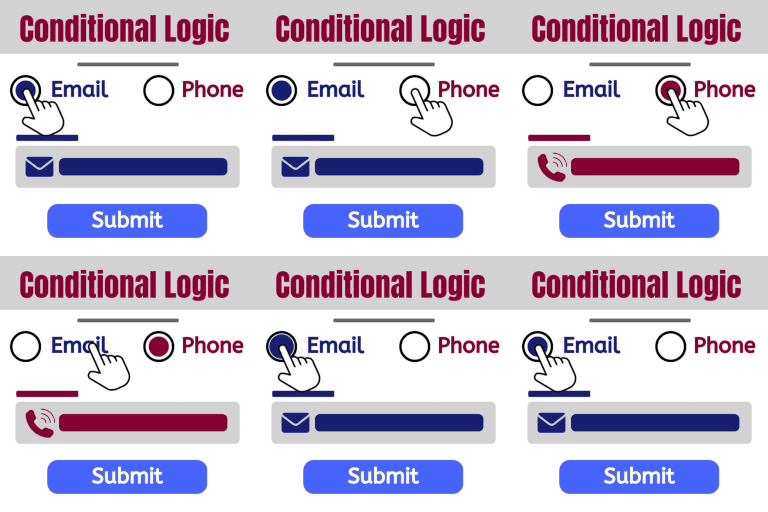
Daily downloads
Download spikes usually follow a new release — each site that auto-updates counts as a download.
Rankings
Where Websync Builder for Contact… stands todayWordPress.org search rankings
Live position in the plugin search, top 100| Keyword | Position |
|---|---|
| conditional logic | >100 |
| contact form 7 | >100 |
| drag-and-drop | >100 |
| form builder | >100 |
| submissions | >100 |
About Websync Builder for Contact Form 7
From the official readme · v1.1.0Description
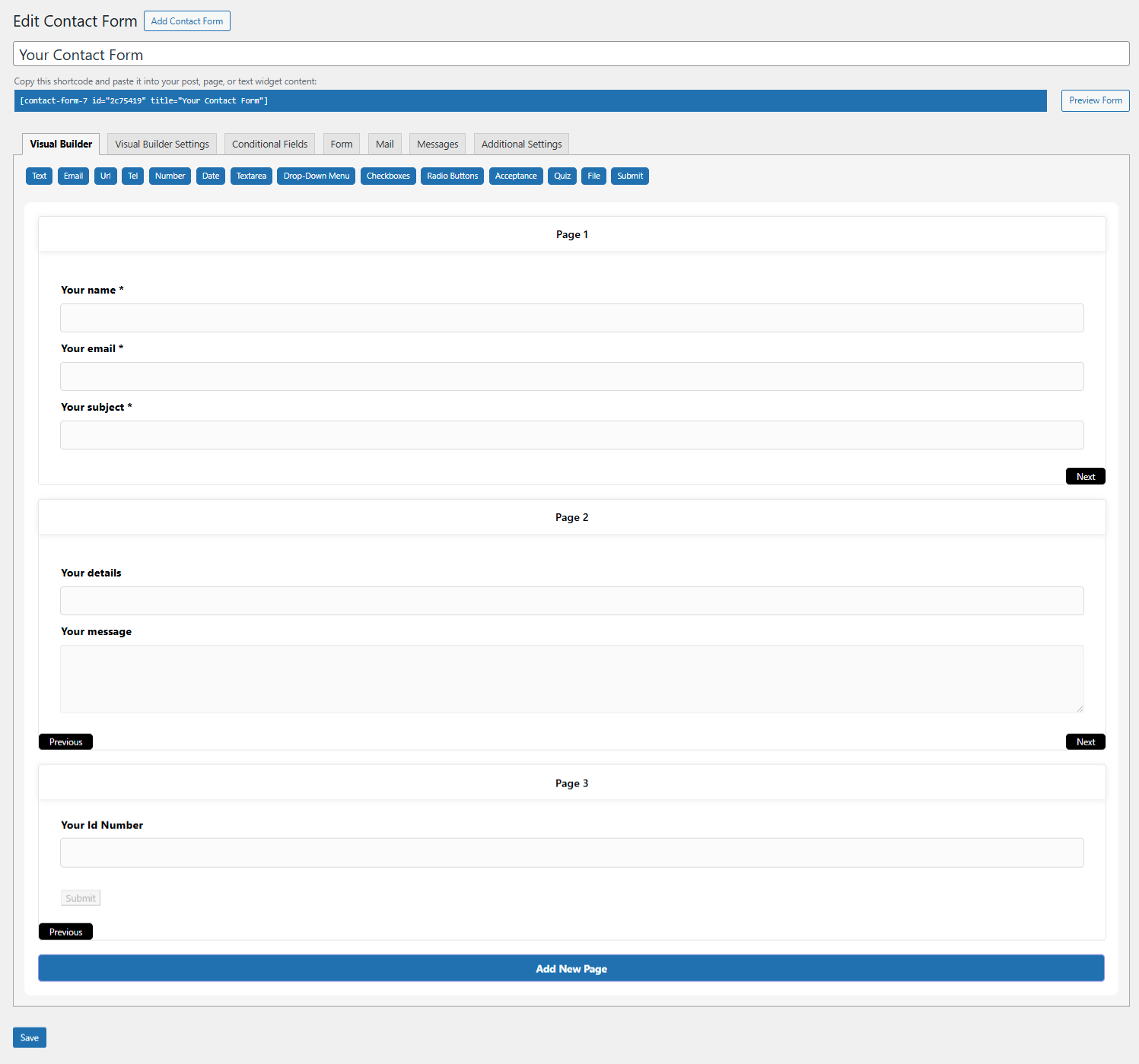
Tired of the tedious shortcode editor in Contact Form 7? Websync Builder replaces it with a modern, intuitive drag-and-drop visual form builder featuring a live preview.
Build complex, powerful forms in minutes. Add conditional fields to show or hide questions, and most importantly, save all form submissions to your database so you never lose a lead again. Manage entries right from your WordPress dashboard—all while maintaining 100% compatibility with the lightweight Contact Form 7 plugin.
Key Features
Visual Drag & Drop Builder
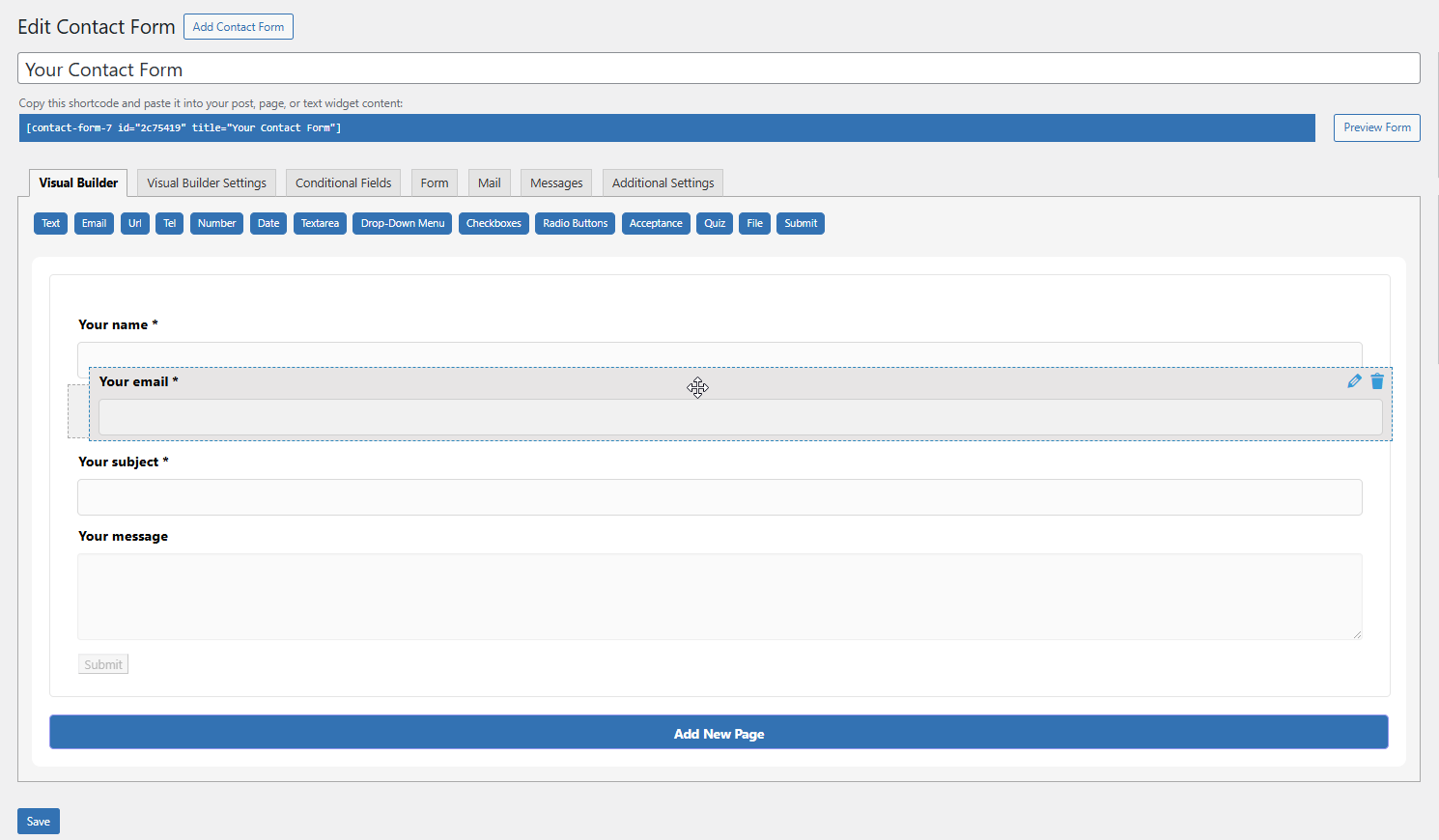
- Build forms visually with a live preview. What you see is what you get.
- Full support for all standard CF7 fields: text, email, dropdown, checkbox, file upload, and more.
- Easily reorder, edit, and configure fields without touching code.
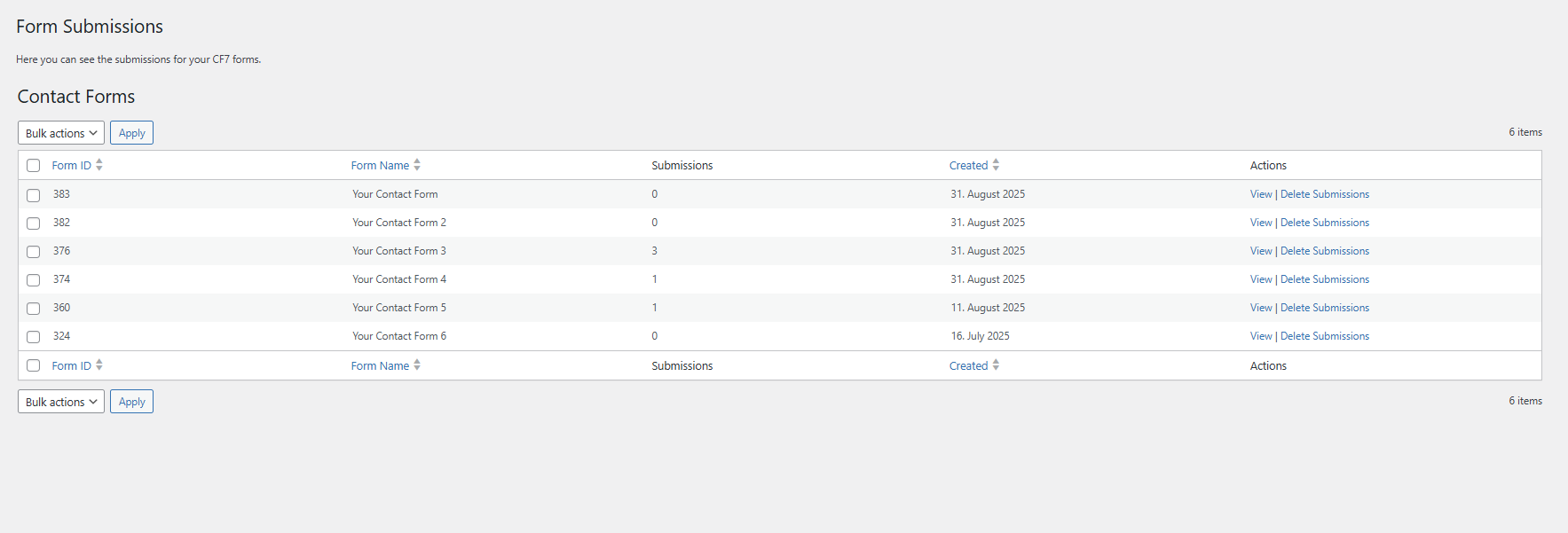
Save All Form Submissions
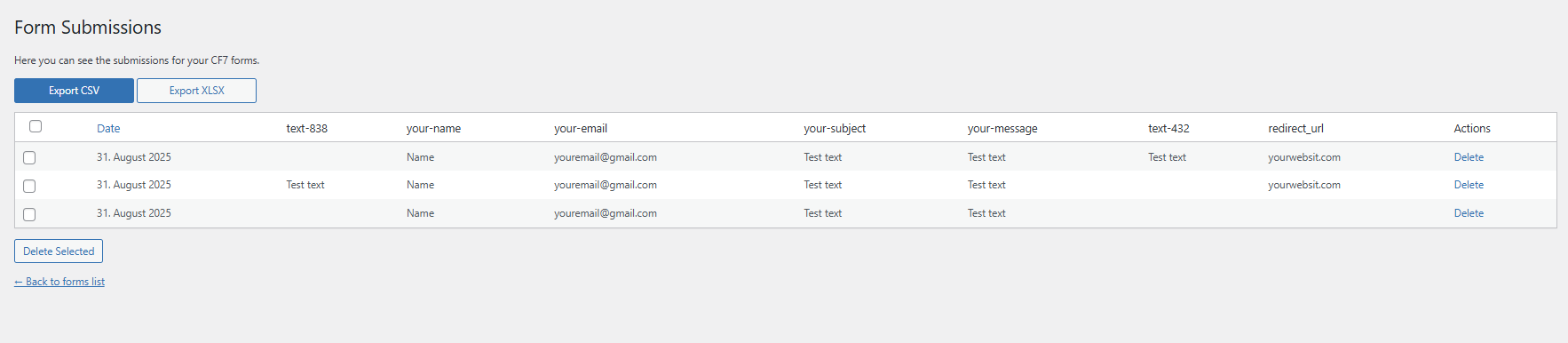
- Submissions page: Never lose a lead. Save every CF7 form entry directly to your WordPress database.
- View, manage, and search all submissions from a dedicated admin area.
- Export: Unlock the ability to export entries to CSV or XLSX for reporting.
Conditional Logic (Show/Hide Fields)
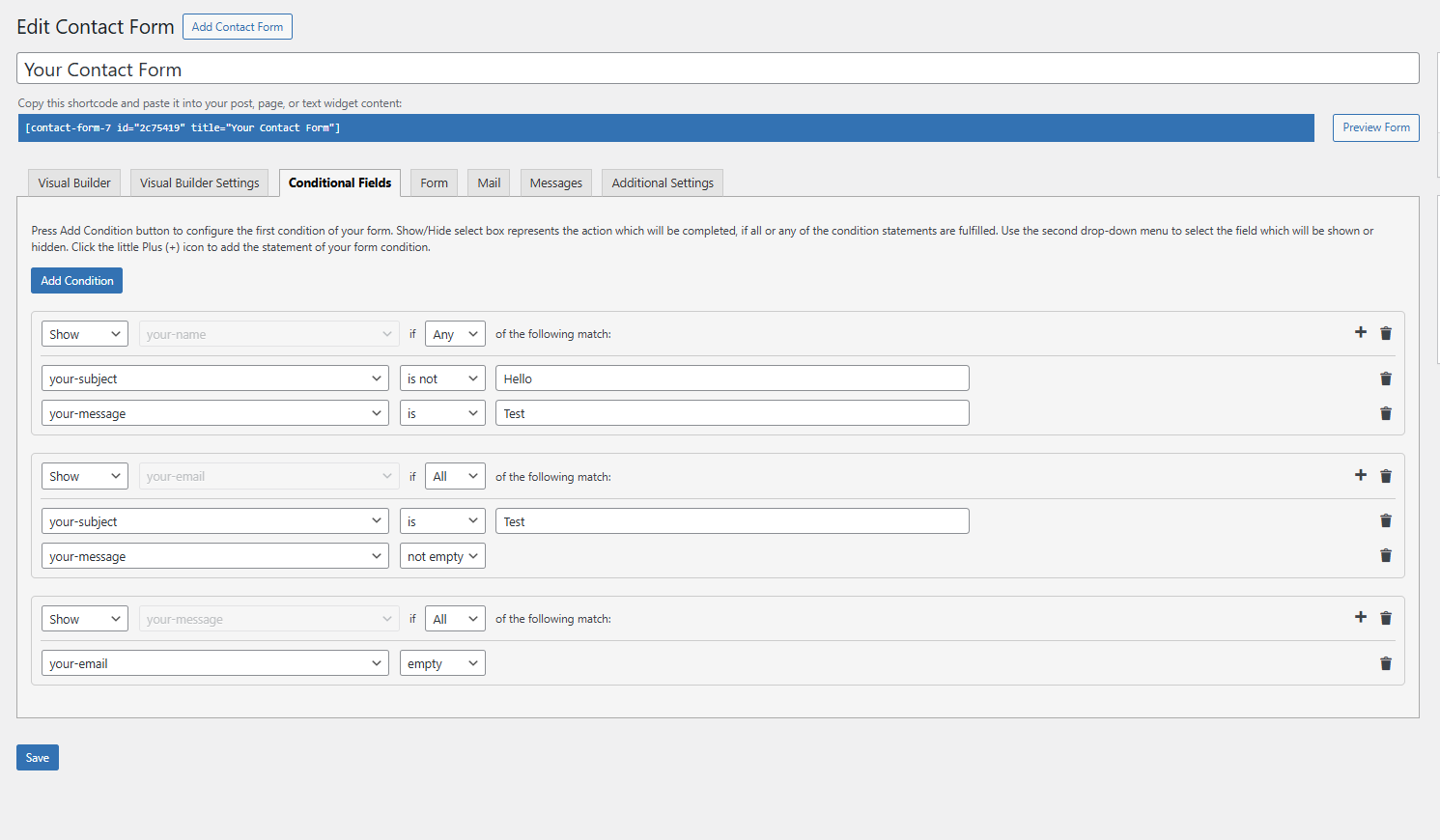
- Create smart forms that show or hide fields based on user selections.
- Unleash unlimited conditional rules and groups for complex forms.
Multi-Step Forms
- Break long forms into beautiful, manageable steps to improve user experience.
- Perfect for surveys, applications, and lengthy contact forms.
Seamless Integration
- Works with your existing Contact Form 7 forms and most CF7 add-ons.
- Styled to look great with any modern WordPress theme.
Note: This plugin requires the free Contact Form 7 plugin to be installed and active.
External Services
Deactivation Feedback Endpoint
This plugin optionally sends deactivation feedback when the user chooses to submit it during plugin deactivation.
-Domain: https://whistleblowing-form.de/
-Purpose: To receive voluntary plugin deactivation feedback from the admin user.
-Data Sent:
Admin email (or custom email provided in the feedback form)
Selected deactivation reason
Optional message entered by the user
Site URL
-Conditions:
Data is sent only if the user submits the feedback form.
No data is sent when the user clicks “Skip”.
Credits
Built by the team at Websync. Contact us for support.
Installation
- Upload the plugin to the
/wp-content/plugins/websync-builder-cf7/directory, or install via the WordPress plugins screen. - Activate the plugin through the “Plugins” menu.
- Ensure Contact Form 7 is installed and active.
- Open Contact > Your Form > Visual Builder to start building with drag and drop.
Frequently asked questions
Does this plugin replace Contact Form 7?
No. It seamlessly extends Contact Form 7 by adding a visual builder, conditional logic, and submissions management on top of the stable CF7 core.
Can I edit my existing CF7 forms with this builder?
Yes! You can import most standard Contact Form 7 forms into the visual builder. Forms with very complex or custom shortcodes might require minor manual adjustments.
How many conditional field rules do I get for free?
The free version includes 1 conditional rule per form. This lets you test the power of conditional logic. The Pro version removes this limit, offering unlimited rules and groups.
Where are the form entries stored?
All submissions are saved in your WordPress database and can be easily accessed under Contact > Submissions in your admin menu. This is a free feature. The Pro version adds the ability to export these entries.
Does the plugin support multi-step forms?
Yes! Creating beautiful multi-step forms is a key feature of the Pro version.
Will this break my existing form styling or functionality?
No. The plugin generates standard Contact Form 7 shortcode. It is designed to be fully compatible with your theme’s styles and other CF7 extensions.
Changelog
1.1.0
- NEW: Multistep Form
- NEW: Unlimited conditional fields
- NEW: Export submissions
1.0.7
- NEW: Deactivation reason
1.0.6
- CHANGED: Tags
1.0.5
- NEW: Added conditional field logic (1 rule free, unlimited in Pro).
- FIX: Improved compatibility with WordPress 6.8.
1.0.4
- NEW: Added submission export to CSV/XLSX (Pro).
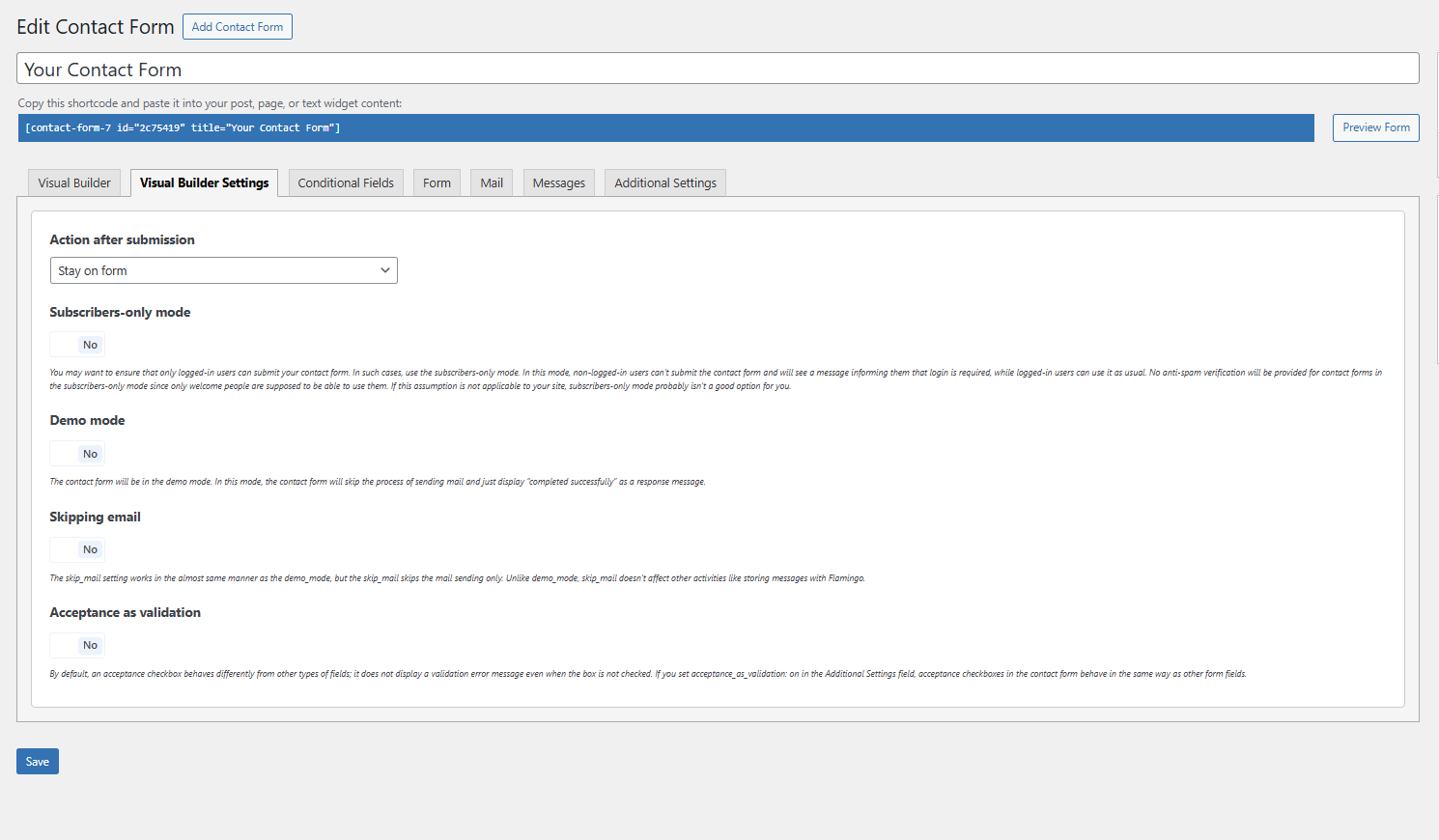
- NEW: Added additional actions after form submission.
1.0.3
- NEW: Introduced multi-step forms (Pro).
- FIX: Resolved form saving issues for certain server configurations.
Screenshots


For developers
Is this your plugin? Show off the numbers.
Add a live badge to your site, docs or GitHub README. It updates on its own — no account needed.
Best Websync Builder for Contact F… alternatives
All conditional logic plugins →





FAQ
Websync Builder for Contact Form 7: quick answers
Straight answers, pulled from live WordPress.org data.
Live data from WordPress.org · checked Oct 20, 2026
Is Websync Builder for Contact For… free?
Yes. Websync Builder for Contact For… is free to download and use from the official WordPress.org plugin directory.
Is Websync Builder for Contact For… safe to use in 2026?
Websync Builder for Contact For… shows warning signs in 2026 — compare the alternatives below before installing. Was last updated 11 months ago, and scores 36/100 on our health check.
How many websites use Websync Builder for Contact For…?
Websync Builder for Contact For… is active on <10 WordPress websites and has been downloaded 799 times since it launched in August 2025. It was downloaded 50 times in the last 30 days.
Does Websync Builder for Contact For… work with WordPress 7.1?
Websync Builder for Contact For… is officially tested up to WordPress 6.8.11, while the latest release is 7.1.3. It may still work, but try it on a staging site first.
What PHP version does Websync Builder for Contact For… need?
Websync Builder for Contact For… requires PHP 7.4 or higher. Most hosts run PHP 8.x today, so it works on any modern WordPress hosting.
When was Websync Builder for Contact For… last updated?
The latest version, 1.1.0, was released on November 25, 2025 (11 months ago).
Who makes Websync Builder for Contact For…?
Websync Builder for Contact For… is developed and maintained by Whistleblowing Form Team.
What are the best alternatives to Websync Builder for Contact For…?
The most popular alternatives to Websync Builder for Contact For… are Conditional Fields for Cont… (100K+ installs), Conditional Fields for Elem… (10K+ installs) and If-So Dynamic Content (7K+ installs).
Powered by PageForge
Want thousands of pages that rank like these? Build them in an afternoon.
This directory runs on the same engine as PageForge. Turn any spreadsheet, CSV or API into thousands of fast, SEO-ready WordPress pages — with schema, internal links and AI-written copy baked in.
- CSV, Google Sheets & API data sources
- AI content, schema & internal links per page
- Works with Elementor, Gutenberg, Yoast & Rank Math
- Free on WordPress.org — no credit card


