


WebEngage Feedback, Survey and Notification
Get feedback and resolve support queries. Conduct short surveys. Display push notification messages. Love your customers? Get WebEngage now!

Consider an alternative
WebEngage Feedback, Survey and… shows warning signs in 2026 — compare the alternatives below before installing. It runs on 60+ sites, is rated 3.5/5 and was last updated 10 years ago, and scores 31/100 on our health check.
- Small user base (60+ active installs)
- No update in 10 years
- Only tested up to WordPress 4.3 (latest is 7.1)
How does it stack up?
Side-by-side on installs, updates, ratings & support



Daily downloads
Download spikes usually follow a new release — each site that auto-updates counts as a download.
Rankings
Where WebEngage Feedback, Survey… stands todayWordPress.org search rankings
Live position in the plugin search, top 100| Keyword | Position |
|---|---|
| feedback | >100 |
| survey | >100 |
| targeting | >100 |
| web engage | >100 |
| webengage | #1 |
Version adoption
Share of active sites per release.
Rating breakdown
★★★★★★★★★★ 3.5 from 17 reviews
About WebEngage Feedback, Survey and Notifica…
From the official readme · v2.0.4Description
With WebEngage you can do the following:
-
Get feedback from your customers. We make it easy for them to report issues or suggest ideas. And we make it easier for you by offering a nice management console to reply back, keep a track and anlayze all your data.
-
Collect customer insights by conducting in-site short surveys. You can run product feedback survey, customer satisfaction surveys, lead generation surveys etc. Analyze all the data using our powerful reporting and analytics modules.
-
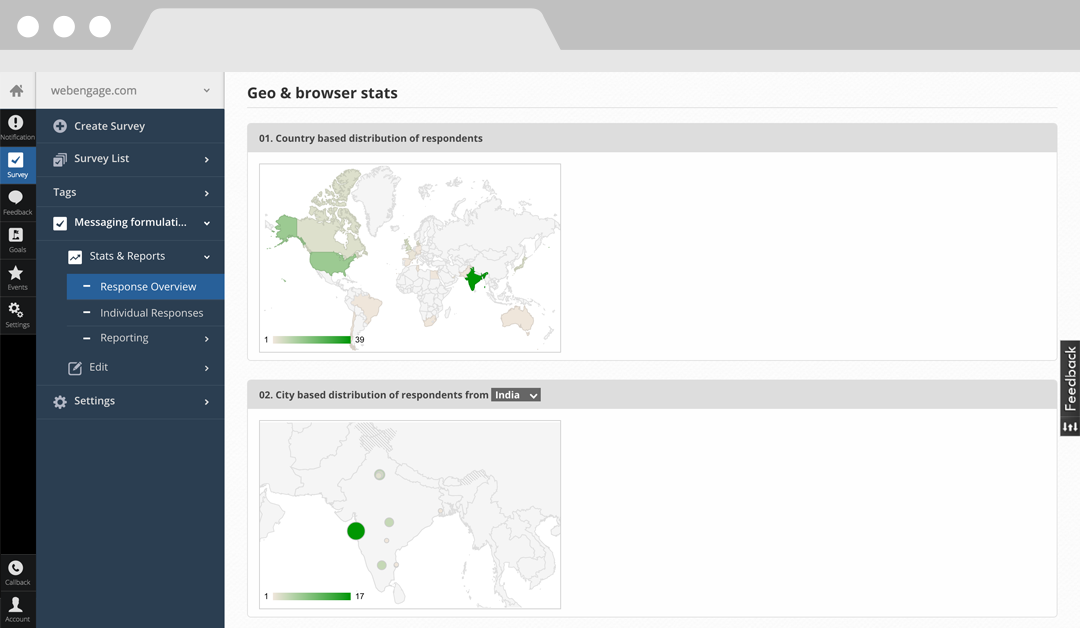
Drive conversion and push sales on your website using our in-site notifications. You can use notifications to offer discount code, push a feature update message to all your visitors or announce a downtime on your website. You can target these messages at specific audiences on your website to create an effective campaign. We offer powerful analytics for each of your notifications including statistics like clickthrough rates, country wise distribution etc.
This is an offical WebEngage plugin which lets you embed the Javascript integration code in to your pages without editing templates. Install the plugin once. No need to change or write a single line of code to make it work. Ever!
Here’s a quick 2 minute explainer video: https://www.youtube.com/watch?v=5poyDyvHApw
More on WebEngage here – webengage.com
Features
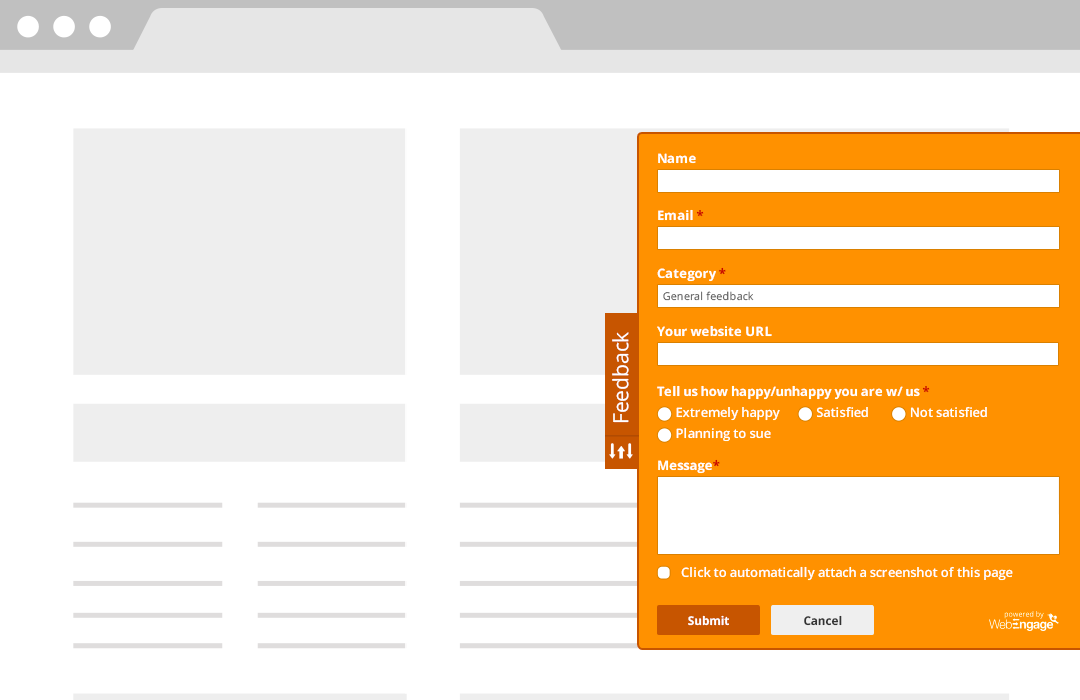
- Places a customizable “Feedback” tab to your site – customize colors and placement.
- Receive unlimited feedback. Automatic screengrab of the page that a user submits the feedback on.
- Recieve email notifications. Reply to feedback via email or from your WebEngage dashboard.
- Mark feedback threads as resolved, open or unread.
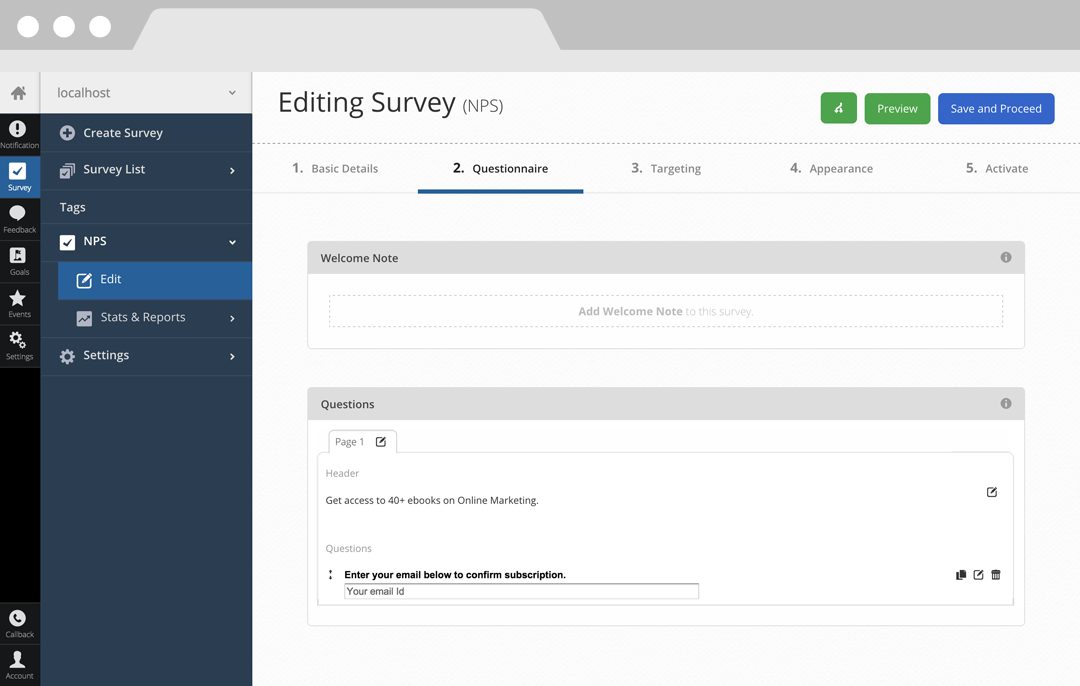
- Create short surveys for all or particular pages on your site.
- Target these surveys on multiple parameters – visitor geography, site referrals, cookies, first-time-visitors etc.
- Collect responses for these surveys, view and download reports. See demographic distribution.
- Collect email subscription leads and push them to MailChimp.
- Display push notifications on your website.
- Target these notification messages at certain audience segments on your website.
- Get detailed stats on the performance of these push notifications including data like clickthrough rate etc.
- Works in all browsers (including IE6!).
- Non-blocking, high-performance code.
Details and product screenshots:
Feedback – webengage.com/feedback
Survey – webengage.com/survey
Notification – webengage.com/notification
Gallery – webengage.com/gallery
Localization
WebEngage is currently available in 42 languages – English, Albanian, Arabic, Azerbaijani, Bahasa (Indonesian), Bosnian, Bulgarian, Chinese (Traditional), Croatian, Czech, Danish, Dutch, Estonian, Finnish, French, Georgian, German, Greek, Hebrew, Hindi, Hungarian, Italian, Japanese, Kazakh, Korean, Kurdish, Latvian, Lithuanian, Malay, Norwegian, Polish, Portuguese, Romanian, Russian, Slovak, Slovenian, Spanish, Swedish, Thai, Turkish, Ukrainian, Uzbek and Vietnamese. If your language is missing, you can help us translate. There are just 30 odd phrases that need to be translated. Let us know if you are interested.
Demo
Take an online demo to get an idea of how the feedback tab, survey windows and notification messages will look on your website – demo.webengage.com
Free Plan And Paid Plans
- We offer WebEngage as a free plan. You can use the free plan as long as you want without paying.
- We also offer different pricing plans with assortment of features and capabilities. For further details please visit : webengage.com/pricing
- We offer 14 days free trial period on all the paid plans.
Go Premium
- Get SSL support.
- Add more fields to your feedback form – dropdowns, checkboxes, files, radio button, textarea, input boxes etc.
- Remove “Powered by WebEngage” logos in the feedback, survey and notification windows. Change email templates.
- Increase your upper limit on the number of surveys you can create and responses that you can collect per survey.
- Increase your upper limit on the number of clickthroughs allowed per notification.
- Add you own style using a CSS editor.
- Enhanced targeting capabilities for your surveys and notications.
- Add more account manangers.
- Get multi-question surveys. With the free plan, we let you add a single question survey only.
- Run exit surveys by targeting visitors when they are about to leave your website.
- Measure your Net Promoter Score by running NPS surveys.
See plans and pricing – webengage.com/pricing
For personal websites and blogs, have a FREE plan too. – webengage.com/pricing-features
Support
Email us on support {at} webengage dot com or contact us for any kind of support. We assure you of a quick revert.
Installation
- Download and unzip the plugin. Upload
webengagefolder to the/wp-content/plugins/directory. - Activate the plugin through the ‘Plugins’ menu in WordPress.
- You’ll be redirected to the configuration page upon activation. Follow the instructions therein to get your WebEngage License Code.
Changelog
2.0.4
- Updated to latest (v6) Web SDK integration code.
2.0.3
- Updated with latest v5 of webengage integration code.
- New screenshots and more languages support
- Gallery link added
2.0.2
- Reduced dependency on iframes
- New logo and notification text in the options page
2.0.1
- xss vulnerability fix in plugin managament files
2.0.0
- New JavaScript integration code (version 4) released
- Introduces JavaScript callbacks for all three products – Feedback, Survey and Notification
- Easy to use API methods for custom invocation
1.1.0
- Notification product added to the bundle.
- Improved version – let’s you sign-up for WebEngage directly from within your WordPress admin.
- Customize your feedback tab with your own text/colors etc.
- Support for more languages.
Screenshots


For developers
Is this your plugin? Show off the numbers.
Add a live badge to your site, docs or GitHub README. It updates on its own — no account needed.
Best WebEngage Feedback, Survey an… alternatives
All feedback plugins →





FAQ
WebEngage Feedback, Survey and Noti…: quick answers
Straight answers, pulled from live WordPress.org data.
Live data from WordPress.org · checked Oct 6, 2026
Is WebEngage Feedback, Survey and… free?
Yes. WebEngage Feedback, Survey and… is free to download and use from the official WordPress.org plugin directory.
Is WebEngage Feedback, Survey and… safe to use in 2026?
WebEngage Feedback, Survey and… shows warning signs in 2026 — compare the alternatives below before installing. It runs on 60+ sites, is rated 3.5/5 and was last updated 10 years ago, and scores 31/100 on our health check.
How many websites use WebEngage Feedback, Survey and…?
WebEngage Feedback, Survey and… is active on 60+ WordPress websites and has been downloaded 34,133 times since it launched in February 2012. It was downloaded 94 times in the last 30 days.
Does WebEngage Feedback, Survey and… work with WordPress 7.1?
WebEngage Feedback, Survey and… is officially tested up to WordPress 4.3.34, while the latest release is 7.1.2. It may still work, but try it on a staging site first.
When was WebEngage Feedback, Survey and… last updated?
The latest version, 2.0.4, was released on July 12, 2016 (10 years ago).
Who makes WebEngage Feedback, Survey and…?
WebEngage Feedback, Survey and… is developed and maintained by avlesh.
What are the best alternatives to WebEngage Feedback, Survey and…?
The most popular alternatives to WebEngage Feedback, Survey and… are UserFeedback (200K+ installs), kk Star Ratings (70K+ installs) and Survey Maker by AYS (5K+ installs).
Powered by PageForge
Want thousands of pages that rank like these? Build them in an afternoon.
This directory runs on the same engine as PageForge. Turn any spreadsheet, CSV or API into thousands of fast, SEO-ready WordPress pages — with schema, internal links and AI-written copy baked in.
- CSV, Google Sheets & API data sources
- AI content, schema & internal links per page
- Works with Elementor, Gutenberg, Yoast & Rank Math
- Free on WordPress.org — no credit card


