



WCFM – Frontend Manager for WooCommerce
Professional frontend dashboard for WooCommerce and multivendor marketplaces. Supports WCFM Marketplace, Dokan, WC Vendors, WC Product Vendors.

Solid choice
WCFM is a solid plugin choice in 2026, with a few things worth checking first. It runs on 20K+ sites, is rated 4.5/5 and was last updated 1 month ago, and scores 68/100 on our health check.
- Proven at scale on 20K+ active sites
- Loved by users — 4.5/5 from 286 reviews
How does it stack up?
Side-by-side on installs, updates, ratings & support



Daily downloads
Download spikes usually follow a new release — each site that auto-updates counts as a download.
Rankings
Where WCFM stands todayWordPress.org search rankings
Live position in the plugin search, top 100| Keyword | Position |
|---|---|
| multi vendor | #10 |
| multivendor marketplace | #8 |
| product vendors | #9 |
| woocommerce marketplace | #16 |
| wp user frontend | #7 |
Version adoption
Share of active sites per release.
Rating breakdown
★★★★★★★★★★ 4.5 from 286 reviews
About WCFM – Frontend Manager for WooCommerce
From the official readme · v6.8.1Description
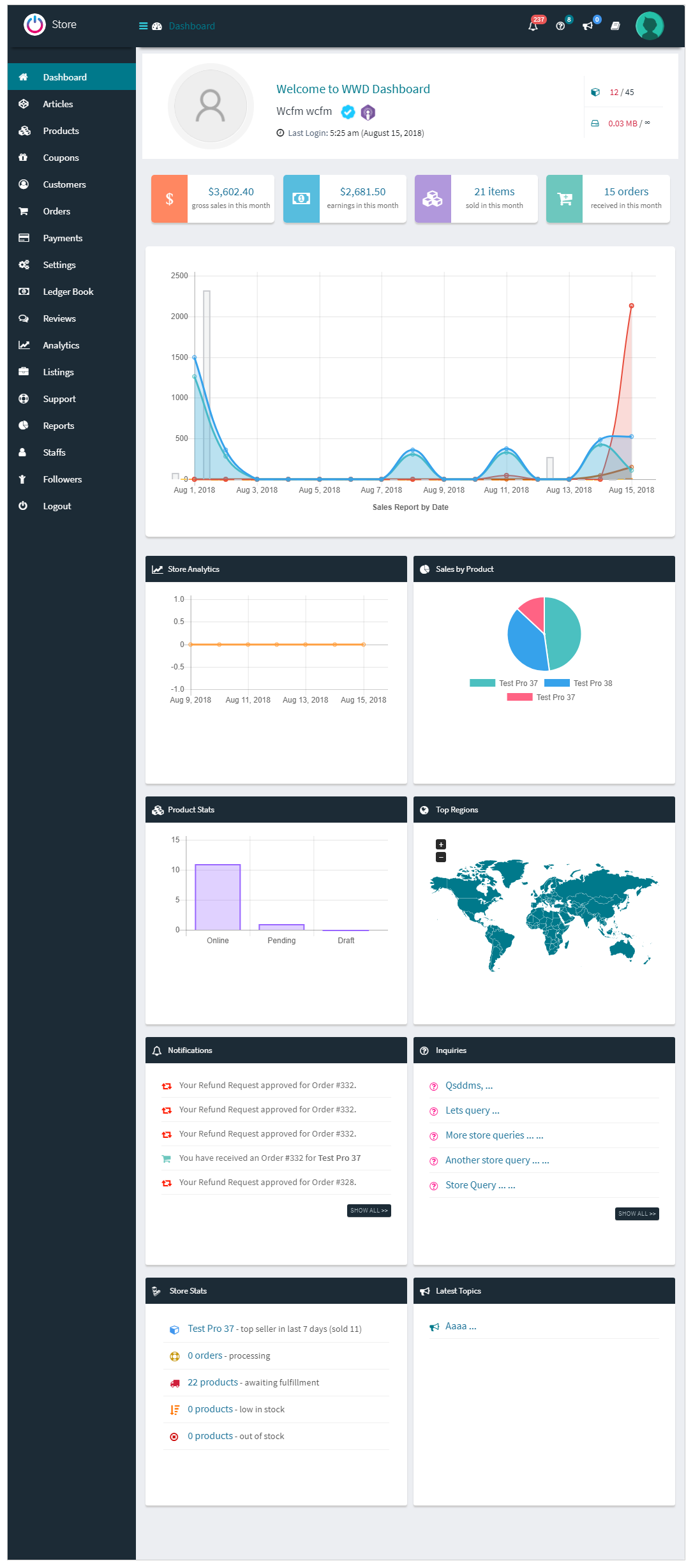
The Smart Frontend Dashboard for WooCommerce
Stop wrestling with the cluttered WordPress backend. WCFM – Frontend Manager provides a stunning, comprehensive, and secure frontend dashboard to manage your entire eCommerce operation.
Whether you are a single-store owner who wants to hide wp-admin from your staff, or you are scaling a massive multi-vendor empire, WCFM is the powerful engine that drives your daily operations. It works flawlessly as a standalone Store Manager dashboard, and seamlessly transforms into a robust Vendor Dashboard when paired with marketplace plugins like WCFM Marketplace, Dokan, WC Vendors, and WC Product Vendors.
🚀 Supercharge Your Dashboard with Artificial Intelligence
Ready to bring the power of artificial intelligence to your marketplace beyond a basic text generator? The WCFM AI Suite is our newest addon that unlocks a fully integrated AI Commerce & Content Studio right inside your frontend dashboard.
With the WCFM AI Suite addon, you can:
- Visual AI Copywriting: Don’t just type a prompt. Let the AI analyze raw product photos to automatically generate highly converting, SEO-optimized titles, short descriptions, and long descriptions.
- Studio-Grade Image Enhancement: Turn amateur smartphone photos into premium storefront assets. Remove backgrounds, generate professional lifestyle scenes, upscale resolution 2x, and auto-brighten/sharpen images directly inside the Product, Article, or Media editors.
- AI Article & Blog Writer: Capture organic search traffic by generating high-quality, niche-specific blog posts with precise tone, format, and length controls.
- The AI Credit Economy (Turn AI into Profit): Worried about unpredictable API costs? WCFM includes a built-in credit management system. Set monthly free allowances for specific staff roles or vendor groups. Better yet, sell AI credit packs directly through automated WooCommerce checkout.
- AI Insights & ROI Dashboard: Stop guessing. Track platform-wide AI adoption, monitor revenue generated from credit pack sales, and weigh it against your API costs to know exactly how much profit your AI integration is generating.
🛡️ Why Store Owners & Marketplace Admins Choose WCFM
- Zero Backend Access (Iron-Clad Security): Keep your staff and vendors completely out of the WordPress
wp-admin. WCFM provides a customized, role-based frontend interface that protects your core site settings from accidental changes or unauthorized access. - Universal Architecture: Use it as a standalone frontend manager for your eCommerce store, or activate it alongside your favorite multi-vendor engine to instantly deploy a world-class vendor dashboard.
- Complex Product Mastery: Effortlessly manage Simple, Variable, Grouped, Bookable, Auction, Rental, and Subscription products from a single, unified interface.
- Streamlined Operations: Automate daily tasks with integrated modules for PDF Invoicing, Shipment Tracking, Store Policies, and Customer Support Tickets.
- Direct Communication: Reduce administrative bottlenecks with built-in Live Chat, direct messaging boards, and product enquiry systems.
⚡ Fast, No-Code Setup for Entrepreneurs
You do not need to be a developer to build a thriving eCommerce platform. The WCFM ecosystem is designed to be fully functional right out of the box.
- Code-Free Configuration: Customize dashboard layouts, capability controllers, and store policies using intuitive settings panels—no PHP or CSS required.
- Ready-to-Use Interfaces: Get a professional, mobile-responsive frontend experience immediately upon activation.
- Modular Architecture: Choose only the modules your business needs from our ecosystem of free and premium addons, and turn off the rest to optimize performance and keep the interface clean.
- Rapid Marketplace Launch: Transform a standard WooCommerce store into a fully operational multi-vendor marketplace in minutes by pairing WCFM with your preferred marketplace engine.
🛠️ Built for Developers and Agencies
If you are building a custom eCommerce solution or marketplace for a client, WCFM provides the flexible architecture you need:
- Developer-Ready: Highly customizable with extensive hooks, filters, and a comprehensive Developer’s Guide.
- Advanced Integrations: Out-of-the-box support for WPML for multilingual stores and marketplaces.
- Theme Agnostic: Designed to inherit your existing theme’s styling, with dedicated appearance settings to ensure the dashboard matches your brand perfectly.
🌍 Ecosystem & Plugin Compatibility
👉 Official demo link: WCFM Live Demo
👉 Comprehensive feature list: Learn More About WCFM
👉 Easy to follow step-by-step guides: Documentation
👉 First-look: Overview Video
👉 Exclusive plugin support: Compatible Plugins
FREE Core Modules
WCFM – Marketplace | WCFM – Membership
Premium Addons for Ultimate Power
WCFM – Ultimate
WCFM – AI Suite
WCFM – Groups & Staff
WCFM – Delivery
WCFM – Affiliate
WCFM – Analytics
WCFM – Product HUB
Marketplace Compatibility
WCFM has own multi-vendor module – WooCommerce Multivendor Marketplace
Beside this, the frontend manager is compatible with other popular multivendor marketplace plugins, e.g., Dokan, WC Product Vendors, and WC Vendors.
Booking Compatibility
Exclusively compatible with WooCommerce Bookings
🎯 Quick View: What Will Be on Your Dashboard?
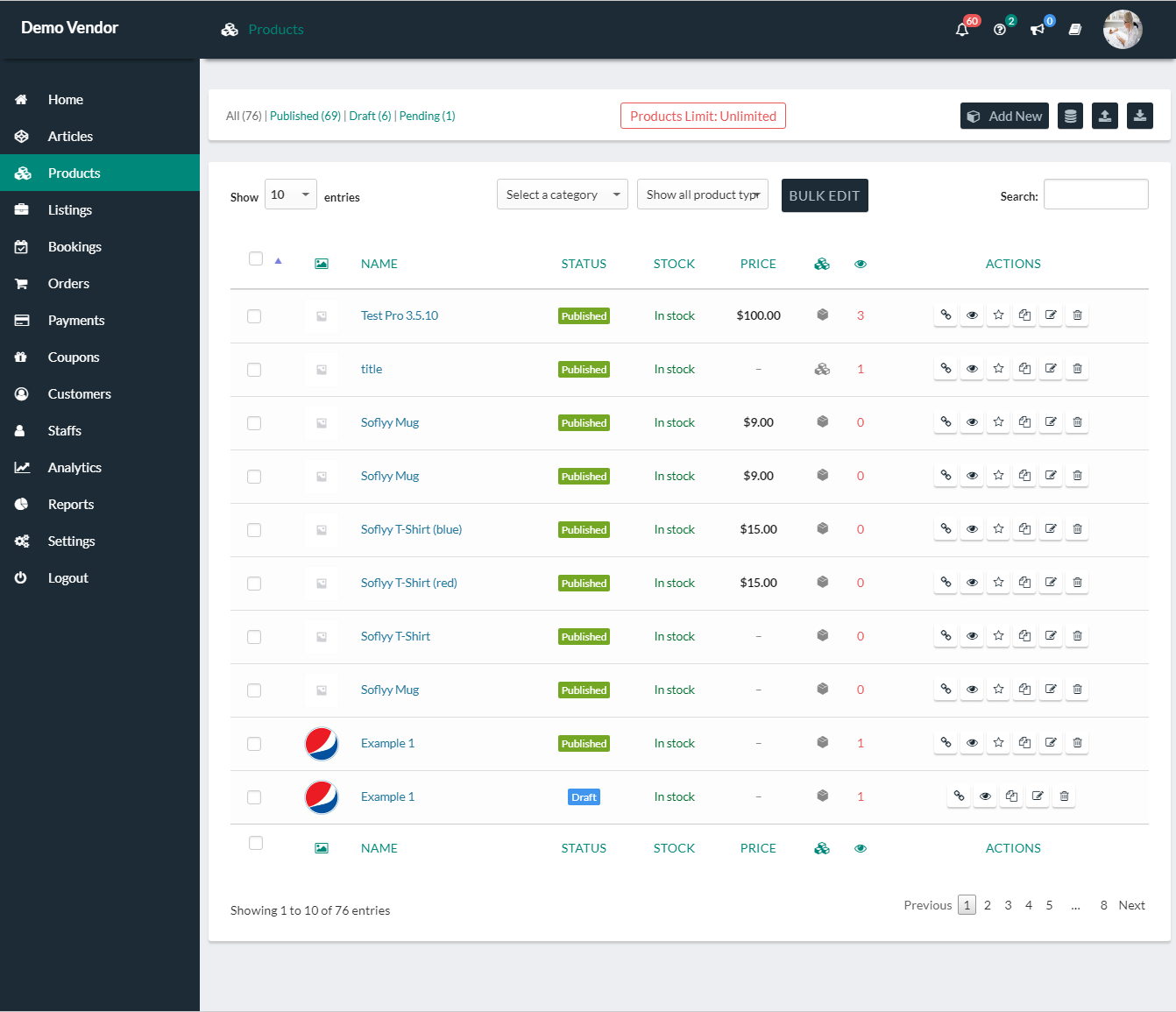
Product & Inventory Mastery
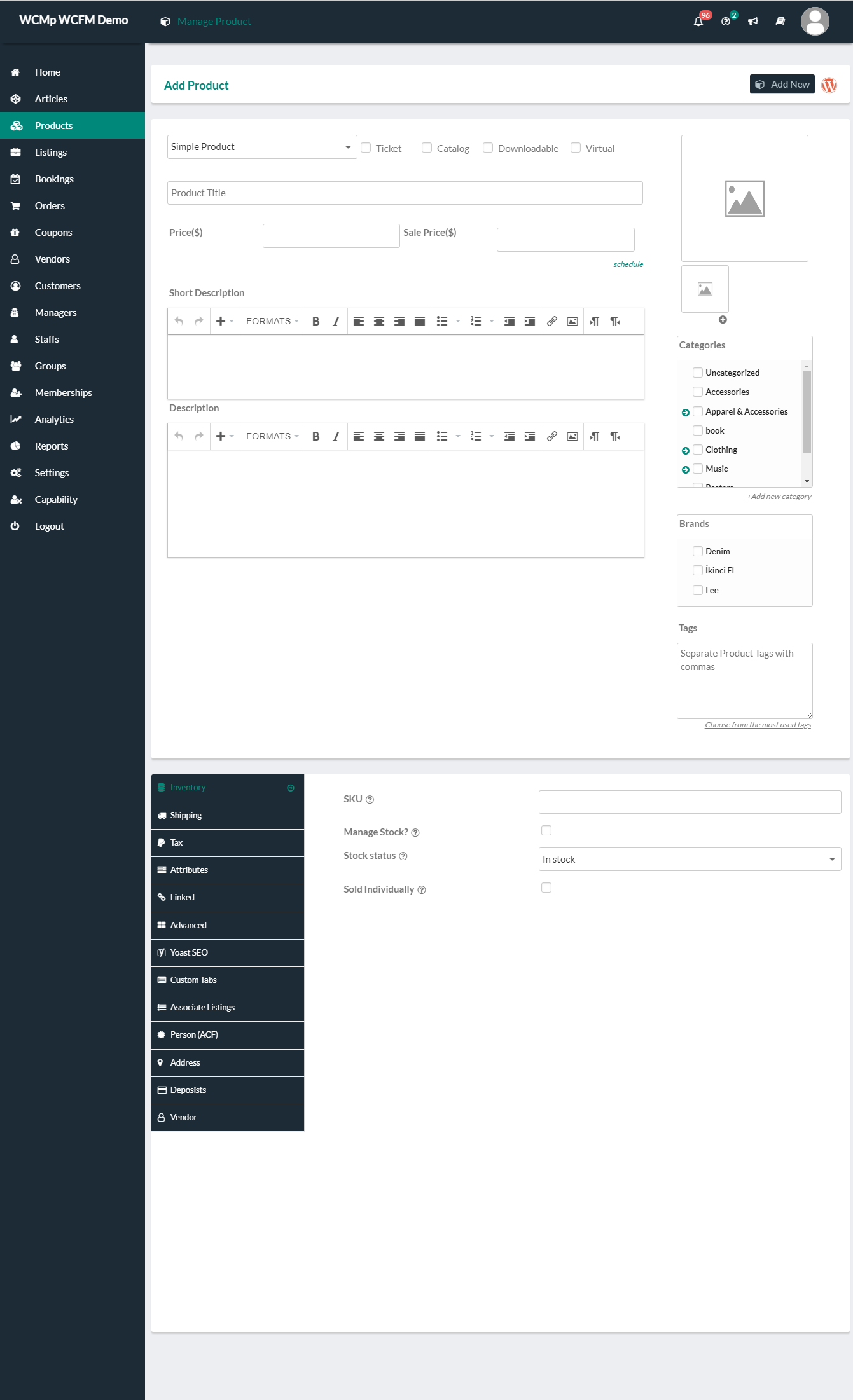
- Create and Manage Simple, Variable, Grouped, External, Subscription, Bookable, Auction, and Rental Products.
- Product Featured image and image gallery management (with AI Enhancement!).
- Product Category, Tag, and Custom Taxonomy (e.g., Brand) management.
- Bulk Stock Manager, Product Import/Export, and Quick Edit capabilities.
- Product Enquiry, Support Ticket, and Knowledgebase modules.
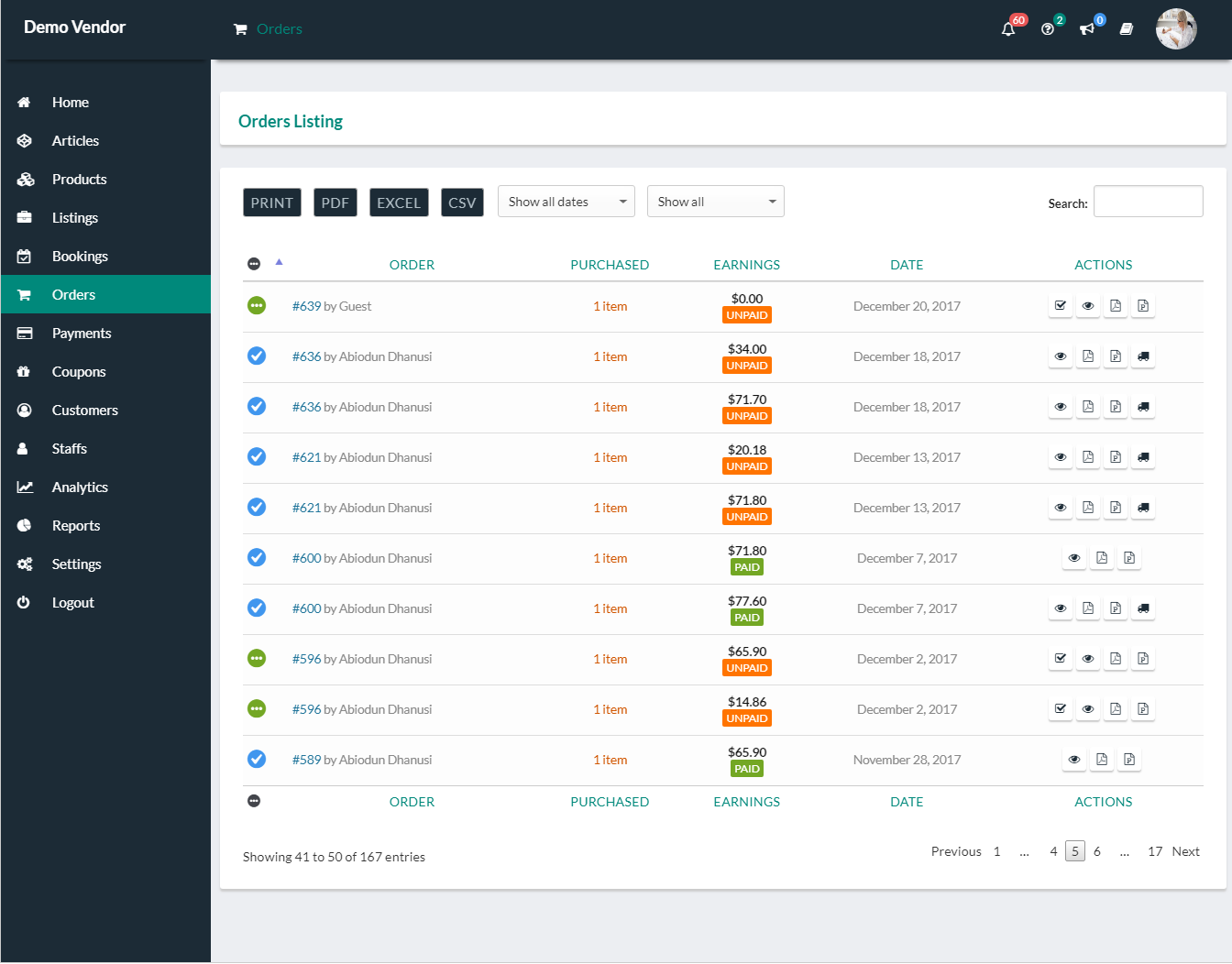
Orders, Reports & Financials
- View and Manage Orders with full tax and shipping details.
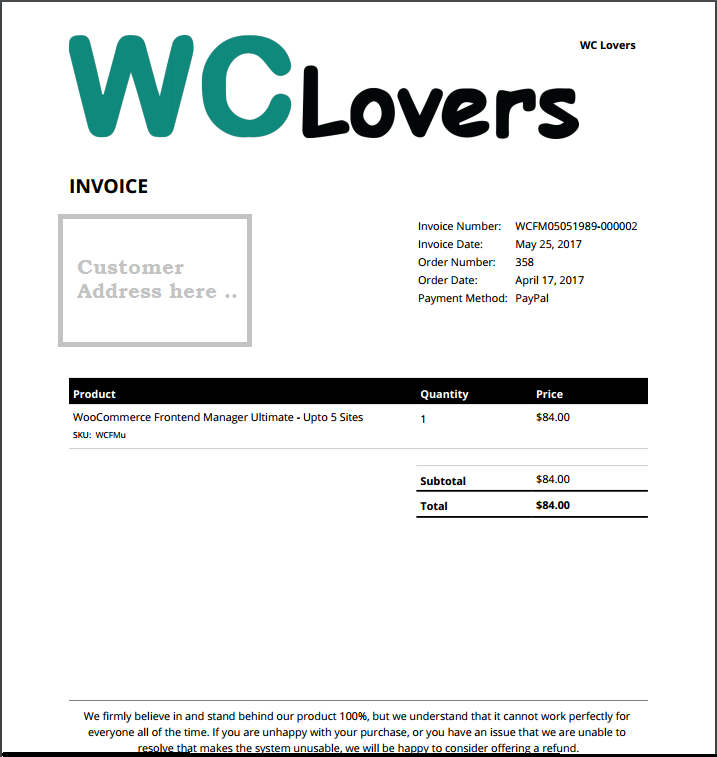
- Update Order Status, add Order Notes, and generate PDF Invoices & Packing Slips.
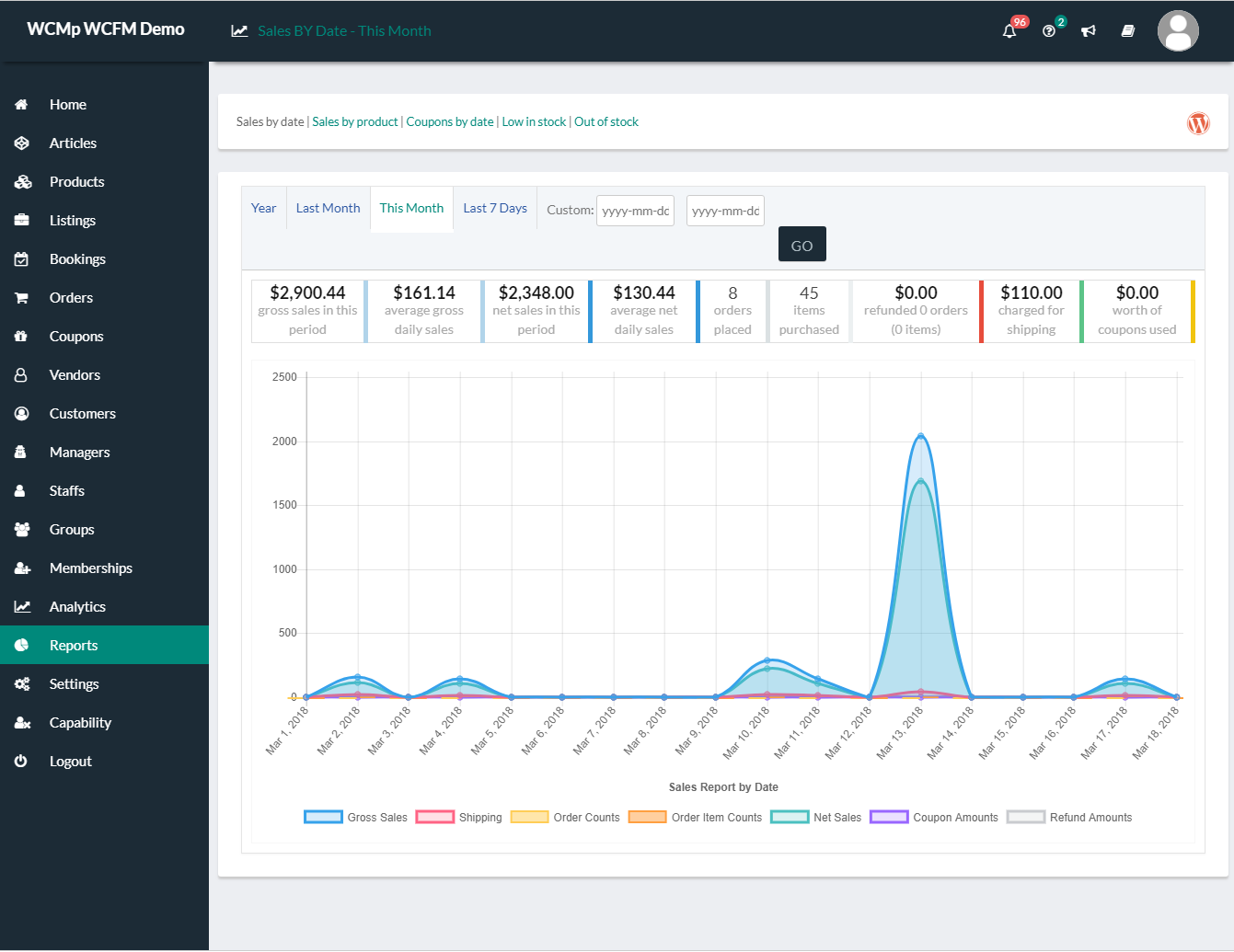
- Full-featured WC Reports: Sales by Date, Out of Stock, Low Stock, and Sales by Product.
- Shipment Tracking and Verification modules.
Customer & Community Engagement
- Pre-sale channels – Chat, and Inquery module
- Post-sale channels – Support Ticksts module
- Customer Module (CRM) to track buyer history and spending.
- Direct messaging system between staff, vendors, and admin.
⭐ Advanced features & modules
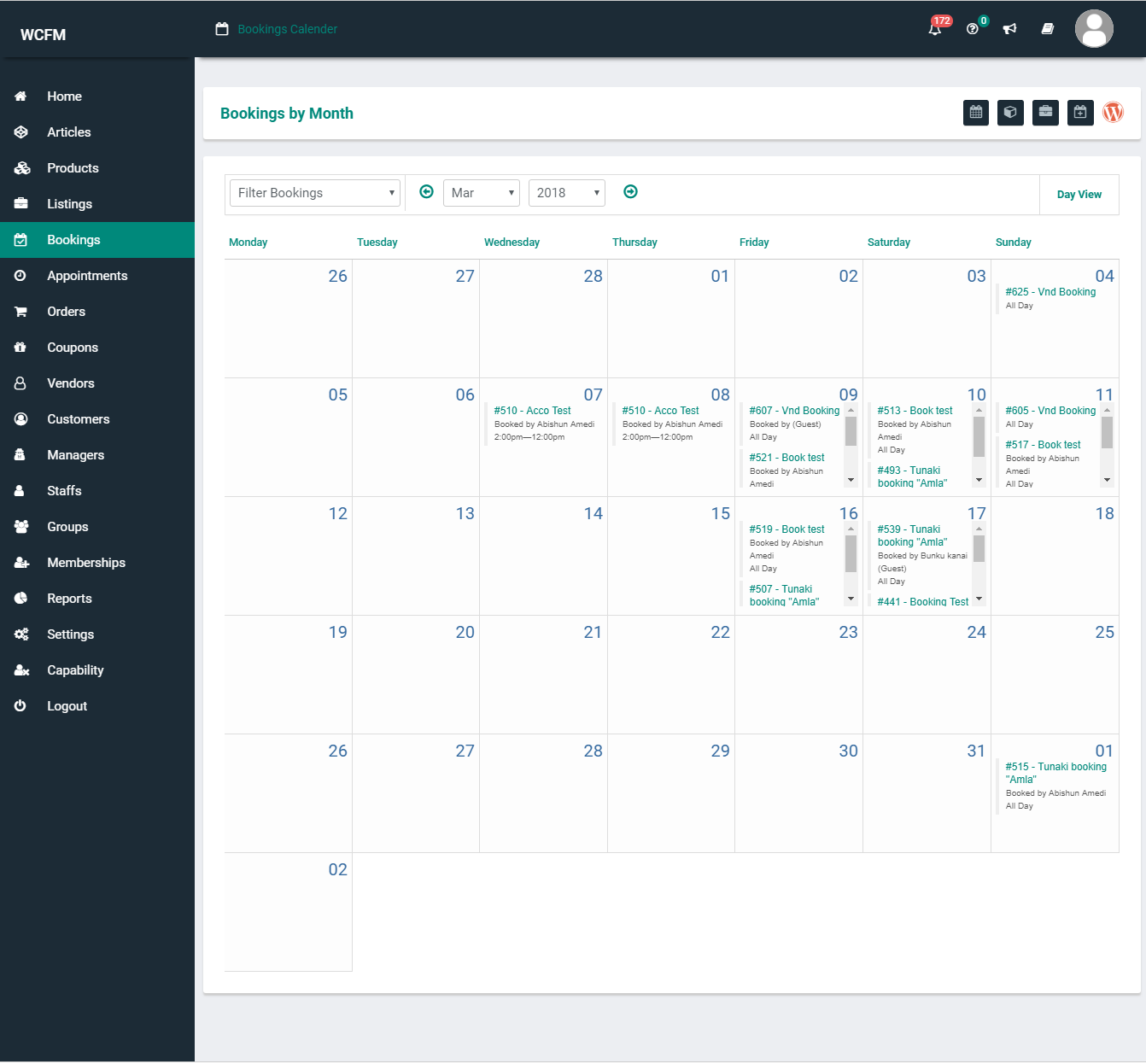
- Create and Manage Simple, Variable, Grouped, External, Subscription, Bookable, Accommodation, Auction, Rental, Job Package and Resume Package Products
- Product Enquiry Module
- Support Ticket Module
- Vendor Followers Module
- Email Verification Module
- Shipment Tracking Module
- Vendor PDF Invoices & Packing Slips (Ultimate)
- Bulk Stock manager Module (Ultimate)
- Vendor verification Module (Ultimate)
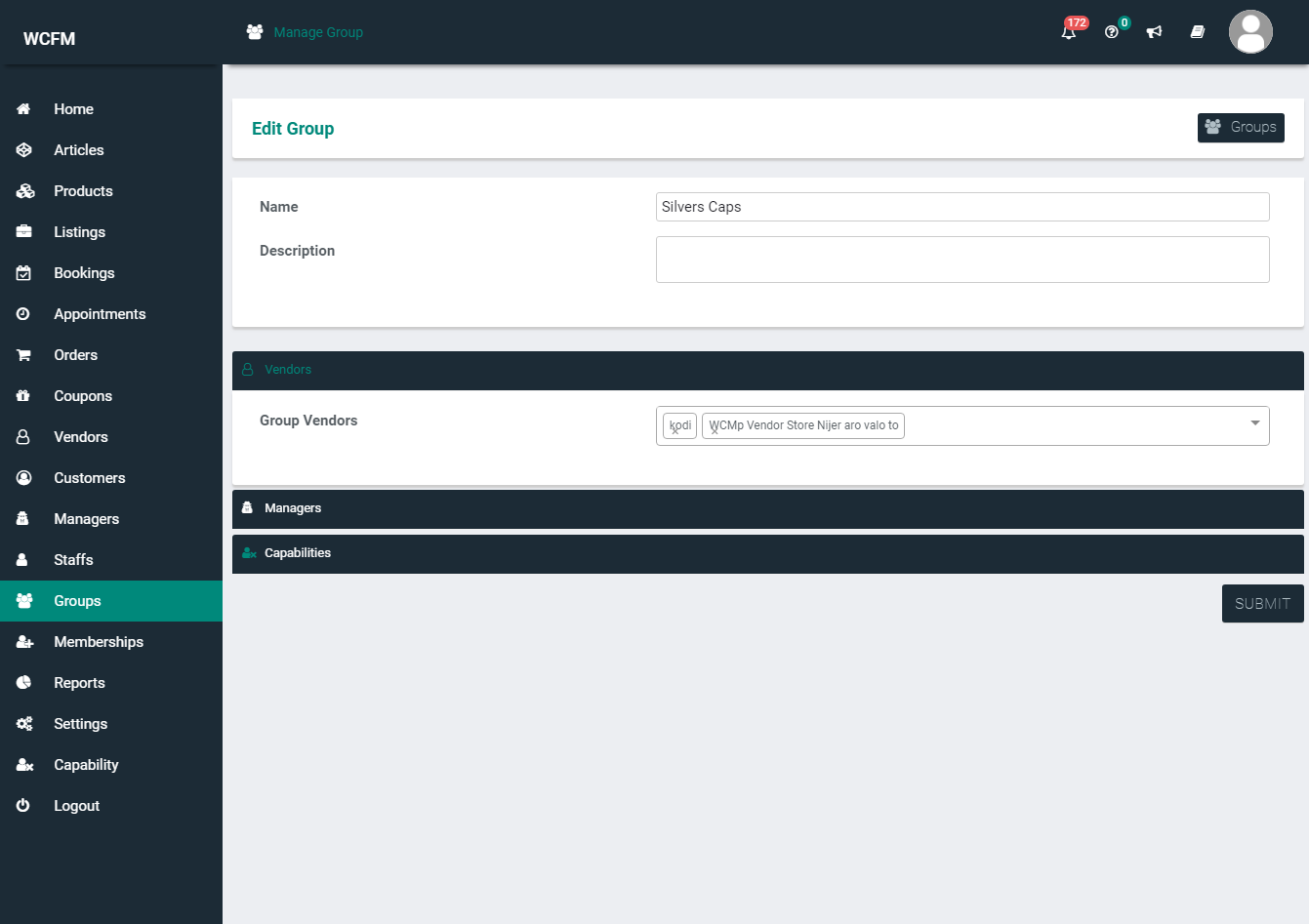
- Vendor Groups & Staffs
- Message / Chat board
- Notification Module
- Vendor Article Module
- Vendor Customer Module
- Knowledgebase Module
- Product, gallery limit
- Category restriction
- Featured and Duplicate Product
- Vendor – Store Admin Direct messaging (Chat) system (Ultimate)
- Product Featured image and image gallery
- Product Category and Tag manage
- Product Custom Taxonomy (e.g. Brand) manage
- Product Stock manage
- Product Sale price control and scheduling
- Product Shipping manage
- Product Tax manage
- Product Attributes
- Product Advanced options
- Downloadable and Virtual product (Ultimate)
- Download limit restriction (Ultimate)
- View and manage Coupons
- Create and Edit Coupons
- Coupon Usage Restriction (Ultimate)
- Coupon User limit restrictions (Ultimate)
- View and Manage Orders
- View full Order Details with tax and shipping info
- Update Order Status (Ultimate)
- Add Order Note (Ultimate)
- Full featured WC Reports
- Reports by Sales Date
- Reports of Out of Stock product
- Reports by Product (Ultimate)
- Reports by Coupon Usage (Ultimate)
- Reports of Low Stock Product (Ultimate)
- Delete Product, Coupon and Order (Ultimate)
- Manage product from anywhere of your Store using Quick Edit (Ultimate)
Translations
- Portuguese (Thanks to Rafael Sartori)
- Russian (Thanks to Alexey Seregin)
- German (Thanks to Ciao)
- Spanish (Thanks to Felipe @sophivorus)
- Czech (Thanks to Fany VanDaal)
- Arabic
- Bulgarian
Feedback
All we want is love. We are extremely responsive about support requests – so if you face a problem or find any bugs, shoot us a mail or post it in the support forum.
Really proud to serve and enhance WooCommerce.
Be with us … Team WC Lovers
Installation
Follow the instructions below to install and set up WCFM on your WooCommerce store.
Minimum Requirements
- WordPress 5.5 or greater
- WooCommerce 7.0 or greater
- PHP version 7.4 or greater
- MySQL version 5.6 or greater
Automatic installation
Automatic installation is the easiest option as WordPress handles the file transfers itself and you don’t need to leave your web browser. To do an automatic install of WooCommerce Frontend Manager, log in to your WordPress dashboard, navigate to the Plugins menu and click Add New.
In the search field type “WooCommerce Frontend Manager” and click Search Plugins. Once you’ve found our eCommerce plugin you can view details about it such as the point release, rating and description. Most importantly of course, you can install it by simply clicking “Install Now”.
Manual installation
The manual installation method involves downloading our eCommerce plugin and uploading it to your webserver via your favourite FTP application. The WordPress codex contains instructions on how to do this here.
Frequently asked questions
WooCommerce Frontend Manager pages are not found, 404 error?
Login to your WP dashboard and navigate to Settings -> Permalink, click on “Save Changes”. Now everything alright.
Where can I find WooCommerce Frontend Manager documentation and user guides?
For quick reference refer to our user guide
Where can I get support or talk to other users?
If you get stuck, you can ask for help in the WCFM Plugin Forum. For help with WCFM Ultimate from wclovers.com, use our helpdesk.
Will WooCommerce Frontend Manager work with my theme?
Yes; WooCommerce Frontend Manager will work with any theme, but may require some styling to make it match nicely.
Is it compatible with other WooCommerce extensions?
We are working hard to add support of all major WC-extensions. If you are looking for anything right now then feel free to contact us at ‘wclovers.contact@gmail.com’ or our helpdesk
Does it work with Marketplace-Vendor plugins?
Fully compatible with all major multi-vendor marketplace plugins – WCFM Marketplace, WC Product Vendors, Dokan Lite & Dokan Pro and WC Vendors.
Where do I report security bugs found in this plugin?
Please report security bugs found in the source code of the WCFM – Frontend Manager for WooCommerce plugin through the Patchstack Vulnerability Disclosure Program. The Patchstack team will assist you with verification, CVE assignment, and notify the developers of this plugin.
Changelog
Security - Fixed an Insecure Direct Object Reference (IDOR / CWE-639) vulnerability that allowed an authenticated vendor to submit a withdrawal request against another vendor's commission and have the payout credited to their own account, reported by Shikhali Jamalzade, Credit goes to Shikhali Jamalzade for identifying this issue. Fix - Withdrawal requests now re-validate every submitted commission against the requesting vendor's own withdrawable commissions, so ineligible, already-requested or other vendors' commissions can no longer be submitted or double-spent. Fix - Prevented stray backslashes from being stored in enquiry replies, enquiry submissions, and dashboard notifications. Fix - Hardened output escaping and removed redundant markup in several dashboard report and manager templates. Enhance - WooCommerce 11.0+ compatibility check added
Below is a record of updates, features, and fixes across all releases.
6.8.1
Updated – 25/08/2026
- Security – Fixed an Insecure Direct Object Reference (IDOR / CWE-639) vulnerability that allowed an authenticated vendor to submit a withdrawal request against another vendor’s commission and have the payout credited to their own account, reported by Shikhali Jamalzade, Credit goes to Shikhali Jamalzade for identifying this issue.
- Fix – Withdrawal requests now re-validate every submitted commission against the requesting vendor’s own withdrawable commissions, so ineligible, already-requested or other vendors’ commissions can no longer be submitted or double-spent.
- Fix – Prevented stray backslashes from being stored in enquiry replies, enquiry submissions, and dashboard notifications.
- Fix – Hardened output escaping and removed redundant markup in several dashboard report and manager templates.
- Enhance – WooCommerce 11.0+ compatibility check added
6.8.0
Updated – 27/07/2026
- Security – Fixed an IDOR vulnerability in vendor inquiry replies, preventing unauthorized access to other vendors’ inquiries.
- Enhance – Added support for the new Stripe Split Pay engine in vendor payment settings (WCFM Marketplace v3.8.0)
- Enhance – Persist Stripe Connect onboarding data required by the new Stripe Split Pay engine.
6.7.28
Updated – 27/06/2026
- Security – Fixed an Unauthenticated Authorization Bypass vulnerability that allowed arbitrary reply injection into store inquiries and unsolicited notification emails.
- Security – Fixed an Insecure Direct Object Reference (IDOR) vulnerability that allowed authenticated vendors to archive products, toggle featured listings, mark orders complete, and delete inquiries and messages belonging to other vendors.
- Enhance – Added developer hooks to add a custom column to the Vendors list (
wcfm_vendors_custom_column_header,wcfm_vendors_custom_column_data_after, plus filterable DataTable column config). - Enhance – Added action hooks to the Article manager view (
before_wcfm_article_manage_action,after_wcfm_article_manage_action,wcfm_article_manager_featured_image_field_end). - Enhance – Added the
wcfm_dashboard_after_limit_statshook and refreshed the Dashboard welcome box to a responsive layout. - Enhance – WooCommerce 10.8+ compatibility check added
- Enhance – WordPress 7.0+ compatibility check added
6.7.27
Updated – 25/04/2026
- Enhance – PHP compatibility expanded: now supports versions 7.2–8.4
6.7.26
Updated – 16/03/2026
- Security – Fixed an Authenticated IDOR vulnerability allowing unauthorized user deletion. Reported by Supakiad S. (m3ez).
- Security – Fixed an Authenticated IDOR vulnerability allowing unauthorized post/product manipulation. Reported by Osvaldo Noe Gonzalez Del Rio.
- Fixed – Replaced deprecated
$order->IDwith$order->get_id()in order controllers to ensure compatibility with HPOS. Credit: roeller - Enhance – WooCommerce 10.6+ compatibility check added
6.7.25
Updated – 07/02/2026
- Fixed – Authenticated (Shop Manager+) Arbitrary Options Update vulnerability reported by Osvaldo Noe Gonzalez Del Rio, Credit goes to Osvaldo Noe Gonzalez Del Rio for identifying this issue.
- Fixed – Broken Access Control vulnerability reported by benzdeus, Credit goes to benzdeus for identifying this issue.
- Enhance – Hardened Access Control (IDOR Protection) by introducing wcfm_user_can_perform_request() to validate resource ownership across the dashboard.
- Enhance – Secured notification message deletion.
Screenshots
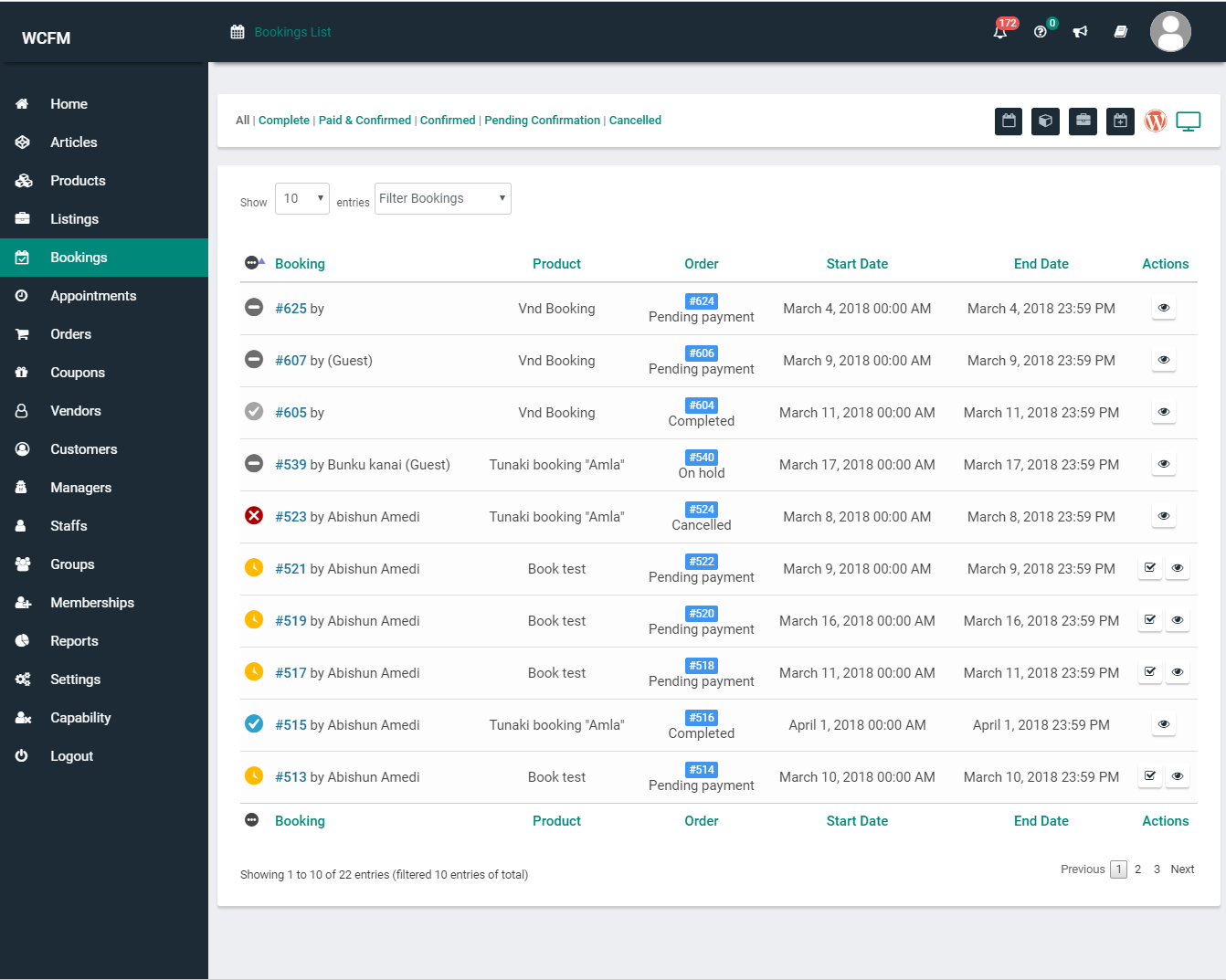
For developers
Is this your plugin? Show off the numbers.
Add a live badge to your site, docs or GitHub README. It updates on its own — no account needed.
Best WCFM alternatives
All multi vendor plugins →





FAQ
WCFM: quick answers
Straight answers, pulled from live WordPress.org data.
Live data from WordPress.org · checked Sep 26, 2026
Is WCFM free?
Yes. WCFM is free to download and use from the official WordPress.org plugin directory.
Is WCFM safe to use in 2026?
WCFM is a solid plugin choice in 2026, with a few things worth checking first. It runs on 20K+ sites, is rated 4.5/5 and was last updated 1 month ago, and scores 68/100 on our health check.
How many websites use WCFM?
WCFM is active on 20K+ WordPress websites and has been downloaded 1,763,419 times since it launched in March 2017. It was downloaded 8,180 times in the last 30 days.
Does WCFM work with WordPress 7.1?
WCFM is officially tested up to WordPress 7.0.6, while the latest release is 7.1.2. It may still work, but try it on a staging site first.
What PHP version does WCFM need?
WCFM requires PHP 7.4 or higher. Most hosts run PHP 8.x today, so it works on any modern WordPress hosting.
When was WCFM last updated?
The latest version, 6.8.1, was released on August 25, 2026 (1 month ago).
Who makes WCFM?
WCFM is developed and maintained by WC Lovers.
What are the best alternatives to WCFM?
The most popular alternatives to WCFM are Dokan: AI Powered WooCommer… (30K+ installs), WCFM Marketplace (10K+ installs) and WCFM Membership (10K+ installs).
Powered by PageForge
Want thousands of pages that rank like these? Build them in an afternoon.
This directory runs on the same engine as PageForge. Turn any spreadsheet, CSV or API into thousands of fast, SEO-ready WordPress pages — with schema, internal links and AI-written copy baked in.
- CSV, Google Sheets & API data sources
- AI content, schema & internal links per page
- Works with Elementor, Gutenberg, Yoast & Rank Math
- Free on WordPress.org — no credit card


