


Blacklist Manager – WooCommerce Anti-Fraud, Blacklist & Checkout Verification
Block risky WooCommerce orders, spam signups, and form submissions with blacklist rules plus built-in checkout email verification.

Safe pick
Yes — Blacklist Manager is a safe, well-maintained plugin to use in 2026. It runs on 2K+ sites, is rated 3.6/5 and was last updated 18 hours ago, and scores 81/100 on our health check.
- Actively developed — last update 18 hours ago
- Tested with the latest WordPress (7.1)
How does it stack up?
Side-by-side on installs, updates, ratings & support


Daily downloads
Download spikes usually follow a new release — each site that auto-updates counts as a download.
Rankings
Where Blacklist Manager stands todayWordPress.org search rankings
Live position in the plugin search, top 100| Keyword | Position |
|---|---|
| blacklist | #2 |
| checkout | #61 |
| form spam | >100 |
| fraud prevention | #6 |
| WooCommerce Anti-Fraud | #1 |
Version adoption
Share of active sites per release.
Rating breakdown
★★★★★★★★★★ 3.6 from 14 reviews
About Blacklist Manager
From the official readme · v2.4.2Description
Blacklist Manager is a WooCommerce blacklist, anti-fraud, and spam prevention plugin for stores that need to block fake orders, suspicious customers, spam registrations, and unwanted form submissions.
The free plugin is a complete local protection toolkit, not a Premium trial. Use blacklist rules for phone numbers, email addresses, IP addresses, and email domains at WooCommerce checkout, registration, comments, product reviews, REST API orders, and supported WordPress forms.
The plugin works with WooCommerce Classic Checkout, WooCommerce Checkout Blocks, Contact Form 7, Gravity Forms, and WPForms.
What the free plugin includes
- Manage local email, phone, IP address, and email-domain entries through Suspects and Blocklist workflows.
- Stop matching identities at WooCommerce checkout and protect registration, comments, product reviews, supported forms, and WooCommerce REST API orders.
- Require built-in checkout email verification for the policies you configure. Core owns and runs email verification; phone OTP and Twilio/TextMagic SMS transport belong to Blacklist Manager Premium.
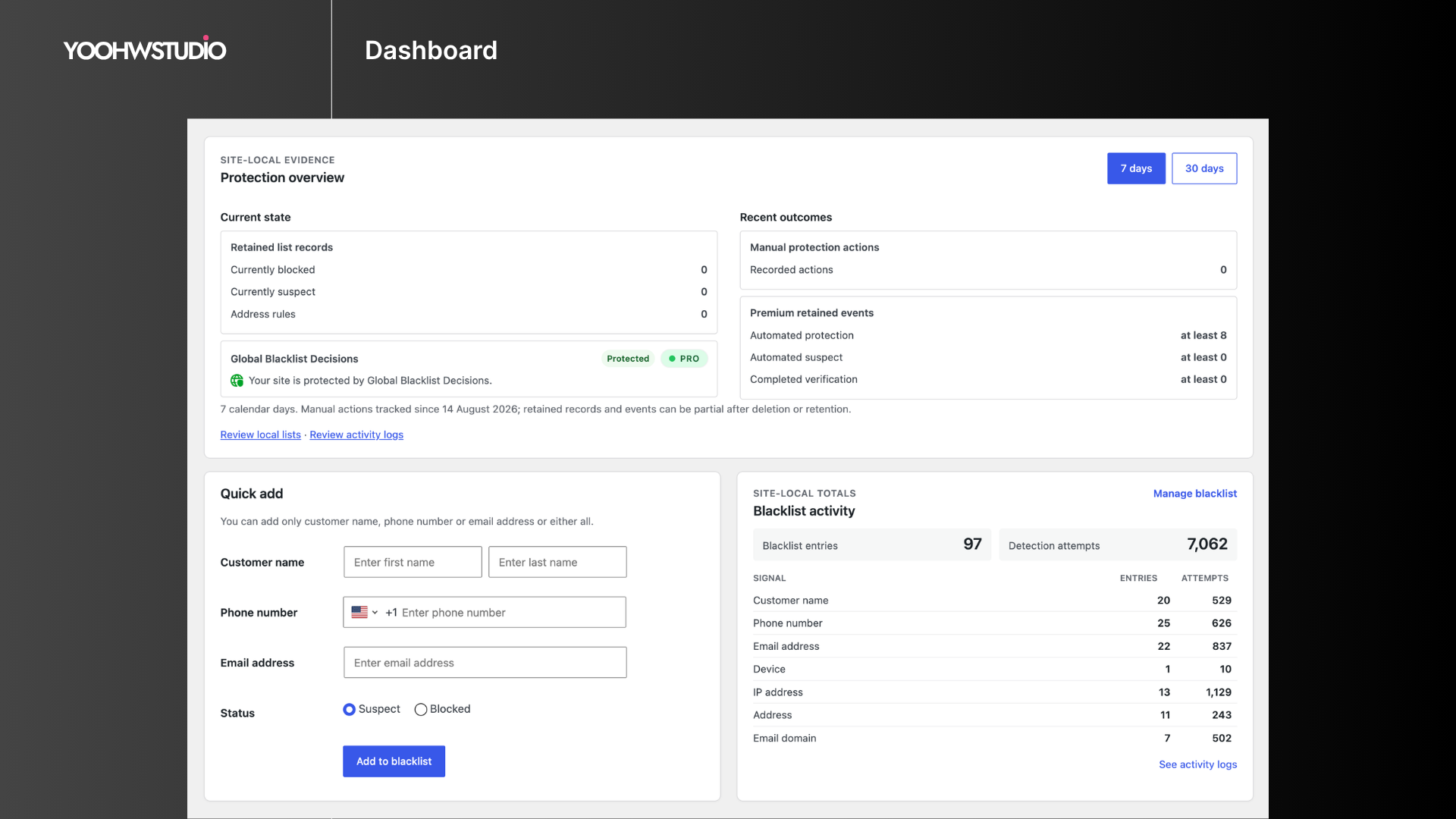
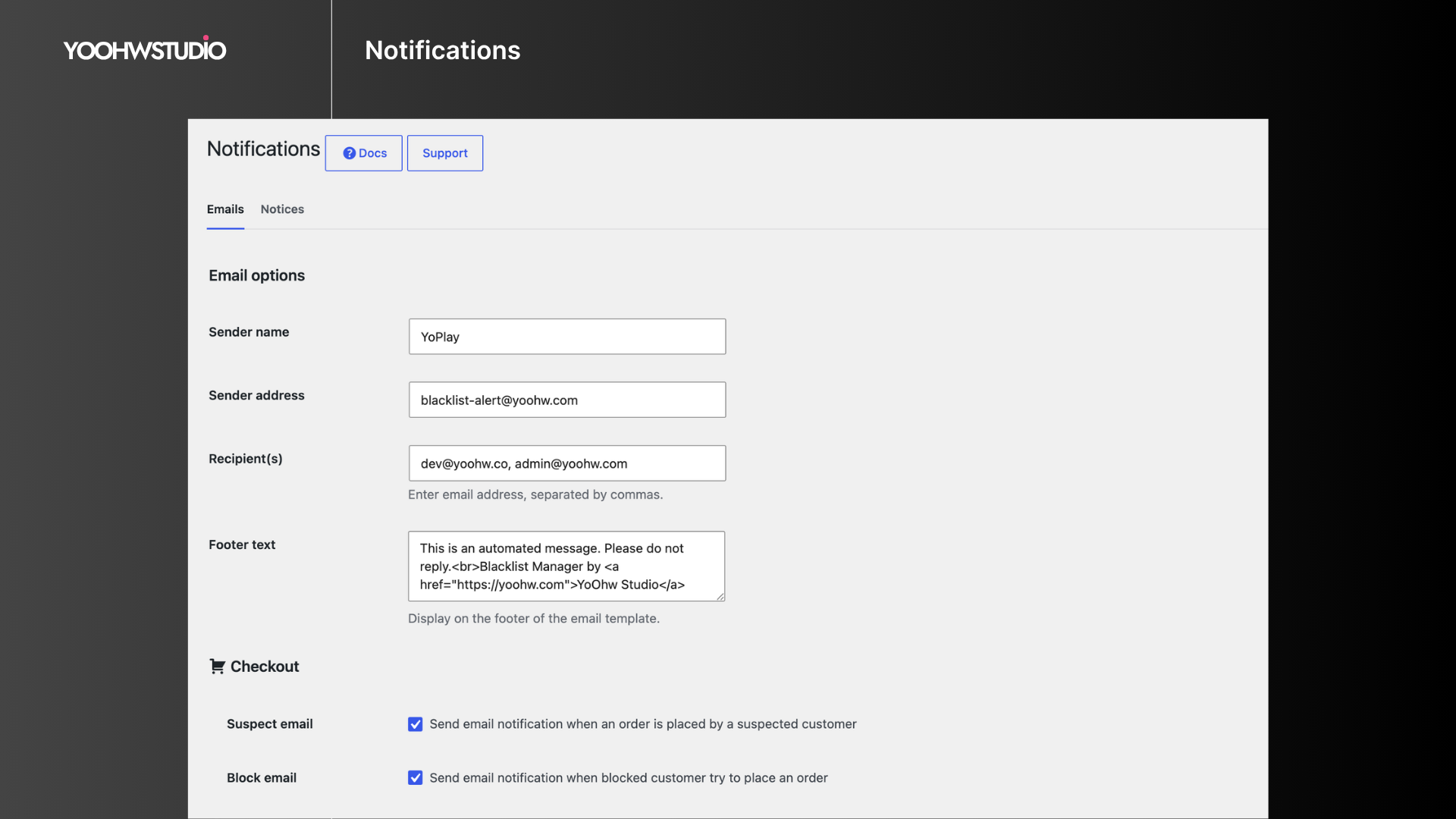
- Configure free customer notices and admin alerts, then review dashboard blacklist and detection statistics.
Documentation | Support | Demo
Key Features
- WooCommerce checkout protection: Block or review orders using phone, email, IP address, and email domain rules.
- Suspect and blocked lists: Review risky identities before moving confirmed abuse to the blocklist.
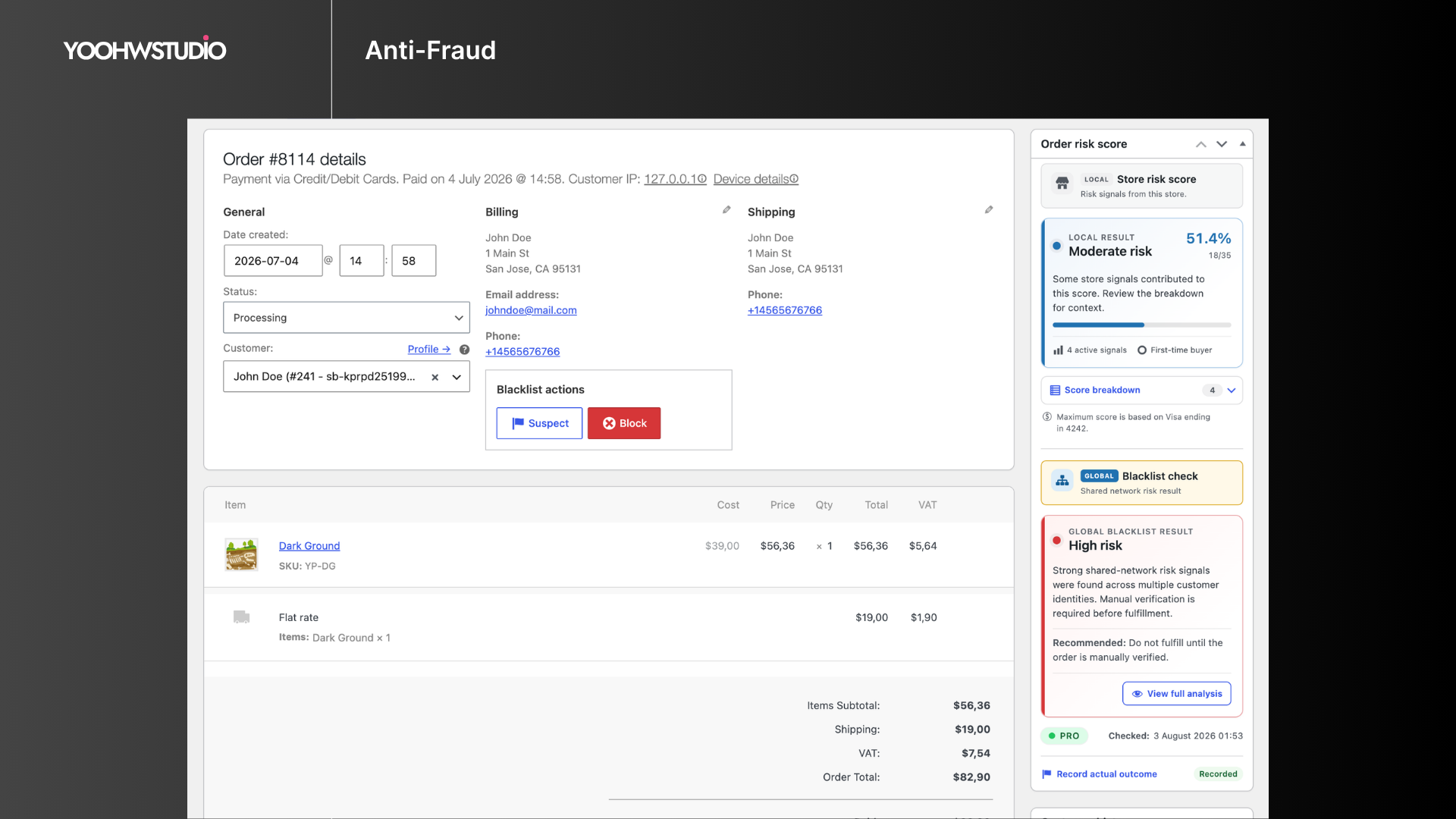
- Fast blacklist management: Add entries from the dashboard or directly from the WooCommerce order screen.
- Registration protection: Stop signups that match blocked emails, IP addresses, or email domains.
- Comment and review blocking: Prevent comments and product reviews from blacklisted emails.
- Form spam protection: Check Contact Form 7, Gravity Forms, and WPForms submissions against blacklist data.
- Checkout email verification: Require a Core-owned email verification code before allowing checkout to continue.
- WooCommerce REST API protection: Block blacklisted identities from creating orders through external apps or integrations.
- Custom notices and alerts: Customize customer-facing block messages and admin email alerts.
- Dashboard stats: Review blacklist entries and detection attempts from the admin area.
Checkout Compatibility
Blacklist Manager supports WooCommerce Classic Checkout, WooCommerce Checkout Blocks, and many third-party checkout plugins that use standard WooCommerce checkout and order creation flows.
Global Blacklist Decisions
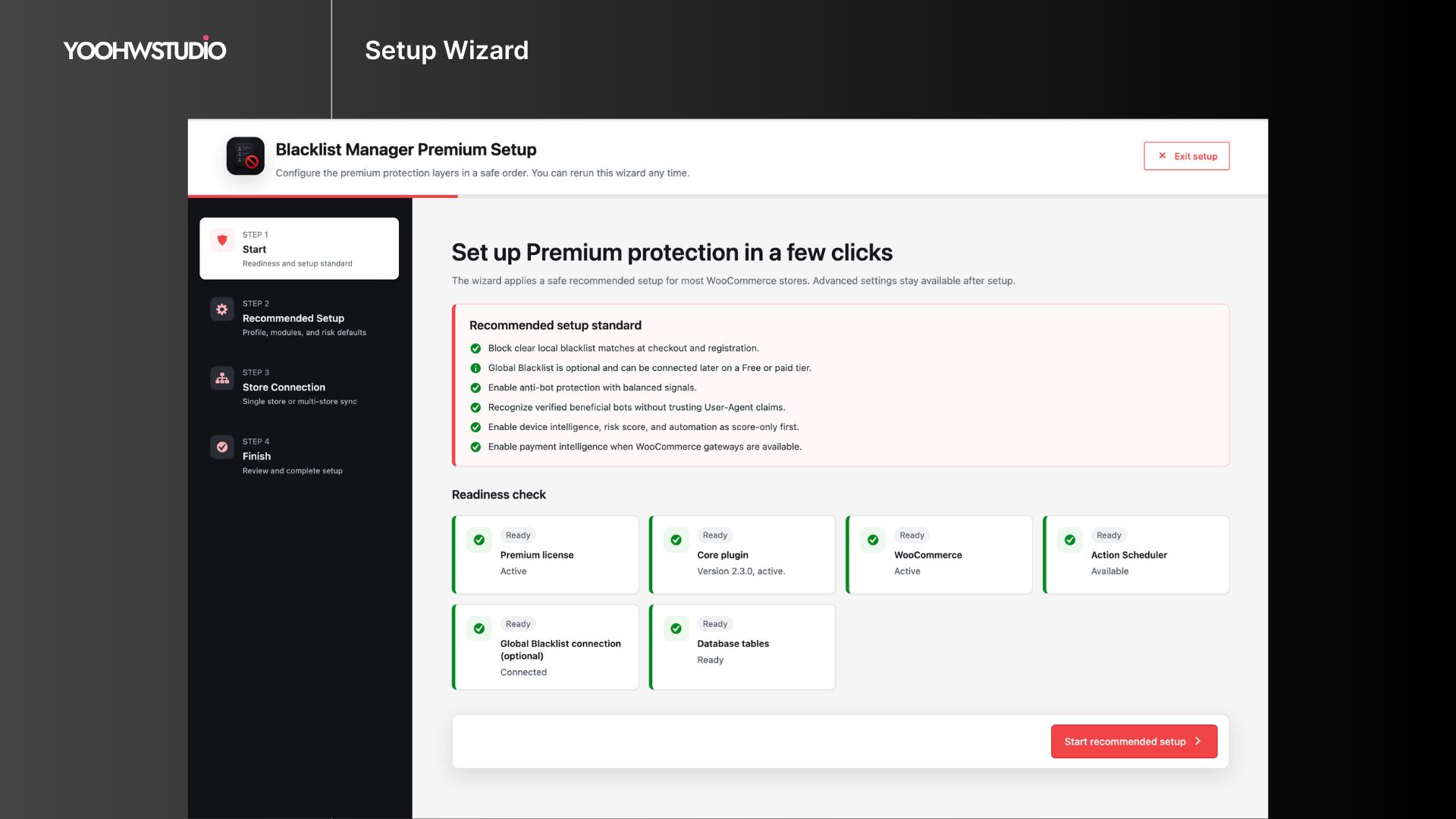
Blacklist Manager can optionally connect your store to Global Blacklist Decisions, a separate broader-risk service that checks order identities such as email, phone, IP address, address, and email domain against network data. It is not required for local Core protection and is not a prerequisite for Premium.
Learn more about Global Blacklist Decisions
Premium Features
Consider Blacklist Manager Premium when recurring abuse makes manual blacklist maintenance too time-consuming, when checkout or payment patterns need automatic action, when repeat attackers change individual identity fields, or when your team needs deeper investigation and audit tools.
Premium is the advanced local/store extension. It adds:
- Risk scoring for blacklist, identity, IP, address, payment, device, and order pattern signals.
- Automation rules to auto-suspect, auto-block, or auto-review orders.
- Payment intelligence for Stripe, PayPal, Mollie, Braintree, WooPayments, AVS, card country, and payer mismatch signals.
- Device identity checks to link repeat abuse across emails, phones, IPs, addresses, and accounts.
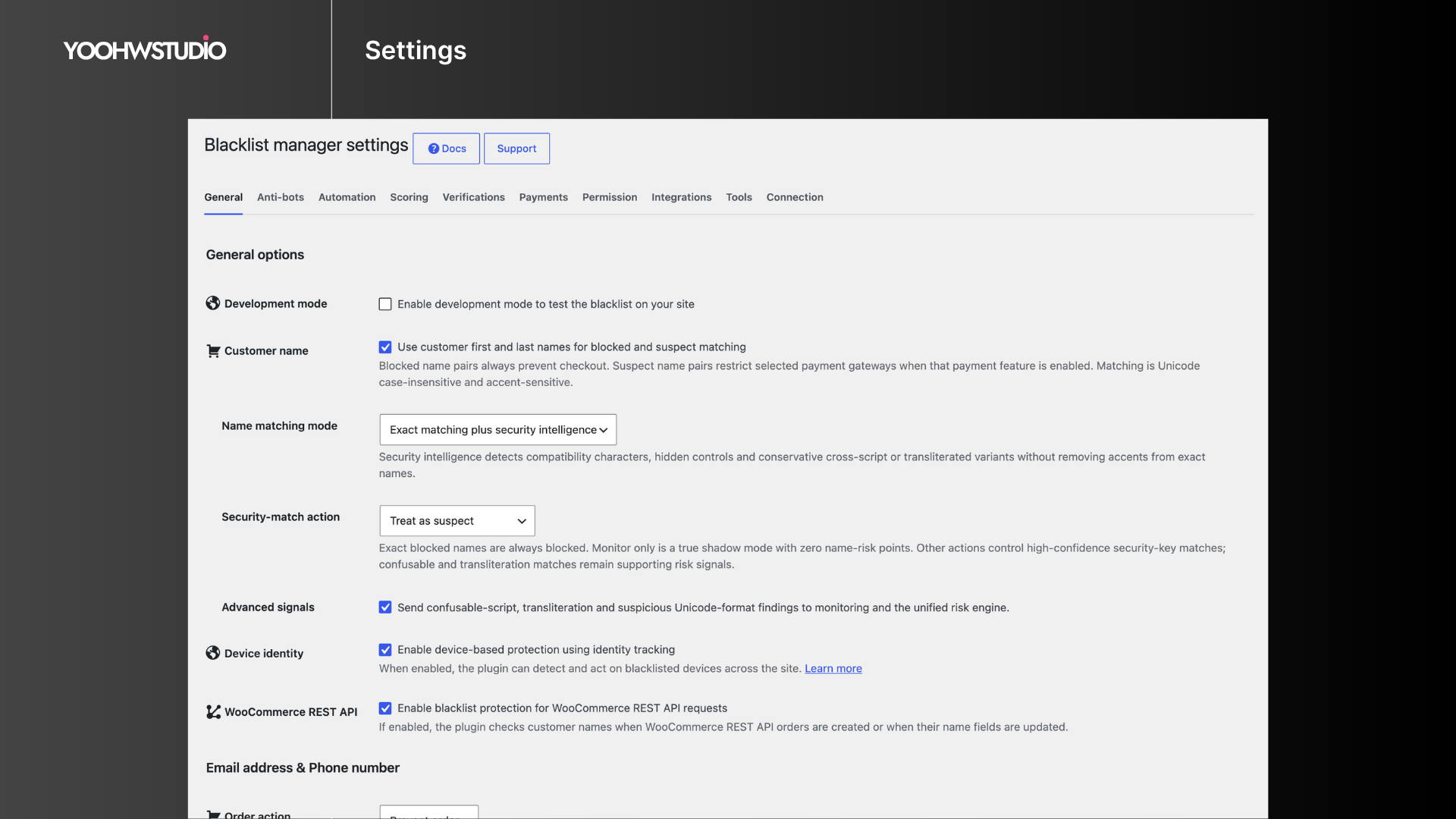
- Advanced blocking for customer name, address, device, disposable email, disposable phone, country, VPN, and proxy signals.
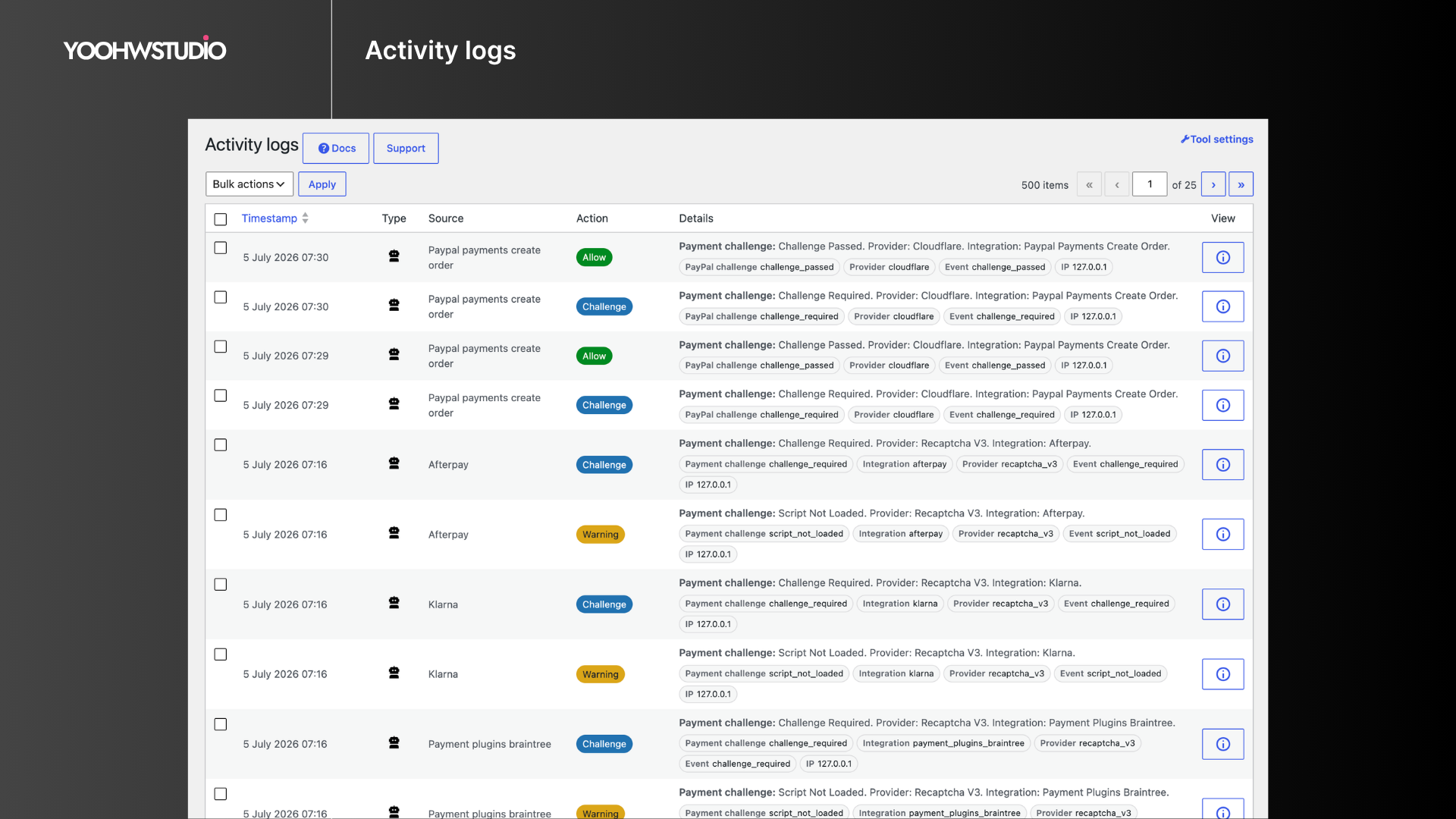
- Activity logs, import/export, cleanup tools, permissions, multi-store sync, CAPTCHA, IP intelligence, geocoding, and email validation integrations.
- Phone OTP runtime and Twilio/TextMagic SMS transports; Core continues to own checkout email verification.
Supported Plugins and Integrations
Supported plugins
Premium integrations
- WooCommerce Stripe Gateway, Payment Plugins for Stripe WooCommerce, WooCommerce PayPal Payments, Payment Plugins for PayPal WooCommerce, Braintree for WooCommerce, Mollie Payments for WooCommerce, and WooPayments.
- Cloudflare, reCAPTCHA v3/v2, hCaptcha, IP-api, BigDataCloud, ZeroBounce, NumCheckr, Google Maps, Twilio, and TextMagic.
Use Cases
- Block fake WooCommerce orders before payment review.
- Prevent repeat abuse from known phone numbers, email addresses, IP addresses, and domains.
- Reduce spam registrations, comments, product reviews, and form submissions.
- Require Core email verification during checkout without installing Premium.
- Add Premium phone OTP when a store also needs SMS-based phone ownership checks.
- Review suspicious customers before moving them to the blocklist.
- Use Global Blacklist Decisions as an additional fraud signal.
Installation
- Install the plugin from Plugins > Add New, or upload the plugin folder to
wp-content/plugins. - Activate Blacklist Manager from the WordPress Plugins screen.
- Go to Blacklist Manager > Settings and enable the checks that match your workflow.
- Add phone numbers, email addresses, IP addresses, or domains to the Suspects or Blocklist lists.
- Configure Core checkout email verification when needed. If you separately use Premium phone OTP, configure its Twilio or TextMagic transport in Premium.
Changelog
2.4.2 (Nov 19, 2026)
- New: Lets eligible sites reconnect an existing Global Blacklist connection with a new subscription key after confirming ownership in their YoOhw account. Legacy sites without a linked owner also need readable current connection credentials and HTTPS proof of domain control. Manual Support recovery remains available where applicable. Subscription activation is a separate step.
- Improve: Updates Global Blacklist settings with guidance for temporary communication interruptions, automatic authentication recovery, and reconnect attempts. Keeps retained queue notices separate and shows unlimited plans without a usage progress bar.
- Improve: Opens the pricing section directly from Global Blacklist plan and quota links.
Screenshots
For developers
Is this your plugin? Show off the numbers.
Add a live badge to your site, docs or GitHub README. It updates on its own — no account needed.
Best Blacklist Manager alternatives
All blacklist plugins →




FAQ
Blacklist Manager: quick answers
Straight answers, pulled from live WordPress.org data.
Source: WordPress.org
Is Blacklist Manager free?
Yes. Blacklist Manager is free to download and use from the official WordPress.org plugin directory.
Is Blacklist Manager safe to use in 2026?
Yes — Blacklist Manager is a safe, well-maintained plugin to use in 2026. It runs on 2K+ sites, is rated 3.6/5 and was last updated 18 hours ago, and scores 81/100 on our health check.
How many websites use Blacklist Manager?
Blacklist Manager is active on 2K+ WordPress websites and has been downloaded 86,441 times since it launched in January 2024. It was downloaded 5,300 times in the last 30 days.
Does Blacklist Manager work with WordPress 7.1?
Yes. The developer has tested Blacklist Manager up to WordPress 7.1.5, the latest release. It requires WordPress 6.3 or newer.
What PHP version does Blacklist Manager need?
Blacklist Manager requires PHP 7.4 or higher. Most hosts run PHP 8.x today, so it works on any modern WordPress hosting.
When was Blacklist Manager last updated?
The latest version, 2.4.2, was released on November 19, 2026 (18 hours ago).
Who makes Blacklist Manager?
Blacklist Manager is developed and maintained by YoOhw Studio.
What are the best alternatives to Blacklist Manager?
The most popular alternatives to Blacklist Manager are Gravity Forms Email Blackli… (10K+ installs), Block List Updater (2K+ installs) and Gravity Forms Block Email D… (1K+ installs).
Powered by PageForge
One template and a spreadsheet. A real page for every search.
PageForge turns each row of a CSV into a WordPress page with its own title, URL, SEO fields and schema, built on the layout you already designed. Free on WordPress.org.
- CSV and XLSX, plus Google Sheets on Professional and Enterprise
- Its own title, URL, SEO fields and schema for every page
- Works with the block editor, Elementor, Divi and Avada
- Free on WordPress.org, no credit card