



w4os – OpenSimulator Web Interface
WordPress interface for OpenSimulator (w4os)

Consider an alternative
w4os shows warning signs in 2026 — compare the alternatives below before installing. It runs on 30+ sites, is rated 5/5 and was last updated 2 years ago, and scores 39/100 on our health check.
- Small user base (30+ active installs)
- No update in over a year
- Only tested up to WordPress 6.7 (latest is 7.1)
Daily downloads
Download spikes usually follow a new release — each site that auto-updates counts as a download.
Rankings
Where w4os stands todayWordPress.org search rankings
Live position in the plugin search, top 100| Keyword | Position |
|---|---|
| hypergrid | #1 |
| opensimulator | #1 |
| Second Life | #47 |
| standalone | >100 |
| web interface | #50 |
Version adoption
Share of active sites per release.
Rating breakdown
★★★★★★★★★★ 5 from 5 reviews
About w4os – OpenSimulator Web Interface
From the official readme · v2.8Description
Ready to use WordPress interface for OpenSimulator. Provides user registration, default avatar model choice, login info, statistics and a web assets server for grids or standalone simulators.
Full installation instructions: (https://gudulelapointe.github.io/w4os/INSTALLATION.html)
See Features and Roadmap sections for current and upcoming functionalties.
Features
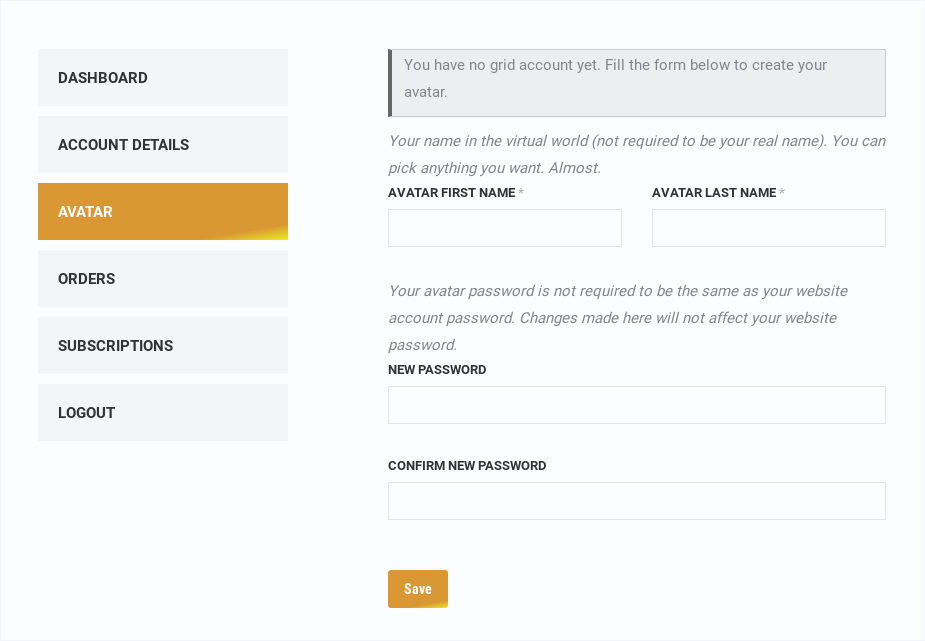
- Avatar creation:
- Opensimulator section in standard wp account page
- Avatar tab in account dashboard on WooCommerce websites
- Avatar and website passwords are synchronized
- Configuration instructions for new avatars
- Public avatar profile: excerpt of the avatar’s profile
- Avatar Models: default outfits to choose from on registration
- Reserved names: avatar whose first name or last name is “Default”, “Test”, “Admin” or the pattern used for appearance models are disallowed for public (such avatars must be created by admins from Robust console)
- Search Engine: enable in-world search
- places
- land for sale
- classifieds
- events (2do.directory integration)
- Shortcodes
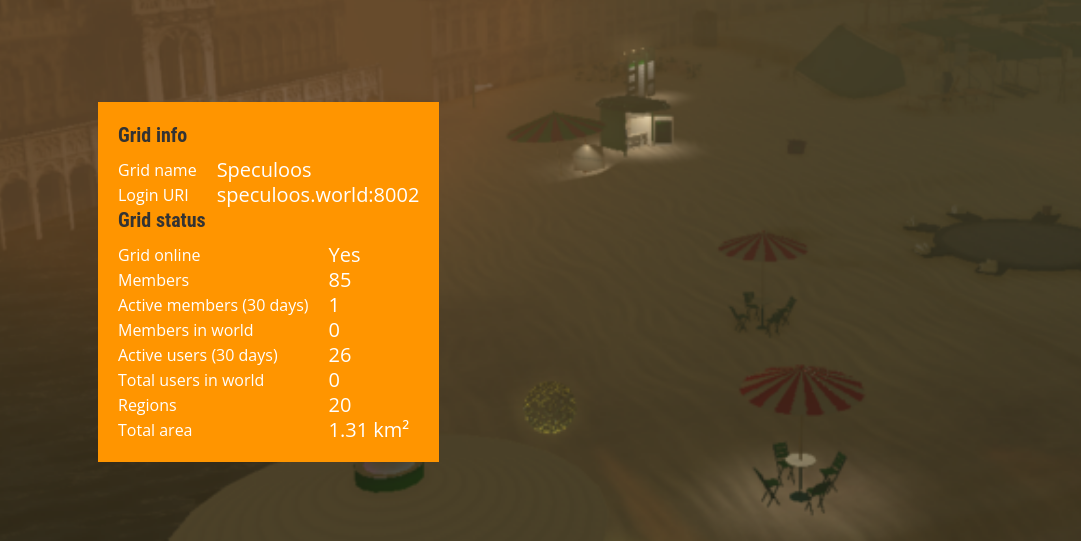
- Grid info:
[grid-info]shortcode, Gutenberg block and Divi module - Grid status:
[grid-status]shortcode, Gutenberg block and Divi module - Grid status:
[popular-places]shortcode, Gutenberg block and Divi module - Profile page:
[avatar-profile]shortcode, Gutenberg block and Divi module
- Grid info:
- Web assets server: the needed bridge to display in-world images on a website
- Currency helpers: integration with Podex, Gloebit and core money module
- Offline messages e-mail forwarding
- Manual and cron Grid/WP users sync
- Auth with avatar credentials (if no matching wp account, create one)
Paid version
The free version from WordPress plugins directory and the paid version are technically the same. The only difference is the way you support this plugin developement: with the free version, you join the community experience (please rate and comment), while the paid version helps us to dedicate resources to this project.
Requirements
- OpenSimulator 0.9.x (0.9.2.2 recommended). 0.8.x and earlier version might work and used to, but are definitely not supported anymore
- Latest WordPdress release
- PHP 8.x or later (8.2 recommended), and the PHP extensions recommended by WordPress (particularly xmlrpc, curl and ImageMagick )
Troubleshooting
See TROUBLESHOOTING.md for more information.
Roadmap
See github.com/GuduleLapointe/w4os for complete status and changelog.
Medium term
- Destinations guide
- Web search
- Multiple avatars for same WordPress user
- Improve avatar profile
- Switch to allow web profile
- Better basic layout
- Web edit profile
- 2do HYPEvents project integration https://2do.pm
- Gudz Teleport Board project integration (based on user picks)
- Admin Use sim/grid configuration file to fetch settings if on the same host
- Admin create users
- Admin create models (from current own avatar appearance)
Long term
- Robust console connection
- Admin Start / Stop regions
- Admin Create region
- User’s own regions control (create, start, stop, backup)
- WooCommerce integration
- paid accounts
- regions orders
- other pay-for services
- Deactivate (recommended) or delete (experimental) grid user when deleting wp account
- Split code between OpenSimulator and WordPress specific codes
Installation
OpenSimulator installation
Please check OpenSimulator documentation to install and configure your simulator.
- Choose MySQL storage
- To allow default outfits on registration and web user profiles, you must enable user profiles in Robust.HG.ini (update [UserProfilesService], [ServiceList] and [UserProfiles] sections)
- Start the simulator, create the first (admin) avatar and a first region, and connect in-world to make sure the grid is working properly
WordPress installation
Please check WordPress documentation to install and configure WordPress.
- Permalinks need to be enabled (set to any other choice than the default “Plain” setting)
- PHP minimum version: 7.3
- The PHP modules curl, xml, xml-rpc and imagick are needed to allow full functionalty of the plugin (and they are also recommended for WordPress anyway). Without these plugins, some important functionalties will not be available.
Plugin installation and configuration
Note: if upgrading from a different distribution (e.a. switching from github to WordPress Plugin Directory), make sure you disabled the previous version before activating the new one.
- Download and activate the latest stable release
- Visit
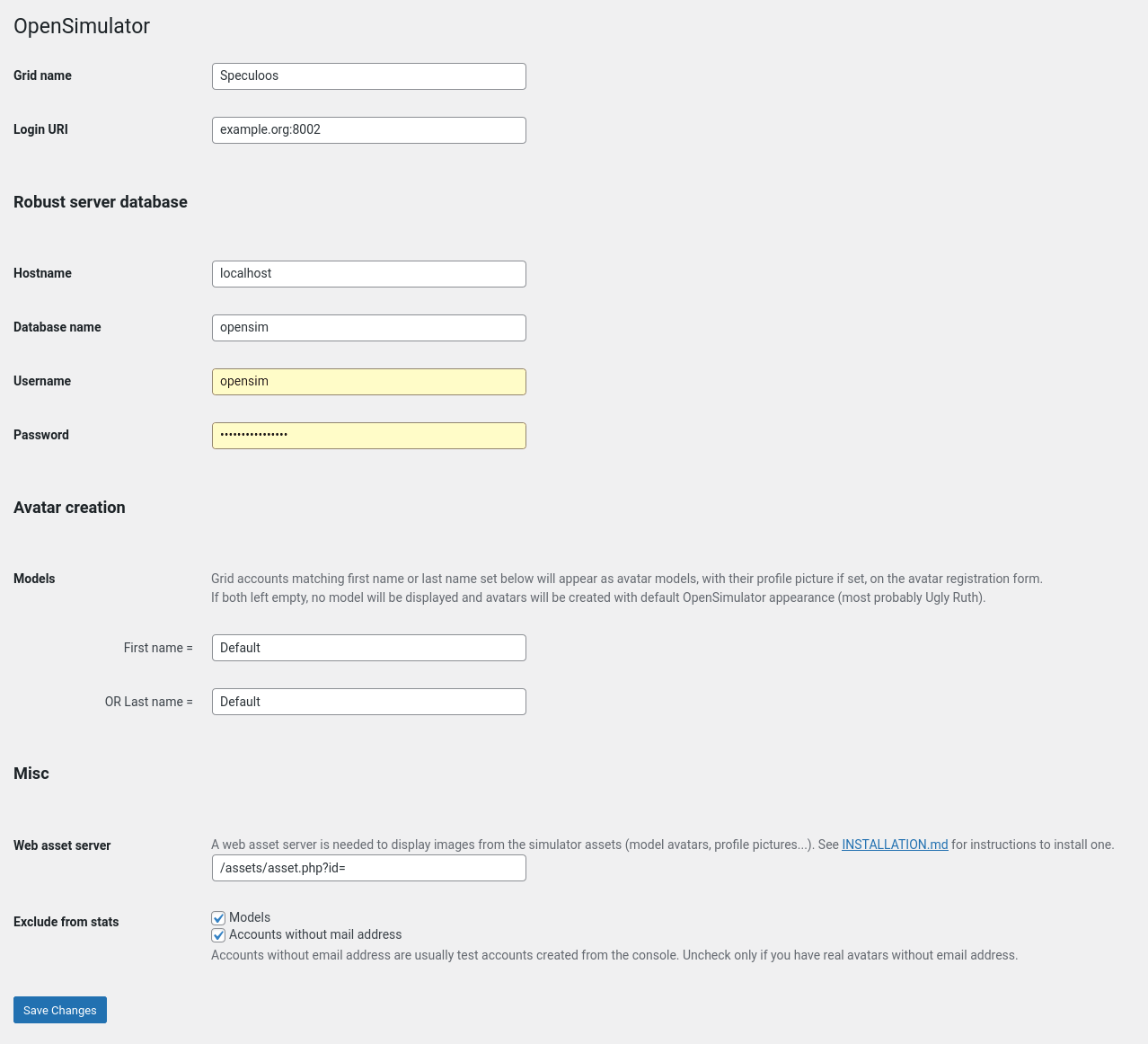
OpenSimulator > Settingspage in admin- Enter your grid name and grid URI (like yourgrid.org:8002, without http://)
- Enter your robust database connection details and submit. If you get a database connection error, it might come from a case-sensitivity issue (see https://github.com/GuduleLapointe/w4os/issues/2#issuecomment-923299674)
- Set permalinks and profile page
- Visit
OpenSimulator > Settings > Permalinks, make sure permalink structure is NOT set to “Plain”, and adjust W4OS slugs to your preferences - Take note of the slug chosen for profile base and create a page with the same slug
- Visit
- Visit
OpenSimulator > Settings > Web assets serverand make sure the option is enabled. (You can disable it you have a third party web assets server up and running, and enter its full URL below) - You should be able to register a new avatar from the website. You can customize your website with shortcodes or blocks, like Grid Info, Grid Status or Popular Places (see full list and descriptions in
OpenSimulator > Settings > Shortcodes)
Several options of the plugin require the update of a related parameter in OpenSimulator itself, they are documented in the interface. Make sure to adjust the ini files accordingly and restart OpenSimulator for any change to take effect.
Avatar models
Models are displayed on new avatar registration form, to allow chosing an initial appearance other than Ruth. They are made by creating model avatar accounts and adjusting their appearance.
Model avatars can only be used for this purpose. Under no circumstances should an avatar belonging to a user be used as a model.
- Visit
OpenSimulator > Settings > Avatar Modelsand confirm or customize the naming structure for your models. It will be use to select automatically avatars to display as models in registration form - From robust console, create a user named according to these settings (for example, “Female Default”, Default John”, …).
R.O.B.U.S.T. # create user Default John

Password: ************************ (use a strong password)

Email []: (leave empty)

User ID (enter for random) []:  (leave empty)

Model name []: (leave empty)

15:27:58 - [USER ACCOUNT SERVICE]: Account Default John xxxxxxxx-xxxx-xxxx-xxxx-xxxxxxxxxxxx created successfully- A password is required to configure the model in-world
Choose a strong password, any unauthorized access could affect all new users and compromise the security of the grid. - The rest of the name will be displayed in the form, so make it relevant
- You can leave Email and User ID blank
- Leave Model Name blank (you are creating a model, not using an existing model to create a user)
- A password is required to configure the model in-world
- Connect in-world as each avatar and change outfit
- Any worn clothing or attachment will be passed to the new avatars. Be sure to wear only transfer/copy items
- Take a snapshot to set model avatar profile picture
- Disconnect the model avatar after modifications, to make sure changes will be taken in account immediately
The models will appear in new avatar registration form, with their profile picture.
Frequently asked questions
Do I need to run the website on the same server?
No, if your web server has access to your OpenSimulator database.
Can I use this plugin for my standalone simulator?
Yes, it works too. Use OpenSim database credentials when requested for Robust credentials.
Why can’t I change my avatar name?
This is an OpenSimulator design limitation. Regions rely on cached data to display avatar information, and once fetched, these are never updated. As a result, if an avatar’s name (or grid URI btw) is changed, the change would not be reflected on regions already visited by this avatar (which will still show the old name), but new visited regions would display the new name. This could be somewhat handled for a small standalone grid, but never in hypergrid context. There is no process to force a foreign grid to update its cache, and probably never will.
Shouldn’t I copy the helpers/ directory in the root of my webiste ?
No, you don’t need to and you shouldn’t. The /helpers/ is virtual, it is served as any other page of your website. Like there the /about/ URL website doesn’t match a /about/ folder your webste directory. Even if there is a helpers/ directory in w4os plugin, it has the same name for convenience, but he could have been named anything. It’s content is not accessed directly, it is used by the plugin to generate the answers. On the opposite, if there was an actual helpers/ folder in your website root, it would interfer with w4os.
Should I create assets/ directory in the root of my webiste ?
Yes and No. It can improve a lot the images delivery speed, but you won’t benefit of the cache expiry, which would eventually correct any wrong or corrupted image.
I use Divi theme, I can’t customize profile page
Divi Theme support is fixed in versions 2.4.5 and above.
Changelog
2.8
- fix database credential not shown in settings
- fix PHP Fatal error: Uncaught Error: Call to undefined method MetaBoxSupportArr::to_depth (updated metabox dependencies)
- Tested up to 6.7-RC1
2.7.9
- updated Economy settings instructions
- fix Offline Message url instructions for Robust (we used ‘message’ variable, which Firestorm Viewer seems to use for another purpose)
- offline message : move sender info after the message for better display in mailbox list
2.7.8
- fix scheduled jobs list growing indefinitely
- fix w4os_get_urls_statuses and w4os_sync_users scheduled action failng (not properly registered)
- fix empty content passed to ImageMagic
- fix PHP Fatal error Zero size image string passed to Imagick
- fix deprecation warnings Optional parameter declared before required parameter
2.7.7
- Tested up to WP 6.6.1 (fix #78)
- don’t process template content if original language page is not found
- minor dev changes
2.7.6
- fix eventsparser crashing (undefined varfiable $array)
- (dev) get helpers as submodule instead of composer dependency
2.7.5
- tested up to WP 6.5
Screenshots

For developers
Is this your plugin? Show off the numbers.
Add a live badge to your site, docs or GitHub README. It updates on its own — no account needed.
FAQ
w4os – OpenSimulator Web Interface: quick answers
Straight answers, pulled from live WordPress.org data.
Live data from WordPress.org · checked Oct 15, 2026
Is w4os free?
Yes. w4os is free to download and use from the official WordPress.org plugin directory.
Is w4os safe to use in 2026?
w4os shows warning signs in 2026 — compare the alternatives below before installing. It runs on 30+ sites, is rated 5/5 and was last updated 2 years ago, and scores 39/100 on our health check.
How many websites use w4os?
w4os is active on 30+ WordPress websites and has been downloaded 4,339 times since it launched in October 2021. It was downloaded 96 times in the last 30 days.
Does w4os work with WordPress 7.1?
w4os is officially tested up to WordPress 6.7.10, while the latest release is 7.1.3. It may still work, but try it on a staging site first.
What PHP version does w4os need?
w4os requires PHP 7.3 or higher. Most hosts run PHP 8.x today, so it works on any modern WordPress hosting.
When was w4os last updated?
The latest version, 2.8, was released on October 28, 2024 (2 years ago).
Who makes w4os?
w4os is developed and maintained by Olivier van Helden.
Powered by PageForge
Want thousands of pages that rank like these? Build them in an afternoon.
This directory runs on the same engine as PageForge. Turn any spreadsheet, CSV or API into thousands of fast, SEO-ready WordPress pages — with schema, internal links and AI-written copy baked in.
- CSV, Google Sheets & API data sources
- AI content, schema & internal links per page
- Works with Elementor, Gutenberg, Yoast & Rank Math
- Free on WordPress.org — no credit card


