



VR-Frases
VR-Frases is a comprehensive quote management plugin that allows you to organize, categorize, and display collections of famous quotes and phrases. Perfect for websites that want to share inspirational content, literary…

Use with caution
VR-Frases works, but test it on a staging site before relying on it in 2026. It runs on 30+ sites, is rated 5/5 and was last updated 12 months ago, and scores 46/100 on our health check.
- Small user base (30+ active installs)
- Very few reviews so far
- Only tested up to WordPress 6.8 (latest is 7.1)
Daily downloads
Download spikes usually follow a new release — each site that auto-updates counts as a download.
Rankings
Where VR-Frases stands todayWordPress.org search rankings
Live position in the plugin search, top 100| Keyword | Position |
|---|---|
| citas | #1 |
| citations | #33 |
| frases | #2 |
| quotes | >100 |
| random | >100 |
Version adoption
Share of active sites per release.
Rating breakdown
★★★★★★★★★★ 5 from 1 reviews
About VR-Frases
From the official readme · v4.1.0Description
VR-Frases is a comprehensive quote management plugin that allows you to organize, categorize, and display collections of famous quotes and phrases. Perfect for websites that want to share inspirational content, literary quotes, or wisdom from notable figures.
Key Features:
- Quote Management: Add, edit, and organize quotes with full CRUD functionality
- Author Profiles: Manage author information including biographical data and Wikipedia links
- Classification System: Organize quotes using classes (categories) and themes (tags)
- Search & Filter: Advanced search functionality by author, class, or theme
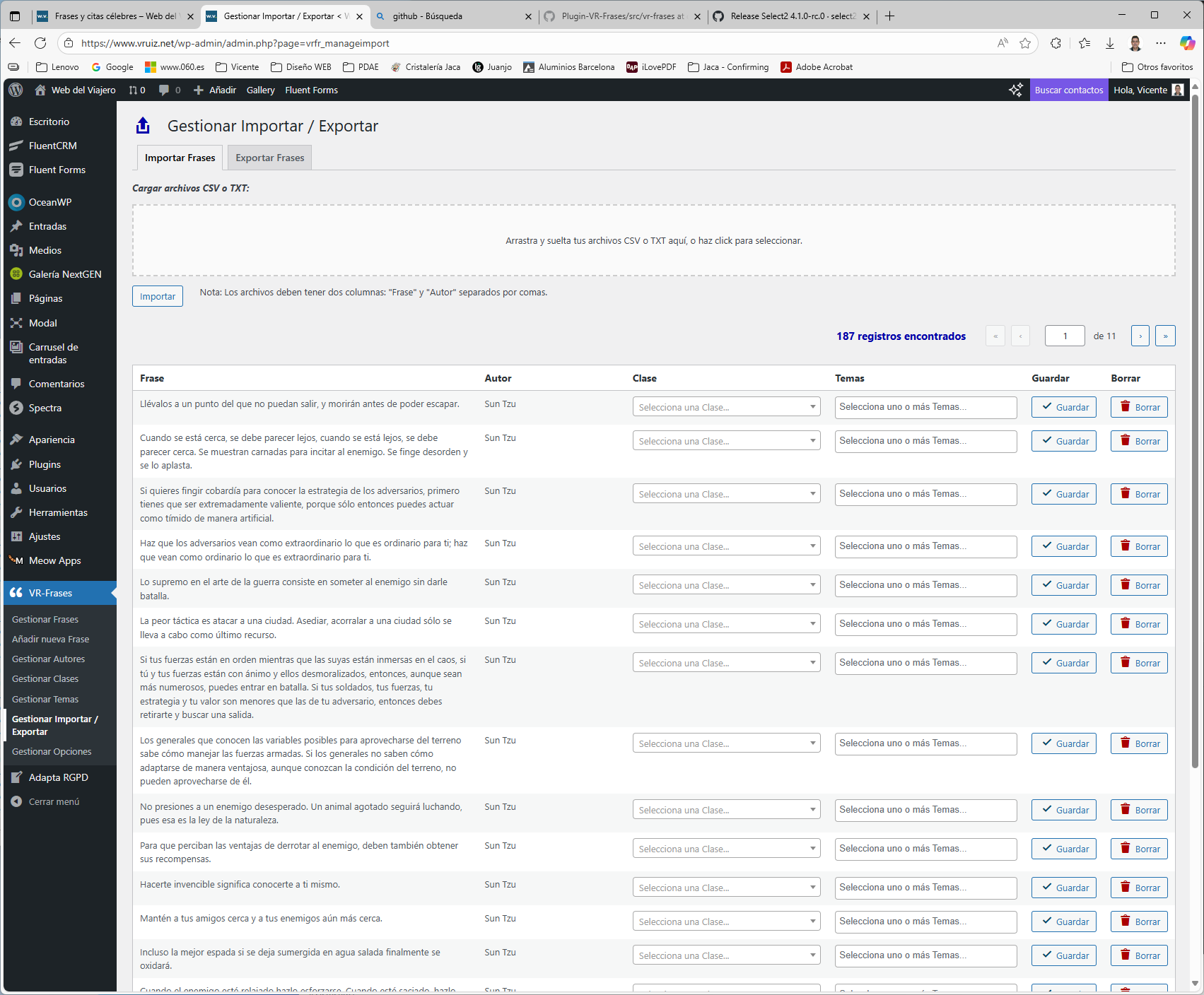
- Import/Export: Bulk import quotes from CSV/TXT files and export your collection
- Display Options: Multiple ways to display quotes on your site
- Responsive Design: Mobile-friendly interface and displays
Display Methods:
- Random Quote: Show a random quote anywhere using
[randomfrase]shortcode - Quote Collection: Display all quotes with search functionality using
[vrfrases]shortcode - Widget: Add random quotes to sidebars and widget areas
Admin Features:
- Intuitive dashboard for managing quotes, authors, classes, and themes
- Quick edit functionality for fast updates
- Bulk operations for efficient management
- Import wizard for adding multiple quotes at once
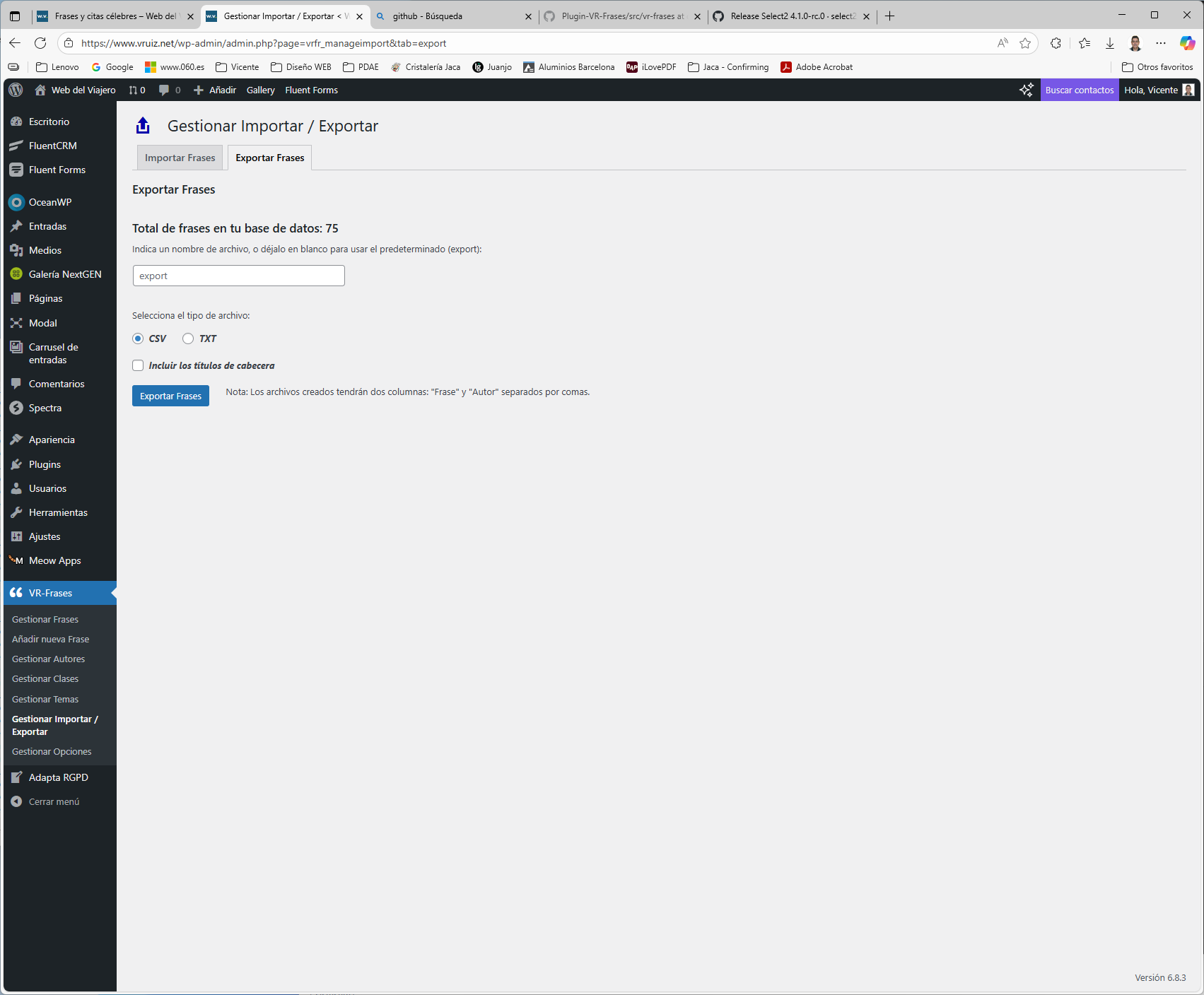
- Export functionality to backup or share your quote collection
- Author management with biographical information and Wikipedia integration
For Developers:
- Clean, well-documented code following WordPress standards
- Template functions for custom implementations
- Hooks and filters for extensibility
- Database optimization with proper indexing
The plugin creates dedicated database tables to efficiently store quotes, authors, classes, and themes, ensuring optimal performance even with large collections.
Installation
Automatic Installation (Recommended):
- Go to your WordPress admin panel
- Navigate to Plugins > Add New
- Search for “VR-Frases”
- Click “Install Now” and then “Activate”
- Go to VR-Frases > Settings to configure the plugin
Manual Installation:
- Download the plugin zip file
- Upload to
/wp-content/plugins/directory - Extract the files
- Activate the plugin through the ‘Plugins’ menu of WordPress
- Go to VR-Frases > Settings to configure the plugin
Setup:
- After activation, go to VR-Frases > Settings
- Configure your preferences (page slug, display options, etc.)
- Create a new page for displaying quotes
- Add the
[vrfrases]shortcode to that page - Start adding quotes through VR-Frases > Manage Quotes
Upgrading:
The plugin includes automatic upgrade routines. Your data will be preserved during updates. Always backup your database before major updates.
Frequently asked questions
How do I display quotes on my website?
You have several options: * Use the [vrfrases] shortcode on any page or post to display the full quote collection with search * Use [randomfrase] to display a random quote anywhere * Add the VR-Frases widget to your sidebar * Use template functions in your theme files
Can I import quotes from other sources?
Yes! The plugin includes an import feature that accepts CSV and TXT files. Format your file with “Quote” and “Author” columns, separated by commas and enclosed in quotes.
How do I organize my quotes?
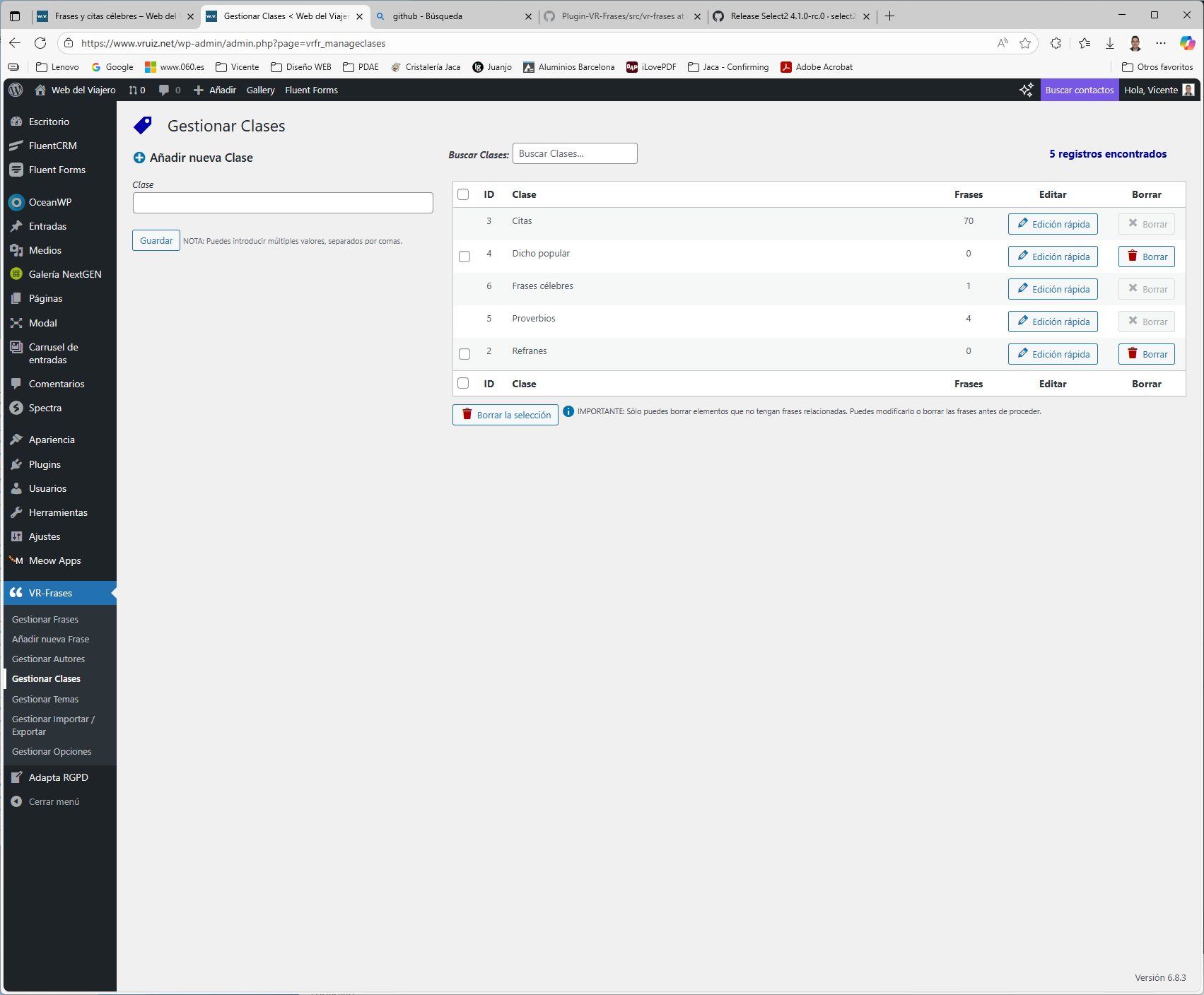
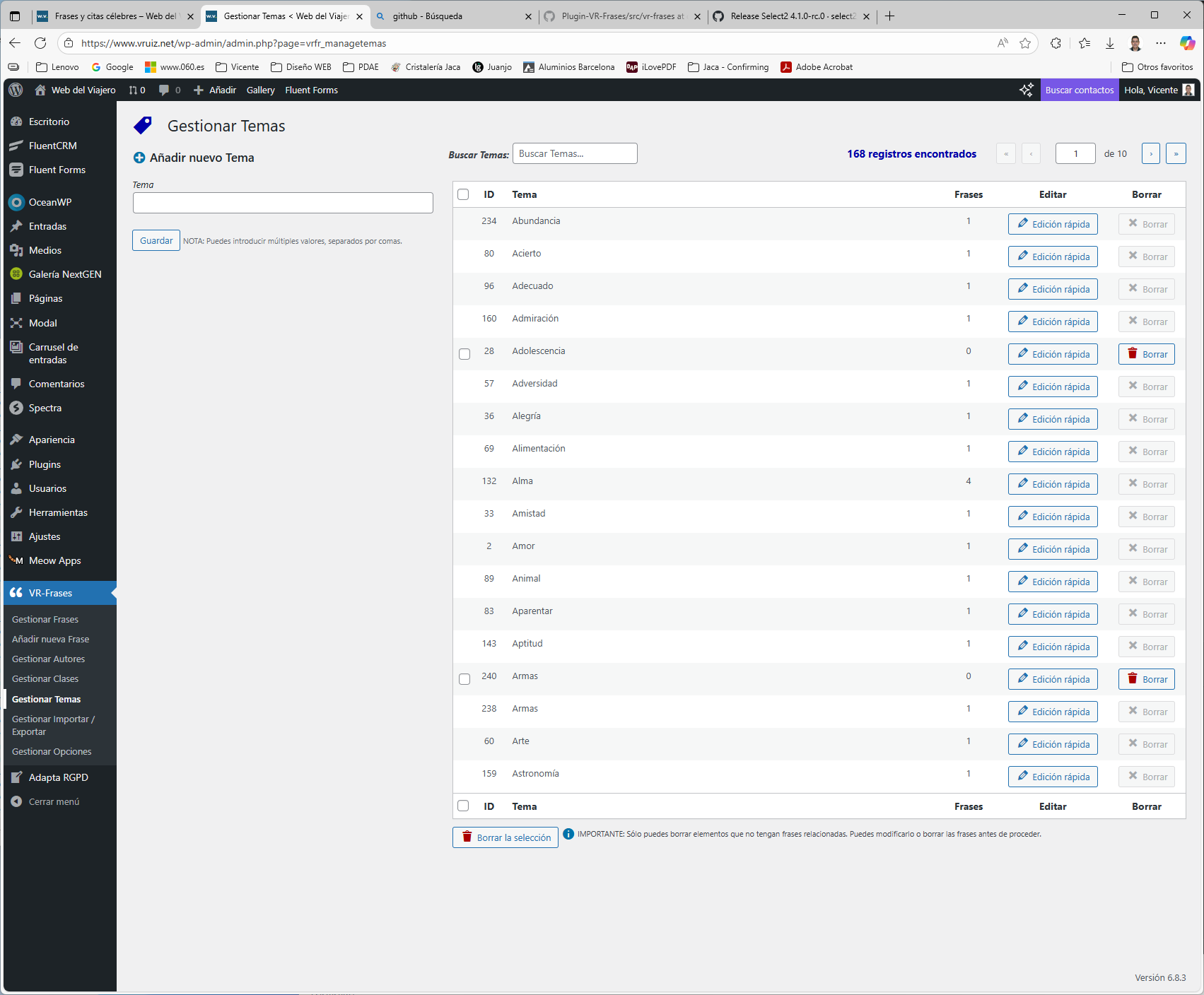
Use the classification system: * Classes: Act like categories (e.g., “Inspirational”, “Literary”, “Historical”) * Themes: Act like tags (e.g., “love”, “success”, “wisdom”) * Authors: Manage author information and link to Wikipedia
Is the plugin translation ready?
Yes! The plugin is fully internationalized and ready for translation. Language files are included, and you can create custom translations for your language.
Can I customize the appearance?
Yes! The plugin includes CSS classes for styling. You can: * Override the default styles in your theme * Use the built-in style options in settings * Customize templates if you’re a developer
What happens to my data if I deactivate the plugin?
Your data remains in the database when you deactivate the plugin. Only when you delete the plugin (and confirm in settings) will the data be removed.
Can I backup my quotes?
Yes! Use the Export feature to download your quotes as CSV or TXT files. This creates a backup you can re-import later or use elsewhere.
How to use the plugin?
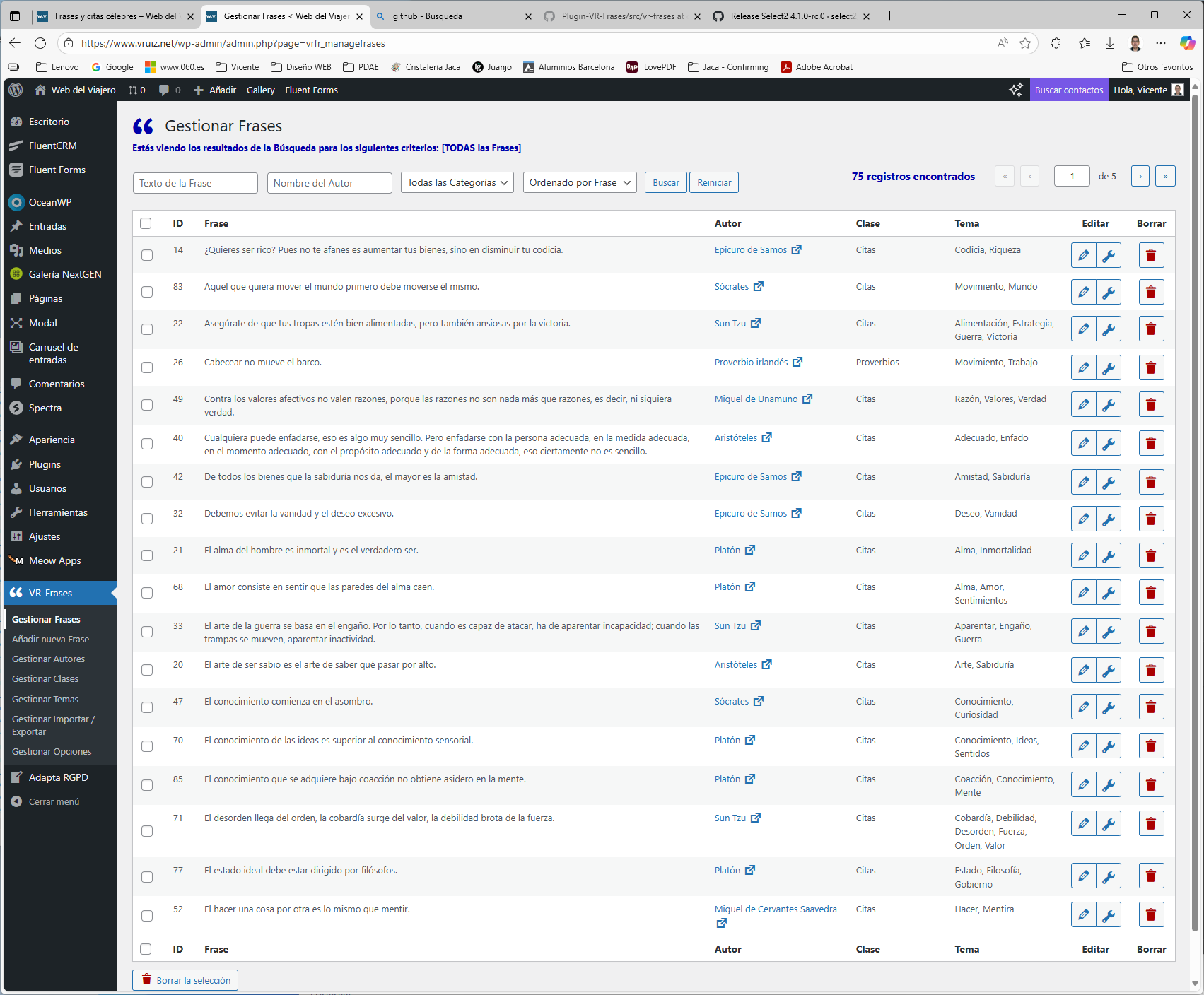
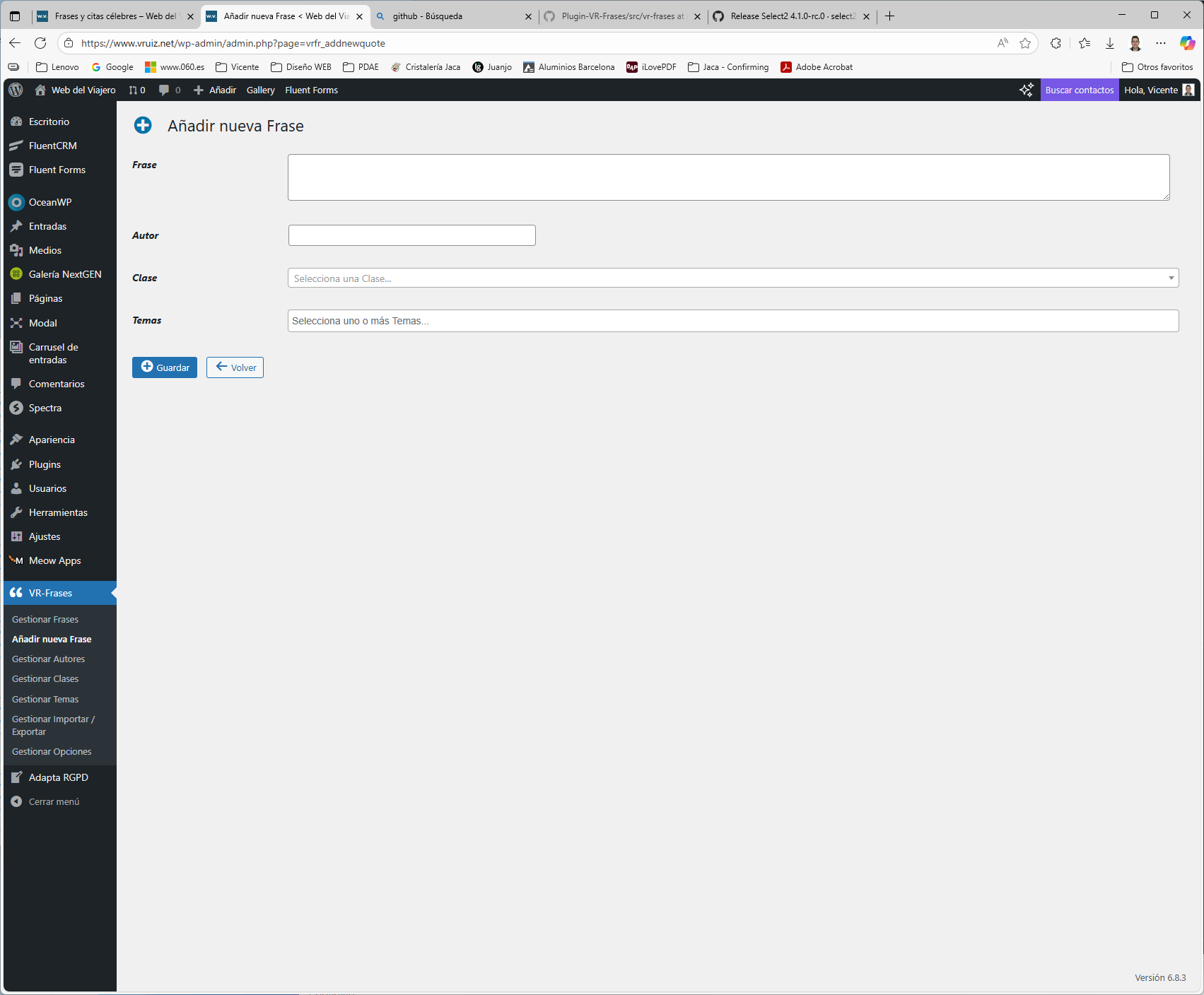
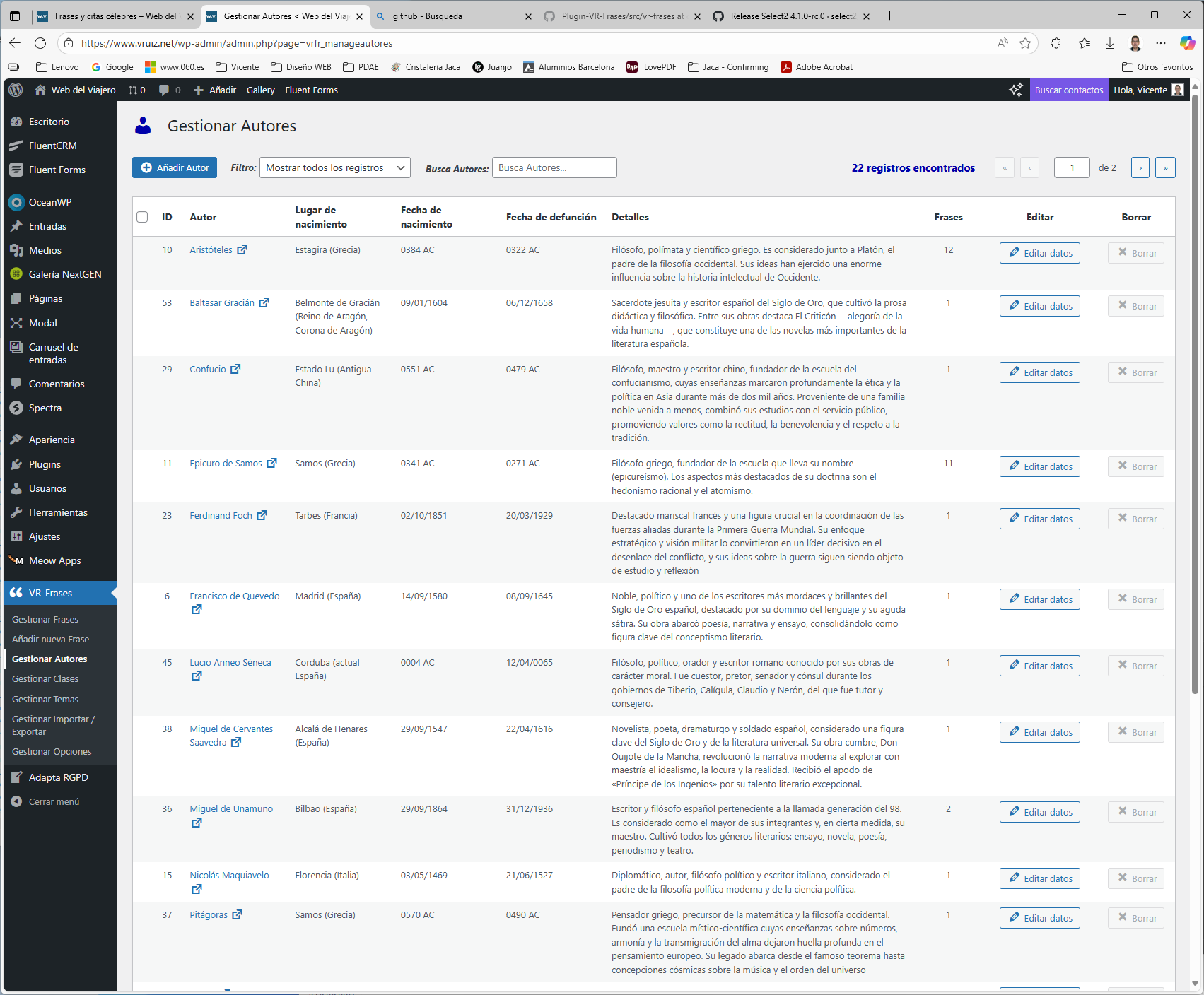
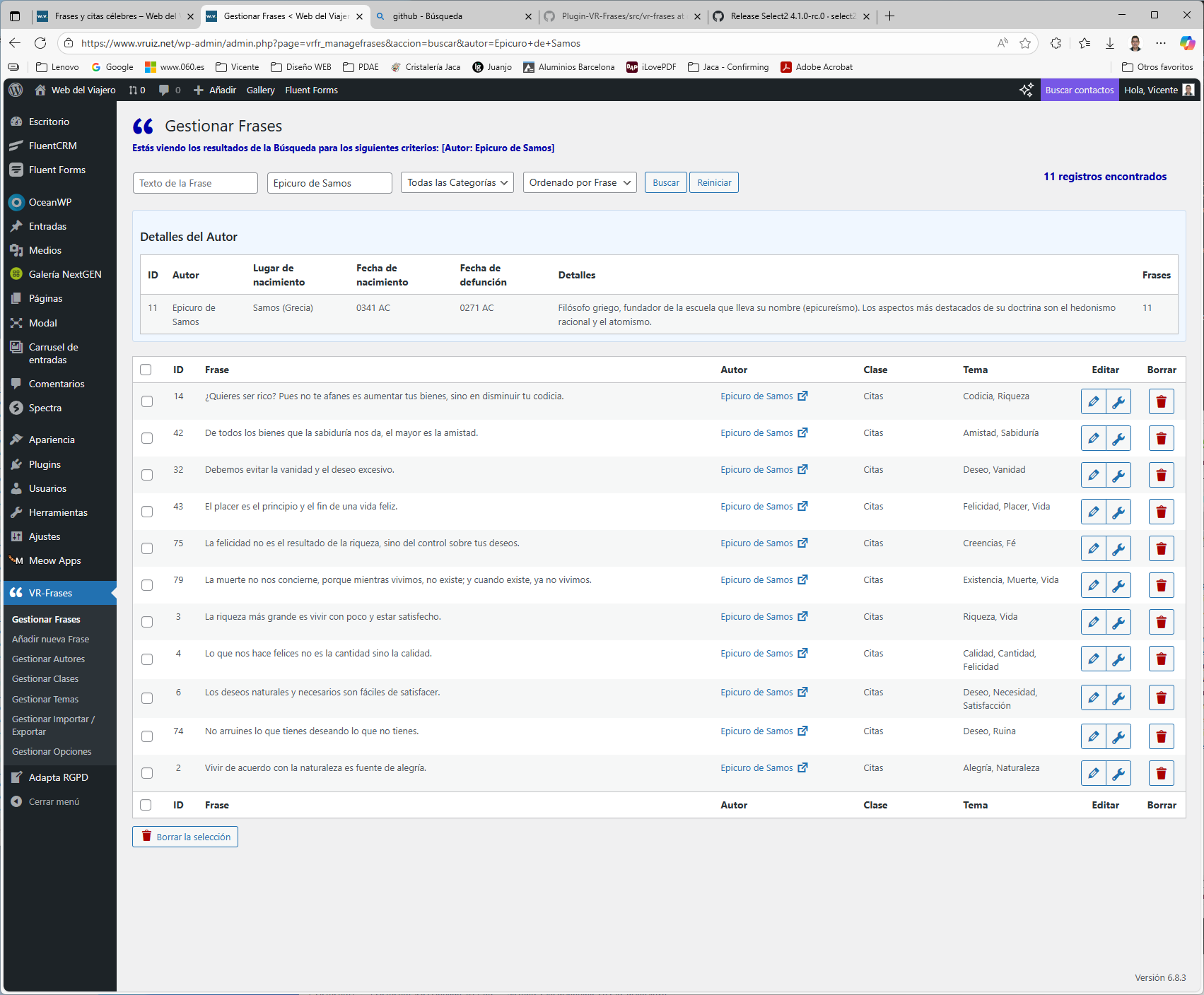
Managing Quotes * This is the main dashboard where all quotes are displayed with results based on selected criteria. * “Quick Edit” allows changing only Class and Themes; “Edit” modifies all fields. Adding New Quotes * Form for adding quotes individually. * All fields are required. * If the quote and author already exist, an error will be shown and it won’t be processed. Managing Authors * List of all registered authors. * Each author is created automatically when adding or importing a quote. * Quick edit allows completing birthplace, birth/death dates, and biographical notes. * For dates…
Changelog
4.1.0
Release Date: October 15, 2025
- Improved: Main plugin structure with better organization of constants and initialization code.
- Improved: Error handling and user notifications with enhanced success/error/warning message system.
- Improved: New front-end user page design (user view).
- Improved: Overlay and spinner updated to show waiting time while results are being refreshed.
- Improved: Pagination system completely optimized and redesigned for better performance.
- Improved: Duplicate detection system enhanced when importing files.
- Added: Complete AJAX migration for all admin functionality including add, edit, quick-edit, and delete operations.
- Added: Loading overlays for all data update actions in both admin and frontend interfaces.
- Added: Options bar in the user view to select layout (coming soon), font size and number of records per page.
- Added: Use of cookies to preserve user preferences.
- Added: New random ordering type available in both front-end and back-end.
- Added: System requirements verification to ensure compatibility.
- Added: Automatic cleanup system for obsolete files and directories after plugin updates.
- Added: Tab in Options page with Sistem Info, and simple stats of the plugin, including Top 10 lists.
- Enhanced: Code documentation and standardization throughout the plugin with improved DocBlock and JSDoc documentation.
- Enhanced: AJAX implementation for seamless user experience without page reloads.
- Fixed: Various minor bugs and compatibility issues.
- Removed: Cache/transient system eliminated for improved performance and reliability.
- Security: Enhanced nonce verification and input sanitization.
- Restructured: Assets organization – moved CSS, screenshots, JS (formerly scripts), and images to /assets/ folder.
- Pending: Add new front-end styles for user selection.
4.0.7
Release Date: May 26, 2025
- Fixed: Wikipedia author links functionality restored
- Added: Export functionality – new tab for exporting quotes to CSV or TXT files
- Improved: Import/Export interface organization
4.0.6
Release Date: May 26, 2025
- Fixed: Nonce validation error when saving changes to Classes and Themes in imported quotes
- Fixed: Translation issues – textdomain loading corrected
- Added: Language selection option with support for custom .mo and .po files
- Added: Display of record count in Authors list for better navigation
4.0.5
Release Date: May 22, 2025
- Added: Uninstall verification option to prevent accidental data loss
- Added: New help tab in Options page with comprehensive function descriptions
- Added: Documentation for all widgets and shortcodes
- Fixed: Pagination error in Authors list management
4.0.4
Release Date: May 18, 2025
- Verified: Compatibility with WordPress 6.8.1
- Added: Authors table link in dashboard widget for quick access
- Improved: Enhanced readme.txt with detailed information and screenshot descriptions
4.0.3
Release Date: May 5, 2025
- Added: Author biographical data display in search results (both admin and user pages)
- Fixed: Minor syntax errors and compatibility issues
Screenshots
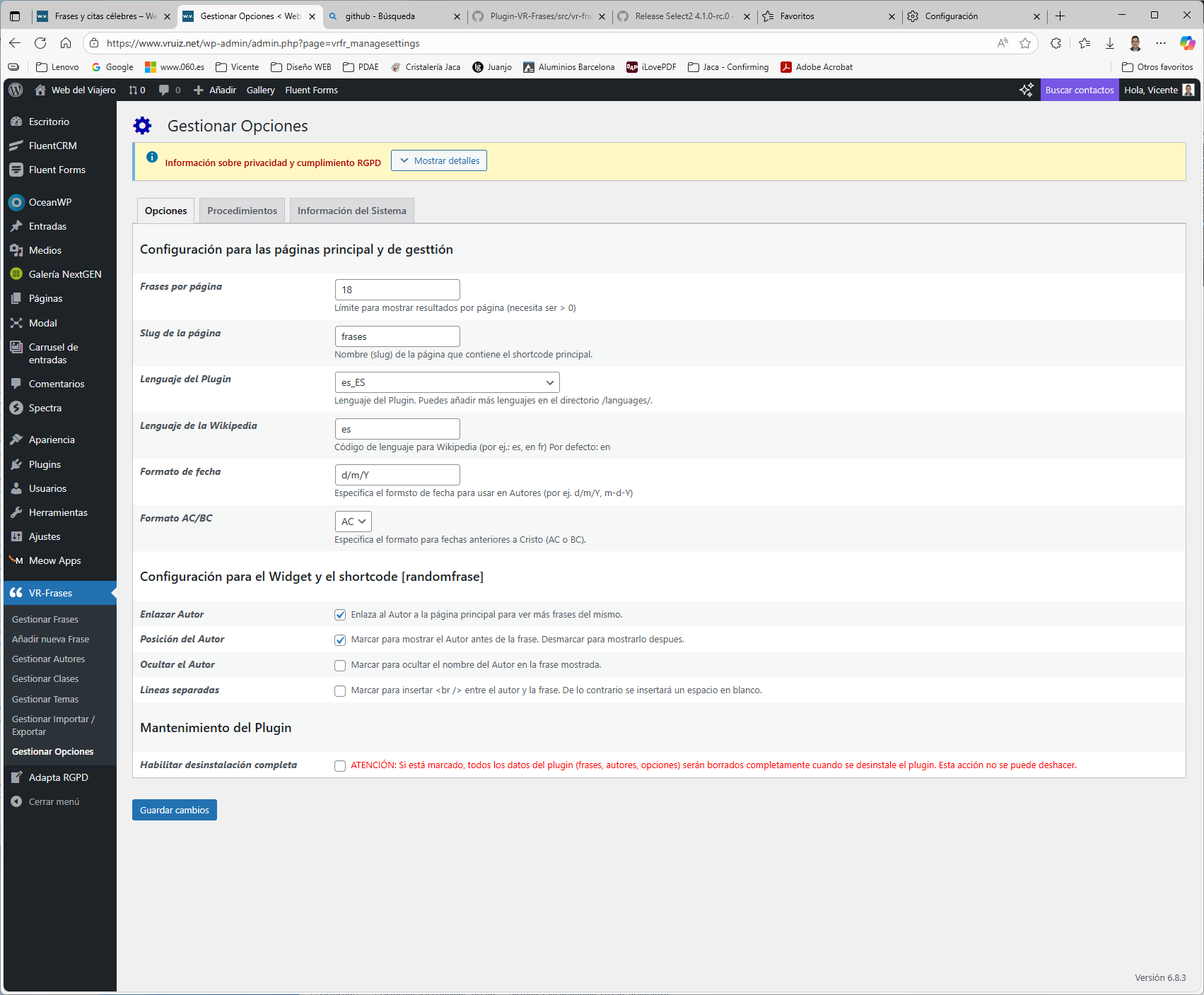
For developers
Is this your plugin? Show off the numbers.
Add a live badge to your site, docs or GitHub README. It updates on its own — no account needed.
FAQ
VR-Frases: quick answers
Straight answers, pulled from live WordPress.org data.
Live data from WordPress.org · checked Oct 12, 2026
Is VR-Frases free?
Yes. VR-Frases is free to download and use from the official WordPress.org plugin directory.
Is VR-Frases safe to use in 2026?
VR-Frases works, but test it on a staging site before relying on it in 2026. It runs on 30+ sites, is rated 5/5 and was last updated 12 months ago, and scores 46/100 on our health check.
How many websites use VR-Frases?
VR-Frases is active on 30+ WordPress websites and has been downloaded 9,522 times since it launched in September 2007. It was downloaded 130 times in the last 30 days.
Does VR-Frases work with WordPress 7.1?
VR-Frases is officially tested up to WordPress 6.8.11, while the latest release is 7.1.3. It may still work, but try it on a staging site first.
What PHP version does VR-Frases need?
VR-Frases requires PHP 7.2 or higher. Most hosts run PHP 8.x today, so it works on any modern WordPress hosting.
When was VR-Frases last updated?
The latest version, 4.1.0, was released on October 17, 2025 (12 months ago).
Who makes VR-Frases?
VR-Frases is developed and maintained by Vicente Ruiz Gálvez.
Powered by PageForge
Want thousands of pages that rank like these? Build them in an afternoon.
This directory runs on the same engine as PageForge. Turn any spreadsheet, CSV or API into thousands of fast, SEO-ready WordPress pages — with schema, internal links and AI-written copy baked in.
- CSV, Google Sheets & API data sources
- AI content, schema & internal links per page
- Works with Elementor, Gutenberg, Yoast & Rank Math
- Free on WordPress.org — no credit card


