



Country Block – Ultimate Geo-Blocker, IP Ban & Login Security
Block or allow access by country using a local MaxMind GeoLite2 database, with IP, user role, and URL exceptions.

Use with caution
Country Block works, but test it on a staging site before relying on it in 2026. It runs on 100+ sites, is rated 4.2/5 and was last updated 1 month ago, and scores 61/100 on our health check.
- Small user base (100+ active installs)
- Only tested up to WordPress 6.9 (latest is 7.1)
How does it stack up?
Side-by-side on installs, updates, ratings & support



Daily downloads
Download spikes usually follow a new release — each site that auto-updates counts as a download.
Rankings
Where Country Block stands todayWordPress.org search rankings
Live position in the plugin search, top 100| Keyword | Position |
|---|---|
| ban | #14 |
| block | >100 |
| country | #34 |
| geo | #52 |
| security | >100 |
Version adoption
Share of active sites per release.
Rating breakdown
★★★★★★★★★★ 4.2 from 5 reviews
About Country Block
From the official readme · v1.0.3Description
Country Block provides an exceptionally user-friendly, powerful, and modern IP geolocation blocking experience for WordPress. Our mission is to offer incredible value for free, helping you secure your website and control access with precision and ease.
Whether you want to block traffic from specific countries to reduce spam and malicious activity, or ensure your content is only accessible to visitors from designated regions, Country Block offers a flexible and robust solution.
Core Features:
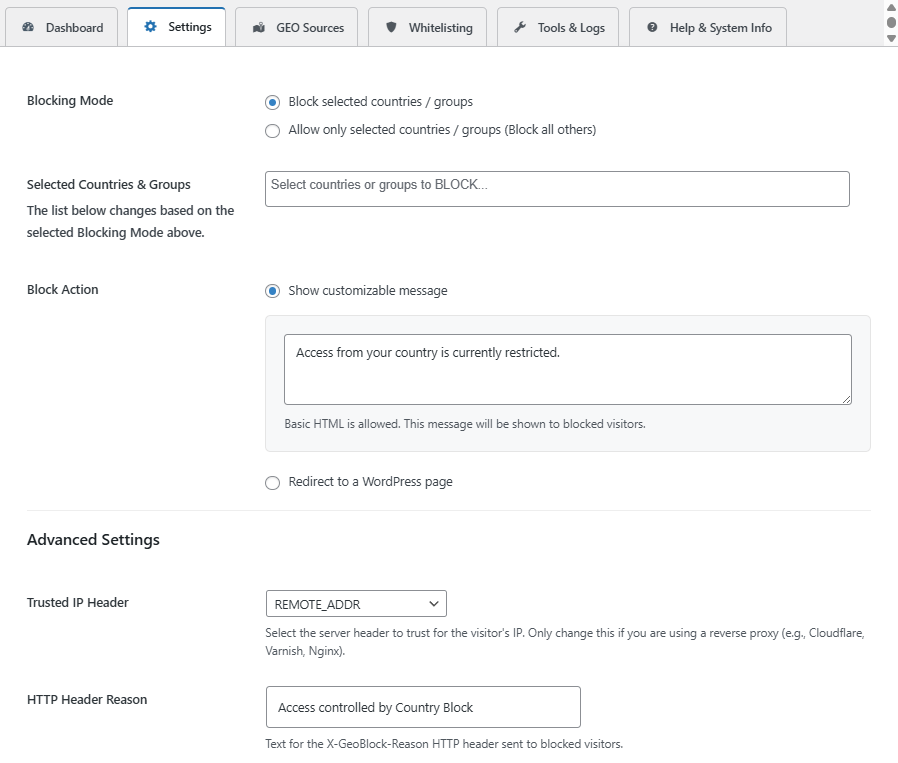
- Effortless Country Blocking: Easily block or allow access from multiple countries or pre-defined groups like the European Union.
- Visitor IP Detection: Uses the connection IP by default. A trusted proxy header can be selected for Cloudflare, Varnish, or Nginx when the host securely configures that header and protects direct origin access.
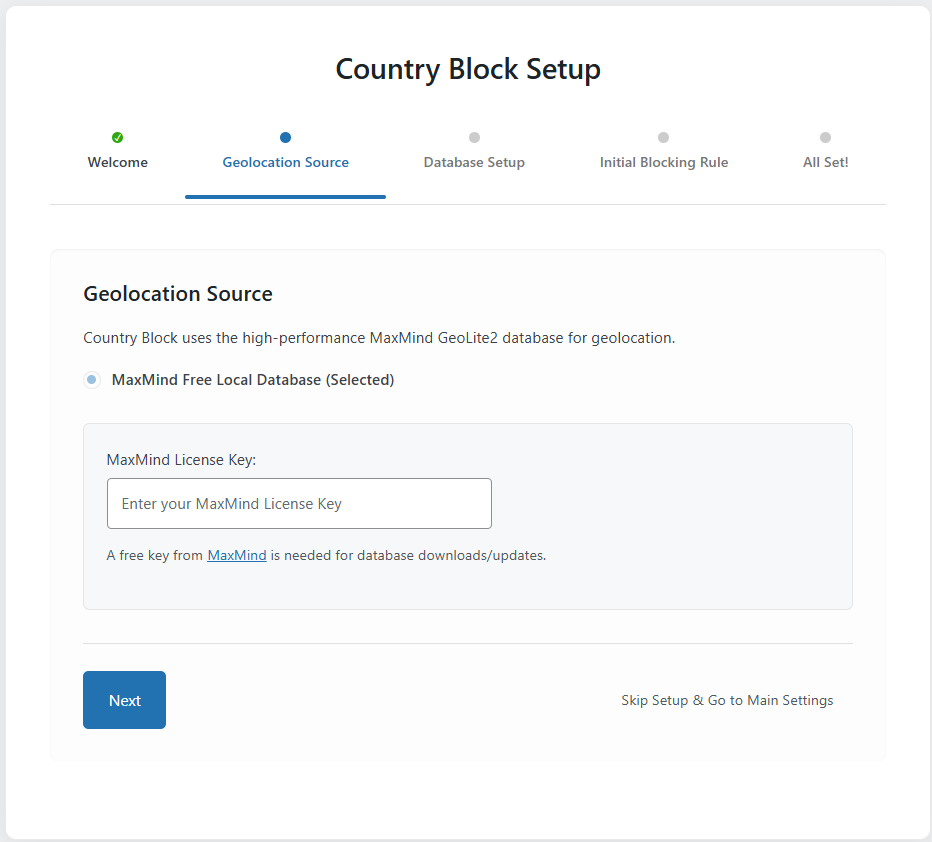
- Express Onboarding Setup: A guided wizard gets you up and running in minutes upon activation.
- Modern “2030 Era” UI: Enjoy an intuitive, clean, and responsive admin interface that’s a pleasure to use.
- Flexible Geolocation Source:
- Free Local Database (GeoLite2 by MaxMind): High-performance, reliable country-level blocking using a local MaxMind GeoLite2 database, updated automatically every day to ensure maximum accuracy. Requires a free MaxMind account for database updates.
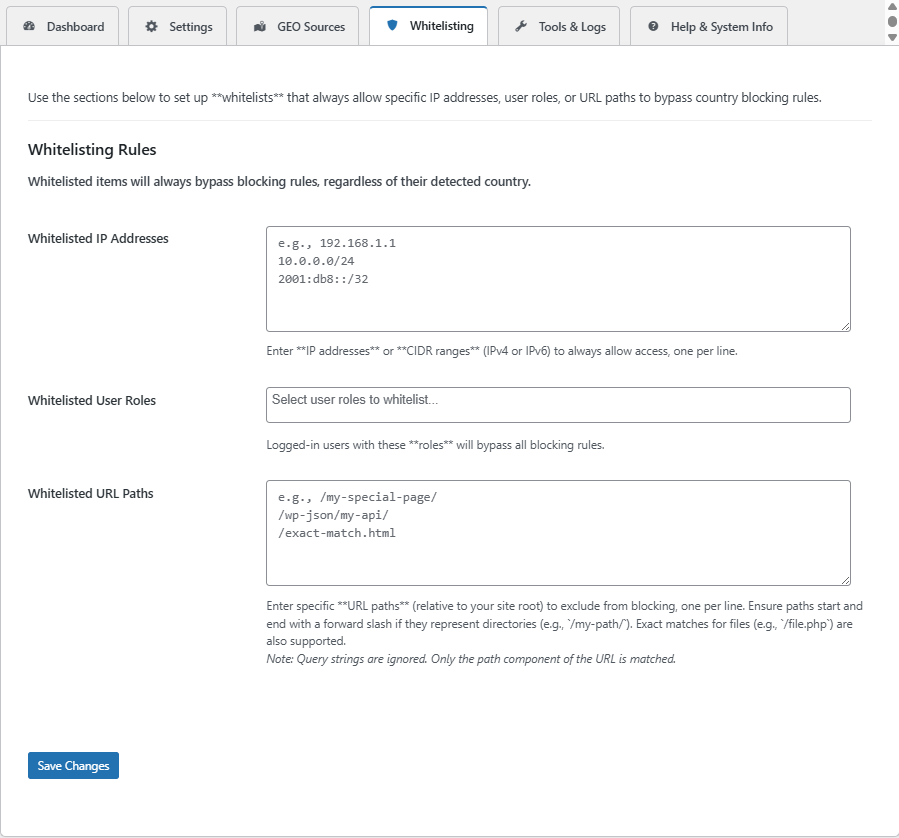
- Whitelisting: Exempt specific IP addresses/CIDR ranges, user roles, or URL paths from blocking rules.
- Author Credit: The footer credit is enabled by default on new installations of this website-distributed build. Existing saved preferences are preserved when updating.
- Customizable Block Actions:
- Show a customizable message (supports basic HTML).
- Redirect blocked visitors to a specific WordPress page.
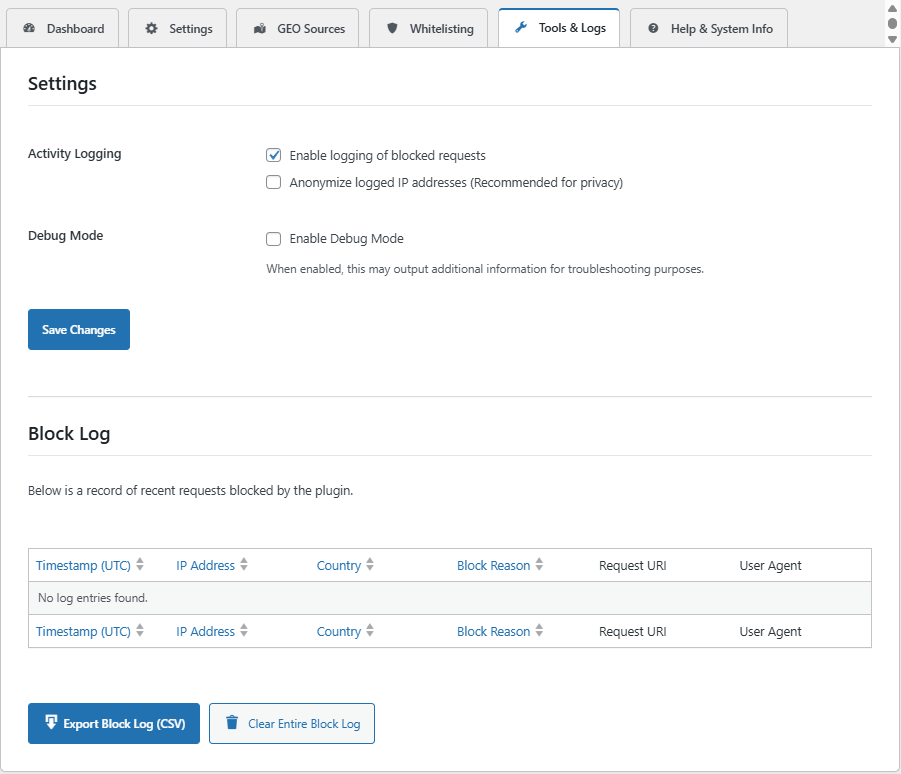
- Detailed Logging & Statistics (Opt-in):
- Keep track of blocked requests (IP, country, reason, timestamp).
- View statistics on blocked activity.
- Option to anonymize logged IPs for privacy.
Looking to block VPNs, Proxies, or TOR users? For an additional layer of security and anonymity control, check out our companion plugin: VPN Guard!
External Services
Country lookups use the local database and do not send visitor IP addresses to MaxMind. Database downloads contact MaxMind from your server and send your license key.
- MaxMind (GeoLite2 Database)
- Purpose: Used to download the local geolocation database.
- Data Sent: Your MaxMind License Key is sent to download the database.
- Links: Terms of Use | Privacy Policy
Installation
- Download the plugin ZIP from the VPNDeals website.
- In your WordPress admin panel, go to Plugins > Add New > Upload Plugin.
- Select the ZIP, click “Install Now”, and then “Activate”.
- Follow the Express Onboarding wizard. The author credit starts enabled on new installations.
Frequently asked questions
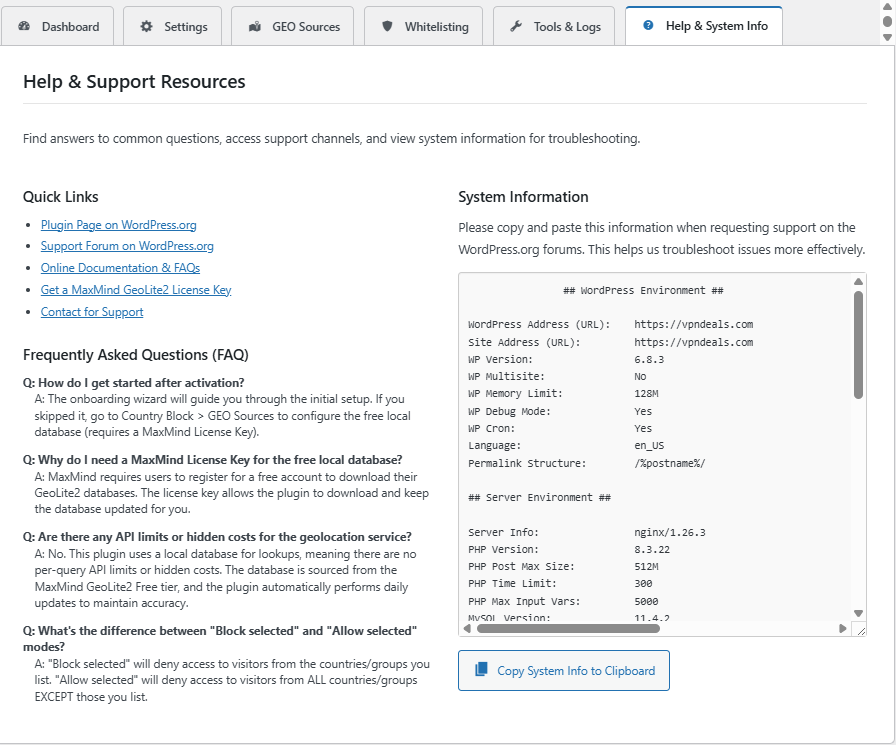
How do I get a MaxMind License Key?
You need a free MaxMind GeoLite2 account. 1. Sign up at MaxMind’s GeoLite2 Sign Up Page. 2. Log in and navigate to “Manage License Keys”. 3. Generate a new license key. 4. Copy the key and paste it into the Country Block settings. NOTE: If your key shows as invalid immediately after creation, please wait 5 minutes and try the database download again, as activation takes a moment to propagate on MaxMind’s side.
Which Geolocation Source should I choose?
Local Database (GeoLite2): Recommended for all users. It’s fast, free, and provides reliable country-level blocking.
Is it compatible with caching plugins?
Country Block checks requests that reach WordPress. A CDN, server cache, or advanced-cache.php can serve pages before plugins run. With country rules enabled, this plugin sets DONOTCACHEPAGE and sends no-cache headers for requests it handles, but it cannot intercept existing upstream cache hits. Purge existing caches and bypass page caching for protected URLs, or apply matching country rules at your CDN. Test while logged out from both a blocked and an allowed location.
Changelog
Fixes PHP 7.4/8.0 activation, settings persistence, proxy header trust, and redirect exemptions. For proxy sites, confirm the Trusted IP Header setting with your host. The old automatically added redirect-path whitelist entry is removed on upgrade; the redirect page now has an exact URL exception. Purge page/CDN caches after updating.
1.0.3
- Restore PHP 7.4-compatible bundled dependencies and pin Composer’s build platform.
- Enable the author credit by default on fresh installations of the website-distributed build, preserving existing saved preferences.
- Preserve license keys, database update metadata, and unrelated options during AJAX and partial updates.
- Prevent the footer credit action from resetting blocking rules.
- Use one database download handler during onboarding.
- Trust only the configured visitor IP header, falling back to REMOTE_ADDR.
- Match redirect pages by path and query; fix plain-permalink exemptions and migrate old generated whitelist entries.
- Validate IPv4/IPv6 CIDR ranges and match a whitelisted directory itself.
- Validate database downloads before replacement, serialize updates, and invalidate country caches after updates.
- Preserve HTML messages and anonymization on import; honor individual log-field preferences and escape CSV formula cells.
- Add database readiness diagnostics and document full-page cache limitations.
- Protect onboarding state changes with capability and nonce checks.
1.0.2
- Compatibility: Full support verified for WordPress 6.9.1 and PHP 8.3+.
- Security: Hardened internal access checks to prevent unauthorized settings modifications.
1.0.1
- Redirect Loop Fix: Implemented a more robust method to prevent infinite redirect loops when blocking traffic and using the ‘Redirect to a WordPress page’ action. The redirect target is now automatically whitelisted by URL path.
1.0.0
- Initial public release.
Screenshots
For developers
Is this your plugin? Show off the numbers.
Add a live badge to your site, docs or GitHub README. It updates on its own — no account needed.
Best Country Block alternatives
All ban plugins →




FAQ
Country Block: quick answers
Straight answers, pulled from live WordPress.org data.
Live data from WordPress.org · checked Oct 9, 2026
Is Country Block free?
Yes. Country Block is free to download and use from the official WordPress.org plugin directory.
Is Country Block safe to use in 2026?
Country Block works, but test it on a staging site before relying on it in 2026. It runs on 100+ sites, is rated 4.2/5 and was last updated 1 month ago, and scores 61/100 on our health check.
How many websites use Country Block?
Country Block is active on 100+ WordPress websites and has been downloaded 1,673 times since it launched in October 2025. It was downloaded 314 times in the last 30 days.
Does Country Block work with WordPress 7.1?
Country Block is officially tested up to WordPress 6.9.10, while the latest release is 7.1.3. It may still work, but try it on a staging site first.
What PHP version does Country Block need?
Country Block requires PHP 7.4 or higher. Most hosts run PHP 8.x today, so it works on any modern WordPress hosting.
When was Country Block last updated?
The latest version, 1.0.3, was released on September 7, 2026 (1 month ago).
Who makes Country Block?
Country Block is developed and maintained by vpndeals.
What are the best alternatives to Country Block?
The most popular alternatives to Country Block are WP-Ban (8K+ installs), Banhammer (1K+ installs) and IP Ban (80+ installs).
Powered by PageForge
Want thousands of pages that rank like these? Build them in an afternoon.
This directory runs on the same engine as PageForge. Turn any spreadsheet, CSV or API into thousands of fast, SEO-ready WordPress pages — with schema, internal links and AI-written copy baked in.
- CSV, Google Sheets & API data sources
- AI content, schema & internal links per page
- Works with Elementor, Gutenberg, Yoast & Rank Math
- Free on WordPress.org — no credit card


