


Verifycate
Issue verifiable certificates from your WordPress LMS with Verifycate.

Use with caution
Verifycate works, but test it on a staging site before relying on it in 2026. Was last updated 1 month ago, and scores 60/100 on our health check.
- Tested with the latest WordPress (7.1)
- Small user base (<10 active installs)
- Very few reviews so far
How does it stack up?
Side-by-side on installs, updates, ratings & support


Daily downloads
Download spikes usually follow a new release — each site that auto-updates counts as a download.
Rankings
Where Verifycate stands todayWordPress.org search rankings
Live position in the plugin search, top 100| Keyword | Position |
|---|---|
| certificates | >100 |
| learndash | >100 |
| learnpress | >100 |
| lms | >100 |
| Tutor LMS | >100 |
About Verifycate
From the official readme · v0.1.0Description
Verifycate connects your WordPress LMS to the Verifycate credential platform, so
a verifiable certificate is queued and issued automatically when a learner
completes a course.
Supported course plugins:
- LearnDash
- Tutor LMS
- LearnPress
- LifterLMS
- Sensei
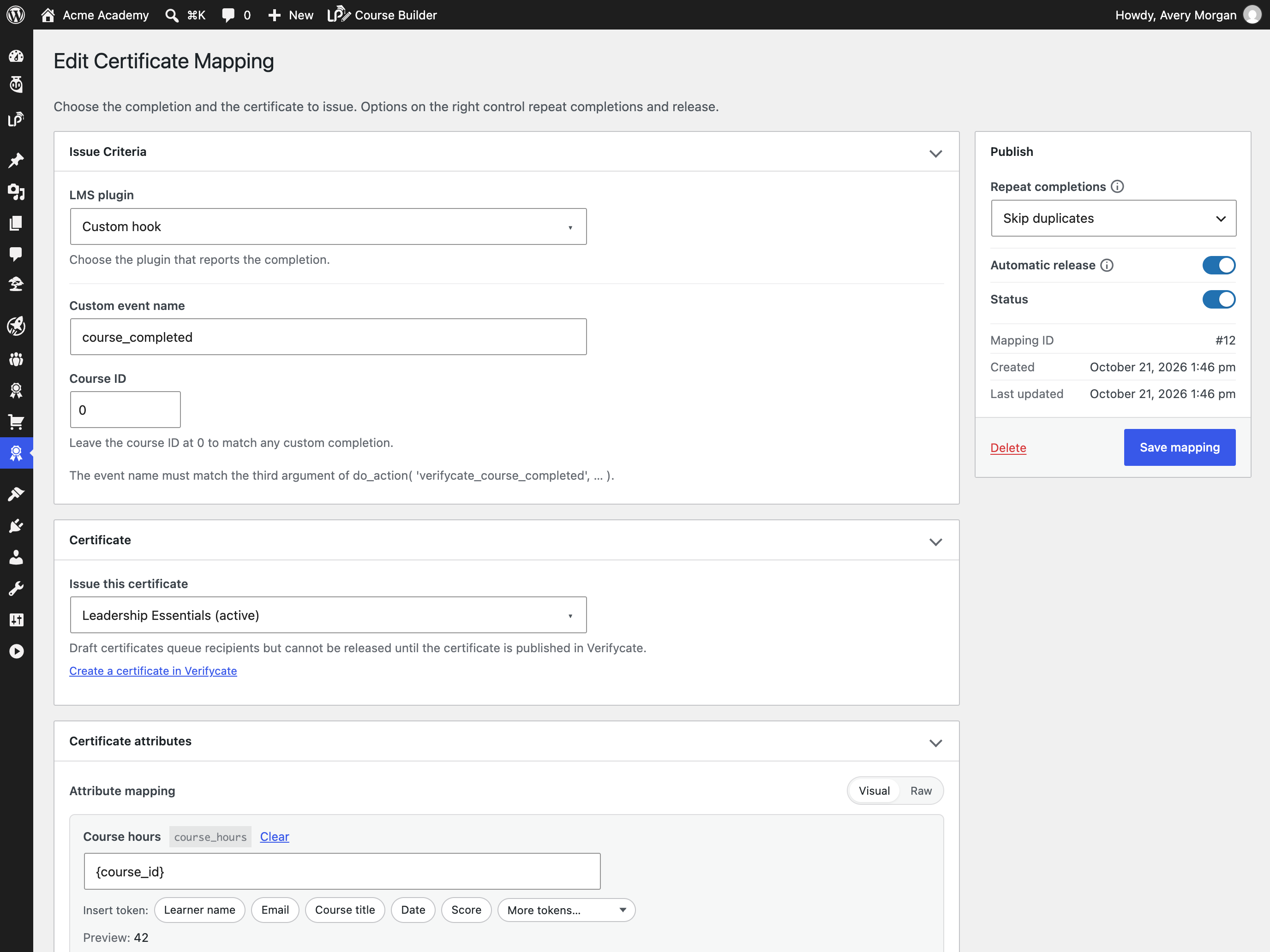
- A generic custom hook for course, membership, e-commerce and in-house plugins
Highlights:
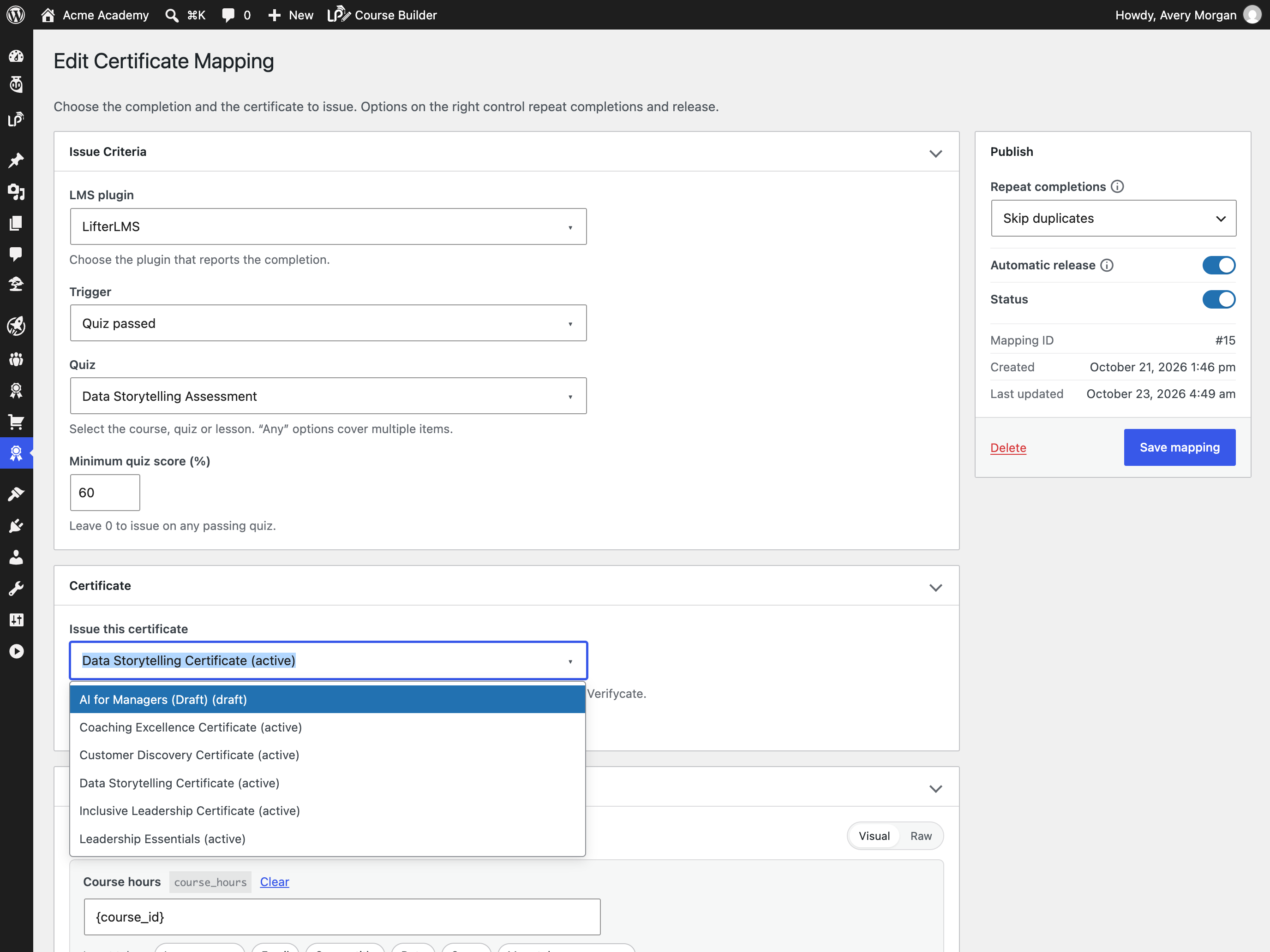
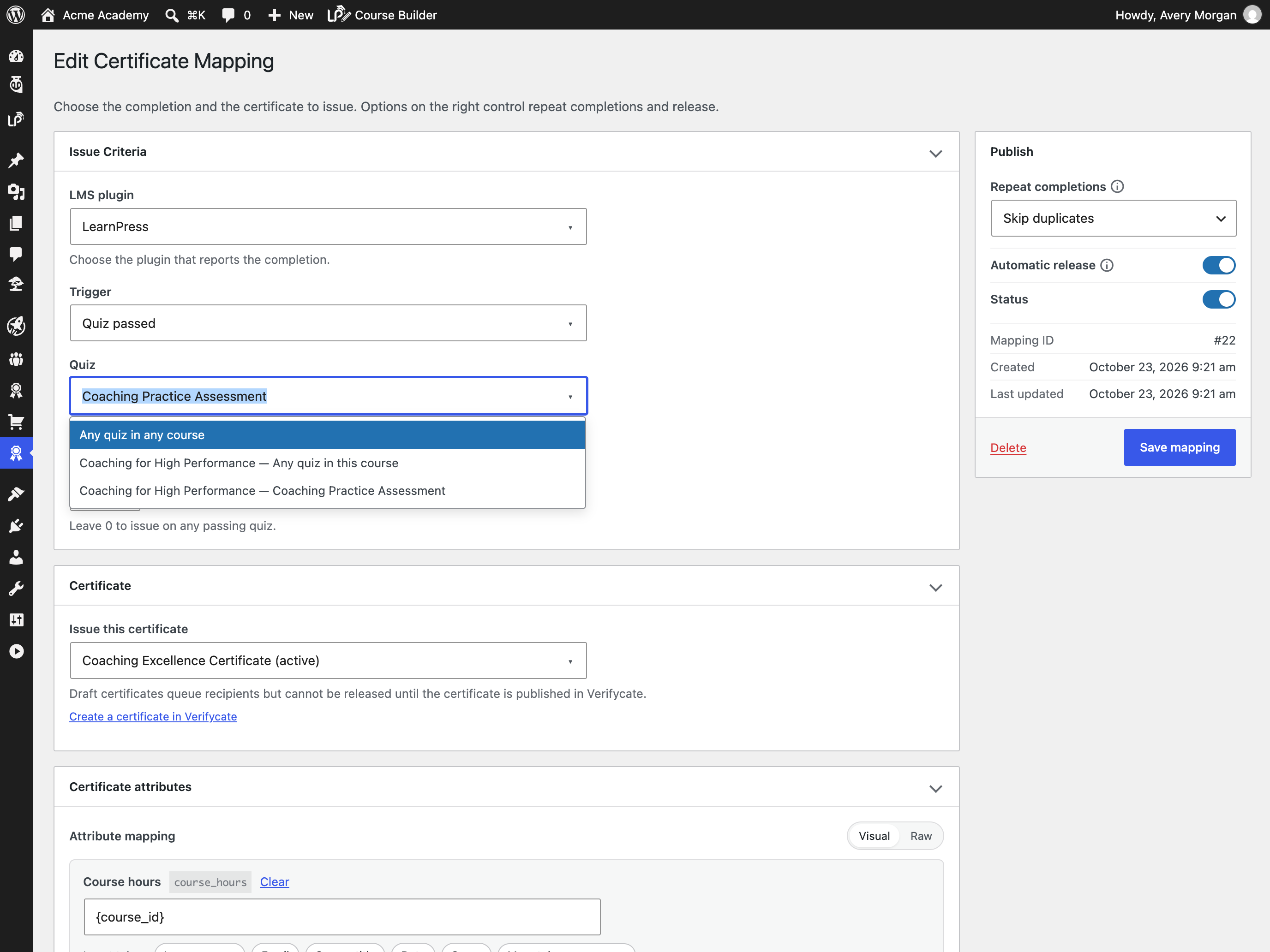
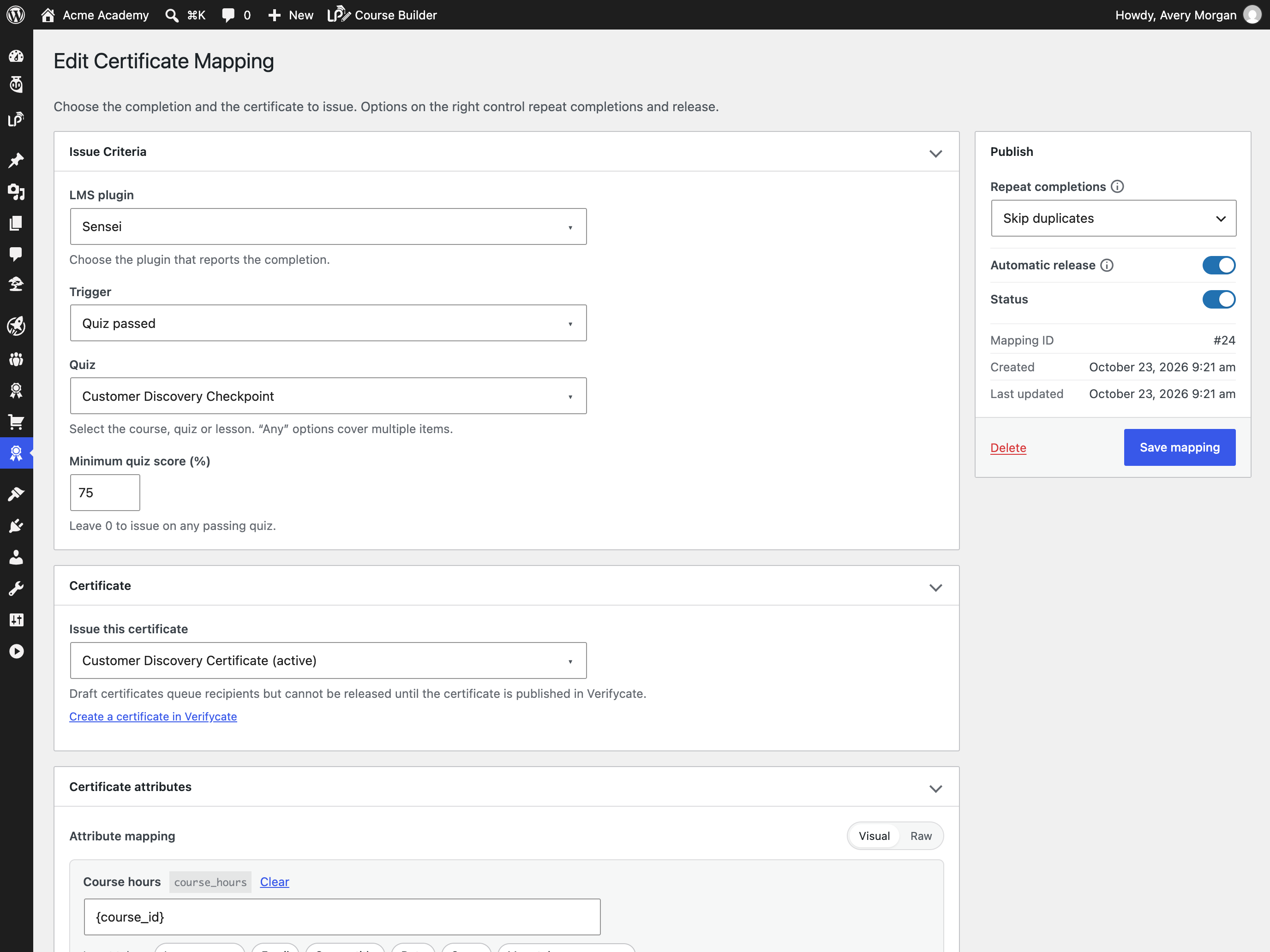
- Automatic issuance on course completion, quiz passing or lesson completion,
with “Any” options so one mapping can cover a whole catalogue or a group of
items. - Optional minimum quiz scores, so a certificate is only issued after the learner
reaches the required result. - Map learner and course data to certificate attributes with tokens such as
{user_name}, {course_title}, {completion_date}, {user_meta:key} and
{course_meta:key}. - Control repeat completions: issue once per learner, or reissue onto the latest
published design for recertification. - A durable issuance queue with exponential backoff, visible failures and a
retry action, so a temporary API outage does not lose a completion. - A certificate wallet shortcode and block so learners can open what they have
earned, plus single-certificate and public-verification shortcodes. - Search, sorting, pagination and bulk actions for course mappings.
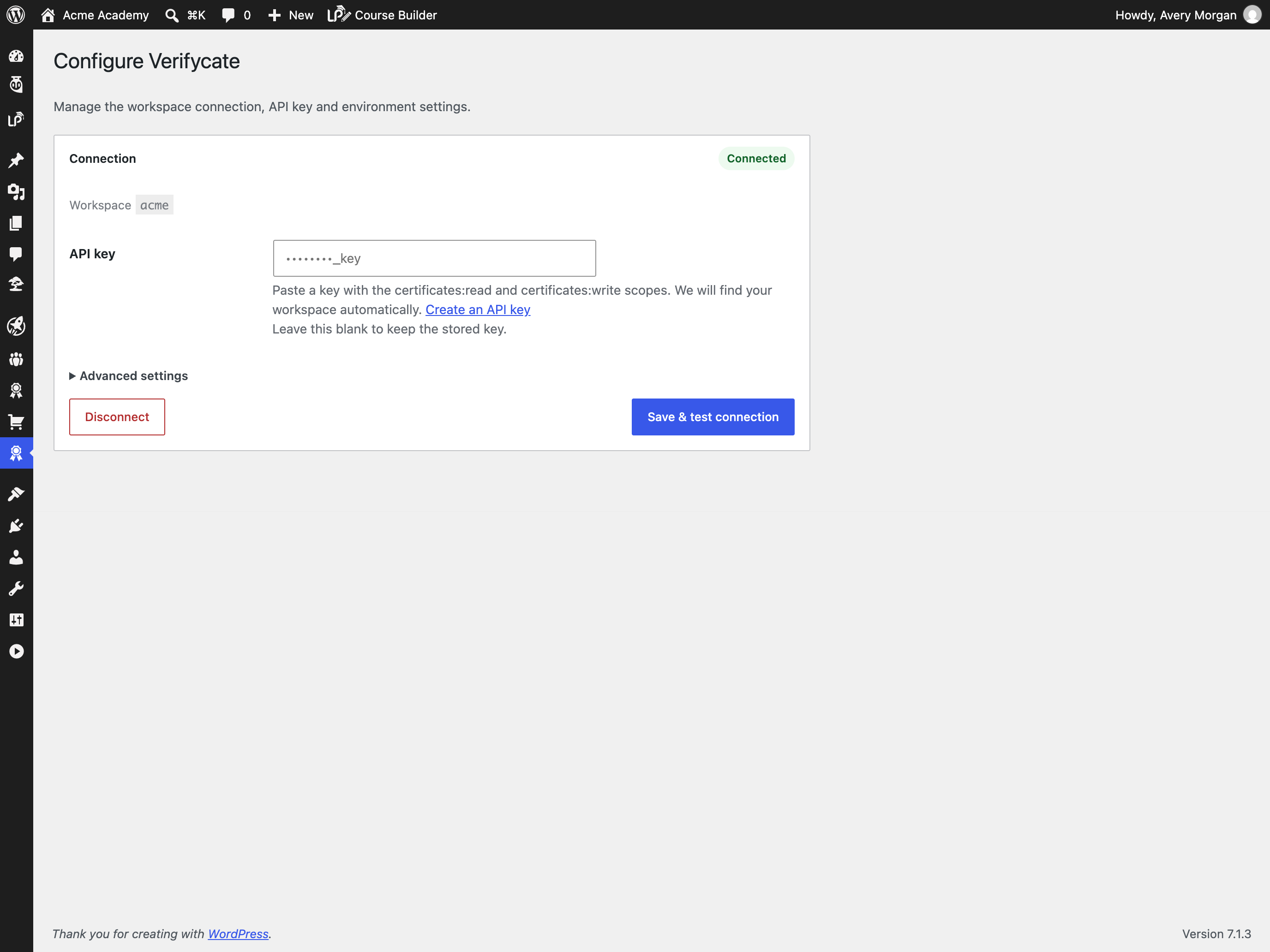
- A dedicated Configure screen for the workspace API key and environment
settings. - Translation-ready, with a bundled
languages/verifycate.pottemplate. - A connection test that explains bad keys, missing plans and permission
problems. - WP-CLI commands for status, mappings, direct issuance, queue processing,
retries and logs.
Designing the certificate itself happens in the Verifycate dashboard. This
plugin handles the connection and issuance.
External services
This plugin connects to the Verifycate API to create and issue digital
certificates.
- Service: Verifycate (https://verifycate.com)
- API endpoint: https://api.verifycate.com
- What is sent, and when: after an administrator connects the site with a
Verifycate workspace API key and configures at least one course mapping, the
plugin sends the learner’s name, email address, the course title, the
completion date, a score when the LMS provides one, and any mapped certificate
attributes to the Verifycate API so the certificate can be created, issued and
delivered. When a logged-in learner opens the certificate wallet, their
WordPress account email is sent to retrieve their certificates. Public
verification sends only the certificate’s public ID. No learner data is sent
by the issuance pipeline before the site is connected and a mapping is saved. - The connection uses the REST API over HTTPS with a workspace API key.
- Terms of Use: https://verifycate.com/terms
- Privacy Policy: https://verifycate.com/privacy
- Pricing: https://verifycate.com/pricing
A paid Verifycate workspace is required for the plugin to issue certificates.
Privacy
Verifycate stores workspace settings, certificate mappings, issuance queue
entries and activity logs in the WordPress database. Queue entries and logs can
include a learner’s name, email address, course, quiz or lesson identifiers,
certificate metadata and API responses needed to diagnose issuance. Logs can be
cleared from Verifycate > Logs. Uninstalling the plugin removes settings,
mappings, queue history and logs only when the administrator enables
“Delete settings, mappings, queue history and logs when the plugin is
uninstalled” on the Configure screen.
Certificate issuance sends learner data to Verifycate as described under
External services. The Verifycate privacy policy is available at
https://verifycate.com/privacy.
Installation
- Upload the plugin files to
/wp-content/plugins/verifycate/, or install it
through the WordPress plugins screen. - Activate the plugin.
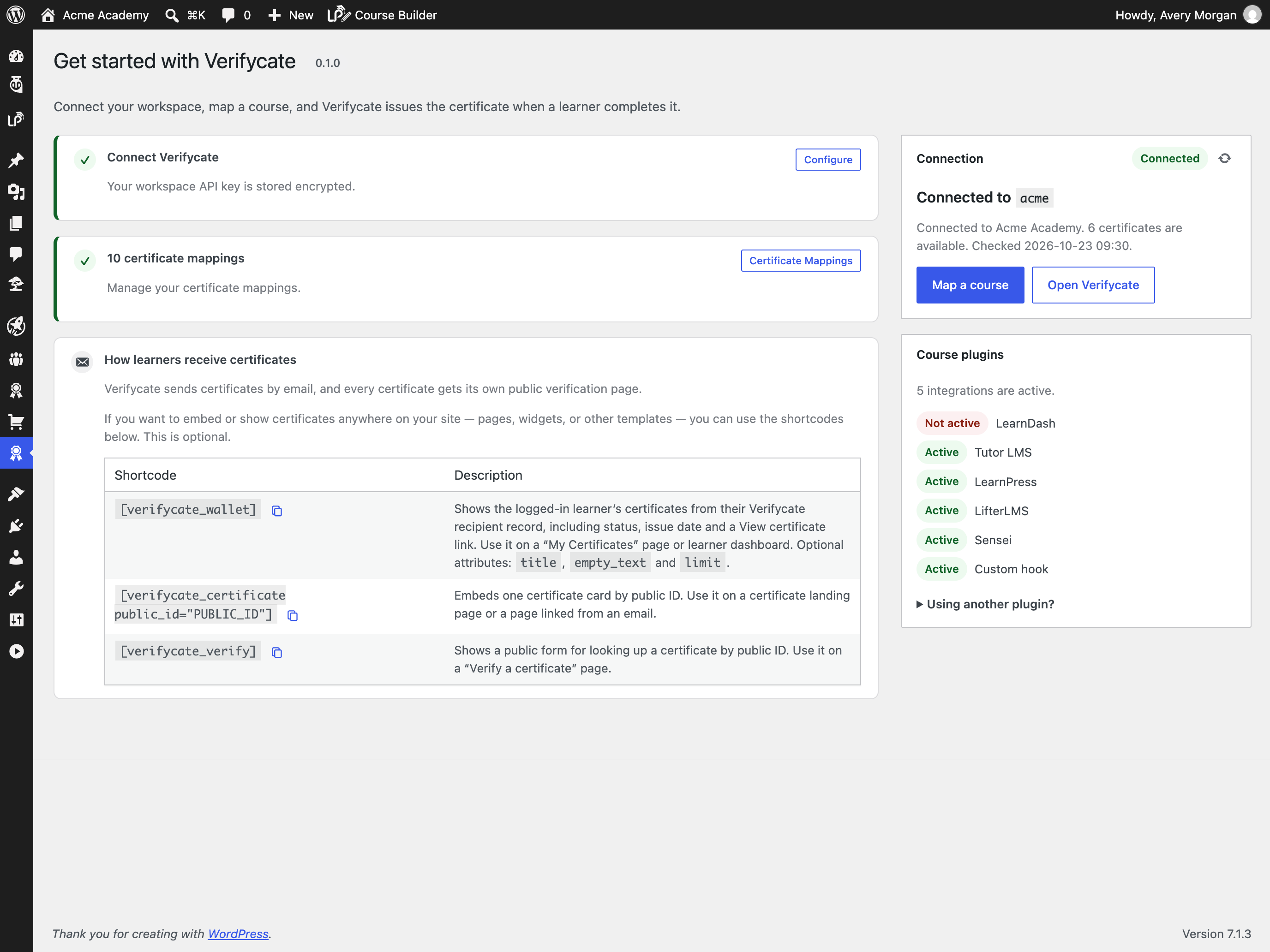
- Go to Verifycate > Get started, paste a workspace API key, and click Connect
Verifycate. The plugin finds the workspace, checks the key scopes and plan,
and tests the connection. - Create at least one certificate in the Verifycate dashboard, then map a
course under Verifycate > Mappings and choose the course, quiz-passed or
lesson-completed trigger. - Optional: add
[verifycate_wallet]to a learner-facing page, or insert the
Verifycate Wallet block.
Changelog
Initial release.
0.1.0
- Initial release.
- Connection setup with an API key stored encrypted at rest and a connection
test with actionable errors. - Course mappings for LearnDash, Tutor LMS, LearnPress, LifterLMS, Sensei and a
custom hook, including any-course mappings and attribute templates. - Course-completed, quiz-passed and lesson-completed triggers, with optional
minimum quiz scores. - Durable issuance queue with retries, exponential backoff and a retry action.
- Duplicate suppression and recertification (reissue) policies.
- Certificate wallet shortcode and server-rendered block, plus
single-certificate and public-verification shortcodes. - Search, sorting, pagination and bulk actions for course mappings.
- Dedicated Configure screen for the workspace API key and environment settings.
- Translation-ready with a bundled POT file.
- Admin mappings, queue and activity log screens.
- WP-CLI commands for status, mappings, issuance, queue, retries and logs.
Screenshots



For developers
Is this your plugin? Show off the numbers.
Add a live badge to your site, docs or GitHub README. It updates on its own — no account needed.
Best Verifycate alternatives
All certificates plugins →





FAQ
Verifycate: quick answers
Straight answers, pulled from live WordPress.org data.
Source: WordPress.org
Is Verifycate free?
Yes. Verifycate is free to download and use from the official WordPress.org plugin directory.
Is Verifycate safe to use in 2026?
Verifycate works, but test it on a staging site before relying on it in 2026. Was last updated 1 month ago, and scores 60/100 on our health check.
How many websites use Verifycate?
Verifycate is active on <10 WordPress websites and has been downloaded 270 times since it launched in October 2026. It was downloaded 220 times in the last 30 days.
Does Verifycate work with WordPress 7.1?
Yes. The developer has tested Verifycate up to WordPress 7.1.5, the latest release. It requires WordPress 6.2 or newer.
What PHP version does Verifycate need?
Verifycate requires PHP 7.4 or higher. Most hosts run PHP 8.x today, so it works on any modern WordPress hosting.
When was Verifycate last updated?
The latest version, 0.1.0, was released on October 28, 2026 (1 month ago).
Who makes Verifycate?
Verifycate is developed and maintained by Ashwin Shenoy.
What are the best alternatives to Verifycate?
The most popular alternatives to Verifycate are Sensei LMS Certificates (4K+ installs), ValidateCertify Free (800+ installs) and Academy Certificates (200+ installs).
Powered by PageForge
One template and a spreadsheet. A real page for every search.
PageForge turns each row of a CSV into a WordPress page with its own title, URL, SEO fields and schema, built on the layout you already designed. Free on WordPress.org.
- CSV and XLSX, plus Google Sheets on Professional and Enterprise
- Its own title, URL, SEO fields and schema for every page
- Works with the block editor, Elementor, Divi and Avada
- Free on WordPress.org, no credit card