


VenoMaps – OpenStreetMap & Privacy-Friendly Geo Maps
Create custom searchable maps with custom markers and routes. The simple, private alternative to Google Maps.

Solid choice
VenoMaps is a solid plugin choice in 2026, with a few things worth checking first. It runs on 400+ sites, is rated 4.2/5 and was last updated 2 months ago, and scores 79/100 on our health check.
- Tested with the latest WordPress (7.1)
- Small user base (400+ active installs)
How does it stack up?
Side-by-side on installs, updates, ratings & support



Daily downloads
Download spikes usually follow a new release — each site that auto-updates counts as a download.
Rankings
Where VenoMaps stands todayWordPress.org search rankings
Live position in the plugin search, top 100| Keyword | Position |
|---|---|
| maps | #52 |
| privacy | #28 |
| routes | #13 |
| search | >100 |
| Store locator | #24 |
Version adoption
Share of active sites per release.
Rating breakdown
★★★★★★★★★★ 4.2 from 5 reviews
About VenoMaps
From the official readme · v2.1.8Description
Tired of complex Google Maps API keys, fees, and tracking cookies? VenoMaps is the lightweight, privacy-focused solution for displaying beautiful, responsive, and interactive maps on your WordPress website.
Based on OpenLayers and OpenStreetMap (OSM) data, VenoMaps ensures quick setup and full compliance with modern privacy standards, as the default map styles require NO API KEY and are free from tracking.
👉 Try the online demo and see it in action!
Key Advantages (The VenoMaps Difference)
- 🔑 NO API KEY REQUIRED: Use the default OpenStreetMap styles completely free and without registration.
- 🍪 Privacy-First: The default maps are loaded without any tracking cookies, making GDPR compliance easier.
- ⚡ Performance-Focused: A lightweight library ensures fast loading times compared to heavy Google Maps scripts.
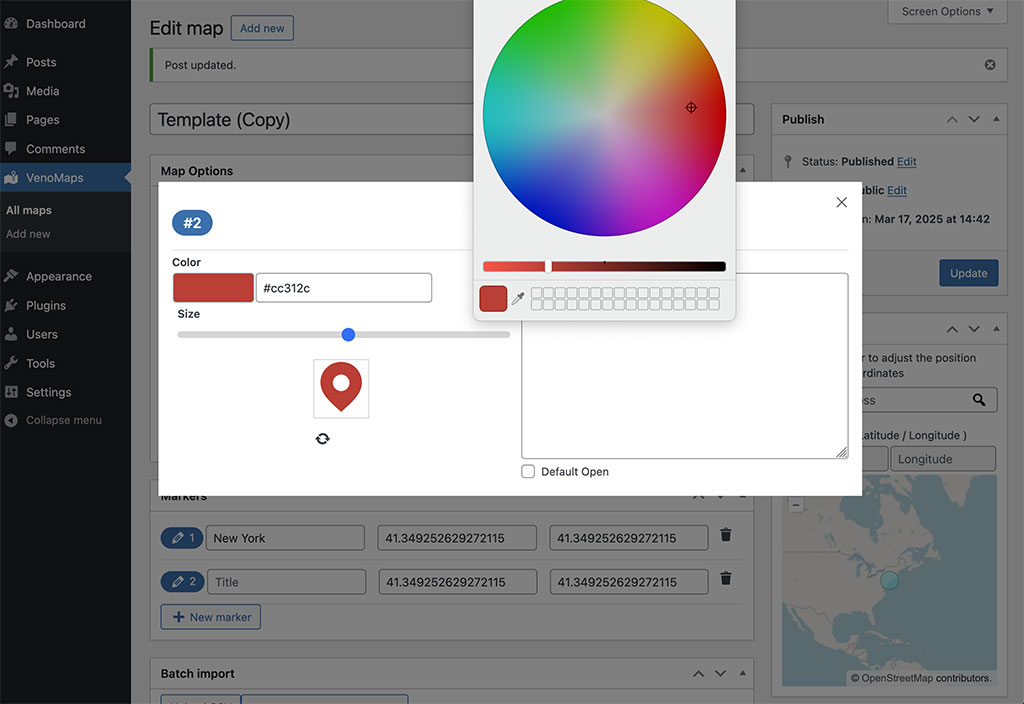
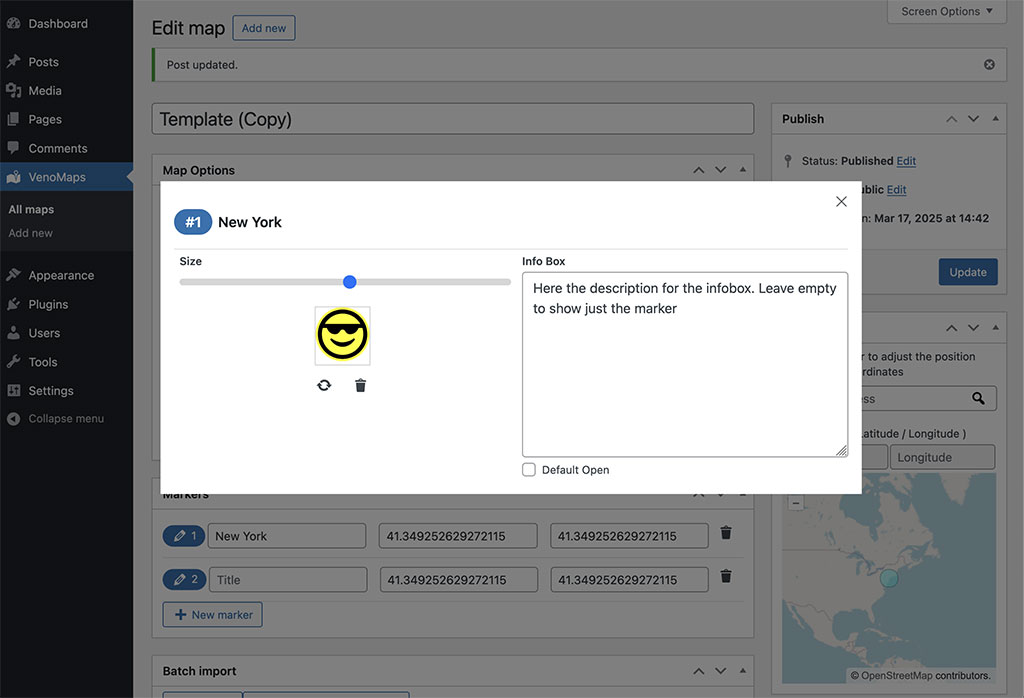
- 🎨 Fully Customizable: Upload your custom markers, create multi-stop routes, and choose from multiple map styles, or add your own custom tilesets.
Features
- Live Marker Search: Allow users to instantly filter locations by searching marker titles and infobox content. Perfect for store locators and directories.
- Custom Routes: Create and display custom routes by selecting markers as waypoints. Ideal for travel blogs, event maps, and delivery routes.
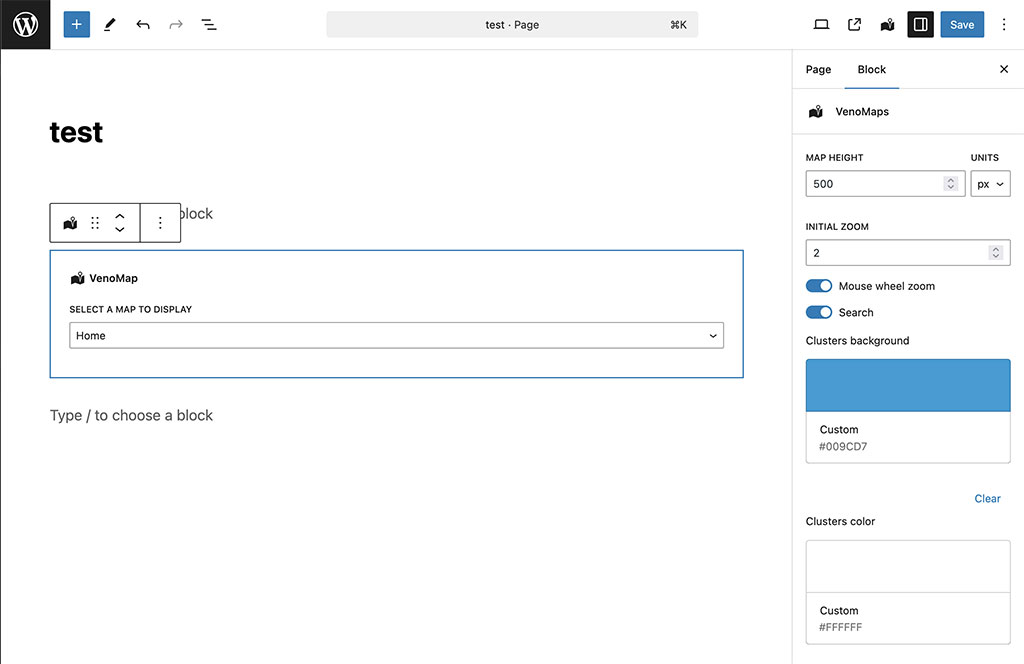
- Gutenberg Block for easy insertion into posts and pages.
- Manage custom markers using the WP Media Library.
- Responsive design ensures a perfect display on all devices.
- Advanced Marker Clustering for better performance with large data sets.
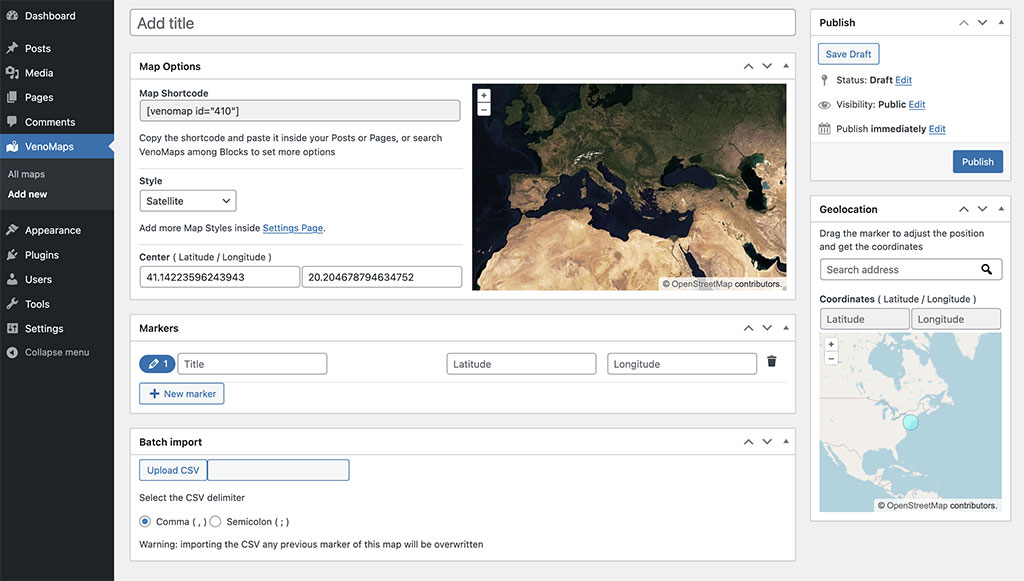
- Import large lists of markers efficiently via CSV file.
- Geolocation utility to find Latitude/Longitude from an address.
- Supports external custom styles from Stadiamaps, Thunderforest, and Maptiler (API keys required only for these optional services).
More from Nicola Franchini
If you find VenoMaps useful, you might also like my other tools for WordPress:
- 💎 QRcdr: From static codes to a full Dynamic QR SaaS. Sell plans, track scans and monetize.
- 🖼️ VenoBox: A fast, responsive, and flexible lightbox for images, videos, and galleries. Zero jQuery dependency.
Discover all my solutions at veno.es.
High-quality scripts, premium add-ons, and professional tools designed for performance-focused developers.
Installation
- Upload the plugin folder
venomapsto the/wp-content/plugins/directory. - Activate the plugin through the ‘Plugins’ menu in WordPress.
- Go to VenoMaps > Add New, give your map a title, and define basic options, markers, and routes.
- Insert the map using the VenoMaps Gutenberg Block or the shortcode
[venomap id="xxx"]. - (Optional) Add new custom map styles under Settings > VenoMaps.
Frequently asked questions
Does this plugin support Google Maps?
No. VenoMaps was built specifically as a robust, lightweight, and privacy-friendly alternative to Google Maps, relying on OpenStreetMap and OpenLayers for core functionality.
Do I need an API key to use VenoMaps?
No. The default map styles are loaded without the need for any API key, registration, or cost. If you wish to use premium or custom map styles from third-party services like Maptiler or Stadia Maps, you will need to obtain a key from those services.
Can I use it to create a Store Locator?
Yes, absolutely. With features like powerful marker search, CSV import for multiple locations, and marker clustering, VenoMaps is a perfect tool for building a “Store Locator” map or any map with multiple points of interest.
How do I create a Route?
You can create a new route from the map editor screen. Simply add markers to your map to act as waypoints, then create a new Route and select the desired markers in the order you want them to appear. The plugin will automatically draw the path on the map.
How do I place a map inside my template file?
To display a map outside the post editor or widgets, use the following PHP code inside your template file: echo do_shortcode(‘[venomap id=”xxx” height=”xxx”]’); Replace the shortcode parameters with the ones generated by the plugin on the map’s edit page.
Changelog
First release
2.1.8
- Fix: attribution links broken by missing quote
2.1.7
- Update: tested up to WordPress 7.1
2.1.6
- New Option: Disable Clusters
- Update: Italian and Spanish language update
2.1.5
- Fix: Admin footer text accidentally hidden
2.1.4
- Update: tested up to WordPress 7.0
2.1.3
- Update: Allow CSV import with partial fields
- Update: UI / UX improvements
Screenshots

For developers
Is this your plugin? Show off the numbers.
Add a live badge to your site, docs or GitHub README. It updates on its own — no account needed.
Best VenoMaps alternatives
All maps plugins →





FAQ
VenoMaps: quick answers
Straight answers, pulled from live WordPress.org data.
Live data from WordPress.org · checked Oct 18, 2026
Is VenoMaps free?
Yes. VenoMaps is free to download and use from the official WordPress.org plugin directory.
Is VenoMaps safe to use in 2026?
VenoMaps is a solid plugin choice in 2026, with a few things worth checking first. It runs on 400+ sites, is rated 4.2/5 and was last updated 2 months ago, and scores 79/100 on our health check.
How many websites use VenoMaps?
VenoMaps is active on 400+ WordPress websites and has been downloaded 13,587 times since it launched in May 2020. It was downloaded 237 times in the last 30 days.
Does VenoMaps work with WordPress 7.1?
Yes. The developer has tested VenoMaps up to WordPress 7.1.3, the latest release. It requires WordPress 4.0 or newer.
What PHP version does VenoMaps need?
VenoMaps requires PHP 7.3 or higher. Most hosts run PHP 8.x today, so it works on any modern WordPress hosting.
When was VenoMaps last updated?
The latest version, 2.1.8, was released on August 26, 2026 (2 months ago).
Who makes VenoMaps?
VenoMaps is developed and maintained by Nicola Franchini.
What are the best alternatives to VenoMaps?
The most popular alternatives to VenoMaps are WP Go Maps (300K+ installs), WP Maps (60K+ installs) and MapPress (30K+ installs).
Powered by PageForge
Want thousands of pages that rank like these? Build them in an afternoon.
This directory runs on the same engine as PageForge. Turn any spreadsheet, CSV or API into thousands of fast, SEO-ready WordPress pages — with schema, internal links and AI-written copy baked in.
- CSV, Google Sheets & API data sources
- AI content, schema & internal links per page
- Works with Elementor, Gutenberg, Yoast & Rank Math
- Free on WordPress.org — no credit card


